

 100% Security Verified | No Subscription Required | No Malware


 ChatGPT
 Perplexity
 Gemini
 Claude
 Grok
Grok
The Restaurant Warm Light Filter pack is designed for content creators who want their restaurant videos to feel cozy, inviting, and cinematic without losing natural color and detail.
These Filmora presets subtly enhance warm tones, soften harsh lighting, and balance shadows so every table shot, bar scene, and wide interior feels like a perfectly lit dining experience.
In this article
Golden Table Ambience Shots
Soft Golden Glow
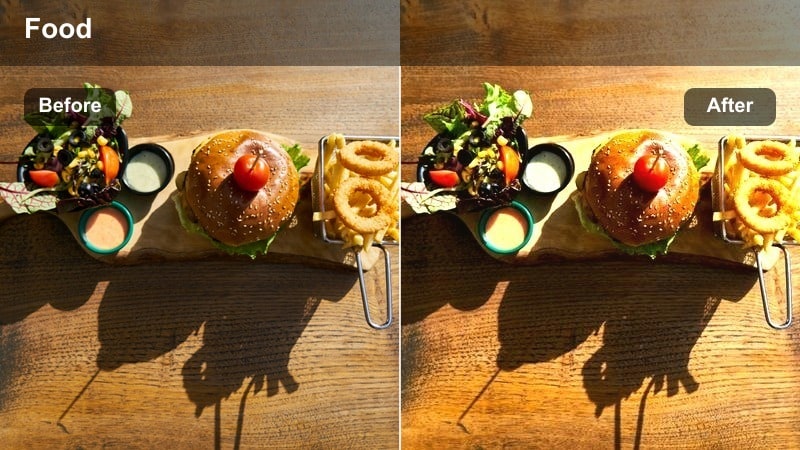
- Effect look: Gentle golden warmth that softens edges and adds a subtle glow around the table area.
- Best for: Close-up table scenes, hand movements, and intimate framing in softly lit restaurants.
- Editing tip: Lower contrast by 5-10 percent if your original footage was shot under very strong spotlights.
Soft Golden Glow wraps your table shots in a gentle golden warmth that instantly makes plates, glasses, and hands feel more cinematic. In Filmora, this preset is ideal when your raw footage looks a bit flat or cold, but you still want to preserve authentic colors and texture on food, tableware, and skin.
Apply it to your close-ups, then fine-tune with Filmora color controls to keep skin tones from drifting too orange. If faces start to oversaturate, adjust yellows and oranges in HSL while maintaining the overall warmth. For spotlight-heavy scenes, pull contrast down slightly so highlights roll off smoothly and your table ambience feels soft, cozy, and high-end.
AI-Assisted Warm Color Balancing
Filmora AI tools help you quickly tame tricky mixed lighting, such as warm pendants, daylight from windows, and colored accent LEDs in restaurant interiors. Once you apply a Restaurant Warm Light Filter preset, AI can automatically balance tones so your footage feels cohesive from shot to shot.
Use AI color matching after grading a hero clip to spread the same warm, cozy look across an entire sequence. This keeps your table moments, wide dining shots, and bar details visually consistent with minimal manual tweaking.
 secure download

Preview Restaurant Warm Light Filters in Real Time
With Filmora, you can preview each Restaurant Warm Light Filter directly on your clips by hovering in the Effects panel. This lets you feel how Soft Golden Glow, Candlelight Softener, or other presets will influence your footage before you drop them onto the timeline.
Try several warm looks on a single shot, compare side by side in the preview window, and settle on the version that best fits your restaurant brand, from relaxed brunch vibes to moody late-night dining.
secure downloadCombine Warm Filters with LUTs for Cinematic Results
Restaurant Warm Light Filters become even more powerful when you stack them with Filmora LUTs. The presets shape the cozy golden atmosphere, while LUTs refine contrast, color separation, and overall cinematic depth.
Apply your preferred warm filter first, then add a soft cinematic LUT on top and lower opacity if the look becomes too strong. This layered workflow helps you build a signature restaurant style while still keeping skin tones natural and highlights controlled.
secure downloadCandlelight Softener
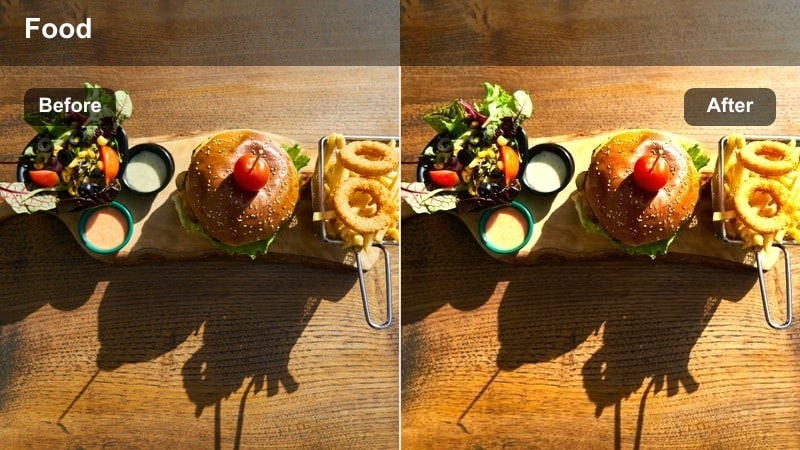
- Effect look: Soft-focus warmth that mimics candlelight with slightly lifted blacks.
- Best for: Romantic dinner scenes and quiet conversations in low-light restaurants.
- Editing tip: Add a very light vignette to draw attention to faces and the center of the table.
Candlelight Softener recreates the glow of real candles by lifting blacks, softening contrast, and wrapping subjects in a gentle halo. It is perfect for romantic dinners or intimate date-night content where harsh shadows would break the mood.
In Filmora, pair this preset with a subtle vignette and a touch of shadow recovery so you still see detail in hair, clothing, and decor. Keep exposure conservative and rely on highlight recovery rather than brightening too much, which helps preserve the shimmer of candles and small lamps without clipping.
Amber Tabletop Focus
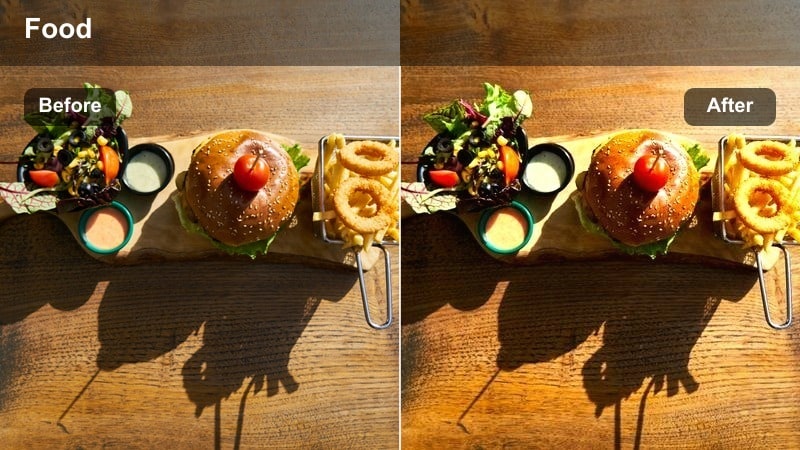
- Effect look: Rich amber tint that brightens the tabletop and adds punch to warm highlights.
- Best for: Overhead or 45-degree shots of the table, menus, and drink setups in warm interiors.
- Editing tip: Reduce saturation in reds if menu covers or decor start to look too intense.
Amber Tabletop Focus concentrates warmth on the surface of your table, making dishes, menus, and drinks feel more inviting and appetizing. It pushes amber tones into highlights so specular reflections on glassware and cutlery capture the viewer s eye.
Use this preset in Filmora on overhead or angled shots where you want the tabletop to be the star. If reds in branding, menus, or napkins become too bold, dial them back in the HSL panel. For extra emphasis, combine the preset with a masked sharpen effect on plates and hands so the action around the table feels crisp within the cozy amber environment.
Bar Counter and Evening Bar Scenes
Honey Bar Glow
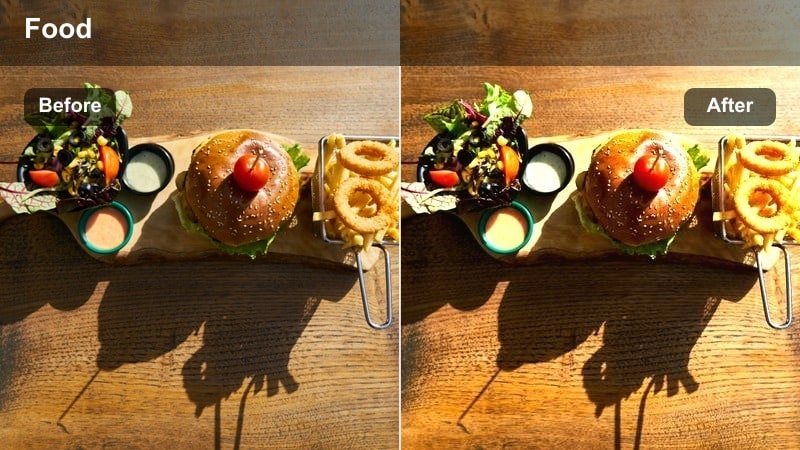
- Effect look: Deep honey-toned warmth with enhanced reflections and subtle contrast.
- Best for: Evening bar counter shots and bartender sequences in dimly lit areas.
- Editing tip: Dial back highlights slightly to keep reflections on glassware from blowing out.
Honey Bar Glow enriches bar scenes with a deep honey tone that flatters wood, brass, and bottle colors. Reflections across the bar top and back shelves gain a luxurious shine, helping your nightlife content feel premium and atmospheric.
In Filmora, apply this preset to bartender sequences, slow drink preparations, and customer reactions at the bar. Gently lower highlights if glass reflections become too intense, and let some natural handheld motion remain instead of over-stabilizing. Those subtle movements, combined with the warm shine, keep bar scenes feeling lively and authentic.
Amber Neon Mix
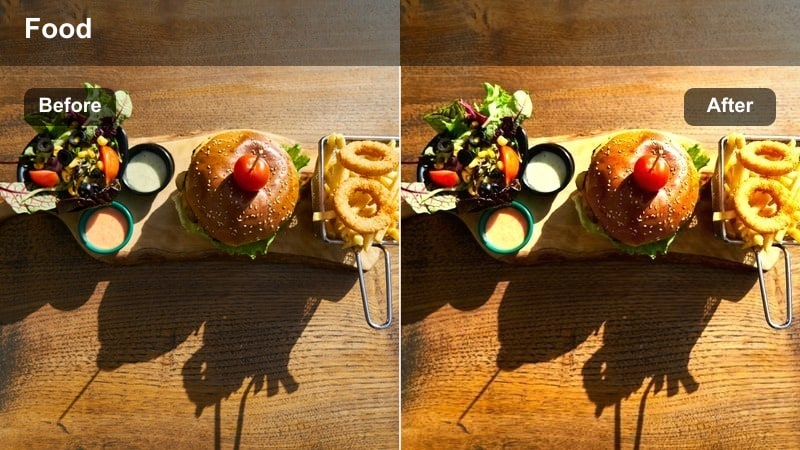
- Effect look: Balanced mix of amber warmth and preserved neon colors with slightly boosted midtones.
- Best for: Bars with neon signage or colorful accent lights in restaurant lounges.
- Editing tip: Use HSL to selectively reduce magentas if neon signs appear too overpowering against the warm base.
Amber Neon Mix is built for modern lounges where warm ambient lighting coexists with bright neon signs and colored LEDs. It maintains the character of neon hues while layering a cohesive amber warmth over the entire frame.
When grading in Filmora, apply this preset to keep signage readable and vibrant without sacrificing the inviting bar atmosphere. If certain magenta or purple neons dominate the frame, selectively calm them using HSL controls. Follow up with light noise reduction in shadows to keep darker corners smooth, especially if you filmed at a higher ISO.
Evening Whiskey Tone
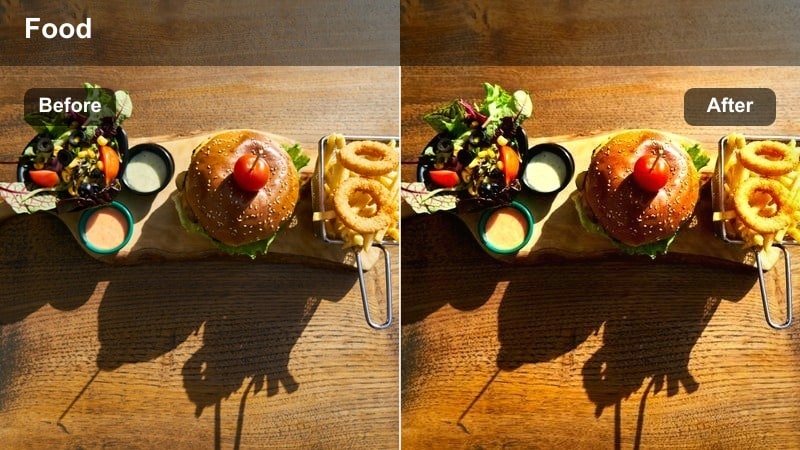
- Effect look: Deep, slightly desaturated golden-brown tone that evokes whiskey and dark wood.
- Best for: Moody bar corners, shelves of bottles, and close-ups of drink pours in restaurant bars.
- Editing tip: Lower saturation in blues and greens to reinforce the whiskey-inspired color harmony.
Evening Whiskey Tone leans into golden-brown hues, giving your bar content a mature, upscale feel inspired by whiskey, aged spirits, and dark wood. Colors are slightly desaturated, which adds a refined, cinematic character to shelves of bottles and close-up pours.
Use this preset in Filmora on moody corner shots, bottle displays, and slow-motion pours to create a sense of luxury. Add a gentle S-curve in the tone curve panel to deepen contrast and highlight liquid texture. Reducing blues and greens in HSL further reinforces the whiskey palette so viewers associate the environment with depth, warmth, and quality.
Wide Dining Room Atmosphere
Cozy Room Wash
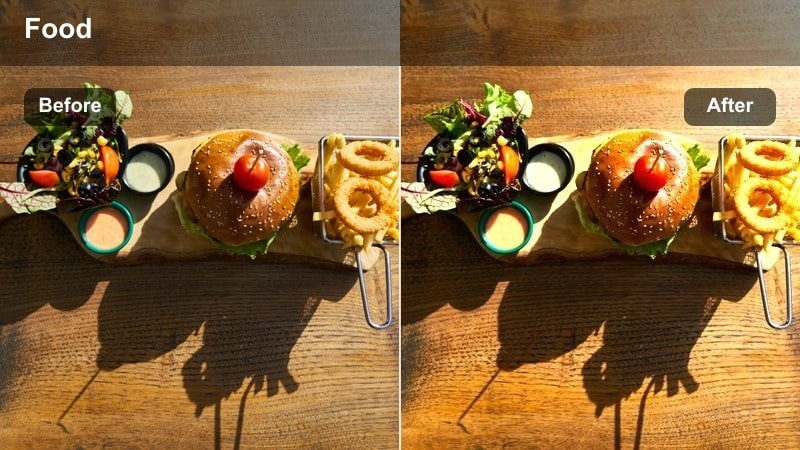
- Effect look: Even warm wash across the frame with gentle highlight roll-off and softened contrast.
- Best for: Wide shots of the entire dining room or open-plan restaurant interiors.
- Editing tip: Add a subtle haze or glow effect if your source footage feels too clinical or sharp.
Cozy Room Wash spreads a smooth, even warmth across the entire frame, making large dining rooms and open-plan interiors feel welcoming and lived-in. It softens contrast just enough to avoid a clinical look while keeping architectural lines and decor visible.
In Filmora, apply this preset to your establishing shots and slow pans that introduce the space. If your camera and lens produce very sharp footage, layer a small amount of glow or haze to soften edges and lights. This helps your audience feel the overall ambience before you cut into tighter table or bar details.
Sunset Window Glow
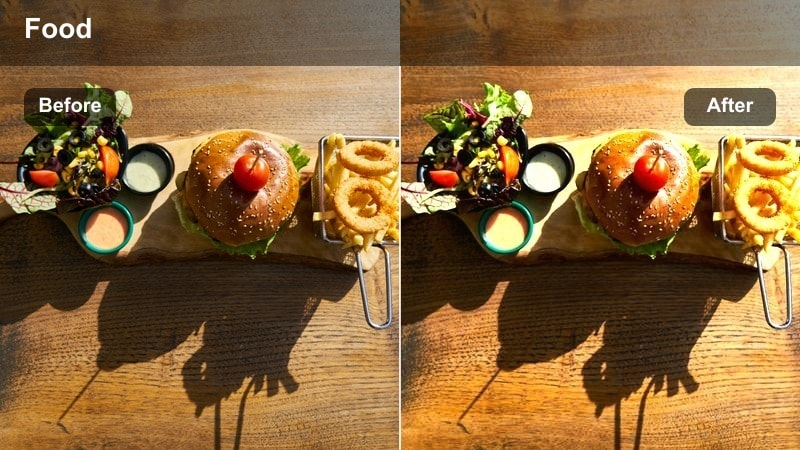
- Effect look: Warm sunset-style highlights concentrated near windows and bright exterior spill.
- Best for: Day-to-evening transitions where natural light mixes with interior warm lights.
- Editing tip: Apply a gradient mask from the window side to keep the glow strongest near the brightest light source.
Sunset Window Glow simulates the effect of golden-hour sunlight streaming through windows, perfect for cafes and restaurants with big glass fronts. It intensifies warm highlights on the window side of the room while keeping interior tones cohesive.
In Filmora, use gradient masks or shape masks to localize the strongest warmth near windows or doors where light naturally enters. Consider setting a slightly cooler white balance in camera so you have latitude to push this warm effect without losing exterior detail. This approach creates beautiful day-to-evening transitions that feel cinematic and believable.
Even Glow Family Dining
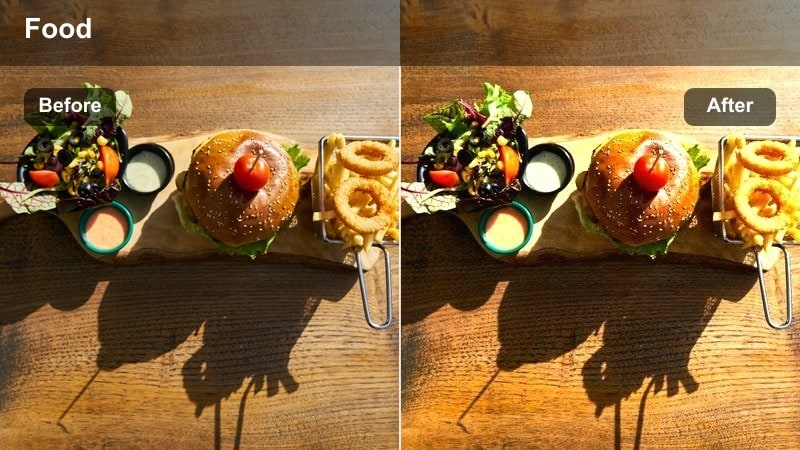
- Effect look: Soft, balanced warm tone that keeps skin tones natural across groups of people.
- Best for: Family-style or group dining scenes where multiple faces share the frame.
- Editing tip: Use mild face refinement or subtle skin smoothing only after color is locked in.
Even Glow Family Dining is tuned for group shots where several people with different skin tones share the frame. It adds an inviting warmth without pushing any one face too orange or red, which is crucial for family-style meals and celebration content.
In Filmora, grade your sequence for consistent exposure first, then apply this preset across matching angles so brightness does not jump between cuts. After color is locked, add light skin smoothing or face refinement if needed. Avoid mixing drastically different filters within the same scene so your group shots feel cohesive and natural.
Entrance Moments and Brand Story Shots
Warm Entrance Welcome
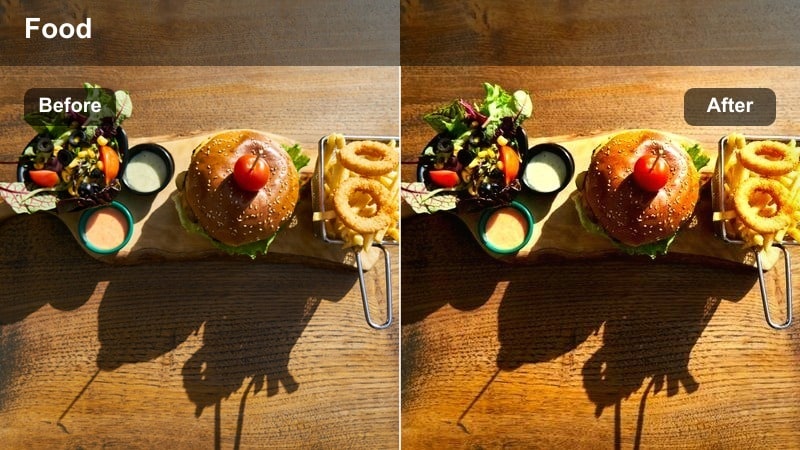
- Effect look: Inviting, slightly brightened warm light that highlights entryways and signage.
- Best for: Exterior-to-interior transitions, entrance doors, and host stand intros.
- Editing tip: Increase exposure slightly on your subject while keeping the background just a bit darker for depth.
Warm Entrance Welcome brightens and warms your doorway and signage to create a strong first impression. It is especially effective for evening or night shots where the glow from inside the restaurant should feel like a visual invitation.
In Filmora, use this preset on walk-in shots and transitions from street to interior. Boost exposure gently on your subject, whether it is a guest or host, while leaving the surroundings a touch darker to add depth and focus. Compose your frame so the logo or sign sits in the brightest area, reinforcing your branding as viewers are visually drawn inside.
Host Intro Highlight
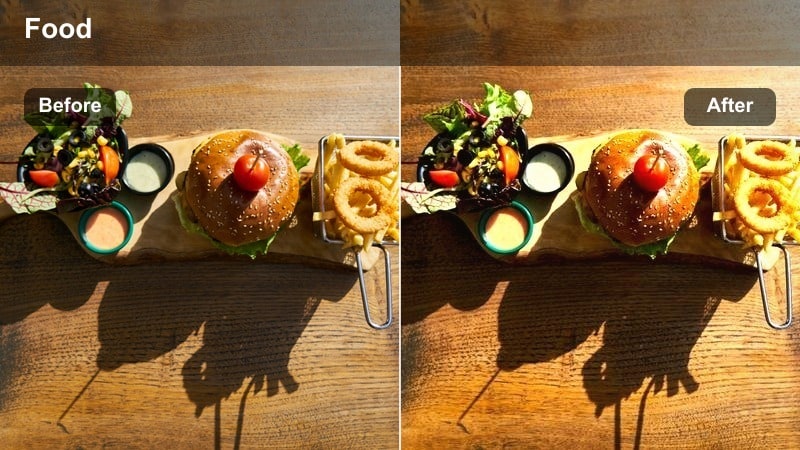
- Effect look: Focused warm light around the host or creator, with gently darkened surroundings.
- Best for: Talking-head introductions filmed near the entrance, bar, or a signature corner.
- Editing tip: Use slight background blur or reduced clarity to separate the host from the environment.
Host Intro Highlight centers attention on the presenter by giving their face and upper body a warm lift while allowing the background to fall slightly into shadow. It is ideal for YouTube intros, reels, or brand explainers filmed on location in your restaurant.
Within Filmora, combine this preset with shallow depth of field or reduced clarity on the background to further isolate the host. Lock exposure during the take so brightness does not shift as the host moves, and consider adding a subtle reflector or bounce during filming to create attractive eye catchlights before grading.
Brand Story Corner
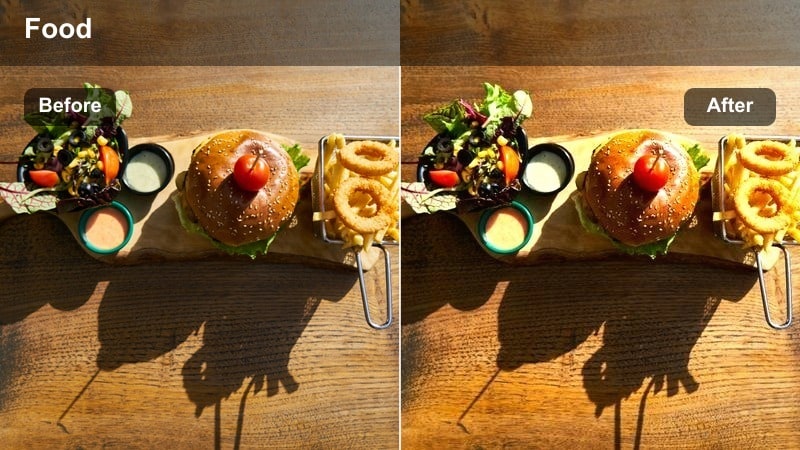
- Effect look: Stylized warm tone with slightly muted colors for a storytelling, documentary feel.
- Best for: Owner interviews, behind-the-scenes preparations, and brand story cutaways.
- Editing tip: Lower overall saturation a touch to keep the focus on narrative and expression rather than vivid colors.
Brand Story Corner creates a warm yet understated look that suits interviews and documentary-style storytelling. Colors are gently muted so the viewer focuses more on expressions, dialogue, and narrative details instead of bright decor.
Apply this preset in Filmora across all your story-driven clips, from owner interviews to kitchen prep cutaways, to build a consistent visual language. Slightly reduce global saturation and keep music lower in the mix so clean dialogue stands out. Using one cohesive warm grade for all brand-story segments helps audiences instantly recognize your restaurant s personality and tone.
Tips for Using Restaurant Warm Light Filter Filters in Filmora
- Shoot with a slightly cooler white balance in camera so you can safely push warmth with Restaurant Warm Light Filters during editing without clipping highlights.
- Keep ISO as low as possible in dim interiors to avoid excessive noise when brightening shadows and midtones with warm presets.
- Use the same or similar warm filters across multi-shot sequences to avoid jarring shifts in color temperature between angles.
- Always double-check skin tones after applying warm filters and fine-tune yellows and oranges in HSL to keep faces natural.
- Add subtle vignettes with warm presets to guide attention toward tables, hosts, or entrances without distracting from the overall space.
- When grading bar scenes, expose for bright highlights in-camera and let Filmora filters bring richness back into the midtones.
- Create a custom Filmora preset stack that combines your favorite warm filter with grain, vignette, and contrast tweaks for faster, repeatable edits.
- Match warmth intensity to the time of day in your story, using gentler tones for brunch and deeper, richer warmth for late-night dining.
Restaurant Warm Light Filters in Filmora give content creators an easy way to turn ordinary indoor footage into cozy, on-brand visuals that match the mood of real dining experiences.
By pairing the right preset with each scene, from table close-ups to bar corners and entrance shots, you can build a warm, consistent visual style that keeps viewers hungry for more of your content.
secure downloadNext: Cafe Casual Vlog Video LUT: Soft Looks for Everyday Cafe Content
