

 100% Security Verified | No Subscription Required | No Malware

The soft highlight color filter look is all about gentle glow, smooth contrast, and flattering skin tones that feel cinematic without looking over-edited.
These Filmora presets are designed for content creators who want to brighten their footage, control harsh highlights, and add a subtle, polished color style that works across vlogs, portraits, lifestyle clips, and atmospheric b-roll.
In this article
Soft Daylight Vlog Scenes
Morning Window Glow
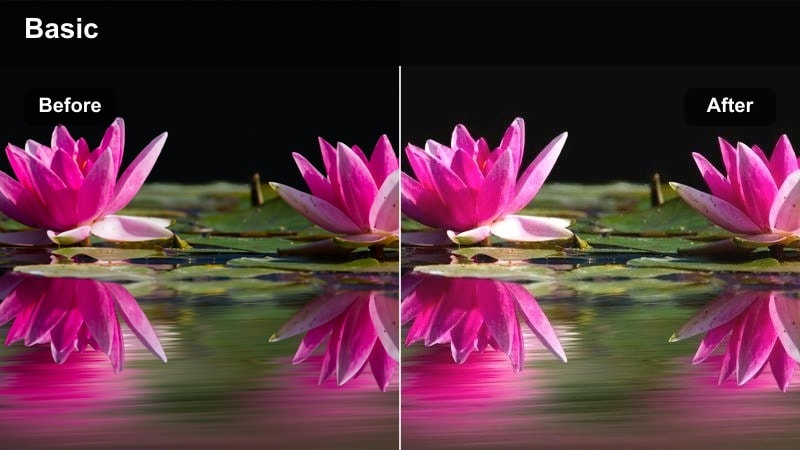
- Effect look: Softly lifted highlights with a warm, airy glow that keeps details in bright window light.
- Best for: Talking-head vlogs filmed near windows, light home tours, and casual daytime content.
- Editing tip: Lower contrast slightly and nudge exposure down a touch if your background is clipping to pure white.
Morning Window Glow is ideal when you are shooting with strong natural light behind you but still want a soft, flattering look. In Filmora, this soft highlight color filter gently rolls off bright window areas so you preserve detail in curtains, buildings, or sky instead of blowing them out to pure white.
Use this preset on vlog episodes, light-filled room tours, or desk setups beside a window where you want a clean, bright aesthetic without harsh contrast. Combine it with Filmora tools like subtle vignettes and face-enhancement to balance your own exposure against the glowing background and keep skin tones warm and natural.
Use AI Tools to Refine Your Soft Highlight Look
Filmora AI-powered color correction is a fast way to prepare high-contrast clips before you add any soft highlight color filter. Let AI analyze your footage, balance exposure, and correct strong color casts so the highlights are already under control.
Once the automatic pass is done, fine-tune highlights and whites manually, then layer your favorite soft highlight preset on top. This workflow makes the filter an artistic choice instead of a rescue tool, giving your vlogs and b-roll a clean, consistent base look.
 secure download

Preview Soft Highlight Filters in Real Time
In Filmora, you can hover over soft highlight filter thumbnails in the Effects panel to preview how each look changes your highlights, contrast, and color balance. This makes it easy to compare warm, neutral, and cool soft highlight styles on the same clip.
After you find a direction you like, stack gentle brightness and saturation tweaks, then save your favorite combination as a custom preset. This gives you a one-click soft highlight style you can reuse across vlogs, beauty content, or cinematic b-roll.
secure downloadCombine Filters with Color LUTs for Depth
Filmora includes 1000 plus video filters and 3D LUTs you can stack with soft highlight color filters to craft a unique, cinematic palette. Apply a film-style or teal-and-orange LUT at low intensity first to define your overall color mood.
Then, layer a soft highlight preset on top to smooth windows, skies, and practical lights without losing the color character from your LUT. This combination keeps your highlights gentle and your color grading cohesive in every scene.
secure downloadSubtle Kitchen Softlight
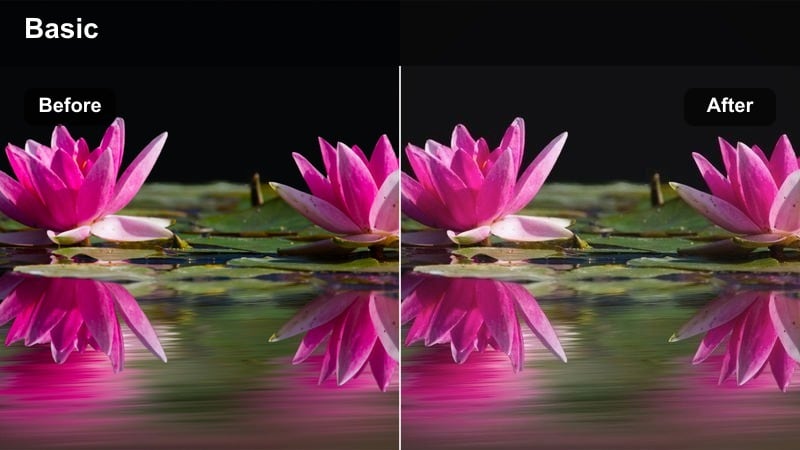
- Effect look: Creamy, low-contrast highlights with a neutral color cast that keeps countertops and cabinets clean and bright.
- Best for: Cooking walk-throughs, daily routine vlogs, and lifestyle videos shot in modern kitchens.
- Editing tip: Use slight saturation reduction on yellows to avoid warm overhead lights turning too orange against white cabinets.
Subtle Kitchen Softlight is built to handle bright countertops, reflective appliances, and mixed lighting in kitchen spaces. The filter lowers contrast in the top end so white cabinets and plates stay bright but not blinding, while keeping a neutral color balance that works with both daylight and warm bulbs.
Apply this preset to cooking tutorials, coffee routines, and cleaning montages where you want a fresh, magazine-style look. In Filmora, pair it with minor yellow and orange saturation adjustments plus white-balance tweaks to manage tungsten fixtures so food, hands, and surfaces all share the same soft highlight character.
Desk Setup Halo
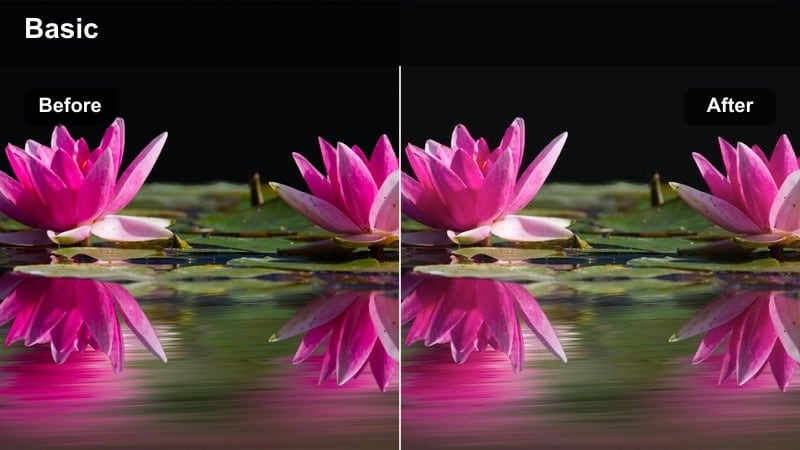
- Effect look: Soft halation around bright screens and key lights with subtle contrast in midtones for readable gear details.
- Best for: Desk tours, productivity vlogs, and talking-head tech content shot at a workstation.
- Editing tip: Reduce highlight sharpness slightly to smooth the glow around monitors without blurring on-screen text.
Desk Setup Halo turns the hard edges of monitor light and LED panels into a gentle, modern glow that flatters both your face and your gear. The preset focuses on softening highlight transitions around bright rectangles while preserving midtone clarity so keyboards, mice, and decor stay crisp.
Use it on desk-tour reels, keyboard builds, and productivity vlogs to give your workspace a premium, cinematic feel. In Filmora, you can refine the effect by combining the filter with selective sharpening or masks over screens, keeping text and UI elements legible while the surrounding light blooms softly.
Soft Portrait and Beauty Highlights
Skin Silk Glow
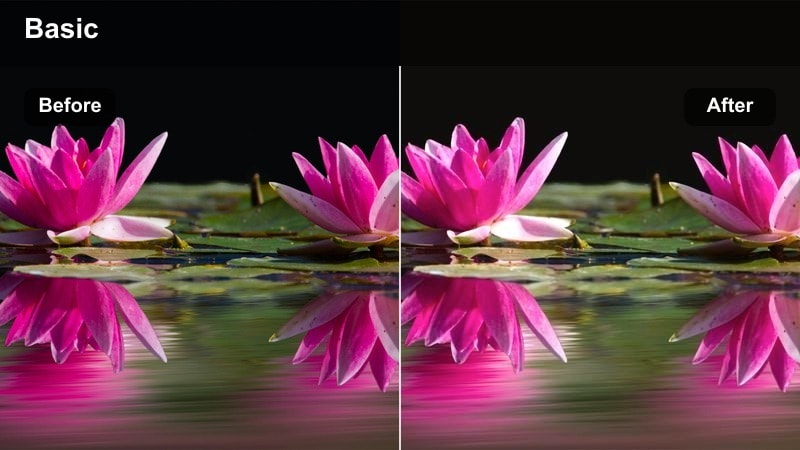
- Effect look: Delicate rolled-off highlights on skin with a micro-warm tint for flattering, silky complexions.
- Best for: Beauty tutorials, GRWM clips, and close-up portrait intros.
- Editing tip: Pair with low-strength skin smoothing; avoid heavy blur so pores still look real under the softened highlights.
Skin Silk Glow is tuned specifically for faces, gently compressing bright spots on cheeks, forehead, and nose while adding a subtle warm tint that flatters most skin tones. It smooths harsh reflections from softboxes and ring lights without erasing natural skin texture.
Apply this filter in Filmora to close-up makeup shots, GRWM sequences, and talking-head intros where skin is the focus of the frame. Combine it with light-touch beauty tools, like minimal skin smoothing and color correction on reds, to keep your complexion luminous and realistic rather than plastic.
Studio Ring Soft
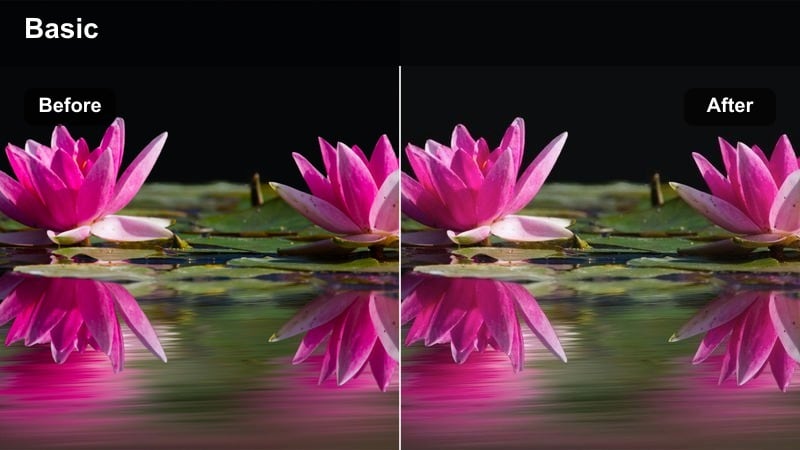
- Effect look: Softened ring-light catchlights with controlled forehead and nose shine, keeping the frame bright but polished.
- Best for: TikTok and Reels recorded on phones, vertical beauty and commentary videos with ring lights.
- Editing tip: Dial down highlights first, then add a small contrast boost so hair and brows stay defined around the softened face.
Studio Ring Soft is crafted for ring-light setups where reflections and shine can quickly become distracting. It gently softens the hottest areas of the face while preserving crisp detail in lashes, brows, and hairline, keeping your vertical videos bright and studio-clean.
Use this preset for TikToks, Reels, and YouTube Shorts that rely heavily on ring lighting. In Filmora, you can enhance the effect by slightly reducing overall highlights, then nudging contrast to maintain edge definition, giving your content a professional, polished studio feel on mobile screens.
Soft Backlit Portrait
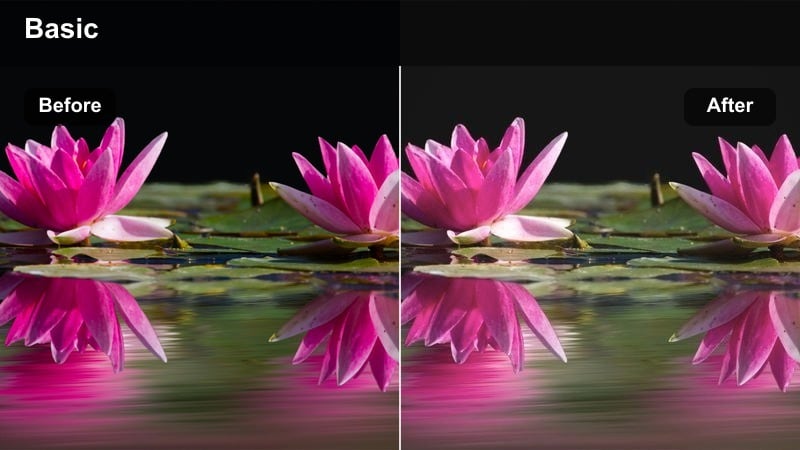
- Effect look: Subtle haze around hair edges and shoulders with pastel-tinted highlights that keep backlight from flaring harshly.
- Best for: Backlit portrait b-roll, silhouettes with detail, and emotional intro shots.
- Editing tip: Pull shadows up slightly so your subject does not become a silhouette when the backlight blooms softly.
Soft Backlit Portrait is designed for scenes where your subject stands against a bright window or strong backlight. The filter creates a gentle halo around hair and shoulders, turning hard edges into a pastel glow while protecting midtone detail in the face and clothing.
Apply it in Filmora to dreamy b-roll, emotional intros, or lifestyle cutaways where you want a romantic, ethereal mood. Lift shadows a touch and adjust whites instead of overall exposure to keep the background luminous but readable, retaining dimension in both subject and environment.
Cinematic B-Roll with Gentle Highlights
City Window Reflections
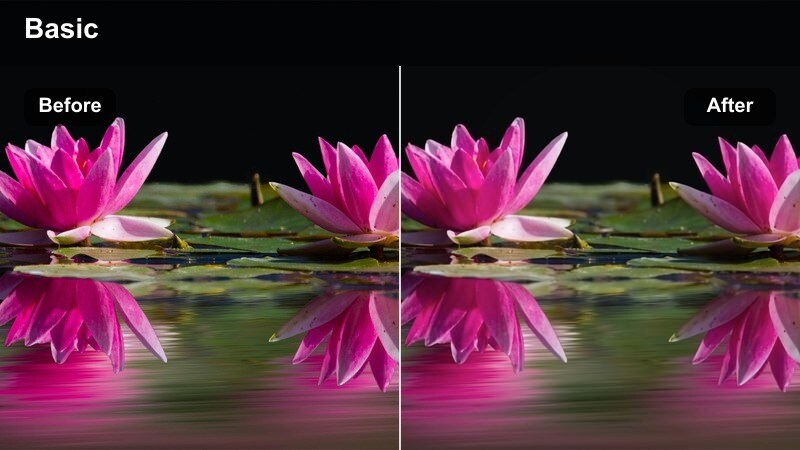
- Effect look: Soft highlight blooms on glass reflections with muted contrast for a calm, cinematic city atmosphere.
- Best for: Urban b-roll of street windows, office exteriors, and reflective glass in city scenes.
- Editing tip: Add a slow push-in or pan to emphasize the glow on reflections while keeping moving subjects recognizable.
City Window Reflections softens harsh specular highlights on glass, polishing storefronts, car windows, and office facades into a cinematic glow. The lowered contrast and graceful highlight roll-off give your city footage a calm, filmic mood instead of a crunchy, over-sharp digital look.
Use this preset in Filmora for travel montages, city intros, and aesthetic B-roll sequences cut between talking-head segments. Pair it with slow camera moves or subtle keyframed zooms to guide attention across the softened reflections and keep your viewers immersed in the urban atmosphere.
Sunset Balcony Wash
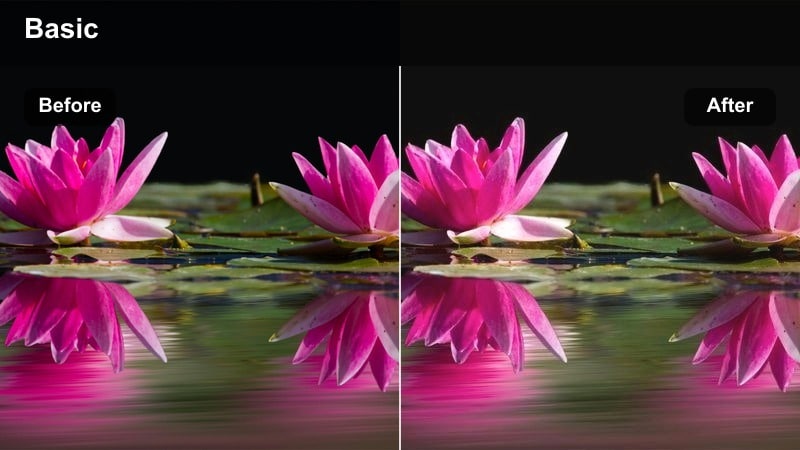
- Effect look: Peach-tinted soft highlights that wash over railings, skies, and buildings for gentle golden-hour ambience.
- Best for: Balcony chats, skyline b-roll, and rooftop storytelling during sunset.
- Editing tip: Slightly desaturate oranges when the sky is intense to keep the soft look from turning oversaturated.
Sunset Balcony Wash enhances golden-hour footage by adding peachy, romantic highlights across the sky, buildings, and railings. Instead of harsh flares or clipped skies, you get a smooth wash of color that feels dreamy and cohesive, perfect for storytelling against a skyline.
Apply this filter in Filmora for balcony monologues, rooftop vlogs, and slow-motion B-roll where the sun sits low on the horizon. If your camera captured a strong, saturated sunset, gently pull down orange saturation and tweak highlight intensity so the softness reads cinematic rather than overly vivid.
Hallway Light Fade
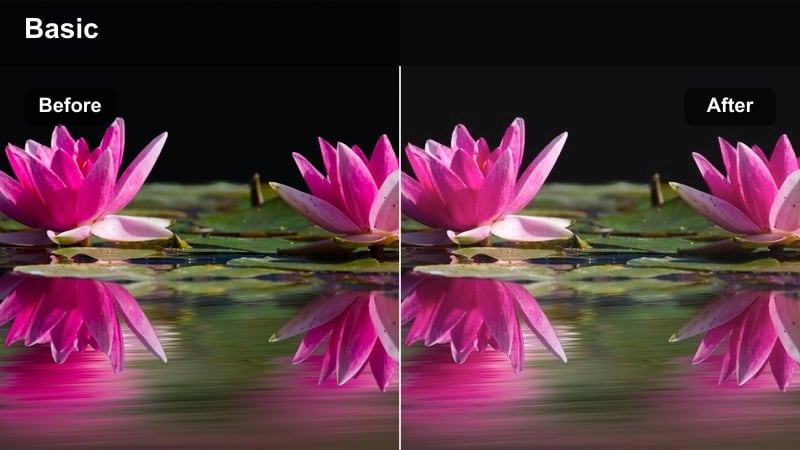
- Effect look: Gentle fade on overhead and side lights that turns harsh corridors into smooth, cinematic transitions.
- Best for: Hallway walk-through shots, travel hotel b-roll, and moody office sequences.
- Editing tip: Use slower shutter footage if possible; motion blur pairs well with this filter's softened light sources.
Hallway Light Fade transforms bright ceiling fixtures and wall sconces into smooth, elongated glows that feel like cinematic practical lighting. It reduces the brittle, clinical feel of corridors in hotels, apartments, and offices by softening the brightest points without flattening the scene.
Use this preset in Filmora for travel b-roll, transition shots between rooms, or moody narrative scenes. Combine it with footage captured at slower shutter speeds or with natural motion blur, then add gentle stabilization or speed ramping for sequences that glide through softly lit hallways.
Night Scenes and Screen-Driven Highlights
Late Night Monitor Glow
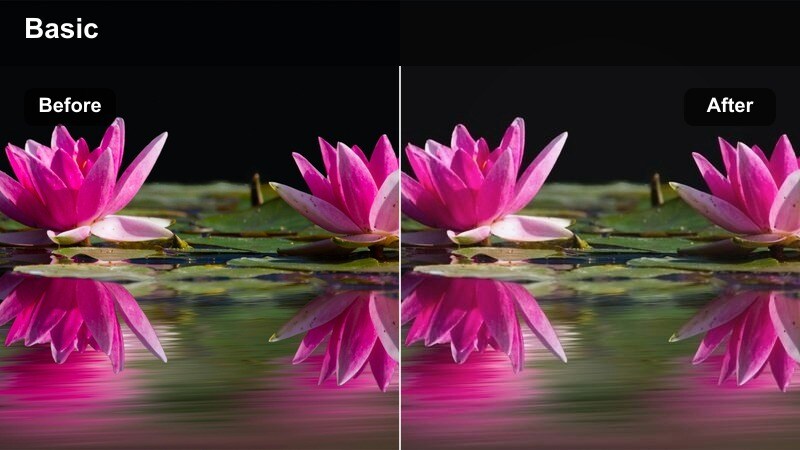
- Effect look: Soft, cyan-tinted highlights from screens that brighten faces while keeping dark rooms moody.
- Best for: Coding sessions, gaming clips, and productivity montages filmed in dim rooms.
- Editing tip: Lift shadows only slightly to avoid flattening the night mood while still seeing detail around your desk.
Late Night Monitor Glow makes screen light feel cinematic rather than harsh by softening its brightest areas and shifting them slightly toward a cool cyan. Faces stay readable and gently lit while the surrounding room remains deep and moody, ideal for late-night work or gaming aesthetics.
Apply this preset in Filmora to desktop setups, coding time-lapses, or gameplay recordings filmed with a camera pointed at your desk. Keep overall exposure low, lift only critical shadows, and let the soft highlight color filter define the glow around your monitor for a focused, intimate night-time look.
Street Neon Soft Haze
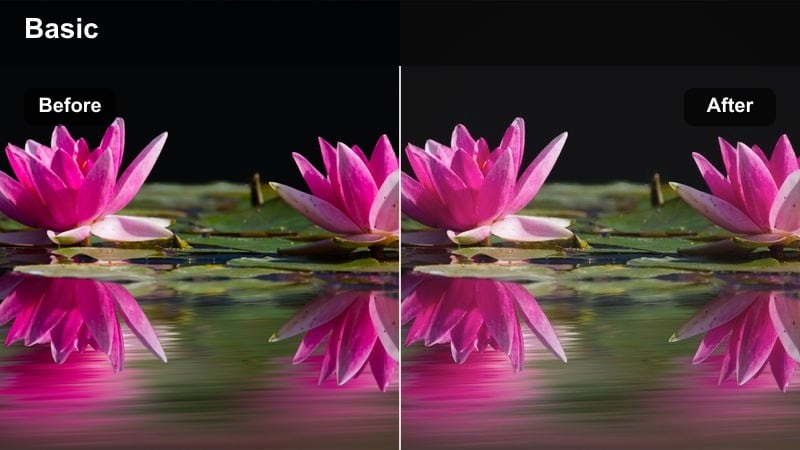
- Effect look: Blooming neon signs and car lights with gentle saturation and smooth roll-off in bright spots.
- Best for: Night city walks, urban aesthetic reels, and reflective street b-roll.
- Editing tip: Slightly lower saturation in reds and magentas to keep neon from overpowering skin tones in close shots.
Street Neon Soft Haze turns pointy, overexposed night lights into colorful, atmospheric blooms that spread softly across wet streets and building fronts. Neon signs, traffic lights, and car headlights gain a dreamy halo effect while the rest of the frame maintains enough contrast for depth.
Use this preset in Filmora for night-walk vlogs, downtown B-roll, or aesthetic reels focused on city lights. If you are filming people close to neon, adjust red and magenta saturation or hue so faces do not turn overly pink, keeping the highlight softness while taming color spill on skin.
Projector Soft Screen
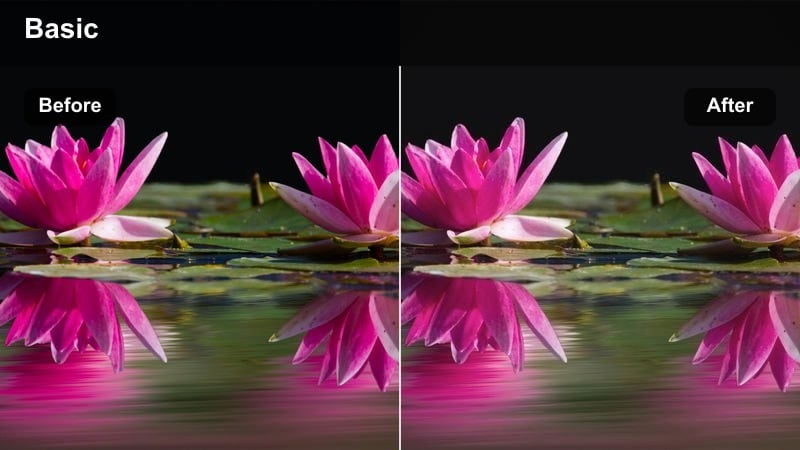
- Effect look: Muted, creamy highlights coming from projected images with subtle de-contrast for a nostalgic screening feel.
- Best for: Home cinema setups, presentation b-roll, and storytelling scenes with projected visuals.
- Editing tip: Reduce sharpness on highlights slightly so text and graphics stay legible but not overly crisp against dark surroundings.
Projector Soft Screen is tailored to the harsh beams and bright rectangles of projectors, smoothing their output into creamy highlights that feel nostalgic and cinematic. Whites on the screen are gently compressed so they do not overpower your subject or crush the rest of the frame into black.
Apply this preset in Filmora to home theater vlogs, presentation intros, or narrative scenes lit by projected visuals. Keep sharpness modest and consider a slight vignette so attention stays where the projector spill softly lights faces, hands, or key objects in the room.
Tips for Using Soft Highlight Color Filter Filters in Filmora
- Expose a bit darker in camera when you plan to use a soft highlight color filter, so skies, windows, and lamps retain detail for the filter to soften.
- Keep soft highlight filter intensity moderate on faces to avoid plastic-looking skin or a hazy, unfocused appearance.
- Always preview your grade on both bright and dim screens to ensure highlights remain readable rather than washed out.
- Use Filmora masks to apply soft highlight effects mainly to backgrounds or light sources while keeping key subjects crisp.
- Combine soft highlight presets with gentle contrast curves to maintain depth and separation in the scene.
- Save separate soft highlight presets for day, sunset, and night footage so you can swap consistent looks quickly in different projects.
- Stack soft highlight filters with LUTs at low intensity to add color character without over-softening the entire image.
- Leverage keyframes on filter intensity for clips where lighting changes mid-shot, keeping highlight softness consistent.
Soft highlight color filters are a straightforward way to turn harsh lighting into a gentle, cinematic glow that flatters subjects and adds polish to your channel.
Build a small toolkit of these Filmora presets for daylight, portraits, city b-roll, and night scenes so your entire content library shares a cohesive, softly lit aesthetic.
secure downloadNext: Deep Shadow Color Lut
