

 100% Security Verified | No Subscription Required | No Malware


 ChatGPT
 Perplexity
 Gemini
 Claude
 Grok
Grok
The Street Food Cooking Cinematic Filter preset is designed for content creators who want to turn quick street bites and sizzling pans into rich, atmospheric stories that feel straight out of a food documentary.
These filters balance warm highlights, deep contrast, and flavorful color tones so your street food cooking scenes look sharp, appetizing, and cinematic on any social platform.
In this article
Golden Hour Griddles and Market Warmth
Sunlit Skewers
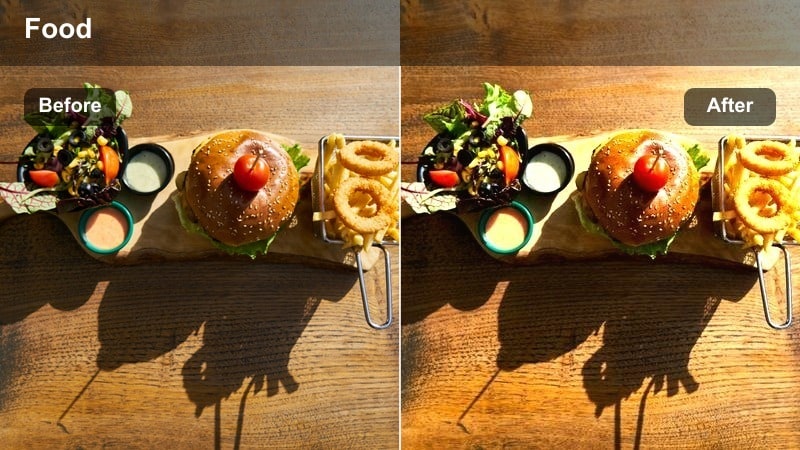
- Effect look: Soft golden glow with boosted saturation on grilled meats and smoke trails.
- Best for: Late afternoon street barbecue shots and skewers sizzling over open flames.
- Editing tip: Lower exposure slightly and add a touch of vignette to keep the focus on the grill center.
Sunlit Skewers wraps your grill shots in a gentle golden-hour glow, even if you shot them closer to midday. The added warmth and saturation make charred edges, caramelized sauces, and smoke trails look extra appetizing while keeping details crisp enough for 4K uploads. This look is ideal for creators who want their street barbecue scenes to feel like a high-end food commercial without losing the raw, urban atmosphere.
In Filmora, apply Sunlit Skewers, then nudge exposure down and add a subtle vignette to pull attention to the hottest part of the grill. Use keyframes to slowly increase saturation or contrast during moments when flames rise or skewers are flipped, turning simple B-roll into mini hero shots. Combine the filter with slow-motion close-ups and sizzling sound effects for short-form content that hooks viewers in the first second.
AI-Tuned Colors for Authentic Street Food Atmosphere
Filmora's AI-driven color tools work seamlessly with the Street Food Cooking Cinematic Filter preset to keep grilled meats, noodles, and sauces vibrant without pushing tones into an artificial look. The filters adapt well to mixed lighting, helping you balance harsh bulbs, fading daylight, and glowing signs in a few simple adjustments.
After you apply your favorite street food filter, let AI assist with fine-tuning white balance and color harmony so every stall, pan, and plate feels like part of the same flavorful world. From neon alleyways to single bulb-lit carts, you can quickly dial in a consistent, appetizing grade.
 secure download

See the Street Food Cinematic Filters in Action
Before you commit to a full grade, preview each Street Food Cooking Cinematic Filter on sample clips of steaming noodles, bustling alleys, and sizzling grills right inside Filmora. This lets you quickly compare how each style handles contrast, warmth, and haze in different lighting conditions similar to your footage.
With real-time playback, you can test transitions, speed ramps, and overlay text while toggling filters on and off. This workflow helps you decide whether a warm, char-heavy look or a neon-soaked night style best matches the story you are telling in your street food video.
secure downloadMatch Filters With LUTs for a Cohesive Series Look
To give a whole street food series one recognizable visual identity, combine the Street Food Cooking Cinematic Filter preset with Filmora LUTs designed for warm documentaries. The LUT lays down a base palette, while scene-specific filters help you adapt to changing light from daytime crowds to deep neon nights.
Apply your chosen LUT first, then layer filters like Noodle Noir, Sunlit Skewers, or Smoke Lane Copper over individual scenes. This approach ensures every episode feels connected while still letting each market, alley, or stall keep its own personality.
secure downloadMarket Ember Haze
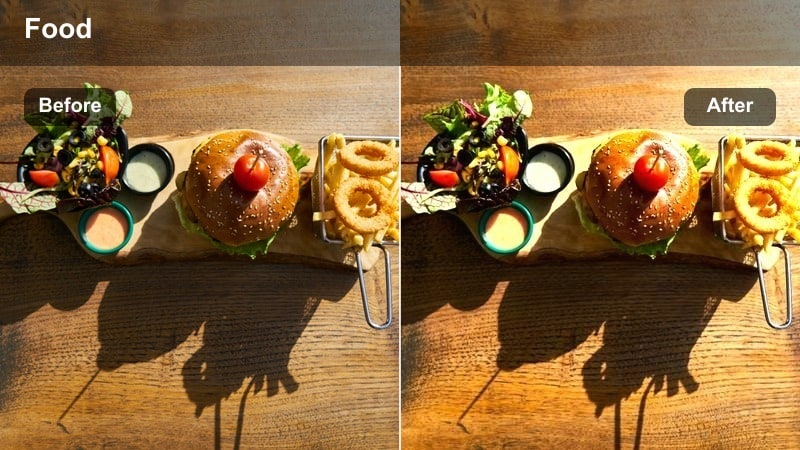
- Effect look: Warm amber tones with gentle haze that softens busy backgrounds.
- Best for: Crowded market alleys where smoke, steam, and people overlap in the frame.
- Editing tip: Add a slow push-in or pan to let the haze and light rays create a dreamy, cinematic motion.
Market Ember Haze is built to handle visual chaos, smoothing cluttered backgrounds into a soft amber wash while keeping your subject sharp. Smoke, steam, and overlapping signs become part of the atmosphere instead of distracting from the food, turning hectic alleys into cinematic backdrops with depth.
In Filmora, combine this filter with slow, controlled camera moves and subtle stabilization so the hazy glow feels intentional. Use keyframed zooms or pans on timeline clips to glide through the scene, then layer in ambient market sounds to complete the dreamy night-market vibe.
Crispy Pan Flare
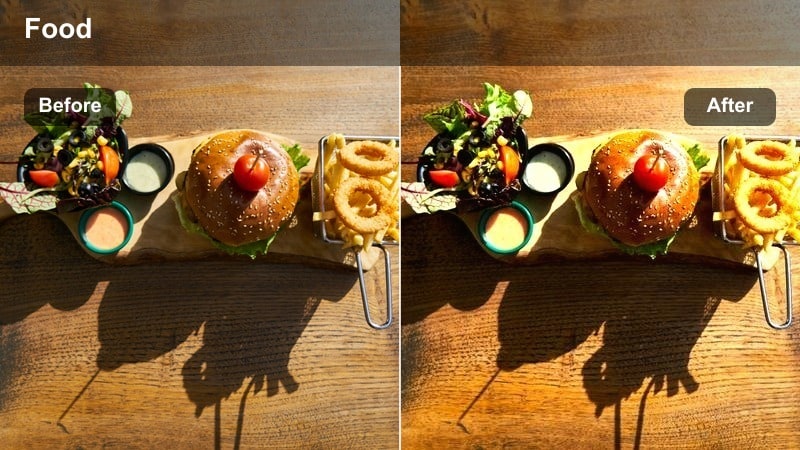
- Effect look: High-contrast warmth with controlled lens flare around hot pans and flames.
- Best for: Close-ups of frying, searing, and tossing food in woks or skillets.
- Editing tip: Use slow-motion clips when oil splashes or sparks fly to maximize the cinematic flare moments.
Crispy Pan Flare leans into the drama of high-heat cooking, adding punchy contrast and warm highlights that catch every spark and oil splash. The controlled flare draws the eye to the center of the action, making each toss of the wok feel big-screen ready while still preserving texture in the food.
Apply this filter in Filmora to your most energetic B-roll, then slow key moments where flames leap or food is flipped for added impact. Combine it with precise cuts on beats in your music so every flare, sizzle, and pan shake syncs to the soundtrack, turning a simple cook-through into a cinematic sequence.
Neon Nights and Steaming Noodle Carts
Noodle Noir
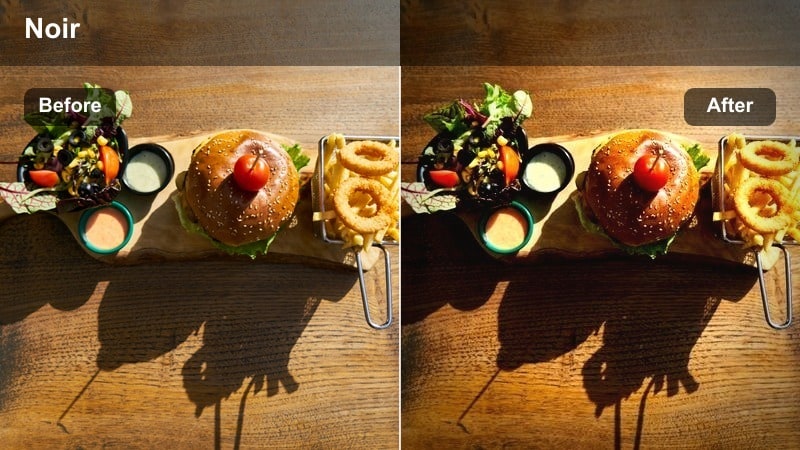
- Effect look: Moody low-light contrast with cool shadows and warm highlights on steam.
- Best for: Night noodle carts lit by a few bulbs or neon signs in the background.
- Editing tip: Lift shadows gently instead of raising brightness so the noir mood stays intact.
Noodle Noir is tailored for late-night stalls where light is scarce but atmosphere is rich. Cool shadows and warmly lit steam create a cinematic contrast that makes noodles, toppings, and the vendor's hands pop against the dark surroundings, giving your footage a gritty street-food thriller feel.
In Filmora, expose for the brightest bulbs or signs when shooting, then apply Noodle Noir and use the Color tools to gently lift shadows rather than raising overall exposure. This keeps noise under control and preserves the moody depth that makes night markets so visually compelling in your finished edit.
Neon Broth Glow
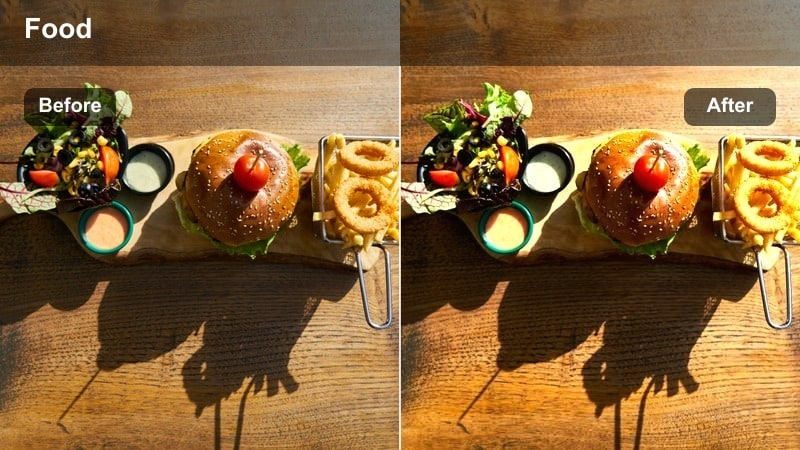
- Effect look: Vibrant neon reflections with glossy highlights on soups and broths.
- Best for: Bowls of ramen, pho, and spicy soups under neon-lit city streets.
- Editing tip: Increase saturation in blues and magentas while keeping skin tones natural for vendors and customers.
Neon Broth Glow takes advantage of colorful city lights, turning every reflection in the broth, bowl, and counter into a visual accent. It boosts saturation in neon hues while keeping the overall image balanced, ideal for stylized ramen shots that still feel rooted in a real street corner.
After applying this filter in Filmora, fine-tune blues and magentas in the HSL panel to intensify signage and reflections without oversaturating faces. Position bowls near reflective surfaces when shooting, then punch up the glow in post so each spoonful looks like it is bathed in the city night.
Steam Trail Cinema
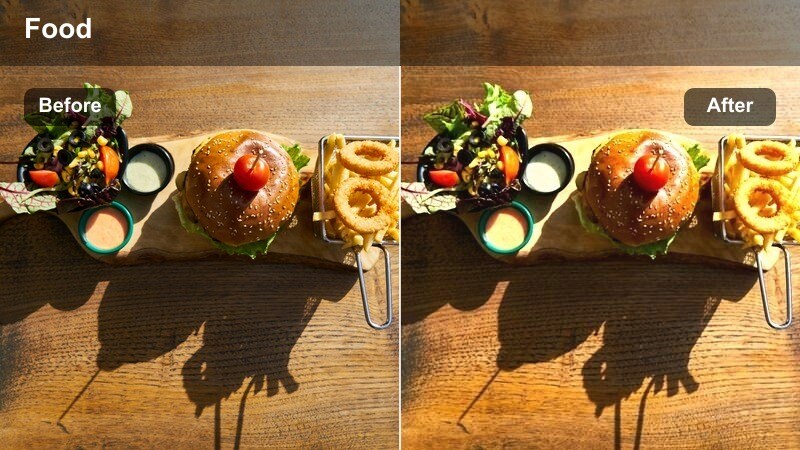
- Effect look: Soft cinematic bloom on steam with slightly faded blacks.
- Best for: Slow, close-up shots of noodles being pulled or soup being poured.
- Editing tip: Use a slower shutter or slight motion blur in-camera and let the filter accentuate the floating steam trails.
Steam Trail Cinema focuses on the delicate movement of steam, adding a gentle bloom and slightly lifted blacks that make each wisp visible and romantic. It is perfect for slow, sensory shots where you want viewers to almost feel the heat and aroma of the noodles or soup.
In Filmora, pair this filter with slowed-down clips and smooth transitions between wide, medium, and macro angles of the same dish. The softened blacks guide attention to the brightest steam trails, so when you cut to close-ups of toppings or broth, the sequence feels cohesive and immersive.
Sizzling Grills, Flat Tops, and Charred Delights
Charcoal City Crisp
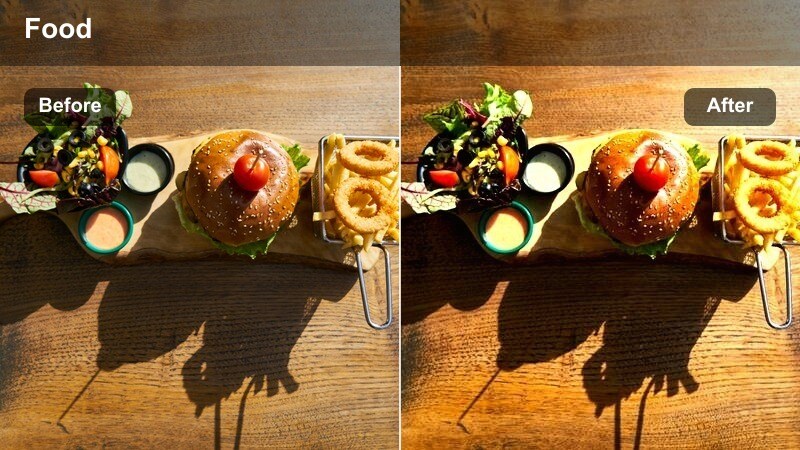
- Effect look: Punchy contrast with deep char tones and crisp edge detail.
- Best for: Burgers, kebabs, and skewers smoked over charcoal on busy sidewalks.
- Editing tip: Add a subtle sharpening pass but reduce noise to keep the grit cinematic, not messy.
Charcoal City Crisp emphasizes texture and char, making grill marks, crispy edges, and smoky crusts stand out dramatically. The added contrast deepens dark areas without crushing them, so viewers can appreciate every grain of seasoning and line of sear on burgers, kebabs, and skewers.
Apply this filter in Filmora to your tight grill shots, then gently enhance sharpness while dialing back noise for a polished yet gritty look. Alternate between macro views of the food and wider shots of the bustling sidewalk, keeping the same filter active so your entire charcoal sequence feels unified and flavorful.
Flat Top Flicker
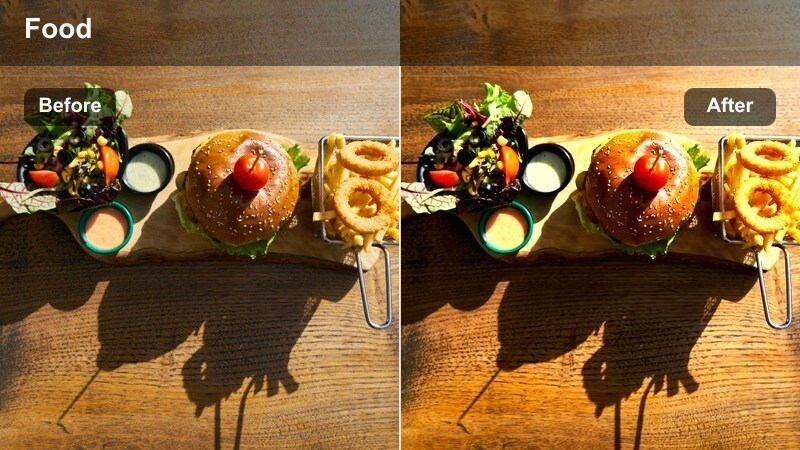
- Effect look: Balanced cinematic look that brightens metallic surfaces and oil reflections.
- Best for: Flat-top grills frying dumplings, patties, or stir-fry in open-air stalls.
- Editing tip: Use tighter cuts during the loudest sizzles and accent them with quick sound hits synced to oil pops.
Flat Top Flicker is designed for reflective cooking surfaces, enhancing glints of oil and metal without blowing out highlights. The look brings polish to dumplings, patties, and stir-fries as they slide and sizzle across the flat top, turning everyday stall scenes into sleek culinary performances.
In Filmora, use this filter on sequences where sound design matters: cut quickly on visible splashes or utensil hits and pair each cut with crisp audio. Keep the same grade across multiple angles so the entire flat-top performance, from prep to final plating, feels like one continuous, cinematic act.
Smoke Lane Copper
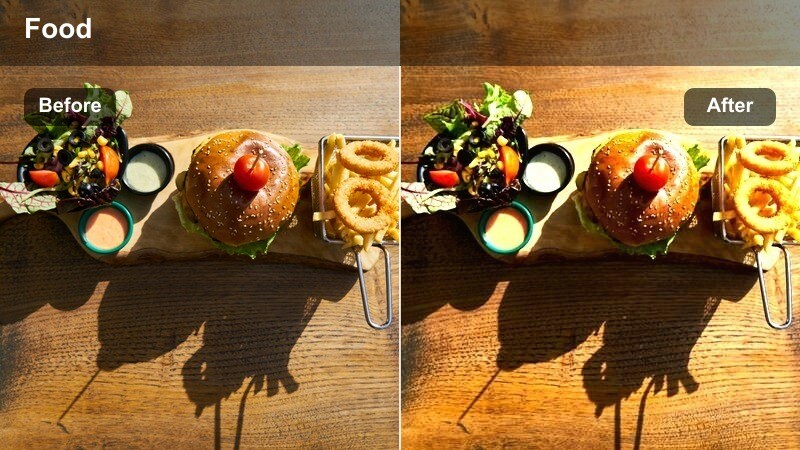
- Effect look: Copper-tinted warmth with soft rolling gradients through smoke and steam.
- Best for: Long alleyways of smoky grills and skewers stretching down city streets.
- Editing tip: Play with slow push-ins through smoke while keeping the filter on to create a cinematic tunnel effect.
Smoke Lane Copper adds a distinctive copper tone that flows through layers of smoke and steam, making long grill-lined alleys feel like cinematic corridors. The soft gradients help guide the viewer's eye deeper into the frame, emphasizing scale and atmosphere in busy market streets.
In Filmora, pair this filter with slow push-ins or slider shots that move through foreground smoke toward the main action. Fade your soundtrack slightly as you move deeper into the alley and bring up natural grill sounds, letting the copper tint and layered audio create a documentary-style immersion.
Urban Bites, Handheld Moments, and B-Roll Details
Handheld Hunger Rush
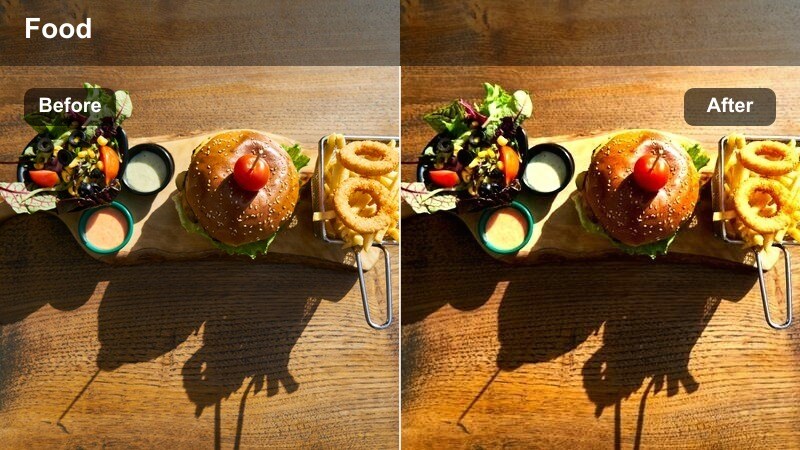
- Effect look: Dynamic, slightly desaturated base with clean highlights for fast movement shots.
- Best for: Walking through street food lines, grabbing quick bites, and handheld vlogging.
- Editing tip: Stabilize your clips in Filmora first, then apply the filter so motion feels purposeful rather than shaky.
Handheld Hunger Rush is tuned for fast, on-the-go shooting, keeping highlights clean and colors slightly pulled back so viewers focus on motion and story. It turns quick walkthroughs, queue shots, and bite reactions into cohesive, documentary-style sequences that feel energetic but still cinematic.
Stabilize your clips with Filmora's built-in tools before applying this filter, then cut out overly shaky sections to keep movement intentional. Maintain the same look across all your walking and talking segments so your audience feels like they are experiencing one continuous journey through the market with you.
B-Roll Bite Focus
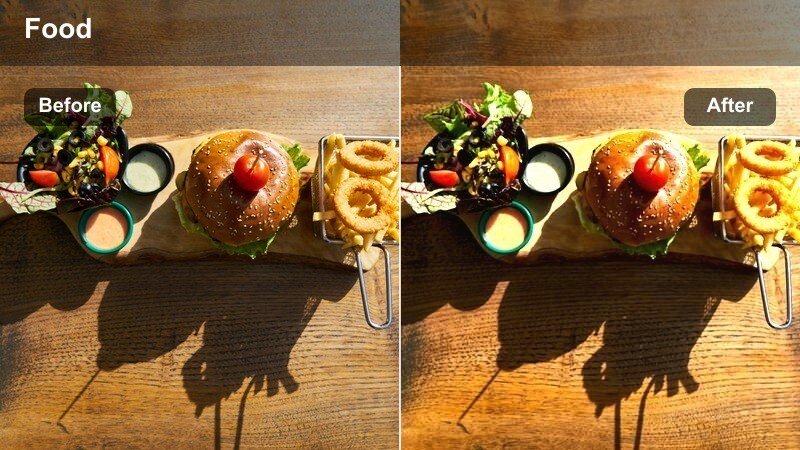
- Effect look: Soft background blur emphasis with slightly boosted midtone contrast on food close-ups.
- Best for: Macro shots of hands grabbing food, dipping sauces, and final plated bites on the street.
- Editing tip: Shoot focus pulls between sauce and food, then slow them slightly to let the filter's contrast guide the eye.
B-Roll Bite Focus is built to spotlight tiny details: dipping, sprinkling, squeezing, and first bites. It emphasizes midtone contrast on the food itself while letting backgrounds fall softly out of focus, making every garnish, drizzle, and texture pop in macro shots.
In Filmora, use this filter on a bank of detailed B-roll clips and slow your focus pulls just enough for viewers to appreciate the transition. Arrange these shots into rhythmic montages synced to your music, and reuse them across episodes to create a recognizable, flavor-driven visual signature.
City Stall Snapshot
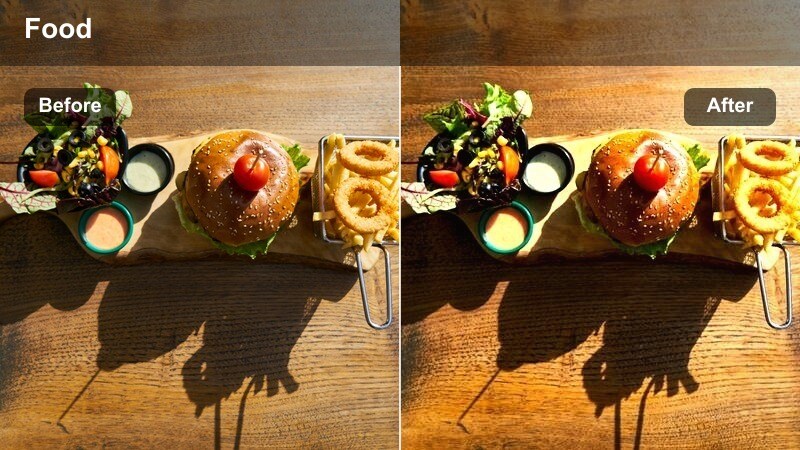
- Effect look: Clean, bright cinematic profile that keeps colors natural but polished.
- Best for: Establishing shots of entire stalls, menus, and quick cutaway views of the street.
- Editing tip: Use this as your baseline filter and mix with stronger looks only on highlight dishes or hero shots.
City Stall Snapshot delivers a neutral, polished grade that works beautifully for intros, outros, and establishing shots. It keeps colors accurate but refined, helping menus, stall signs, and the surrounding street read clearly without overpowering your more stylized food close-ups.
Use this as your base filter in Filmora for wide scenes and transitions, then layer stronger looks like Charcoal City Crisp or Neon Broth Glow on your hero dishes. Returning to City Stall Snapshot between intense close-ups ensures viewers always know where they are and how each dish fits into the larger market story.
Tips for Using Street Food Cooking Cinematic Filter Filters in Filmora
- Shoot a mix of wide, medium, and macro shots so the filters can build a complete story from city context to close-up flavor.
- Lock white balance in-camera at each location to prevent color shifts that fight against your chosen cinematic filter.
- Organize your footage by time of day and lighting conditions before editing so you can batch-apply the most fitting filter to each group.
- Use subtle vignette and a small contrast boost after adding the filter to pull attention into the center of each food shot.
- Export short vertical cuts with your favorite filter for Reels and Shorts, and longer horizontal edits for YouTube with the same grade.
- Capture ambient street sounds like sizzling, chopping, and crowd noise to pair with the filters and deepen the cinematic feel.
With the Street Food Cooking Cinematic Filter preset in Filmora, your food stall footage can shift from simple travel clips to immersive, documentary-style stories packed with color and texture.
Pick a few signature filters, stay consistent across episodes, and let the combination of sound, motion, and color grading turn every street food scene into a cinematic experience your audience craves.
secure download