

 100% Security Verified | No Subscription Required | No Malware


 ChatGPT
 Perplexity
 Gemini
 Claude
 Grok
Grok
The Street Food Market Vlog Filter preset is designed for creators who film bustling stalls, neon-lit alleys, and sizzling street snacks and want them to look cinematic without complex color grading.
With a collection of curated filter looks, you can quickly shape mood, control mixed lighting, and keep your audience focused on the flavors and stories in your street food market vlogs.
In this article
Warm Golden Hour Food Stalls
Spice Glow
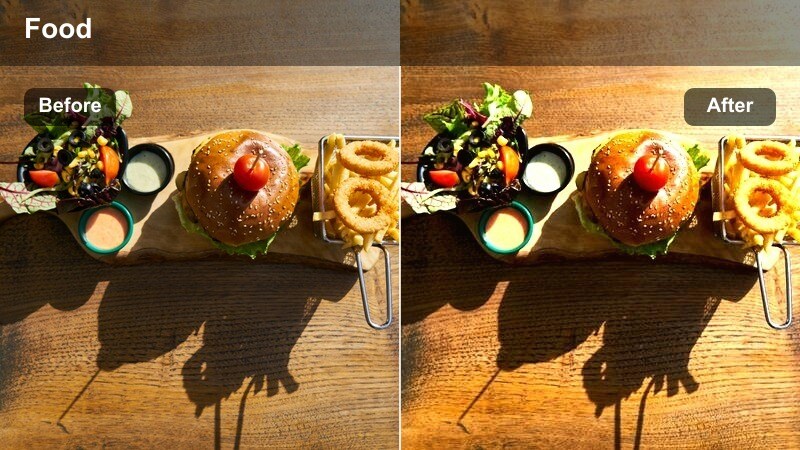
- Effect look: Soft golden warmth with lifted shadows and gentle contrast that makes food colors pop.
- Best for: Late afternoon street food markets, open-air stalls, and handheld vlog shots of vibrant dishes.
- Editing tip: Lower saturation slightly if strong red sauces start to clip and increase sharpness for crispy textures.
Spice Glow wraps your market footage in a soft golden hue that mimics flattering golden hour sunlight. By lifting shadows and adding gentle contrast, it keeps details in darker corners of the frame while still making food colors feel rich and appetizing, perfect for capturing grilled meats, skewers, and colorful toppings in natural light.
In Filmora, apply Spice Glow to your daylight or late afternoon clips, then fine-tune white balance so both skin and sauce tones stay natural rather than overly orange. If reds or oranges start to clip, pull saturation back slightly and add a bit of sharpening to emphasize crispy textures on fried food while maintaining a cinematic, warm street vlog look.
Combine these street food market vlog filters with Filmora's AI color tools to quickly balance mixed lighting from stalls, signs, and street lamps. Once your base exposure and white balance are normalized, the filters can focus on adding style instead of fixing color problems.
After AI-driven correction brings your clips closer together, you can apply your favorite Street Food Market Vlog Filter to entire sequences and trust that skin tones, sauce colors, and stall lights will stay consistent from shot to shot.
 secure download

Filmora lets you hover over each filter and instantly preview how it transforms your street food clips, from walkthroughs to close-ups. This makes it easy to compare subtle golden-hour warmth against bold night market looks without committing to a full render.
You can also view before-and-after comparisons on the same frame, helping you decide which preset best fits your channel's visual style and the specific mood of each market sequence.
secure downloadFilmora includes 1000 plus video filters and 3D LUTs you can stack with these street food presets to refine every scene. Start with a gentle LUT to nudge overall color toward your preferred palette, then layer a Street Food Market Vlog Filter to lock in the mood.
This workflow keeps your grade flexible: simply adjust LUT and filter intensities on the timeline until food, faces, and market lights all feel vivid but still natural for your audience.
secure downloadCrispy Golden
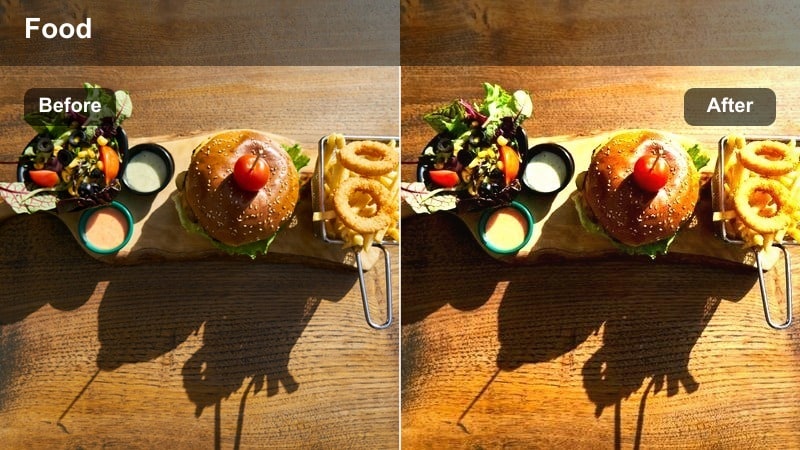
- Effect look: Punchy contrast with rich golden highlights and crisp details on fried food.
- Best for: Close-ups of fried snacks, grilled skewers, and quick b-roll of sizzling pans in open markets.
- Editing tip: Use the filter at 60-80 percent intensity for close-ups and add a slight slow-motion clip to emphasize crackling textures.
Crispy Golden is built to make fried foods look irresistible, emphasizing crunchy edges, bubbling oil, and deep golden browns. The punchy contrast and sharpened details help every crumb and grill mark stand out, which is ideal for macro shots of skewers, fritters, and tempura at busy stalls.
In Filmora, drop Crispy Golden on your tight food close-ups and dial intensity down to around 60 to 80 percent so the look stays cinematic instead of harsh. Combine it with subtle slow motion and well-timed sizzling sound effects so viewers can practically feel the crunch through the screen.
Sunset Savor
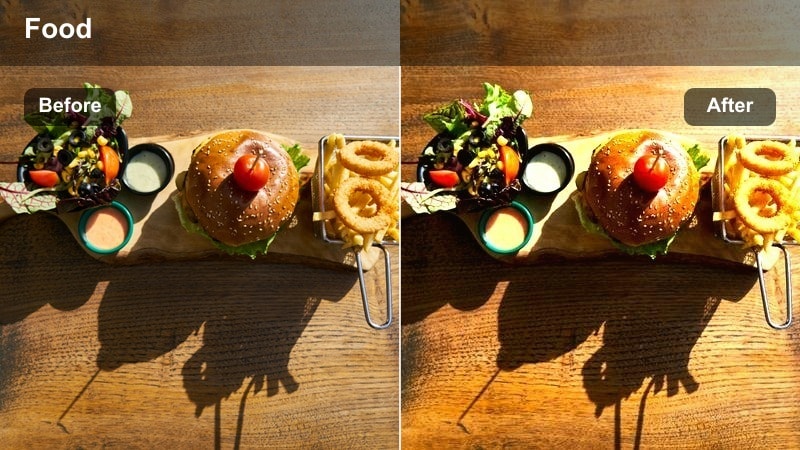
- Effect look: Soft orange-pink tint with reduced harsh highlights for dreamy evening walkthroughs.
- Best for: Slow walking shots through outdoor markets just before sunset and vlogger talking segments.
- Editing tip: Add slight stabilization and a subtle vignette so the dreamy tone stays cinematic instead of looking washed out.
Sunset Savor adds a gentle orange-pink wash that turns everyday market scenes into dreamy, romantic sequences. Highlights are softened so bright skies and overhead bulbs do not blow out, making it perfect for slow walks down food-lined streets as daylight fades.
Inside Filmora, use Sunset Savor on your intro walks, outro recaps, and any reflective talking segments where you want a calm, inviting atmosphere. Add a light vignette and some stabilization to handheld shots so the softened color grade feels intentional and cinematic, not like accidental blur or haze.
Neon-Lit Night Street Markets
Neon Noodle
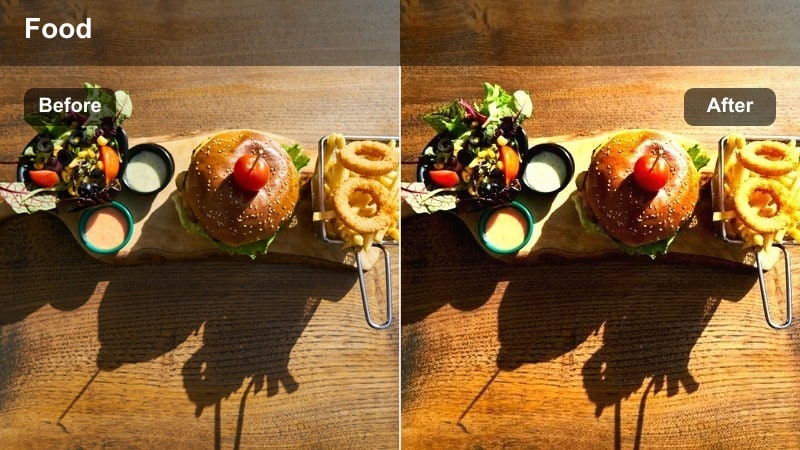
- Effect look: Bold saturation with crisp contrast and emphasis on magenta and teal neon signs.
- Best for: Night market alleys, noodle stalls under neon signs, and handheld POV shots.
- Editing tip: Slightly lower exposure after applying the filter to avoid clipping neon lights and keep skin tones believable.
Neon Noodle is designed for hectic night market scenes where colorful signs and glowing shop fronts dominate the frame. It boosts saturation and contrast around magenta and teal tones so neon tubes, LED boards, and reflected colors on wet streets feel electric and alive.
When you apply Neon Noodle in Filmora, gently pull exposure down to keep neon detail from clipping while monitoring faces so they do not turn overly magenta. Consider mixing in a few more neutral-graded clips between heavy neon sequences to reset your viewers eyes before you jump back into the bold color treatment.
Market Noir
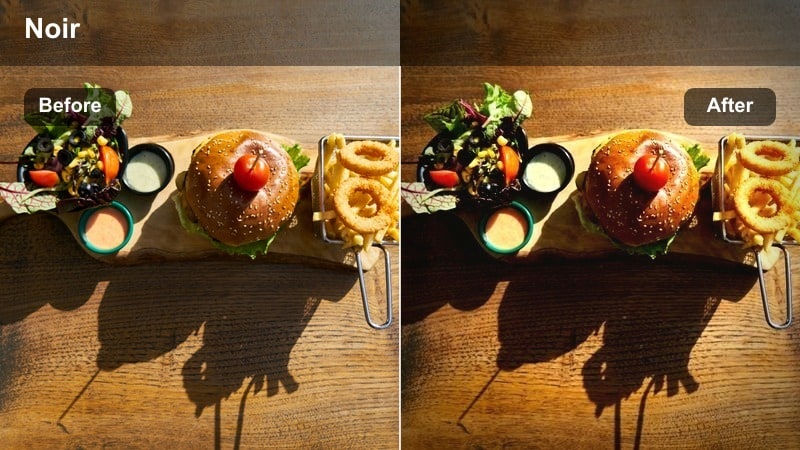
- Effect look: Moody, low-key contrast with deep shadows and desaturated backgrounds while keeping warm tones in food.
- Best for: Cinematic storytelling segments, moody solo walks, and narrow alleys lit by single bulbs.
- Editing tip: Use this look for slower narrative moments and reduce noise using Filmora's denoise to keep dark areas clean.
Market Noir leans into deep shadows and selective warmth to create a cinematic, dramatic atmosphere in night markets. Backgrounds fall off into desaturated darkness while pockets of warm light on food and faces become the main visual guide, ideal for more serious or story-driven segments.
Inside Filmora, apply Market Noir to clips where you want viewers to focus on one vendor, one dish, or a reflective monologue. Use the denoise tool to clean up shadow noise, and frame your subject where the main light source hits so the filter's strong contrast naturally directs attention to the heart of your story.
Electric Bite
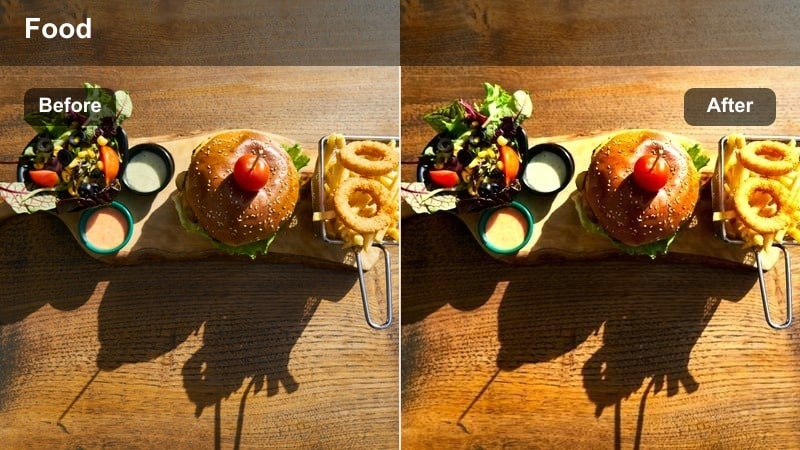
- Effect look: High-energy contrast with cool shadows and punchy colored highlights that freeze busy motion.
- Best for: Fast-paced montage sequences of crowds, steam, busy grills, and traffic near markets.
- Editing tip: Pair the filter with faster cuts and upbeat music; trim micro-moments to the beat to match the energetic look.
Electric Bite injects energy into your night market montages with cool-toned shadows and vivid highlights that emphasize movement. Steam, passing motorbikes, quick grill flips, and people weaving through stalls all feel sharper and more intense under this contrasty look.
In Filmora, use Electric Bite for your quickest sequences and cut clips to land major actions on drum hits or claps in your soundtrack. Maintain consistency by occasionally dropping in a slightly slower, stabilized shot treated with the same filter so viewers get a breather without losing the overall high-energy vibe.
Intimate Counter and Cooking Moments
Steam Soft
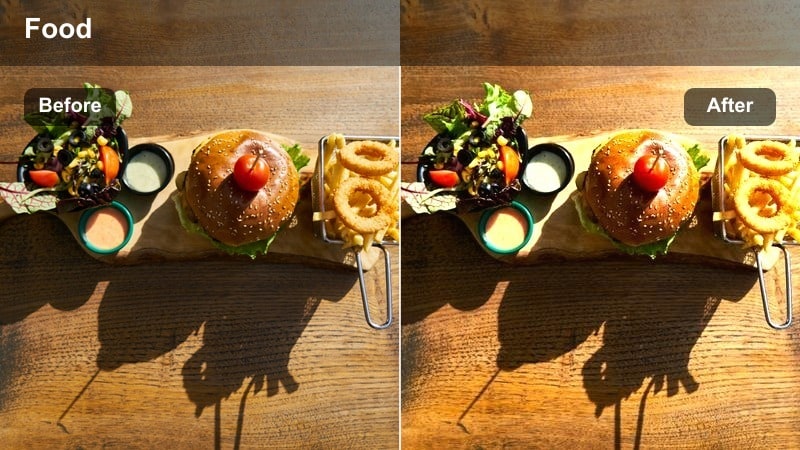
- Effect look: Gentle low-contrast look with softened highlights and subtle glow on rising steam.
- Best for: Close-ups of steaming bowls, dumplings being opened, and quiet interactions at the counter.
- Editing tip: Slow the clip slightly and reduce sharpness a touch to emphasize the softness of steam and warmth.
Steam Soft is ideal for cozy, intimate food shots where you want viewers to feel the warmth of freshly cooked dishes. By lowering contrast slightly and softening highlights, it adds a pleasant glow to steam rising from bowls or baskets, making soups, noodles, and dumplings look extra comforting.
In Filmora, pair Steam Soft with footage shot at a shallow depth of field so the background melts away and all attention stays on the dish. Slightly underexpose in camera and then slow the clip in the editor, dialing down sharpness just a bit so the steam and warmth feel smooth and cinematic rather than harsh or noisy.
Vendor Focus
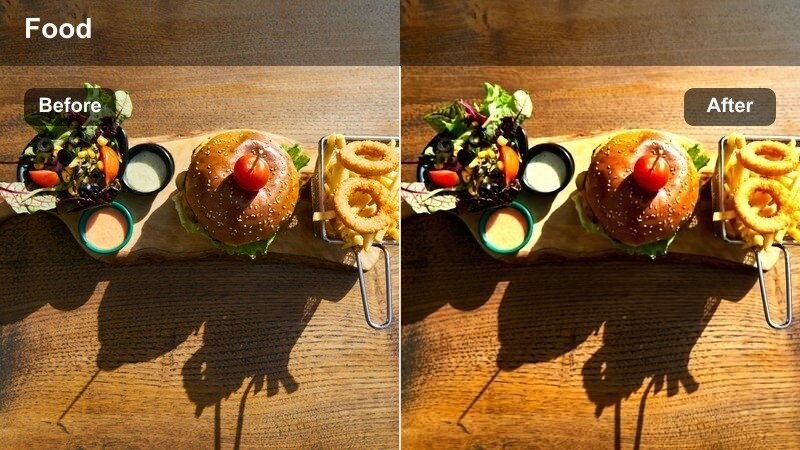
- Effect look: Natural color grade with subtle contrast and slight background desaturation to highlight faces and hands.
- Best for: Portrait-style shots of vendors cooking, plating, and taking payment at their small stalls.
- Editing tip: Use gentle zooms or push-ins during key actions to reinforce the human story behind each dish.
Vendor Focus is a people-first look that keeps colors natural but slightly mutes the background so viewers lock onto faces and hands. It is great for building mini character stories around the people who run your favorite stalls, from quick smiles at the camera to fast, precise cooking movements.
In Filmora, apply Vendor Focus across multiple clips of the same vendor to create a consistent visual arc, then add slow push-ins or keyframed zooms during meaningful gestures like plating or handing over food. This subtle treatment makes your market vlog feel more like a documentary portrait while staying easy to apply across a batch of clips.
Counter Cozy
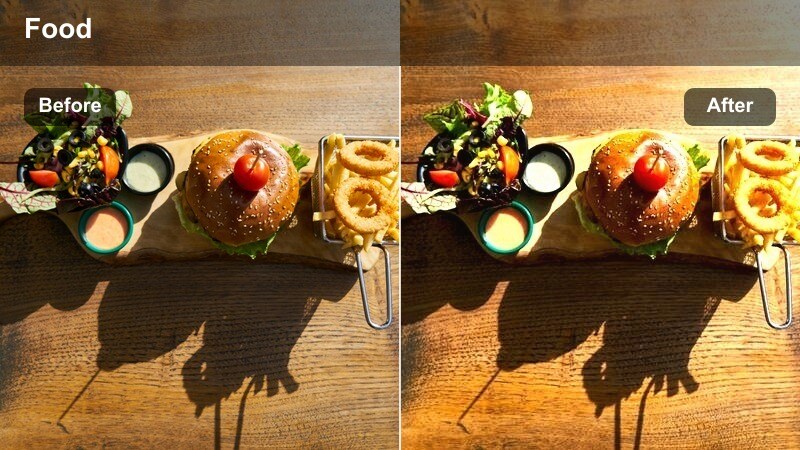
- Effect look: Warm interior glow with slightly lowered contrast and soft roll-off in highlights.
- Best for: Indoor or covered market counters, casual chats with friends, and taste test reactions.
- Editing tip: Balance exposure for faces first, then add slight vignette to keep the eye away from cluttered backgrounds.
Counter Cozy brings out the warmth of indoor bulbs and hanging lights, giving reaction shots and conversations a friendly, inviting feel. Contrast is a little softer and highlights roll off gently, which helps even imperfect indoor lighting look flattering on faces.
Use Counter Cozy in Filmora as your go to filter for seated talking segments and taste tests at counters or shared tables. Expose for skin tones first, then add a light vignette and minor background blur if needed so busy interiors do not distract from your reactions and interactions with friends or vendors.
Walkthroughs, B-Roll, and Transitions
Market Flow
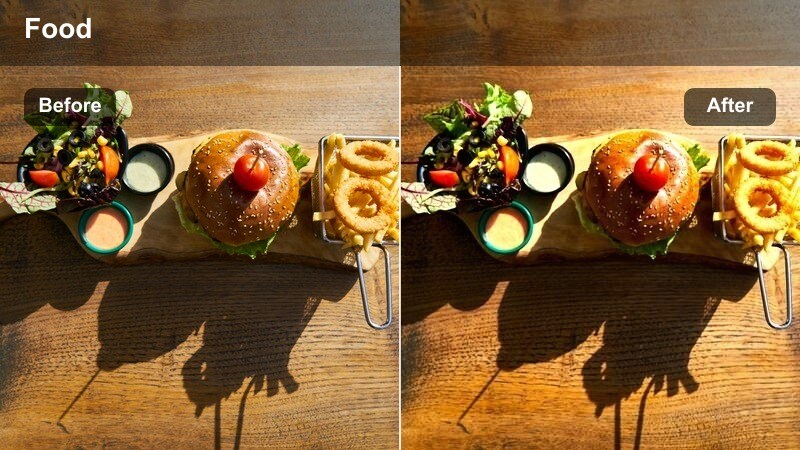
- Effect look: Balanced, documentary-style filter with clean contrast and true-to-life colors.
- Best for: Long walkthroughs, stall-to-stall transitions, and map or sign insert shots.
- Editing tip: Use this as your base look for most clips, then layer more stylized filters on select highlight shots.
Market Flow keeps your footage neutral, clean, and true to life, which is ideal for long sequences that guide viewers through an entire market. It brings a touch of contrast and clarity without pushing colors too far, making it a perfect baseline for your overall vlog.
In Filmora, grade a few representative clips with Market Flow and then visually match the rest of your timeline to them for a cohesive base look. From there, you can reserve more stylized filters for intros, standout dishes, and special transitions so the vlog feels polished yet still easy to follow.
Stall Hop
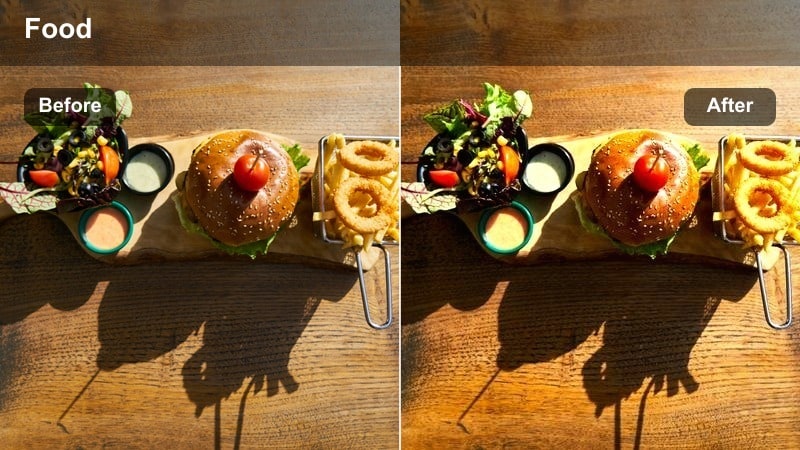
- Effect look: Slightly boosted saturation and contrast with subtle motion-friendly clarity.
- Best for: Quick cuts between multiple stalls, handheld b-roll, and transitions synced to music beats.
- Editing tip: Keep shots short, under three seconds, and use whip pans or match cuts to amplify the energetic feel.
Stall Hop is tuned for fast transitions and energetic stall to stall sequences where you want to showcase variety. By gently boosting saturation and contrast, it keeps each new stall feeling vivid while still maintaining a coherent look as you jump between different foods and signs.
In Filmora, trim Stall Hop clips to two or three seconds each and connect them with whip pans, match cuts, or on beat cuts that line up with your soundtrack. Small adjustments to saturation or white balance from clip to clip will help unify different lighting conditions so the entire hopping sequence feels like one continuous journey.
Taste Reveal
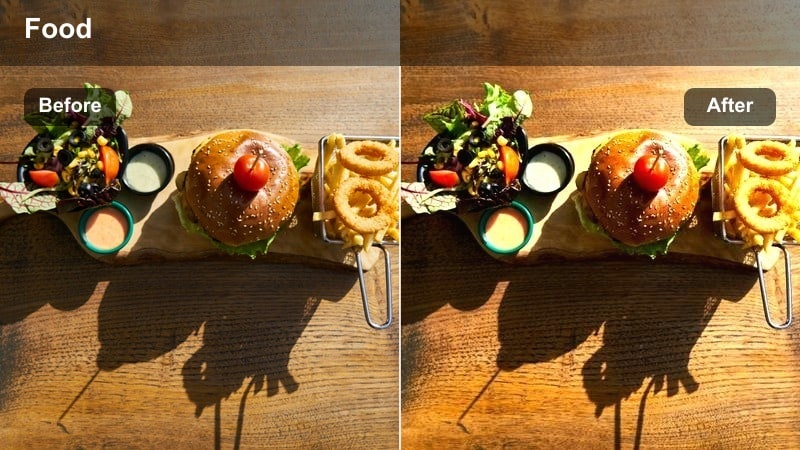
- Effect look: Subtle focus on mid-tones with gentle vignette to highlight first bites and reactions.
- Best for: On-camera first bites, rating moments, and close-up reaction shots in crowded markets.
- Editing tip: Cut from a detailed food close-up to a reaction shot using the same filter so the audience follows the story of the bite.
Taste Reveal is built around expressions, making it perfect for your first bites, rating segments, and honest reactions in noisy markets. It subtly emphasizes mid tones and adds a light vignette so faces become the emotional anchor even when the background is chaotic.
In Filmora, apply Taste Reveal both to the close up shot of the dish and the immediate reaction shot that follows, creating a clear visual link between flavor and expression. Clean up background noise slightly so your voice and reactions are easy to hear, and use this filter on your most memorable bites so viewers remember which dishes truly stood out.
Tips for Using Street Food Market Vlog Filter Filters in Filmora
- Shoot with a slightly flatter picture profile in camera so your street food market vlog filters have more room to add contrast and color without clipping details.
- Choose one base filter, such as Market Flow or Vendor Focus, for the majority of clips and save bold styles like Neon Noodle or Electric Bite for intros, montages, and key dishes.
- Group your timeline by time of day and lighting conditions, then apply similar filters within each group to keep your vlog visually consistent from scene to scene.
- Always double check skin tones and food colors after adding a filter, adjusting temperature and saturation in Filmora's color tools if anything looks unnatural.
- Use Filmora's AI color correction or color match first on tricky mixed lighting shots so your chosen street food presets behave more predictably.
- Export a short test sequence and preview it on a phone, since most viewers watch food vlogs on mobile screens where contrast and saturation can look stronger.
- Keep filter intensity adjustable; rarely run presets at 100 percent strength so you can retain detail in steam, neon signs, and shadowy alleyways.
Street food market vlog filters make it easy to turn chaotic, mixed light stalls into cohesive, cinematic stories that keep viewers hungry for more. Instead of manually tweaking every shot, you can lean on curated looks that quickly bring out warmth, texture, and atmosphere.
Choose a handful of signature styles in Filmora, apply them consistently, and fine tune color where needed so your market vlogs feel polished, flavorful, and on brand. Over time, your audience will recognize your visual style as soon as your night market or street food intros begin.
secure download