

 100% Security Verified | No Subscription Required | No Malware

These 12 Filmora travel video filters for Instagram are designed for creators and travel bloggers who want aesthetic travel tones that instantly upgrade reels and feed videos without complex color grading.
From dreamy beach escapes to moody city breaks and golden-hour hikes, each filter below includes its visual effect, best use case, and a quick editing tip so you can match your Instagram travel filter to every destination.
In this article
Warm Filters for Sunny Beach and Island Trips
Golden Sun Glow
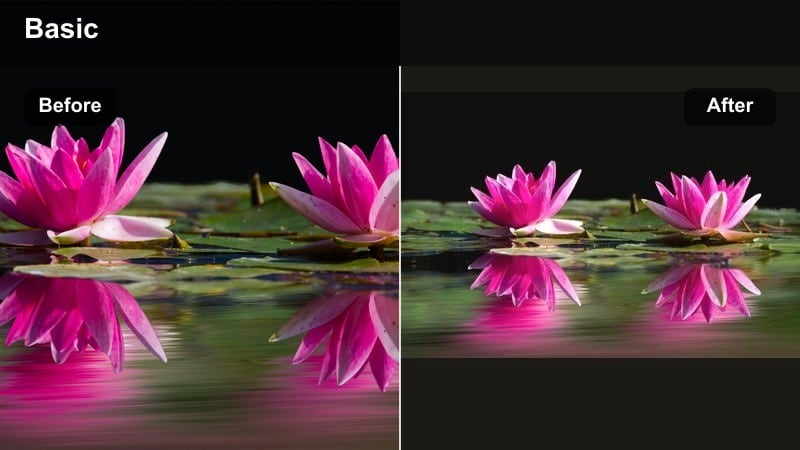
- Effect look: Soft golden warmth with gentle contrast and slightly lifted shadows for a sun-kissed, dreamy beach vibe.
- Best for: Beach walks, poolside shots, tropical boat rides, and sunbathing clips in Instagram travel reels.
- Editing tip: Lower the filter intensity to 60-70 percent and slightly decrease highlights to avoid blown-out skin near bright sand or water.
Golden Sun Glow is ideal when you want that sunkissed, vacation-ready look without heavy manual color work. It wraps your footage in a soft golden layer, bringing out warm skin tones while keeping the sky and sand flattering for Instagram travel reels.
In Filmora, apply this travel video Instagram filter to your entire sequence, then fine-tune per clip by adjusting intensity so pale sand, bright bikinis, and white towels do not clip. This is especially helpful for creators filming under harsh midday sun who still want romantic, aesthetic travel tones.
Speed up color grading with Filmora’s AI tools
Instead of manually tweaking every clip, use Filmora’s AI color and preset tools to find travel video filters for Instagram that match your existing feed in just a few clicks. The AI system analyzes your footage and suggests looks that keep skin tones natural while enhancing skies, water, and backgrounds.
You can quickly test different aesthetic travel tones on the same sequence, save your favorites as custom presets, and reuse them across new reels so your style stays consistent from trip to trip.
 secure download

Preview filters on real travel footage
Filmora lets you hover or tap through travel reel filters on actual clips so you can see how skin tones, skies, and city lights react before committing. This makes it easier to avoid over-edited looks and pick the travel reel filter that best matches your Instagram aesthetic.
You can compare a warm beach grade, a cinematic teal city style, and a cozy indoor tone on the same timeline, then lock in the version that fits your story and music.
secure downloadTurn favorite filters into reusable LUT-style looks
With Filmora’s filter and LUT system, you get access to 1000 plus video filters and 3D LUTs that you can stack, blend, and customize for your travel content. Once you dial in a combination you love, you can save it as a preset so it behaves like your own signature LUT.
This workflow keeps your travel video filters for Instagram, Reels, and Shorts perfectly aligned without rebuilding your grade each time you edit a new destination vlog.
secure downloadTurquoise Shoreline
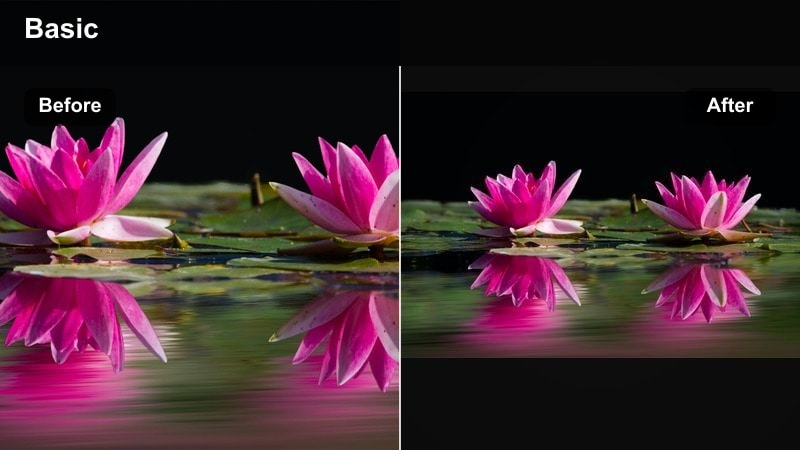
- Effect look: Punchy blues and turquoise water with crisp whites and slightly cooled midtones for a clean, tropical look.
- Best for: Drone shots over islands, snorkeling clips, and boat reels where you want the water color to stand out.
- Editing tip: Use Vibrance instead of Saturation if the ocean looks too neon, and add a tiny bit of clarity to highlight waves and textures.
Turquoise Shoreline is built to make water the star of your Instagram travel reels. It deepens and brightens aquas while keeping white boats, swimsuits, and sand clean so your footage looks fresh rather than overly filtered.
Inside Filmora, combine this filter with gentle Vibrance and clarity adjustments to sculpt water detail without pushing skin tones into unnatural territory. It is perfect for creators who rely on drone passes or snorkeling POV shots and want a consistent, tropical feed.
Soft Sand Pastel
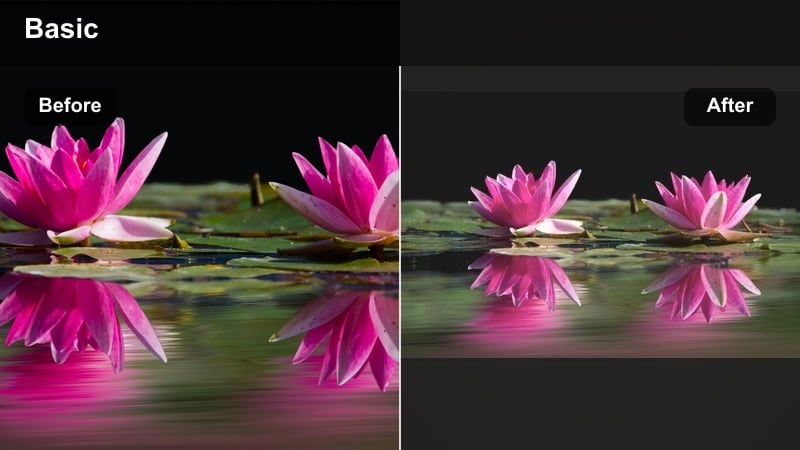
- Effect look: Muted pastel tones with creamy highlights and lowered contrast for an airy, editorial-style beach aesthetic.
- Best for: Minimalist travel feeds, beach cafes, resort room tours, and aesthetic packing or outfit reels.
- Editing tip: Reduce contrast and clarity a touch more for close-up shots of drinks or outfits to keep textures soft and flattering.
Soft Sand Pastel leans into low-contrast, creamy tones that work beautifully for light, neutral Instagram grids. It desaturates harsh primary colors just enough to create an editorial, magazine-like mood while preserving important details.
In Filmora, apply this filter to your B-roll of resorts, cafes, and flatlays, then refine contrast per scene. Because the look is subtle, it pairs well with minimal typography, trending reel cover designs, and white borders to create a cohesive beach aesthetic.
Cinematic Filters for City Breaks and Street Travel
Urban Cinematic Teal
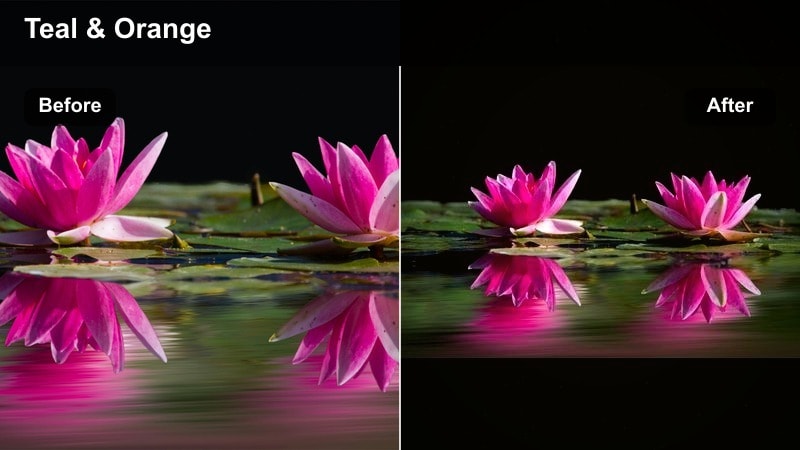
- Effect look: Teal shadows with warm skin tones, boosted contrast, and subtle film grain for a modern cinematic street look.
- Best for: Night city walks, rooftop views, taxi rides, and any city B-roll for Instagram travel reels.
- Editing tip: Dial back the blues in shadows if your clothing turns too teal and add a slight vignette to keep attention on faces.
Urban Cinematic Teal gives your city reels that classic teal-and-orange contrast seen in modern films and trailers. It pushes cool tones into the shadows while preserving warm, appealing skin tones, which works especially well under neon and street lights.
In Filmora, combine this Instagram travel filter with beat-synced cuts, motion blur, and speed ramps to build energetic edits. Use subtle grain to avoid a digital feel and keep vignettes light so your viewers focus on subjects, not just the cityscape.
Metro Film Matte
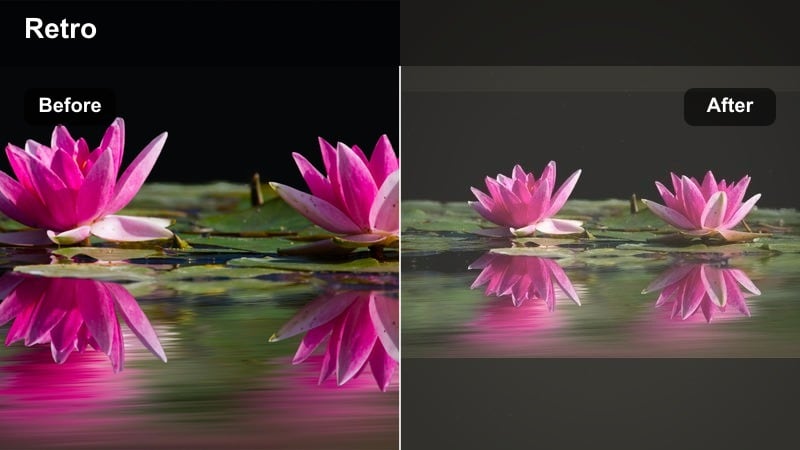
- Effect look: Faded blacks, soft highlights, and gentle grain that mimics analog film with slightly desaturated colors.
- Best for: Subway rides, coffee shop B-roll, vintage storefronts, and slow travel city diaries.
- Editing tip: Lower the grain on low-light clips to avoid noise, and slightly raise saturation for subjects like food or signage.
Metro Film Matte is a great choice when you want your city travel content to feel nostalgic and documentary-inspired. It gently lifts blacks and softens highlights, creating a filmic, journal-style look that suits slower edits and voiceover reels.
Within Filmora, apply this filter to atmospheric B-roll of stations, streets, and side alleys, then add subtle camera shake or film burns if you want more retro character. It pairs well with on-screen text and captions for day-in-the-life or city guide formats.
Neon Night Pop
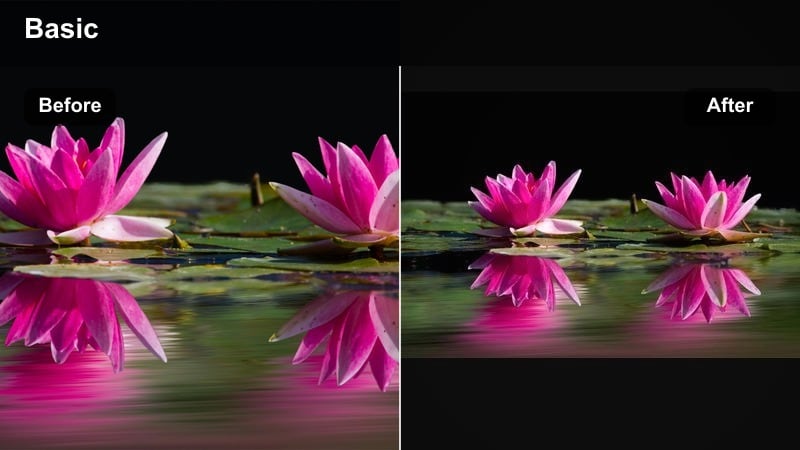
- Effect look: Intense saturation in neons and signage with deep blacks and crisp contrast for nightlife energy.
- Best for: Street markets, night festivals, bar hopping, and urban skylines with strong artificial lights.
- Editing tip: Drop the filter intensity for skin close-ups and counterbalance with a slight noise reduction for cleaner night footage.
Neon Night Pop is tailored for night markets and busy streets where colorful signs compete for attention. It deepens blacks to add contrast while driving saturation into pinks, blues, and greens so your reel instantly feels high-energy.
Use this travel video Instagram filter inside Filmora on clips full of signage, food stalls, and traffic trails, then keep separate, softer grades for talking head shots. Combine it with noise reduction and slight sharpening to maintain clarity in low-light footage without making artifacts more visible.
Earthy Filters for Nature, Hiking, and Mountains
Evergreen Trails
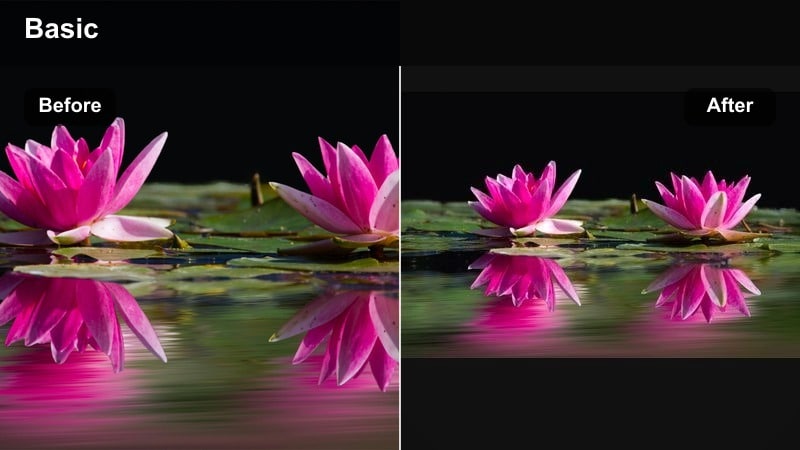
- Effect look: Rich, deep greens with gentle contrast, warm highlights, and slightly softened edges for cinematic forest scenes.
- Best for: Hiking routes, forest walks, waterfalls, and camping reels in overcast or mixed light.
- Editing tip: If foliage looks oversaturated, selectively pull down the green saturation and add a subtle dehaze to bring back depth.
Evergreen Trails enhances the natural depth and mood of forests and jungles by intensifying greens while keeping them believable. Warm highlights help skin and sun patches stand out against darker foliage, which is perfect for POV hiking reels and campsite montages.
Inside Filmora, apply the filter to all clips from the same trail, then refine with HSL controls if certain plants or jackets become too vibrant. Adding light dehaze and a bit of contrast in the midtones can bring out tree trunks, rocks, and waterfalls without losing the cozy, cinematic feel.
Alpine Air Clean
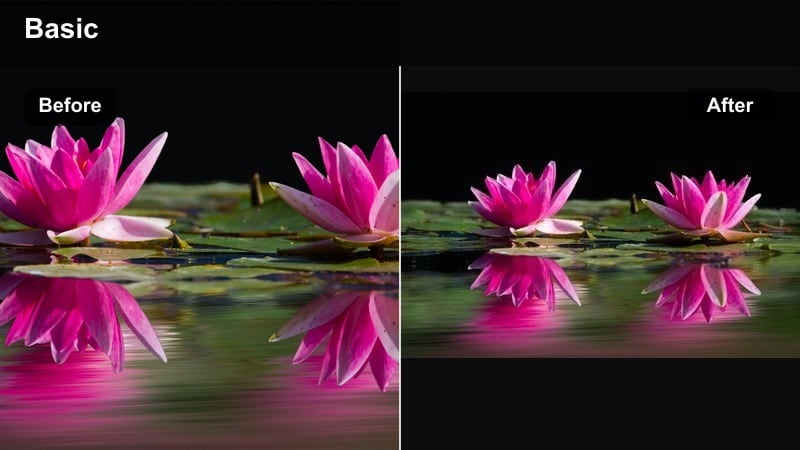
- Effect look: Cool, crisp tones with lifted whites and slightly desaturated colors for a fresh mountain-air feeling.
- Best for: Snowy peaks, lakes, early morning hikes, and wide drone shots of mountain ranges.
- Editing tip: Increase local contrast on the mountains using a mask in Filmora to keep details sharp while skies stay soft.
Alpine Air Clean leans into cool, airy tones that emphasize altitude and clarity. Whites are lifted just enough to make clouds and snow feel bright, while overall saturation is tamed so your reels look refined rather than oversaturated.
In Filmora, combine this Instagram travel filter with masked contrast adjustments over ridgelines, lakes, and cabins to keep them crisp. Preview the results in 9:16 to check that snow, clouds, and text overlays remain readable on smaller phone screens.
Desert Gold Dust
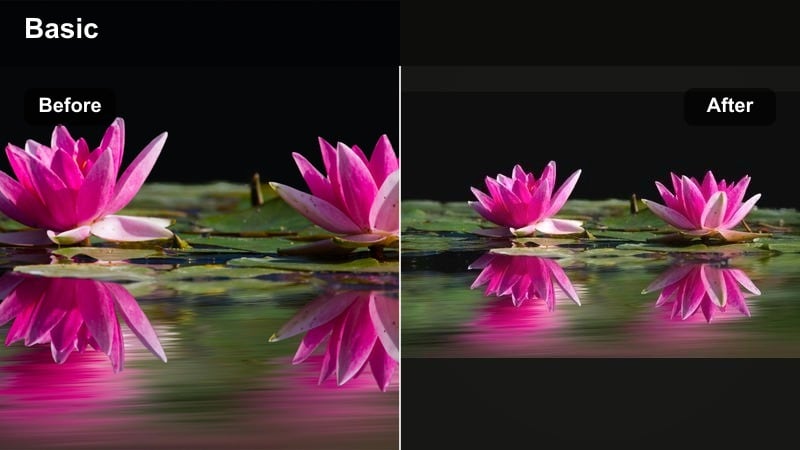
- Effect look: Warm, dusty highlights with soft contrast and subtle orange-brown emphasis for desert and canyon scenes.
- Best for: Desert road trips, dunes, canyon overlooks, and golden-hour hiking reels.
- Editing tip: Add a light vignette and reduce highlights to prevent sand from clipping while keeping sky tones rich.
Desert Gold Dust is tuned to enhance sandy, rocky landscapes by pushing highlights warm and slightly dusty. It adds a cinematic glow to golden-hour shots and helps separate silhouettes from dramatic skies in your Instagram travel content.
Use this travel video filter in Filmora on all your desert B-roll, then refine brightness and contrast for any frames with very bright sand. Combined with slow-motion steps on dunes or wide pans of canyons, it can give your reels a movie-poster style finish.
Soft, Cozy, and Editorial Filters for Cafes and Hotels
Cafe Latte Soft
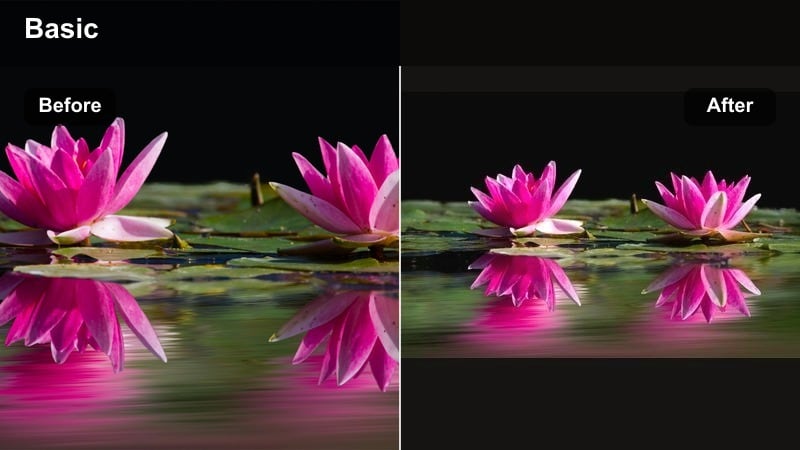
- Effect look: Warm browns and creams with lower contrast, gentle bloom on highlights, and a cozy indoor mood.
- Best for: Cafe B-roll, brunch close-ups, work-from-abroad shots, and hotel lobby walk-throughs.
- Editing tip: Lower clarity on close-ups of hands and faces, and add a subtle blur vignette for a soft-focus, dreamy feel.
Cafe Latte Soft creates a comforting, intimate atmosphere that is ideal for indoor travel moments. It enhances wood, coffee, and pastry tones while smoothing contrast so the overall scene feels inviting and relaxed.
In Filmora, apply this Instagram travel filter to storytelling clips where you talk to camera, work on your laptop, or share detailed food shots. A bit of extra blur or reduced clarity on the edges can draw focus to your subject and keep your feed feeling warm and approachable.
Room Tour Minimal
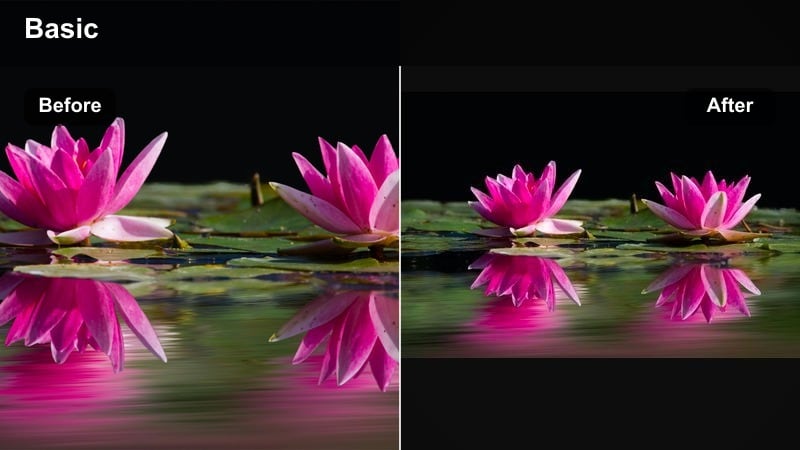
- Effect look: Clean whites, slightly muted colors, and balanced contrast for aesthetic hotel and Airbnb interiors.
- Best for: Room tours, apartment rentals, interior details, and packing or organizing shots.
- Editing tip: Use Filmora’s straighten and crop tools before applying the filter so lines are clean and the space feels editorial.
Room Tour Minimal is built for bright, neutral interiors and rental tours. It keeps whites crisp and prevents warm lamps or colored decor from overpowering the scene, giving your reels that polished, magazine-style Airbnb look.
Inside Filmora, start by straightening vertical lines and cropping out distractions, then apply the filter for a refined finish. This makes transitions between wide room shots and close-ups of decor feel cohesive and professional on your Instagram grid.
Sunset Haze Portrait
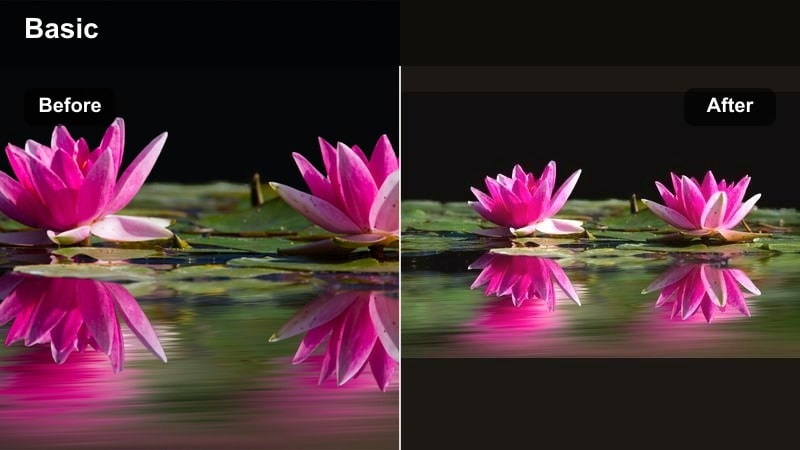
- Effect look: Soft peach and rose tones with lifted shadows, flattering skin tones, and a gentle sunset glow.
- Best for: Golden-hour portraits, couples travel reels, rooftop bars, and city sunsets.
- Editing tip: Lower contrast and add a bit of Filmora’s skin smoothing only where needed for a polished but still natural look.
Sunset Haze Portrait focuses on flattering skin and warm skies at the same time. It adds rosy warmth and gentle haze that smooth out harsh shadows, which is especially helpful for handheld portrait clips during golden hour.
Use this travel video Instagram filter in Filmora whenever your face or your partner is the main subject. Apply selectively stronger grades on B-roll sunsets and slightly softer versions on close-ups, then keep this tone consistent across your travel reels to build a recognizable personal brand.
Tips for Using Travel Video Instagram Filter Filters in Filmora
- Batch edit all clips from the same location with one filter first, then fine-tune hero shots to keep your Instagram travel reels cohesive.
- Always preview your filters in vertical 9:16 inside Filmora so you can see how skies, faces, and text will read on a phone screen.
- Use subtle filters at around 60-80 percent intensity so your travel footage still feels natural while keeping a clear aesthetic.
- Save two or three go-to aesthetic travel tones in Filmora and rotate them by destination instead of changing your style every post.
- Export a short test reel with your favorite filter and check it on different phones before committing to a full series with that look.
- Combine filters with Filmora tools like masks, HSL, and vignettes to protect skin tones while you push skies, water, or city lights.
- Match your reel covers to your most-used filter so your entire feed reflects the same travel video Instagram filter style.
With the right travel video filters for Instagram, you can turn simple clips into aesthetic, story-driven reels that fit perfectly into a curated feed.
Experiment with these Filmora styles, save your favorite combinations as presets, and carry the same signature look into your next travel video filters for reels project.
secure download