

 100% Security Verified | No Subscription Required | No Malware

Vintage Teal sits between blue and green with a softened, retro twist. It feels calming and trustworthy, yet still creative and cinematic. In color psychology, teal tones often signal balance, depth, and emotional storytelling, which is why they appear so often in film posters, lifestyle brands, and social media aesthetics.
For video creators and designers, Vintage Teal is an easy way to add mood to intros, lower thirds, YouTube thumbnails, Instagram covers, and channel branding. Below are curated Vintage Teal color palettes with HEX codes so you can match overlays, text, graphics, and color grading inside Filmora or any design workflow.
In this article
Cinematic Vintage Teal Color Palettes
Old Cinema Marquee Teal
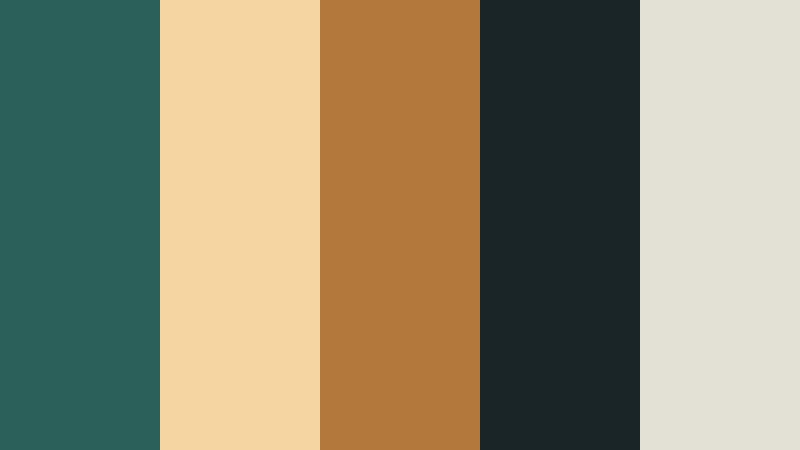
- HEX Codes: #2b5f5a, #f5d6a1, #b3793b, #1a2527, #e3e0d5
- Mood: Nostalgic, dramatic, and slightly moody, like a retro movie theater at dusk.
- Use for: Ideal for film-inspired YouTube intros, retro title cards, and dramatic color grading overlays.
This palette mixes Vintage Teal with warm marquee golds and deep charcoal shadows, echoing the glow of an old cinema sign at night. It brings instant nostalgia and drama to your visuals without feeling overly saturated.
Use it to build story-driven edits, chapter cards, and opening sequences in Filmora. Teal can carry your main background or grading, while the golden tones highlight text, subscribe buttons, and callouts on thumbnails, end screens, and channel banners.
Pro Tip: Build a Cinematic Vintage Teal Look in Filmora
To keep this Old Cinema Marquee Teal palette consistent, design a simple style guide inside Filmora. Use the teal shade as your base for backgrounds and overlays, then sample the gold and charcoal for titles, drop shadows, and frame accents.
Once you have a look you like on one clip, save it as a custom preset or copy and paste the color settings across your intro, B-roll, and outro. This keeps your whole video feeling like one cohesive, cinematic story rather than a mix of unrelated shots.
AI Color Palette
You can also build this Vintage Teal look from a single reference, such as a still frame or a designed thumbnail. Filmora's AI Color Palette feature analyzes your reference colors and applies a similar palette to the rest of your footage.
Import your chosen Vintage Teal reference image, let AI detect the tones, then apply the palette to multiple clips at once. This is especially useful for matching A-roll and B-roll, or syncing YouTube thumbnails with the overall grading of your video.
 secure download

HSL, Color Wheels & Curves
To refine your Vintage Teal look even further, adjust the teal hue and saturation with HSL, then balance the warm golds with Filmora's color wheels and curves. You can shift the shadows slightly toward teal and the highlights toward warm gold to create that classic teal-and-orange cinematic contrast.
If your teal feels too strong on skin tones, use the HSL panel to selectively lower saturation in cyan and green ranges, while leaving warmth in the oranges. Filmora's tutorial on using color wheels and curves gives you a step-by-step visual guide to this kind of adjustment.
secure download1000+ Video Filters & 3D LUTs
If you want a quick starting point, Filmora's video filters and 3D LUTs make it easy to create stylized Vintage Teal looks in one click. You can stack a teal-tinted LUT over your clips, then tweak the colors to match the exact HEX codes of this palette.
Save your favorite combination of filters, LUTs, and manual color tweaks as a preset. That way, every new video, intro, or social short can instantly adopt your signature Old Cinema Marquee Teal style.
secure downloadDusty Harbor Teal Nights

- HEX Codes: #2a6661, #f9efe3, #c9a27c, #37414a, #8c6b4f
- Mood: Calm, cinematic, and atmospheric with a hint of seaside mystery.
- Use for: Perfect for travel vlogs, moody B-roll sequences, and subtle LUT-inspired thumbnail designs.
Dusty Harbor Teal Nights grounds your edit in a deep teal, softened with muted sands and night grays. It feels like walking along the harbor after sunset, with warm light spilling from windows onto cool water.
Apply it to travel vlogs, city-by-the-sea montages, and lifestyle B-roll in Filmora. Use the teal as your grade base, the cream for title cards, and the warm browns for details like icons, lower thirds, and location labels on thumbnails.
Film Grain Teal Fade
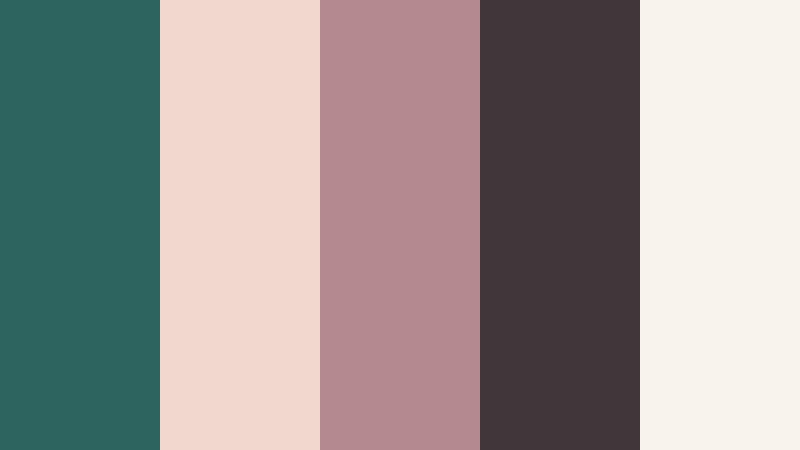
- HEX Codes: #2e6460, #f2d7ce, #b58a8f, #41363a, #f8f3ed
- Mood: Softly melancholic and cinematic, like a faded photograph.
- Use for: Great for montage sequences, nostalgic reels, and minimalist title cards with a filmic feel.
Film Grain Teal Fade softens Vintage Teal with dusty rose and warm neutrals. The mix feels like old photo paper left in the sun, lightly washed out but still emotional and rich.
Use this palette for sentimental montages, memory recaps, or documentary-style storytelling. In Filmora, pair teal-tinted midtones with rose-tinted highlights, and keep your titles clean in off-white for Instagram reels, YouTube intros, and chapter markers.
Urban Neon Teal Noir

- HEX Codes: #256866, #0b1a23, #f4f0ec, #ff9254, #3b3f5a
- Mood: Edgy, urban, and high-contrast with a noir-inspired twist.
- Use for: Ideal for tech reviews, city night B-roll, and bold thumbnail text blocks.
Urban Neon Teal Noir sets Vintage Teal against inky navy shadows and sharp neon accents. The result is bold and modern, perfect for nighttime cityscapes and fast-paced edits.
Use teal for glows, UI overlays, or accent lines around your subject. Reserve the neon orange for key titles and call-to-action buttons on YouTube thumbnails or shorts covers so they stand out against dark teal and navy backgrounds.
Desert Motel Teal Glow
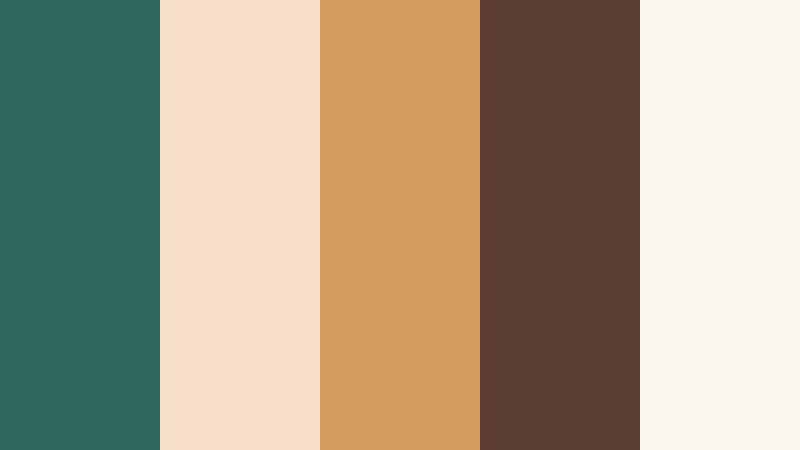
- HEX Codes: #2f6860, #f7e0c9, #d29c5c, #5b3d36, #faf6f0
- Mood: Retro, sun-faded, and slightly dreamy like a roadside motel sign.
- Use for: Use for road trip films, lo-fi edits, and vintage-style title slates.
Desert Motel Teal Glow leans into Vintage Teal with sun-baked ambers and dusty browns, evoking faded motel signage and long drives. It is warm and nostalgic without losing that cool teal base.
Apply this palette to travel and road trip edits in Filmora, using teal for skies and shadows and the amber tones for light leaks, text, and map-style graphics. It works especially well for lo-fi aesthetics, retro title slates, and chapter cards between segments.
Soft & Romantic Vintage Teal Color Palettes
Teal Lace Daydream
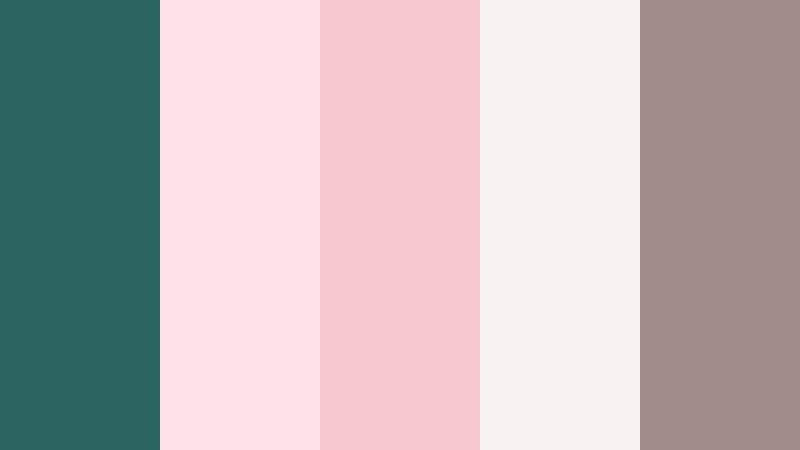
- HEX Codes: #2a6560, #ffe3eb, #f6c8cf, #f8f3f2, #a28b8b
- Mood: Airy, romantic, and feminine with a soft vintage touch.
- Use for: Perfect for wedding highlight videos, engagement reels, and dreamy lifestyle thumbnails.
Teal Lace Daydream contrasts a calm Vintage Teal with gentle blush pinks and antique whites. The palette feels like soft fabric, lace details, and natural light streaming through a window.
Use teal sparingly as an accent in weddings and romantic content, keeping the lighter shades for backgrounds and lower thirds. In Filmora, this combination is ideal for save-the-date edits, engagement reels, and lifestyle thumbnails where you want softness and elegance.
Antique Teal Letterpress

- HEX Codes: #285f59, #f7e9d9, #e0c2a2, #b2937a, #463a33
- Mood: Warm, nostalgic, and artisanal like handmade stationery.
- Use for: Great for branding videos, logo reveals, and cozy storytelling channels.
Antique Teal Letterpress pairs Vintage Teal with parchment creams and soft browns. It feels handcrafted and intimate, like letterpress cards or artisan packaging.
For branding videos and logo reveals, use teal on logos and icons, while cream and tan form the background. This palette works well on YouTube channel art, product storytelling, and cozy creative vlogs where you want warmth and authenticity.
Garden Party Teal Mist

- HEX Codes: #2f6b64, #f1f7f3, #c2d9c4, #f9e0c8, #7a8a7e
- Mood: Fresh, gentle, and organic with a touch of spring romance.
- Use for: Use for nature vlogs, slow living edits, and calming channel branding.
Garden Party Teal Mist blends Vintage Teal with soft greens and peachy creams. It feels like a quiet garden brunch or a calm afternoon outdoors.
Use this palette for slow living channels, plant care videos, and nature vlogs. In Filmora, set teal and green as your key grading tones, let the creams support backgrounds and panels, and use the peach accent for gentle call-to-action buttons and subtle thumbnail highlights.
Porcelain Teal Keepsake

- HEX Codes: #2c6460, #fdf8f1, #f0ddd0, #c6a7a0, #7c6c6a
- Mood: Delicate, sentimental, and elegant like heirloom ceramics.
- Use for: Ideal for memory films, family slideshows, and soft storytelling intros.
Porcelain Teal Keepsake balances a gentle Vintage Teal with porcelain whites and powdery neutrals. It feels refined and timeless, like a cherished keepsake box.
Use it in Filmora for family slideshow videos, heritage stories, or baby milestone edits. Let teal add depth to shadows and text outlines, while the light neutrals keep your frames clean and emotional for intros, transitions, and title clips.
Bold & Vibrant Vintage Teal Color Palettes
Teal Pop Retro Arcade

- HEX Codes: #1f6c66, #ffcc3a, #ff6b4a, #181820, #f7f6f1
- Mood: Playful, punchy, and high-energy with a retro arcade vibe.
- Use for: Perfect for gaming channels, energetic intros, and eye-catching YouTube thumbnails.
Teal Pop Retro Arcade throws Vintage Teal into a neon playground with bright yellow, hot orange, and deep black. It feels dynamic and youthful, like classic arcade cabinets and pixel art.
Use teal as your main brand color and black as the canvas, then let the yellow and orange highlight scoreboards, subscriber counts, and title text. In Filmora, this palette is great for gaming intros, challenge videos, and high-impact thumbnail designs.
Tropical Vinyl Teal
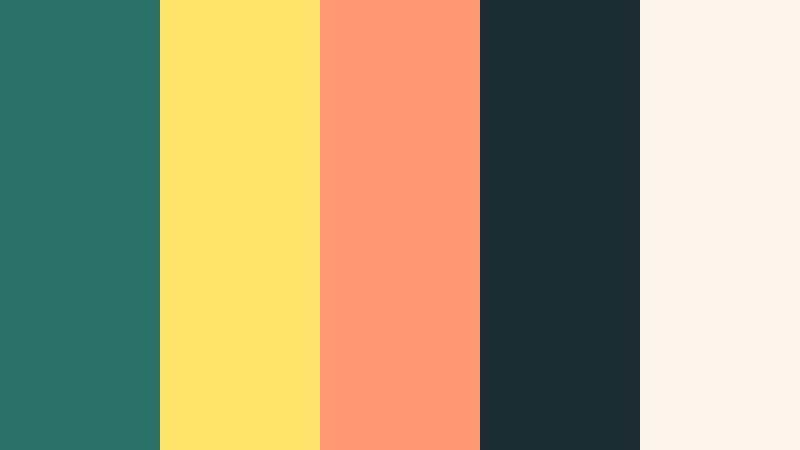
- HEX Codes: #2b7068, #ffe46b, #ff9773, #1b2c33, #fdf5ec
- Mood: Sunny, bold, and nostalgic like a retro beach record cover.
- Use for: Great for summer vlogs, travel edits, and music-driven highlight reels.
Tropical Vinyl Teal mixes rich Vintage Teal with sunlit yellows and coral, plus a dark navy to ground everything. It feels like a retro album cover for endless summer days.
Use it in Filmora for beach trips, festival edits, and music highlight reels. Grade your footage with teal and navy for depth, then use yellow and coral in kinetic text, stickers, and animated titles for Reels, Shorts, and TikTok covers.
Street Art Teal Splash

- HEX Codes: #276963, #ff5e7a, #ffc74f, #22252c, #f1f1f1
- Mood: Creative, urban, and rebellious with a street art spirit.
- Use for: Use for creator branding, shorts covers, and bold text overlays on social content.
Street Art Teal Splash sets cool Vintage Teal against graffiti pink, bright mustard, and dark concrete gray. The palette feels expressive and bold, like paint splatters on a city wall.
For creator branding, let teal be your signature color across logos and overlays. Use pink and mustard selectively for hooks, keywords, and icons in shorts covers, carousel covers, and video intros to create a fearless creative edge.
Teal Spotlight Stage

- HEX Codes: #2c6d66, #f76c6c, #ffdd8c, #242732, #f5f3ee
- Mood: Dramatic and showy, like a live performance under colored lights.
- Use for: Ideal for performance videos, dance edits, and promo visuals for events.
Teal Spotlight Stage brings together intense teal, stage coral, and warm gold against dark navy. It mimics colorful spotlights and theatrical backdrops.
Use this for dance covers, live sessions, or event promos. In Filmora, grade shadows toward teal, then pop your text and graphic shapes in coral and gold. For thumbnails, place performers against deep navy with teal and coral borders to command attention in feeds.
Elegant & Modern Vintage Teal Color Palettes
Teal Brass Loft

- HEX Codes: #295f59, #f4ede3, #d0b187, #7b6444, #262b2a
- Mood: Sophisticated, warm, and modern with an industrial edge.
- Use for: Great for cinematic B-roll, design case studies, and premium brand intros.
Teal Brass Loft combines Vintage Teal with brushed brass tones and soft neutrals. It feels curated, modern, and slightly industrial, like a stylish loft studio.
Use it for premium branding content, case study videos, and product reveals. In Filmora, treat teal as your accent on UI shapes and lines, while the brass tones highlight typography, price tags, and logo reveals on thumbnails and landing page videos.
Minimal Teal Monograph

- HEX Codes: #2a6862, #faf7f2, #cbc6bc, #8b8f8d, #232628
- Mood: Clean, minimal, and professional with a subtle editorial feel.
- Use for: Perfect for tutorials, UI demos, and personal branding that needs a polished edge.
Minimal Teal Monograph uses a restrained Vintage Teal beside ivory, soft grays, and charcoal. It feels like a modern magazine layout or product manual.
Use this palette for tutorials, tech explainers, and personal brand channels. Keep backgrounds very light, use charcoal for clean text, and let teal highlight key buttons, arrows, and lower thirds. It is perfect for readable, professional-looking YouTube thumbnails and UI-focused screen recordings.
Teal Velvet Gallery

- HEX Codes: #255f59, #f5f1ea, #d2c0aa, #8f7664, #2e3133
- Mood: Luxurious, artful, and calm like a curated gallery space.
- Use for: Use for product showcases, portfolio reels, and classy brand story videos.
Teal Velvet Gallery deepens Vintage Teal into a velvet tone framed by creamy walls and muted browns. It feels like an art gallery or boutique showroom.
Use this palette for product showcases, portfolio reels, and case study content. In Filmora, present your work on cream or pale backgrounds with teal borders and titles. The muted browns can support subtle drop shadows, frames, and hover-style effects for elevated thumbnails and intro cards.
Tips for Creating Vintage Teal Color Palettes
When building your own Vintage Teal combinations for video and design, aim for balance between cool teal tones and the supporting neutrals or accents around them. The right mix keeps your visuals cinematic and on-brand without sacrificing readability.
- Pick one main teal: Choose a single Vintage Teal HEX as your base and reuse it across overlays, buttons, and key titles to keep your brand consistent.
- Balance with warm accents: Pair teal with warm colors like gold, coral, or tan to avoid a cold or flat look, especially in skin tone heavy footage.
- Protect readability: Use light backgrounds with dark text or vice versa. Avoid putting low contrast teal text directly on mid-tone teal or gray.
- Match grading to graphics: When color grading in Filmora, nudge shadows or midtones toward your chosen teal so footage, titles, and thumbnails share the same mood.
- Limit bright accents: Reserve your boldest accent color (neon yellow, coral, or pink) for CTAs, video titles, and important icons so they truly stand out.
- Test in different formats: Check your Vintage Teal palette on mobile, desktop, and TV to ensure text remains clear and colors stay vibrant but not oversaturated.
- Use overlays, not just text: Apply subtle teal gradients, vignette overlays, or light leaks in Filmora so the palette appears in the footage, not only in graphics.
- Save presets: Once you dial in a Vintage Teal look you love, save it as a color or title preset in Filmora so every new video can match in seconds.
Vintage Teal color palettes can completely reshape how your videos and designs feel, from nostalgic and romantic to bold, urban, or editorial. With a clear set of HEX codes, you can align your thumbnails, intros, overlays, and color grading around one cohesive mood.
Try these palettes as starting points inside Filmora. Sample the colors, combine them with AI tools, and refine them with HSL and curves until you find a Vintage Teal look that feels like your signature style.
Once your palette is set, reapply it across channel banners, end screens, and social cutdowns so your audience recognizes your brand the instant your content appears in their feed.
secure download