

 100% Security Verified | No Subscription Required | No Malware

Warm Instagram reel filters are perfect for creators who want their coffee rituals, home vlogs, and slow morning routines to feel soft, glowing, and inviting on screen.
Whether you are a food creator, lifestyle vlogger, or wellness brand, these Filmora filter ideas will help you build a consistent golden Instagram effect that turns everyday clips into cozy lifestyle storytelling.
In this article
Golden Warmth for Coffee Reels
Honey Latte Glow
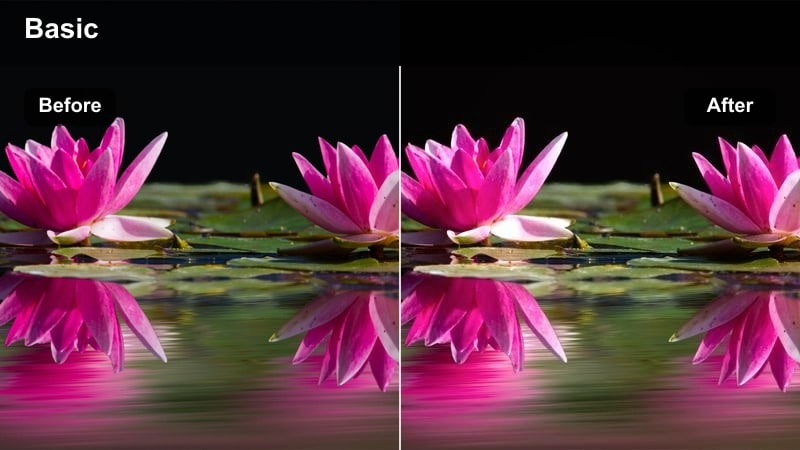
- Effect look: Soft golden warmth with gentle highlight bloom and slightly lifted blacks.
- Best for: Close-up coffee pours, café table shots, and latte art reels filmed near a window.
- Editing tip: Lower contrast slightly and add a subtle vignette to keep attention on the mug and hands.
Honey Latte Glow wraps your coffee reels in a soft golden cast that makes foam, crema, and steam look extra creamy on screen. The lifted blacks and highlight bloom create a gentle, filmic look that flatters wood tables, ceramic mugs, and morning window light, perfect for cozy café storytelling.
In Filmora, apply this style, then fine-tune contrast and vignette strength so the viewer’s eye stays on the cup and hand movements. You can also duplicate your clip, add a slight Gaussian blur to the copy, and blend it softly to enhance that glowing latte aesthetic without losing detail.
Instant Warm Looks with AI Color Tools
Filmora's AI color tools help you build warm Instagram reel filters in a few clicks by automatically balancing temperature, tint, and contrast for cozy visuals. Instead of guessing sliders, you start from an intelligently corrected base that already flatters skin tones and ambient light.
Once the AI pass is done, you can stack your favorite warm filter or LUT on top to turn everyday coffee or home clips into a signature golden brand look.
 secure download

See Warm Filters in Action on Real Reels
Inside Filmora, you can quickly preview how different warm filters transform the same coffee shot, living-room clip, or morning routine. Drop several versions of the clip onto the timeline, apply a different filter to each, and compare them side by side to choose the exact mood you want.
When you find the perfect combination, save it as a preset so all future Instagram reels can match that cozy golden aesthetic with a single click.
secure downloadCombine Filters and LUTs for Next-Level Warmth
Filmora includes a large collection of video filters and cinematic 3D LUTs that you can stack to create nuanced warm Instagram reel looks. Start with a subtle warm filter for overall mood, then add a low-intensity LUT to refine color harmony and keep skin tones natural.
This layered approach makes it easy to build a recognizable caramel or golden brand style that you can quickly copy across all your lifestyle and wellness reels.
secure downloadCafé Amber Mist
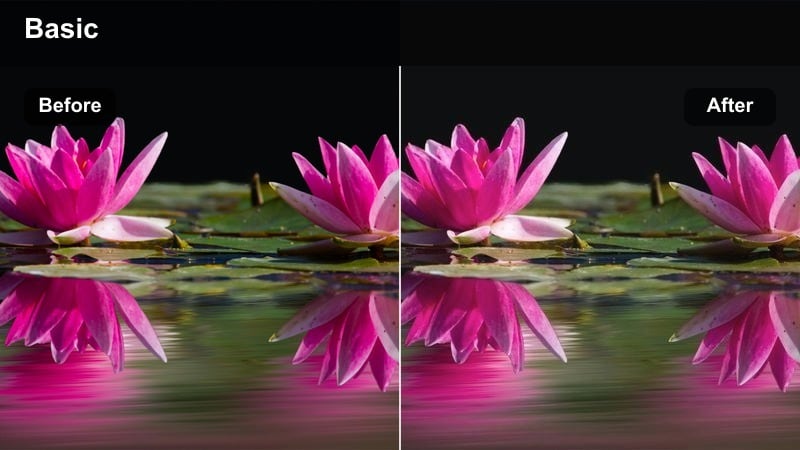
- Effect look: Amber-tinted mids with soft fade in the shadows and reduced cool tones.
- Best for: Cozy café B-roll, slow pans across pastries, and barista workflow shots.
- Editing tip: Lower saturation on greens and blues to keep the amber tone dominant while maintaining skin tone clarity.
Café Amber Mist adds a nostalgic, amber wash that makes wooden counters, croissants, and espresso machines feel warm and timeless. Softened shadows and reduced cools take the edge off any harsh overhead lighting, so your café B-roll feels like a relaxed Sunday morning.
In Filmora, pair this filter with slow pans or gentle handheld movement at 0.75x speed to emphasize the cozy atmosphere. Use HSL to tame greens and blues from plants or equipment, keeping the focus on rich browns and ambers that define your warm reels filter aesthetic.
Morning Brew Soft
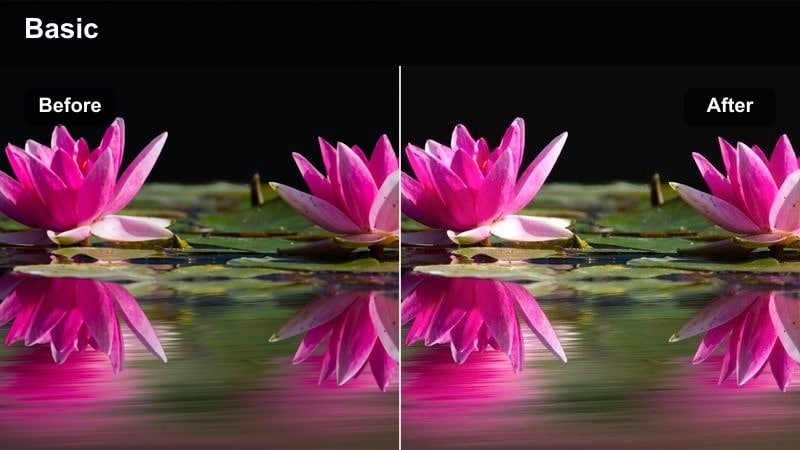
- Effect look: Low-contrast, peachy highlights with a soft glow and slightly desaturated background.
- Best for: Morning coffee on the couch, journaling with a mug, and quiet kitchen corner shots.
- Editing tip: Brighten midtones gently and reduce clarity to make steam and soft textiles look extra dreamy.
Morning Brew Soft is ideal for slow, mindful rituals, adding peachy warmth and low contrast that make blankets, cushions, and open notebooks feel inviting. Backgrounds are slightly desaturated so your mug, hands, and journal stay visually prominent without feeling too sharp.
When editing in Filmora, lower clarity and add a touch of glow to emphasize steam rising from your cup or sunlight hitting pages. Pair this look with ASMR-style audio like pen-on-paper and soft ambient sounds to complete a soothing warm Instagram reels vibe.
Cozy Warm Filters for Home Moments
Amber Room Glow
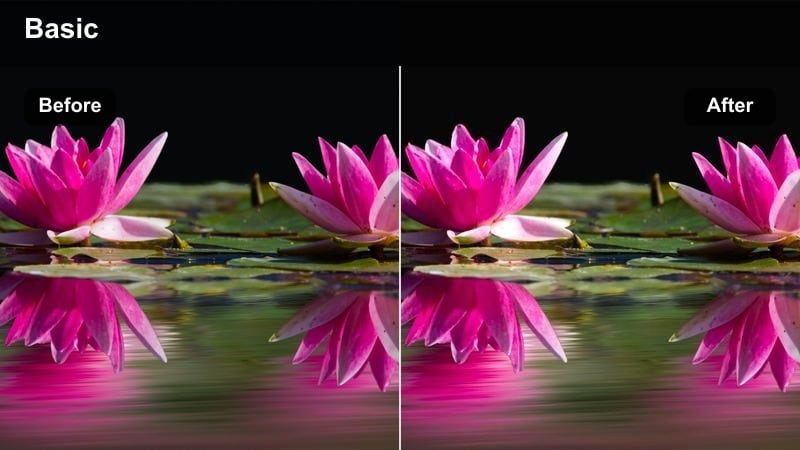
- Effect look: Rich amber highlights, slightly deepened shadows, and softened whites for a dim, cozy mood.
- Best for: Evening living room moments, reading corners, and candle-lit scenes.
- Editing tip: Drop exposure slightly and add a mild vignette to keep lamps, candles, and warm bulbs as the brightest parts.
Amber Room Glow turns ordinary living rooms into cinematic, lamp-lit spaces, deepening shadows while pushing highlights toward a rich amber tone. Whites are softened so string lights, lamps, and candles look like gentle pools of light rather than harsh hotspots.
Use this filter in Filmora on clips of reading, scrolling, or chatting on the couch, then fine-tune exposure so practical lights remain the brightest elements. If skin begins to look too orange, nudge temperature down slightly and adjust orange hues in HSL to keep faces natural while the room stays warmly glowing.
Blanket Hug Warm
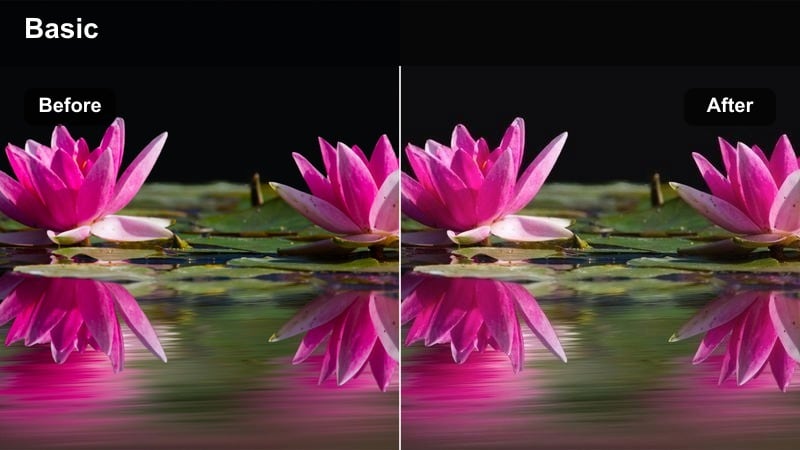
- Effect look: Soft matte shadows with caramel warmth and slightly muted primary colors.
- Best for: Slow evenings on the couch, movie-night clips, and home snuggle moments.
- Editing tip: Reduce sharpness and add a tiny bit of blur on the background to make fabrics and skin look smoother.
Blanket Hug Warm gives your footage a caramel, matte finish that feels like being wrapped in a soft throw. Matte shadows and muted primaries keep the frame gentle on the eyes, ideal for showing pets cuddling, TV glow, or cozy chats under a blanket.
In Filmora, apply a subtle background blur or depth-of-field effect so faces and fabrics look smooth and comforting. Use this same warm reels filter across story-style sequences, like dimming lights, lighting candles, and settling in, to create a cohesive evening routine reel.
Soft Lamp Ember
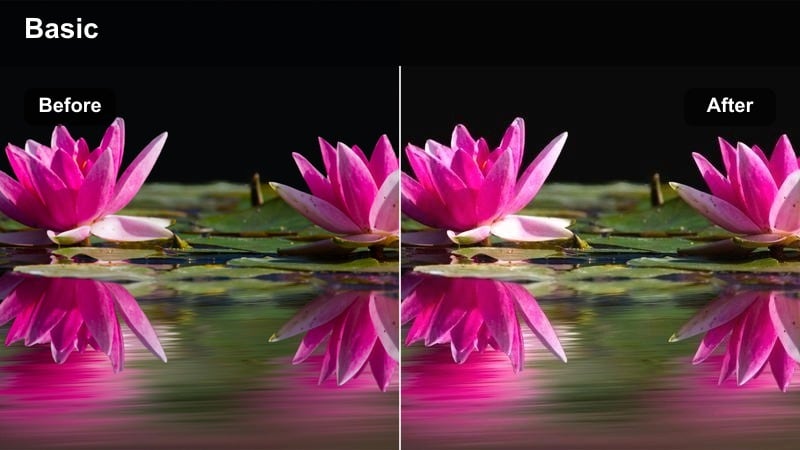
- Effect look: Orange-tinted highlights around light sources with subtle glow and muted cool shadows.
- Best for: Desk setups, nightstand routines, and soft bedroom scenes with lamps on.
- Editing tip: Use Filmora's highlight control to avoid clipping around lamps while keeping the ember glow bright.
Soft Lamp Ember emphasizes the halos around lamps, candles, and fairy lights, making them feel like embers glowing in a dim room. Cool shadows are muted so the frame leans fully into warmth, perfect for journaling, reading, or skincare scenes beside a bedside lamp.
When editing in Filmora, slightly reduce highlights if you see blown-out bulbs, then add a touch of glow or lens flare for extra magic. Slow, subtle camera moves toward or away from the light source work especially well with this golden Instagram effect, giving your nighttime routines a cinematic feel.
Sunlit Routine Videos with Golden Effects
Golden Hour Routine
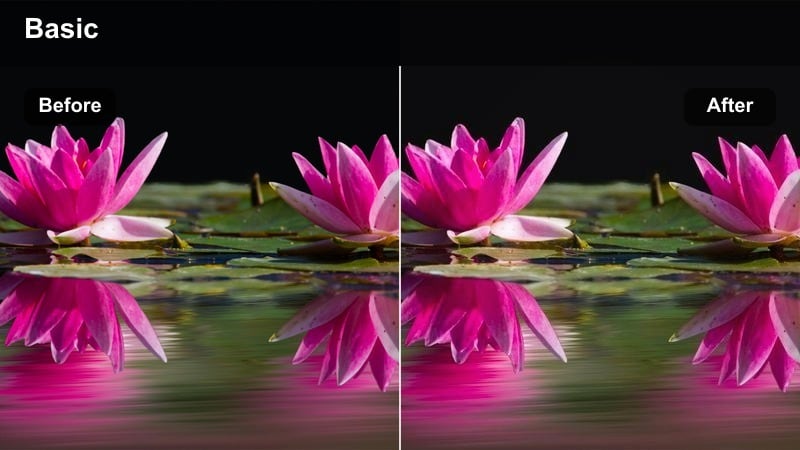
- Effect look: Strong golden highlights, slightly rosy skin tones, and deeper shadows for contrast.
- Best for: Morning or late-afternoon routines filmed near big windows or balconies.
- Editing tip: Use keyframed exposure to keep your subject properly lit as they move through changing sunlight.
Golden Hour Routine mimics the warmth of real sunrise or sunset, intensifying golden highlights and adding a gentle rosiness to skin. Deeper shadows give your clips shape and depth, making simple actions like stretching, watering plants, or sipping tea feel cinematic.
In Filmora, combine this look with keyframed exposure and brightness so your subject stays balanced as they move through uneven window light. If you shoot at midday, reduce highlights and add a bit of blur or diffusion to soften hard light, then let the filter push the color toward that coveted golden-hour glow.
Soft Sunrise Matte
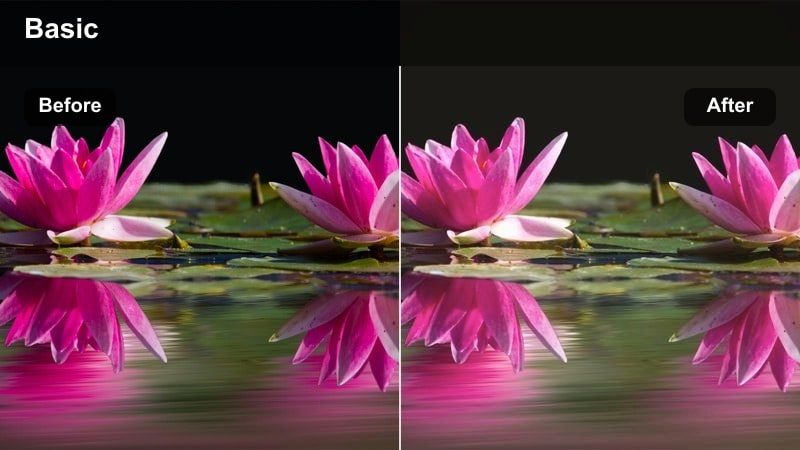
- Effect look: Matte shadows, creamy highlights, and a pastel-like warm tint over the entire frame.
- Best for: Gentle wake-up routines, skincare steps, and slow stretches in soft window light.
- Editing tip: Lower saturation slightly and lean into warm temperature to make whites look creamy rather than bright.
Soft Sunrise Matte coats your footage in a pastel warm veil that makes mornings feel delicate and unhurried. Shadows are matte instead of punchy, and highlights turn creamy, which is flattering for skincare close-ups, fluffy bedding, and light-colored loungewear.
Use this warm reel preset in Filmora for clips shot with soft backlight or side light, then gently pull down saturation for a more editorial feel. Light background blur and slower playback speeds help the pastel warmth read as airy and calm rather than hazy or over-processed.
Sunlit Desk Warmth
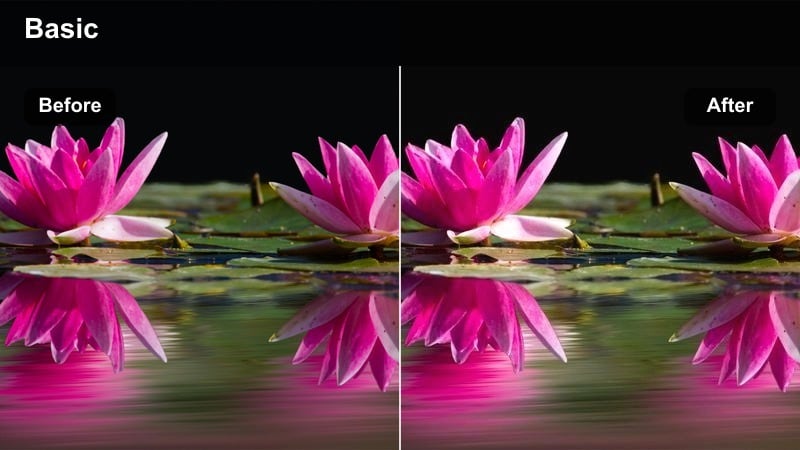
- Effect look: Warm-toned whites, softened contrast, and gentle glow on edges of objects near the window.
- Best for: Work-from-home desk setups, journaling, planning, and laptop shots in natural light.
- Editing tip: Raise exposure slightly and tame highlights so paper pages and screens stay readable while still glowing.
Sunlit Desk Warmth is designed for productivity reels, adding inviting warmth to notebooks, keyboards, and coffee cups without blowing out white pages. Contrast is softened so the scene feels calm and inspiring, while a gentle edge glow highlights objects close to the window.
In Filmora, use top-down shots of your desk and stabilize any handheld clips for a clean, focused look. Slightly lift exposure, then pull back highlights to keep text legible on planners and laptops while maintaining that soft, sunlit, golden Instagram effect across your workflow content.
Cozy Lifestyle and Wellness Brand Aesthetics
Golden Wellness Glow
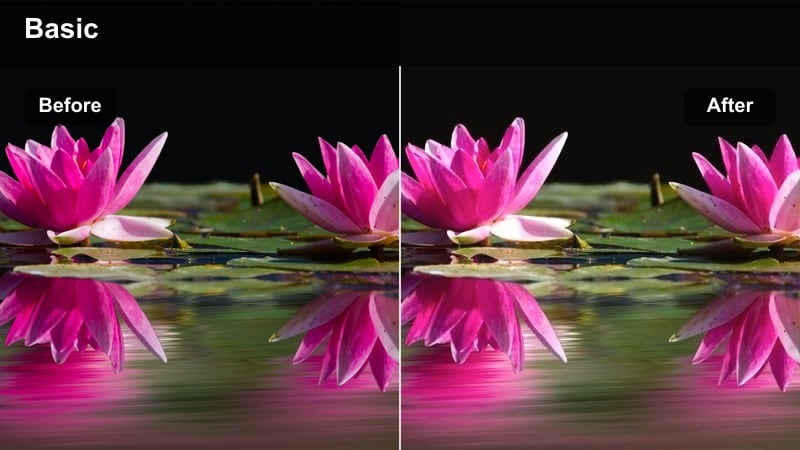
- Effect look: Clean golden midtones, neutral skin tones, and slightly lowered contrast for a soft brand-forward feel.
- Best for: Wellness product shots, yoga flows, and breathwork reels in natural light.
- Editing tip: Keep saturation balanced and avoid over-warming to maintain a premium, minimal brand look.
Golden Wellness Glow adds a polished, editorial level of warmth that flatters neutral interiors and wellness setups. Midtones lean golden while skin tones stay clean, so yoga flows, breathwork clips, and product close-ups all feel cohesive and high-end.
In Filmora, apply this filter lightly and adjust intensity so packaging colors and brand elements remain accurate. Save your tuned settings as a custom preset, then reuse it across all wellness reels to build a consistent warm Instagram reels aesthetic that followers instantly recognize.
Cozy Routine Caramel
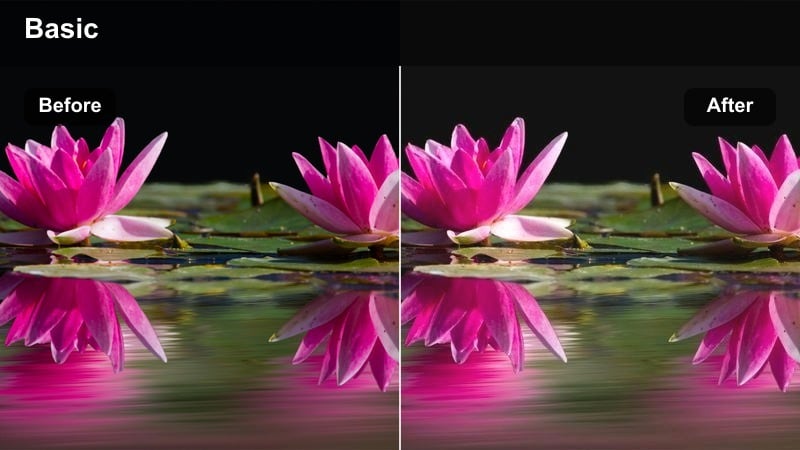
- Effect look: Caramel-tinted highlights, softened edges, and subtle fade in shadows for a nostalgic tone.
- Best for: Nighttime skincare, bath rituals, and self-care montages.
- Editing tip: Slow your clips slightly and use gentle crossfades to match the calm caramel tone of the visuals.
Cozy Routine Caramel wraps bathrooms and bedrooms in a caramel glow that makes steam, candles, and skincare textures look cinematic. Soft edges and faded shadows add a nostalgic layer, perfect for self-care montages and calming night routines.
Use Filmora to slow down your clips a bit and add simple crossfades or dissolves between steps like cleansing, masking, and moisturizing. Tight shots of hands, faces, and product textures work especially well with this warm reels filter, turning routine skincare into soothing, story-driven content.
Amber Brand Soft Focus
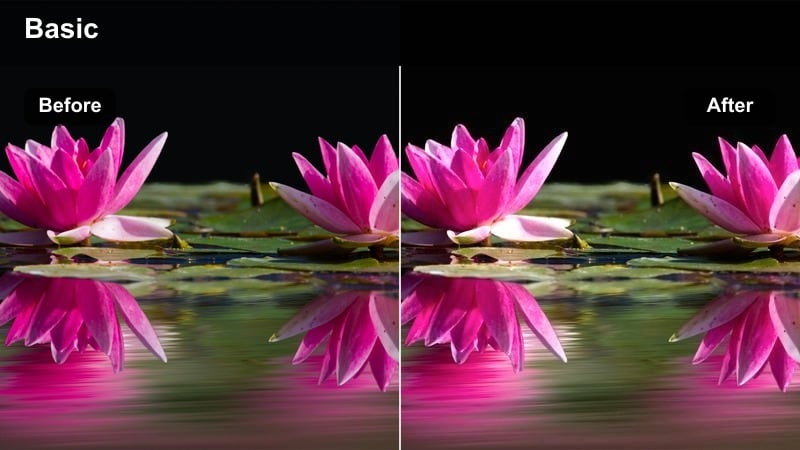
- Effect look: Warm amber cast with subtle bloom on highlights and softened clarity for a dreamy brand look.
- Best for: Lifestyle brand storytelling, product-in-use reels, and soft-talking to camera clips.
- Editing tip: Use masking in Filmora to keep your face sharp while letting the background stay slightly blurred and glowy.
Amber Brand Soft Focus creates an intimate, dreamy atmosphere by combining a warm amber cast with gentle highlight bloom and reduced clarity. It is ideal for talking-to-camera reels, brand storytelling, and cozy lifestyle content where you want the background to feel soft but intentional.
In Filmora, use masks or the focus tools to keep your face and key products sharp while allowing decor and lights behind you to blur and glow. Record recurring Q and A or tip-style videos in the same corner of your home using this filter so your warm Instagram reel filters also reinforce a strong, memorable brand identity.
Tips for Using Warm Instagram Reels Filters in Filmora
- Shoot near windows or warm lamps so your filters enhance existing light rather than fight against it.
- Keep skin tones in check by adjusting orange hues and luminance after applying strong golden effects.
- Use one or two signature warm filters across all reels to create a recognizable, on-brand aesthetic.
- Match filter intensity to the scene; coffee close-ups can handle stronger warmth than white walls or product labels.
- Combine warm filters with slower playback speeds and gentle music for a truly cozy viewing experience.
- Test several warm presets on the same clip inside Filmora, then save your favorite combo as a custom preset.
- Use Filmora's vignette and blur tools sparingly to subtly guide the viewer's eye toward hands, faces, and key details.
- Export in high resolution so soft grain, glow, and warm tones stay clean when uploaded to Instagram.
Warm Instagram reel filters are a simple way to turn everyday coffee rituals, home vlogs, and wellness routines into inviting stories your audience wants to rewatch.
Save your favorite Filmora warm presets and apply them consistently so every reel delivers the same golden, cozy atmosphere that matches your brand.
secure download