

 100% Security Verified | No Subscription Required | No Malware


 ChatGPT
 Perplexity
 Gemini
 Claude
 Grok
Grok
A content creator scrolls through a stunning video clip, wishing they could recreate its style, lighting, and mood using AI. Instead of guessing prompts, they want a faster way to extract accurate descriptions directly from the footage. This is where extracting prompts from videos becomes a game-changer.
By analyzing frames, motion, and visual details, modern tools can transform videos into structured AI prompts. These prompts can then be reused for generating images, videos, or creative content. In this guide, you'll learn how to convert video to prompt efficiently and unlock new possibilities for AI-driven creation.
In this article
Part 1. What Is Video to Prompt and Why Use It?
Converting a video into a prompt is the process of analyzing a video and extracting its visual elements. These elements include scenes, objects, motion, lighting, and style into a structured text prompt. This prompt can then be used with AI tools to generate images or videos. It helps transform dynamic video content into reusable, descriptive AI instructions for creative workflows.
Why Use Video to Prompt?
- Content Reuse: You can transform existing video footage into structured AI prompts. This allows you to reuse visual ideas across multiple creative projects easily.
- Time-Saving: Instead of manually describing every scene, the tool automatically extracts details. This saves significant time in prompt writing and editing.
- Creative Inspiration: Videos often contain rich visual storytelling elements. Converting them into prompts helps spark new ideas for AI-generated content.
- AI Generation: Well-structured prompts improve the accuracy of AI outputs. This leads to more realistic and consistent image or video results.
Part 2. How to Convert Video to Prompt: Step by Step
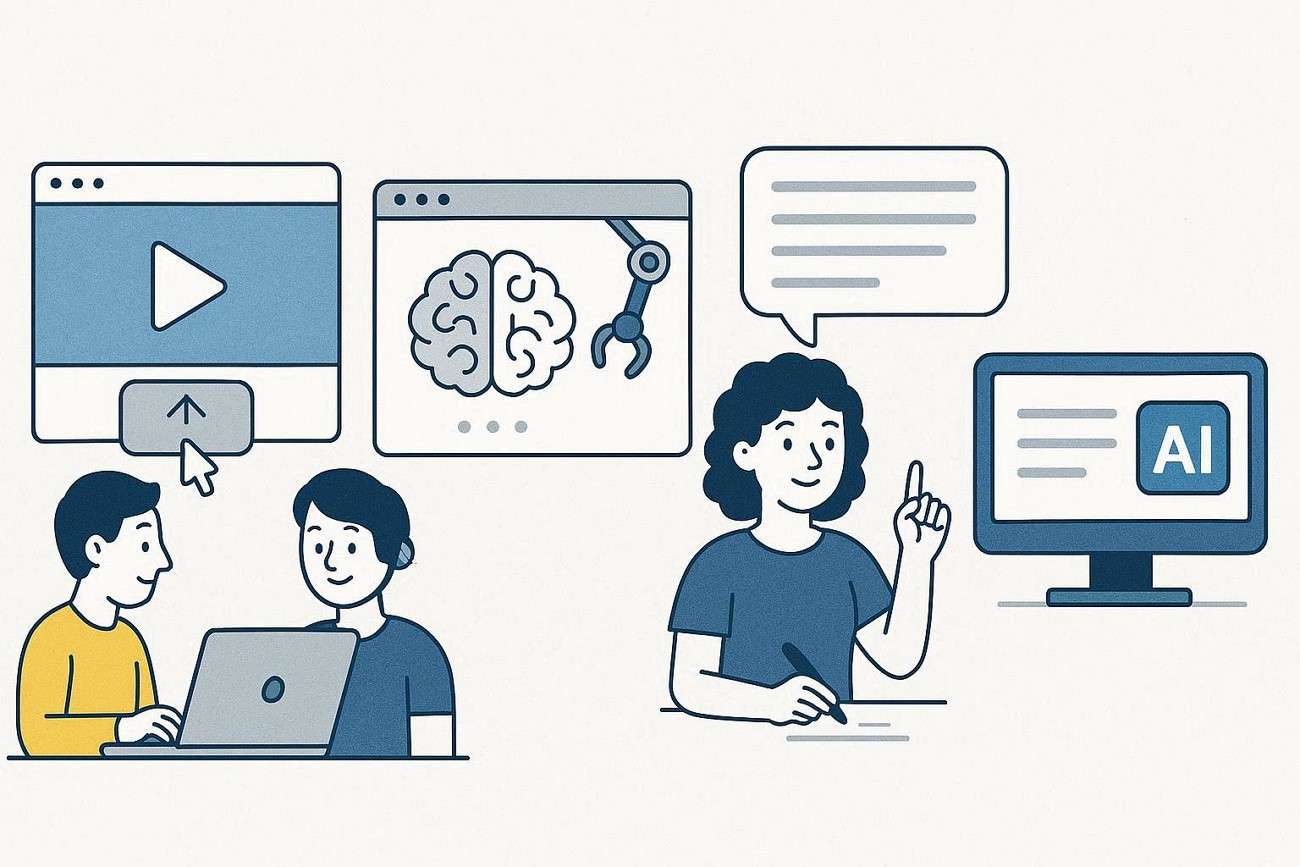
To move from raw footage to usable AI instructions, the process of turning video to prompt follows a simple and structured workflow. Instead of manually describing scenes, you can rely on tools that analyze visuals and generate detailed prompts automatically. Here's a general step-by-step guide to help you get started.
Step 1. Upload Your Video
Begin by importing your video into a video-to-prompt tool or AI platform. Make sure the clip is clear and of good quality for accurate analysis.
Step 2. Let AI Analyze the Content
The tool scans frames, objects, motion, and style elements. It identifies key visual details like lighting, colors, and scene composition.
Step 3. Generate the Prompt
Once analysis is complete, the system converts the video into a structured text prompt. This includes descriptive terms that represent the visuals.
Step 4. Review and Refine
Check the generated prompt for accuracy and clarity. You can edit or refine it to better match your creative needs.
Step 5. Use the Prompt in AI Tools
Finally, copy the prompt and use it in AI image or video generators. This helps you recreate or enhance similar visual content effortlessly.
Part 3. Video-to-Prompt Templates & Examples
Now that you understand how to extract prompts from video, the next important part is learning how to structure effective prompts. To make things easier, using ready-made templates and real examples can help you. Here are some of the templates and examples:
A strong video-to-prompt formula helps you convert visual content into clear, structured AI instructions. It ensures your prompts capture every important detail from the video, making AI outputs more accurate and consistent.
Video to Prompt Templates
Template 1
"[Subject] in [scene/environment], with [lighting], [camera angle], and [style/mood]. Action: [what is happening]."
Template 2
"A cinematic video of [main subject], showing [movement/action], set in [location], with [visual details like colors, lighting, atmosphere]."
Template 3
"[Description of scene], featuring [objects/characters], captured in [camera style], with [mood/lighting], highly detailed and realistic."
Video to Prompt Examples
Seeing real examples makes it easier to understand how templates work in practice. Below are sample conversions from video scenes into AI-ready prompts.
Example 1
"A golden retriever running on a sunny beach, waves crashing in the background, warm golden lighting, cinematic slow-motion shot, joyful and energetic mood."

Example 2
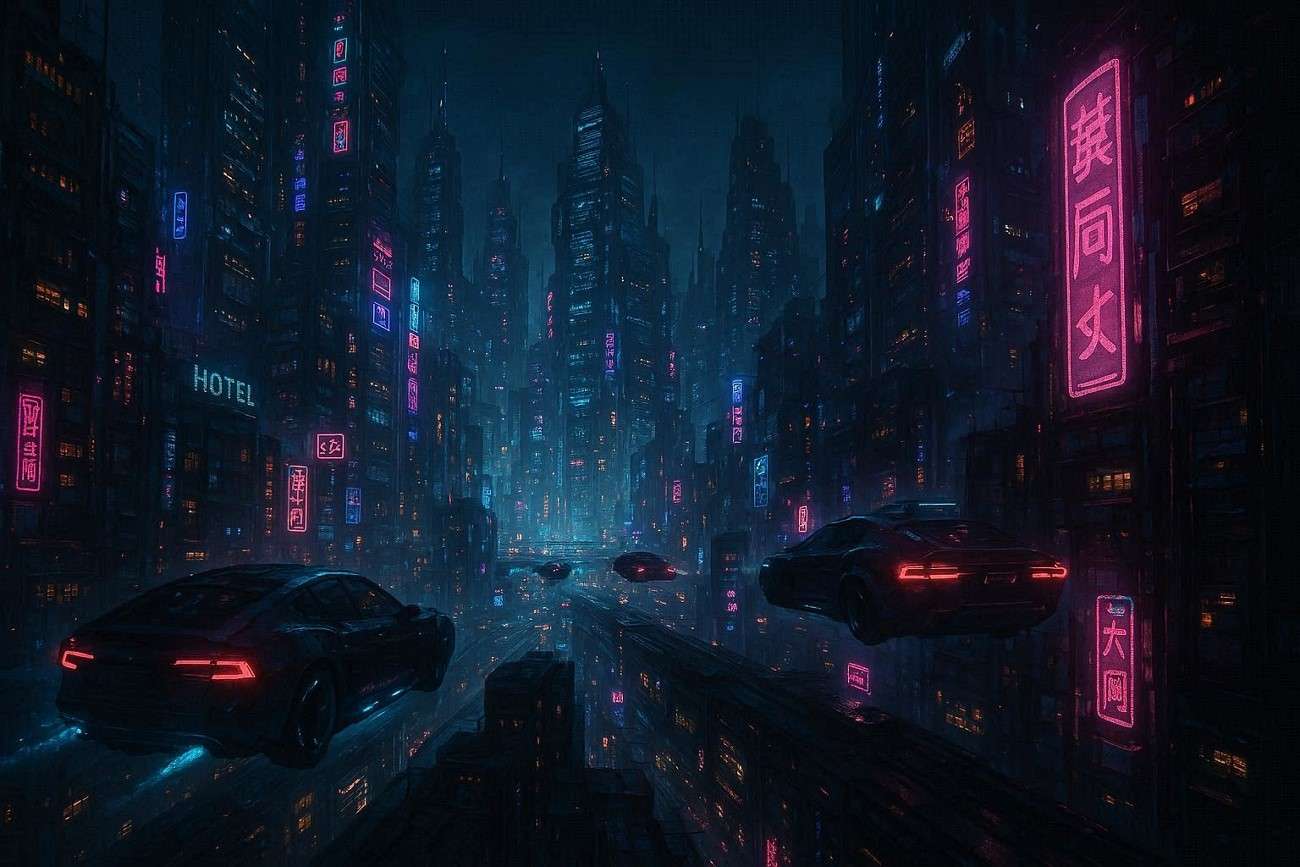
"A futuristic city at night with neon lights, flying cars moving between skyscrapers, wide-angle cinematic view, cyberpunk style, highly detailed."
Example 3
"A chef preparing sushi in a modern kitchen, close-up camera angle, soft natural lighting, calm and professional atmosphere, ultra-realistic style."

Part 4. Next Steps: Turn Your Extracted Prompt into New Content
Once you've successfully extracted a prompt from a video, the next step is turning that idea into fresh, engaging content. Instead of stopping at text, you can bring your prompts to life using an AI-powered creation tool like Wondershare Filmora. It is a beginner-friendly video editing platform that now integrates advanced AI features to simplify content production.
With its AI Video Generation tools, you can quickly transform written prompts into visual scenes without complex editing skills. The Text to Video feature lets you paste your prompt or script, and Filmora automatically generates a matching video with relevant visuals, transitions, and effects. This makes it ideal for creators who want fast content production.
 secure download

Steps for Creating a Video from a Prompt Using Filmora
As discussed, Filmora provides a complete suite of features for users to create videos from a simple text prompt. Follow the steps mentioned below to learn how to use it after turning the video into a prompt:
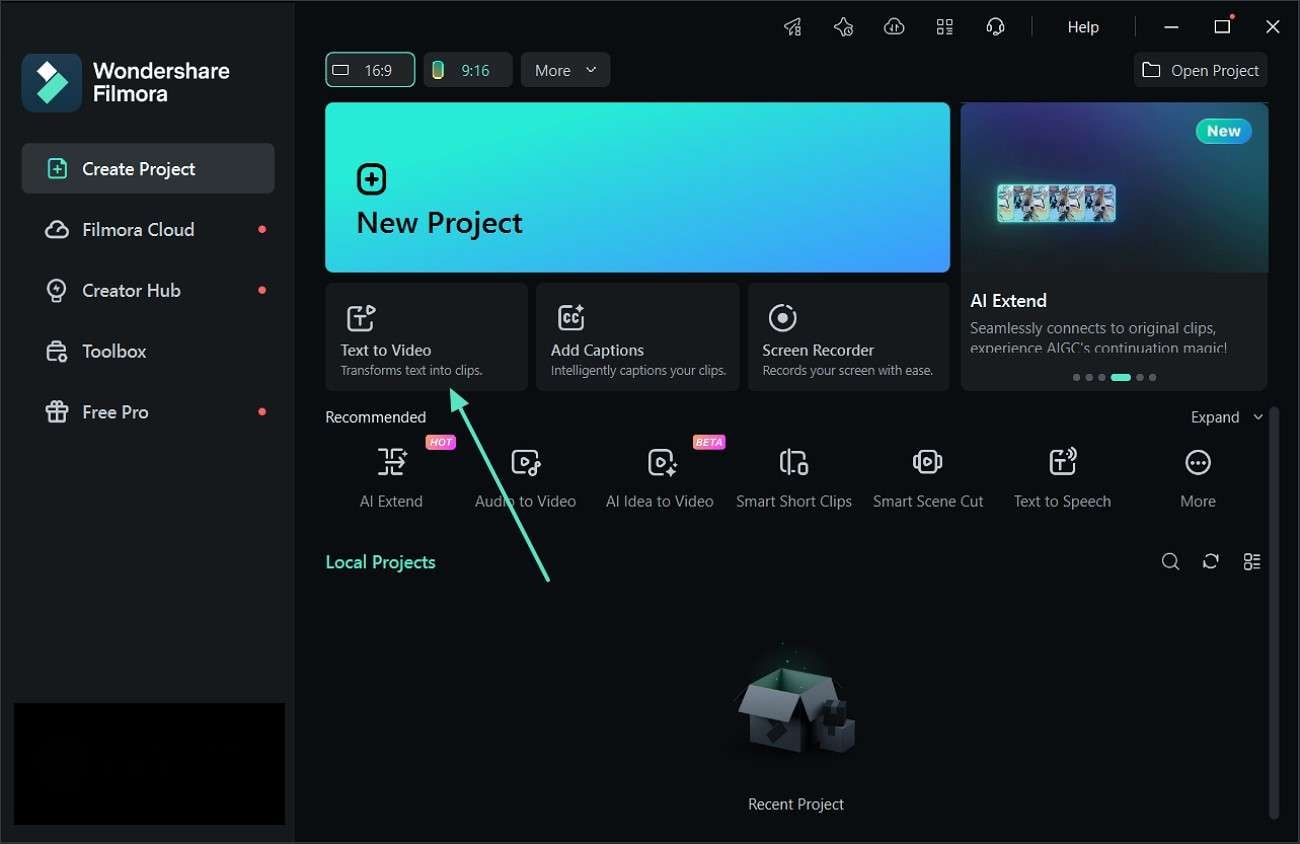
Step 1. Launch the Text to Video Feature
From the home screen, navigate to the "Text to Video" tool to start creating an AI-powered video.
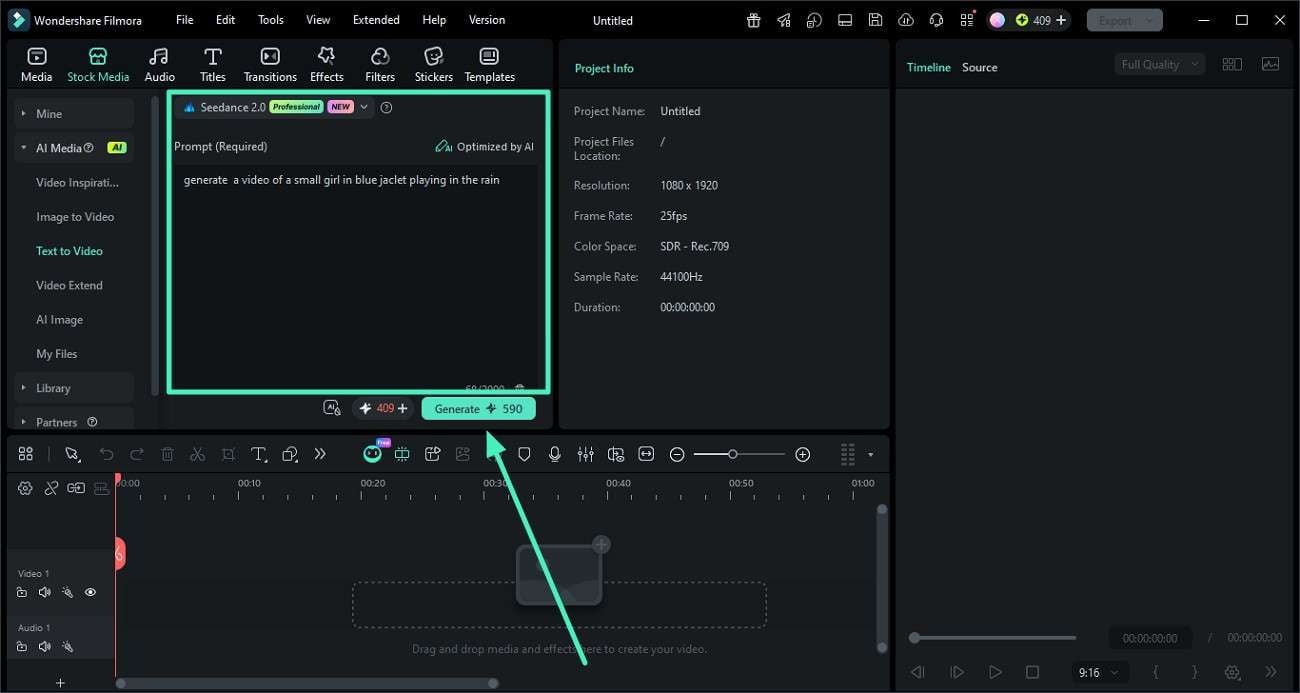
Step 2. Generate Your Video Using AI
Select a preferred AI model such as Google Veo 3.1, OpenAI Sora 2, or the default option. Paste your extracted prompt into the input box, adjust settings as needed, and click "Generate" to let the AI build your video.
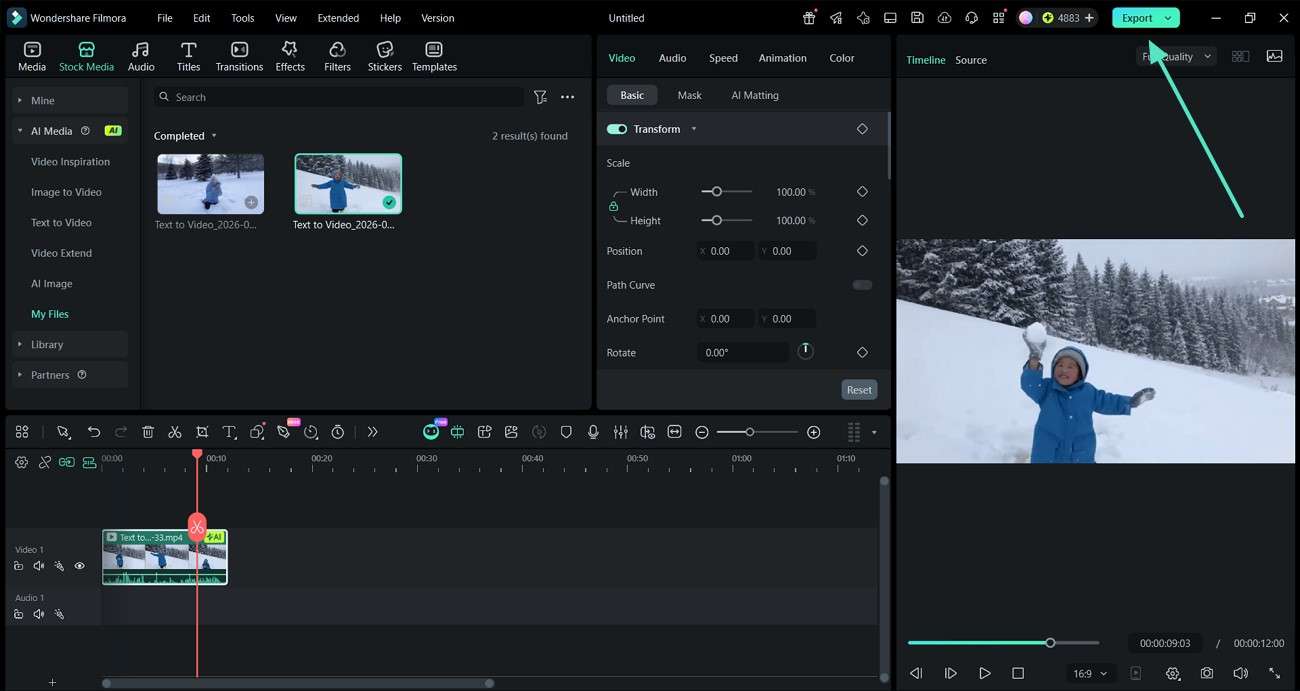
Step 3. Preview, Refine, and Export
Once the video is created, watch the preview to check the results. Make any edits if required, then press "Export" to save the final version to your device.
Conclusion
To conclude, converting video to prompt is a powerful way to unlock reusable AI-driven creativity from existing footage. It helps creators save time, improve accuracy, and generate new visual content effortlessly. By using structured methods and tools, you can turn any video into detailed prompts for AI generation. To make the process even smoother, Filmora offers an easy, all-in-one solution for both prompt creation and video production.
secure download Frequently Asked Questions
-
1. What is a video to prompt conversion?
Video to prompt conversion is the process of analyzing a video and turning its visual elements into structured text prompts. These prompts can later be used in AI tools to generate new images or videos. -
2. Can beginners use Filmora for AI video creation?
Yes, Wondershare Filmora is beginner-friendly and designed for easy video creation. Its AI tools simplify complex editing tasks so anyone can create professional videos. -
3. What is the Text to Video feature in Filmora?
The Text to Video feature lets you convert written prompts or scripts into complete videos using AI. It automatically generates scenes, visuals, and transitions based on your input. -
4. Why should I convert videos into prompts?
Converting videos into prompts helps you reuse creative ideas efficiently. It also improves AI-generated results by providing detailed and structured descriptions.
