

 100% Security Verified | No Subscription Required | No Malware


 ChatGPT
 Perplexity
 Gemini
 Claude
 Grok
Grok
A filmmaker scrolls through hours of footage, trying to describe scenes for an AI tool but struggling to capture every detail accurately. Manually writing prompts feels time-consuming and inconsistent. That's when video-to-prompt generators become extremely useful. These tools automatically analyze videos and convert them into precise AI-ready text prompts. In this article, we'll discover 6 free online tools that make this process fast and effortless.
In this article
Part 1. Best Free Video to Prompt Generators at a Glance
To make it easier to choose the right tool for your workflow, it helps to compare them side by side based on what really matters. Here is a comparison table between the options available online:
| Tool | Ideal Use Case | Prompt Detail Level | Speed of Generation | AI Compatibility |
|---|---|---|---|---|
| VideoPrompt.online | Quick everyday users | Basic to moderate | Fast | Works with major AI tools |
| PixMind Video to Prompt | Technical creators & engineers | Highly detailed | Fast | Sora, Kling, Runway, etc. |
| Fineshare Video to Prompt | Creative & cinematic projects | High artistic detail | Fast | Veo, Midjourney, Kling |
| Video2Prompt.org | Professional filmmakers | Very high precision | Fast | Sora, Runway, Kling |
| VideotoPrompt.net | Full AI workflow users | Flexible (basic to advanced) | Fast | Multiple AI models |
| TubePrompter | YouTube video creators | Medium to great detail | Fast | AI video & image generators |
Part 2. What to Look for in a Free Video to Prompt Generator
Not every video prompt generator free offer the same level of accuracy, speed, or usability, so focusing on key features can help you make a smarter choice. Here are the main things you should look for:
- Accuracy of Scene Analysis: A good tool should correctly identify objects, actions, lighting, and camera movement. Higher accuracy means better-quality AI prompts for generation.
- Prompt Detail Level: Look for generators that produce rich, structured prompts instead of short or vague descriptions. More detail leads to better AI output results.
- Speed of Processing: Fast tools save time, especially when working with multiple videos. Ideal generators should convert videos into prompts within seconds.
- AI Model Compatibility: Check whether the tool supports popular AI platforms like Sora, Runway, Kling, or Midjourney. Wider compatibility gives more flexibility.
- Ease of Use: Beginners should prefer tools with a simple interface and minimal setup. A clean workflow makes prompt generation much easier.
Part 3. 6 Free Video to Prompt Generators You Can Use Online
Now that you know what features matter most in a free video prompt generator, the next step is exploring the actual tools you can use. Let's take a closer look at the top 6 tools available right now:
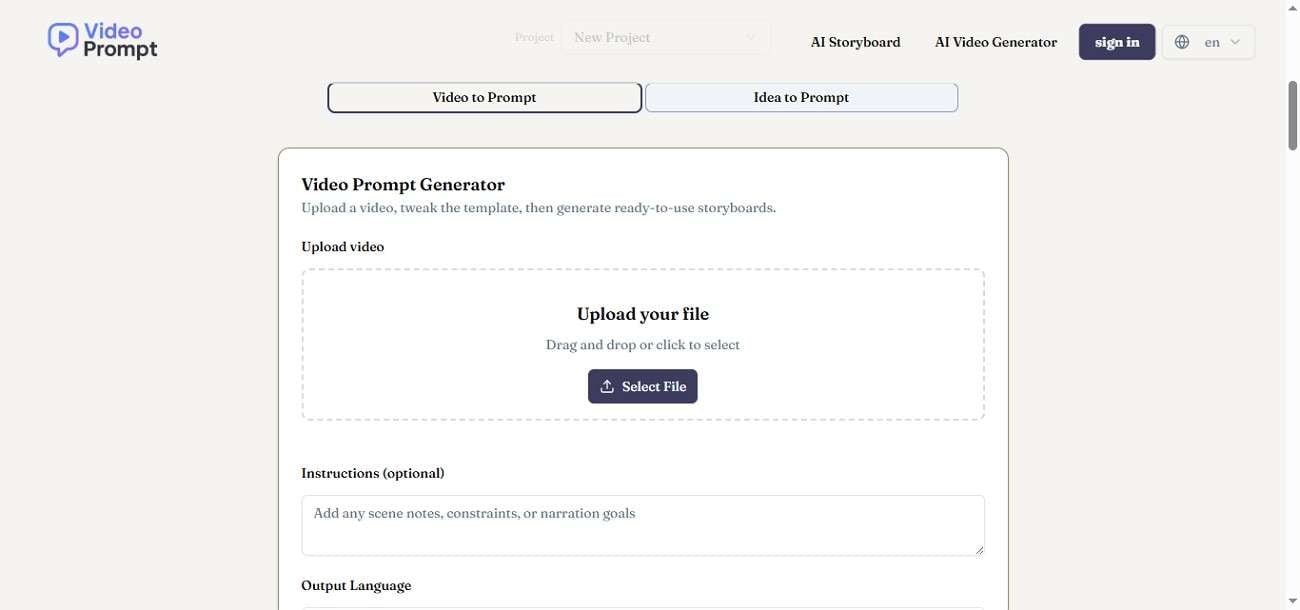
VideoPrompt.online
Built for creators who want cinematic-level breakdowns, VideoPrompt.online focuses on translating visual storytelling into highly descriptive prompts. It highlights emotional tone, composition depth, and visual rhythm, making it ideal for creative projects. The tool is especially useful for users who want quick inspiration for AI-generated scenes with strong artistic direction and mood accuracy.
PixMind Video to Prompt
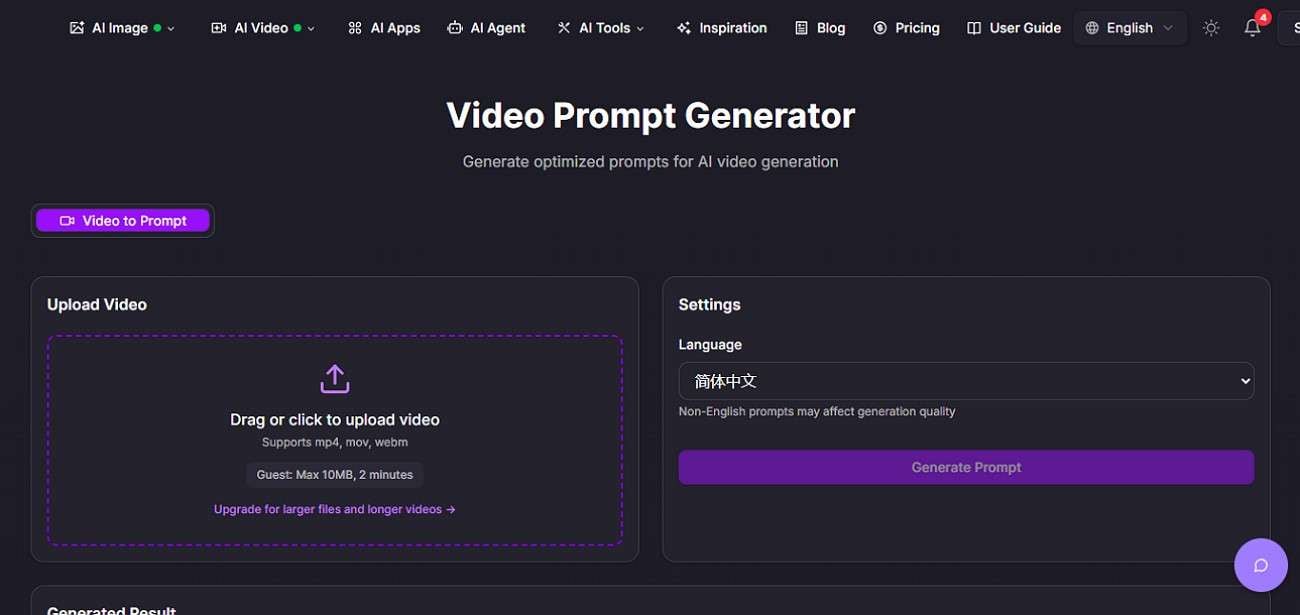
PixMind Video to Prompt goes beyond simple extraction by offering a complete creative ecosystem. It not only converts videos into prompts but also helps refine ideas for AI image and video generation. The AI video to prompt generator free is designed for creators who want an all-in-one workflow, combining prompt creation, visual enhancement, and content generation in one place.
Fineshare Video to Prompt
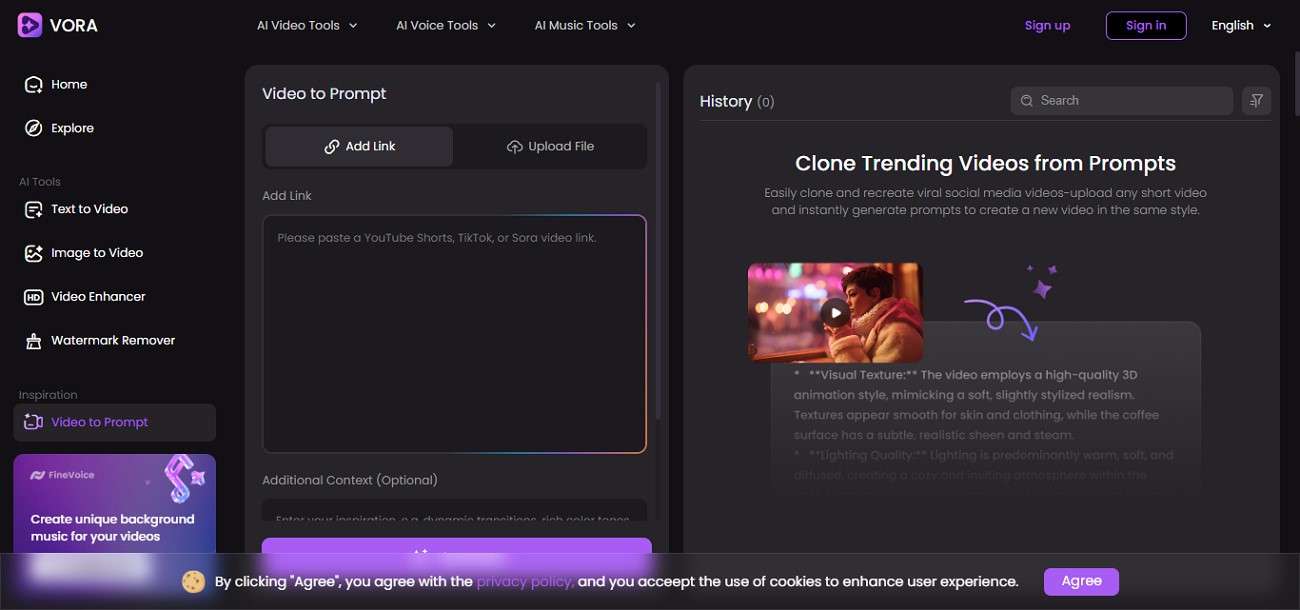
The tool simplifies the process of turning videos into structured descriptions using AI analysis. It quickly identifies key visual elements such as objects, movement, and atmosphere. The tool is designed for users who want fast results without complexity, making it suitable for beginners exploring AI-generated content creation workflows.
Video2Prompt.org
It is built for precision-focused users who need detailed breakdowns of video content. It carefully analyzes visual structure, including timing, framing, and style elements, to create accurate prompts. This makes the free video prompt generator highly useful for professionals working on AI-driven video production, where consistency and detailed scene interpretation are essential.
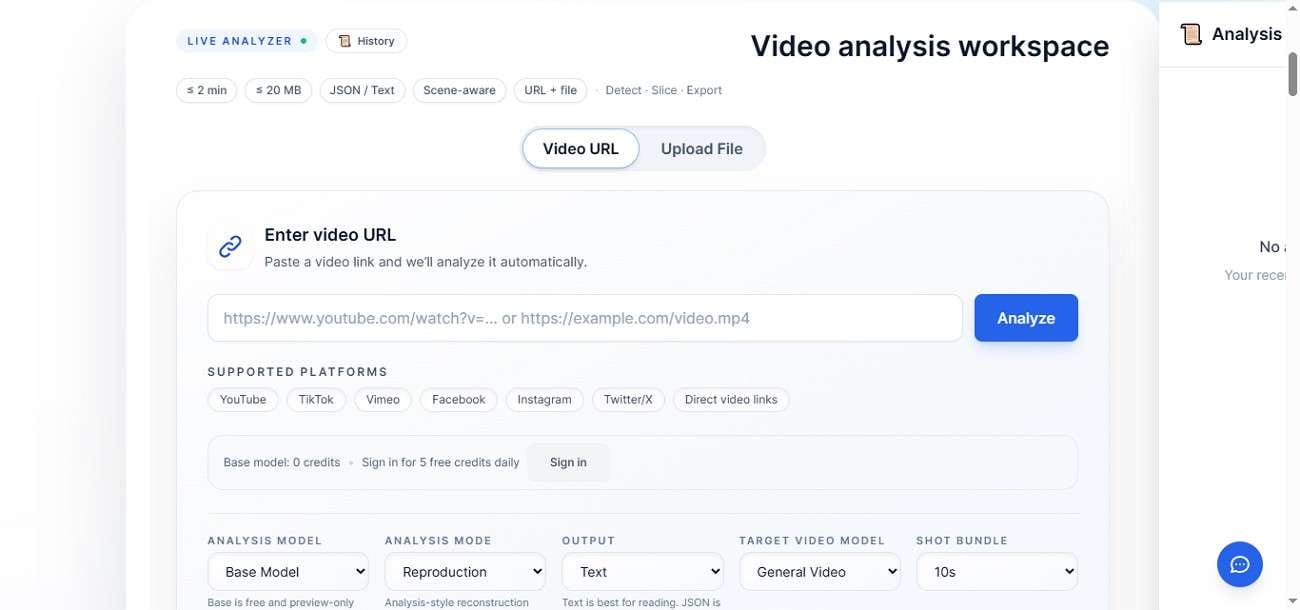
VideoToPrompt.net
This tool is tailored for advanced users who require structured, shot-level prompt generation. It processes videos in detail, capturing camera movement, transitions, and scene composition. The platform is especially valuable for prompt engineers and filmmakers who want technically accurate outputs for high-quality AI video generation workflows.
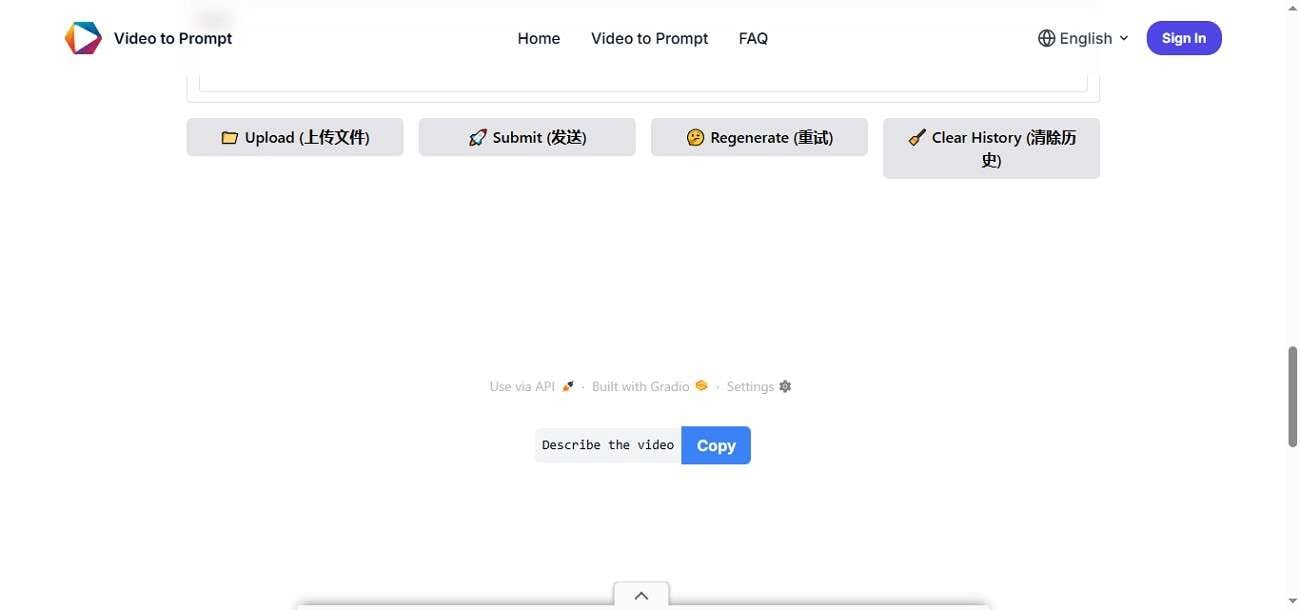
TubePrompter
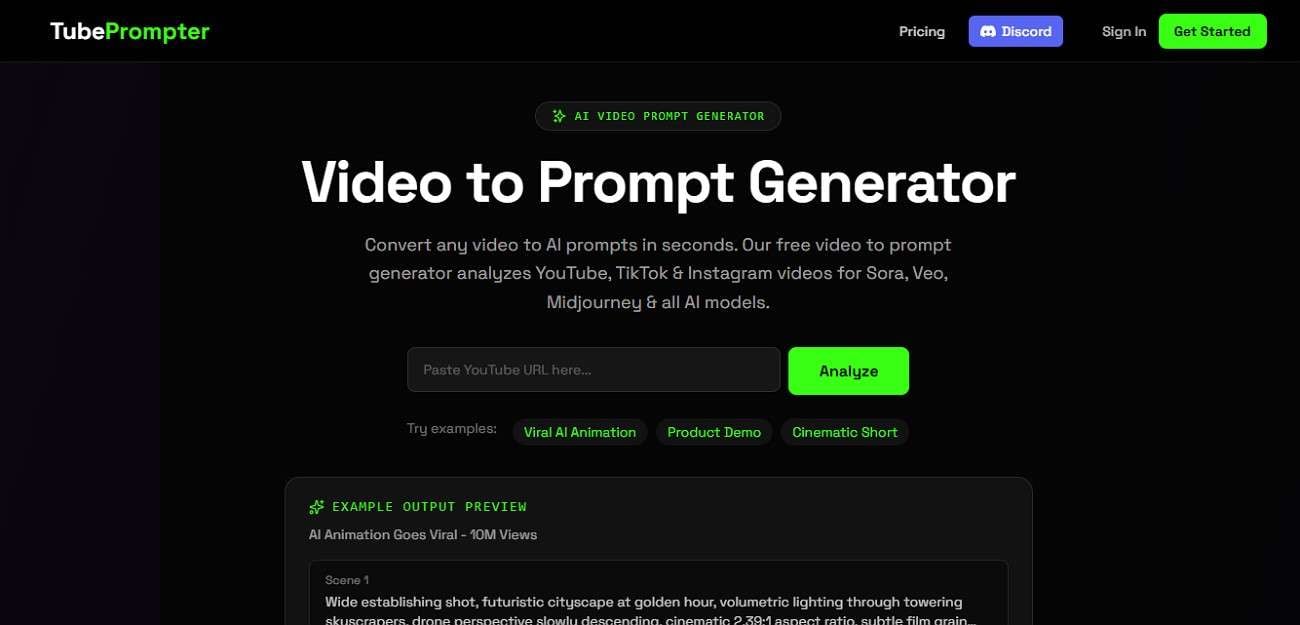
TubePrompter is an AI-powered video analysis tool that converts videos into structured text prompts for AI image and video generation. The free video to prompt generator online scans visual elements such as camera angles, lighting, composition, and scene style to create detailed, reusable prompts. Users can simply paste a YouTube or other video link, and the system automatically extracts cinematic breakdowns for tools like Sora, Veo, and Midjourney.
Part 4. How Filmora Fits Into a Video-to-Prompt Workflow
Once you've created a structured prompt using any online video to prompt generator, the next step is bringing that idea to life as actual video content. This is where Wondershare Filmora becomes highly useful in your workflow. It connects AI-generated prompts with real video production, allowing you to turn text-based ideas into visual results with ease.
Filmora now offers advanced AI tools that can generate videos directly from written prompts. After extracting your prompt from tools like TubePrompter or other video-to-prompt platforms, you can simply paste it into Filmora's Text to Video or Idea to Video feature. The software then automatically builds scenes, adds visuals, and applies transitions based on your input.
 secure download

Step-by-Step Guide to Using Filmora with Extracted Video Prompts
Now that you understand how Filmora supports prompt-based video creation, it's time to see how it actually works in practice. Below is a simple workflow showing how you can turn extracted prompts into complete videos using Filmora.
Filmora Text to Video
Filmora's Text to Video feature uses AI to transform your written prompts into fully produced videos in just a few clicks. It automatically builds scenes, adds transitions, and generates relevant visuals, making the entire editing process quick and beginner-friendly.
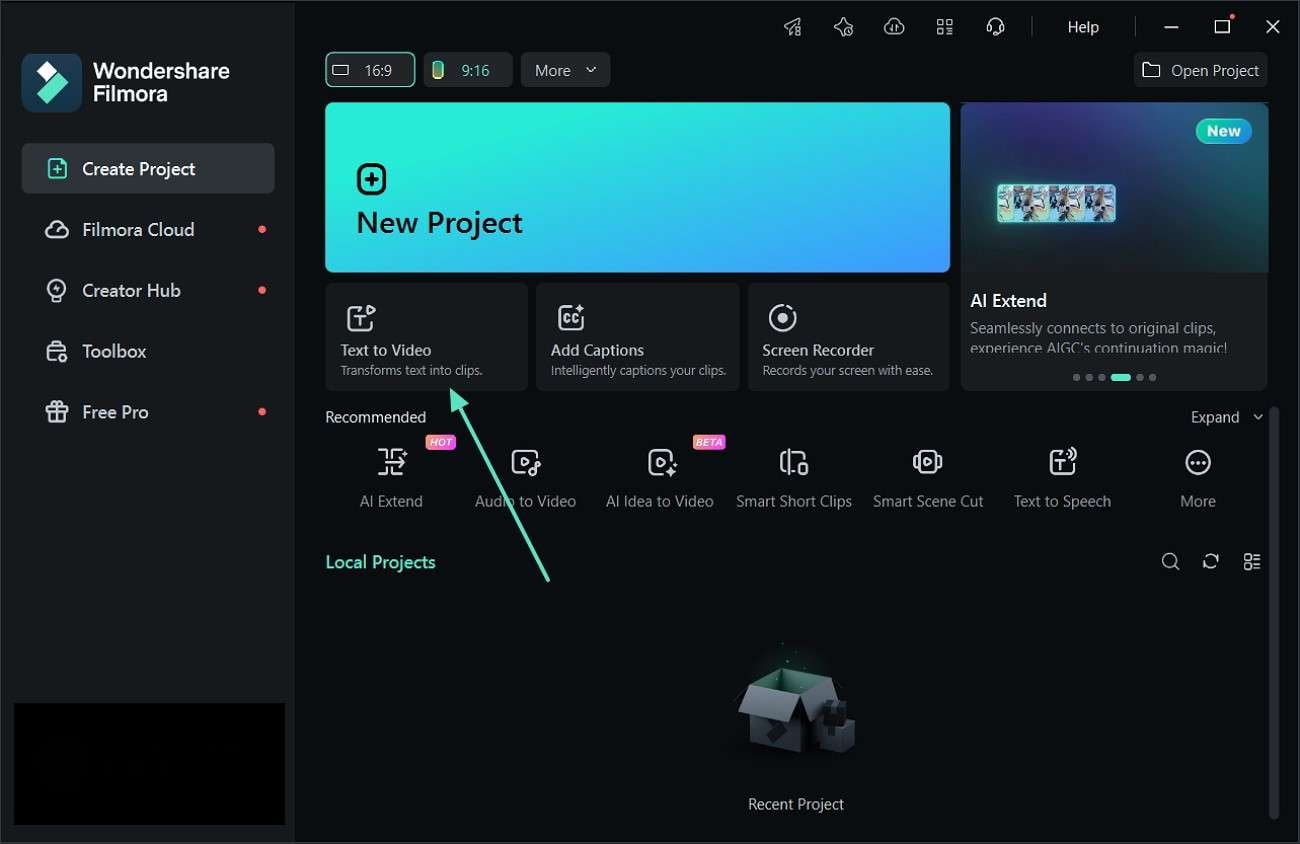
Step 1. Open the Text to Video Tool
First, launch Wondershare Filmora on your system. From the main home screen, find and click the "Text to Video" option to start your AI video creation process.
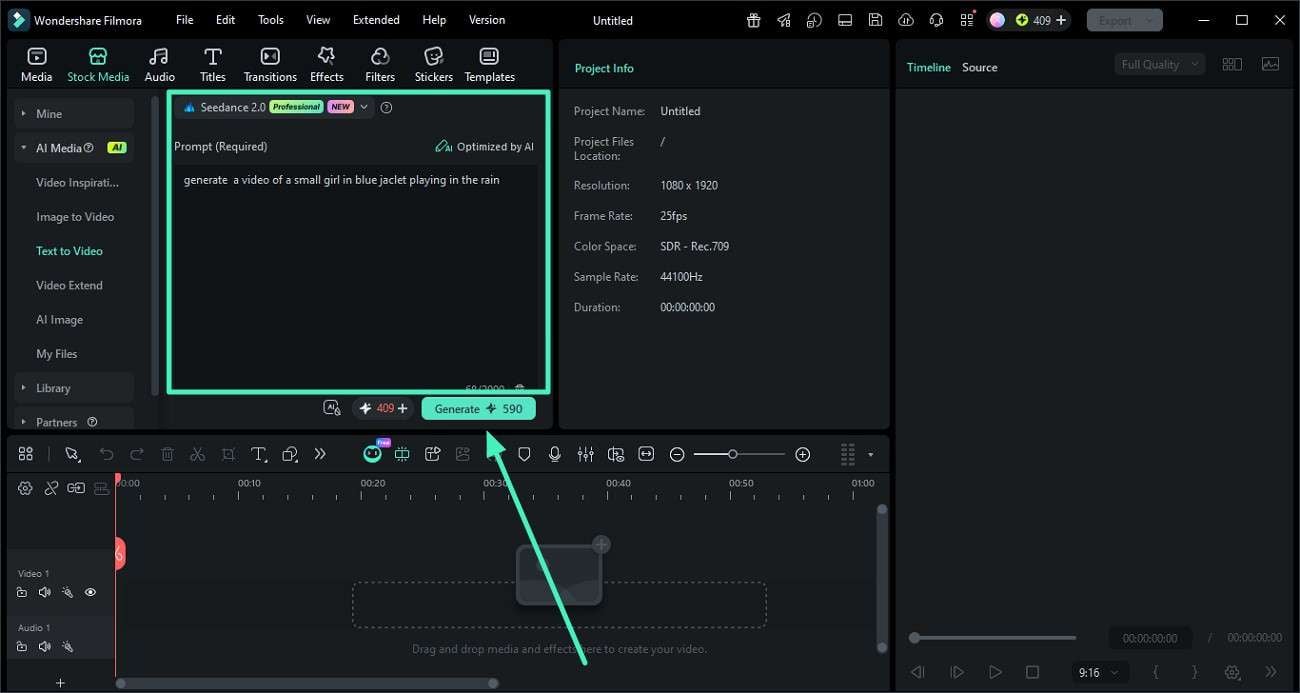
Step 2. Generate Video Using AI
Select a preferred mode such as Google Veo 3.1, OpenAI Sora 2, or the default option available. Paste the prompt you generated using the prompt generator from the video free into the input field. Adjust settings if needed, and press "Generate" to begin processing.
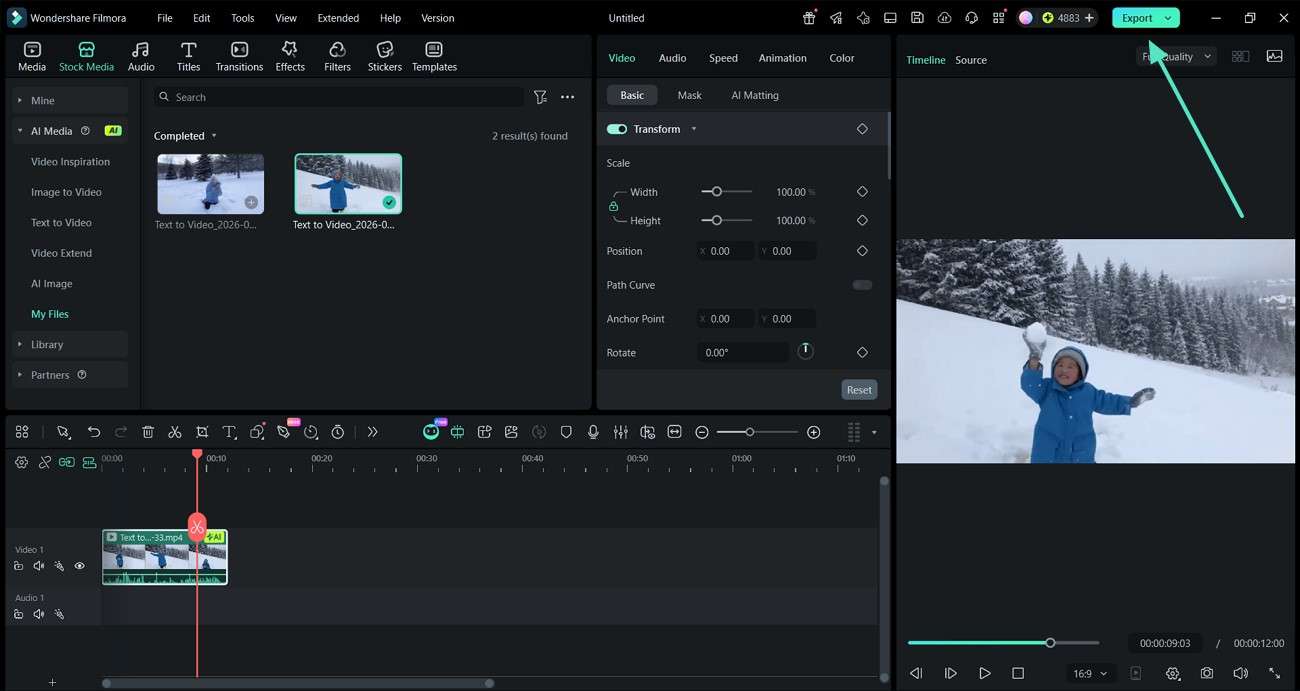
Step 3. Preview and Export
Once the video is created, review the output carefully. Make any edits if required, and when satisfied, click "Export" to download the final video to your device.
 secure download
 Filmora Idea to Video
After creating prompts using a video to prompt generator, Filmora's Idea to Video feature helps you convert those ideas into structured videos instantly. It breaks your concept into scenes and builds a complete visual story with AI assistance.
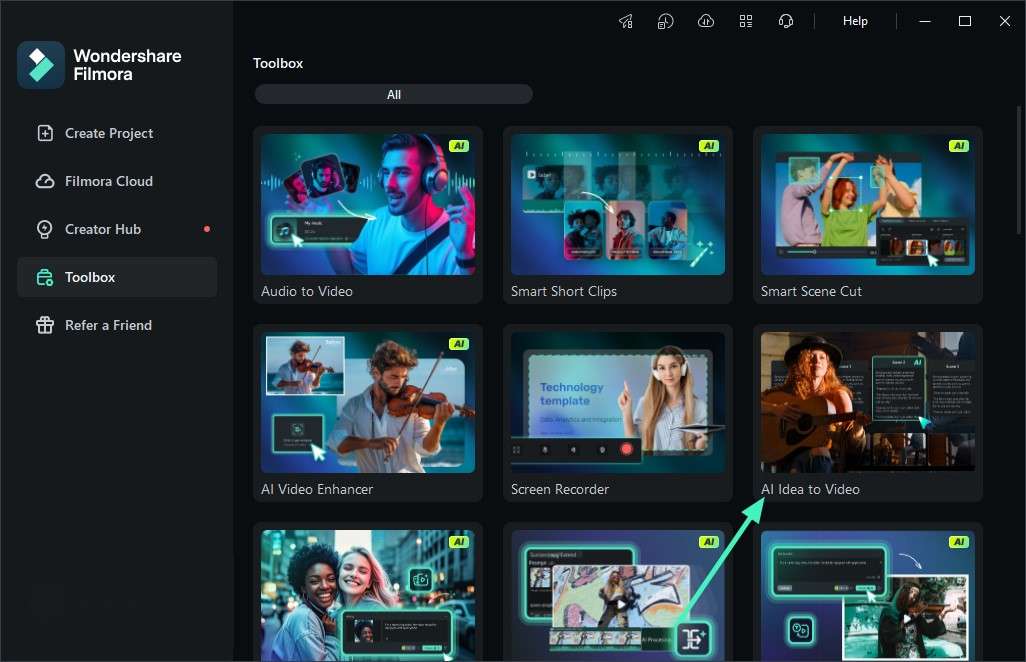
Step 1. Open the Feature from the Toolbox
Start by launching Wondershare Filmora and navigating to the Toolbox section. From there, select the "AI Idea to Video" option.
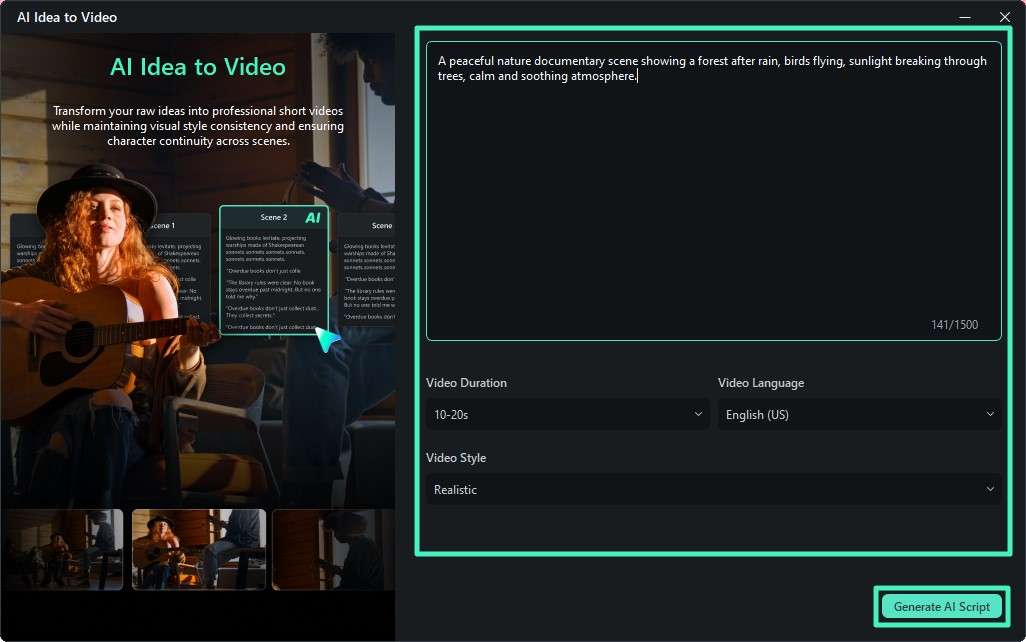
Step 2. Input Prompt and Set Preferences
Enter the prompt you generated from the video prompt generator free into the provided field. Then choose your preferred video length, language, and visual style. Click "Generate AI Script" to continue.
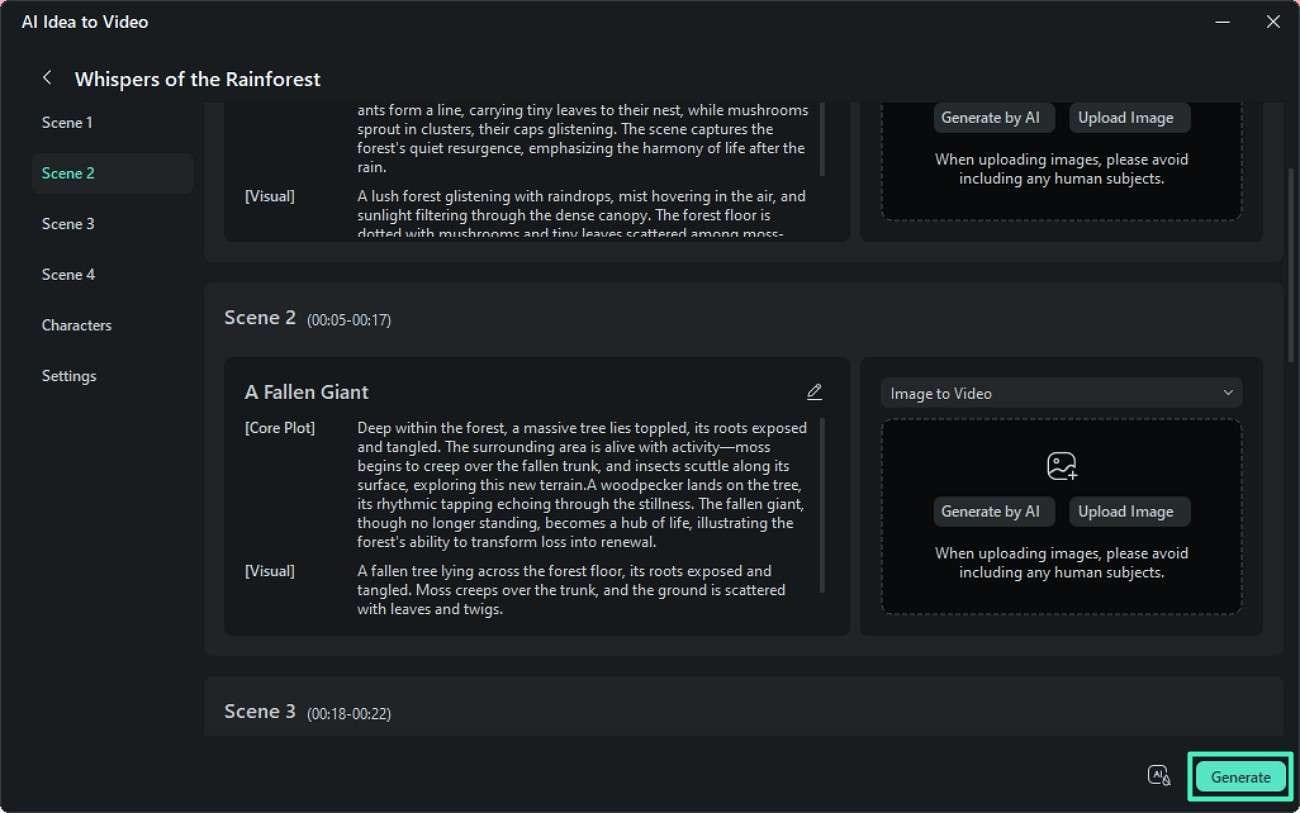
Step 3. Review Generated Scenes
The tool will automatically create scene breakdowns based on your input. Preview each scene carefully and adjust if necessary, then click "Generate" to proceed with video creation.
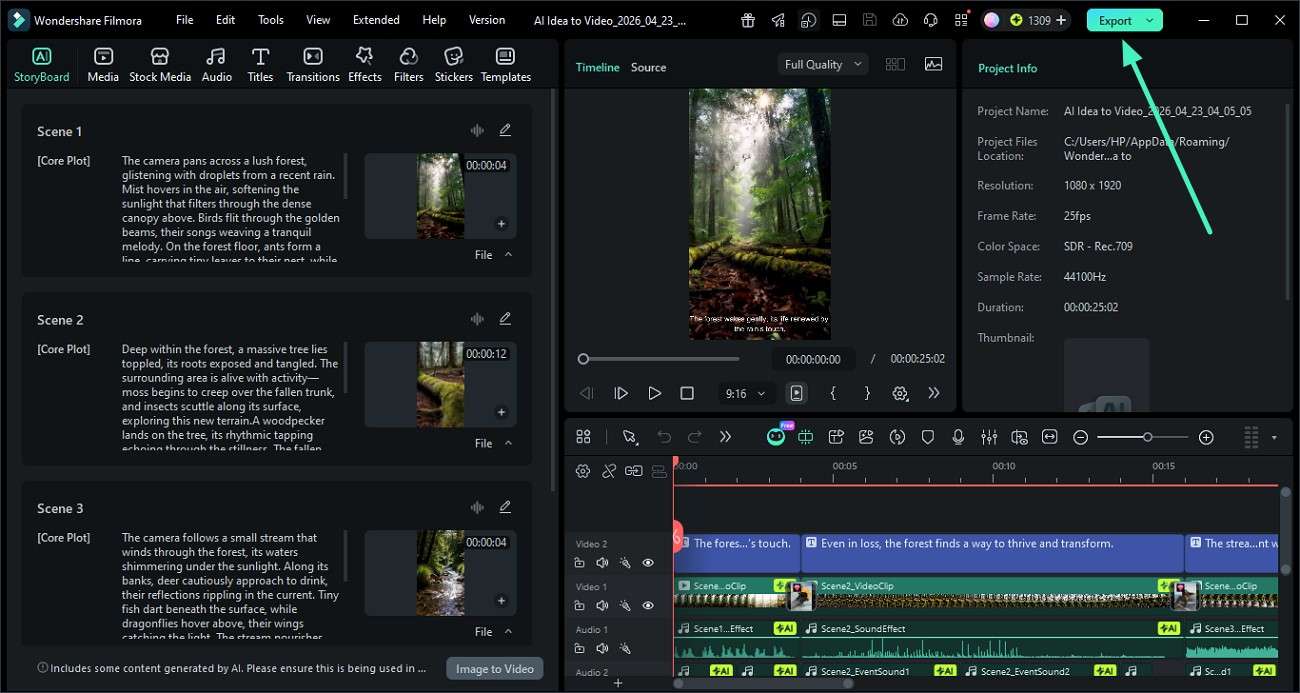
Step 4. Edit and Export Final Video
After the video is produced, review it inside the editor. Make final adjustments if needed, and once everything looks good, press "Export" to save your completed video.
 secure download
 Conclusion
To sum it up, using video to prompt generators makes it easier than ever to extract detailed AI-ready descriptions from any video. These tools save time, improve creativity, and simplify content creation for modern creators. Once you have your prompt, you can turn it into engaging videos using Wondershare Filmora, making the entire workflow from idea to final video smooth and efficient.
Frequently Asked Questions
-
1. What is a video-to-prompt generator?
It is a tool that converts video content into structured text prompts using AI. These prompts can be used for creating new videos or images. -
2. Can beginners use these tools easily?
Yes, most video-to-prompt generators are beginner-friendly and require only a video link or upload to generate prompts automatically. -
3. How does Filmora help in this workflow?
Wondershare Filmora allows you to convert prompts into full videos using AI features like Text to Video and Idea to Video. -
4. Why should I use prompts for video creation?
Prompts help you clearly define scenes, styles, and moods, which improves the accuracy of AI-generated videos.
