

 100% Security Verified | No Subscription Required | No Malware


 ChatGPT
 Perplexity
 Gemini
 Claude
 Grok
Grok
Working late on a creative project, you open Hugging Face hoping to generate perfect AI outputs, but your prompts fall flat. The results feel generic, inconsistent, or off-target. That's where Hugging Face prompt generators step in. These tools help refine instructions, structure ideas, and unlock the true potential of AI models.
From content creation to coding and image generation, they streamline workflows and boost accuracy. In this guide, you'll discover the best Hugging Face prompt generators, explore practical use cases, and learn smart workflow tips to craft prompts that deliver powerful, reliable results every time.
In this article
Part 1. What Is a Hugging Face Prompt Generator?
A Hugging Face AI prompt generator is a tool on the Hugging Face platform that helps users create effective prompts for large language or AI models. It typically takes a short idea or topic and turns it into a structured, detailed instruction that improves the quality and clarity of the model's output. By simplifying prompt engineering, they allow both beginners and professionals to interact with AI models more efficiently.
Part 2. How to Evaluate a Prompt Generator
Now that you understand what an AI prompt generator HuggingFace is and how it enhances AI outputs, the next step is choosing the right one for your needs. Not all tools deliver the same level of accuracy. To make an informed decision, it's important to assess key factors that impact performance and usability. Let's explore how to evaluate a prompt generator effectively:
Prompt Quality
At the core of any prompt generator, prompt quality defines how well it turns ideas into clear instructions. A strong tool captures intent accurately and reduces ambiguity. It also adapts prompts for different tasks, ensuring consistent and reliable outputs with fewer revisions needed.
Ease of Use
From a usability perspective, ease of use shows how quickly users can adopt the tool. A good prompt generator has a clean interface and simple controls. It requires little setup, allowing both beginners and professionals to create and refine prompts without confusion.
Output Detail
When it comes to results, output detail highlights the depth of responses. A capable tool delivers clear and well-structured outputs. It also allows control over tone, length, and complexity, helping users match content to different needs and use cases.
Workflow Fit
In practical terms, workflow fit measures how well the tool fits into your process. The right generator integrates easily with other platforms. It supports smoother workflows and improves productivity without causing disruptions or requiring major changes.

Part 3. Best Use Cases for Prompt Generators
After understanding how to evaluate a Hugging Face AI prompt generator, it becomes easier to see where these tools truly shine. Let's explore the best use cases of the prompt generators in detail.
AI Art
One of the most powerful uses of prompt generators is creating AI art. They help structure visual descriptions with precision and style guidance. This leads to more accurate and creative images. Users can easily experiment with themes, moods, and styles without needing advanced artistic or prompt engineering skills.

Social Posts
For social media content, prompt generators simplify the writing process. They generate engaging captions, hooks, and post ideas quickly. This ensures consistent tone and creativity across platforms. Marketers and creators can maintain audience engagement while saving time on brainstorming and rewriting content.
Product Visuals
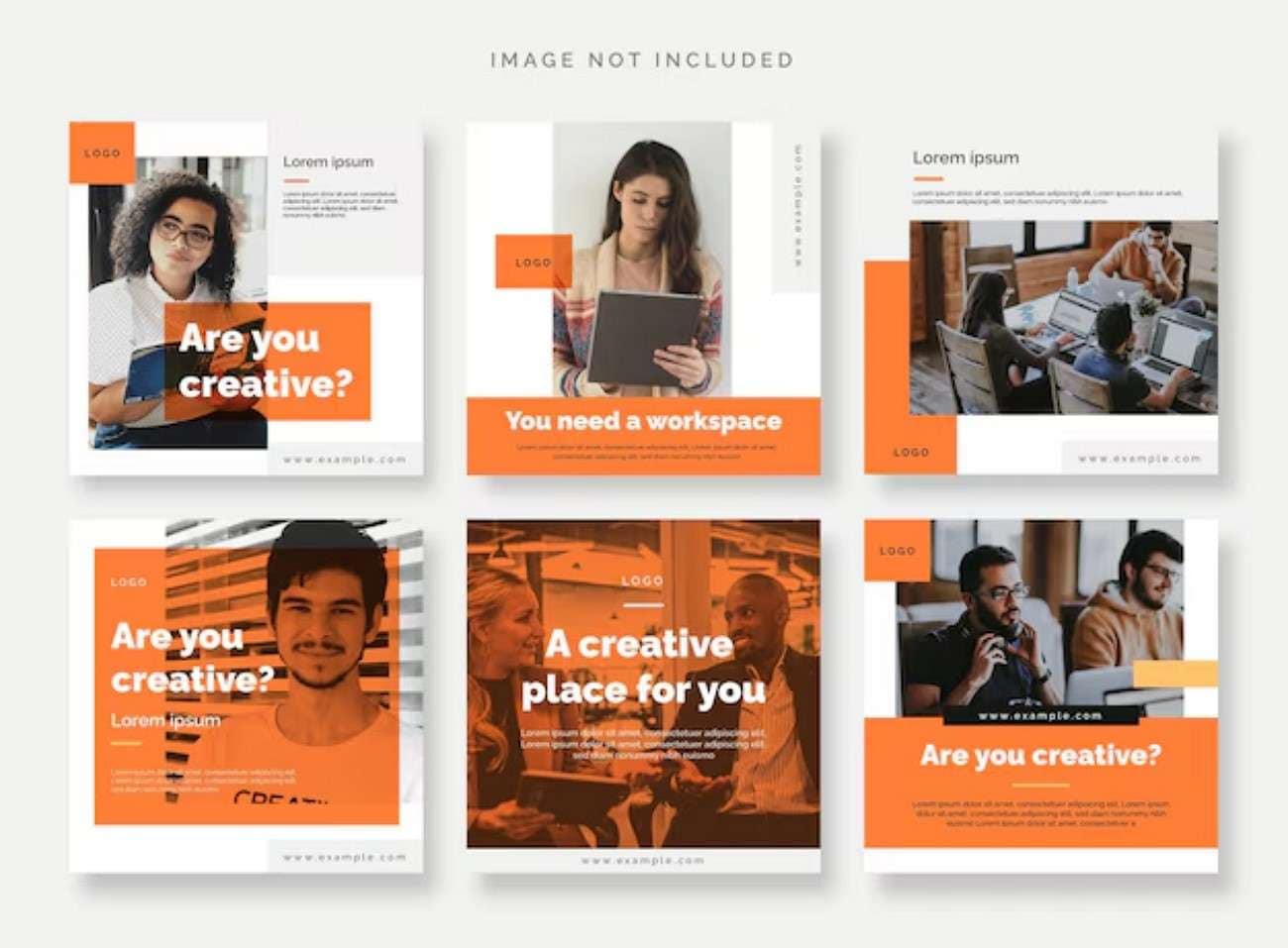
In e-commerce and marketing, Hugging Face prompt generators assist in creating compelling product visuals. They refine descriptions that guide AI image tools to produce realistic and attractive outputs. This helps brands showcase products in different styles, environments, and angles, improving presentation quality and customer appeal.

Creative Drafts
When working on writing projects, prompt generators support the creation of structured drafts. They help shape ideas into outlines, paragraphs, or storytelling frameworks. This makes the writing process faster and more organized, especially for bloggers, students, and content creators who need quick inspiration.

Campaign Ideas
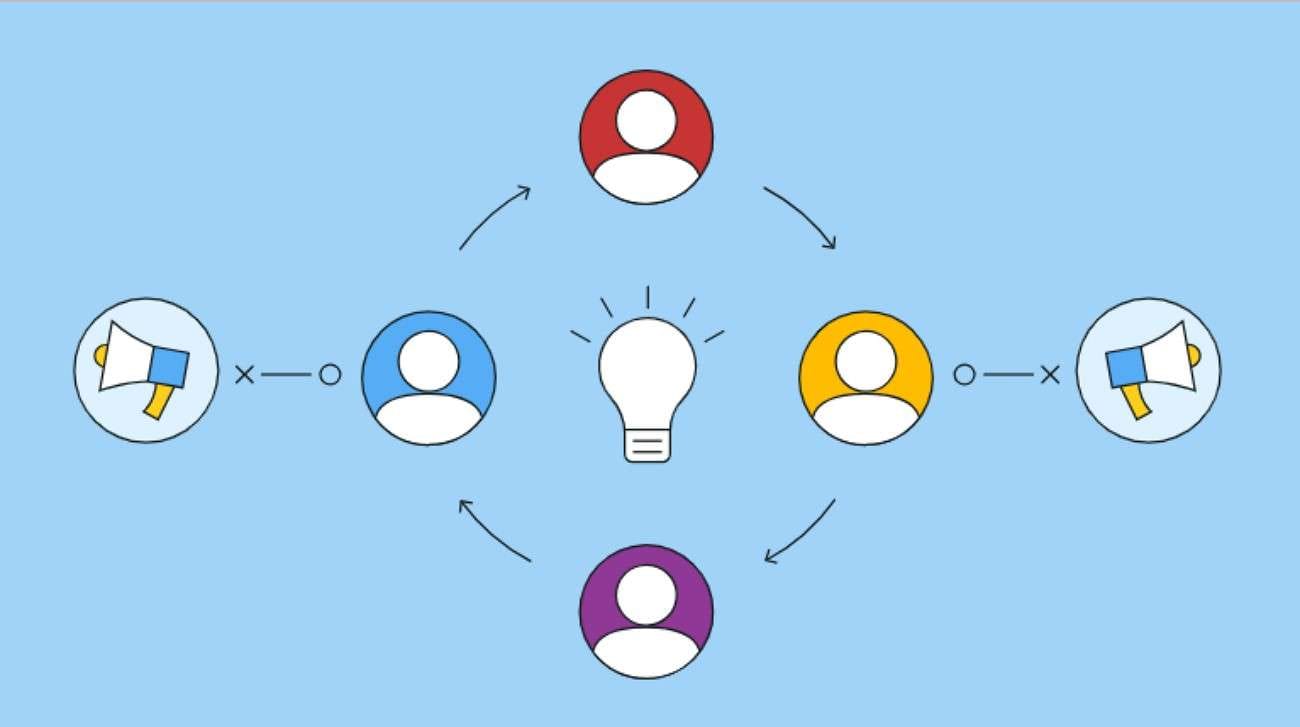
For marketing teams, prompt generators are useful in developing campaign ideas. They generate fresh concepts for ads, slogans, and strategies. This encourages creative thinking and helps teams explore multiple directions. As a result, campaigns become more innovative, targeted, and aligned with audience interests.
Part 4. Limits of Prompt-Only Tools
While AI prompt generators Hugging Face are powerful for speeding up ideation and improving AI outputs, they are not without drawbacks. Relying only on prompts can sometimes limit control over final results. To understand their practical boundaries, it's important to look at where prompt-only tools fall short in real workflows.
No Editing Layer
Many prompt-only tools do not offer built-in editing or refinement features. Once a prompt is generated, users cannot fine-tune outputs directly within the same system. This limits control over structure, tone, and accuracy, often requiring external tools for adjustments and final polishing of results.
Needs Manual Cleanup
Outputs from prompt-only systems often require manual cleanup. Generated content may include inconsistencies, extra wording, or formatting issues. Users must review and refine results themselves to make them usable. This adds extra time to the workflow and reduces the overall automation benefit.
Not Always Reusable
Prompt-only outputs are not always reusable across different tasks or projects. A prompt that works well in one context may fail in another. This lack of flexibility means users often need to rewrite or adjust prompts repeatedly, reducing efficiency in long-term workflows.
Part 5. A More Practical Prompt Workflow
Instead of relying on single Hugging Face AI prompts, a practical workflow helps you refine inputs, improve consistency, and get better results across different AI tasks. Let's break down a more effective way to work with prompts:
Start With an Image
Begin by selecting a clear reference image. This helps define the visual direction, including style, colors, and composition. Instead of guessing through text alone, an image gives AI a stronger foundation to generate more accurate and visually appealing results.

Improve the Prompt
Next, refine your prompt by adding specific details. Include elements like lighting, mood, background, and subject focus. The more structured and descriptive your prompt is, the better the output will be. This step reduces randomness and improves consistency.
Use Filmora If Needed
At this stage, you can take your workflow further by using Filmora's AI-powered tools, especially its Image-to-Prompt feature. Instead of writing prompts from scratch, Filmora lets you upload an image and automatically generates a detailed, structured prompt based on visual elements like style, lighting, objects, and composition. This makes prompt creation faster and more accurate, particularly for beginners.
 secure download

Steps to Generate Prompts From Images with Filmora
As discussed, filmora simplifies the prompt generation process by simply generating prompts from images. Follow the steps provided below to learn how to use this feature:
Step 1. Import an Image into Filmora's
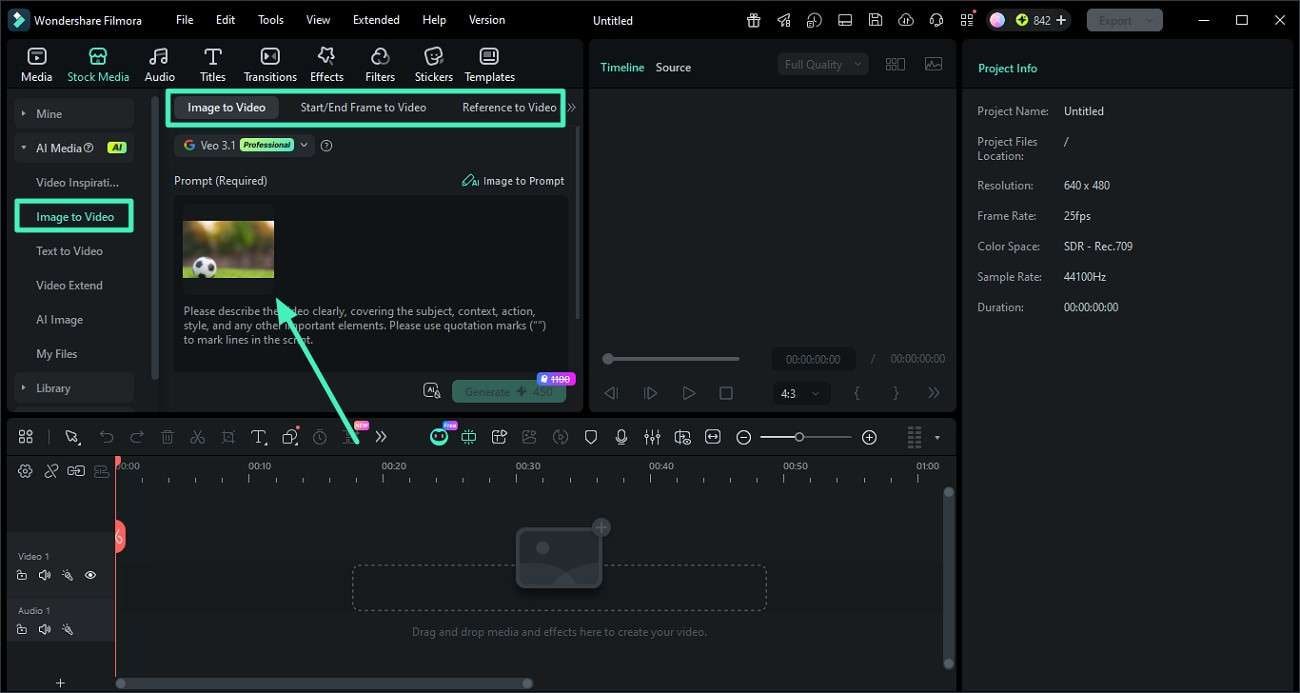
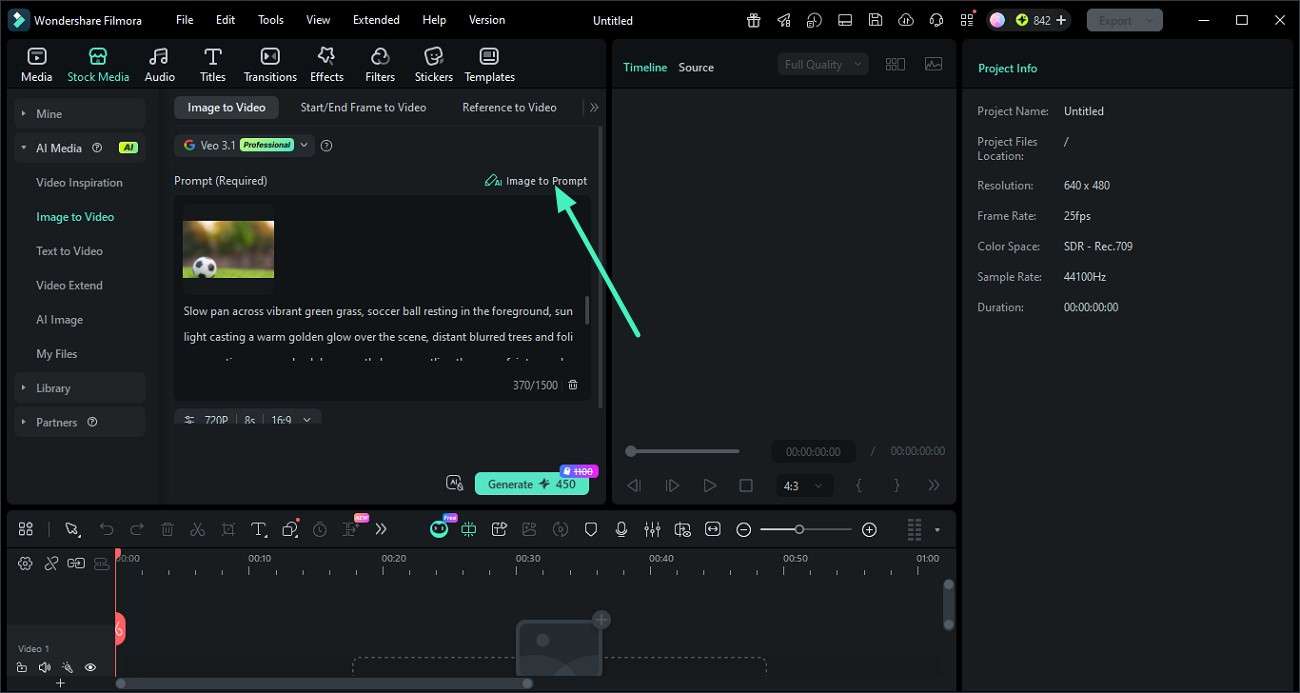
Start by creating a new project in Wondershare Filmora. Navigate to the "Image To Video" section on the left panel. Choose your mode, such as Image to Video, Start/End Frame, or Reference to Video. Then upload your desired image using the provided import option.
Step 2. Create an AI Prompt from the Image
After uploading the image, find and click the "Image to Prompt" feature. Filmora will instantly analyze the visual and generate a detailed, structured prompt based on elements like composition, lighting, and style.
Step 3. Apply the Prompt in Hugging Face
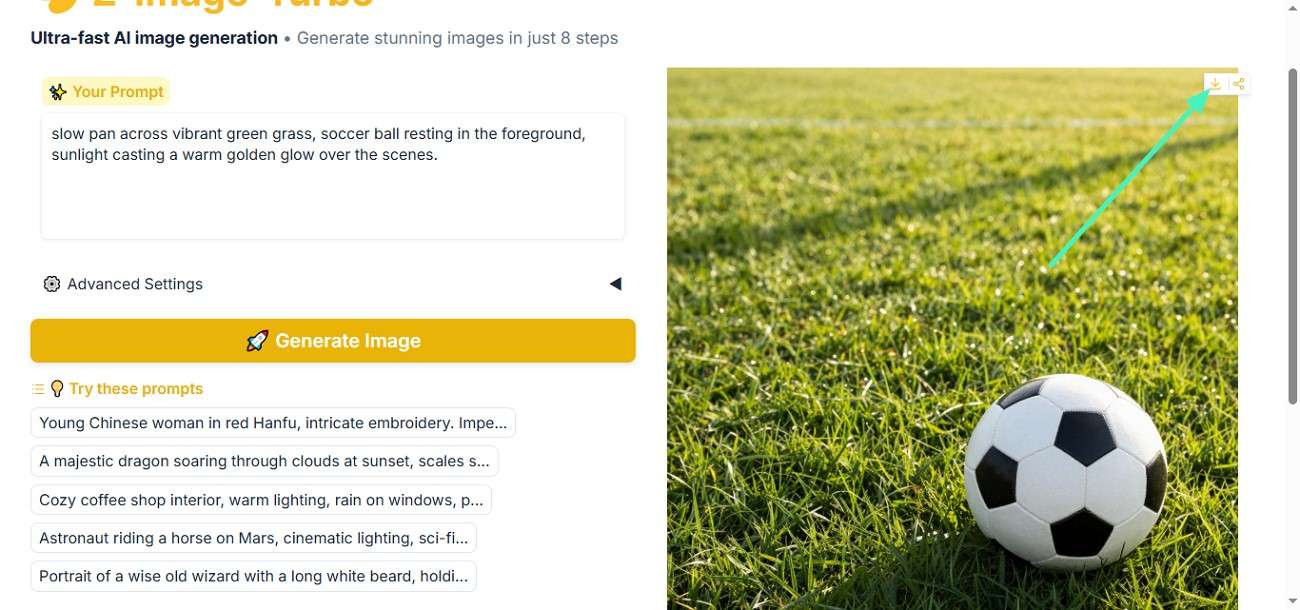
Once the prompt is ready, copy it and paste it into a Hugging Face AI model or any prompt-based generator. Run the model to produce AI-generated results using that prompt.
Step 4. Refine and Export Using Filmora Tools
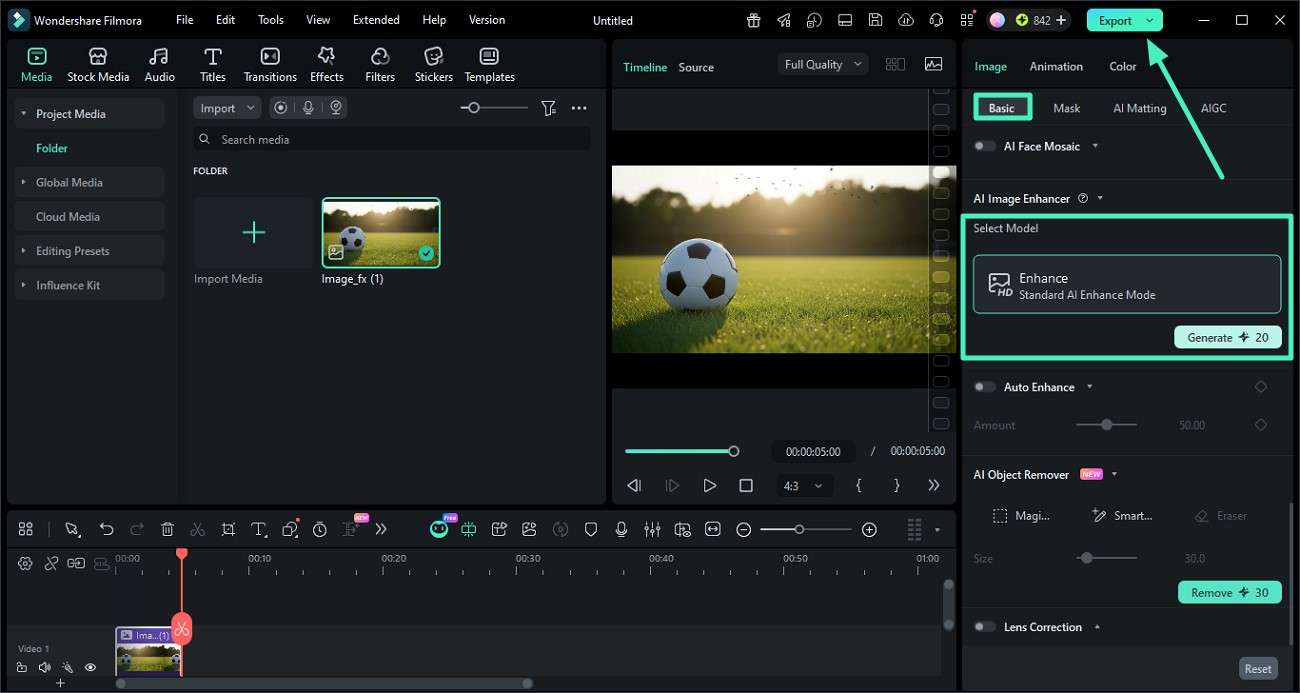
Import the generated output back into Filmora for final touches. Use the "AI Enhance" option under the Basic panel to improve quality. After enhancement, click "Export" to save the finished result to your device.
 secure download
 Conclusion
To conclude, this article discussed everything you need to know about Hugging Face prompt generators. From understanding their role to exploring use cases and limitations, you now have a clear direction for better prompting. However, for a more complete workflow, consider using Wondershare Filmora. Its Image-to-Prompt and AI editing features help turn ideas into polished, professional visuals with greater ease and efficiency.
Frequently Asked Questions
-
1. What is the main purpose of a Hugging Face prompt generator?
A Hugging Face prompt generator helps users create structured and optimized prompts for AI models. It improves output quality by refining instructions, adding context, and reducing guesswork in tasks like writing, coding, and image generation. -
2. Can beginners use prompt generators effectively?
Yes, prompt generators are designed to be beginner-friendly. They simplify prompt creation by guiding users with structured inputs. For even better results, beginners can use Wondershare Filmora to convert images into prompts and refine outputs with built-in AI editing tools. -
3. Are prompt-only tools enough for professional results?
Prompt-only tools are helpful but may require extra editing for polished results. Combining them with tools like Wondershare Filmora allows users to enhance visuals, adjust quality, and create more professional outputs without switching between multiple platforms. -
4. What types of tasks can prompt generators support?
Prompt generators can be used for a wide range of tasks, including content writing, social media posts, coding assistance, AI art creation, product visuals, and marketing campaigns, making them valuable across creative and technical workflows.
