
16+ AI Talking Objects Prompts:
Copy, Paste & Go Viral
Make objects come alive in your videos with AI talking objects prompts for TikTok, Instagram Reels, and YouTube Shorts. Instantly add synchronized lips and speech to toys, mugs, pets, or anything with these easy templates. Just browse all AI talking objects prompts, hit copy, paste into Nano Banana Pro, and start your next viral trend with zero editing skills needed.
Loading more templates...
 Category:
 Duration:
 Aspect Ratio:
Make Viral AI Talking Objects Videos & Photos
Looking to create trending ai talking objects content that goes viral on TikTok and YouTube? Instantly turn any item, pet, or selfie into an AI talking object! Filmora’s AI image and video tools, using Google's Nano Banana model, let you make photos and objects talk with realistic voice effects, lip sync, and expressions—perfect for meme videos, funny pet clips, or educational explainers.
Try the popular ai talking objects effect for your next post. Bring anything to life with instant voiceovers and facial animation. Use on daily objects, pets, or faces for results that stand out on TikTok, Instagram, and YouTube.
Turn Photos and Objects into AI Talking Objects Instantly
Turn Photos and Objects into AI Talking Objects Instantly
Create talking objects for any content need: funny pets, talking coffee mugs, singing cartoons, and even educational explainers. Simply upload a photo, type your text, and watch Filmora’s AI Talking Objects generator automatically add voice, mouth movement, and eye animation. Works with all styles—realistic, cartoon, meme, and more.
- No Video Editing Needed - Copy-paste your script, use over 16 AI talking prompts, and get immediate results.
- Any Object, Any Style - Create TikTok trend videos: use objects, pets, faces, or avatars; cartoon, anime, or photorealistic styles.
- Upload Reference Images - Keep character consistency or make inanimate objects talk using any picture.
Create TikTok-Ready Talking Object Videos in Seconds
The Filmora mobile app lets you apply ai talking objects effects to your videos instantly—just pick a template, upload a photo, and watch as any object, animal, or face speaks your text or audio. No editing skills needed. Perfect for TikTok, Snapchat, YouTube Shorts, and Instagram Reels.
- Trending Talking Object Templates - Use viral TikTok-style presets: pets talking, objects singing, faces lip syncing, and more.
- One-Click Creation - Upload → Choose template → AI auto-generates your talking object video.
- Fully Customizable - Add your own voice, type any script, or tweak animations for unique results.
- Photo-to-Video Animation - Turn a simple photo into a talking, moving object.
- Built-In Sound FX & Music - Instantly add meme sounds, voice effects, and background tracks.
Add Custom Voice & Speech Bubbles to Any Talking Object
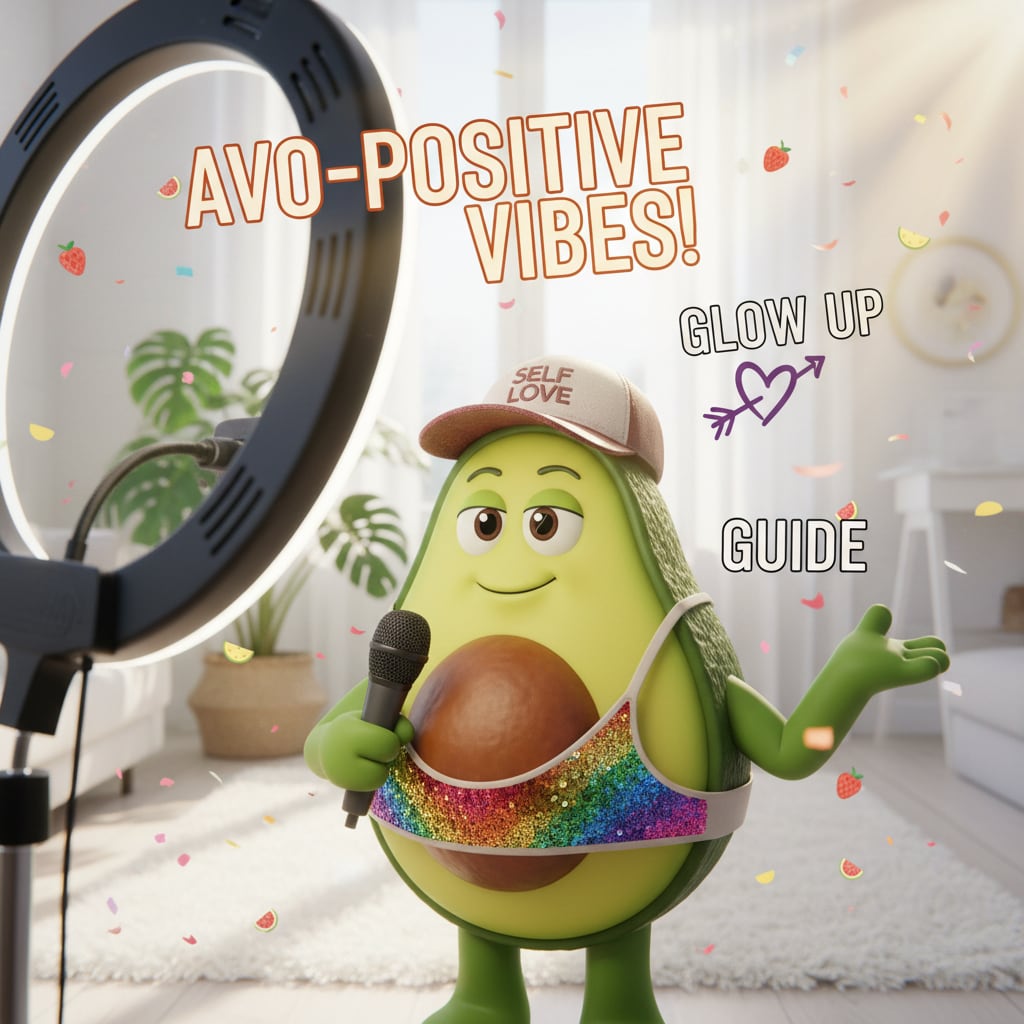
Add Custom Voice & Speech Bubbles to Any Talking Object
With Filmora's editing tools and Nano Banana Pro AI, you can add realistic voices, custom speech bubbles, and animated captions to any ai talking object. Speech bubble editor gives you everything—comic styles, meme fonts, sound effects, and language support for global trends.
- 🗨️ Speech Bubbles – classic, meme, or cartoon styles with custom tail directions.
- 🔤 Meme & Comic Fonts – Viral bold, handwritten, manga, and effects (WOW! LOL! BOOM!), plus full language support.
- 🎨 Text Animation Tools – Dynamic movement, color pops, curved/bouncy text, and special comic effects.
FAQs for AI Talking Objects Effects
- Open your favorite AI talking objects tool (many are available online and on TikTok/Instagram).
- Upload a photo or take a picture of the object you want to make talk.
- Add a script or record your audio for the object to say.
- Use the tool to sync the lips and voice automatically.
- Export your talking object video and share it on social media.
How to Make AI Talking Objects Videos in Filmora?
Filmora supports popular AI talking objects features: Simply upload any object or photo, add your personalized speech, and let AI generate a talking object video in seconds. Even if you’ve never used AI before, follow these beginner-friendly steps to make trending AI talking objects clips for TikTok and Reels in under a minute.
Step 1 Start a New Project & Add AI Talking Object

Step 2 Upload Object & Enter Script

Step 3 Download & Share Your AI Talking Object Video

-
1:Start a New Project & Add AI Talking Object
Open Filmora, launch a new project, and choose "AI Talking Objects" from the Stock Media to start. -
2:Upload Object & Enter Script
Upload your object or any photo, type in what you want it to say, pick a voice, then click "Generate" to create your talking object video. -
3:Download & Share Your Video
Download your talking object video, edit as needed, and post directly to TikTok, Instagram, Snapchat, or YouTube for instant engagement.
More Than AI Talking Objects Tool
Filmora lets you create AI talking objects videos from any image or photo. Plus, you can generate stylized AI art, make reels, shorts, or meme edits, and access top editing features – all in one place.







