

 100% Security Verified | No Subscription Required | No Malware


 ChatGPT
 Perplexity
 Gemini
 Claude
 Grok
Grok
Have you seen those incredibly realistic AI portraits where people are posing with Indian singer Talwinder? This viral trend, known as the "Talwinder style," has taken over social media, and Google Gemini is the engine behind it. The goal is to create a hyper-realistic selfie that looks like you met the artist at a live show.
This article is your complete guide to mastering this trend. We'll break down everything you need, from a library of Gemini Talwinder AI Photo Editing Prompts to a step-by-step workflow for turning your creations into stunning social media content with Filmora.
In this article
Part 1: What is the "Talwinder Style" and Why Is It Trending?
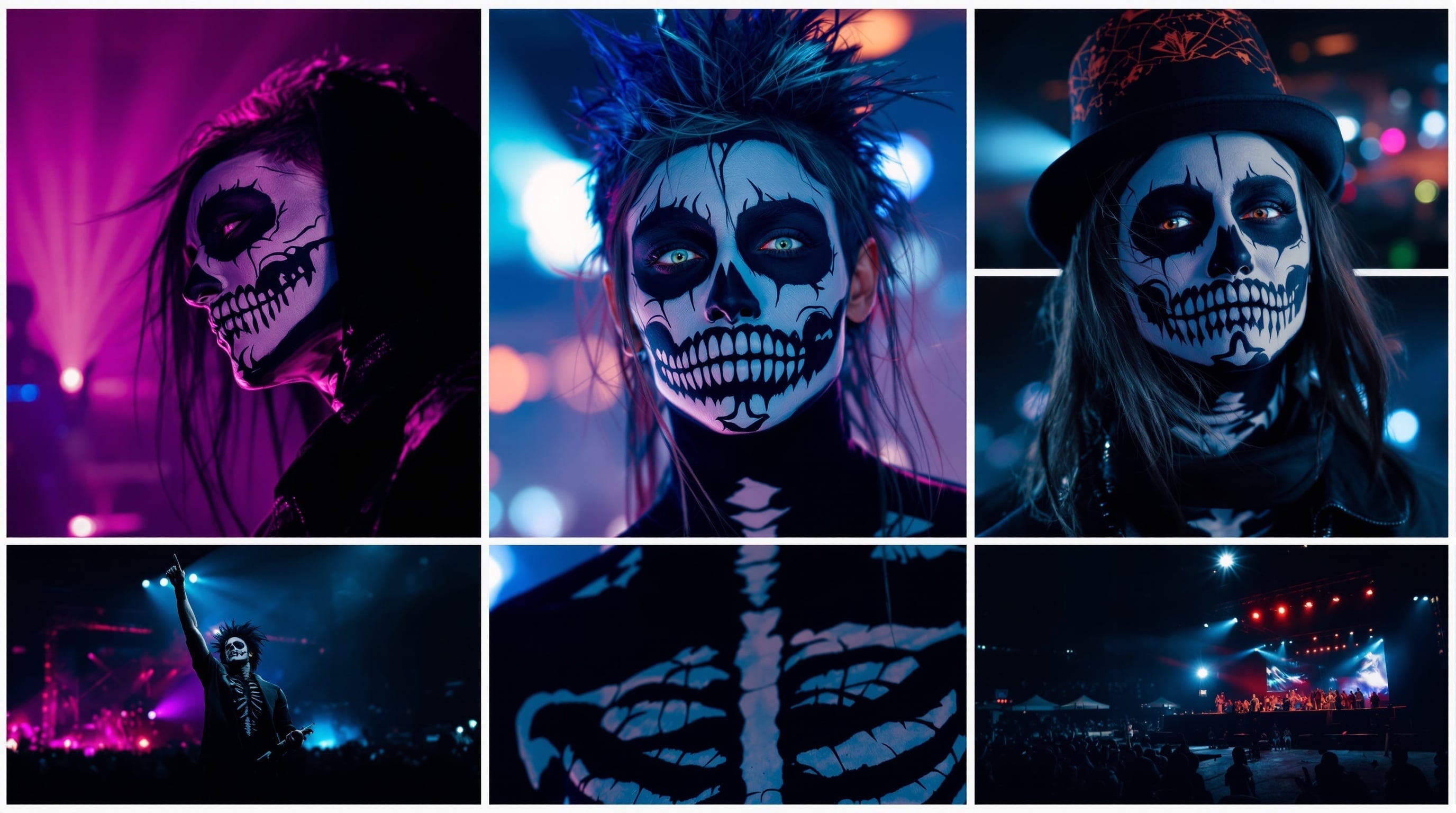
The "Talwinder style" is a viral AI portrait trend centered around creating realistic images featuring the user alongside Indian singer-songwriter Talwinder. Known for his unique blend of Punjabi folk music with electronic, R&B, and hip-hop, Talwinder also has a distinct public persona, often performing with skeleton face paint to separate his art from his personal identity. This trend aims to capture that concert-going fantasy.
Why Google Gemini is A Good Choice
Google Gemini excels at generating realistic human portraits and interpreting complex instructions, making it ideal for this trend. It can understand nuanced requests for facial matching, lighting, and mood, which are crucial for the Talwinder style.
Key Characteristics of the Style:
- Realistic Selfie Feel: The images look like they were snapped on a smartphone, often with the user and Talwinder posing closely together.
- Accurate Face Matching: The AI is prompted to maintain the user's exact facial features, hairstyle, and skin tone from a reference photo.
- Concert Vibe: Most images feature a classic concert environment with bright stage lights, a smoky atmosphere, and a blurred crowd in the background.
- Cinematic Lighting: Prompts often specify "ultra-realistic, cinematic, and professionally lit" to give the image a high-quality, polished look.
Part 2. How to Write Realistic Gemini Talwinder AI Photo Prompts
The magic of a Talwinder-style photo lies in your prompt. A strong prompt helps Gemini understand not just what to create — but how it should feel: bold, cinematic, and full of stage energy. Here’s how to craft prompts that recreate that authentic Talwinder-style photo look you see trending on Instagram and TikTok.
2.1 Key Elements of a AI Photo Editing Prompt for Talwinder Prompt
🎭 1. Subject & Face Match
Be very clear about identity and facial accuracy. Use natural language like:
“Face must match the uploaded photo exactly, no changes.”
This ensures both faces — yours and the AI-generated Talwinder — look realistic and true to their references.
🎤 2. Setting & Background
Talwinder-style shots often happen in dramatic environments — concerts, neon-lit streets, or moody outdoor scenes.
Use prompts like:
- “At a live concert with bright stage lights and smoke,”
- “In a neon-lit alley at night,”
- “During golden hour with soft sunlight and lens flare.”
💡 3. Lighting & Mood
Lighting defines the vibe. Add emotional, cinematic cues:
“Soft golden light,” “Cinematic contrast,” “Dim backstage spotlight,” “Stage glow reflections.”
✨ 4. Signature Style Cues
Capture the recognizable “Talwinder vibe”: skull or skeleton makeup, black outfits, silver jewelry, and confident poses.
Use realistic detail words:
“Ultra-realistic,” “Photorealistic 4K,” “Cinematic portrait,” “High contrast lighting.”
🧩 Pro Tip:
Look at viral creators (like Rajan Editz or AI Portrait Zone) for trending structure patterns — they often blend real-world lighting + stylized facial detail for the best realism.
2.2 Example Prompts for Gemini Talwinder AI Photos
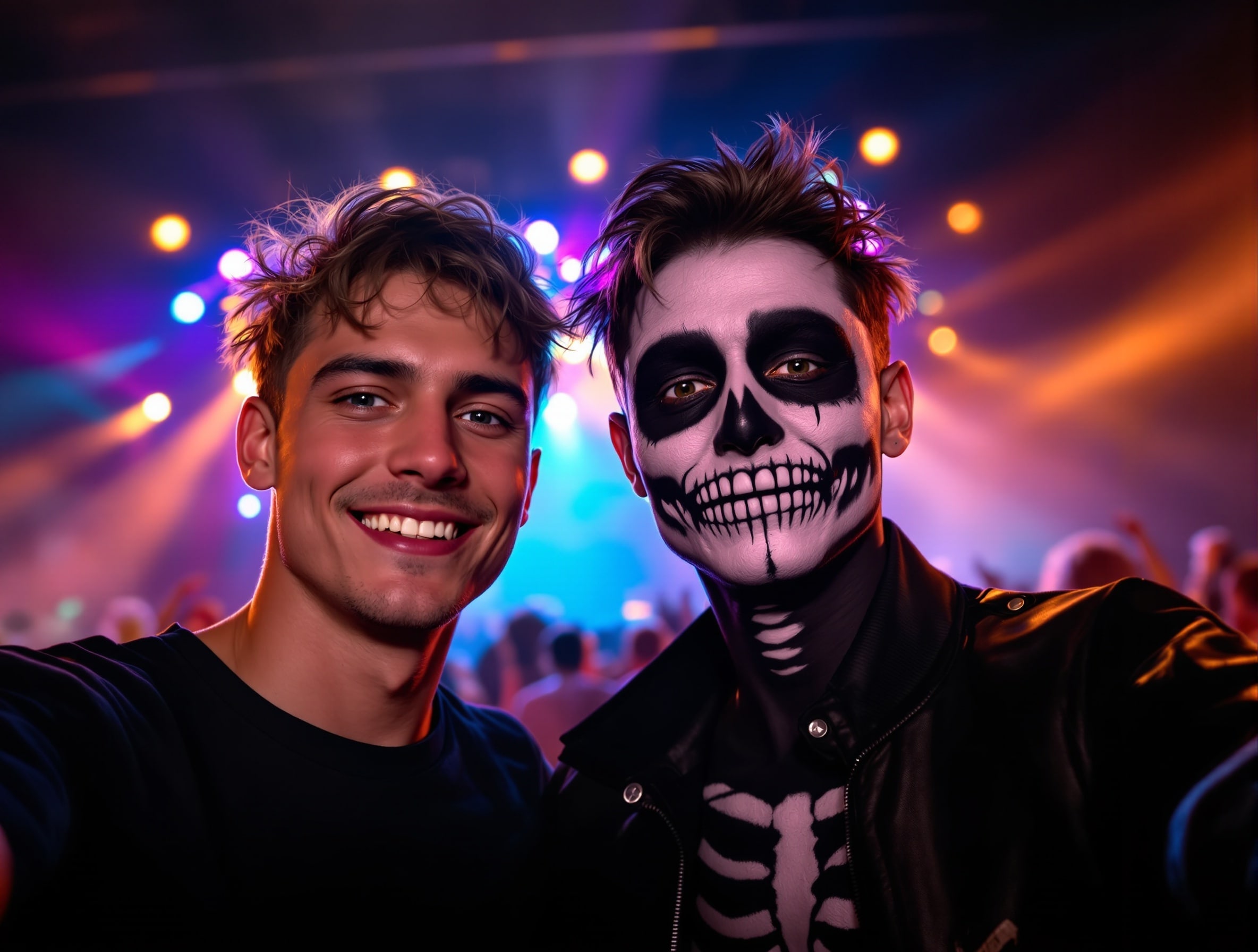
Example 1: Classic Concert Selfie (Viral Style)
“Create an ultra-realistic selfie of [user face reference] and an Indian singer inspired by Talwinder at a packed concert.
Bright stage lights, smoky atmosphere, and cinematic depth.
The user is wearing a black t-shirt; Talwinder-inspired singer has his signature skeleton makeup and black stage jacket.
Both are smiling naturally and looking into the camera, faces exactly match their references.
Highly detailed skin texture, warm highlights, and professional lighting — cinematic 4K finish.”
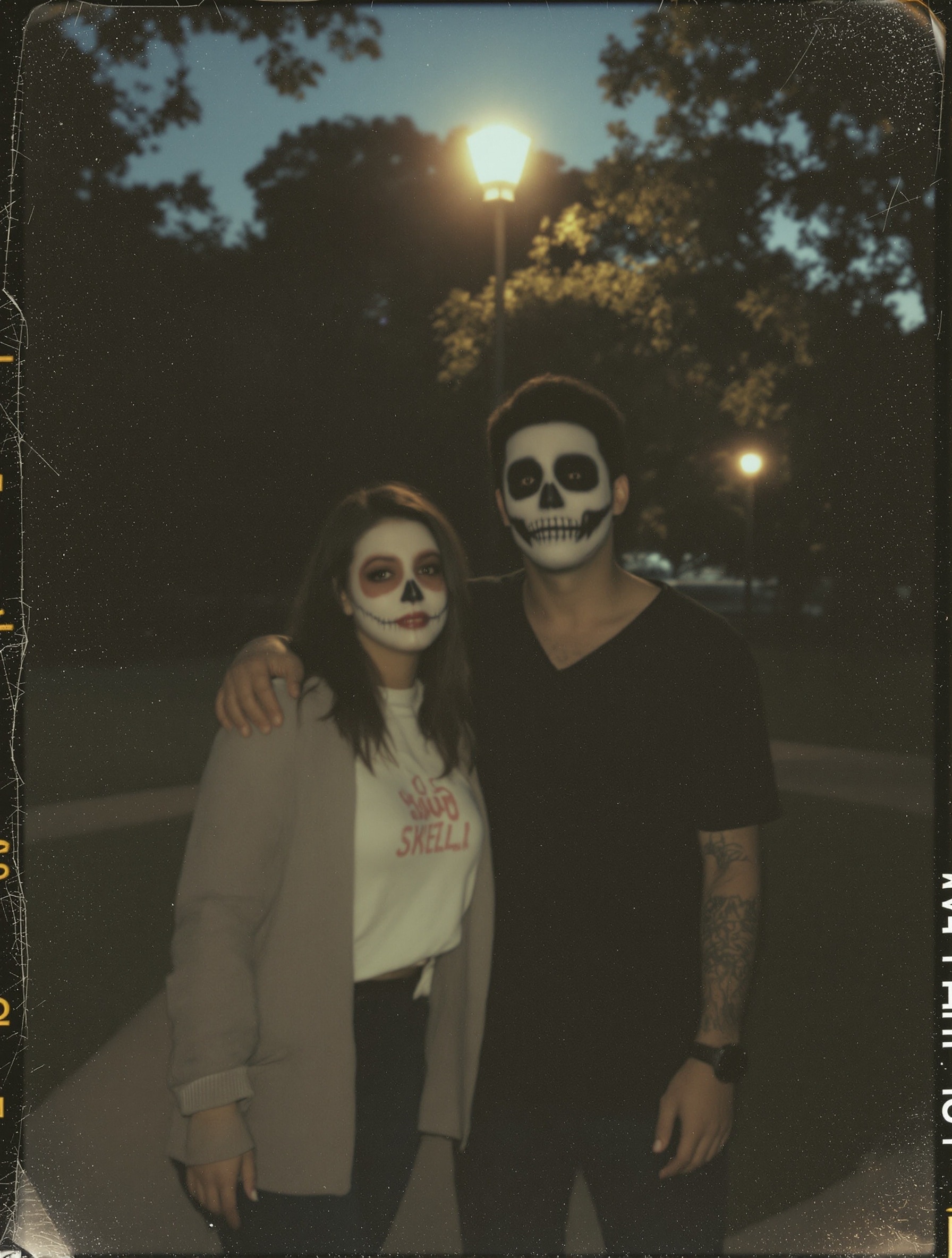
📷 Example 2: Polaroid-Style Portrait (Soft, Nostalgic Mood)
“Generate a photorealistic Polaroid-style image of [user face reference] and a Talwinder-inspired musician in a park at dusk.
Soft streetlights and film-like glow.
The user’s face and hairstyle exactly match the uploaded photo.
The singer wears subtle skull face paint and a casual outfit.
Slight blur and grain for a nostalgic, candid feel.
Maintain realistic texture — no over-smoothness, no plastic skin, sharp focus on eyes.”
2.3 How to Refine Your Prompt for the Best Results
✅ Specify Skin Tone Accurately: Use natural descriptors — warm tone, fair tone, brown tone — to help Gemini handle lighting correctly.
✅ Control Pose and Emotion: Add expressive cues like: “Laughing naturally,” “Facing the camera,” “Doing a playful grimace,” “Leaning in for a selfie.” This helps achieve Talwinder’s signature expressive energy.
✅ Add Negative Prompts for Realism: Avoid overly smooth, AI-looking results with lines like: “No plastic skin,” “No blurry faces,” “No over-saturated colors.”
Part 3. Copy-and-Paste Gemini Talwinder Prompt Library
Here is a library of AI photo editing prompts for Talwinder style to get you started. Just copy, paste, and replace the bracketed text with your details.
|
Style / Scenario |
Prompt Template |
|
Concert Selfie — Golden Hour (goofy face) |
Create an ultra-realistic close-up selfie of [user face reference] and a Talwiinder-inspired singer at golden hour. Warm, soft sunlight, both smiling and making a playful grimace/goofy face. Face paint detail on singer: subtle skull accents around eyes. Cinematic shallow depth of field, highly detailed skin texture, 50mm portrait, 4K. |
|
Stage Backstage (skeleton makeup) |
Photorealistic backstage portrait: [user face reference] talking to a Talwiinder-style performer wearing skeleton face paint and stage black outfit. Dim ambient lighting with a single warm spotlight. Both faces should match references, candid pose, high detail, film grain, 2K. |
|
Polaroid Candid |
Polaroid snapshot of [user face reference] with a Talwiinder-style artist making a silly face. Slight blur and vignetting for retro look, consistent warm light source, natural skin tones, 3:4 aspect ratio, “instant photo” finish. |
|
Neon City Night |
Create a neon city selfie at night of [user face reference] and a Talwiinder-inspired singer. Neon signs reflecting in puddles, wet street reflections, dramatic rim lighting on faces, slight skull paint motif on singer, cinematic color grading, ultra-realistic. |
|
Studio Promo Portrait |
Generate a studio promo portrait of [user face reference] standing next to a Talwiinder-style artist with stylized stage makeup. Plain dark backdrop, crisp studio lights, high contrast, sharp focus on eyes and smile, retouched skin, 4K. |
|
Festival Crowd Selfie |
Crowd selfie at an outdoor festival: [user face reference] and Talwiinder-style performer smiling with party lights and crowd bokeh behind. Warm backlight, dynamic expressions, slight motion blur, realistic skin detail, 16:9. |
|
Close-up Makeup Detail |
Extreme close-up portrait of the Talwiinder-inspired singer showing skull/face-paint texture and eye makeup; include a second subject [user face reference] slightly out of focus. High detail pores, cinematic light, artistic retouching. |
|
Golden Hour Couple Portrait |
A warm golden-hour portrait of [user face reference] posing beside a Talwiinder-style musician. Soft orange backlight, flattering rim light, natural smiles, shallow depth of field, ultra-realistic, 50mm lens look. |
|
Moody Monochrome |
Black & white moody portrait of [user face reference] with a Talwiinder-inspired artist. High contrast, filmic grain, intense expression (playful or serious), studio lighting, high detail facial features. |
|
Festival Stage Action Shot |
Action shot of Talwiinder-style performer on stage with [user face reference] in the foreground taking a selfie. Dynamic stage lights, smoke, motion energy, candid expression, high realism, wide angle feel. |
|
Backstage Portrait with Outfit Detail |
Generate a photorealistic image of [user face reference] and Talwiinder-style singer backstage, both in stylish black outfits. Focus on fabric texture, genuine smiles, soft highlight from a single lamp, faces match references. |
|
Casual Outdoor Portrait (wooden fence) |
A realistic outdoor portrait in front of a wooden fence: [user face reference] and a Talwiinder-style artist. Soft cinematic daylight, natural poses, slight skateboard/streetwear vibe, ultra-realistic texture. |
|
Halloween Skull Makeover Selfie |
Spooky-styled selfie: [user face reference] standing next to Talwiinder-inspired performer with detailed skull makeup and dark eye sockets. Low warm light, high detail, cinematic color grade, moody background. |
|
Retro Film Poster Look |
Create a retro film-poster style portrait of [user face reference] and a Talwiinder-style musician. Dramatic side lighting, stylized typography placeholder, warm tones, high detail faces, cinematic composition. |
|
Rainy Night Neon Selfie |
Rainy night selfie of [user face reference] with Talwiinder-style singer under neon lights. Reflections on coat and pavement, soft raindrops on skin, warm rim light, expressive smiles, ultra-realistic. |
|
Candid Roadtrip Photo |
Candid roadtrip portrait: [user face reference] and Talwiinder-inspired artist sitting in van doorway at sunset, relaxed playful faces, warm ambient glow, filmic grain, high realism. |
|
Editorial Magazine Cover |
High fashion editorial portrait for magazine cover: [user face reference] alongside Talwiinder-style star. Bold makeup (face-paint accent), dramatic lighting, retouched skin, fashion wardrobe, centered composition, 4K. |
|
Studio Duo with Props |
Studio portrait of [user face reference] and Talwiinder-style performer holding a microphone and a vintage camera. Clean black backdrop, precise studio lighting, natural smiles, high detail, cinematic color grading. |
Part 4. Edit and Enhance Your Gemini Talwinder AI Photos in Filmora
Generating the image in Gemini is just the first step. To make it truly stand out on social media, you need to add the finishing touches. This is where Wondershare Filmora comes in.

 secure download

4.1 Why Use Filmora After Gemini?
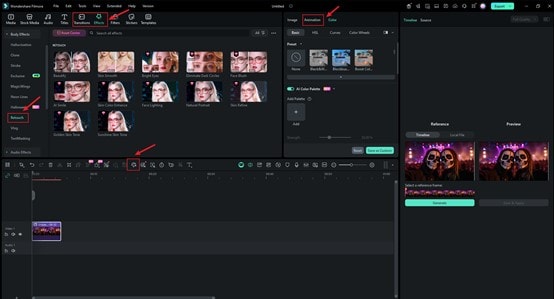
Gemini creates a great static image, but Filmora turns it into dynamic, engaging content. While Gemini lacks fine-tuned post-processing, Filmora gives you complete control over:
Advanced Color Correction: Adjust tones, saturation, and contrast to perfect the concert lighting or cinematic mood.
AI Retouching: Smooth skin realistically or enhance details without the "plastic" look some AI tools produce.
Creative Effects & Animation: Add motion, overlays, and background effects to bring your static photo to life for Instagram Reels, TikTok, or YouTube Shorts.
 secure download
Conclusion
Creating viral AI art is a two-part process: brilliant creation followed by skillful enhancement. With powerful Gemini Talwinder AI Photo Editing Prompts, you can generate stunningly realistic portraits.
But to make them truly unforgettable, use Filmora to add that final layer of polish, color, and motion. By combining Gemini's generation power with Filmora's editing suite, you can turn a trending photo into captivating video content that's ready for any platform.
