
Countdown Sticker Templates & Guides
Explore popular animated timers and how-to guides for building hype
Loading more countdown sticker templates...
 Category:
 Duration:
 Aspect Ratio:
Everything You Need to Build Hype with Timers
A well-placed count down sticker can turn a slow reveal into a high-engagement moment. Filmora gives you a massive countdown sticker pack filled with built-in animated timers that drop straight into your timeline—no manual keyframing needed.
Whether you're opening a live stream vlog, launching a new product, or adding countdown stickers for video segments, Filmora's tools give you the control to match any event's visual style. Pick a timer, place it on your footage, and publish directly to your preferred platform.
140+ Pre-Animated Timers — Ready to Drop Into Any Video

140+ Pre-Animated Timers — Ready to Drop Into Any Video
Stop wasting hours keyframing numbers. From modern digital clocks to vintage film leaders, our countdown sticker templates cover every style you need to create dramatic anticipation. Each sticker comes pre-animated, meaning your numbers tick down exactly when they should.
- Instant Application - Drag any count down sticker onto the timeline and start the clock immediately.
- Built-In Animation - Every timer includes entrance, ticking action, and zero-mark motion—no extra setup required.
- Multi-Platform Layouts - Timers sized and positioned perfectly for TikTok, Reels, Shorts, and widescreen formats.
Customizable Holiday & Event Graphics
Customizable Holiday & Event Graphics
Preparing for the holidays? Our library includes beautifully crafted christmas countdown stickers and advent countdown stickers to keep your audience coming back. Once your graphic is on the timeline, use our editing suite to tweak colors or add tracking effects so it follows the subject in your scene.
- 🎄 Holiday Themes - Specific elements perfect for a festive countdown to christmas stickers sequence.
- ⏱️ Adjustable Speed - Time stretch your stickers to match the natural flow and rhythm of your footage.
- ✨ Motion Tracking Precision - Pin your countdown stickers to moving objects for a dynamic, professional feel.
- 🎨 Color & Blending Control - Shift hue and saturation to make sure your timer matches your scene's aesthetic perfectly.
Seamless Transparent Alpha Assets

Seamless Transparent Alpha Assets
No need to mess with chroma keys or complicated blending modes. Every single count down sticker in Filmora comes pre-keyed with a transparent background. This means you get crisp, clean edges that integrate smoothly with whatever footage lies beneath.
- Clean Overlays - Forget about green screen fringing; drop stickers straight onto your clip.
- Layering Freedom - Sandwich your countdown video stickers between text blocks and b-roll effortlessly.
- Instant Compositing - Create immersive depth by placing timers behind foreground subjects.
- Export for Any Platform - Your final composition will render flawlessly for YouTube, Instagram, and more.
Frequently Asked Questions About Countdown Stickers
How to Add Countdown Stickers to Your Video with Filmora
Want to build massive hype for your next event? It only takes three simple steps to transform raw footage into an anticipation-building masterpiece using Filmora's drag-and-drop countdown sticker pack.
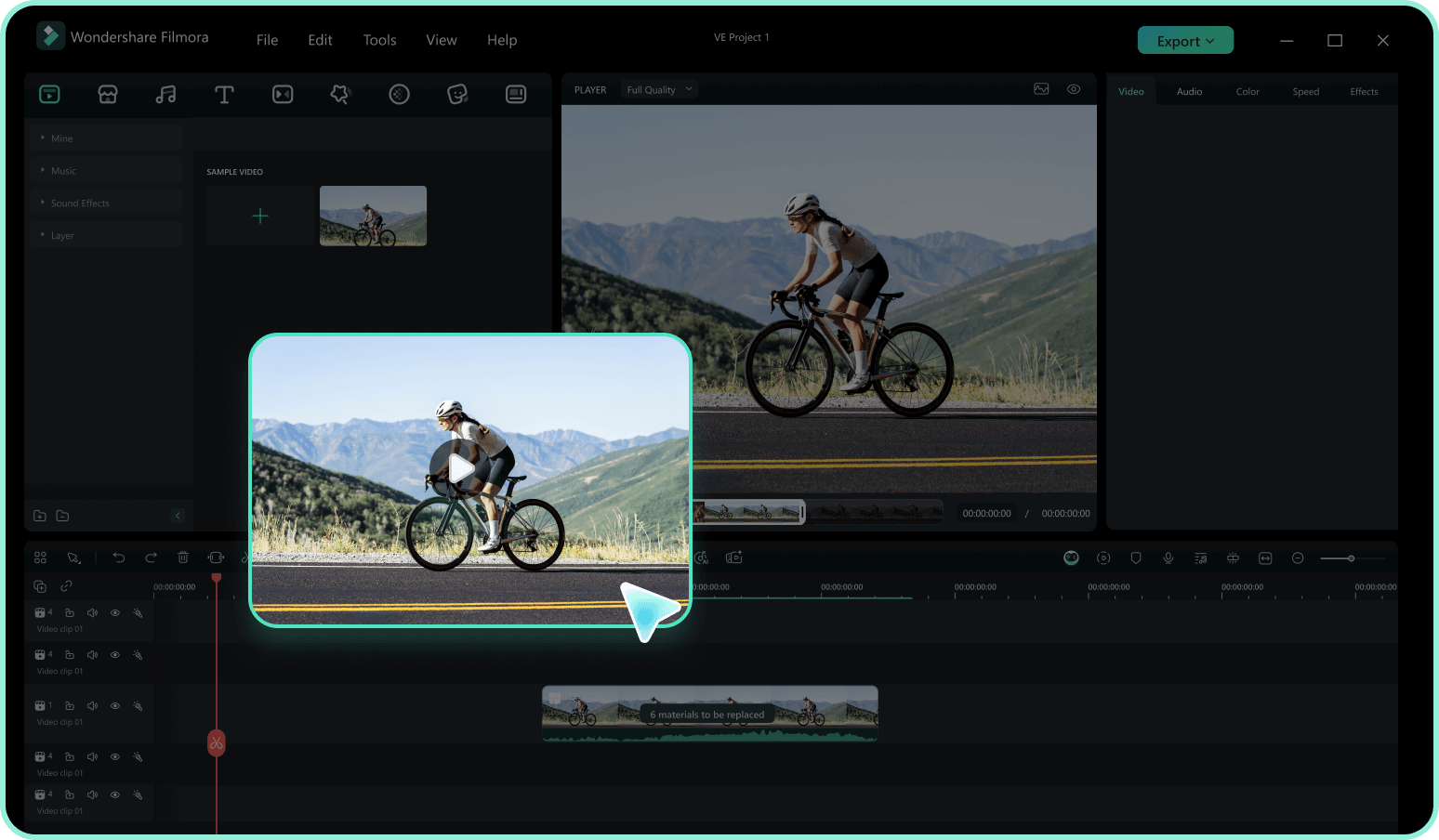
Step 1 Access the Sticker Library
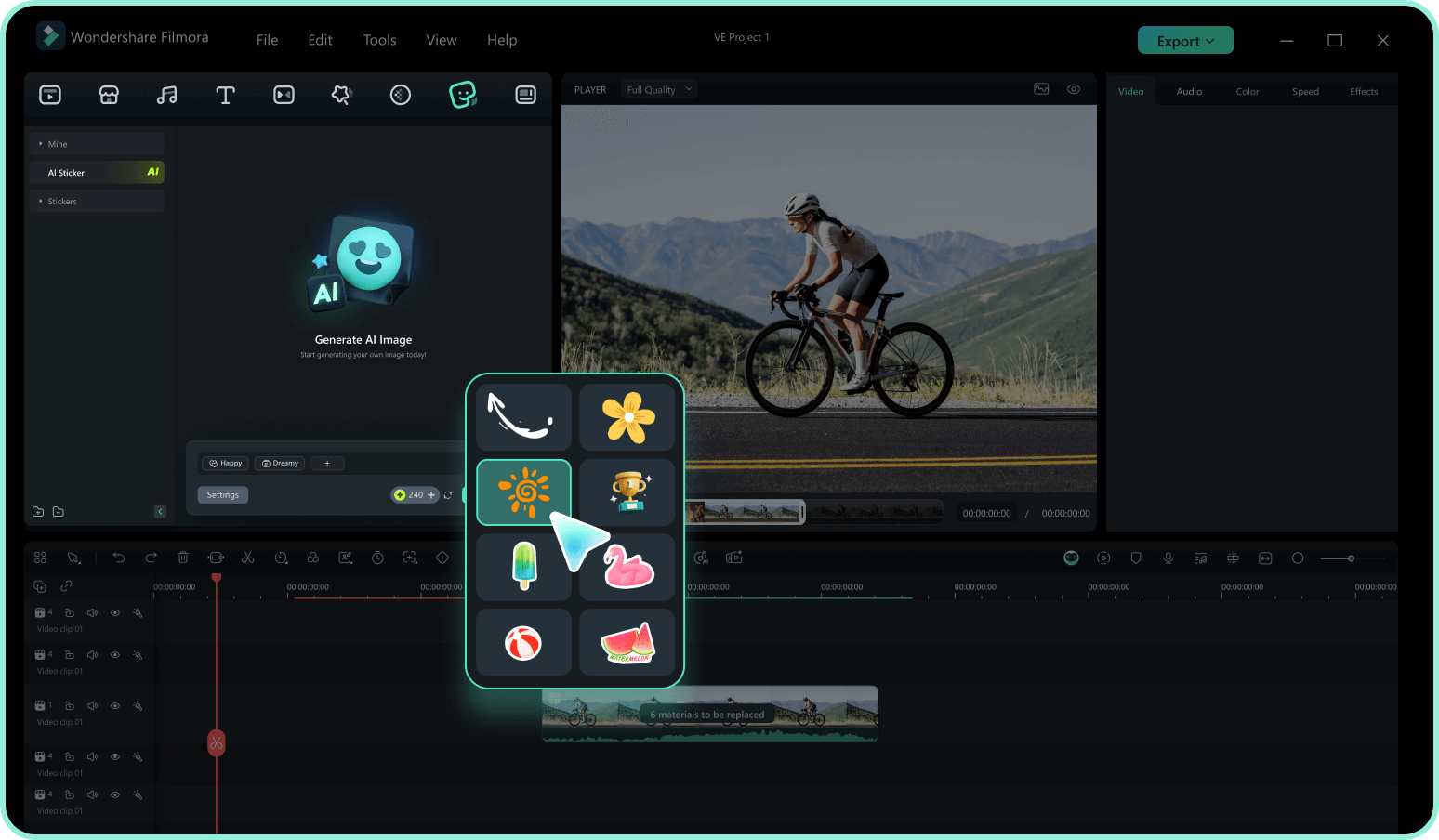
Step 2 Search for Timer Elements
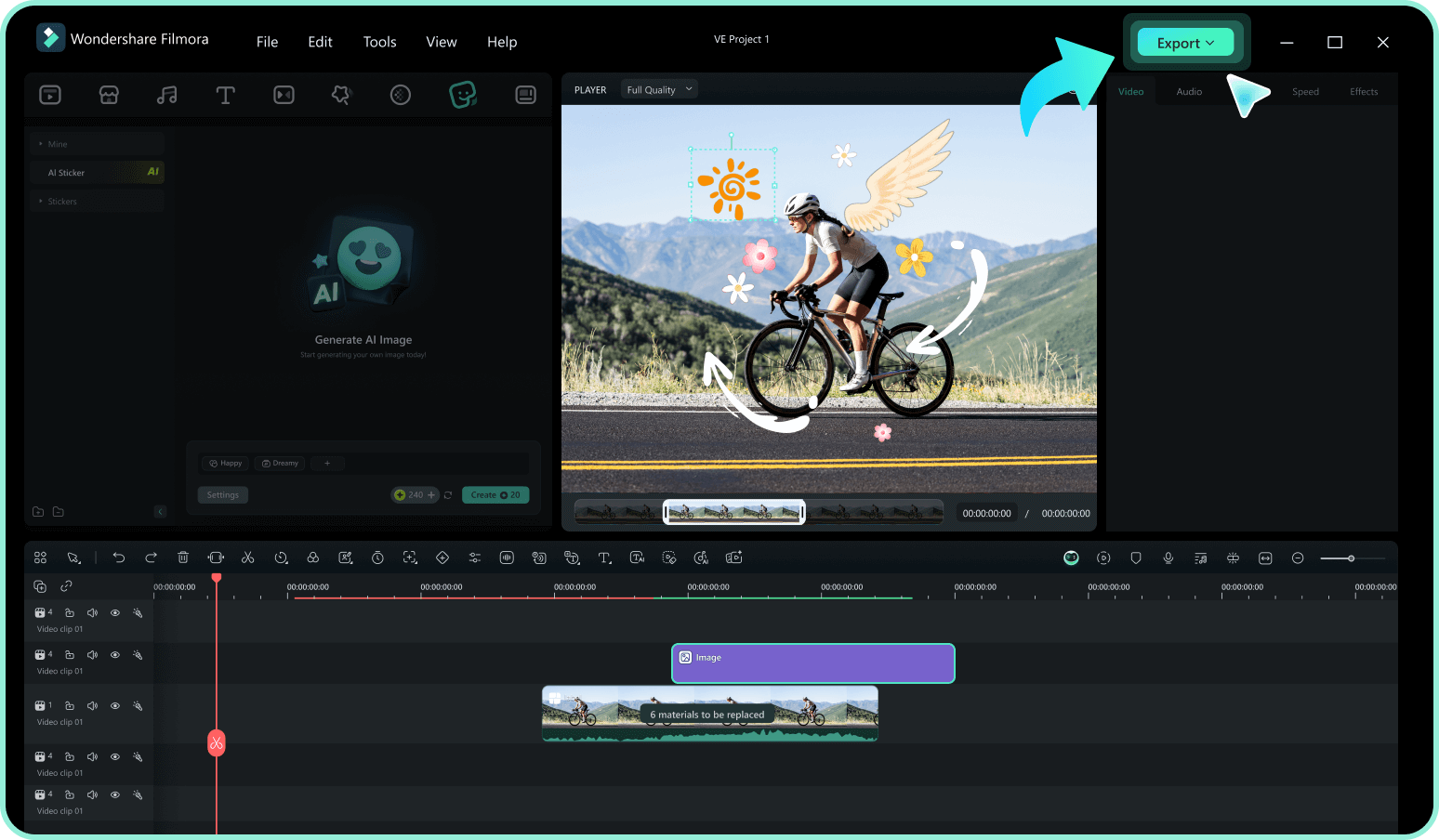
Step 3 Drag, Drop, and Time It
-
1: Access the Sticker Library
Open Filmora and import your video footage. Navigate to the "Stickers" tab in the top menu to access the vast library of creative assets. -
2: Search for Timer Elements
Type keywords like "countdown stickers," "timer," or "advent countdown stickers" into the search bar. Preview the animations by hovering over them to find the perfect match for your vibe. -
3: Drag, Drop, and Time It
Drag your selected countdown stickers for video onto the timeline above your footage. Resize, rotate, or add motion tracking to blend it perfectly, then export your dynamic new content.
Explore More Sticker Themes
Discover other sticker categories for every occasion




