

 100% Security Verified | No Subscription Required | No Malware


 ChatGPT
 Perplexity
 Gemini
 Claude
 Grok
Grok
Aesthetic sunset video filters can turn an ordinary golden hour clip into a dreamy, cinematic moment packed with pastel hues and soft dusk glow. Instead of endlessly tweaking color wheels and curves, the right preset lets you drop in a mood and start telling your story faster.
This guide highlights 12 curated sunset filters, including the Aesthetic Sunset Filter: Dream Dusk preset, designed for content creators and photographers who want creamy skies, romantic silhouettes, and consistent sunset aesthetics across Reels, TikToks, vlogs, and photo edits.
In this article
Warm Romantic Glow Filters
Aesthetic Sunset Filter: Dream Dusk
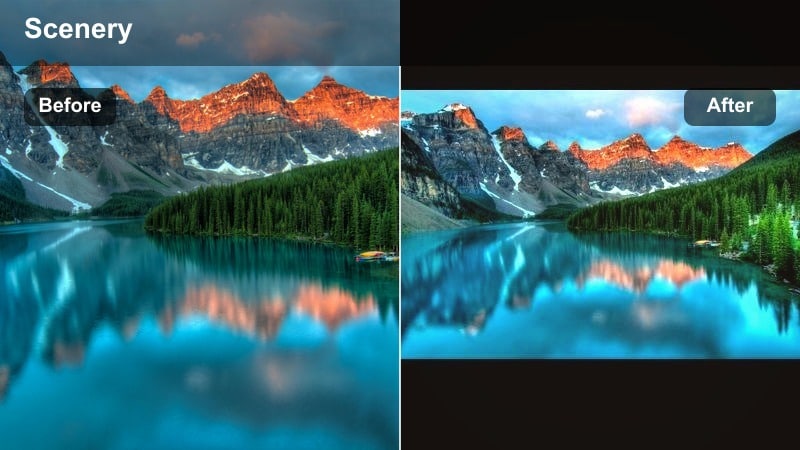
- Effect look: Soft peach highlights with pastel sunset tones, gentle contrast, and a dreamy haze that smooths transitions between sky and foreground.
- Best for: Romantic sky shots, couples at the beach, handheld golden-hour B-roll, and aesthetic sunset edits for Reels or short films.
- Editing tip: Lower contrast slightly for close-up portraits, and nudge saturation down on orange to keep skin tones natural against intense skies.
Aesthetic Sunset Filter: Dream Dusk is a signature Filmora-style look that wraps your entire frame in a creamy pastel glow. It softens the edge between sky and subject, adds a gentle haze to bright areas, and keeps contrast smooth so your sunset gradients feel seamless instead of harsh.
Inside Filmora, Dream Dusk works especially well as a base look for full golden hour sequences. Apply it to your hero shot, lightly tweak exposure and saturation to protect skin tones, then copy and paste those settings across similar clips. For changing light, keyframe filter intensity so your romantic dusk mood stays consistent from the first warm rays to the last pastel hints on the horizon.
AI-Assisted Sunset Color Matching
When you mix different cameras or angles during golden hour, colors can shift from clip to clip. Filmora style AI color matching helps you lock in a single Aesthetic Sunset Filter: Dream Dusk look and spread that same palette across your entire timeline.
Pick your strongest sunset shot, use AI color tools to sample its pastel sky and soft dusk shadows, then match other B-roll, portraits, and drone passes to it. This keeps your romantic sky tones cohesive so the audience experiences one continuous dream dusk atmosphere instead of jarring color jumps.
 secure download

Preview Sunset Filters in Real Time
Finding the right sunset aesthetic filter is easier when you see the results instantly on your own clips. In Filmora, real-time previews let you scroll through Dream Dusk, warm romantic looks, pastel skies, and moodier cinematic options without committing to a complex grade.
Drop a short test sequence into the timeline with a mix of close-ups and wide horizons, then quickly A/B different filters at varying strengths. Watch how clouds, silhouettes, and skin tones react as you scrub the playhead so you can lock in the preset that best fits your reel, vlog, or cinematic edit.
secure downloadCombine Filters and LUTs for Advanced Sunset Grades
Once you like your sunset aesthetic filter, you can push the look further by stacking a gentle creative LUT on top. Filters such as Dream Dusk or other romantic sky presets set the overall mood, while LUTs refine contrast curves and color separation for a more cinematic finish.
In Filmora, keep LUT intensity low so your pastel clouds and soft dusk gradients stay smooth instead of clipped. This layered approach is ideal when you want your sunset reel to feel polished and filmic but still fast to build with presets and simple sliders.
secure downloadAmber Romance Glow
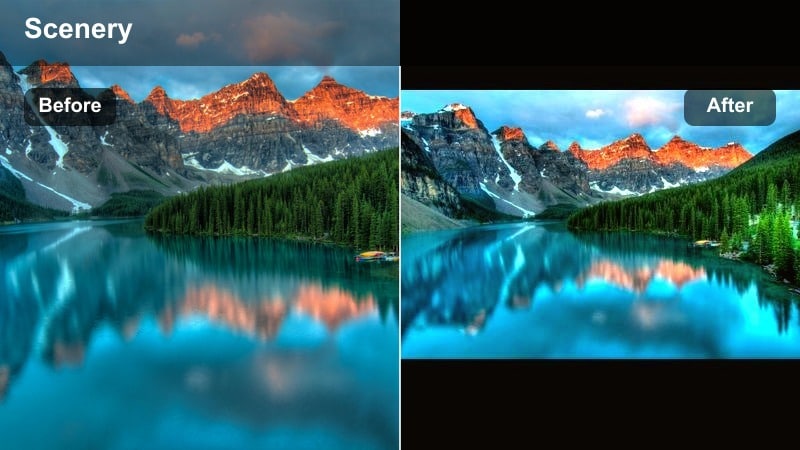
- Effect look: Rich amber warmth focused on highlights and midtones, adding a subtle glow around the sun and silhouettes.
- Best for: Beach walks, engagement sessions, slow-motion hair flips, and backlit portraits with the sun just above the horizon.
- Editing tip: Use a gentle vignette with this filter to draw the eye to your subject and keep bright clouds from stealing attention.
Amber Romance Glow leans into deep golden tones, making every ray of light feel nostalgic and cinematic. It wraps subjects in a halo of warmth, turning even simple pier walks or boardwalk shots into story-driven visuals with soft highlight glow.
In Filmora, pair Amber Romance Glow with slow-motion B-roll and gentle camera moves. Add a light vignette and slightly reduce orange saturation if skin becomes too intense, using color controls to keep your couple or subject flattering while still preserving the rich, amber sky.
Rose Horizon Soft
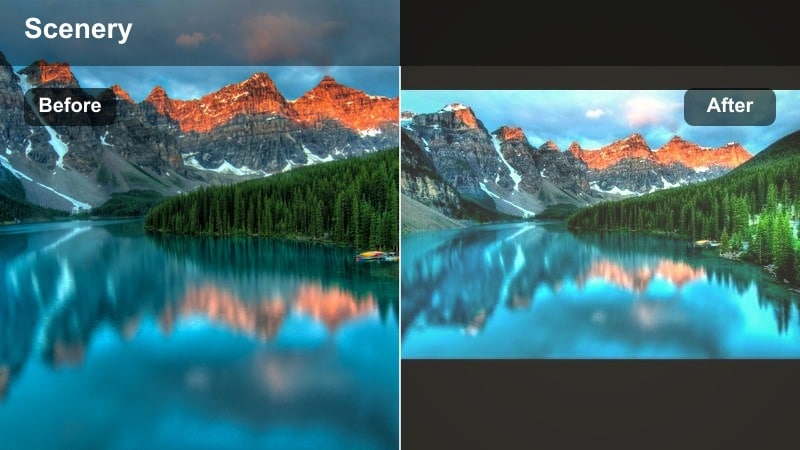
- Effect look: Blush pink highlight tint with gentle fade in blacks, giving sunsets a romantic, film-like pastel wash.
- Best for: City rooftop sunsets, aesthetic travel vlogs, and dreamy B-roll of architecture against the evening sky.
- Editing tip: Pair this filter with slower shutter-style motion blur or speed ramps to emphasize the dreamy, floating feeling in the sky.
Rose Horizon Soft shifts neutral sunsets into a subtle blush palette, ideal for skyline silhouettes and rooftop hangout clips. The lifted blacks create a film-inspired matte look, taking the edge off hard shadows and giving urban scenes a softer feel.
Inside Filmora, combine this filter with smooth speed ramps and crossfade transitions. If buildings or white outfits pick up too much pink, use HSL or color wheels to selectively desaturate magentas while keeping the sky rosy, so your city stays balanced but still romantic.
Pastel Dream Skies
Pastel Cotton Sky
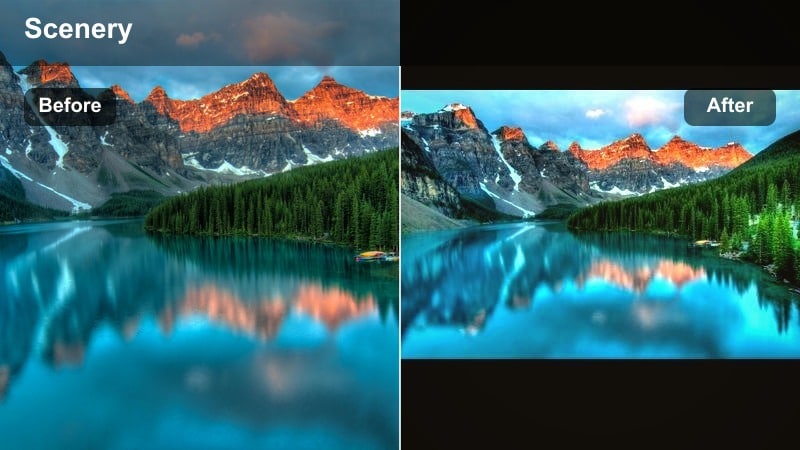
- Effect look: Creamy pastel sunset colors with lowered saturation in shadows, turning clouds into cotton-candy gradients.
- Best for: Aesthetic sunset edits for TikTok, dreamy landscape shots, and minimal silhouettes against wide skies.
- Editing tip: Slightly lift the blacks for a matte finish that pairs well with lo-fi music and soft motion transitions.
Pastel Cotton Sky is built for creators who want cotton-candy clouds and delicate gradients that feel made for aesthetic feeds. It dampens harsh contrast in the shadows and pushes the sky into gentle pinks, peaches, and lilacs.
In Filmora, use this filter on wide establishing shots and pair it with lo-fi or chill tracks. Lift blacks a touch more with curves for a matte look, and keep your silhouettes simple so the sky remains the hero of your vertical videos and reels.
Lavender Dusk Fade
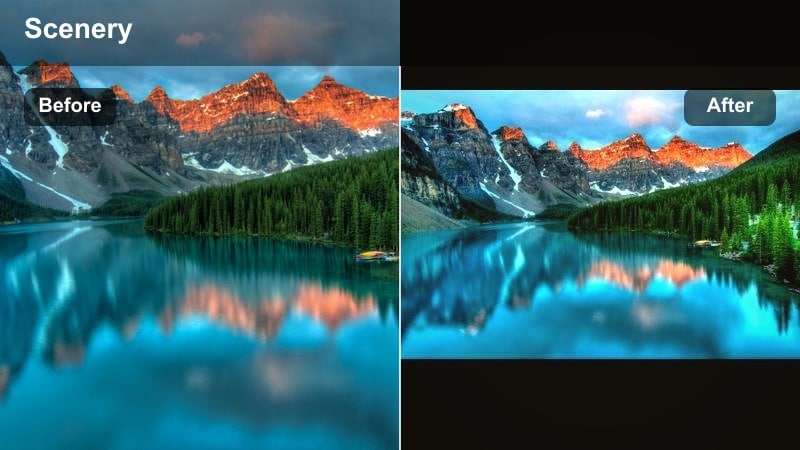
- Effect look: Lavender and cool pink tints in the upper sky with a gentle fade into warmer tones near the horizon.
- Best for: Soft dusk transitions, time-lapses of the sun setting, and calm nature scenes with water reflections.
- Editing tip: Use slower, crossfade-style transitions with this filter instead of hard cuts to match the calm, fading-light mood.
Lavender Dusk Fade emphasizes the calm moment when golden hour gives way to blue hour, adding cool lilac tones to the upper sky and preserving warmth near the horizon. This split makes lakes, oceans, and reflective surfaces look especially cinematic.
Within Filmora, apply this filter to time-lapse sequences or slow pans over water. Use gentle crossfades or dissolve transitions between clips, and gradually reduce intensity as you move into true night shots to maintain smooth, story-friendly color continuity.
Peachy Cloud Drift
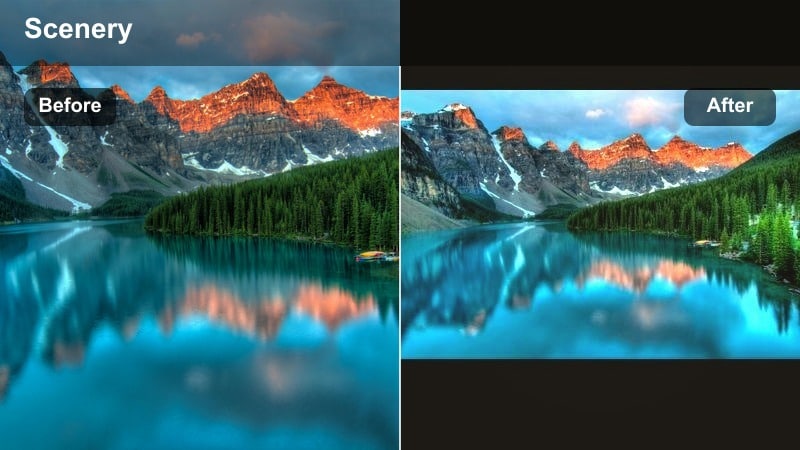
- Effect look: Soft peach and coral emphasis on clouds with gentle desaturation of greens for a unified, dreamy palette.
- Best for: Drone flyovers, ocean horizons, and minimal, aesthetic reels featuring only sky and sea.
- Editing tip: Crop to wider cinematic ratios like 2.35:1 to make the peach-toned clouds feel like a movie still.
Peachy Cloud Drift pushes clouds toward soft coral and peach, toning down greens so the frame feels unified and painterly. It is perfect when your composition is mainly sky and sea and you want the clouds to look like moving artwork.
Use this filter in Filmora on drone passes, slow tilts, and simple horizon shots. Crop to a cinematic aspect ratio and slightly reduce green saturation in HSL if foliage competes with the clouds, keeping all attention on those drifting pastel formations.
Cinematic Sunset Moods
Sunset Cinema Grade
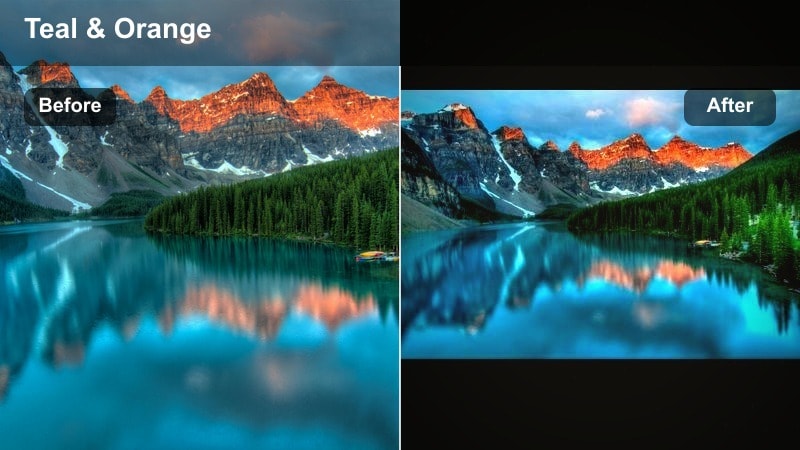
- Effect look: Film-inspired contrast, rich oranges, and teal shadows that make sunsets feel like scenes from a feature film.
- Best for: Narrative short films, travel montages, and music videos needing a strong cinematic sunset aesthetic.
- Editing tip: Use this filter at 60–80% strength on log or flat footage to keep room for additional grading and stylization.
Sunset Cinema Grade adds deep contrast, rich orange highlights, and cool teal shadows, echoing popular feature film color styles. It defines silhouettes sharply and makes even ordinary cliffs or fields feel like part of a larger cinematic world.
In Filmora, apply this filter to log or flat footage at reduced intensity, then fine-tune exposure and curves. You can stack extra color tools for targeted tweaks, like lifting midtones on faces while preserving the bold, high-impact sunset sky behind them.
Moody Burnt Sun
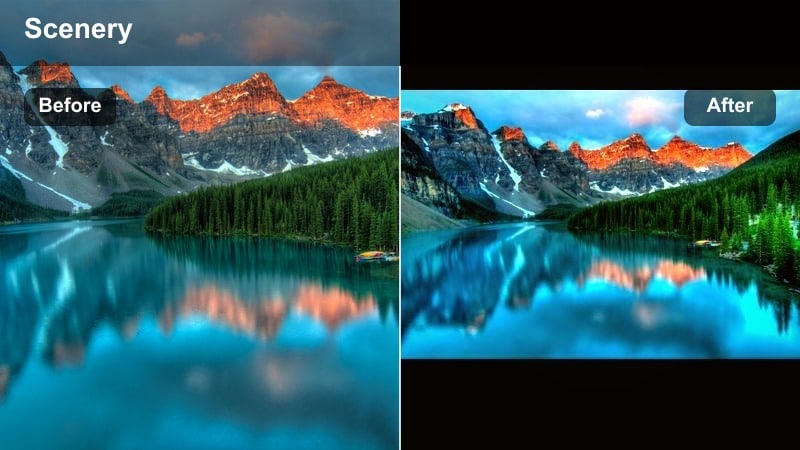
- Effect look: Deep, moody oranges and browns with muted saturation and slightly cool shadows for a serious, dramatic vibe.
- Best for: Story-driven edits, emotional vlogs, and moody travel sequences where sunset feels introspective.
- Editing tip: Lean into slow motion or hold longer on key frames so the moody grade has time to sink in with viewers.
Moody Burnt Sun pulls your sunset into darker oranges and browns, muting overall saturation for a reflective, cinematic tone. The cool shadows add depth, making mountain ranges, forests, and city skylines feel weighty and introspective.
Use this filter in Filmora on emotional voiceover segments, travel diaries, or contemplative B-roll. Combine it with slower cuts and longer holds on key frames, and adjust exposure to keep details in the shadows while still embracing that heavy, burnt-sun atmosphere.
Twilight Cinematic Fade
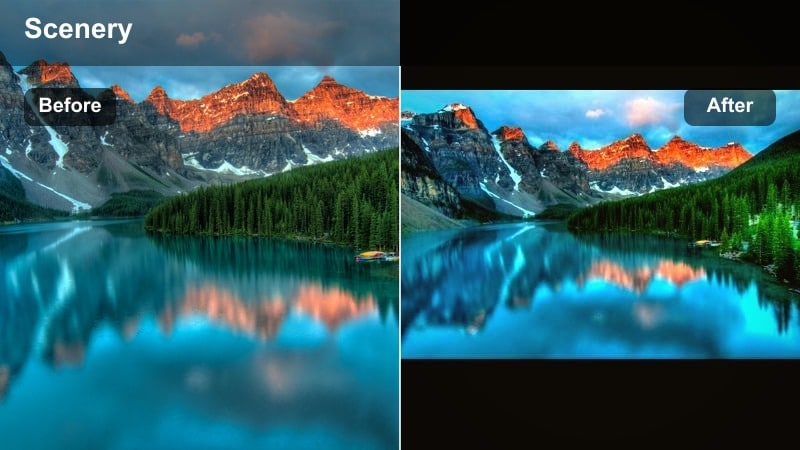
- Effect look: Smooth fade from warm horizon to cool, inky blues with lifted blacks, mimicking pro twilight color grading.
- Best for: Sunset-to-night transitions, city time-lapses, and b-roll that bridges golden hour with blue hour.
- Editing tip: Add subtle film grain to this filter to sell the cinematic mood and hide minor noise in darker areas.
Twilight Cinematic Fade is designed for bridging day into night, holding onto warmth near the horizon while letting the upper sky slide into cool blues. Lifted blacks keep your frame from feeling too heavy while still preserving depth in buildings and foreground elements.
In Filmora, apply this filter to the last shots of golden hour and the first shots of night. Add a gentle grain overlay and adjust brightness keyframes across clips so the viewer feels one continuous fade into evening rather than a hard switch.
Soft Dusk and Minimal Edits
Minimal Dusk Matte
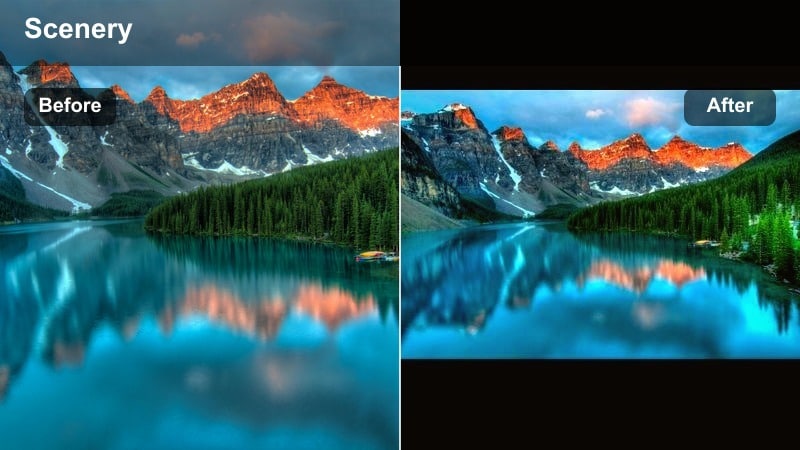
- Effect look: Low-contrast, matte blacks with subtle warm midtones, giving a clean, editorial dusk style.
- Best for: Minimalist reels, fashion portraits at sunset, and branding content with a subtle dusk atmosphere.
- Editing tip: Keep movement simple and framing clean so the low-contrast look feels intentional and modern.
Minimal Dusk Matte dials down contrast and lifts blacks to create a soft, editorial finish perfect for fashion and branding. It preserves a hint of warmth in midtones, so your dusk sky still feels inviting without overpowering logos or outfits.
Inside Filmora, combine this filter with clean compositions and slow, deliberate camera moves. Avoid heavy sharpening, keep fonts and graphics minimal, and let negative space in the sky support a calm, contemporary brand aesthetic.
Soft Haze Dreamline
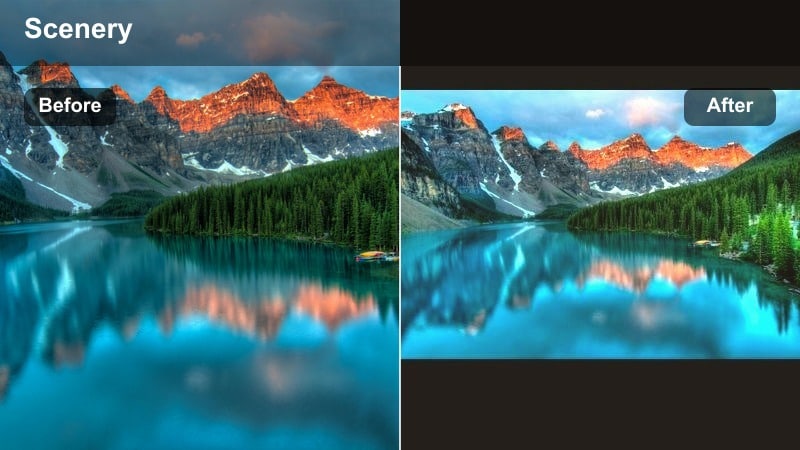
- Effect look: Gentle bloom around bright areas and softened clarity, making sunsets appear hazy and ethereal.
- Best for: Romantic sky close-ups, lens-flare shots, and dreamy lifestyle clips shot directly into the sun.
- Editing tip: Avoid heavy sharpening after applying this filter so the dreamy softness is preserved.
Soft Haze Dreamline adds glow around bright spots and reduces clarity, turning strong sun flares into velvety highlights. It works especially well on clips shot directly into the sun, giving them an ethereal, diary-style look.
Use this filter in Filmora on lifestyle shots, dress details, or close-ups framed against the sun. Keep any additional sharpening light, and consider adding gentle slow motion so the hazy glow has time to breathe on screen.
Calm Horizon Neutral
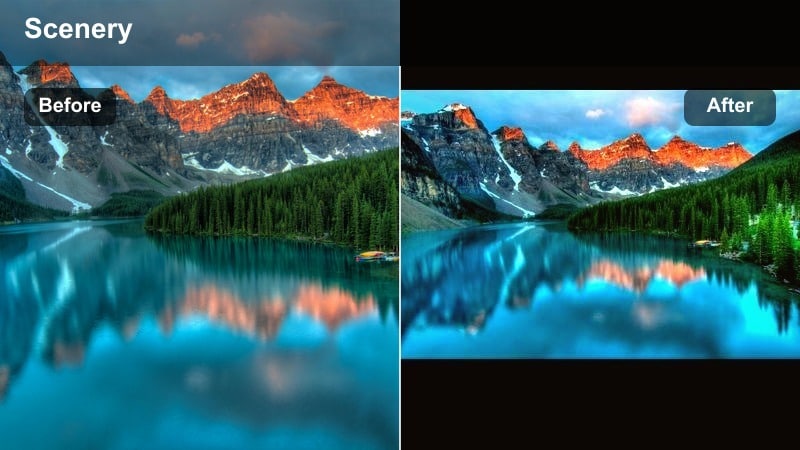
- Effect look: Balanced color with mild warmth and reduced saturation, giving a natural but polished dusk finish.
- Best for: Documentary-style sunset shots, brand stories, and lifestyle content that needs subtle enhancement.
- Editing tip: Use this filter when you want consistent, clean results across mixed cameras without a heavy stylistic signature.
Calm Horizon Neutral keeps your sunset colors believable while still adding a gentle polish. It slightly warms the frame and pulls back saturation so footage from phones, action cams, and mirrorless cameras can sit together naturally.
In Filmora, apply this as a base grade across mixed-camera projects, then layer stronger aesthetic sunset filters only on hero shots. This way, your overall story feels consistent, but you can still spotlight key moments with more stylized looks.
Tips for Using Sunset Aesthetic Filters in Filmora
- Shoot sunsets slightly underexposed to protect highlight detail, then let your aesthetic sunset video filters bring back warmth and color.
- Lock white balance at a warm setting so your sunset sequence stays consistent and does not shift color as the sun drops.
- Capture a mix of wide skies and tight details so your filters can showcase both pastel gradients and cinematic silhouettes.
- Always test filters at different strengths; extreme intensity can crush shadows or oversaturate romantic skies.
- For vertical content, frame your subject lower in the shot to give more room for the sky where sunset filters have most impact.
- Stabilize handheld footage before grading so soft dusk aesthetics do not clash with distracting micro-shakes.
- Use masks to apply sunset filters more strongly to the sky while keeping faces and products closer to natural color.
- Export a short test reel with multiple filters and review it on your phone, since most viewers will watch your sunset edits on mobile.
Aesthetic sunset video filters are the fastest way to turn simple golden hour captures into cohesive, cinematic edits with pastel skies, soft dusk tones, and romantic silhouettes. By choosing the right preset for each mood, you can shape how viewers feel while watching your sunsets, whether you are sharing a quick reel or crafting a full narrative.
Build a small toolkit of favorite warm, pastel, cinematic, and minimal dusk filters, then combine them with consistent exposure, AI color tools, and careful intensity control. With a repeatable workflow in place, every new sunset you shoot becomes an opportunity to create instantly recognizable, on-brand visuals for your content or photography portfolio.
secure downloadNext: Explore Sunset Cinematic Filters for Deeper Film-Style Grades
