

 100% Security Verified | No Subscription Required | No Malware


 ChatGPT
 Perplexity
 Gemini
 Claude
 Grok
Grok
Turn everyday influencer clips into cinematic stories with Filmoras cinematic influencer video filters designed to mimic high-end Hollywood color and contrast.
Whether you post film-style brand content or dramatic reels, these presets help filmmaking influencers and cinematic content creators build a consistent, polished aesthetic in just a few clicks.
In this article
Dramatic Movie-Style Filters for Influencers
Neo Noir Street
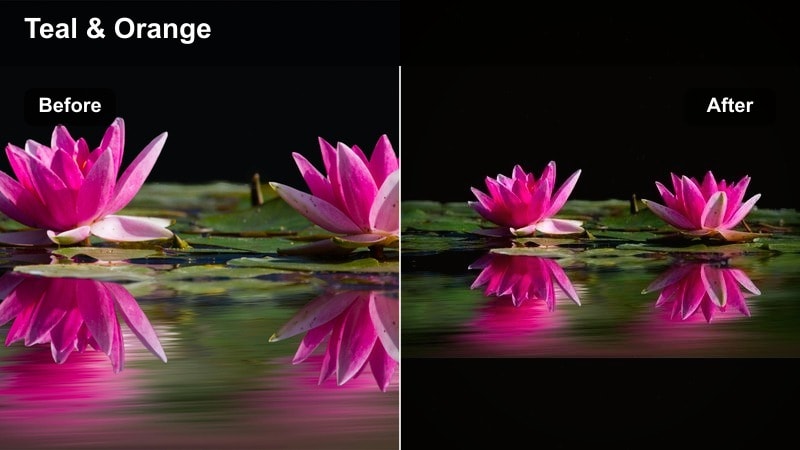
- Effect look: High-contrast, moody cool shadows with subtle teal tones and crisp highlights for edgy city-inspired influencer shots.
- Best for: Night street vlogs, underground fashion looks, moody storytelling reels shot in urban environments.
- Editing tip: Lower saturation on blues slightly and add a hint of film grain to push the noir vibe without crushing skin tones.
Neo Noir Street is built for creators who film under neon signs, street lamps, and glowing storefronts. In Filmora, a single click shifts your footage into a high-contrast, teal-tinted world that feels pulled from a neo-noir feature, while still keeping your subject sharp and eye-catching for vertical feeds.
Use this cinematic influencer video filter on B-roll walks, outfit reveals, or moody talking-head clips in the city. Combine it with Filmoras adjustment layers so you can fine-tune contrast, grain, and saturation across an entire sequence, keeping skin flattering while the background goes stylishly dark and dramatic.
Pro tip: Dial in clean skin under moody lighting
After applying Neo Noir Street, pull back contrast slightly on adjustment layers affecting only skin to keep faces flattering.
Combine with a subtle vignette around the frame edges to keep the audience focused on the influencers face while preserving the dramatic city lights.
Use Filmoras AI Tools to Match a Cinematic Influencer Palette
Filmoras AI color tools help you analyze reference films, trailers, or other creators feeds so you can build cinematic influencer video filters that match your dream look. Instead of guessing grades, you can anchor your style to real Hollywood references.
Import a still frame, let Filmora read the palette, then fine-tune temperature, tint, and contrast to save your own cinematic creator filter as a preset. This becomes your reusable base look for reels, vlogs, and brand campaigns.
 secure download

See Cinematic Influencer Filters in Action
Inside Filmora, you can quickly stack filters, light leaks, and blur effects to preview how each combination behaves on real influencer clips. Test looks on GRWMs, travel walks, or tabletop product shots and instantly compare which cinematic creator filter best supports your content.
Use the before-and-after view to ensure your new film look keeps product details and subtle facial expressions clear. This lets you refine intensity so your cinematic vibe enhances the story instead of overpowering it.
secure downloadCombine Filters and LUTs for a True Film Look
Filmora includes 1000+ video filters and 3D LUTs so you can blend fast stylistic presets with deeper color treatments. Start with a cinematic influencer video filter as your base mood, then layer a subtle LUT for film-stock character and Hollywood-style contrast curves.
Keep LUT intensity low and rely on the filter for most of the look. This approach makes your grade easier to adapt across different scenes, cameras, and lighting conditions while keeping your feed visually unified.
secure downloadCinema Contrast Plus
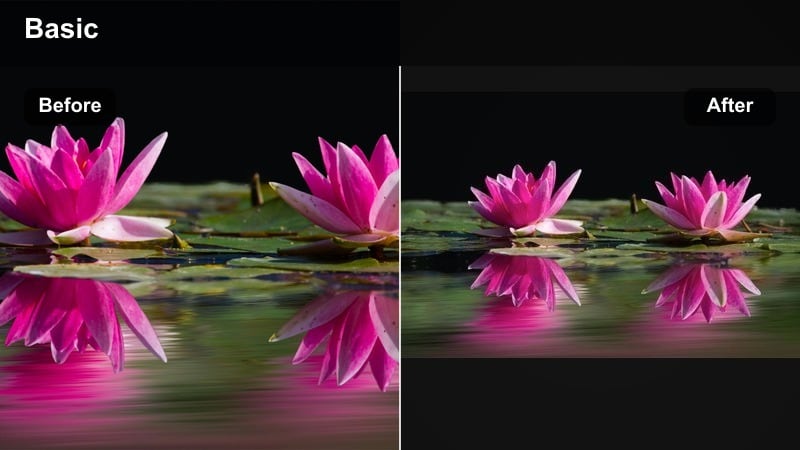
- Effect look: Rich contrast with balanced saturation, deep blacks, and a clean, theatrical film look that pops on mobile.
- Best for: In-feed fashion clips, product shots, cinematic B-roll, and any hero shots you want to look expensive.
- Editing tip: Use this filter on well-lit footage, then add a gentle clarity or sharpness boost to fabrics and details only using masks.
Cinema Contrast Plus delivers a bold, high-impact grade that makes your feed feel like a studio campaign. Applied in Filmora, it deepens blacks, adds controlled pop, and keeps colors punchy without looking cartoony, which is ideal for fashion, beauty, and premium product creators.
Use masks to sharpen only key areas like clothing textures, packaging, and jewelry so they stand out without adding noise to the entire frame. When combined with clean lighting and smooth camera moves, this cinematic creator filter can make even simple bedroom setups look like professional sets.
Pro tip: Protect brand colors while boosting contrast
Apply Cinema Contrast Plus, then selectively reduce saturation on non-brand colors using HSL so logos and key products stay on-brand.
Export in a slightly higher bitrate when using heavy contrast to protect gradients in backgrounds and avoid banding on social platforms.
Epic Trailer Glow
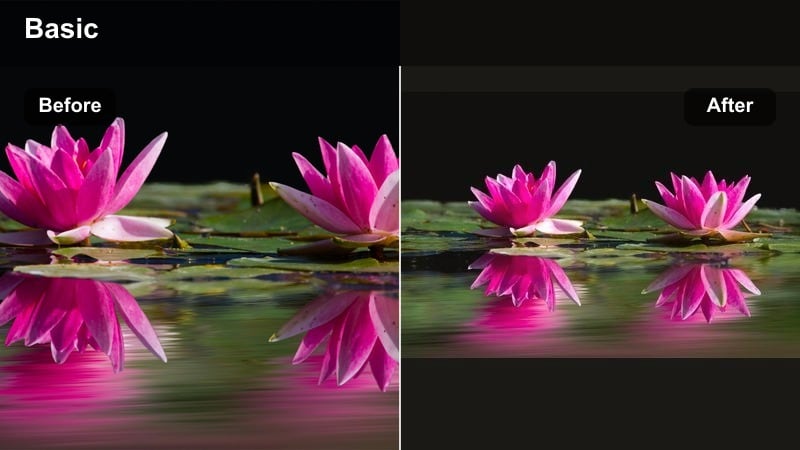
- Effect look: Cinematic contrast with warm highlights, gentle bloom on bright areas, and a trailer-style dramatic finish.
- Best for: Launch announcements, teaser trailers for series, dramatic hooks for Reels and Shorts intros.
- Editing tip: Keep exposure slightly under while filming so the glow effect does not blow out skies and white clothing.
Epic Trailer Glow gives your promos the same high-energy sheen you see in movie trailers. In Filmora, it adds warm bloom to windows, lamps, and practical lights while preserving enough contrast to keep your subject sharp for social viewing.
Use it on intros, hero shots, and key reveal moments to make launches and announcements feel bigger. Pair the filter with dramatic music stings, slow motion, and bold text wipes so your influencer videos immediately grab attention in crowded feeds.
Pro tip: Use glow to guide viewer attention
Position your brightest light source behind or beside your main subject so the Epic Trailer Glow naturally frames their silhouette.
Pair with subtle slow-motion B-roll and sound design hits to fully sell the high-end trailer aesthetic on social feeds.
Hollywood Glam Filters for Influencer Beauty and Lifestyle
Golden Red Carpet
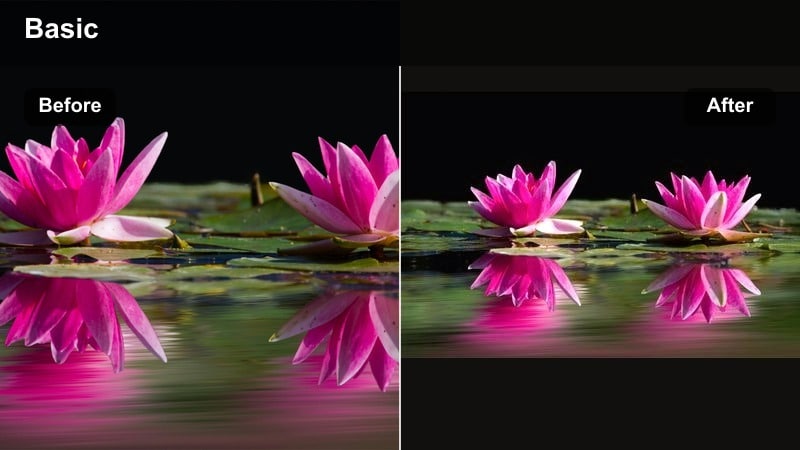
- Effect look: Soft golden highlights, gentle skin smoothing, and slightly lifted blacks for a polished red carpet glow.
- Best for: Beauty tutorials, GRWM videos, event coverage, and glam brand collaborations.
- Editing tip: Balance warmth with white balance controls so teeth, whites of eyes, and packaging do not shift too yellow.
Golden Red Carpet is tailored for beauty and lifestyle creators who want a luxurious, event-ready glow. Filmora applies soft warmth to highlights, subtly lifts shadows, and smooths skin just enough to feel cinematic without looking artificial.
Use it on close-ups, product swatches, and GRWM sequences to keep tones flattering and cohesive from clip to clip. Fine-tune white balance inside Filmora so whites stay clean while your overall frame maintains that rich, golden Hollywood-style influencer look.
Pro tip: Keep skin cinematic, not over-filtered
After applying Golden Red Carpet, dial back Filmoras skin smoothing slider until pores are still lightly visible for a natural, believable finish.
Add a tiny amount of film grain on a top layer to offset the softness and keep the overall shot feeling like high-end cinema rather than a beauty app filter.
Studio Soft Focus
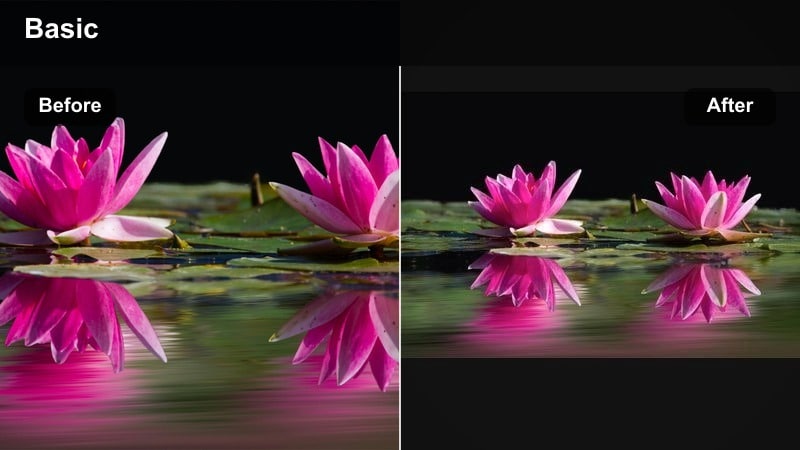
- Effect look: Low-contrast, creamy highlights with subtle soft focus around edges and clean midtones on faces.
- Best for: Lifestyle vlogs, home studio setups, soft-spoken content, and chill aesthetic reels.
- Editing tip: Reduce the filter strength on shots that include text overlays to keep typography sharp and readable.
Studio Soft Focus wraps your scene in a gentle glow while keeping faces natural and clear. In Filmora, it slightly lowers contrast, softens the frame edges, and creates a dreamy aesthetic ideal for calm, intimate influencer content.
Apply it to talking-head segments, home routines, and aesthetic B-roll when you want a cozy, cinematic feel. For clips with captions or on-screen instructions, simply lower the filter intensity or mask around your text to keep everything legible.
Pro tip: Blend softness with crisp detail
Use Studio Soft Focus on a duplicate video layer, then mask it out over eyes, jewelry, and fabrics so those elements stay sharp.
This layered approach keeps your aesthetic cinematic and soft while letting important brand or affiliate details remain super clear.
Silver Screen Monochrome
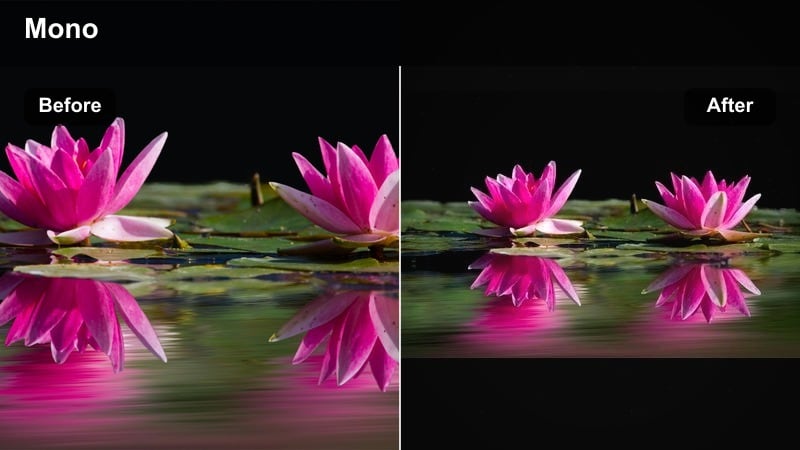
- Effect look: High-end black-and-white film look with controlled grain, smooth roll-off in highlights, and elegant contrast.
- Best for: Editorial outfits, artistic short films, storytelling voiceovers, and nostalgic influencer campaigns.
- Editing tip: Shoot with strong directional lighting so the monochrome filter has defined shadows to work with.
Silver Screen Monochrome removes color distractions and turns your posts into timeless, story-first frames. In Filmora, it adds nuanced contrast, gentle film grain, and smooth highlight roll-off so even simple setups feel like classic cinema.
Use it for narrative reels, heartfelt voiceovers, and editorial-style portraits to signal a more serious, artistic tone on your channel. Try transitioning from color to this monochrome grade mid-clip during key emotional beats to emphasize turning points in your story.
Pro tip: Use monochrome for story-driven posts
Reserve Silver Screen Monochrome for posts with emotional captions, personal stories, or brand films to signal a different, more serious mood.
Transition from color to monochrome mid-clip to emphasize turning points in your story and hold audience attention longer.
Aesthetic Filters for a Cohesive Cinematic Feed
Muted Film Diary
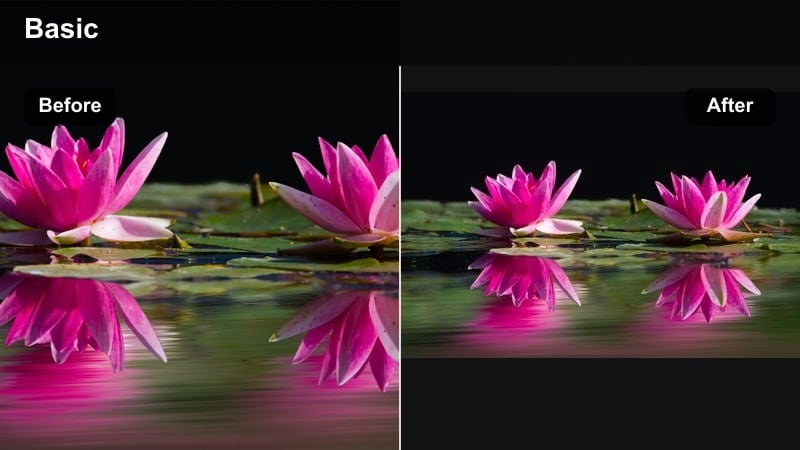
- Effect look: Desaturated, soft contrast film look with gentle greens and warm neutrals for a documentary-style feed.
- Best for: Daily vlogs, travel diaries, and intimate behind-the-scenes influencer content.
- Editing tip: Lower saturation a touch more on overly bright colors so your grid looks calm and consistent.
Muted Film Diary turns everyday clips into gentle, documentary-style memories. In Filmora, it desaturates intense colors, softens contrast, and leans into warm neutrals and soft greens, giving your grid a calm, story-first aesthetic.
Apply this cinematic influencer video filter across recurring series like day-in-the-life vlogs or travel diaries to keep your feed cohesive. Use adjustment layers to nudge saturation and exposure so shots from different locations still feel like part of the same visual universe.
Pro tip: Build a cinematic series look
Apply Muted Film Diary as your base filter for an entire series or playlist so viewers instantly recognize your style.
Keep exposure and white balance similar across episodes to avoid jarring shifts when viewers binge multiple clips.
Pastel Film Feed
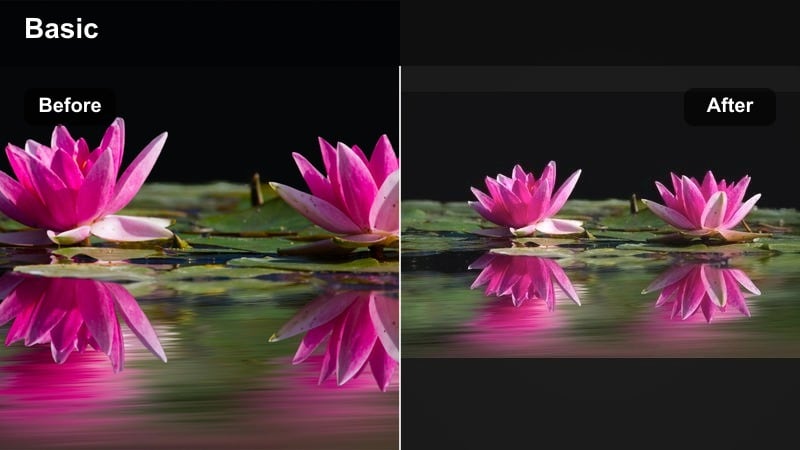
- Effect look: Soft pastel tones, slightly lifted blacks, and airy highlights for a dreamy creator aesthetic.
- Best for: Aesthetic influencer videos, stationery and decor brands, gentle lifestyle content, and cozy desk setups.
- Editing tip: Avoid overexposing; keep midtones intact so the pastel color shift stays subtle and controlled.
Pastel Film Feed is designed for soft, cozy, aesthetic creators. Filmora lightly lifts blacks, brightens highlights, and shifts colors into gentle pastels, perfect for desk setups, journaling content, and calm lifestyle reels.
Use it as your main cinematic creator filter for decor, stationery, or study content, then add minimal graphic overlays in matching brand colors. Keeping exposure in check while filming helps preserve enough detail for the pastel grading to look intentional and refined.
Pro tip: Pair pastels with branded overlays
Use Pastel Film Feed with simple, minimal text overlays so your visuals stay calm and not overcrowded.
Stick to one or two brand colors in your graphics to keep everything harmonized with the pastel grading.
Teal & Amber Feed Lock
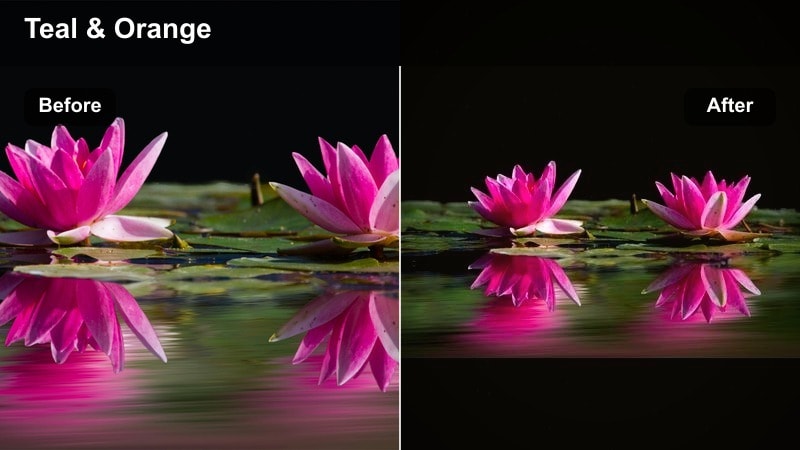
- Effect look: Classic teal shadows and warm amber highlights with controlled saturation for a blockbuster-style feed.
- Best for: Travel creators, fitness influencers, and any outdoor cinematic content needing extra punch.
- Editing tip: Use HSL tools to bring back natural skin tones if your location has very strong blues or greens.
Teal & Amber Feed Lock delivers the iconic blockbuster grade that instantly elevates outdoor footage. In Filmora, it pushes shadows toward teal and highlights toward warm amber while carefully managing saturation so your frame feels cinematic, not overcooked.
Apply it to sunsets, coastal adventures, hikes, and dynamic fitness sessions for a bold, Hollywood-style content creator look. Use HSL controls or local color correction to protect natural skin tones, especially when shooting near strong blue water or greenery.
Pro tip: Keep faces natural in teal-amber grades
After applying Teal & Amber Feed Lock, selectively warm up skin tones with local adjustments so faces remain healthy and not overly stylized.
Test a short clip on multiple devices before publishing to ensure the teal shadows do not appear too dark on older phones.
Film-Style Filters for Brand Storytelling Content
Brand Film Warm Log
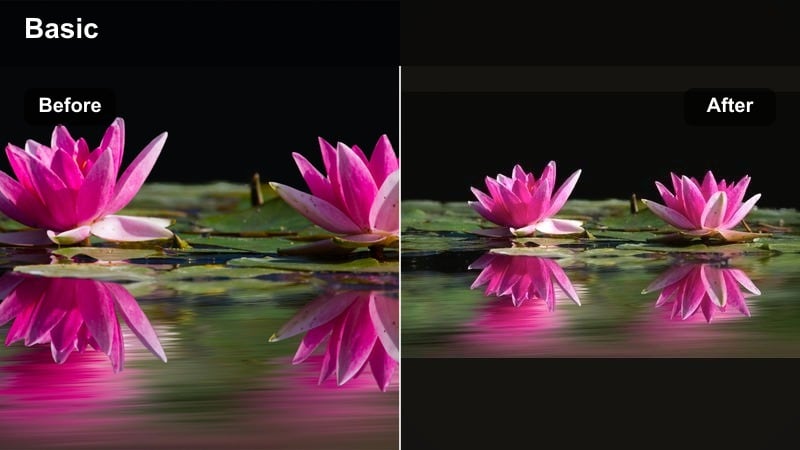
- Effect look: Cinematic warm tones, gentle highlight roll-off, and a subtle film curve that flatters product and skin.
- Best for: Sponsored brand films, product launches, and campaign hero videos for creators.
- Editing tip: Shoot slightly flat, then let this filter add the final contrast so you avoid clipping highlights.
Brand Film Warm Log is crafted to make sponsored content feel like polished commercials while staying authentic to your personal brand. In Filmora, it adds a soft filmic curve, rolls off highlights smoothly, and enriches warm tones so both skin and products look premium.
Use it on hero segments, talking-head testimonials, and lifestyle product B-roll to give campaigns a unified cinematic finish. Shooting a bit flatter in-camera and letting this filter handle most of the contrast will help keep logos, labels, and packaging details clean and readable.
Pro tip: Design a repeatable brand-film workflow
Save Brand Film Warm Log with your logo animation and lower-third template in a Filmora project to reuse for each new brand client.
Keep your lighting and wardrobe similar across campaigns so this filter produces consistent, recognizable results every time.
Minimal Product Spotlight
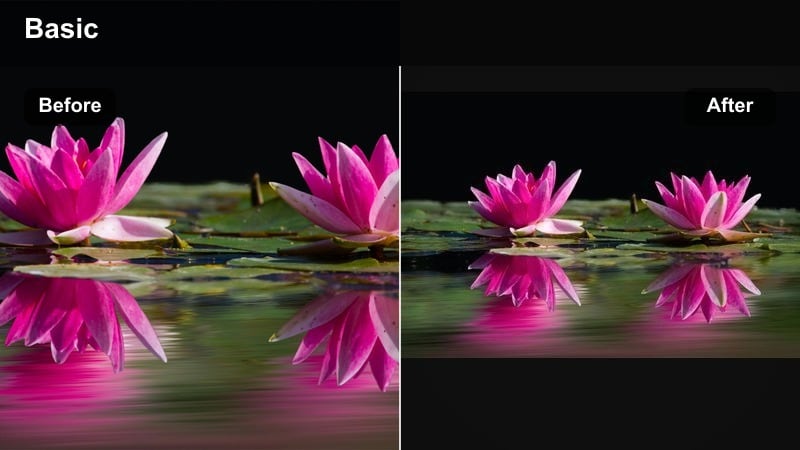
- Effect look: Clean, neutral cinema look with slightly desaturated backgrounds and crisp product highlights.
- Best for: Tabletop shots, unboxings, macro details, and UGC-style product demonstrations.
- Editing tip: Use masks to enhance contrast only on the product while keeping hands and background softer.
Minimal Product Spotlight keeps attention exactly where you want it: on the product. In Filmora, it simplifies background colors, adds subtle contrast around your subject, and maintains a neutral, premium tone that blends seamlessly into brand campaigns.
Apply it to close-ups, unboxings, and how-to demos to make products stand out in busy feeds. Use masking to increase sharpness and contrast only on the item while leaving hands and backdrop softer, mimicking pro-level commercial lighting with minimal setup.
Pro tip: Turn simple UGC into hero ads
Apply Minimal Product Spotlight to handheld UGC clips to make them fit seamlessly into more polished brand campaigns.
Match white balance and exposure across creator submissions so everything looks like it was shot on one professional set.
Documentary Brand Story
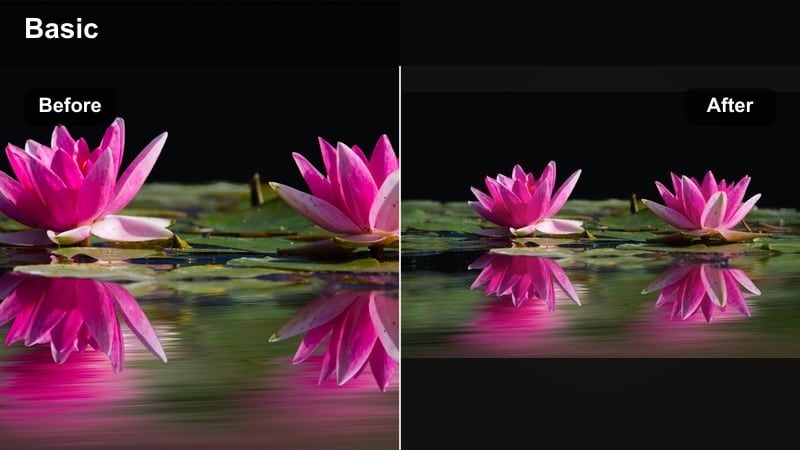
- Effect look: Soft, natural color grading with slight contrast lift and gentle film grain for authentic storytelling.
- Best for: Founder stories, mission-driven campaigns, behind-the-scenes content, and cause-based collaborations.
- Editing tip: Keep saturation close to natural and lean on this filter mainly for subtle contrast and texture.
Documentary Brand Story is perfect for honest, behind-the-scenes narratives where trust matters more than glam. In Filmora, it introduces light film grain, a small contrast boost, and subtle color refinement to keep footage natural yet cinematic.
Use it for interviews, BTS clips, and mission-focused campaigns so your visuals feel grounded and credible. Let the filter handle the polish while you keep saturation and effects minimal, reinforcing the authenticity of your message.
Pro tip: Align grade with message tone
Use Documentary Brand Story for honest, mission-centered content where viewers should focus on the message more than the glam.
Mix in natural sound and slower cuts with this filter to reinforce the grounded, cinematic authenticity of your story.
Tips for Using Influencer Video Cinematic Filters in Filmora
- Shoot a short lighting test before every campaign and apply your favorite cinematic filter in Filmora to confirm it works across all planned locations.
- Keep one or two hero filters as your channel signature so followers instantly recognize your content in their feed.
- Film slightly flatter in-camera and avoid heavy in-phone filters so Filmoras cinematic presets have room to work cleanly.
- Use adjustment layers with filters so you can tweak one layer and affect an entire sequence of clips at once.
- Always check how your cinematic grades look on both bright and dark phone screens before scheduling posts.
- Save frequently used filter and LUT combinations as custom presets in Filmora to speed up editing on recurring series.
- Mix subtle motion blur and film grain with your filters to add texture while keeping social media exports sharp and efficient.
- Test different filter intensities on vertical vs. horizontal formats so your cinematic look stays clear in every aspect ratio.
Cinematic influencer video filters give filmmaking influencers and cinematic content creators an efficient way to turn fast social clips into frames that feel like they belong on the big screen.
Lock in a small set of Filmora presets that fit your brand, then refine them with subtle adjustments so every new upload feels consistently polished, cinematic, and unmistakably yours.
secure downloadNext: Next: Aesthetic Influencer Video Filters for On-Brand Feeds
