

 100% Security Verified | No Subscription Required | No Malware


 ChatGPT
 Perplexity
 Gemini
 Claude
 Grok
Grok
Aesthetic influencers and lifestyle brand creators rely on soft, dreamy visuals to make every frame feel intentional. With the right aesthetic influencer video filters, your everyday clips can instantly match your brand’s mood and color story.
Use these Filmora-ready looks to keep your aesthetic influencer content and soft tone brand videos consistent across Reels, TikTok, and YouTube. Each filter below includes the best use case and a practical editing tip so you can dial in your signature style fast.
In this article
Soft Pastel Glow Aesthetic Filters
Cotton Cloud Soft
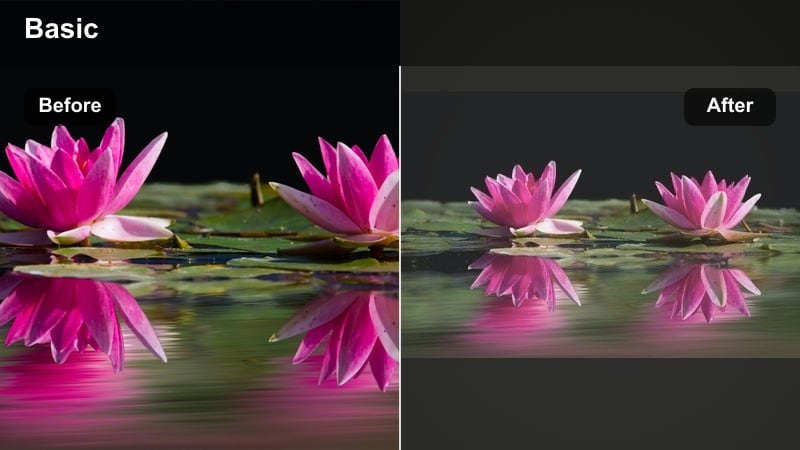
- Effect look: Hazy pastel overlay with lifted blacks and muted highlights for a dreamy bedroom or desk aesthetic.
- Best for: Morning routine Reels, GRWM content, and cozy desk tour shots with natural light.
- Editing tip: Lower contrast slightly, then add a touch of Filmora’s glow effect around 10-15 percent to keep details soft but not blurry.
Cotton Cloud Soft is a pastel-forward influencer filter that wraps your frame in a subtle haze, perfect for calm, dreamy mornings and cozy indoor shoots. The lifted blacks and muted highlights keep harsh edges out of your frame so everything feels soft, intentional, and on-brand for lifestyle creators.
In Filmora, apply this look to morning routines, desk setups, and aesthetic B-roll where white and beige tones dominate the scene. Combine the filter with a gentle contrast reduction and a low-intensity glow effect to keep skin tones flattering while your backgrounds feel light and cloudlike.
Pro Tip - Match your white balance to the filter
Before applying Cotton Cloud Soft, warm your white balance slightly so skin tones stay flattering once the pastels and haze kick in. This keeps your subject from looking washed out when you soften highlights and blacks.
If your clip was shot under cool LED lights, use Filmora’s temperature slider to move toward warm by 5-10 points, then add the filter to keep the look cohesive and consistent across your content.
Instantly Match Filters to Your Brand Colors
Use Filmora’s AI-driven color tools to quickly align these aesthetic influencer video filters with your exact brand palette. Subtle tweaks to temperature, tint, and saturation can transform a generic look into a signature style that feels uniquely yours.
Import a reference image from your feed or brand deck, then adjust each filter until your whites, neutrals, and accent colors match your existing visuals. Saving these as custom presets keeps every new video perfectly on-brand from the first frame.
Open Filmora, load a recent brand clip, and build your first custom version of these filters so your next upload already feels like your feed.
 secure download

See Aesthetic Filters in Action
Test each aesthetic influencer video filter on a short 10-15 second clip to preview how it treats skin, product labels, and interior tones. Quick tests help you decide which styles truly match your lifestyle brand before you commit to a full edit.
Try pairing one primary soft filter for talking clips with a slightly moodier look for B-roll and transitions. This combination keeps your edit feeling dynamic while your overall grid still looks cohesive and dreamy.
Drag a few sample clips into Filmora, apply two or three favorite filters, and export quick test drafts to view on your phone before posting.
secure download1000+ Video Filters and 3D LUTs
Filmora includes a large library of aesthetic creator filters, overlays, and dreamy influencer LUT-style looks you can stack for unique results. Mix soft pastel tones, moody fades, and cinematic LUTs until you land on a style that fits your brand story.
Keep any strong LUT at a lower intensity, then layer a softer filter on top to smooth harsh contrast and unify colors across Reels, TikTok, and YouTube. Saving your favorite combinations as presets gives you a reusable, signature look.
Apply your favorite dreamy influencer LUT, reduce its strength, then add one of these soft filters as a final polish for a balanced, cinematic aesthetic.
secure downloadBlush Bedroom Glow
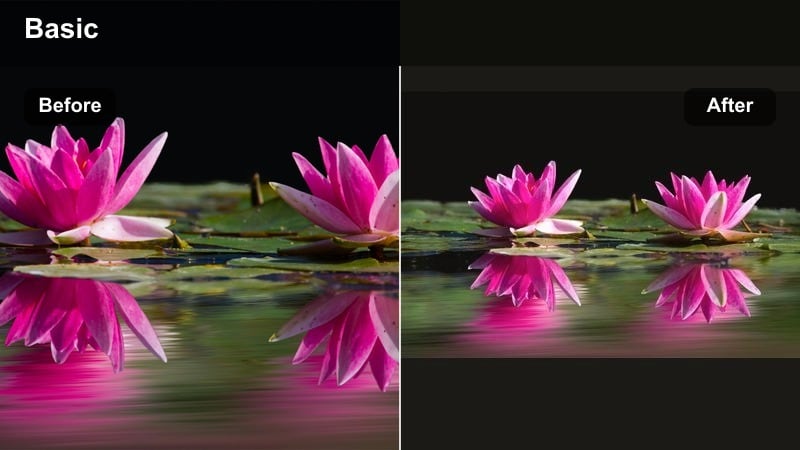
- Effect look: Warm blush tones, softened contrast, and gentle pink highlights that feel like golden hour indoors.
- Best for: Self-care nights, skincare flatlays, and aesthetic influencer content shot on beds or sofas.
- Editing tip: Use Filmora’s vignette at a very low strength to subtly darken corners, pulling attention back to your face or product.
Blush Bedroom Glow wraps your scene in rosy warmth, turning everyday bedrooms and living rooms into golden hour sets. The soft pink highlights create a flattering environment for skin and textiles, ideal for self-care content, night routines, and cozy skincare promos.
In Filmora, pair this filter with gentle vignetting and minimal contrast to keep your subject at the visual center. It is especially effective on neutral bedding and decor, where the blush tint can add romance without overwhelming your brand colors.
Pro Tip - Protect whites from turning too pink
After applying Blush Bedroom Glow, open Filmora’s HSL controls to slightly reduce saturation in reds and magentas so white bedding, robes, and packaging stay clean and neutral. This keeps your content looking professional instead of heavily tinted.
If certain white props still pick up too much color, use a mask around those areas and pull their saturation down a little more. The rest of the frame can stay warm and rosy for a dreamy but polished look.
Pastel Desk Dream
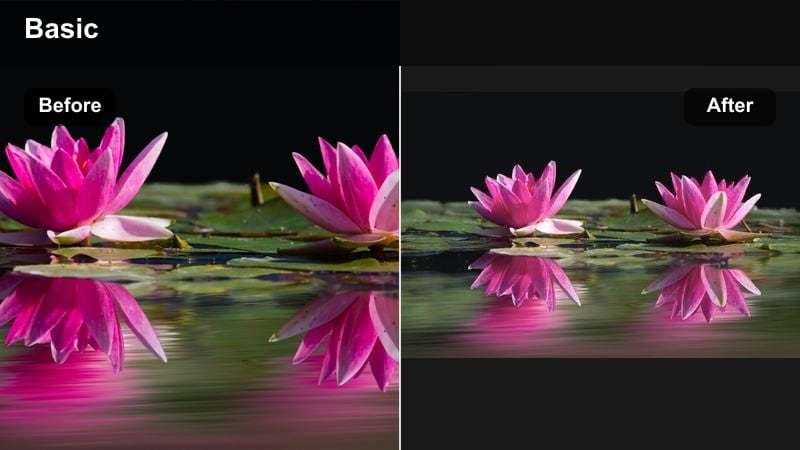
- Effect look: Soft pastel color lift with gentle clarity and low contrast for flat, minimal desk spaces.
- Best for: Study with me timelapses, Notion walkthroughs, and aesthetic creator content around laptops and stationery.
- Editing tip: Slightly increase sharpness on text areas so digital screens and notebooks stay readable while the rest stays soft.
Pastel Desk Dream is designed to keep your workspace shots airy and minimal while emphasizing stationery, planners, and screens. The low contrast and pastel lift smooth harsh lines and shadows, which is ideal for overhead desk shots and productivity content.
Inside Filmora, use this filter on Study With Me sessions or productivity tutorials where you want the overall mood to stay calm. Add a subtle sharpness boost to UI elements and notebook text so key details remain readable against the soft aesthetic background.
Pro Tip - Balance pastels with clean whites
Use Filmora’s curves to gently lift midtones rather than highlights, keeping your whites crisp while colored items lean soft and pastel. This helps avoid a washed-out look when you brighten your desk scene.
If one accent color feels too strong, reduce saturation in that specific HSL channel instead of lowering global saturation. This keeps the rest of your palette soft and on-brand without muting everything.
Dreamy Moody Filters for Influencer Stories
Midnight Soft Mood
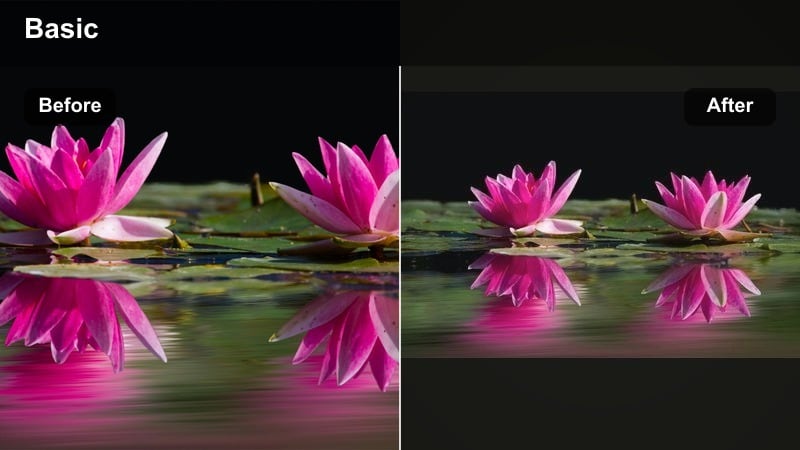
- Effect look: Deep shadows with a soft fade, cool blue undertones, and a cinematic moody glow.
- Best for: Night drives, city balcony shots, and moody lifestyle brand teasers.
- Editing tip: Raise blacks slightly in Filmora and reduce clarity so the image feels dreamy, then add subtle film grain around 5-8 percent.
Midnight Soft Mood turns low-light clips into cinematic, dreamlike scenes with cool undertones and softened blacks. It is perfect for evening vlogs, neon-lit streets, and balcony moments where you want emotion and atmosphere more than sharp detail.
In Filmora, combine this filter with a small clarity reduction and light film grain to mimic a soft analog night look. It works especially well as a contrast to your daytime pastel edits, giving your brand storytelling a deeper, moodier chapter.
Pro Tip - Keep faces visible in moody shots
After adding Midnight Soft Mood, use a shape mask over your face and gently lift exposure so important details are not buried in the shadows. This maintains connection with your audience even in darker scenes.
Add a slight contrast boost or clarity increase only inside that mask so facial expressions stay readable while the rest of the frame keeps its soft, moody tone.
Candlelight Dream Film
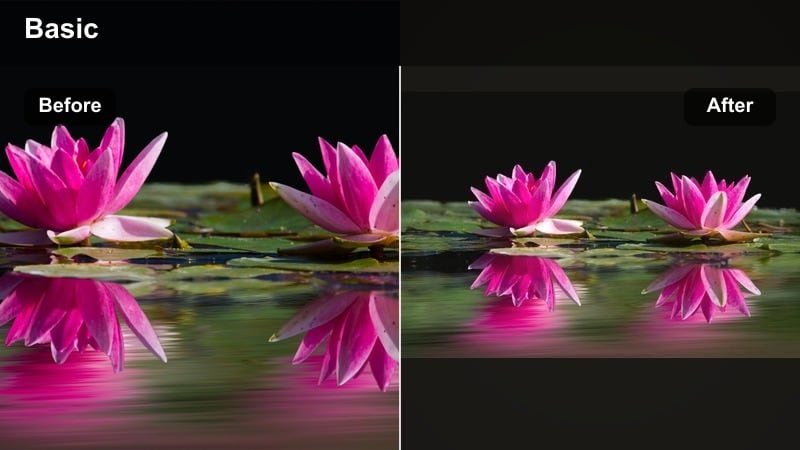
- Effect look: Warm amber glow with soft highlight bloom and slightly desaturated backgrounds for dreamy nights in.
- Best for: Cozy brand promos, candlelit dinners, and slow evening reset routines.
- Editing tip: Lower saturation in yellows slightly so skin tones stay natural while candles and lamps still feel rich and warm.
Candlelight Dream Film emphasizes warm, glowy highlights and intimate ambient lighting, ideal for evening rituals and slow living content. The desaturated backgrounds help your subject and warm practical lights stand out without the scene feeling too busy.
In Filmora, apply this filter to scenes lit by candles, fairy lights, or table lamps to create a nostalgic, homey atmosphere. Adjust yellow saturation if needed so your skin remains true-to-life while maintaining that signature amber glow around decor and branded products.
Pro Tip - Avoid orange color cast
Set your white balance slightly cooler before applying Candlelight Dream Film so the added warmth lands in a soft golden range instead of harsh orange. This ensures your footage still looks premium on different screens.
Use selective color tools to nudge any overly orange highlights toward a softer gold. This is especially effective for high-end lifestyle or wellness brands that rely on refined, luxurious warmth.
Misty Rainy Window
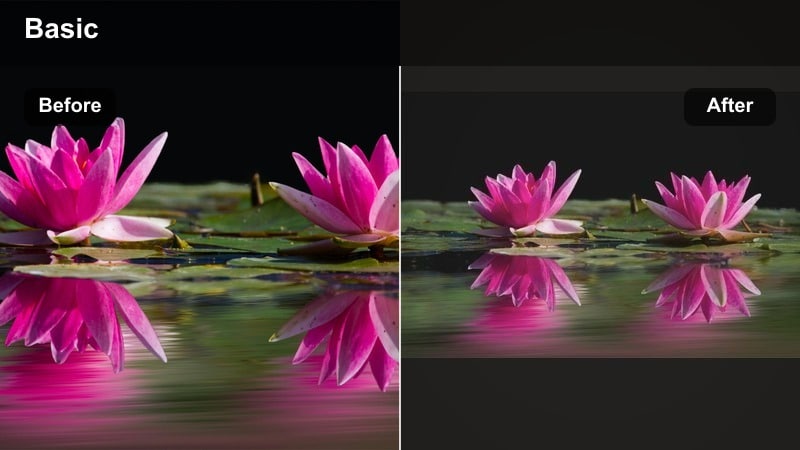
- Effect look: Muted blues and greys, softened contrast, and a light matte finish that feels like a rainy-day journal entry.
- Best for: Rain-on-window B-roll, train rides, and reflective storytelling clips.
- Editing tip: Decrease saturation globally, then selectively lift saturation in greens or blues if you want a single accent color in the scene.
Misty Rainy Window creates a gentle, introspective mood with cool muted tones and a subtle matte finish. It is ideal for reflective storytelling, travel days, or quiet transitions that slow the pacing of your influencer edits.
Inside Filmora, add this filter to B-roll of windows, landscapes, or city streets on rainy days to visually signal a more emotional or thoughtful chapter. Adjust global saturation down, then bring one accent color back up if you want a single focal tone in the frame.
Pro Tip - Use movement to sell the mood
Pair the Misty Rainy Window filter with slow push-ins, pans, or subtle handheld motion to accentuate the dreamy, reflective feeling. Static shots can work, but gentle camera movement makes the mood feel more cinematic.
Use Filmora’s motion keyframes or a low-intensity camera-move effect so the movement stays soft and natural. Combined with the matte finish, your rainy sequences will feel intentionally styled, not accidental.
Soft Tone Filters for Lifestyle Brand Creators
Linen Brand Soft
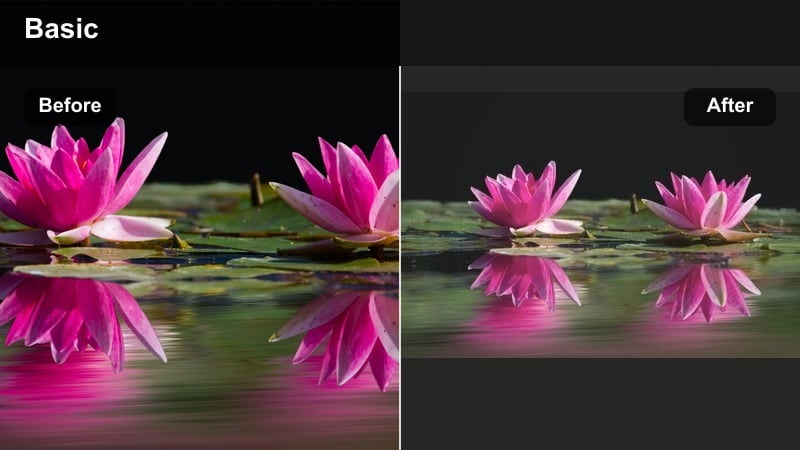
- Effect look: Neutral, creamy highlights with gentle desaturation and a subtle film fade for elevated lifestyle brands.
- Best for: Product b-roll, packaging reveals, and flatlays for skincare, wellness, and home decor brands.
- Editing tip: Use Filmora’s color wheels to cool shadows slightly while keeping midtones neutral so your brand colors stay true and minimal.
Linen Brand Soft delivers a clean, premium aesthetic with creamy whites and a delicate fade, ideal for minimalist brands and neutral product lines. It softens harsh contrast while maintaining enough detail for texture-focused shots like linens, ceramics, and skincare packaging.
In Filmora, apply this filter across all your product B-roll and flatlays to instantly unify your catalog visuals. A slight cool shift in shadows keeps the overall feel modern and editorial while your midtones and highlights preserve accurate brand colors.
Pro Tip - Lock in a brand-neutral base
Once you dial in Linen Brand Soft on a hero product video, save it as a custom preset in Filmora so every future shoot starts from the same visual baseline. This keeps your channel, website, and social feeds visually aligned.
Apply the preset first on each new clip, then only tweak exposure or slight temperature shifts. This workflow saves time and ensures even last-minute content still matches your established aesthetic.
Oat Milk Aesthetic
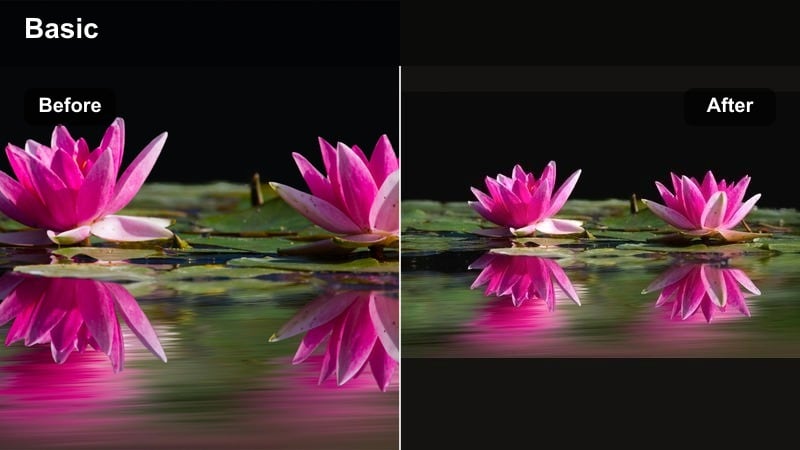
- Effect look: Warm beige tones, lifted shadows, and subtly flattened contrast for a soft, cafe-inspired atmosphere.
- Best for: Cafe vlogs, matcha or latte content, and neutral-toned outfit videos.
- Editing tip: Pull down saturation slightly in oranges to keep wood tables and drinks from overpowering skin tones in the frame.
Oat Milk Aesthetic brings a soft, cozy cafe feel to your footage, emphasizing warm neutrals and lifted shadows. It is perfect for content that lives in coffee shops and neutral-toned interiors, from laptop work sessions to outfit-of-the-day clips.
In Filmora, use this filter on any clip featuring wood, coffee, or beige textiles to create a unified, editorial cafe look. Reducing orange saturation keeps your skin tones from turning too warm while letting drinks, pastries, and decor remain inviting.
Pro Tip - Create a cafe content series look
Keep the same Oat Milk Aesthetic intensity across all cafe-day clips and only adjust exposure to handle different lighting. This makes your vlogs or Reel series feel like one cohesive visual story.
For extra texture, layer a subtle grain or paper-style overlay above the filter in Filmora. This adds a film-inspired finish that pairs beautifully with warm lattes and neutral outfits.
Soft Brand Story
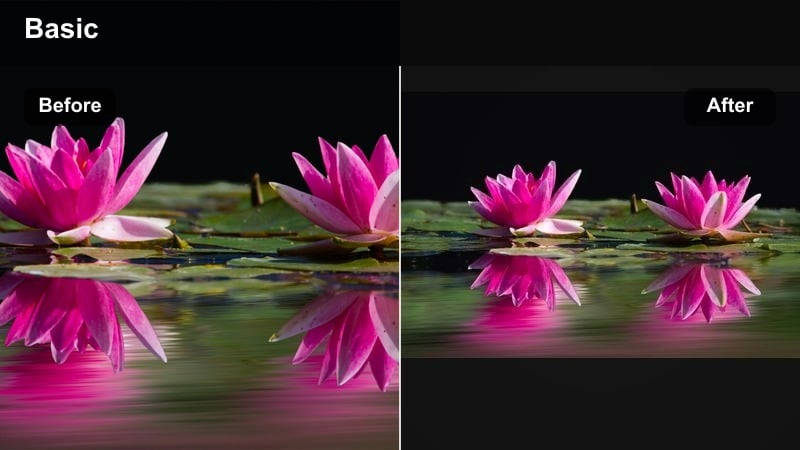
- Effect look: Gentle contrast curve, clean whites, and slightly lifted blacks with a hint of warm midtones.
- Best for: Talking-to-camera brand stories, mission videos, and founder interviews.
- Editing tip: Use a subtle background blur effect if your original depth of field is shallow, keeping focus on your face and messaging.
Soft Brand Story is designed to make interviews and talking-head content feel calm, trustworthy, and polished. Lifted blacks and a gentle contrast curve prevent harsh shadows on faces while keeping whites crisp for a clean, modern look.
In Filmora, combine this filter with light background blur or bokeh to draw attention to your eyes and expression. It is an ideal base grade for brand story videos, FAQs, and any content where messaging and connection come first.
Pro Tip - Prioritize skin tones in brand videos
After applying Soft Brand Story, open Filmora’s HSL panel and refine oranges and reds so skin appears healthy and natural, not over-saturated. Skin tone accuracy matters most for content built on trust.
Keep overall saturation and contrast moderate so your brand story remains the focus. The filter should support your message, not compete with it.
Signature Aesthetic Creator Filters
Daydream Feed Cohesive
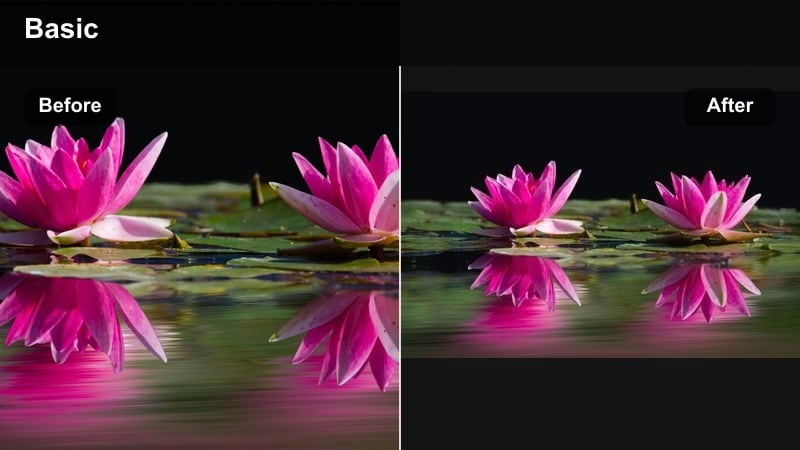
- Effect look: Light, airy tones with balanced color across shadows and highlights to unify mixed-location clips.
- Best for: Daily vlogs, multi-location outfits of the day, and influencer compilation edits.
- Editing tip: Use this filter as a base on every clip, then slightly tweak temperature and exposure per scene to keep your feed consistent.
Daydream Feed Cohesive is a versatile, airy filter built to tie together footage from multiple locations and lighting conditions. It adds soft brightness and balanced color, making your grid look planned even when you shoot on the go.
In Filmora, apply it as your default base grade across vlogs, OOTDs, and lifestyle montages. Then only nudge exposure and white balance so each scene still feels natural while the overall feed keeps a recognizable, dreamlike tone.
Pro Tip - Build a recognizable visual signature
Use Daydream Feed Cohesive on most of your uploads so audiences start to recognize your look at a glance in their feed. Consistency turns a simple filter into a core part of your brand identity.
Save your preferred version as a custom preset in Filmora and apply it during batch edits. This speeds up your workflow and keeps your aesthetic influencer content visually aligned across platforms.
Dreamy Influencer LUT Lite
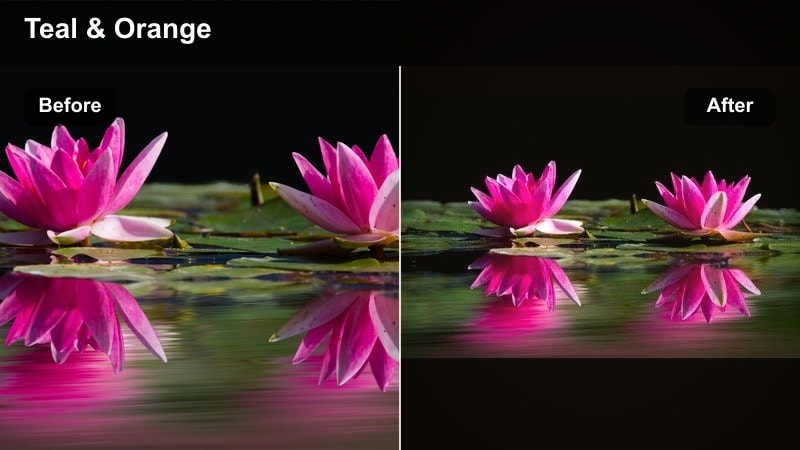
- Effect look: Subtle teal and peach balance with a soft bloom effect, inspired by dreamy influencer LUT styles.
- Best for: Travel diaries, rooftop sunsets, and aesthetic B-roll with strong sky or foliage colors.
- Editing tip: Dial back saturation on blues and teals so skies stay dreamy and not cartoonish, then add gentle highlight bloom.
Dreamy Influencer LUT Lite brings a modern teal-and-peach balance to your footage without going too extreme. The gentle bloom effect creates cinematic highlights that are ideal for sunsets, city views, and scenic travel shots.
Inside Filmora, use this filter on clips with rich skies or greenery, then carefully manage blue and teal saturation to keep your color palette soft. It pairs especially well with more neutral talking-head grades, reserving the LUT-inspired look for standout B-roll and hero shots.
Pro Tip - Preserve detail in bright skies
Lower highlights slightly before adding Dreamy Influencer LUT Lite so cloud textures and gradients do not get blown out. This ensures your cinematic skies still hold detail after the stylized color shift.
If a shot is overexposed, reduce exposure first and then fine-tune with Filmora’s curves. Aim for a soft, filmic highlight roll-off to keep the LUT look polished instead of harsh.
Film Soft B-Roll
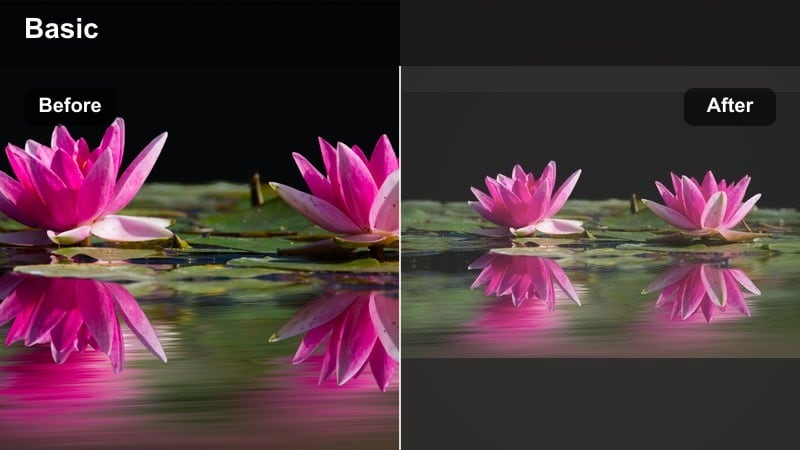
- Effect look: Muted colors, matte blacks, and a gentle film-inspired fade for transitional clips and detail shots.
- Best for: Hand detail shots, walking transitions, coffee pours, and aesthetic filler B-roll.
- Editing tip: Use slightly slower playback speed or subtle slow motion so the soft, filmic look has time to breathe.
Film Soft B-Roll adds a nostalgic, analog-style fade that is perfect for transitions and detail shots between main scenes. The muted palette and matte blacks give your filler clips a premium, editorial feel without stealing focus from your primary content.
In Filmora, apply this filter to slow-motion B-roll, close-ups of hands, and lifestyle details like coffee pours or fabric textures. Stretch clips slightly or use mild slow motion so viewers can fully enjoy the soft, filmic aesthetic.
Pro Tip - Layer transitions with soft B-roll
Place Film Soft B-Roll clips between talking segments and blend them using gentle crossfades. This keeps your edit flowing smoothly while giving your audience visual breathing room.
Match the filter intensity across all B-roll in a single video to avoid patchy transitions. When your filler shots share one look, the entire story feels more intentional and cinematic.
Tips for Using Influencer Video Aesthetic Filters in Filmora
- Batch edit clips from the same shoot with the same filter and only adjust exposure to keep your aesthetic consistent.
- Always check skin tones after adding a filter and correct them first with Filmora’s color tools before making stylistic changes.
- Create separate presets in Filmora for talking segments and B-roll so your edits feel styled and cohesive instead of random.
- Test filters on both indoor and outdoor clips to find one or two reliable looks that work across most of your content.
- Keep filter intensity slightly lower than you expect so your videos still feel natural and clean on mobile screens.
- Save your favorite filter combinations as custom presets so you can apply your signature look in one click on every project.
- Use masks to fine-tune exposure or color on faces and products when global filter adjustments affect key details.
- Preview exported test clips on multiple devices to be sure your aesthetic influencer video filters look balanced everywhere.
With the right aesthetic influencer video filters, you can turn simple clips into soft, dreamy stories that instantly feel on-brand. Start by choosing one or two go-to looks for everyday content, then add a moodier option for nights, travel, or more cinematic moments.
As you keep editing in Filmora, refine these filters into custom presets that match your colors, lighting, and personality. The more consistent your visual style becomes, the faster your audience will recognize your content and connect with your aesthetic at a glance.
