

 100% Security Verified | No Subscription Required | No Malware


 ChatGPT
 Perplexity
 Gemini
 Claude
 Grok
Grok
This City Window Light Portrait LUT-inspired filter collection is designed for content creators who love shooting portraits in apartments, cafes, and high-rise offices where natural window light shapes the mood of the city outside.
Use these 12 cinematic filters to balance bright windows and soft skin tones, add subtle contrast and glow, and turn ordinary city window portraits into polished, story-driven visuals that feel like frames from an urban drama.
In this article
Early Morning Window Glow Portraits
Dawn Apartment Soft Light
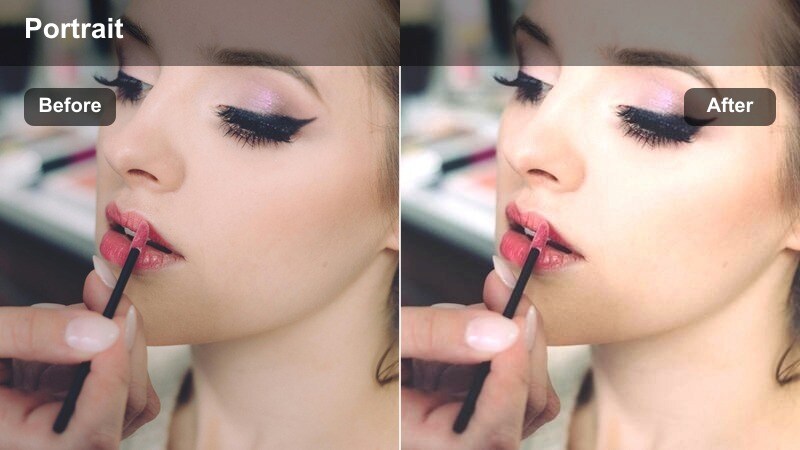
- Effect look: Soft, low-contrast portrait filter that gently lifts shadows while keeping the window highlight roll-off smooth and natural.
- Best for: Vlog-style talking heads by a bedroom or living room window in the early morning with pastel city tones.
- Editing tip: Lower the overall exposure slightly, then add a touch of clarity to the eyes only to keep the face crisp within the hazy glow.
Dawn Apartment Soft Light is made for quiet, early-morning portraits where window light is gentle but still bright compared to the room. In Filmora, this filter subtly opens up shadows on the face while preserving natural highlight roll-off on the window, so skies and distant buildings do not clip to pure white. The overall low-contrast feel keeps skin tones smooth, calm, and flattering, especially when your subject is close to the glass.
Apply this filter to vlog intros, journal-style monologues, or aesthetic b-roll of someone sipping coffee by the window. After grading, use Filmora masking or keyframing to slightly sharpen and brighten the eyes, drawing attention to expressions without breaking the soft mood. If the exterior view still distracts, gently pull down local highlights on the window area so the viewer stays locked on the subject.
Match Your City Window Light With AI-Powered Color Control
Use Filmora AI color tools to quickly balance exposure and color between bright windows and your subject, so this entire City Window Light Portrait LUT-inspired collection looks consistent from clip to clip. The AI engine analyzes each frame and evens out harsh contrast from backlit windows.
Once your base exposure is stable, these filters can focus on adding mood, glow, and cinematic texture instead of fighting extreme highlights or muddy shadows from mixed city light sources.
 secure download

Preview City Window Portrait Filters in Real Time
Filmora lets you hover over each window-light portrait filter in the Effects panel and preview how it reshapes skin tones, highlight roll-off, and city backgrounds directly in the Viewer. You can compare multiple looks in seconds without committing to a grade.
Use this real-time preview workflow to test softer, misty filters against stronger, contrasty options until you find the style that fits your character, location, and overall urban story.
secure downloadCombine Filters With LUTs for Signature City Portrait Styles
For more advanced grades, stack a subtle City Window Light Portrait LUT with these Filmora filters to fine-tune glow, contrast, and color bias. The LUT can define your overall tone curve and color palette, while the filter refines softness, vignette, or highlight behavior around windows.
When you create a combination that suits your apartments, offices, or neon windows, save it as a custom preset so every video in your city portrait series shares the same cinematic identity.
secure downloadCafe Window Morning Wash
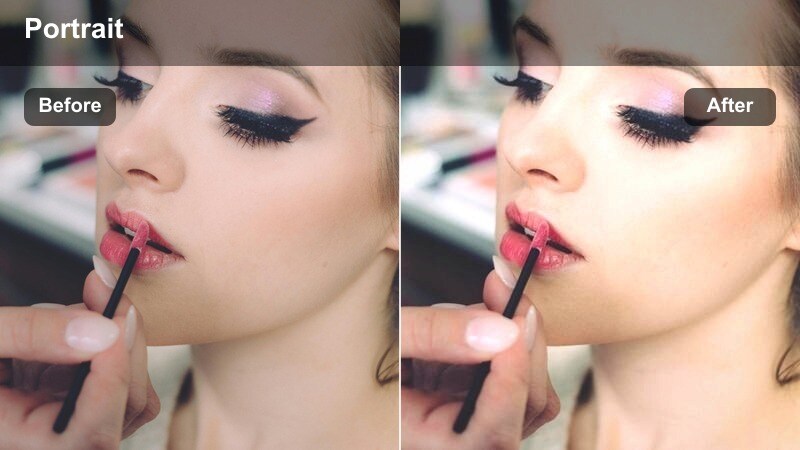
- Effect look: Clean, lightly desaturated tones with lifted blacks and a gentle warm wash that mimics soft cafe light.
- Best for: Lifestyle portraits filmed at coffee shop windows with soft reflections and moving traffic behind the subject.
- Editing tip: Increase saturation of warm tones slightly to make wood tables and coffee cups complement skin tones without overpowering the frame.
Cafe Window Morning Wash is ideal for lifestyle and creator-focused content shot in coffee shops, brunch spots, or cozier co-working corners. The slightly lifted blacks soften hard shadows under the eyes and jawline, while the mild warm tint flatters skin and wooden interiors without pushing colors too far. Slight desaturation in the overall grade helps keep signage, cups, and street colors from stealing attention.
In Filmora, apply this filter to clips with gentle window reflections and slow city traffic outside, then refine warm saturation in the HSL or Color tools so tabletops, mugs, and decor echo the warmth of your subject. If reflections are strong around the edges of the frame, consider adding a subtle vignette or masking to keep the viewers gaze on the face while still preserving that busy urban context.
Loft Window Soft Mist
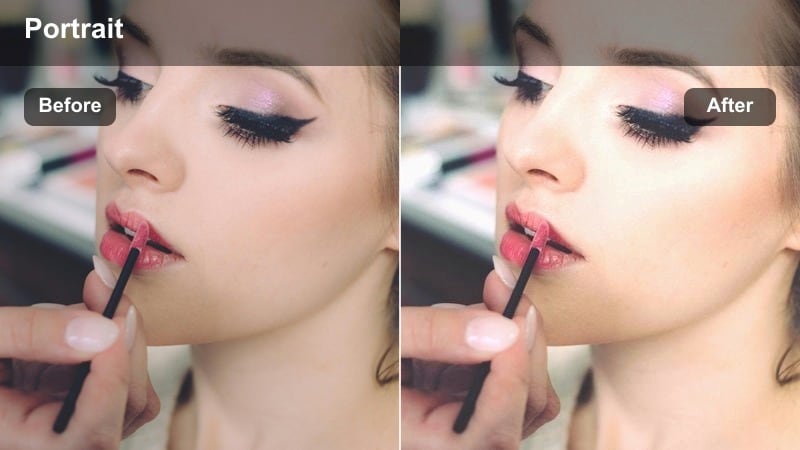
- Effect look: Dreamy, low-clarity effect with a slight bloom around highlights, ideal for airy loft portraits.
- Best for: Slow-paced b-roll of creators working on laptops or sketching by big industrial loft windows with the city below.
- Editing tip: Apply subtle noise reduction and avoid extra sharpening so the misty edges around the window highlights stay smooth and cinematic.
Loft Window Soft Mist creates a hazy, dreamlike atmosphere that works perfectly in tall, industrial spaces overlooking the city. The added bloom around bright window edges helps merge the subject gently into the background, while the lower clarity removes harsh lines and micro-details that can make digital footage feel too sharp. This is especially effective for creative routines, mood reels, and aesthetic b-roll sequences.
After applying the filter in Filmora, keep sharpening minimal and use the built-in noise reduction to avoid grain fighting against the smooth highlight glow. If your background is visually busy, add a soft vignette and consider layering a light blur effect on distant details, so the viewers attention settles on gestures, tools, or expressions rather than on intricate city textures outside.
Daytime Office and High-Rise Window Portraits
Boardroom Natural Balance
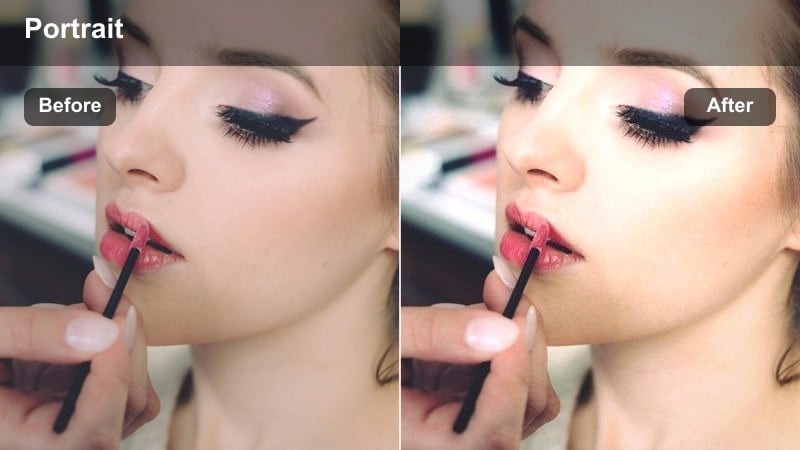
- Effect look: Neutral, balanced contrast with controlled highlights to handle bright office windows behind the subject.
- Best for: Corporate or tech founder interviews shot against city office windows during bright daytime.
- Editing tip: Lower the whites slider slightly after the filter so exterior buildings stay visible instead of blowing out completely.
Boardroom Natural Balance is tailored for interviews, testimonials, and corporate explainers shot in modern offices with large glass walls. The filter keeps skin tones neutral and professional while gently compressing highlights from overexposed windows, preserving enough detail in the skyline to show off location without distracting from the speaker. Contrast remains controlled so suits, laptops, and furniture do not clip or crush.
In Filmora, apply this filter to footage with strong backlight, then fine-tune whites and highlights to pull back detail in clouds and neighboring skyscrapers. If you still see blown-out pockets near the top of the frame, add a graduated filter or mask targeting the window area only, darkening that region while leaving the subject bright and clearly readable for viewers.
Coworking Daylight Portrait
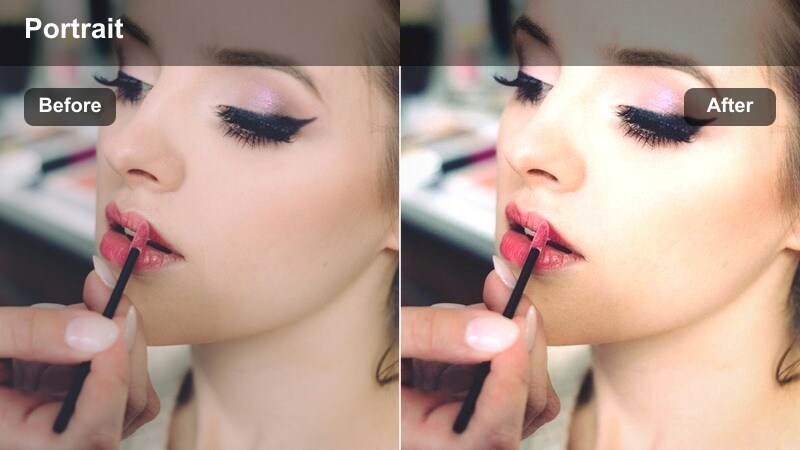
- Effect look: Slightly warm midtones with crisp micro-contrast to make faces stand out in busy shared workspaces.
- Best for: Coworking space portraits of creators and freelancers near long rows of city-facing windows.
- Editing tip: Dial down overall contrast if shirts or laptops appear too harsh while keeping the local clarity on the face intact.
Coworking Daylight Portrait helps your subject pop in crowded, modern workspaces where there are lots of people, furniture, and windows competing for attention. The gentle warmth in the midtones flatters skin and natural materials, while the enhanced local contrast around facial features pulls focus to the subject even when the background is full of motion and detail.
After you apply the filter in Filmora, watch out for high-contrast elements like white screens or bright shirt logos; if they dominate the frame, slightly reduce global contrast and adjust exposure. Use masking or selective sharpen tools to keep the face crisp while leaving distant desks and windows softer, so the environment feels energetic but never overwhelms your main portrait.
High-Rise Soft Neutral
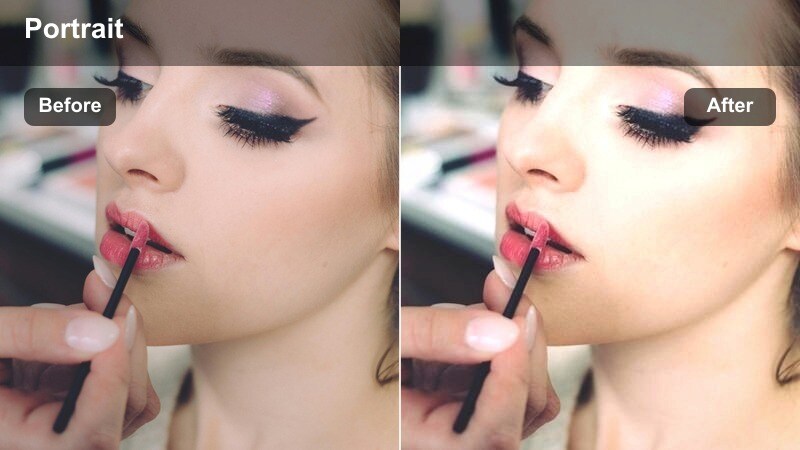
- Effect look: Cool-neutral tones with softened contrast, ideal for clean, modern office portraits that avoid heavy stylization.
- Best for: Personal branding portraits in glass high-rises where minimal, calm color is preferred.
- Editing tip: Add a slight warm tint to midtones if skin starts looking too cool, especially in spaces with a lot of blue glass reflections.
High-Rise Soft Neutral delivers a refined, understated aesthetic that suits personal branding, LinkedIn content, and tech-forward promotional videos. The cool-neutral color balance pairs naturally with blue glass, steel, and minimalist interiors, while the softened contrast ensures that faces remain gentle and approachable rather than harsh or overly dramatic.
In Filmora, use this filter as a starting point when you want a cohesive, corporate-ready look across multiple high-rise locations. If reflections from blue-tinted windows make skin appear too cold, nudge midtone temperature slightly warmer in the Color panel while checking skin against neutral surfaces like white walls or shirts. Save your final version as a preset to match future office shoots quickly.
Golden Hour City Window Portrait Moments
Sunset Window Flare
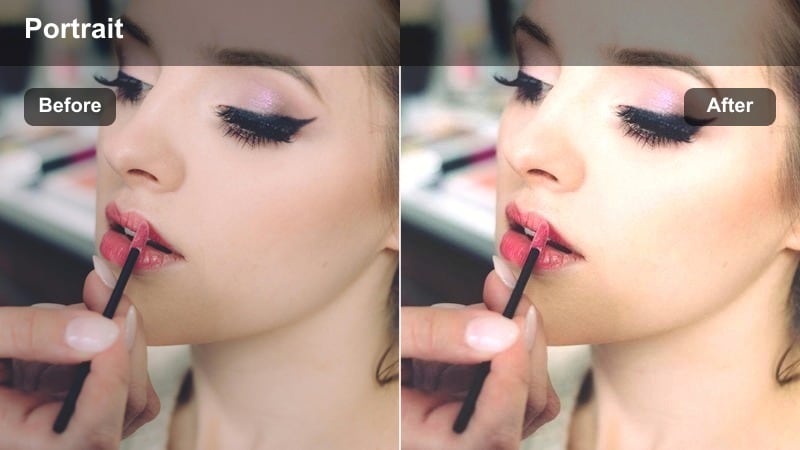
- Effect look: Warm, golden hues with gentle halation around bright sunlit windows, emphasizing dreamy city sunsets.
- Best for: Portraits shot against west-facing apartment or office windows when the sun is low and hitting the glass directly.
- Editing tip: Slightly increase saturation in orange and yellow channels to deepen the sunset feel while keeping skin from going overly red.
Sunset Window Flare is crafted for dramatic backlit portraits when low-angle sun floods through west-facing windows. The filter enhances golden tones and introduces soft halation around the brightest areas, creating that glowing edge-light around hair and shoulders common in cinematic golden-hour scenes. It works particularly well for introspective or romantic sequences that lean into silhouettes and flare.
In Filmora, position your subject slightly off-axis from the sun and apply this filter to exaggerate the warm wrap of light without losing all facial detail. If the flare becomes too intense or skin shifts toward orange-red, tame saturation for reds while keeping oranges and yellows rich. Subtle adjustments to contrast and blacks can help retain structure in the city skyline, preventing the background from dissolving into a uniform haze.
Rooftop Window Amber Tone
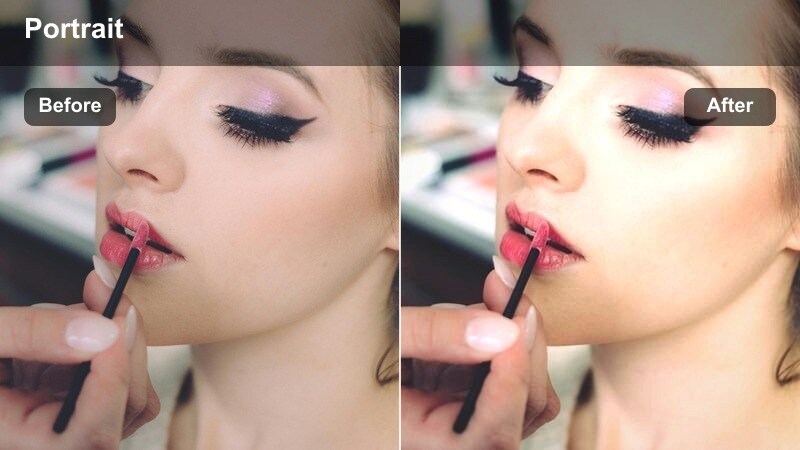
- Effect look: Amber-tinted midtones with soft contrast and a subtle vignette to emphasize the subject against sunset rooftops.
- Best for: Portraits shot through rooftop bar windows overlooking a sunset city skyline.
- Editing tip: Boost midtone contrast slightly if the scene looks too hazy, but avoid heavy blacks to preserve the dreamy rooftop atmosphere.
Rooftop Window Amber Tone leans into rich amber midtones that capture the warmth of lounging at a rooftop bar as the sun goes down. Soft contrast and a discreet vignette gently pull the eye toward your subject while still showcasing the skyline and rooftop silhouettes. This look suits travel vlogs, date-night montages, and lifestyle promos that emphasize mood over realism.
After dropping this filter onto your clip in Filmora, tweak midtone contrast to taste: a slight increase will add clarity to facial features and clothing without destroying the hazy ambience. Keep blacks relatively soft so building outlines and window frames remain visible and romantic rather than harsh. If needed, mask and darken window edges or rails slightly to create a natural frame that echoes a letterboxed cinematic feel.
Golden City Bedroom Glow
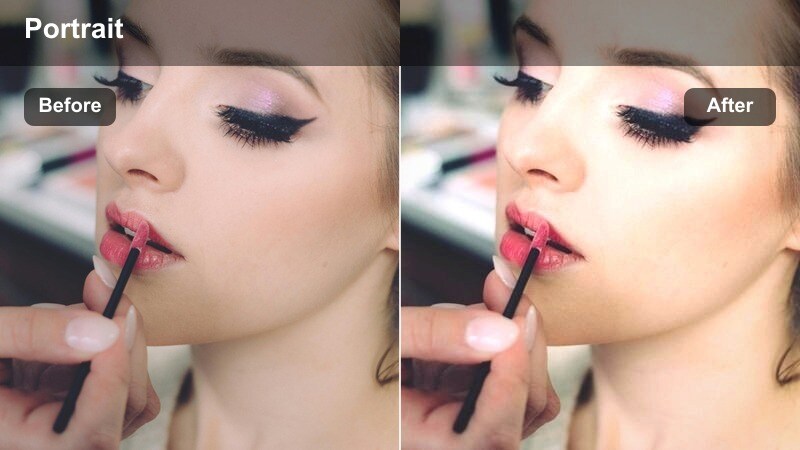
- Effect look: Soft golden highlights with slightly lifted shadows, ideal for intimate evening portraits in city bedrooms.
- Best for: Lifestyle shots of creators relaxing or reading by bedroom windows with the city slowly lighting up outside.
- Editing tip: Add a touch of film grain after this filter to give the cozy glow a textured, cinematic feel without losing detail in the city lights.
Golden City Bedroom Glow transforms simple interior shots into warm, cinematic vignettes where the last daylight pools onto bedsheets and walls. The filter accentuates golden highlights while gently lifting shadows, preserving detail in darker corners so the room feels inviting rather than dim. It is perfect for lifestyle b-roll of winding down, journaling, or preparing for a night out as city lights begin to sparkle.
In Filmora, stack this filter with a subtle grain effect to add analog-style texture, which helps blend bright window areas with softer interior tones. If your city lights outside appear too sharp or clinical, lightly blur the background or soften clarity so they read as glowing shapes instead of distractions. Adjust exposure minimally, relying on the filters built-in tonal shaping to keep the scene warm and coherent.
Nighttime City Window and Neon Portraits
Neon Window City Glow
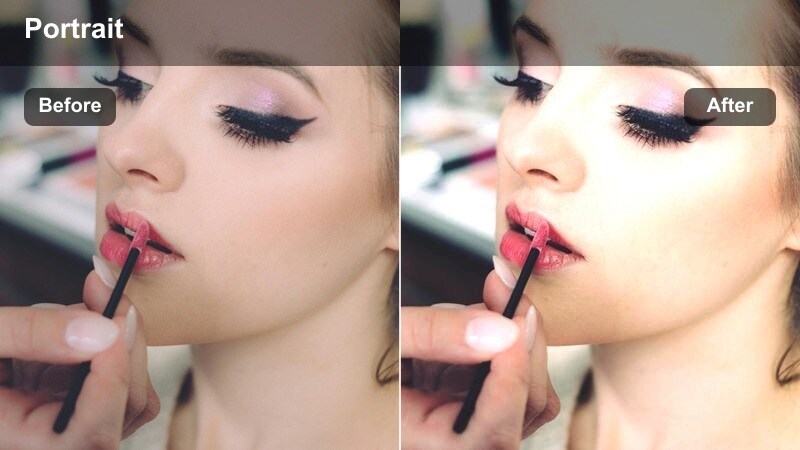
- Effect look: Cool shadows with vivid neon highlights and controlled skin tones, perfect for reflective night windows.
- Best for: Portraits shot against city windows catching reflections from street signs, billboards, and neon storefronts.
- Editing tip: Boost saturation only in magenta and cyan to make neon signs pop while leaving skin close to neutral.
Neon Window City Glow is built for night shoots where colorful signage and streetlights bounce off glass and skin. The filter deepens cool shadows to emphasize the urban night while letting neon hues stay punchy and luminous. At the same time, it carefully protects skin tones from becoming overly tinted, so faces remain readable against wild reflections of pinks, blues, and purples.
When grading in Filmora, apply this filter and then head into the HSL controls to selectively emphasize magenta and cyan saturation, leaving yellows and reds closer to natural. If competing neon colors feel chaotic, selectively desaturate one or two hues until your palette feels cohesive. Try angling your camera to layer reflections diagonally across the frame, using the filter to separate cool neon from neutral skin for a polished cybercity look.
Midnight Office Cool Mood
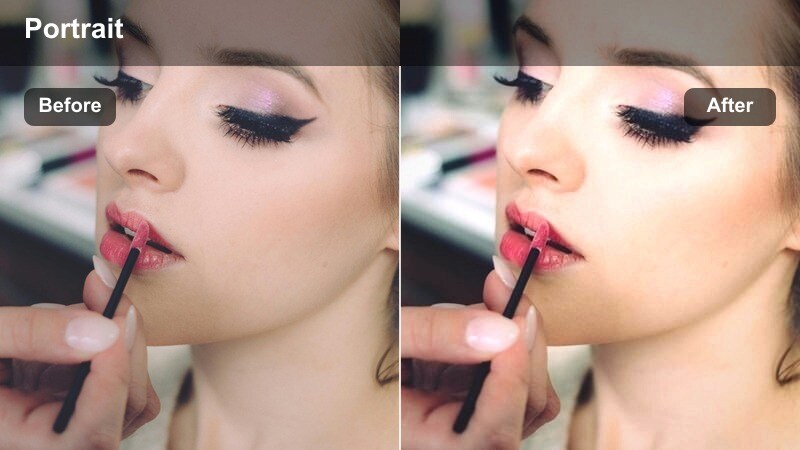
- Effect look: Cool, moody tones with deeper contrast that emphasizes the glow of distant city lights at night.
- Best for: Late-night work or study portraits in high-rise offices where the city skyline is filled with tiny illuminated windows.
- Editing tip: Drop blacks slightly after the filter to strengthen the contrast between the subject's face and the dark office interior.
Midnight Office Cool Mood captures the feeling of staying late while the city hums outside. The filter introduces a cooler color cast and deeper contrast to carve the subject out of the dim office interior, while tiny window lights in the skyline appear crisp and purposeful. It is perfect for productivity montages, coding sessions, or late-night planning scenes.
In Filmora, apply the filter and then lower blacks a touch more if you want a stronger silhouette around the subject and furniture. Use keyframed exposure or masks to keep the face softly lit and readable while the rest of the space falls into cool shadow. If skyline lights become distracting, gently reduce highlight intensity or add a slight blur to the far background to maintain focus where it matters most.
City Rain Window Cinematic
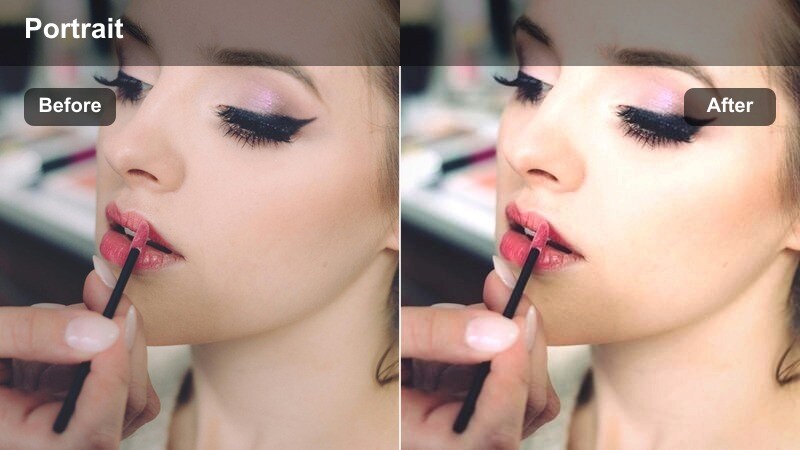
- Effect look: Deep, cinematic contrast with muted colors and slightly lifted highlights around raindrops on glass.
- Best for: Rainy night portraits shot through apartment or taxi windows with blurred streetlights outside.
- Editing tip: Add a slight blur or depth-of-field effect to the background layer so raindrops and bokeh form soft shapes behind the subject.
City Rain Window Cinematic is designed for emotional, reflective shots taken through wet glass, whether from a taxi, bus, or apartment window. The filter darkens overall contrast and mutes saturated colors, giving streetlights and car trails a painterly, bokeh-like quality while lifting highlights around individual raindrops. This creates a layered, textured frame that feels dramatic and intimate.
Once you have applied the filter in Filmora, experiment with depth-of-field effects or selective blur to separate your subject from glowing traffic outside. Gently brighten the face with a mask or shape so expressions read clearly against the darker, rain-streaked surroundings. Combining this with subtle sound design and slow-motion footage can turn ordinary rainy clips into cinematic transitions or emotional beats in your story.
Tips for Using City Window Light Portrait Lut Filters in Filmora
- Expose for the face first, then use Filmora filters and color tools to recover as much detail as possible in bright skies or dark city windows.
- Shoot with a slightly flatter picture profile in-camera so these city window portrait filters and LUTs have more dynamic range to shape.
- Place your subject close to the window to create soft, flattering light on the face while keeping the skyline gently blurred in the background.
- Use glass reflections intentionally by adjusting your shooting angle, letting neon signs or traffic lights frame the subject instead of fighting them.
- Keep white balance consistent across your city window shots so filter colors do not shift unpredictably between clips.
- Apply contrast, clarity, and sharpening selectively to the face rather than globally when working with hazy, misty, or glowy filters.
- Let city skylines, window frames, and streetlights act as leading lines that guide the viewers eye back toward your subject.
- Save custom presets in Filmora for morning, daytime, golden hour, and night window looks to speed up grading across your whole series.
secure download