

 100% Security Verified | No Subscription Required | No Malware


 ChatGPT
 Perplexity
 Gemini
 Claude
 Grok
Grok
These cool fashion video filters are designed to give your outfits an icy, sleek edge, perfect for minimalist creators, streetwear content creators, and editorial stylists who love crisp lines and blue-toned color grades.
Use these presets in Filmora to instantly turn urban fashion shoots, winter lookbooks, and minimalist style videos into cohesive, cinematic edits with consistent cold fashion filters and cool color grades.
In this article
Cool Tones for Nighttime Street Style
Neon Ice Glow
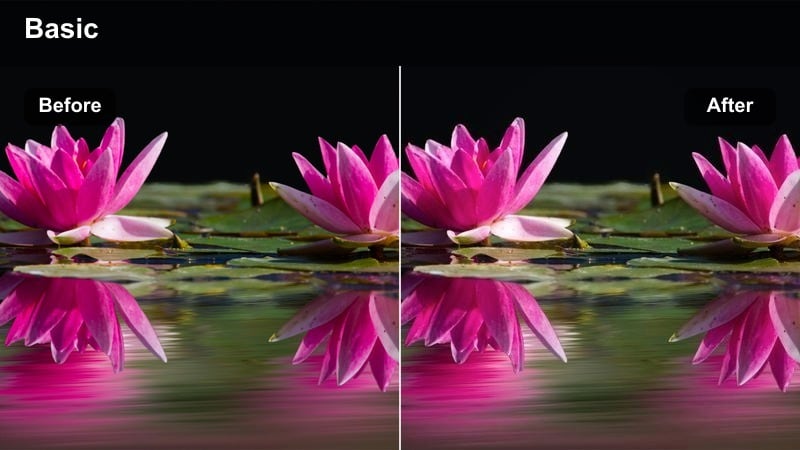
- Effect look: Deep contrast with icy blue highlights that make neon signs and metallic fabrics pop against dark streets.
- Best for: Night streetwear fashion reels shot under neon lights, reflective jackets, and chrome accessories.
- Editing tip: Lower saturation on warm hues to keep skin tones natural while letting blues and cyans dominate the frame.
Neon Ice Glow wraps your street scenes in a bold, blue-toned atmosphere that pushes neon and chrome details to the front while keeping the background rich and dark. In Filmora, it is ideal for turning quick outfit checks, sneaker shots, and accessories into cinematic, after-dark fashion moments without complex manual color grading.
Apply this filter to your clips, then fine-tune saturation and temperature inside Filmora so skin stays realistic while signs, billboards, and reflections lean into that icy glow. Combine with speed ramping and beat-synced cuts to make every step, turn, and fabric flick feel like part of a polished nightlife campaign.
Match Cool Fashion Vibes With AI Color Tools in Filmora
Use Filmora's AI color matching to copy the exact cool palette from your best Neon Ice Glow shot and spread it across an entire outfit sequence or lookbook. This keeps your blues, contrast, and shadows consistent even if some clips were shot in different streets or under mixed neon colors.
Once you have one hero clip looking perfect, let AI handle the rest so your urban fashion edits feel like one cohesive shoot instead of a mix of different nights and locations.
 secure download

See Cool Fashion Filters in Real Urban Scenarios
Preview how Filmora's cool fashion filters handle real-world footage by testing them on clips from urban fashion shoots, winter alleys, or rooftop fits. Switch quickly between options like Neon Ice Glow and other presets to compare how each one treats denim, blacks, and metallic accessories.
Use the before-and-after viewer to make sure your chosen filter maintains flattering skin tones while still pushing the city background into that icy, stylized space.
secure downloadCombine Filters and LUTs for Signature Cool Looks
Blend Filmora's built-in cool filters with subtle 3D LUTs to create a recognizable, on-brand icy aesthetic for your channel. By stacking a low-intensity filter over a gentle cool LUT, you can keep outfits true-to-life while giving the entire city around your subject a stylish, frozen sheen.
Once you have a combination you like, save it as a custom preset in Filmora so your future streetwear, lookbook, and portrait edits can match in one click.
secure downloadMidnight Runway
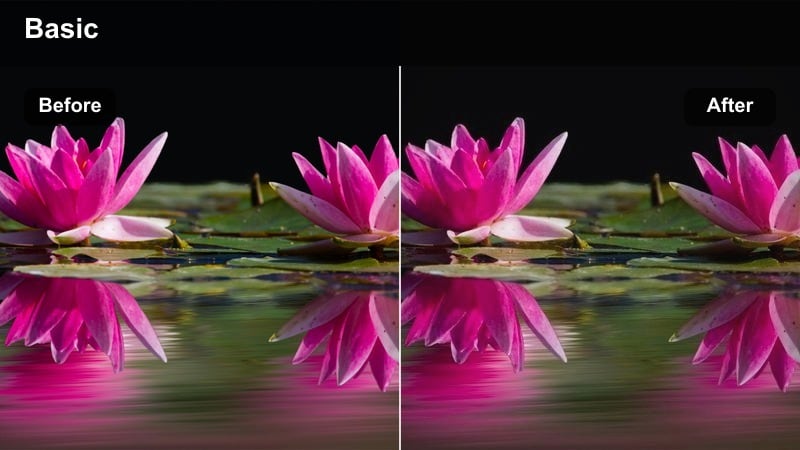
- Effect look: Matte cool finish with muted shadows and subtle blue tint that emulates a late-night editorial runway.
- Best for: Edgy nightlife fashion edits, rooftop outfit videos, and grainy cinematic street portraits.
- Editing tip: Add a touch of film grain and slow shutter blur to exaggerate the runway-inspired, after-hours mood.
Midnight Runway gives your clips a smooth matte coat with cooled-down shadows, so busy city streets feel like curated fashion sets. Use it in Filmora when you want your model's walk or spin to feel lifted from a glossy editorial, even if you shot on a basic sidewalk or rooftop car park.
Layer this filter with Filmora's film grain and motion blur effects to simulate a high-end camera shooting at night. Cut between wide establishing shots and tight detail frames on shoes, bags, and jewelry to maximize the runway vibe and keep the viewer focused on styling choices.
Chrome Sidewalk
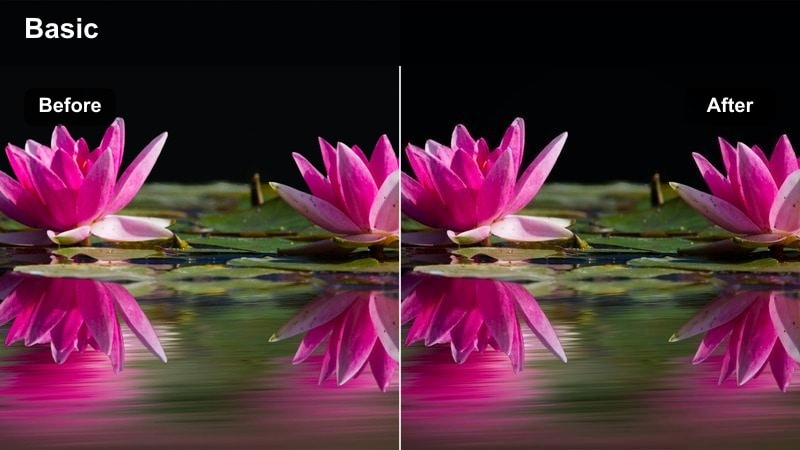
- Effect look: High-clarity, cool metallic tint that sharpens edges and makes street textures feel slick and chrome-like.
- Best for: Sneaker close-ups, reflective accessories, and minimalist outfits shot on wet or polished pavements.
- Editing tip: Boost micro-contrast carefully to avoid halos, and slightly desaturate reds for a refined, chrome-like palette.
Chrome Sidewalk is built to make concrete, puddles, and metal frames look like part of a futuristic street runway. When you apply it in Filmora, edges become crisper and blue tints glide over reflections, giving your sneakers and accessories a high-end product shoot finish.
It works especially well in close-up B-roll you can drop between full-body outfit shots. Stack this filter with gentle sharpening and slow push-in camera moves in your edit to bring attention to stitching, leather, and fabric details without overwhelming the viewer with heavy saturation.
Icy Filters for Winter Lookbooks
Frozen Editorial
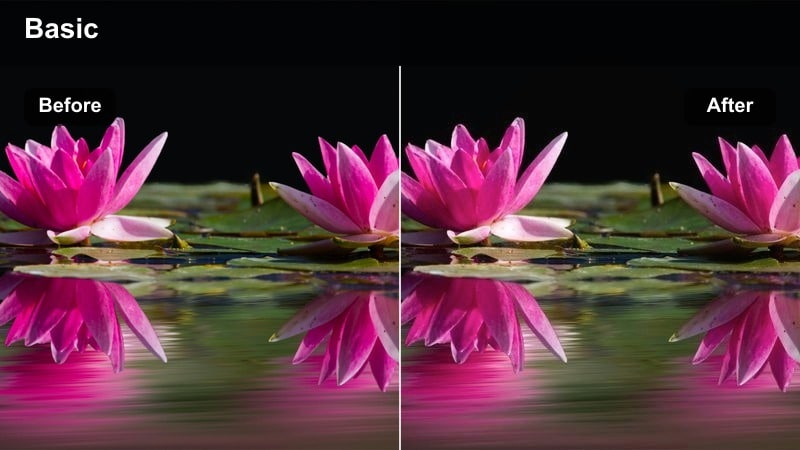
- Effect look: Clean, cold whites with soft blue shadows that mimic a high-end winter magazine spread.
- Best for: Structured coats, tailored wool sets, and minimalist winter outfit breakdowns filmed outdoors.
- Editing tip: Slightly lift blacks for a soft editorial feel while keeping blues saturated to preserve the icy mood.
Frozen Editorial turns simple outdoor winter clips into something closer to a luxury magazine layout. Whites become crisp and bright, while a gentle blue cast in the shadows keeps everything feeling frosty without crushing detail in darker fabrics.
In Filmora, apply this filter to your main A-roll shots and then match any close-up B-roll using AI color matching to maintain the same icy white balance. Cut your lookbook with longer, slower shots and minimal transitions so the clean coats and tailoring can really breathe on screen.
Snowy Street Layer
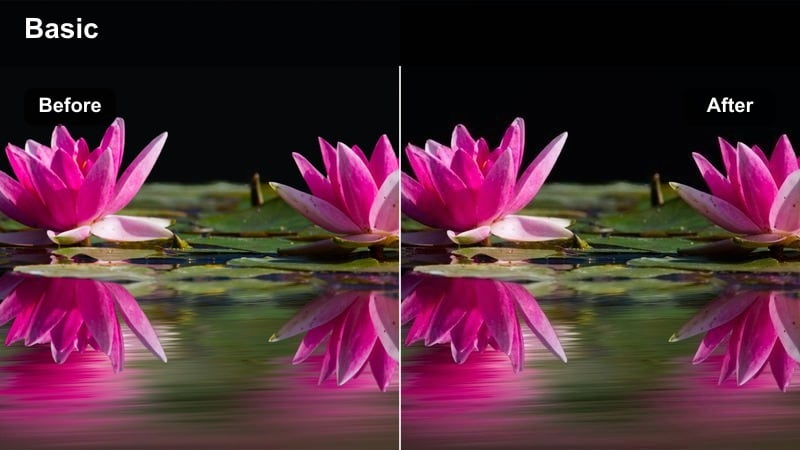
- Effect look: Cool blue midtones with slightly desaturated colors, evoking quiet snow-dusted city streets.
- Best for: Layered streetwear, puffer jackets, and scarves shot on grey sidewalks or light snowfall days.
- Editing tip: Reduce vibrance to stop bright pieces from overpowering the calm, snowy palette while keeping blacks deep.
Snowy Street Layer is designed for layered winter outfits where texture matters more than bold color. The filter cools midtones and gently desaturates the frame, so puffers, scarves, and hoodies read as soft, cozy, and cinematic rather than loud and saturated.
In Filmora, use this look on walking shots, stairs, and crosswalks to create a quiet, atmospheric B-roll sequence between talking segments. Adjust vibrance and contrast per clip so busy backgrounds stay subtle and your subject's silhouette and movement remain the primary focus.
Ice Haze Minimal
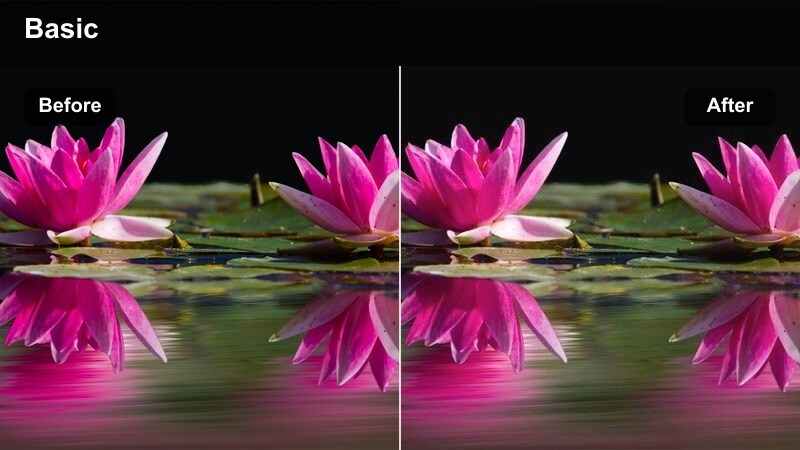
- Effect look: Low-contrast, milky cool haze that softens harsh lines while keeping silhouettes clean and minimal.
- Best for: Minimalist outfits in soft greys, blacks, and whites shot against pale city backdrops or foggy mornings.
- Editing tip: Dial down clarity for a dreamy haze, then re-add sharpness only to the subject using selective tools.
Ice Haze Minimal bathes your frame in a milky, cool mist that flatters soft neutrals and simple shapes. It is perfect for creators whose wardrobe leans into black, grey, and white, and who want their edits to feel calm, airy, and slightly dreamlike.
Inside Filmora, combine this filter with reduced contrast and lowered clarity to push the hazy effect even further, then selectively sharpen the subject using masks. This keeps your model and key outfit lines defined while the rest of the frame gently blurs into a minimalist, icy backdrop.
Cool Minimalism in Daylight City Scenes
Concrete Coolframe
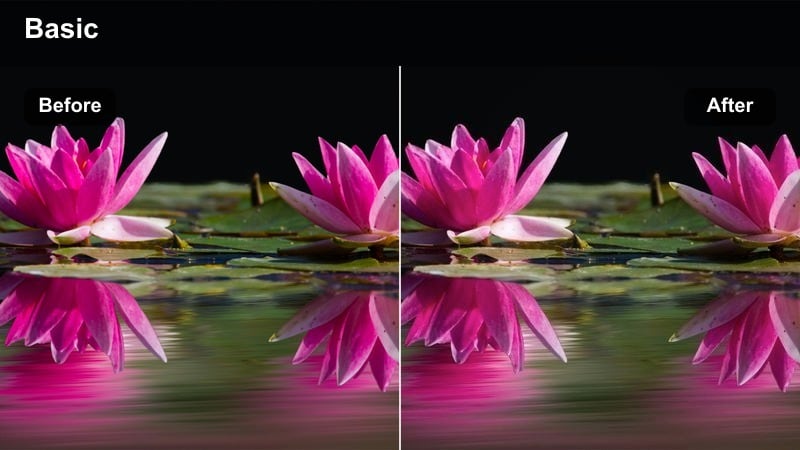
- Effect look: Neutral, flat cool balance that emphasizes concrete greys and clean lines around your subject.
- Best for: Minimalist creators filming lookbooks against parking garages, stairwells, and modern facades.
- Editing tip: Slightly lift shadows so details in concrete stay visible while preserving a restrained, monochrome palette.
Concrete Coolframe leans into grey tones and subtle blues to highlight the architecture framing your outfits. It is built for minimalists who shoot on raw walls, ramps, and staircases, transforming these everyday structures into graphic, editorial backdrops.
In Filmora, apply this filter to all your daylight concrete shots and tweak exposure to keep the subject well-lit against flatter, cooler surroundings. Use locked-off tripod angles and simple cuts so the viewer can appreciate the geometry of the space and how your outfit silhouettes interact with it.
Skyline Slate
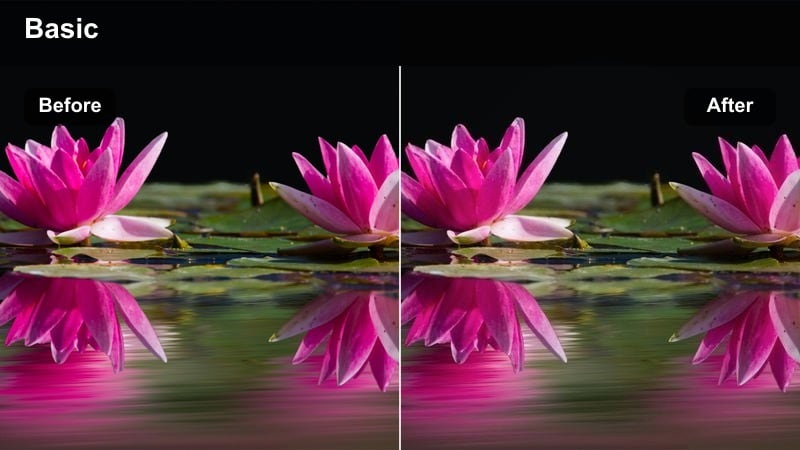
- Effect look: Slate-blue skies with cooled highlights and gentle contrast, giving a calm, editorial skyline backdrop.
- Best for: Rooftop outfit reveals, balcony fashion vlogs, and skyline B-roll for fashion intros.
- Editing tip: Drop highlight saturation slightly so the sky looks sophisticated and never cartoonishly blue.
Skyline Slate is tuned to make city horizons look polished and editorial without overpowering your outfits. It cools down the highlights in the clouds and buildings, adding a slate-blue wash that feels refined and modern on rooftops, balconies, and high terraces.
In Filmora, start your fashion videos with a few wide skyline shots using this filter, then cut into closer outfit frames that still share the same cool tone. Adjust highlight saturation and exposure to prevent banding in bright skies, keeping everything smooth and social ready for platforms like Instagram and TikTok.
Glass Tower Chill
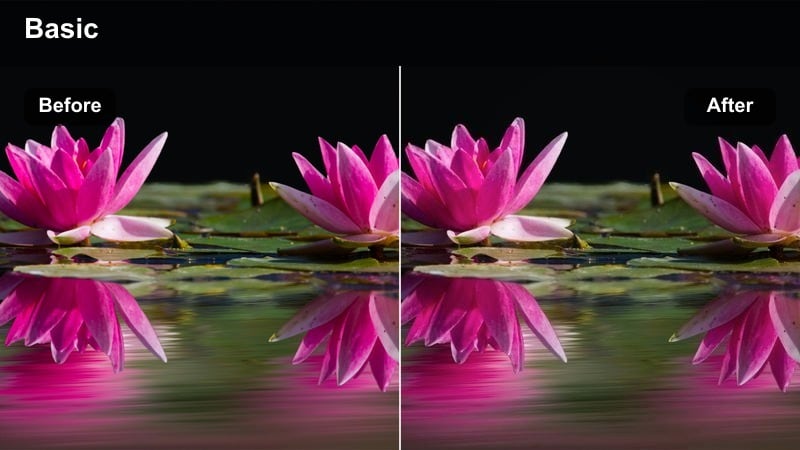
- Effect look: Cool cyan reflections with subtle contrast that make glass buildings and metal railings feel futuristic.
- Best for: Editorial stylists shooting in business districts, mirrored buildings, and modern transit hubs.
- Editing tip: Use vignette sparingly so the bright glass and metal still feel open while the subject remains the focus.
Glass Tower Chill emphasizes cyan reflections and sleek metallic surfaces, giving business districts and malls a futuristic, fashion-forward mood. It balances contrast so you still see detail in glass and chrome while pushing the overall palette towards cool, high-tech tones.
Apply it in Filmora to clips shot near office towers, escalators, and glass railings, then gently shape your exposure so your subject does not get lost in all the reflections. Limit heavy vignettes and instead use framing and leading lines in your edit to pull the eye toward your model within those reflective environments.
Cool Street Portrait Filters for Fashion Close-Ups
Blue Portrait Veil
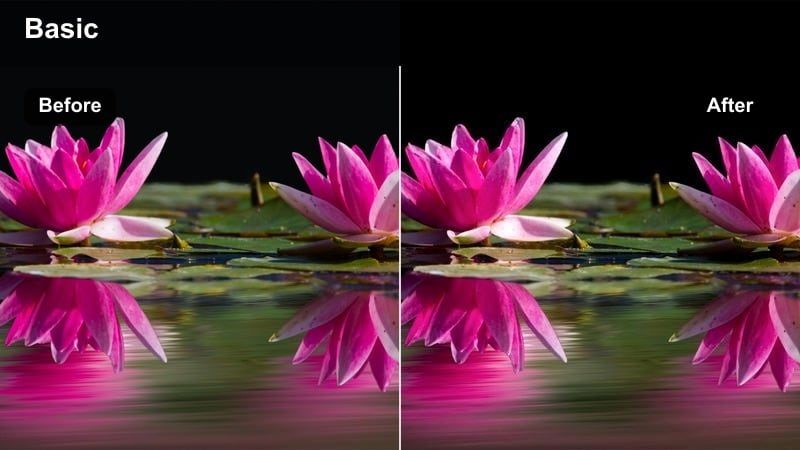
- Effect look: Soft cool veil over the frame with preserved skin tones and gentle sharpening on facial details.
- Best for: Close-up street portraits, makeup-focused shots, and jewelry details in fashion edits.
- Editing tip: Mask the face and reduce blue in that area to avoid cyan skin while leaving the cool veil on the background.
Blue Portrait Veil subtly cools the environment around your subject while keeping skin tones flattering and realistic. It is ideal for beauty-forward fashion content where you want the city to feel icy but facial features to remain warm and inviting.
Inside Filmora, drop this filter on your close-ups and then refine with masking so the cool veil mostly affects the background bokeh and outer edges. Add slight sharpening to the eyes, brows, and jewelry to create polished, scroll-stopping portraits that still sit comfortably within a cool-toned fashion feed.
Alleyway Cool Cut
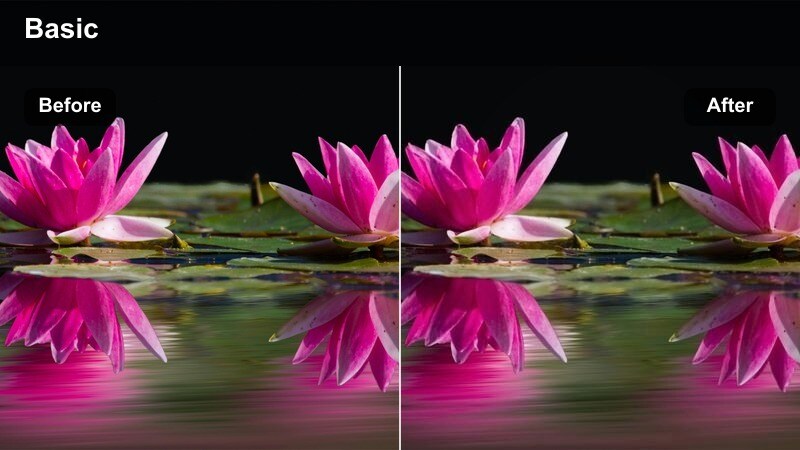
- Effect look: Punchy cool contrast with darker corners, ideal for gritty yet polished street portrait sessions.
- Best for: Portraits shot in narrow alleys, brick backstreets, and underpasses with streetwear outfits.
- Editing tip: Add a slight fade in the blacks to keep the look stylish rather than overly harsh or grungy.
Alleyway Cool Cut pushes contrast and cool shadows, giving tight urban spaces a moody, editorial edge. The darker corners and strong midtones help your subject stand out against brick, concrete, and graffiti while still feeling fashion forward rather than purely gritty.
In Filmora, pair this filter with slow handheld or gimbal moves that drift toward and away from your subject to accentuate depth in narrow spaces. Soften the blacks just a touch and balance exposure across shots so the overall vibe stays stylish and cohesive across your full alleyway portrait sequence.
Subway Cool Frame
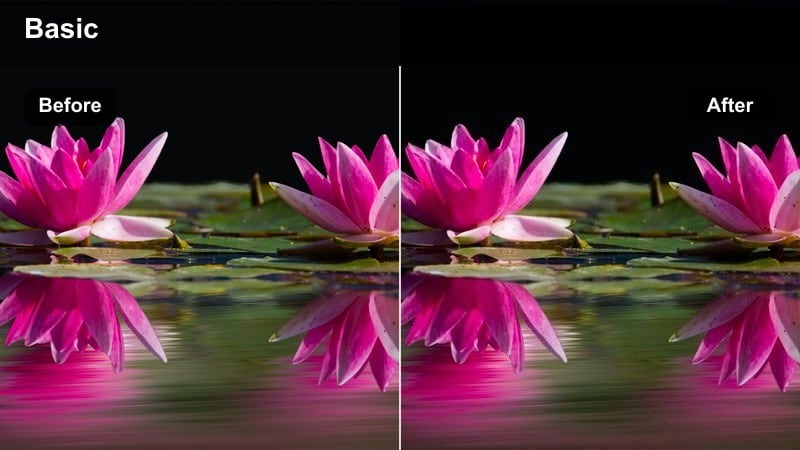
- Effect look: Balanced cool palette tuned for fluorescent lights, taming greens while pushing subtle blues into the frame.
- Best for: Subway platform portraits, escalator shots, and underground fashion transitions.
- Editing tip: Use keyframed exposure adjustments to keep skin and outfits consistent as lighting changes between stations.
Subway Cool Frame is optimized for harsh fluorescent and tunnel lighting, neutralizing sickly greens and yellow casts while adding a refined blue undertone. It lets underground locations feel cinematic and intentional, turning commutes into stylized fashion environments.
Apply it in Filmora to escalator shots, platform walks, and train-door reveals, then keyframe exposure and white balance where lighting shifts. Use these clips as transitions between outfits or locations, cutting on doors closing or steps on and off the train for a seamless, cool-toned story flow.
Tips for Using Fashion Video Cool Filters in Filmora
- Shoot fashion content in the shade or on overcast days to give cool filters a clean base without harsh, warm highlights.
- Keep outfits simple in color when testing a new blue toned fashion filter so you can judge how it treats whites, blacks, and denim.
- Use consistent white balance settings in-camera to make your cold fashion filters easier to match across multiple locations.
- Export a short test reel with three different cool color grade fashion looks and review it on your phone to see which reads best on social.
- Save your favorite Filmora adjustments as custom presets so you can apply your signature cool fashion style in one click.
- Combine filters with gentle LUTs at low opacity in Filmora to build a unique icy look while keeping skin tones natural.
- Mix wide establishing shots and tight detail clips under the same filter to show how your cool grade handles both space and texture.
Cool fashion video filters can instantly turn everyday city backdrops into icy, editorial stages for your outfits, whether you are filming streetwear, winter layers, or minimalist silhouettes.
Start with one or two of these Filmora presets, refine them to suit your skin tones and fabrics, and then apply the same cool style across full series, from urban fashion shoots to street portrait filters in your next upload.
secure download