

 100% Security Verified | No Subscription Required | No Malware


 ChatGPT
 Perplexity
 Gemini
 Claude
 Grok
Grok
Dark Exposure Violet sits between deep purple and inky midnight tones, carrying a mix of mystery, creativity, and cinematic drama. It feels rich and immersive, which is why it works so well for storytelling: it suggests depth, emotion, and a slightly surreal atmosphere without feeling too harsh or cold.
In video editing, branding, thumbnails, intros, and YouTube channel design, Dark Exposure Violet instantly adds a premium, moody edge. Below you will find carefully curated Dark Exposure Violet color palettes with HEX codes, designed for creators and Filmora users who want consistent, stylish color across edits, overlays, titles, and social content.
In this article
Cinematic Moody Dark Exposure Violet Color Palettes
Midnight Lens flares
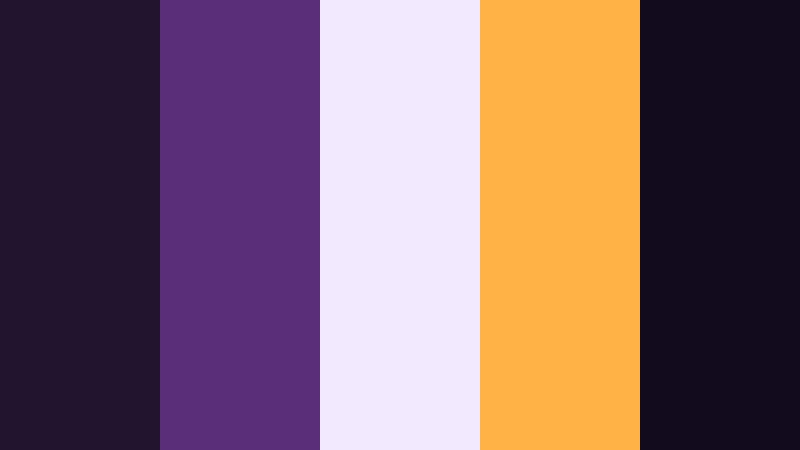
- HEX Codes: #22142f, #5b2e7a, #f2e9ff, #ffb347, #120b1e
- Mood: Cinematic, mysterious, and slightly electric.
- Use for: Use for dramatic title cards, trailer-style intros, and moody montage sequences in film or YouTube edits.
Midnight Lens flares feels like a night exterior shot lit by distant city lights and passing cars. The deep Dark Exposure Violet base (#22142f, #5b2e7a, #120b1e) grounds your visuals, while the soft lilac and amber accents (#f2e9ff, #ffb347) behave like lens flares cutting across the frame.
This palette works beautifully for suspenseful edits, thriller teasers, and cinematic YouTube thumbnails. Use the lighter tones for typography and light leaks, while keeping your backgrounds in the darker violets to maintain contrast and readability across intros, lower thirds, and end screens.
Pro Tip: Build a Cinematic Dark Exposure Violet Look in Filmora
To keep a cohesive Midnight Lens flares look across a whole project, build your titles, overlays, and transitions around the deeper violets as your primary brand shade. In Filmora, you can set these HEX values directly in text and shape color pickers so every intro card, lower third, and subscribe bumper feels like part of the same night-time universe.
Combine Dark Exposure Violet backgrounds with soft vignette effects and subtle glow on highlights to mimic real lens flares. Reuse the amber accent (#ffb347) on key call-to-action buttons or text so viewers instantly lock onto the most important information in your video.
AI Color Palette
If you have a still frame or moodboard that already nails this Midnight Lens flares vibe, you can turn it into a grade for your entire edit. Filmora's AI Color Palette feature lets you sample the look from a reference image and apply that same Dark Exposure Violet contrast, saturation, and highlight behavior to the rest of your clips.
Import your reference, choose it as the source, and let AI push your footage toward those deep violets and soft amber flares. This is perfect when you want your A-roll, B-roll, and thumbnail stills to share the same moody, cinematic identity without manually matching every shot.
 secure download

HSL, Color Wheels & Curves
To refine a Dark Exposure Violet look, Filmora's HSL and color wheels give you precise control over each hue. You can deepen the purples in the shadows without crushing detail, shift midtone violets slightly cooler or warmer, and keep skin tones natural while backgrounds stay intensely cinematic. Tools like curves and wheels, shown in Filmora's advanced color tutorials, make it easy to hold onto contrast and mood.
Use the curves panel to give your footage a gentle S-curve for extra punch, then use the color wheels to push shadows toward violet while preserving neutral highlights for legible text. This balance helps your Dark Exposure Violet palette feel dramatic but not muddy or over-saturated.
secure download1000+ Video Filters & 3D LUTs
If you want Dark Exposure Violet to feel even more stylized, Filmora’s video filters and 3D LUTs make it easy to add cinematic contrast, film-inspired halation, or trendy social-media looks with a single click. You can stack a subtle LUT over your Midnight Lens flares palette to give it a particular era or film-stock vibe.
Save your favorite combinations as presets so every time you create new intros, shorts, or thumbnails, you can instantly recall the same Dark Exposure Violet mood. This keeps your channel identity consistent and saves time in busy editing workflows.
secure downloadNeon Studio Backdrop
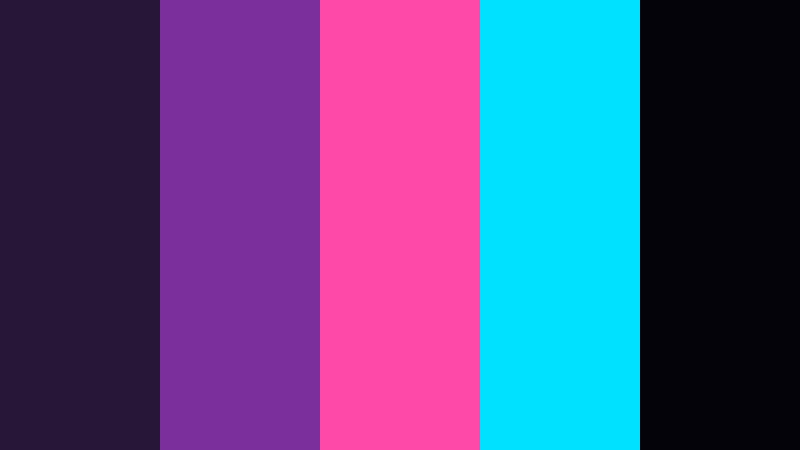
- HEX Codes: #271638, #7a2f9c, #ff49a8, #00e0ff, #05030a
- Mood: High-energy, futuristic, and bold.
- Use for: Perfect for music videos, gaming intros, and dynamic lower thirds that need a strong visual punch.
Neon Studio Backdrop throws Dark Exposure Violet into a cyber stage setting. The deep violets and near-black base act like a studio wall at night, while hot pink and cyan streaks cut across the frame like neon tubes and RGB lights.
Use the bright accents for animated titles, stream overlays, or callouts in gaming explainers. For thumbnails and banners, let the darker tones sit behind your subject and paint the edges with cyan and magenta to create that sharp, techy glow.
Subtle Studio Noir
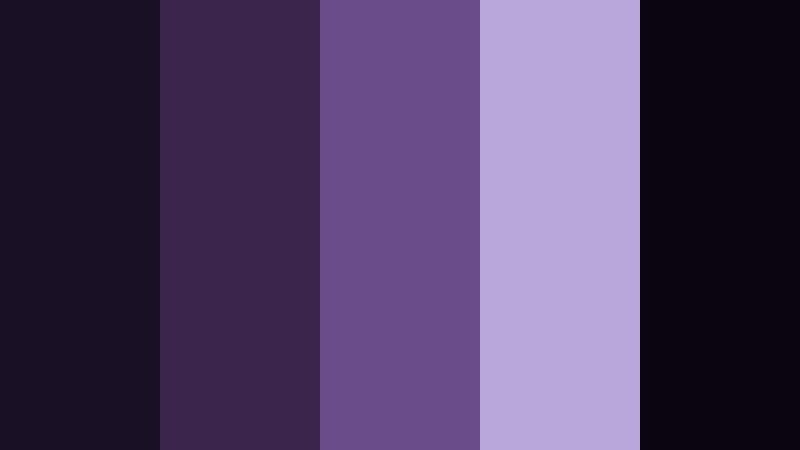
- HEX Codes: #1a1026, #3b254d, #6b4c8b, #b8a8d9, #0a050f
- Mood: Refined, introspective, and cinematic.
- Use for: Use in interview setups, documentary titles, and minimalist channels that want a premium, moody aesthetic.
Subtle Studio Noir leans into smoked violets and lavender highlights, giving your footage a thoughtful, gallery-like calm. The near-black tones frame the scene while mid-violets and muted lavender provide soft, controlled contrast.
This palette is ideal for talking-head videos, brand documentaries, and portfolio reels. Keep your backgrounds in the darker shades, then bring typography and logo elements into the lighter lavender range so your message stands out without breaking the moody aesthetic.
Thunderstorm Time-lapse
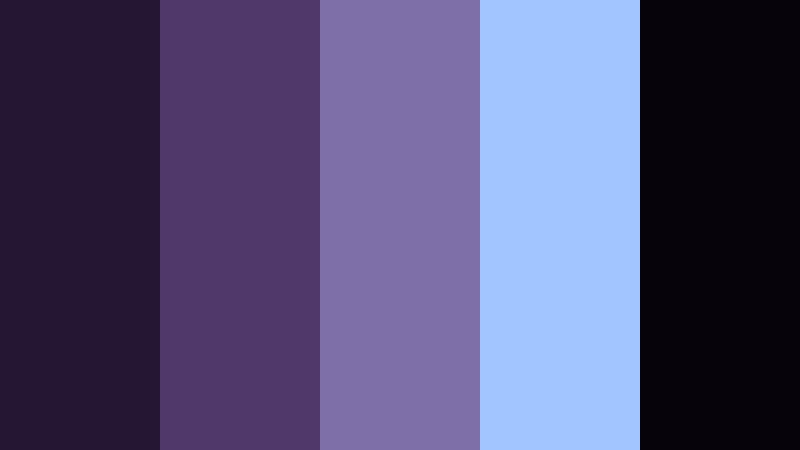
- HEX Codes: #251733, #51386b, #7f6fa8, #a2c4ff, #06040a
- Mood: Dramatic, atmospheric, and awe-filled.
- Use for: Best for nature b-roll, stormy travel vlogs, and slow cinematic transitions.
Thunderstorm Time-lapse blends Dark Exposure Violet with storm-cloud blues and cool lightning highlights. It feels like watching a slow-moving thunderhead roll past a distant skyline at night.
Use this palette to grade landscape b-roll, drone shots, or slow transitions between scenes in travel or documentary content. The darker tones make excellent backgrounds for overlay text, while the pale blue highlights work for subtle glows, line graphics, or animated weather icons.
Soft & Romantic Dark Exposure Violet Color Palettes
Twilight Storytime Glow
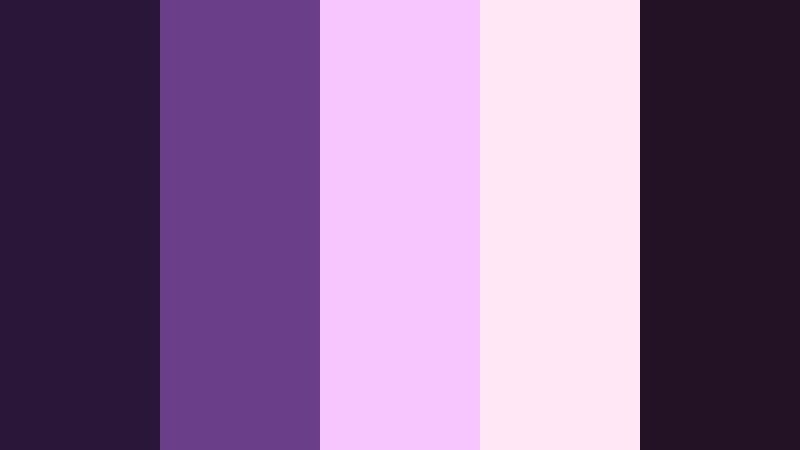
- HEX Codes: #2a1738, #6b3e8a, #f7c6ff, #ffe7f5, #231126
- Mood: Cozy, dreamy, and nostalgic.
- Use for: Perfect for lifestyle vlogs, bedtime story content, and soft-focus product shots.
Twilight Storytime Glow softens Dark Exposure Violet into something warm and comforting. Deep violet shadows gently transition into blush and cotton-candy pinks, giving your visuals a dreamy twilight glow.
For lifestyle vlogs, use the darker tones in backgrounds and the lighter pinks for captions, doodles, and lower thirds. In product videos, place items against the mid violets and use the pale pinks as highlight accents or background gradients to create a gentle, inviting feel.
Lavender Camera Whisper
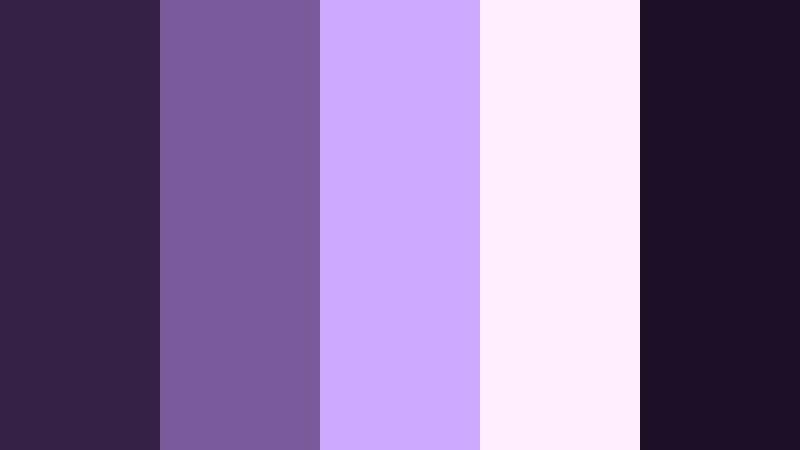
- HEX Codes: #362146, #7b5a9c, #cda8ff, #ffeefc, #1b0f25
- Mood: Gentle, calming, and feminine.
- Use for: Use for beauty channels, unboxings, and soft brand intros that lean into elegance.
Lavender Camera Whisper wraps your footage in whispery violets and creamy lavender lights. The palette feels calm and polished, with just enough contrast to keep details crisp without losing softness.
Apply this look to beauty tutorials, skincare routines, or unboxings where you want an elegant, feminine brand identity. Use the light lavender and blush for key titles and price tags, while keeping the deepest tone for borders, drop shadows, or background plates under your video frames.
Evening Balcony Lights
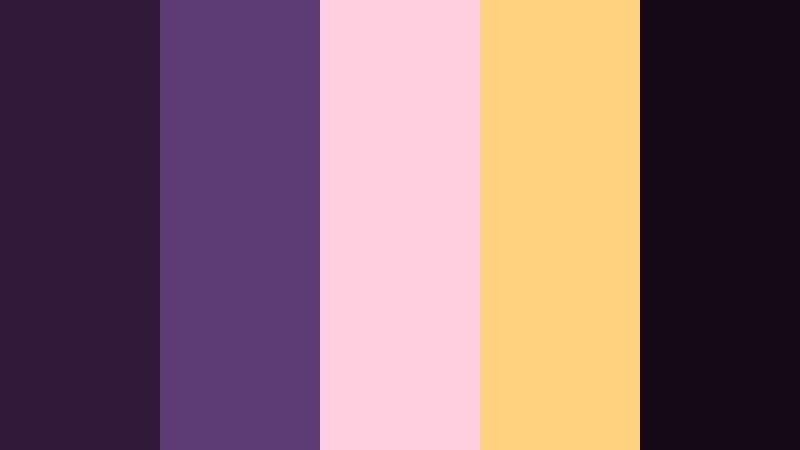
- HEX Codes: #301939, #5c3c73, #ffcfdf, #ffd27f, #140914
- Mood: Warm, intimate, and cinematic-romantic.
- Use for: Best for date-night vlogs, city balcony shots, and lifestyle reels with golden bokeh.
Evening Balcony Lights mixes deep balcony violets with glowing peach and honey tones, echoing streetlights and window glows in a city at night. It balances cool and warm colors in a way that feels romantic and cinematic.
Use the violets as your base grade on footage, then bring in the peach and honey tones for light leaks, animated bokeh overlays, or typography that highlights key moments in your vlog. This palette is perfect for date-night recaps, cozy city walks, or lifestyle Reels with a golden-hour mood even after dark.
Polaroid Velvet Fade
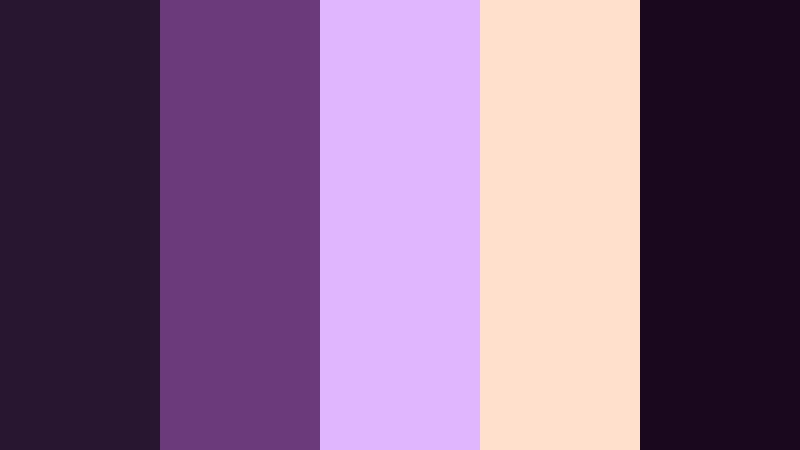
- HEX Codes: #28152f, #6a3a7b, #e0b7ff, #ffe0cc, #1a091e
- Mood: Retro, sentimental, and velvety-soft.
- Use for: Use in nostalgic edits, photo-dump reels, and memory-driven travel vlogs.
Polaroid Velvet Fade feels like old prints that have gently faded over time. Velvety violets pair with warm cream and peach tones, giving your footage a soft, retro charm without heavy grain.
This palette is ideal for memory montages, photo-dump TikToks, and reflective travel stories. Grade your clips with the deeper violets, then layer text, date stamps, and frame borders in the lighter cream and lilac shades to complete the analog-inspired aesthetic.
Bold & Vibrant Dark Exposure Violet Color Palettes
Vlog Premiere Spotlight
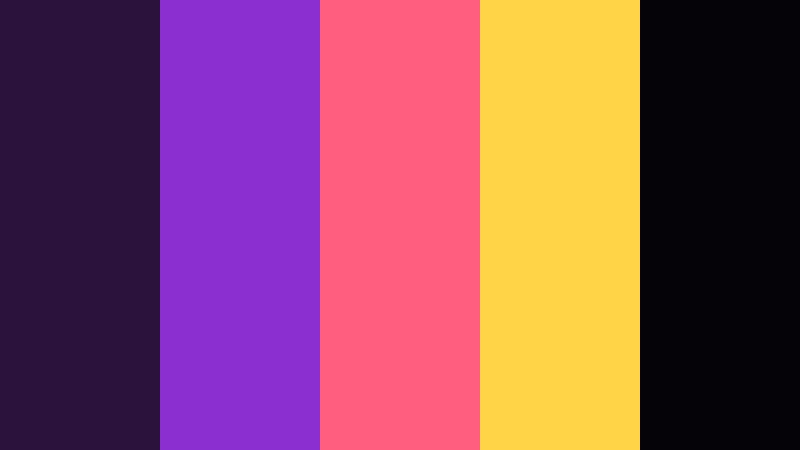
- HEX Codes: #2b123c, #8b2fd1, #ff5e7e, #ffd447, #050208
- Mood: Confident, loud, and attention-grabbing.
- Use for: Perfect for YouTube intros, announcement cards, and bold channel rebrands.
Vlog Premiere Spotlight is built to stop the scroll. The deep Dark Exposure Violet base makes neon violet, hot pink, and spotlight yellow explode from the frame like stage lights turning on.
Use the darkest tones for background layers and drop shadows, then put your text and icons in the vivid pink and yellow so they jump off the screen. This palette is perfect for bold channel rebrands, premiere countdowns, and eye-catching YouTube thumbnails or Shorts covers.
Synthwave Skyline Cut
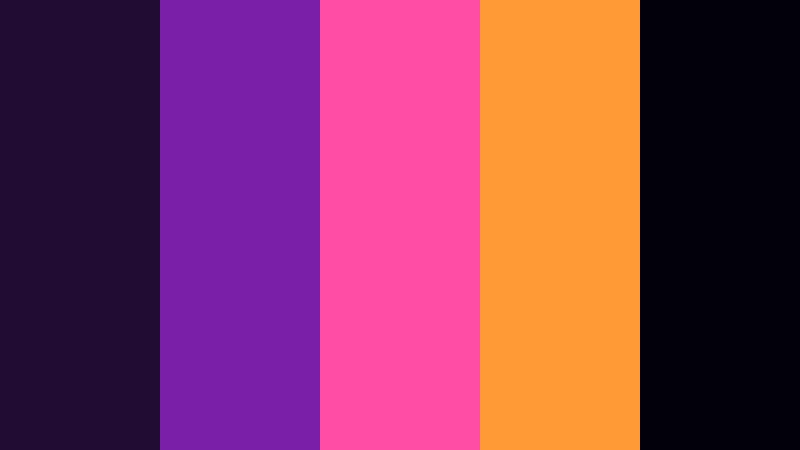
- HEX Codes: #210c33, #7a1fa8, #ff4da6, #ff9a36, #02010a
- Mood: Retro-futuristic, energetic, and bold.
- Use for: Ideal for gaming edits, tech explainers, and motion graphics with an 80s twist.
Synthwave Skyline Cut delivers classic 80s neon energy: retro violets meet magenta and tangerine highlights over a near-black night sky. It instantly suggests grids, sunsets, and glowing cityscapes.
Use this palette for gaming intros, tech explainers, or motion graphics where you want retro-futuristic flair. Violets and blacks can serve as your background, while the magenta and orange streak through titles, HUD elements, progress bars, and glitchy transitions.
Festival Stage Focus
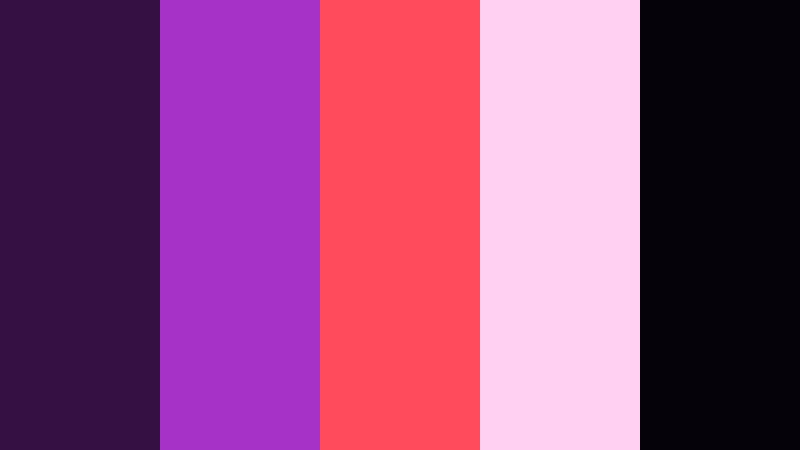
- HEX Codes: #331243, #a632c8, #ff4b5c, #ffd0f2, #06020a
- Mood: Festive, loud, and euphoric.
- Use for: Use for concert recaps, festival highlight reels, and dance content.
Festival Stage Focus feels like a live show frozen in time. Stage-worthy Dark Exposure Violet backgrounds are hit with intense magenta lights and pastel fog, capturing the rush of being in a crowd under bright beams.
Apply this palette to concert recaps, dance reels, or nightlife vlogs. Push your shadows toward the deep violet and near-black shades, then use the bright magenta and pastel pink for animated captions, set lists, or lyric overlays that pulse with the beat.
Creator Studio Pop
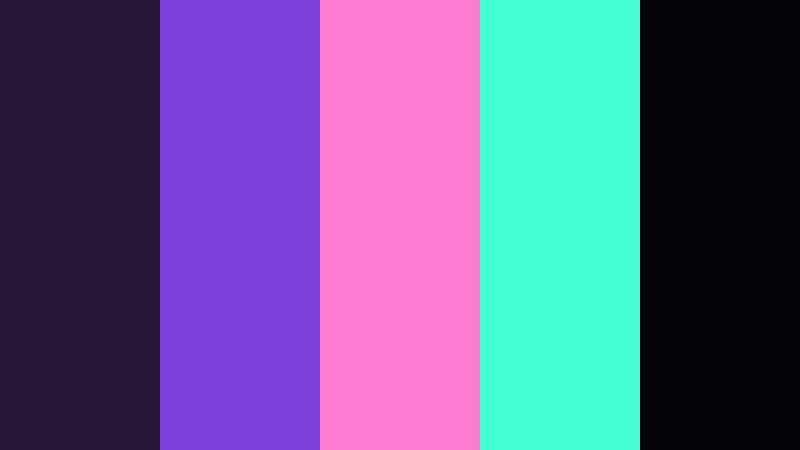
- HEX Codes: #271637, #7c3fd9, #ff7ed1, #44ffd1, #030308
- Mood: Playful, modern, and high-energy.
- Use for: Perfect for creator channels, tutorials, and upbeat branding packages.
Creator Studio Pop combines punchy Dark Exposure Violet with candy pink and aqua accents. It feels fun and modern, like a creative workspace glowing with LED strips and colorful desk setups.
Use the violet and near-black tones for basic layouts, then highlight actions and CTAs in bright pink and aqua. This palette suits tutorials, productivity tips, and creator-focused content where you want to look professional but still playful and approachable.
Elegant & Modern Dark Exposure Violet Color Palettes
Editorial Lens Luxe
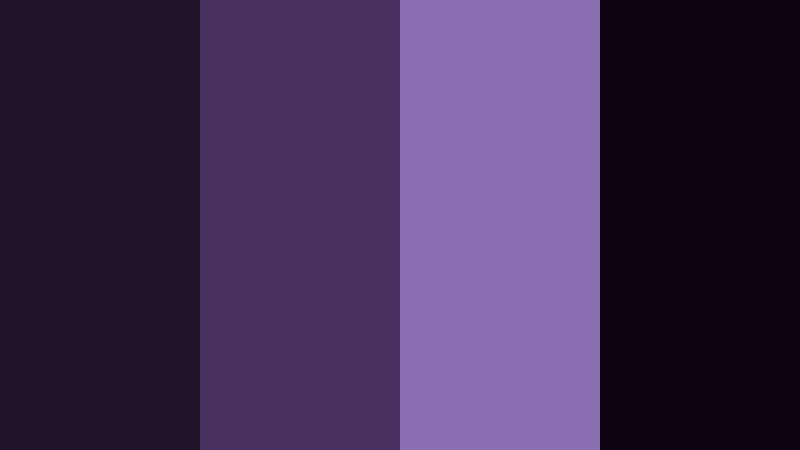
- HEX Codes: #1d1227, #46315e, #8a6eb4, #e6ddefff, #0c050f
- Mood: Sophisticated, minimal, and editorial.
- Use for: Use in fashion lookbooks, portfolio reels, and brand films that need a luxe edge.
Editorial Lens Luxe leans into inky Dark Exposure Violet, muted amethyst, and pearl tones for a refined, editorial mood. It feels like a gallery catalog or high-end magazine spread translated into motion.
Use this palette for fashion lookbooks, brand films, and portfolio edits. Keep backgrounds clean and dark, and let product shots or portraits sit against soft amethyst and pearl accents. Headlines, logos, and UI elements can live in the lighter tones for clarity against the deep, luxurious base.
Conference Room Gradient
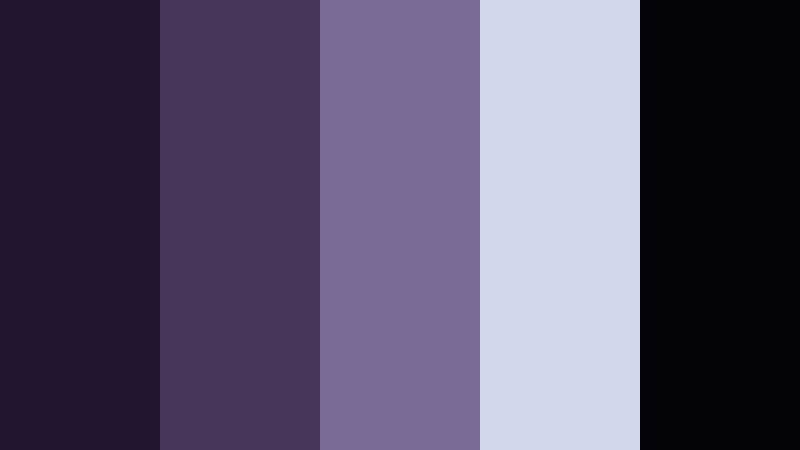
- HEX Codes: #21162e, #4b365c, #7c6b96, #d2d6ea, #050408
- Mood: Professional, stable, and contemporary.
- Use for: Perfect for business explainers, SaaS promos, and tech keynote templates.
Conference Room Gradient merges structured Dark Exposure Violet with cool grays and slate highlights. It feels modern and reliable, perfect for content where clarity and professionalism matter.
Use the darker violets as a backdrop for graphs, mockups, and screen recordings. The lighter gray-blues are ideal for body text, captions, and icons in explainers or SaaS promos, keeping everything readable while still distinct from standard blue corporate templates.
Minimal Studio Plinth
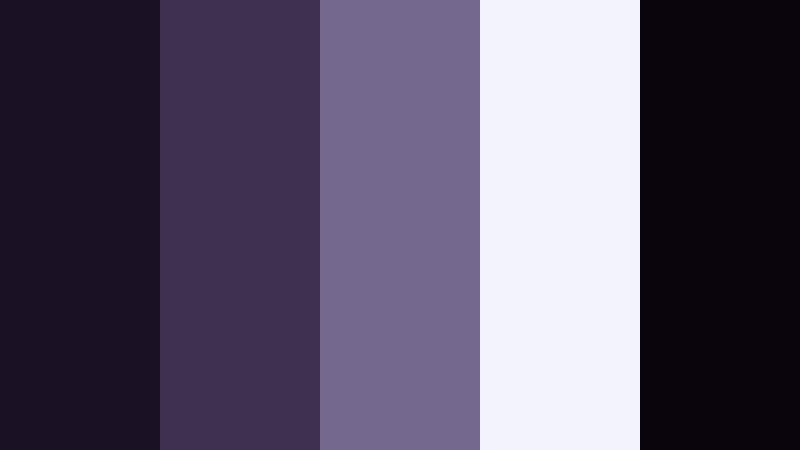
- HEX Codes: #1a1024, #3e3050, #74688f, #f3f4fb, #0a050d
- Mood: Clean, calm, and premium.
- Use for: Ideal for product showcases, unboxings, and UI mockups where the subject needs to stand out.
Minimal Studio Plinth uses a restrained mix of deep Dark Exposure Violet, soft slate, and bright gallery white. It echoes a product on a clean plinth in a studio, where nothing distracts from the main subject.
Use this palette for unboxings, tech product showcases, or UI mockup videos. Let your product or app screens provide the color, while the violet and white environment acts as a neutral but premium frame. This approach keeps attention exactly where you want it in thumbnails, intros, and landing page videos.
Tips for Creating Dark Exposure Violet Color Palettes
When you build your own Dark Exposure Violet color palettes for video and design, a bit of structure helps you keep things cinematic and readable across all devices and platforms.
- Start with one anchor violet: Pick a single Dark Exposure Violet HEX value as your main brand shade, then build lighter and darker variations around it.
- Balance contrast for text: Always test white, off-white, and light pastel text on your darkest violet and near-black backgrounds to ensure thumbnails and titles are legible at small sizes.
- Add 1–2 accent colors only: Use a warm accent (amber, peach, or pink) or a cool one (cyan or slate blue) for highlights and CTAs, but avoid too many competing accents.
- Check skin tones: When grading footage, preserve natural skin tones by isolating them in HSL so Dark Exposure Violet affects mainly the background and environment.
- Use gradients instead of flat blocks: Subtle violet gradients from darker corners to slightly lighter centers add depth without distracting from your subject.
- Match overlays and graphics: Ensure lower thirds, icons, and frame lines all share the same HEX codes as your palette so nothing feels off-brand.
- Test in multiple formats: Preview your palette on widescreen video, vertical shorts, and small mobile thumbnails to confirm that contrast and mood hold up everywhere.
- Save presets in Filmora: Once you like a grade or title style, save it as a preset so your Dark Exposure Violet aesthetic is one click away for future projects.
Dark Exposure Violet is powerful for shaping mood, from electric neon edits to soft, romantic storytelling or minimalist brand films. With the right supporting tones, it becomes a flexible foundation for thumbnails, intros, overlays, and entire video series that feel unified and memorable.
Use these 15 palettes as starting points, then refine them in Filmora to match your footage, logo, and personality. Whether you are building a YouTube channel identity, a cinematic short, or scroll-stopping social clips, consistent Dark Exposure Violet palettes can make your work instantly recognizable.
Experiment with these HEX codes, save your favorite looks as Filmora presets, and keep iterating until your colors feel like a natural extension of your brand and storytelling style.
secure downloadNext: Noir Black Color Palette
