

 100% Security Verified | No Subscription Required | No Malware


 ChatGPT
 Perplexity
 Gemini
 Claude
 Grok
Grok
Dark Film Green sits between forest green and deep teal, carrying the mood of a cinema screen in a dark theater. It feels grounded, mysterious, and sophisticated, which is why filmmakers use it to suggest tension, nostalgia, or quiet introspection. In branding, it signals reliability and depth, while in thumbnails and intros it gives your visuals a polished, filmic edge that stands out from oversaturated neons.
This guide collects 15 Dark Film Green color palettes with HEX codes you can use directly in your videos, YouTube thumbnails, titles, overlays, and branding systems. Every palette is ready to recreate inside Filmora, whether you are color grading vlogs, designing cinematic intros, or building a consistent channel identity.
In this article
Cinematic Dark Film Green Color Palettes
Noir Studio Forest
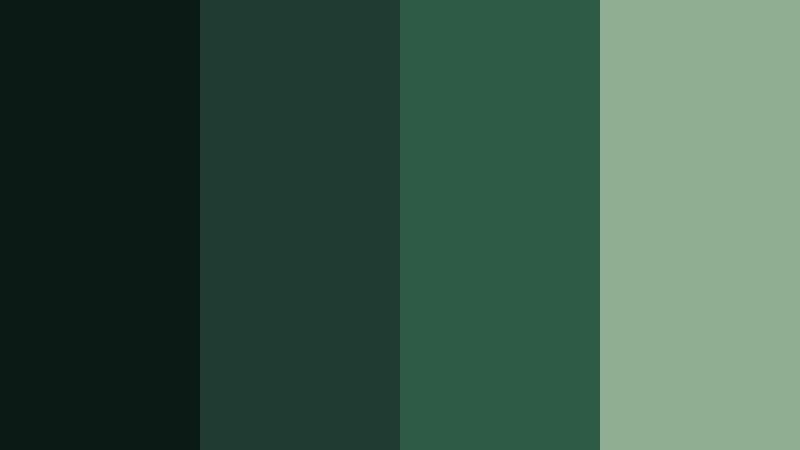
- HEX Codes: #0c1a15, #1f3b32, #2d5b45, #8fae92
- Mood: Moody, cinematic, and introspective with a subtle film grain feel.
- Use for: Use for dramatic short film titles, thriller intros, and high-contrast cinematic thumbnails.
Noir Studio Forest leans into deep bottle greens and a soft, faded highlight, giving you an instant art house tone. The combination feels like a quiet, shadowy forest scene lit by a single practical light, perfect for serious narratives and character-driven edits.
Use the darkest tones as backgrounds for title cards, then layer lighter greens for text, borders, and UI details. In thumbnails and channel banners, this palette makes faces and key props pop when you add a slightly warmer skin tone or accent color over the Dark Film Green base.
Pro Tip: Build a Cinematic Dark Film Green Look in Filmora
To keep Noir Studio Forest consistent, treat it as the backbone of your edit. In Filmora, create a color preset using #0c1a15 and #1f3b32 for your shadows and midtones, then use #2d5b45 and #8fae92 for titles, shapes, and overlays. Save that preset so the same Dark Film Green mood runs through your intro, b-roll, talking-head shots, and social cutdowns.
When you design lower thirds or end screens, sample these HEX codes with the color picker for borders, backgrounds, and button states. This makes your whole project feel like one cohesive film, not a mix of random scenes.
AI Color Palette
If you have a reference still graded with Noir Studio Forest tones, you can let Filmora analyze it and push that look across the rest of your timeline. Filmora's AI Color Palette feature reads the color relationships from your hero shot and applies similar Dark Film Green balances to all selected clips.
This is especially useful for vlogs and short films shot in different locations. Pick the clip that best captures your desired Dark Film Green mood, run AI Color Palette on your sequence, and you will keep that same cinematic forest vibe from the opening shot to the final frame.
 secure download

HSL, Color Wheels & Curves
Once AI has done the heavy lifting, fine-tune your Dark Film Green tones using Filmora's HSL, color wheels, and curves. In HSL, slightly desaturate greens while lifting their luminance to avoid banding in dark areas, then use the color wheels to cool down shadows and keep highlights neutral so skin tones stay natural.
Curves let you deepen #0c1a15 into a richer black while keeping midtones from crushing. A soft S-curve adds contrast without losing detail in the Dark Film Green shadows. You can see how these tools work together in the dedicated Filmora color grading breakdown on YouTube embedded below.
secure download1000+ Video Filters & 3D LUTs
If you want to speed up your workflow, you can combine this palette with Filmora's built-in looks. Filmora's video filters and 3D LUTs make it easy to push Noir Studio Forest further into a stylized noir grade, a soft indie film wash, or a gritty thriller tone.
Apply a LUT that already leans green or teal, then adjust the intensity so it sits nicely with your chosen HEX values. This lets you maintain the integrity of your Dark Film Green palette while benefiting from the texture and depth of professionally designed filters.
secure downloadProjector Room Shadows
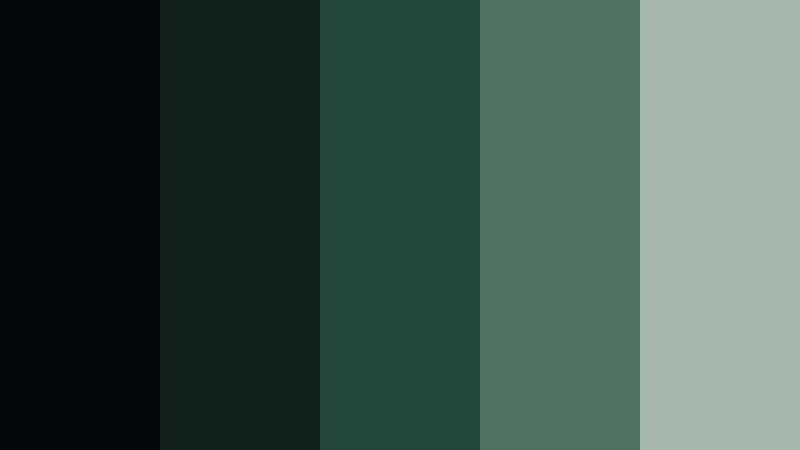
- HEX Codes: #050809, #12201b, #23463a, #4f7263, #a8b7ad
- Mood: Shadowy and atmospheric, like a quiet screening room.
- Use for: Use for opening slates, film festival bumpers, and dark-mode UI for streaming content.
Projector Room Shadows is all about subtle contrast in the darks. The near-black #050809 and deep greens feel like sitting in a cinema just before the movie starts, with only the glow of the screen and emergency lights around you.
Use this palette for dark-mode channel art, intros, and end screens where you want minimal distraction. The lighter #a8b7ad works well for legible text and icons on YouTube thumbnails or streaming overlays without breaking the moody Dark Film Green atmosphere.
Rainy Backlot Alley
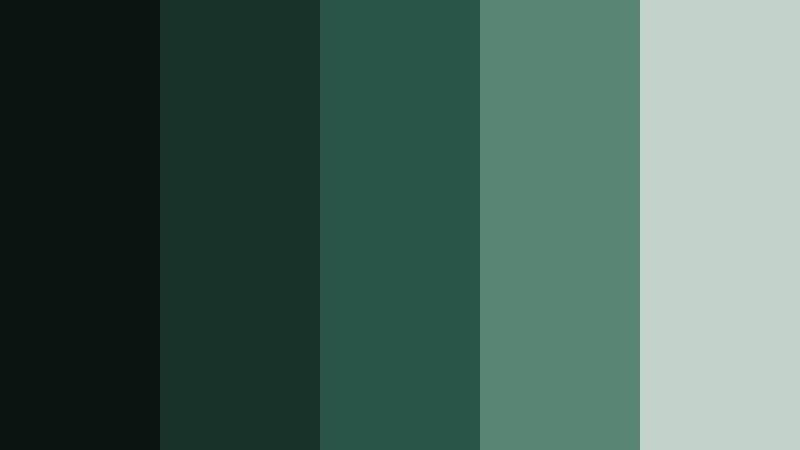
- HEX Codes: #091310, #183229, #295346, #5a8572, #c3d3c9
- Mood: Gritty yet cinematic, like a rain-slicked movie backlot at night.
- Use for: Use for music videos, urban vlogs, and gritty documentary sequences.
Rainy Backlot Alley blends asphalt blacks with desaturated Dark Film Green mids, giving your visuals that wet, reflective city feel. It instantly adds a sense of realism and weight, perfect for stories about nightlife, underground scenes, or street culture.
Try these tones in lower thirds for interviews, animated titles for music promos, or color overlays on b-roll. The pale #c3d3c9 brings just enough contrast for text, making it a smart choice for subtitle bars and callout boxes over darker footage.
Analog Studio Reel
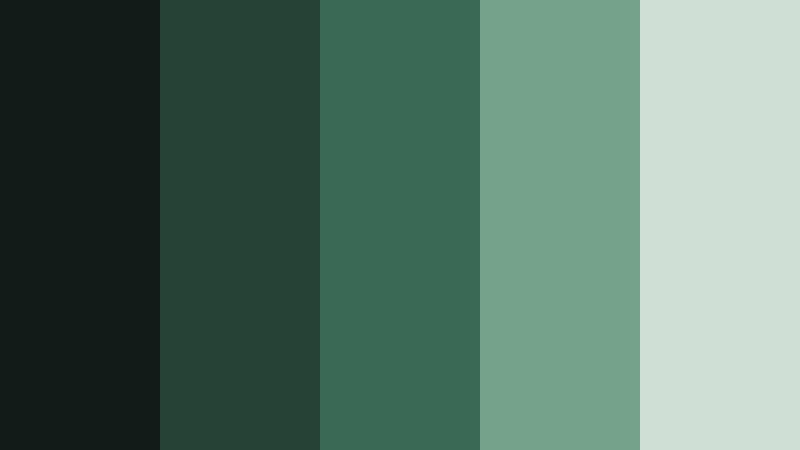
- HEX Codes: #121b17, #254237, #3a6955, #74a38a, #d0dfd5
- Mood: Nostalgic and cinematic with a soft film lab atmosphere.
- Use for: Use for behind-the-scenes reels, editing tutorials, and film gear reviews.
Analog Studio Reel softens Dark Film Green into something more nostalgic and approachable. The midtones feel like faded studio walls and camera cases, while #d0dfd5 adds the gentle brightness of a light table or monitor glow.
This palette works well for educational content, especially when you want to look professional but not too heavy. Use the darker greens for backgrounds and frames, with #74a38a and #d0dfd5 for icons, diagrams, and chapter titles in your Filmora tutorials or gear breakdowns.
Midnight Cinema Marquee

- HEX Codes: #050b08, #113126, #1f5340, #f2d98a, #f7f1dc
- Mood: Dramatic and cinematic with a pop of vintage marquee warmth.
- Use for: Use for channel banners, premiere announcements, and bold cinematic trailers.
Midnight Cinema Marquee pairs deep Dark Film Green with Low Light Amber style yellows, clocking in as a high-impact movie-night combo. It feels like standing under a retro theater sign, with glowing letters cutting through the dark street.
Use the greens for your background and UI elements, then reserve #f2d98a and #f7f1dc for headlines, countdown timers, and premiere dates. This contrast grabs attention in thumbnails and social graphics without resorting to neon or oversaturated colors.
Moody Nature Dark Film Green Palettes
Evergreen Cliff Fade
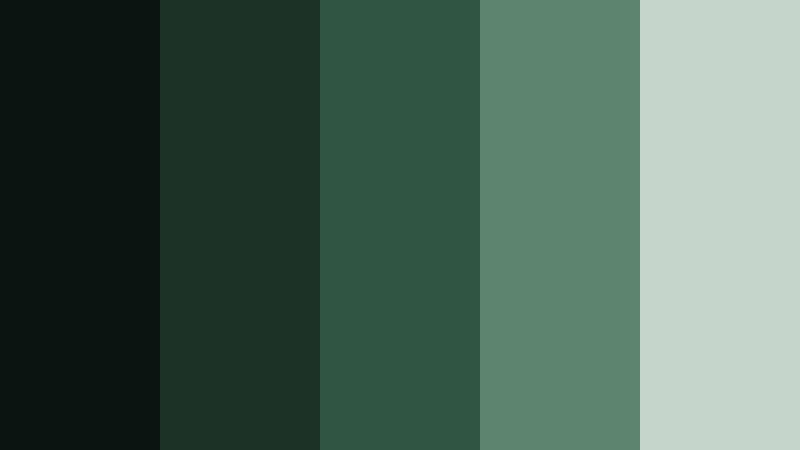
- HEX Codes: #0b1410, #1c3227, #315543, #5d846c, #c5d5cb
- Mood: Grounded, calm, and rugged like a misty mountain range.
- Use for: Use for travel vlogs, hiking reels, and eco-brand storytelling.
Evergreen Cliff Fade captures the feeling of layered mountains disappearing into fog. The darker greens anchor your image, while #c5d5cb brings in that soft, misty highlight that keeps the look airy instead of heavy.
This palette suits travel vlogs, drone footage, and outdoor brand intros. Use the deepest green as a base for text bars or logo backplates, then bring in #5d846c and #c5d5cb for on-screen text and map graphics to keep everything readable and cinematic.
Pine Lens Flare
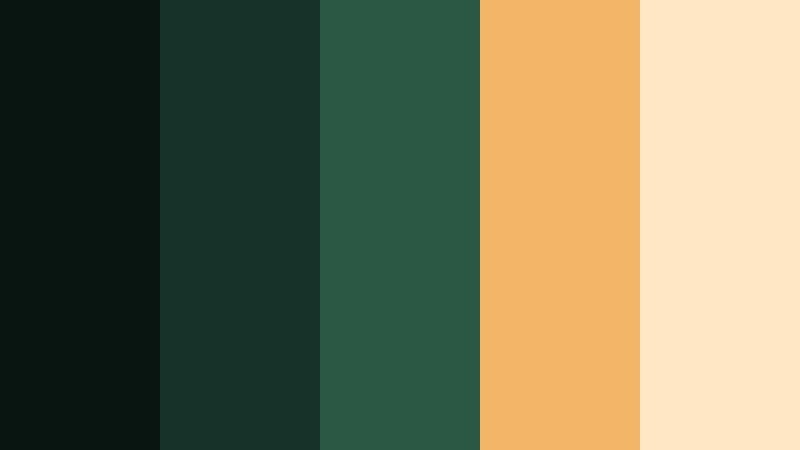
- HEX Codes: #091510, #163229, #2b5745, #f2b666, #ffe7c6
- Mood: Warm and dramatic, like sunlight flaring through dense pines.
- Use for: Use for cinematic travel intros, romantic nature edits, and lifestyle branding.
Pine Lens Flare balances moody pines with golden sunlight accents. The Dark Film Green tones keep everything grounded, while #f2b666 and #ffe7c6 create a warm, emotional glow reminiscent of sunset lens flares.
Apply this palette to romantic adventure videos, wedding reels in the forest, or lifestyle branding that mixes tech and nature. Greens work best as backgrounds and shadows, with the warm hues reserved for titles, badges, and highlight elements on your thumbnails and end cards.
Foggy Valley Reel
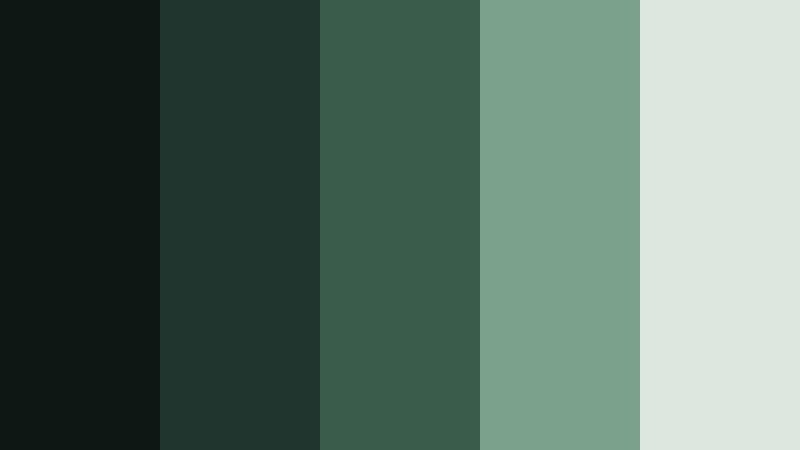
- HEX Codes: #0d1814, #20352d, #3a5c4b, #7ba18b, #dde7e0
- Mood: Soft, introspective, and cinematic like a drone glide over morning fog.
- Use for: Use for drone b-roll, cinematic landscape montages, and slow travel vlogs.
Foggy Valley Reel introduces more light into the Dark Film Green family. The palette feels meditative and quiet, with #dde7e0 acting as a gentle cloud layer over the deeper greens beneath.
This combination is ideal for slow, reflective edits with voiceover, where you want the scenery to feel immersive but not overwhelming. Use the lighter tones for captions, quote cards, and chapter markers, ensuring they remain legible over darker footage.
Old Growth Stories
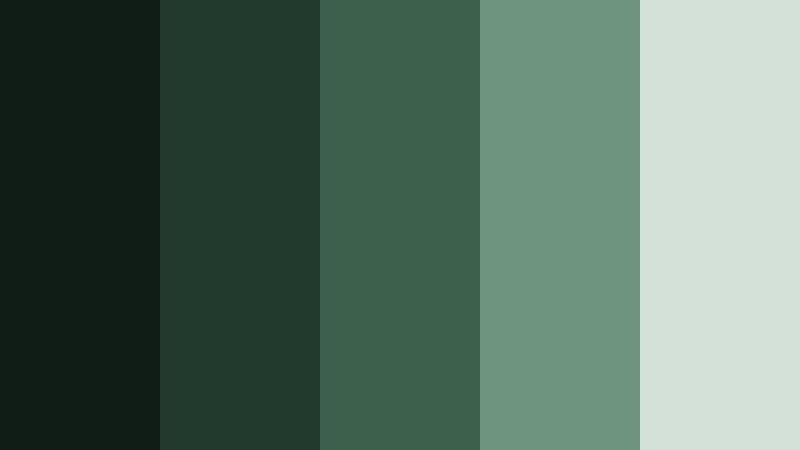
- HEX Codes: #101c16, #22392e, #3c604c, #6f947d, #d4e1d8
- Mood: Timeless and grounded, like an ancient forest with stories to tell.
- Use for: Use for documentary series, sustainability campaigns, and thoughtful brand pieces.
Old Growth Stories feels steady and trustworthy. The layered greens and neutral highlight #d4e1d8 make your content look serious but not sterile, which is ideal for educational topics, NGOs, or long-form storytelling.
Use the darker swatches behind lower thirds and fact boxes, then bring in the lighter tones for body text and simple icons. In branding, this palette can carry across thumbnails, channel banners, and website visuals to create a cohesive, eco-conscious identity.
Twilight Canopy Frame
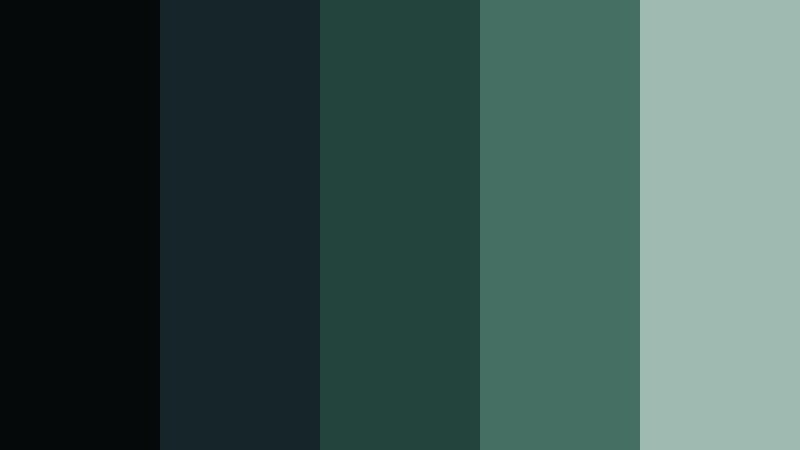
- HEX Codes: #05090a, #16252a, #23433d, #456f63, #9fbab0
- Mood: Quiet and cinematic, like standing under a canopy at blue hour.
- Use for: Use for intro frames, lower thirds, and subtle animated backgrounds.
Twilight Canopy Frame pulls Dark Film Green toward cooler, blue hour territory. The deep shadows and muted teal-greens recreate the feeling of the sky just after sunset when colors are soft but still rich.
Use this palette for introspective vlogs, calm streaming layouts, or minimalist motion graphics. The midtones make excellent backgrounds for animated frames or info cards, while #9fbab0 offers just enough contrast for overlay text and UI elements.
Modern Dark Film Green Branding Palettes
Editing Suite Minimal
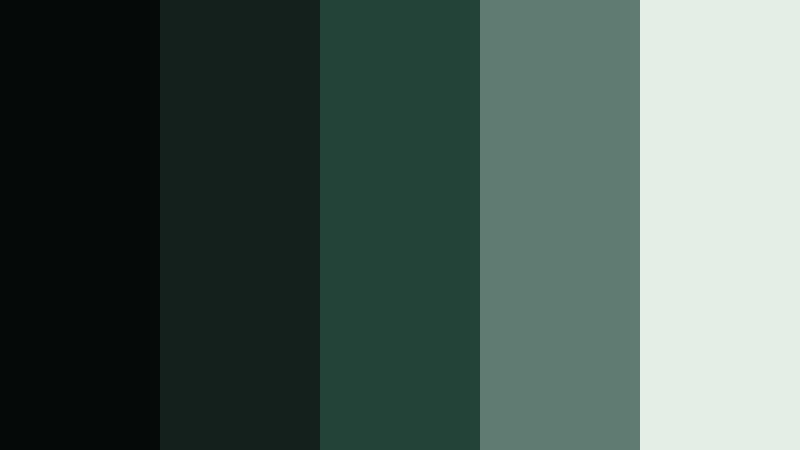
- HEX Codes: #060a09, #14221e, #244339, #5e7c71, #e2ece7
- Mood: Clean, modern, and professional with a techy film studio vibe.
- Use for: Use for channel branding, app UI mockups, and sleek tutorial graphics.
Editing Suite Minimal translates Dark Film Green into a modern interface aesthetic. The dark tones feel like a color grading panel or editing timeline, while #e2ece7 adds a crisp, almost clinical light that keeps layouts looking clean.
Use this palette to design your channel cover, lower thirds, and animated UI mockups. The deeper greens create excellent dark-mode backgrounds, and the softer midtones and highlight color ensure text and icons are readable on any device.
Creator Desk Glow
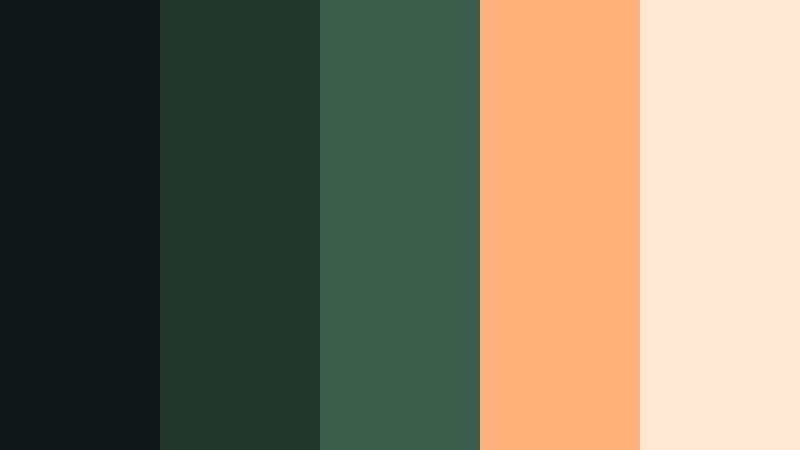
- HEX Codes: #111716, #23362e, #3b5d4b, #ffb07a, #ffe6d5
- Mood: Warm, inviting, and cinematic with a creator workspace feel.
- Use for: Use for desk setup videos, productivity content, and lifestyle tech branding.
Creator Desk Glow merges Dark Film Green with cozy peach lighting to mimic RGB desk lamps and warm key lights. It feels like a tidy, aesthetic workspace shot in low light, making it perfect for productivity and tech channels.
Use the greens for main backgrounds and lower thirds, then pop #ffb07a and #ffe6d5 into icons, highlight text, and progress bars. This creates eye-catching overlays and thumbnails that still look classy and cinematic.
Studio Grid Overlay
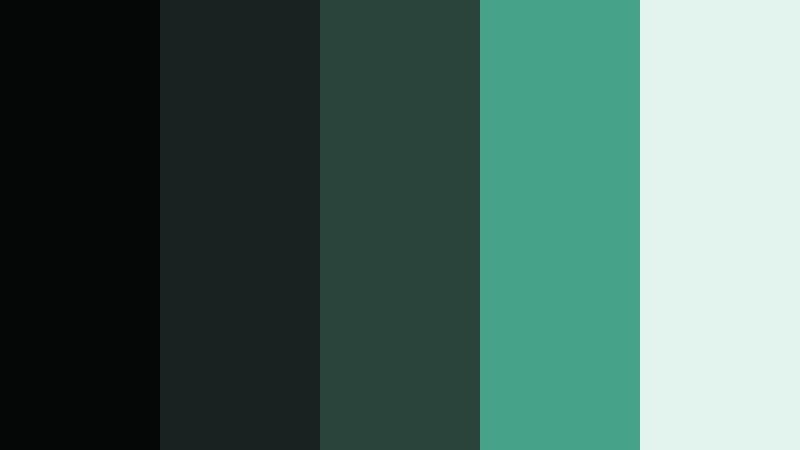
- HEX Codes: #050707, #182321, #2a433b, #46a38a, #e3f4ef
- Mood: Fresh, digital, and slightly futuristic with strong contrast.
- Use for: Use for motion graphics, infographic videos, and dynamic logo stings.
Studio Grid Overlay adds a bright teal accent to Dark Film Green bases, creating a tech-forward, slightly futuristic style. The result feels like a HUD overlay or motion graphics package used in product explainers and channel idents.
Use #46a38a and #e3f4ef for grids, outlines, and callout shapes against the darker background colors. This palette is especially strong for animated infographics, logo stings, and chapter markers in editing or productivity content.
Festival Night Edit
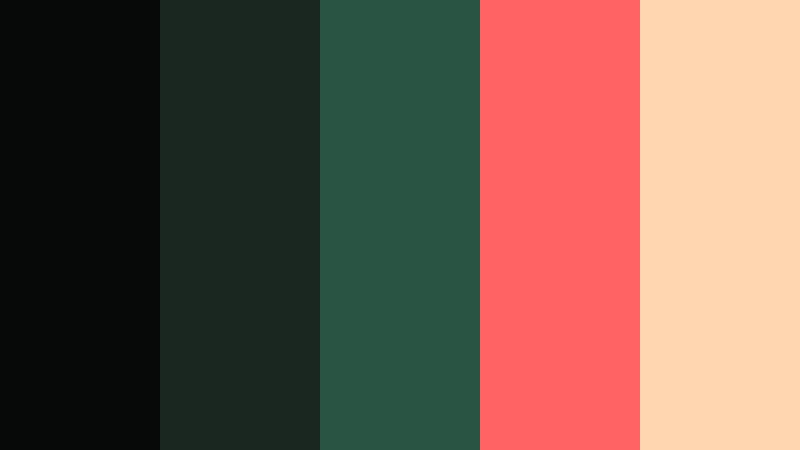
- HEX Codes: #070908, #1a2620, #295342, #ff6363, #ffd6b0
- Mood: Energetic and bold with a cinematic festival-at-night energy.
- Use for: Use for music festival recaps, event promos, and energetic montage edits.
Festival Night Edit blends Dark Film Green shadows with bright coral and peach accents to echo stage lights and neon signs. It reads as energetic and urban without losing its cinematic base.
Use greens as a foundation to keep footage grounded, then drop #ff6363 and #ffd6b0 into big titles, countdown numbers, and animated shapes. This combination works especially well on shorts, reels, and TikToks where you need thumbnails and overlays to stand out instantly.
Soft Vintage Dark Film Green Palettes
Retro Film Archive
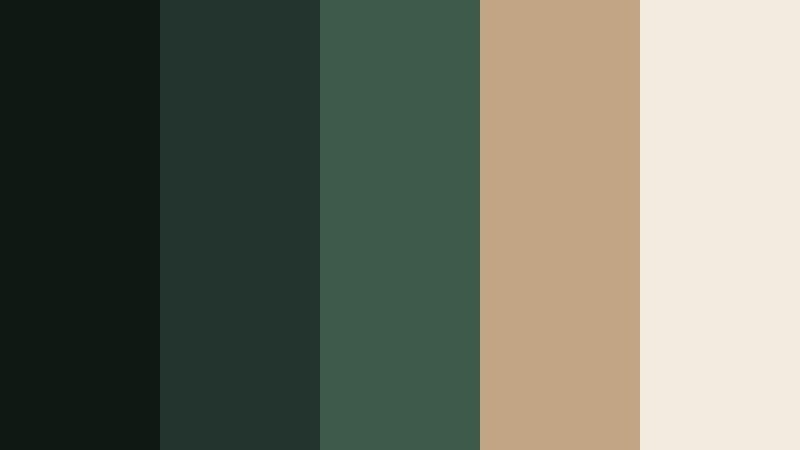
- HEX Codes: #101814, #22342d, #3c5b4b, #c2a585, #f3ebdf
- Mood: Soft, nostalgic, and archival like an old film vault.
- Use for: Use for retro title cards, storytime videos, and documentary intros.
Retro Film Archive softens Dark Film Green with warm, dusty neutrals, creating a palette that feels like old film cans and yellowed paper labels. It instantly suggests memory, history, and stories from the past.
Use the mid greens for backgrounds and frames, with #c2a585 and #f3ebdf for titles, captions, and date stamps. This palette works beautifully for storytime videos, archival documentaries, and any content where you want to hint at nostalgia without going full sepia.
Tape Label Memories
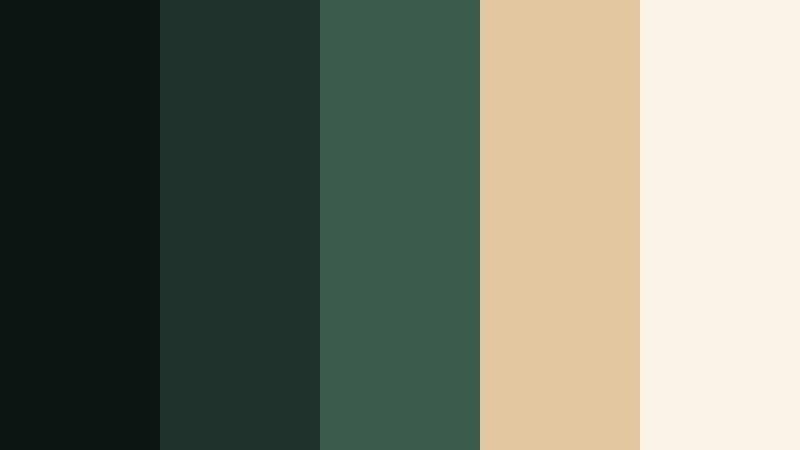
- HEX Codes: #0d1512, #1f322b, #3b5b4c, #e2c7a0, #faf3e7
- Mood: Cozy, analog, and personal like a box of labeled tapes.
- Use for: Use for vlogs, family footage edits, and intimate storytelling pieces.
Tape Label Memories feels personal and homemade, like rediscovering Hi8 tapes or miniDV cassettes in a drawer. The Dark Film Green tones echo camera bodies and cases, while #e2c7a0 and #faf3e7 recall handwritten labels and old stationery.
Use the greens to frame your footage and create subtle vignette overlays, then place the warm neutrals into lower thirds, title cards, and chapter dividers. This palette suits life updates, family montages, and any video where you want viewers to feel close to your story.
Tips for Creating Dark Film Green Color Palettes
Dark Film Green works best when you balance its depth with carefully chosen highlights and accent colors. Keep these practical tips in mind when building your own palettes for video, thumbnails, and branding.
- Pair Dark Film Green with a soft neutral (cream, foggy gray, or pale mint) so text and UI stay readable on dark backgrounds.
- Add one warm accent (amber, coral, or peach) to draw the eye to CTAs, titles, and important details without breaking the cinematic mood.
- Check contrast on mobile by viewing your thumbnails at very small sizes; adjust brightness and saturation until headlines are clear.
- Keep skin tones natural by avoiding heavy green in the highlights; confine Dark Film Green to shadows, backgrounds, and overlays.
- Use consistent HEX codes across intros, lower thirds, and end screens so your channel or brand feels unified from video to video.
- In Filmora, save your favorite Dark Film Green combinations as custom presets or LUTs to speed up grading on future projects.
- Mix slightly different greens for background and foreground elements to add depth while staying inside the same color family.
- Test your palette on both light and dark scenes to ensure it does not crush details in shadows or wash out in bright daylight shots.
Dark Film Green palettes can turn simple footage into something that feels cinematic, intentional, and on-brand. Whether you lean into noir studio shadows, moody nature scenes, modern tech interfaces, or soft vintage looks, tuning your greens sets a clear emotional tone for your audience.
Use the HEX codes above as starting points, then refine them inside Filmora with AI Color Palette, HSL, curves, and filters. As you build presets around your favorite Dark Film Green combinations, you will be able to grade new projects quickly while keeping your visual identity consistent across thumbnails, intros, and full edits.
Experiment with these palettes on your next edit and adjust them to fit your story, then save the looks that work best so your channel can grow with a strong, recognizable Dark Film Green signature.
secure download