

 100% Security Verified | No Subscription Required | No Malware


 ChatGPT
 Perplexity
 Gemini
 Claude
 Grok
Grok
Dark Studio Blue sits between deep navy and near-black, giving it a cinematic, studio-lit feel. It suggests focus, professionalism, and a hint of mystery, which is why it shows up so often in movie posters, title cards, and premium tech branding. On screen, it helps skin tones stand out, makes highlights feel crisp, and creates a moody base for modern, digital looks.
For video creators, Dark Studio Blue works beautifully in YouTube thumbnails, intros, lower thirds, streaming overlays, and channel branding. Below you will find 15 ready-to-use Dark Studio Blue color palettes with HEX codes, designed for Filmora users and any creator who wants consistent, attractive color combinations for cinematic edits, vlogs, podcasts, and social content.
In this article
Cinematic Dark Studio Blue Color Palettes
Midnight Studio Noir
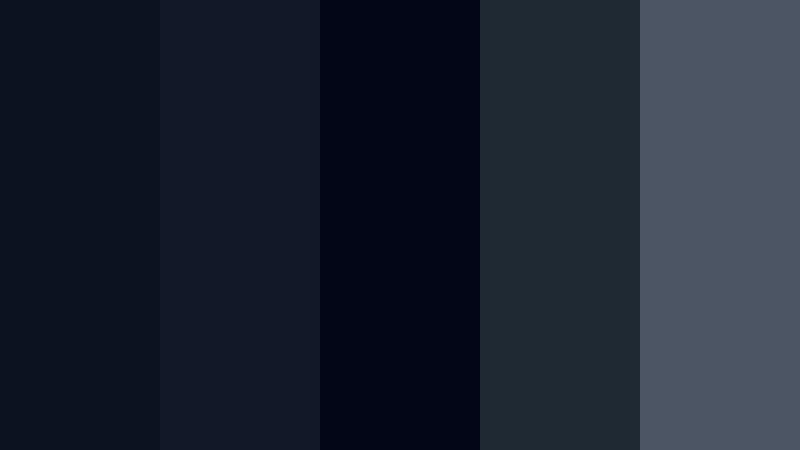
- HEX Codes: #0b1220, #111827, #020617, #1f2933, #4b5563
- Mood: Moody, cinematic, and intensely dramatic.
- Use for: Perfect for cinematic intros, thriller trailers, and dramatic storytelling sequences.
Midnight Studio Noir is all about inky blues and charcoal shadows. The near-black tones (#020617, #0b1220) create a deep canvas, while the softer charcoals (#1f2933, #4b5563) add subtle separation in the midtones. Together they feel like a soundstage lit by a single spotlight, with everything else falling away into darkness.
Use this palette when you want strong contrast and a serious tone in your videos. It works especially well for thriller-style openers, chapter cards, end screens, and dark YouTube thumbnails where white or light gray text pops against the deep Dark Studio Blue background. In Filmora, you can apply these HEX codes to title backgrounds, shapes, and overlays so your entire edit, from intro to credits, shares the same moody visual language.
Pro Tip: Build a Cinematic Dark Studio Blue Look in Filmora
To keep a Midnight Studio Noir look consistent, start with Dark Studio Blue as your base background color for titles, end cards, and any full-screen graphics. Then, use lighter grays from the palette for secondary panels, progress bars, and on-screen UI elements so your frames feel layered but still unified.
Inside Filmora, save these colors in the custom color picker so you can quickly reuse them for lower thirds, shapes, and text. Apply a subtle vignette, a bit of contrast, and lowered saturation on your footage to match the depth of the palette, then copy those adjustments across clips for a cohesive cinematic style that carries through your main video, shorts, and social cutdowns.
AI Color Palette
If you have a reference image that nails this dark, studio-noir mood, you can use Filmora to transfer that color style across your entire project. Filmora's AI Color Palette feature analyzes the reference frame and applies its tones to your timeline, keeping Dark Studio Blue shadows and neutral midtones aligned.
Export a still frame that best represents your desired palette, then load it into AI Color Palette. Apply it to a batch of clips at once so your A-roll, B-roll, and even overlay footage all share the same deep blues and controlled grays. This is an easy way to lock in a dramatic look without manually grading every single shot.
 secure download

HSL, Color Wheels & Curves
To refine a Dark Studio Blue look, use Filmora color tools like HSL, color wheels, and curves. With HSL, you can push your blues slightly towards teal or violet while keeping saturation under control, so skin tones remain natural against an inky backdrop. The color wheels let you cool down shadows into Dark Studio Blue while keeping highlights more neutral for clean text and UI.
If you want a more advanced workflow, you can follow Filmora tutorials on color grading that show how to use curves to create S-shaped contrast for a cinematic punch. Lift the shadows a touch to avoid crushed blacks, and gently lower the highlights so your whites do not overpower the subtle gradients in your blue tones.
secure download1000+ Video Filters & 3D LUTs
Once your Dark Studio Blue base is set, you can quickly stylize it with Filmora presets. Filmora's video filters and 3D LUTs make it easy to add a specific film stock vibe, a cooler sci-fi look, or a warmer noir feel without starting from scratch.
Stack a soft cinematic LUT on top of your Midnight Studio Noir grades for subtle color shifts, then refine intensity to suit your brand. This lets you build a signature look you can reuse across intros, talking-head videos, and shorts while still staying true to your Dark Studio Blue palette.
secure downloadControl Room Glow
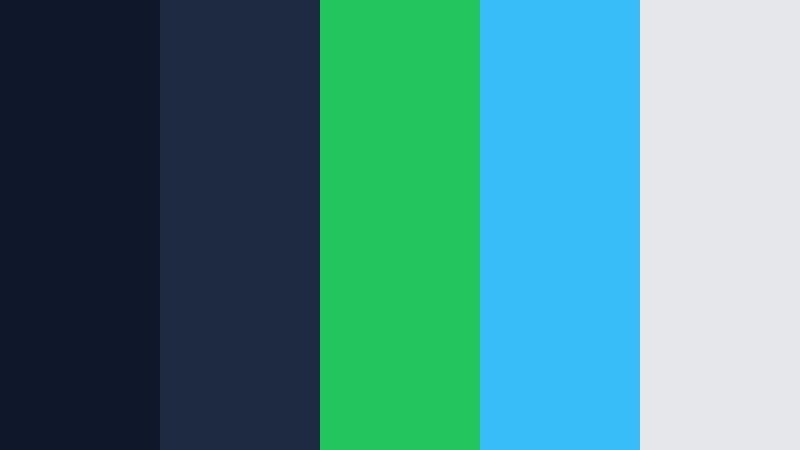
- HEX Codes: #0f172a, #1d2a3f, #22c55e, #38bdf8, #e5e7eb
- Mood: Techy, focused, and modern with a hint of thriller tension.
- Use for: Great for tech explainers, streaming overlays, and cyberpunk-style B-roll.
Control Room Glow anchors rich Dark Studio Blue bases (#0f172a, #1d2a3f) with neon green (#22c55e) and cyan (#38bdf8) highlights. The light neutral gray (#e5e7eb) keeps text easy to read and prevents the neon elements from overwhelming the frame.
This palette is ideal for UI-inspired lower thirds, HUD graphics, and data callouts in tutorials or product breakdowns. In thumbnails and intros, use Dark Studio Blue as the background and reserve the green and cyan for key words, arrows, or animated meters to guide the viewer’s eye and suggest a high-tech environment.
Backlot Rain Scene
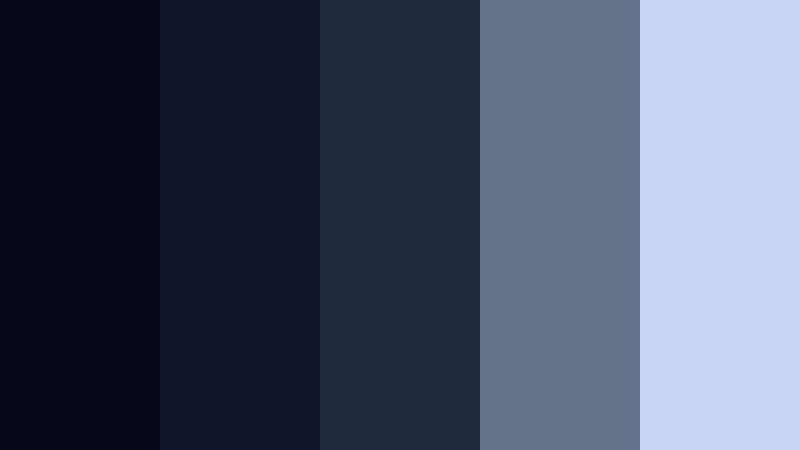
- HEX Codes: #020617, #0f172a, #1e293b, #64748b, #cbd5f5
- Mood: Rainy, reflective, and emotionally introspective.
- Use for: Ideal for emotional vlogs, travel films in rainy cities, and moody music videos.
Backlot Rain Scene layers deep blues (#020617, #0f172a) with cooler mid-blues and desaturated accents (#1e293b, #64748b). The soft highlight tone (#cbd5f5) acts like diffused light bouncing off wet pavement or misty windows.
Use it when you want to emphasize reflection and emotion in stories: breakup vlogs, late-night city walks, or personal voiceovers. Dark Studio Blue backgrounds with soft blue-gray text boxes work well for chapter titles, while gentle gradients between these colors can create rain-like overlays on footage in Filmora.
Director s Cut Contrast
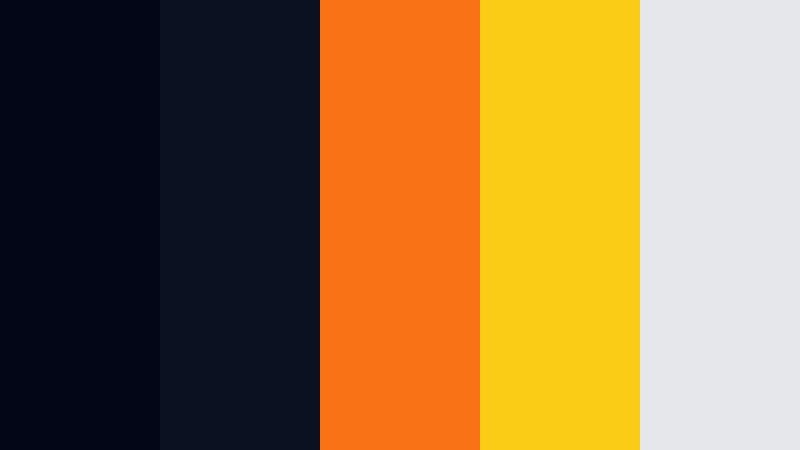
- HEX Codes: #020617, #0b1120, #f97316, #facc15, #e5e7eb
- Mood: High-impact, bold, and editorial.
- Use for: Designed for attention-grabbing titles, channel branding, and dynamic trailer cuts.
Director s Cut Contrast slams ultra-dark blues (#020617, #0b1120) against vivid orange (#f97316) and bright yellow (#facc15). The light gray (#e5e7eb) provides a neutral space for readable text. This creates a blockbuster-style contrast that feels energetic and urgent.
Use the blues as the base and reserve the orange and yellow for calls to action, logos, and key phrases in titles or thumbnails. On YouTube, this palette can help your channel art and video covers stand out in crowded feeds while still keeping a filmic, Dark Studio Blue foundation.
Dolby Night Mix
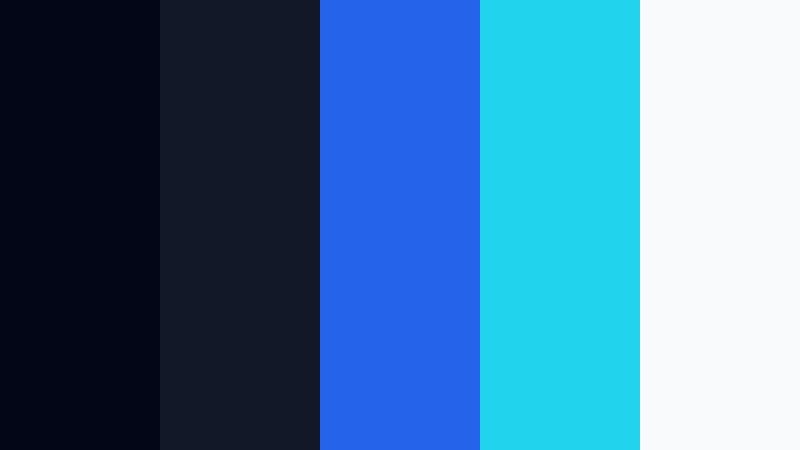
- HEX Codes: #020617, #111827, #2563eb, #22d3ee, #f9fafb
- Mood: Immersive, crisp, and premium cinema-inspired.
- Use for: Use for premium channel intros, tech product promos, and polished overlays.
Dolby Night Mix takes Dark Studio Blue into a premium audio-visual space with rich royal blue (#2563eb), bright cyan (#22d3ee), and clean white (#f9fafb). The combination feels like a high-end cinema interface or streaming platform splash screen.
Pair deep blues for backgrounds with royal blue buttons and cyan accent lines for a polished, modern UI style. This works well for tech promos, unboxings, and channels that want to look sleek and professional. Use white for main text to guarantee clarity on thumbnails, title cards, and lower thirds.
Modern Dark Studio Blue Color Palettes
Studio Loft Minimal
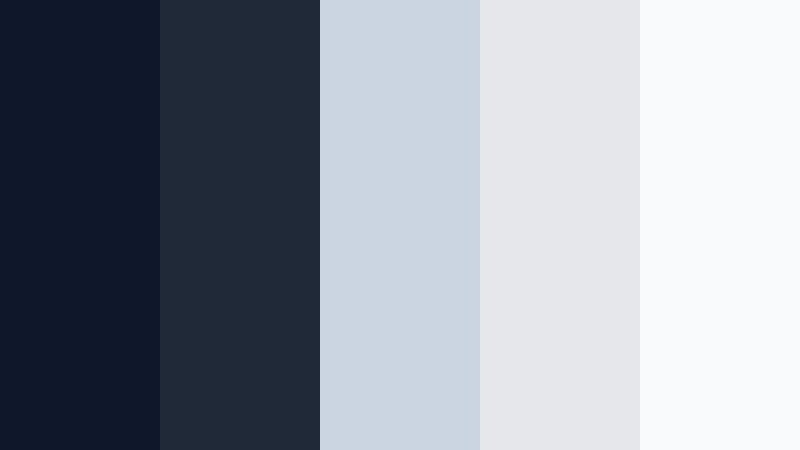
- HEX Codes: #0f172a, #1f2937, #cbd5e1, #e5e7eb, #f9fafb
- Mood: Calm, minimalist, and design-forward.
- Use for: Great for tutorials, productivity content, minimalist branding, and UI-style graphics.
Studio Loft Minimal balances Dark Studio Blue (#0f172a, #1f2937) with soft, airy grays and off-whites (#cbd5e1, #e5e7eb, #f9fafb). It feels like a clean, modern workspace with large windows and neutral decor.
This palette works perfectly for productivity vlogs, Notion-style layouts, or any educational content where you want viewers to focus on information. Use blue as accent panels or header bars and keep most backgrounds in the pale grays, making your graphics look tidy and premium without feeling heavy.
Neon Edit Suite
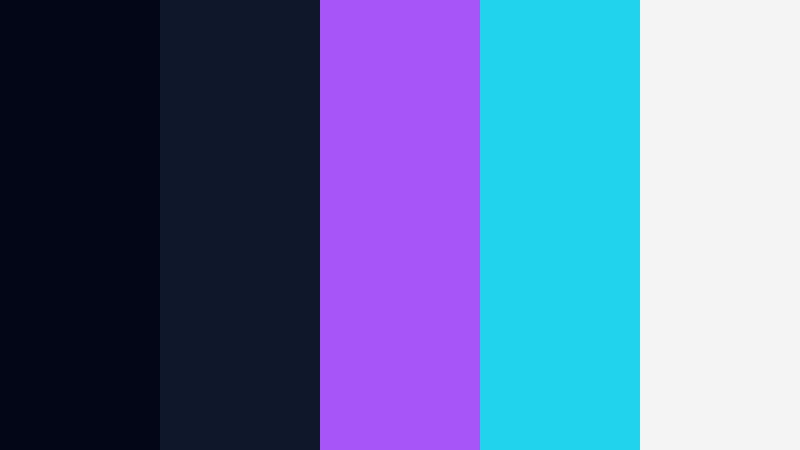
- HEX Codes: #020617, #0f172a, #a855f7, #22d3ee, #f4f4f5
- Mood: Futuristic, edgy, and creator-focused.
- Use for: Perfect for creator branding, gaming intros, and high-energy social promos.
Neon Edit Suite combines inky Dark Studio Blue (#020617, #0f172a) with electric purple (#a855f7) and bright cyan (#22d3ee). A soft off-white (#f4f4f5) lets you keep text and icons readable, even when the scene gets busy.
This is a go-to palette for gaming channels, editing tutorials, and high-energy short-form content. Use Dark Studio Blue as the canvas, then add neon outlines around avatars, titles, and call-to-action buttons to make your screen feel like a glowing edit bay at night.
Channel Branding Blueprint
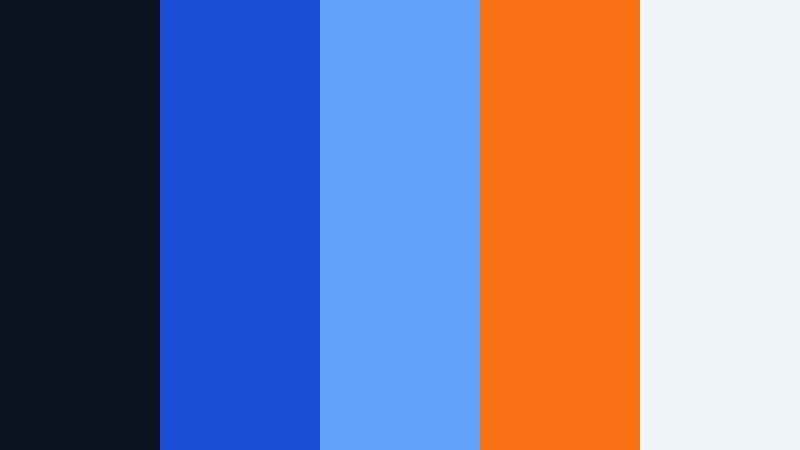
- HEX Codes: #0b1120, #1d4ed8, #60a5fa, #f97316, #f1f5f9
- Mood: Professional yet approachable, with a strong brand presence.
- Use for: Use this for YouTube channel kits, logo stings, and consistent thumbnail systems.
Channel Branding Blueprint mixes Dark Studio Blue (#0b1120) with bright royal and sky blues (#1d4ed8, #60a5fa), then adds a punch of orange (#f97316) to draw attention. The light background (#f1f5f9) keeps things fresh and accessible.
Use Dark Studio Blue for header bands, avatar circles, and borders, while reserving orange for subscribe buttons, timestamps, or featured video labels. This palette can carry across your YouTube banners, intro animations, and thumbnail layouts, helping you build a recognizable presence that still looks modern.
Edit Bay Focus Mode
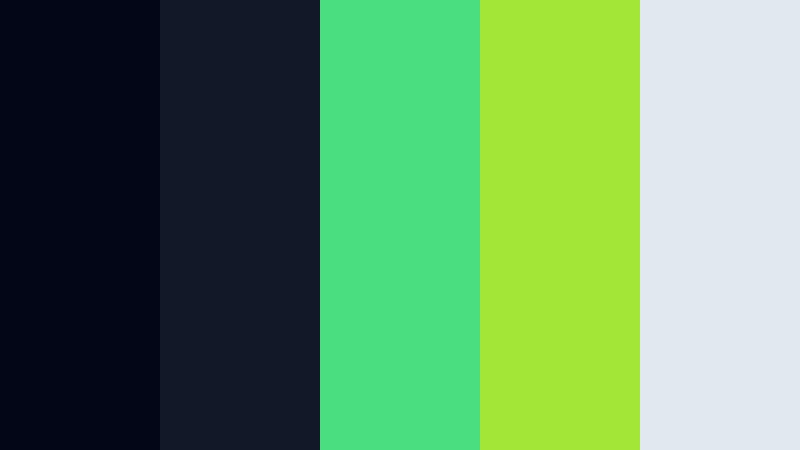
- HEX Codes: #020617, #111827, #4ade80, #a3e635, #e2e8f0
- Mood: Focused, energized, and productivity-driven.
- Use for: Great for workflow tutorials, productivity vlogs, and dashboard-style animations.
Edit Bay Focus Mode pairs deep blues (#020617, #111827) with fresh greens (#4ade80, #a3e635) and a soft gray (#e2e8f0). It feels like a clean dashboard or an editing timeline lit by subtle status lights.
Apply Dark Studio Blue to backgrounds and panels, then use green for progress bars, checkmarks, and highlights in your graphics. This palette is great for step-by-step tutorials, editing workflow breakdowns, and productivity content where you want to visually signal progress and completion.
Streaming Overlay Matrix
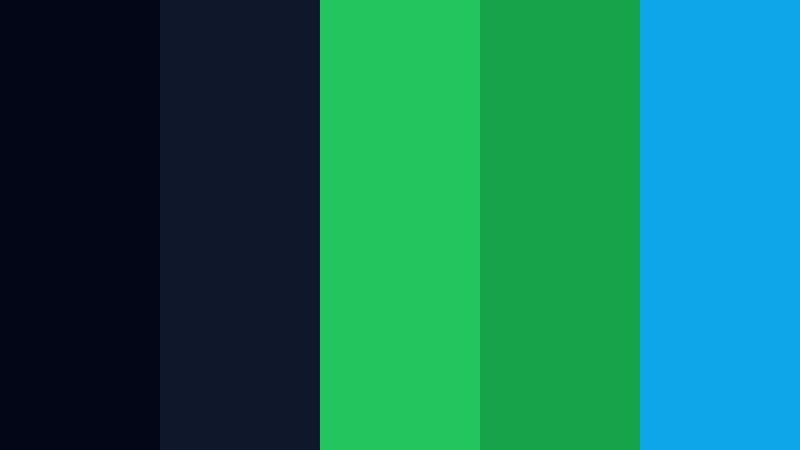
- HEX Codes: #020617, #0f172a, #22c55e, #16a34a, #0ea5e9
- Mood: Energetic, competitive, and gamer-friendly.
- Use for: Ideal for Twitch overlays, esports intros, and fast-paced highlight reels.
Streaming Overlay Matrix grounds intense greens (#22c55e, #16a34a) and a sharp cyan accent (#0ea5e9) in Dark Studio Blue (#020617, #0f172a). The effect is fast, digital, and perfect for competitive gaming content.
Use Dark Studio Blue for webcam frames and main overlay structures, with neon greens for scoreboards, kill counts, and alerts. Cyan works well as a secondary accent around social handles or notification pop-ups. This palette feels energetic on live overlays and highlight reel intros without sacrificing clarity.
Soft & Atmospheric Dark Studio Blue Color Palettes
Blue Hour Rooftop
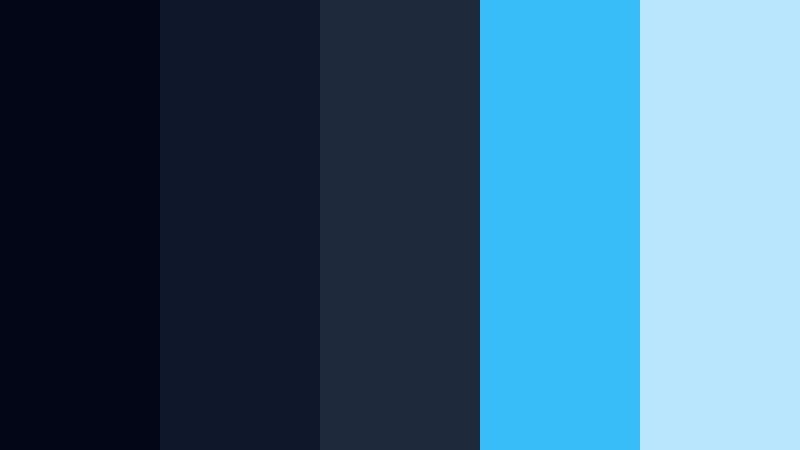
- HEX Codes: #020617, #0f172a, #1e293b, #38bdf8, #bae6fd
- Mood: Dreamy, reflective, and slightly nostalgic.
- Use for: Perfect for travel vlogs, lifestyle reels, and cinematic B-roll transitions.
Blue Hour Rooftop moves from near-black blues (#020617, #0f172a) into softer mid-blues and cyans (#1e293b, #38bdf8, #bae6fd). It captures that short window after sunset when the city glows but the sky is not yet fully dark.
Use Dark Studio Blue in shadows and text panels, then let lighter blues bloom in gradients, shape overlays, or sky replacements. This palette works well for slow-motion B-roll, drone shots over cities, and lifestyle vlogs that lean into calm, reflective storytelling.
Studio Window Haze
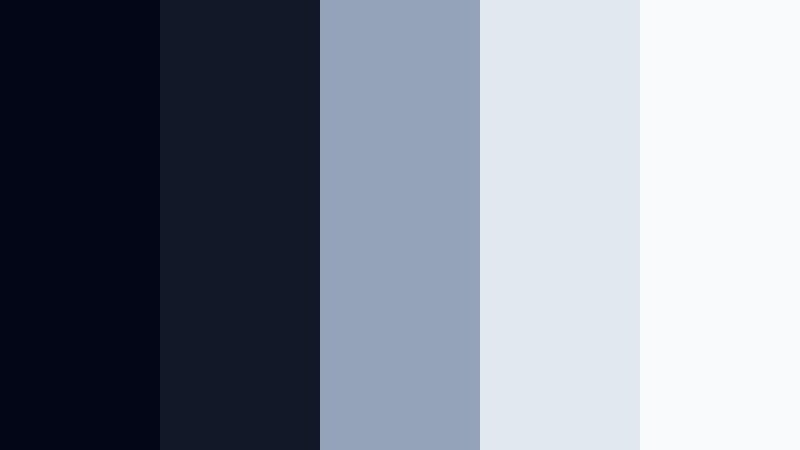
- HEX Codes: #020617, #111827, #94a3b8, #e2e8f0, #f8fafc
- Mood: Soft, hazy, and calm like diffused studio light.
- Use for: Great for talking-head videos, educational content, and chill background graphics.
Studio Window Haze tempers Dark Studio Blue (#020617, #111827) with misty blue-gray (#94a3b8) and very light neutrals (#e2e8f0, #f8fafc). The result is a low-contrast, eye-friendly palette that feels like daylight filtered through frosted glass.
This is ideal for long-form educational videos, podcasts, or tutorial screens where viewers may watch for extended periods. Keep backgrounds light and soft, then use Dark Studio Blue for titles, icons, and subtle framing so your layouts feel calm yet structured.
Aftershow Lounge Lights
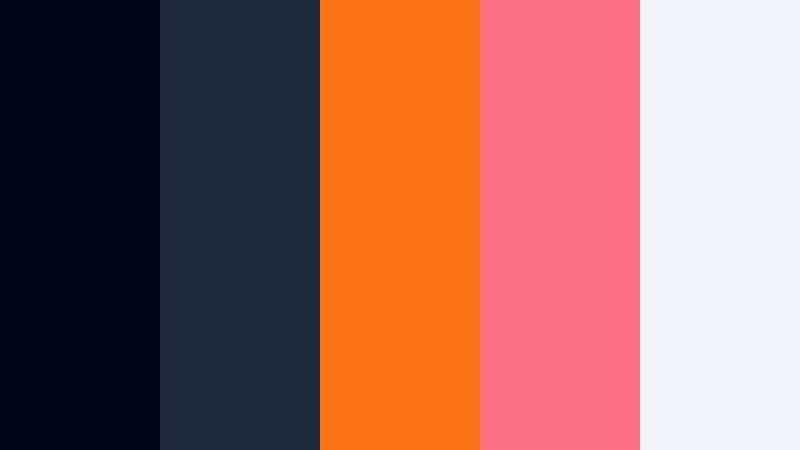
- HEX Codes: #020617, #1e293b, #f97316, #fb7185, #f1f5f9
- Mood: Cozy, social, and slightly glamorous.
- Use for: Use for podcasts, talk shows, behind-the-scenes clips, and event recaps.
Aftershow Lounge Lights blends moody blues (#020617, #1e293b) with warm amber and pink highlights (#f97316, #fb7185), plus a soft light background (#f1f5f9). It feels like a cozy studio or backstage bar after a show.
Use Dark Studio Blue for set-like frames and lower third bases, then add warm accents for host names, guest labels, or chapter markers. This palette is great for podcast visuals, talk-show intros, and event recaps where you want a mix of professionalism and relaxed warmth.
Night Studio Pastels
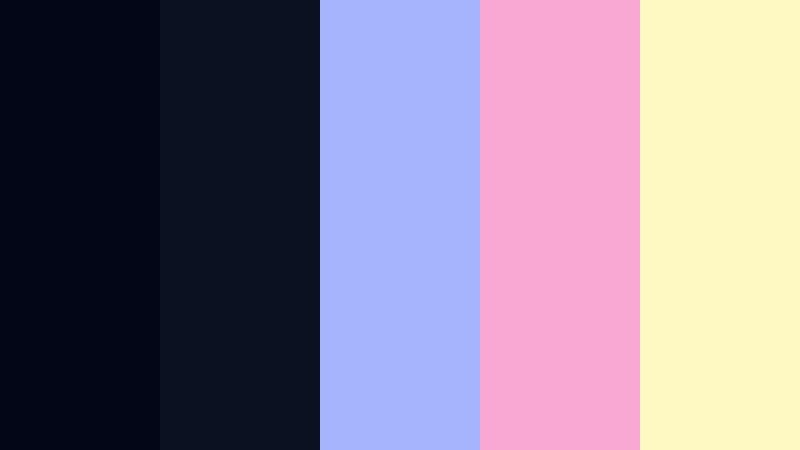
- HEX Codes: #020617, #0b1120, #a5b4fc, #f9a8d4, #fef9c3
- Mood: Softly playful, dreamy, and creative.
- Use for: Perfect for aesthetic vlogs, DIY content, and gentle lifestyle branding.
Night Studio Pastels sets deep Dark Studio Blue (#020617, #0b1120) against pastel lilac (#a5b4fc), pink (#f9a8d4), and butter yellow (#fef9c3). It feels like a dreamy, late-night creative session under soft colored lights.
Use Dark Studio Blue as a grounding color for frames, borders, and drop shadows, then let the pastels define your main shapes, title blocks, and icons. This palette suits cozy desk setups, DIY crafts, beauty content, and any brand that wants a gentle, imaginative night-time aesthetic.
Cinematic Fogged Glass
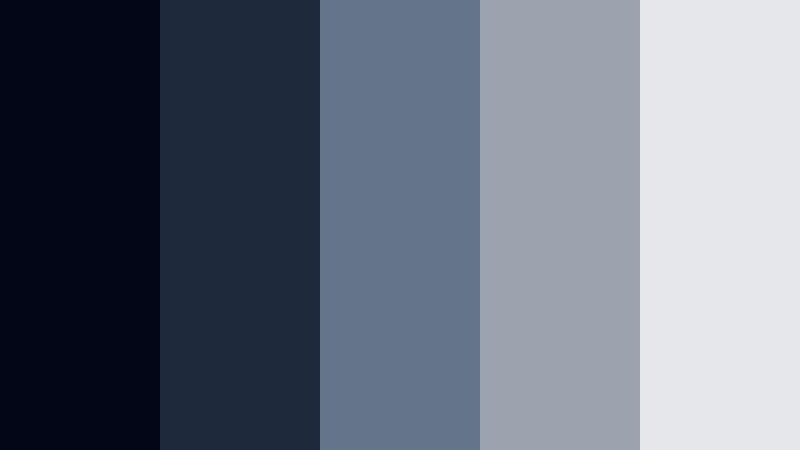
- HEX Codes: #020617, #1e293b, #64748b, #9ca3af, #e5e7eb
- Mood: Subtle, cinematic, and quietly sophisticated.
- Use for: Great for brand videos, app promos, and understated cinematic titles.
Cinematic Fogged Glass pairs Dark Studio Blue (#020617, #1e293b) with slate and neutral grays (#64748b, #9ca3af, #e5e7eb). The look is clean and understated, like an interface viewed through a slightly fogged glass pane.
It is a strong choice for SaaS promos, portfolio reels, and brand films where you want elegance without loud colors. Use blues for background gradients and darker panels, and keep text and icons in the mid to light grays for an upscale, minimal look that still reads clearly in thumbnails and intros.
Tips for Creating Dark Studio Blue Color Palettes
Dark Studio Blue is flexible, but it works best when you balance its depth with clear, readable highlights and well-chosen accent colors. Use these tips to adapt or extend the palettes above for your own videos and designs.
- Pair Dark Studio Blue with high-contrast text colors like off-white or very light gray to keep titles and captions readable on small mobile screens.
- Limit yourself to one or two bright accent colors (for example, orange or neon green) so they stay special and draw attention to CTAs, buttons, and key words.
- Use gradients that move from Dark Studio Blue into a slightly lighter blue or cyan instead of pure black; this keeps your frames cinematic without crushing detail.
- Check your thumbnails at a small size to ensure text still pops against Dark Studio Blue backgrounds and that your accent color is visible but not overpowering.
- Stay consistent across intros, lower thirds, overlays, and end screens; reuse the same HEX codes so your channel or brand looks unified.
- Match your color palette to your footage: for warm scenes, balance Dark Studio Blue with warmer accents; for cooler scenes, lean into cyan and slate tones.
- Use Dark Studio Blue in UI-style graphics (panels, frames, progress bars) and keep backgrounds slightly lighter when you expect long watch times, to reduce eye strain.
- When in doubt, keep Dark Studio Blue as the primary background and let neutrals handle most text, adding accent colors only where you want viewers to click or pay extra attention.
Dark Studio Blue gives you a powerful base for building cinematic, modern visuals that still feel approachable. Whether you lean into moody noir, neon tech, or soft atmospheric tones, the right palette can define your channel identity and make your edits instantly recognizable.
Use the HEX codes above to recreate these looks in Filmora for titles, overlays, and color grading. Save your favorite combinations, then apply them across intros, main videos, shorts, and social clips so every piece of content supports the same Dark Studio Blue aesthetic.
The more you experiment with these palettes inside Filmora, the faster you will find a signature look that fits your storytelling and stands out on any platform.
secure download