

 100% Security Verified | No Subscription Required | No Malware


 ChatGPT
 Perplexity
 Gemini
 Claude
 Grok
Grok
Faded Teal sits between blue and green with a soft, muted twist, making it one of the most versatile colors for modern visuals. It feels calm, trustworthy, and a bit nostalgic, so it works beautifully for creators who want cinematic style without loud, saturated tones. In color psychology, Faded Teal often suggests clarity, balance, and gentle confidence, which is why you see it in wellness brands, tech startups, and lifestyle channels.
In video editing, thumbnails, intros, and channel branding, a Faded Teal color palette can pull your entire look together. Whether you are designing a vlog aesthetic, building lower thirds, or grading b-roll in Filmora, using consistent Faded Teal color combinations with clear HEX codes helps you stay on brand. Below are 15 ready-made Faded Teal color palettes with HEX codes, plus tips for using them in Filmora to create a cohesive, professional edit.
In this article
Soft And Dreamy Faded Teal Color Palettes
Morning Mist Harbor
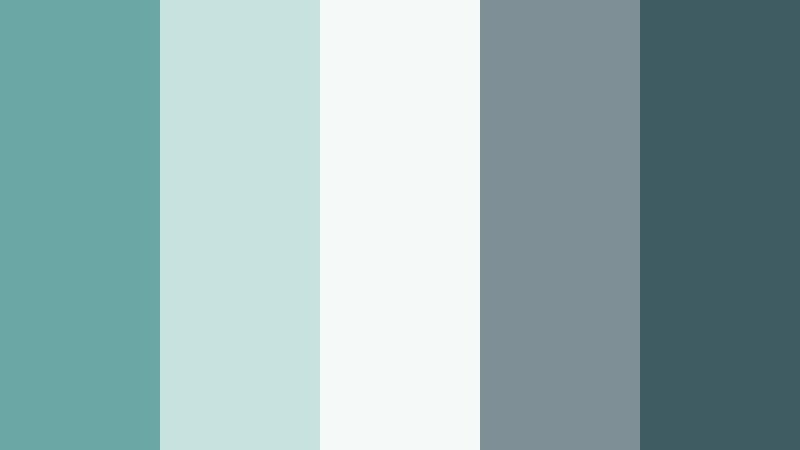
- HEX Codes: #6ba7a5, #c7e2df, #f5faf8, #7f8f96, #3f5c63
- Mood: Calm, airy, and reflective, like a quiet shoreline at sunrise.
- Use for: Ideal for reflective vlog intros, soft cinematic b-roll, and minimalist travel title cards.
Morning Mist Harbor blends Faded Teal with misty grays and soft off whites, creating visuals that feel like a slow, quiet morning by the sea. The palette is gentle enough for minimalist layouts but still rich enough to give depth to your frames.
Use it for travel diaries, slow living vlogs, and calm lifestyle edits where you want the viewer to feel at ease. In Filmora, this palette works beautifully for intros, lower thirds, and thumbnail backgrounds, especially when you keep typography simple and let the teal and gray gradients set the tone.
Pro Tip: Build a Soft Faded Teal Aesthetic in Filmora
To keep a Morning Mist Harbor vibe across your whole project, start by choosing one or two key HEX codes from this palette for all your overlays and graphics in Filmora. Use the lighter tones for backgrounds and text boxes, and reserve the deeper teal and slate for titles and accents so your visuals stay readable but calm.
Copy this Faded Teal scheme into your presets for intros, transitions, and end screens. That way every vlog episode, travel reel, or study video feels like part of the same soft coastal brand without needing to rebuild the look from scratch each time.
AI Color Palette
If you already have a screenshot or reference image that matches the Morning Mist Harbor look, you can turn it into a consistent grade with almost no manual tweaking. Filmora's AI Color Palette feature lets you extract the feel of a Faded Teal frame and apply it to the rest of your clips.
Import your hero shot, let the AI read its tones, and then match the rest of your footage so skies, water, and neutrals sit in the same soft teal range. This is ideal for travel vlogs where lighting changes from scene to scene but you want one coherent, misty harbor mood.
 secure download

HSL, Color Wheels & Curves
To fine tune a Faded Teal aesthetic, use Filmora's HSL and color wheels to gently desaturate greens and blues while lifting the brightness of your midtones. This keeps skies and water in the teal family while avoiding overly intense turquoise. For a more cinematic look, use curves to deepen shadows in the darker teal and slate zones and keep highlights soft instead of harsh white.
You can follow along with Filmora's YouTube tutorials on color correction and grading to see how small HSL and curve adjustments create polished, filmic teal visuals without losing detail in your footage.
secure download1000+ Video Filters & 3D LUTs
If you want to move faster, you can start from a preset and then nudge it toward Faded Teal. Filmora’s video filters and 3D LUTs make it easy to add filmic fades, soft contrasts, or cool tones that already lean into teal and blue. From there, just adjust saturation and tint so they match the Morning Mist Harbor HEX codes more closely.
This approach works well for thumbnails and intros too. Apply a teal friendly filter to your still frames, then overlay text blocks and icons in your chosen HEX colors so everything feels curated and intentional.
secure downloadCoastal Daydream
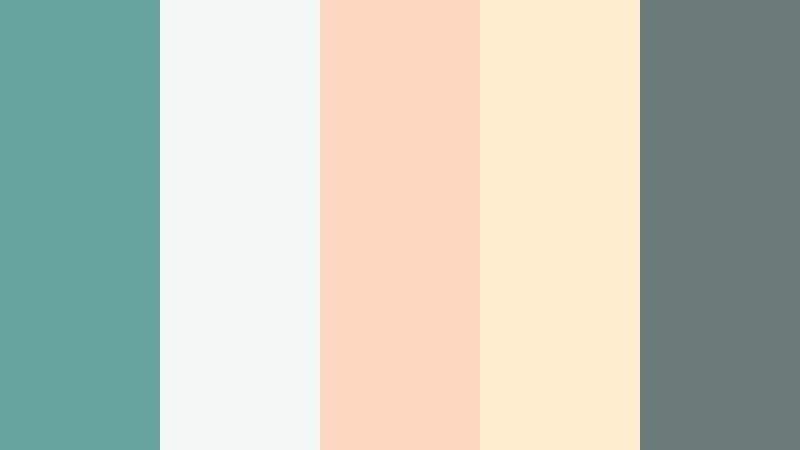
- HEX Codes: #66a39f, #f3f7f5, #ffd8c2, #ffeecf, #6c7b7a
- Mood: Light, nostalgic, and softly sunlit.
- Use for: Perfect for dreamy beach vlogs, pastel travel thumbnails, and airy social media edits.
Coastal Daydream pairs breezy Faded Teal with warm peach and sand inspired tones, giving your visuals a light, nostalgic glow. The pale creams and peaches feel like sun on skin and soft reflections on water.
Use this palette for summer vlogs, coastal travel thumbnails, and soft lifestyle branding. In Filmora, apply the teal as an accent for titles and icons, then use the peach and sand for backgrounds, lower thirds, or gradient overlays to keep your scenes bright and inviting.
Tea Garden Quiet
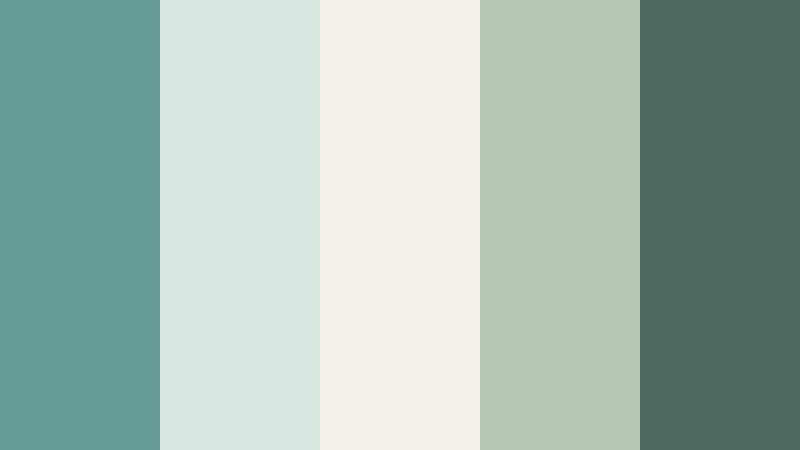
- HEX Codes: #679c96, #d7e7df, #f5f0e8, #b5c7b2, #4f6a61
- Mood: Peaceful, organic, and grounded.
- Use for: Use for slow living videos, cozy study vlogs, and nature focused channels needing a calm identity.
Tea Garden Quiet wraps Faded Teal in earthy greens and creamy neutrals, creating an organic, grounded feeling. It looks like a quiet corner of a plant filled cafe or a serene garden at dusk.
This palette is ideal for slow living content, journaling and study vlogs, or nature oriented branding. In Filmora, let the creamy whites and soft greens dominate the frame while Faded Teal appears in graphics, text, and subtle overlays to tie your channel identity together.
Cloudlight Studio
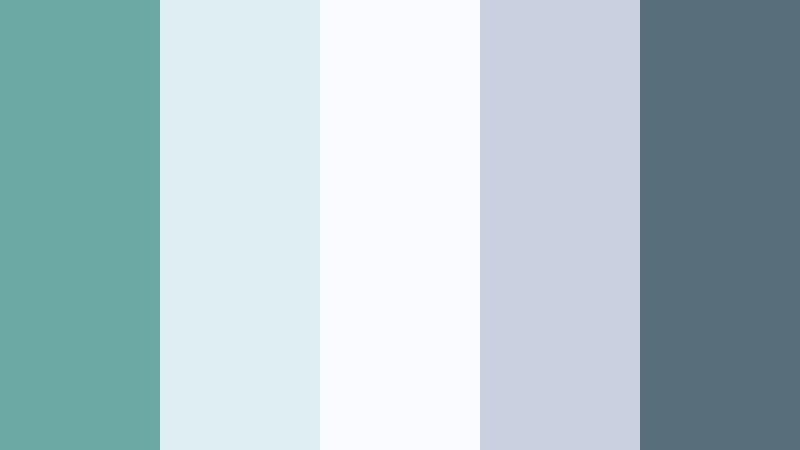
- HEX Codes: #6ca8a4, #dfeff1, #fafbff, #c9d0e0, #586e7a
- Mood: Soft, creative, and slightly ethereal.
- Use for: Great for design tutorials, calm tech explainers, and minimalist channel art.
Cloudlight Studio blends airy Faded Teal with powdery blues and gentle whites for a modern yet dreamy aesthetic. The palette feels like natural light streaming into a clean, creative workspace.
Use it for design tutorials, animation breakdowns, and tech explainers where you want a calm but professional backdrop. In thumbnails and intros, let the whites and pale blues lead, while Faded Teal and slate blue define your logo, callouts, and UI style elements.
Whispering Fjord

- HEX Codes: #5d9493, #e6f1f0, #fdf8f2, #b1c7cf, #46555b
- Mood: Cool, hushed, and cinematic.
- Use for: Ideal for ambient landscape edits, cinematic titles, and atmospheric documentary sequences.
Whispering Fjord combines cool Faded Teal with misty blues and bone white, echoing northern waters and distant horizons. The deep gray blue accent anchors the palette and adds cinematic weight.
It fits perfectly with landscape b-roll, quiet travel sequences, and reflective documentaries. In Filmora, use the lighter tones as subtle vignettes or gradient maps over your footage, and keep titles in the darker teal or slate to create contrast against bright sky and snow scenes.
Warm And Romantic Faded Teal Color Palettes
Sunset Terracotta Glow
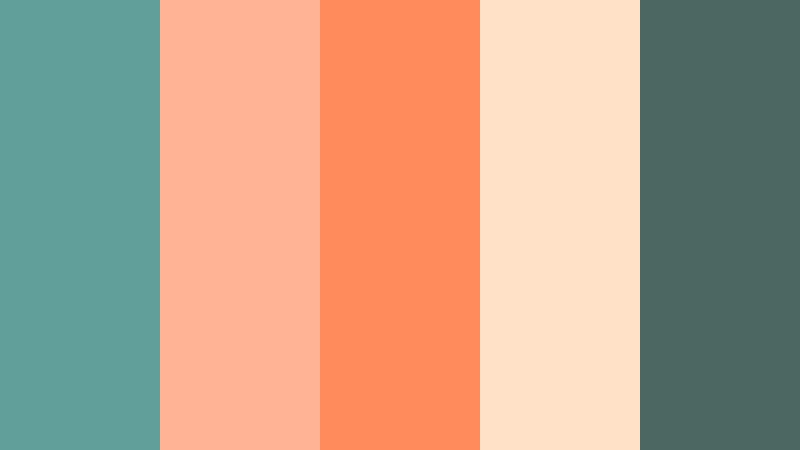
- HEX Codes: #619f9a, #ffb595, #ff8a5b, #ffe1c7, #4a6861
- Mood: Warm, romantic, and softly cinematic.
- Use for: Perfect for wedding highlight films, romantic travel vlogs, and emotional storytelling thumbnails.
Sunset Terracotta Glow balances soft Faded Teal with glowing terracotta and peach, capturing the feeling of golden hour light. The combination of warm oranges and cool teal gives a filmic, emotional atmosphere without becoming too intense.
Use this palette for wedding highlights, couples travel vlogs, or heartfelt storytelling content. In Filmora, push your highlights slightly warmer to echo the terracotta, then keep lower thirds and titles in teal and deep green gray so they stand out against the warm footage.
Rustic Market Days
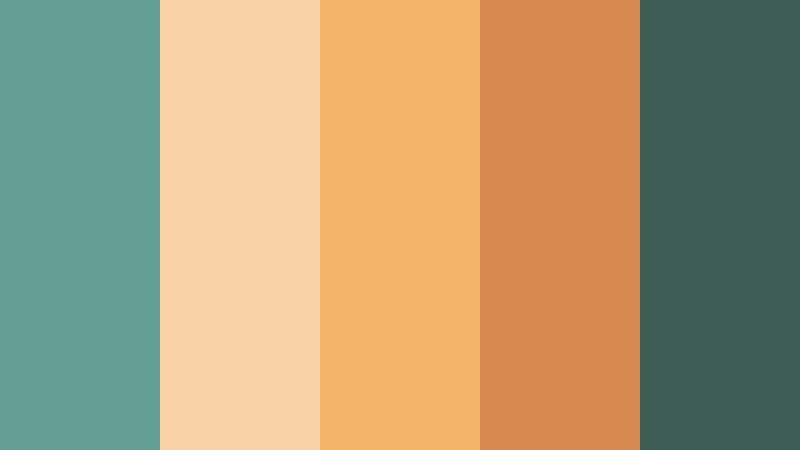
- HEX Codes: #649f96, #f7d2a5, #f4b56a, #d78a50, #3e5d55
- Mood: Cozy, lively, and artisanal.
- Use for: Use in food videos, farmers market reels, and lifestyle channels highlighting handmade goods.
Rustic Market Days mixes Faded Teal with sun baked oranges and honey neutrals, giving your visuals an artisanal, handcrafted feel. The palette is warm and inviting, yet the teal adds freshness and balance.
It is a strong fit for food channels, coffee roaster stories, craft maker profiles, and weekend market vlogs. In thumbnails and overlays, place the warm oranges behind bold titles set in teal or deep green, and use the lighter beige as a soft background for pricing tags or call to action banners.
Cafe Window Light
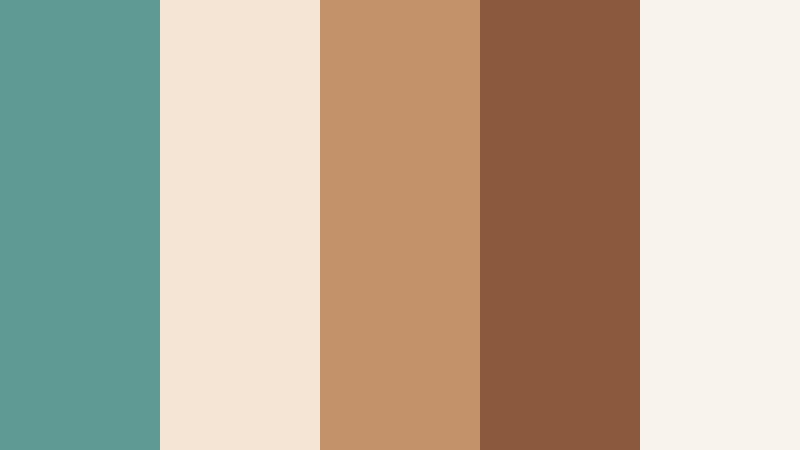
- HEX Codes: #5f9a95, #f4e5d5, #c3926a, #8b5a3c, #f8f3ec
- Mood: Intimate, cozy, and cinematic.
- Use for: Great for coffee shop vlogs, booktube aesthetics, and mellow city diaries.
Cafe Window Light warms Faded Teal with creams and latte browns, evoking the feel of a cozy cafe scene. The combination is intimate and slightly cinematic, ideal for content that feels personal and inviting.
Use it for coffee shop vlogs, reading diaries, and gentle city walks. In Filmora, apply a soft warm filter to your footage, then add teal toned titles and badges to keep a bit of cool balance. The cream tones make excellent backgrounds for chapter cards or quote overlays.
Blush Harbor Evening
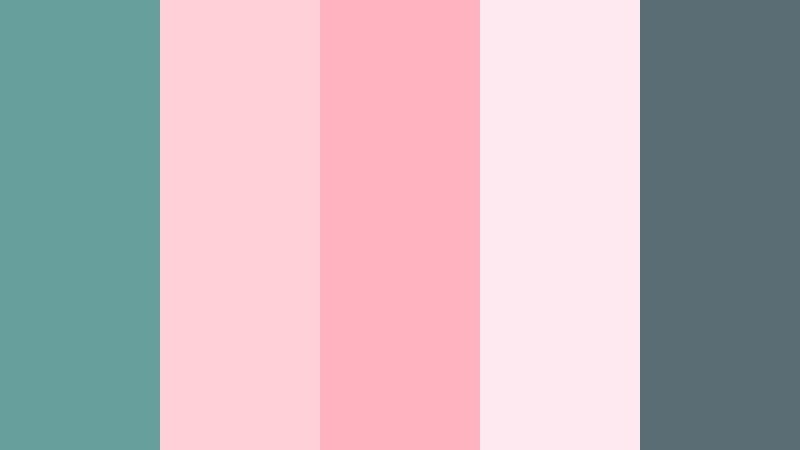
- HEX Codes: #679f9c, #ffd0d5, #ffb3c0, #ffe9f0, #5a6d74
- Mood: Romantic, gentle, and feminine.
- Use for: Perfect for beauty channels, wedding slideshows, and soft lifestyle branding.
Blush Harbor Evening pairs Faded Teal with delicate blush pinks and soft grays, creating a dreamy harbor at dusk mood. The mix of cool teal and warm pink feels romantic without being overly sweet.
This palette is great for beauty content, bridal reels, and feminine lifestyle brands. In Filmora, let blush tones dominate your backgrounds and image tints, then use teal and slate for logos, borders, and buttons so your branding stands out clearly.
Candlelit Storytime
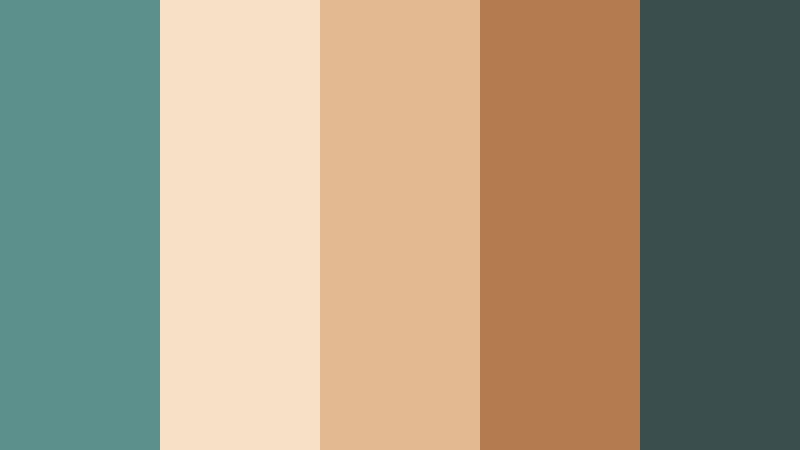
- HEX Codes: #5b908d, #f7e0c6, #e2b991, #b37b4e, #3a4f4d
- Mood: Warm, nostalgic, and comforting.
- Use for: Use for family vlogs, cozy narration videos, and nostalgic storytelling edits.
Candlelit Storytime softens Faded Teal with golden candlelight hues and warm browns, creating a storybook atmosphere. The teal shades keep the palette from feeling too orange, while the darker tones add depth.
Use this for family vlogs, nostalgia driven edits, and voice over stories. In Filmora, enhance the warm highlights in your footage and layer teal toned graphics for titles and chapter markers so viewers feel wrapped in a cozy, consistent visual world.
Modern And Minimal Faded Teal Color Palettes
Urban Glass Loft

- HEX Codes: #5f9e9b, #f5f7f6, #c9d2d1, #8b9b9a, #252b2f
- Mood: Sleek, minimal, and professional.
- Use for: Great for tech channels, app promos, startup explainers, and clean UI overlays in video.
Urban Glass Loft turns Faded Teal into a sleek, minimal statement by pairing it with neutral grays and deep charcoal. The palette feels like a modern city apartment or high end office space, perfect for professional branding.
Use this for tech reviews, software tutorials, and startup promos. In Filmora, use white and light gray as your base, incorporate Faded Teal for buttons, highlight boxes, and progress bars, and rely on charcoal for main titles and key text to keep everything sharp and legible.
Gallery White Space

- HEX Codes: #6aa7a3, #ffffff, #f1f3f2, #c5cbc7, #3c4d4a
- Mood: Clean, airy, and editorial.
- Use for: Ideal for portfolio reels, design showcases, and minimalist brand identities.
Gallery White Space sets Faded Teal against crisp whites and soft grays for a refined, editorial look. It feels like an art gallery wall where your work is the main focus and the colors simply support it.
Use this palette for showreels, photography portfolios, and design case study videos. In Filmora, keep generous white or off white margins around your work and add minimal teal accents for navigation cues, section titles, and logo stings.
Monochrome Depth Tide
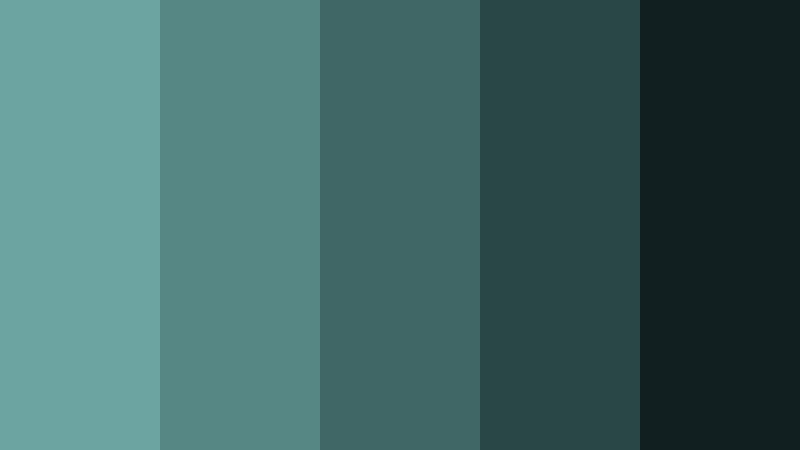
- HEX Codes: #6ba4a1, #578785, #406766, #294746, #121f20
- Mood: Moody, focused, and cinematic.
- Use for: Use for dramatic color grading, title cards, and tech heavy visual narratives.
Monochrome Depth Tide layers multiple teal tones from soft to inky dark, creating a deep, cinematic monochrome look. The progression from light teal to near black gives you plenty of contrast without leaving the teal family.
Use this palette for title cards, cinematic intros, and tech heavy narratives where you want a moody, unified grade. In Filmora, experiment with gradient overlays from mid teal to dark teal, and keep text in the lightest or darkest tones to maintain clarity.
Bold And Cinematic Faded Teal Color Palettes
Neon Coral Breaker
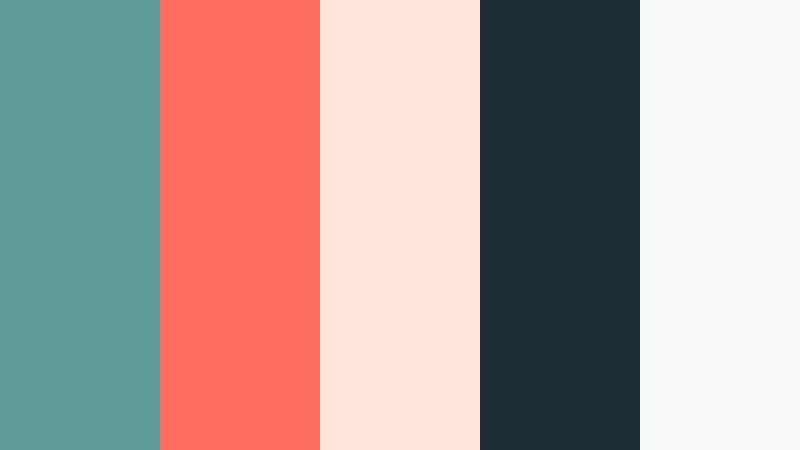
- HEX Codes: #5f9c99, #ff6f61, #ffe6da, #1c2c32, #f9fbfb
- Mood: Bold, energetic, and striking.
- Use for: Perfect for attention grabbing thumbnails, channel rebrands, and energetic trailers.
Neon Coral Breaker throws punchy coral against cool Faded Teal and deep navy for a striking, high contrast look. The palette feels energetic and modern, ideal for catching attention in crowded feeds.
Use it for channel rebrands, high energy trailers, and bold thumbnails. In Filmora, try coral for call to action text or subscribe buttons, teal for secondary accents, and navy for background blocks to give your design a strong, cinematic frame.
Stormlight Noir
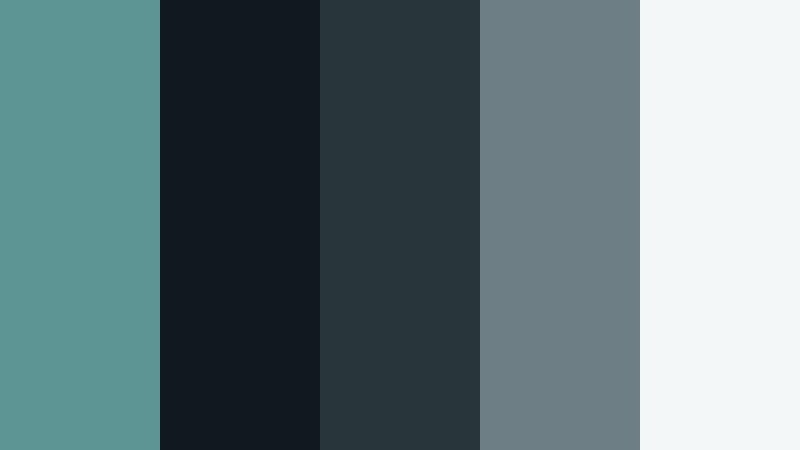
- HEX Codes: #5c9593, #10191d, #28353b, #6d7e84, #f4f7f8
- Mood: Moody, cinematic, and suspenseful.
- Use for: Great for short films, gaming intros, and dramatic storytelling series.
Stormlight Noir cuts cool Faded Teal through deep charcoals and cool grays, building a tense, cinematic noir atmosphere. It feels like city streets after rain or a dimly lit control room.
This palette works well for short films, gaming intros, and darker storytelling series. In Filmora, keep your footage on the cooler side and use the lightest gray white sparingly for text and interface elements so they pop against the dark teal and charcoal backgrounds.
Aurora Street Nights
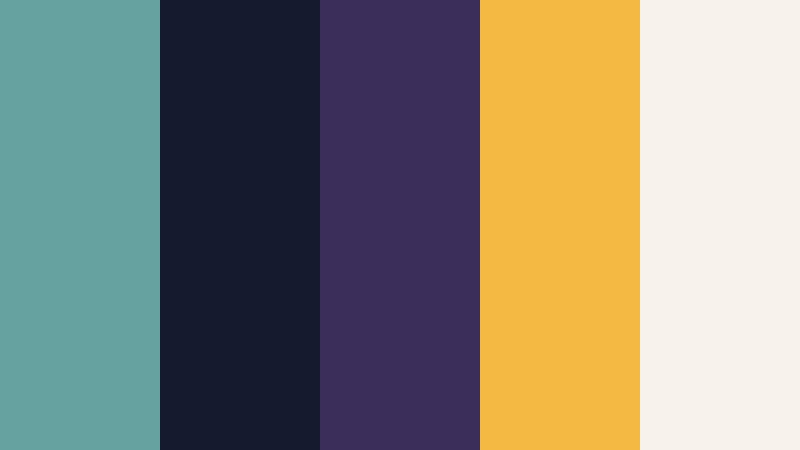
- HEX Codes: #66a2a0, #151b2f, #3b2e5a, #f4b942, #f7f3ea
- Mood: Vivid, urban, and slightly surreal.
- Use for: Use for night city b-roll, music videos, and stylized montage sequences.
Aurora Street Nights blends electric teal with deep indigo, violet, and amber lights, mimicking the glow of a neon filled city at night. The contrast between cool teal and warm yellow gold gives your edit a surreal, music video feel.
Use it for night city b-roll, stylized montage edits, and performance visuals. In Filmora, lean into teal shadows and blue midtones, then pick out key elements like signs or light flares in amber to create focal points, using the soft cream as a gentle highlight for logos and typography.
Tips for Creating Faded Teal Color Palettes
Faded Teal is flexible enough to feel soft, modern, or bold, depending on what you pair it with. A few practical rules will help you combine it with other colors for video and design without losing clarity or brand consistency.
- Balance warm and cool: pair Faded Teal with warm tones (peach, terracotta, amber) when you want emotional, romantic visuals, and with grays or blues when you need a calm, professional look.
- Protect readability: when using teal as a background, keep titles in either a very dark slate or nearly white tone, and test your thumbnails at small sizes to confirm the text still reads.
- Choose a hero color: decide whether Faded Teal, a warm accent, or a neutral will be your main color, then use the others as supporting shades so your design does not feel scattered.
- Limit your palette: for overlays and graphics in Filmora, stick to 3–5 HEX colors from a palette to keep your intros, lower thirds, and end screens looking cohesive.
- Match your footage: if your video already has strong greens or blues, nudge them toward Faded Teal with HSL adjustments so your grading and on screen graphics sit in the same color family.
- Use contrast for hierarchy: apply the deepest teal or charcoal tone for primary titles, midtones for secondary text, and the lightest colors for backgrounds, cards, and subtle separators.
- Keep branding consistent: reuse the same Faded Teal HEX code for logos, subscribe buttons, and recurring elements across thumbnails, intros, and outros so viewers instantly recognize your style.
- Test in dark and light modes: if you design overlays for both bright and dark footage, check that your Faded Teal and accent colors still pop against each type of background.
Faded Teal color palettes can completely reshape the mood of your channel, from soft and dreamy to sharp and cinematic. By choosing a palette that fits your story and sticking to a few core HEX codes, you give your thumbnails, intros, and b-roll a recognizable identity that feels intentional and professional.
Filmora makes it easy to turn these Faded Teal color combinations into real edits. With tools like AI Color Palette, HSL and curves, and built in filters and LUTs, you can match your footage to your chosen scheme and reuse it across series, playlists, and platforms.
Try a few of the palettes above in your next project, save your favorite Faded Teal looks as presets, and refine them over time. As you keep your colors consistent, your videos will feel more cinematic, and your brand will be easier for viewers to remember.
secure download