

 100% Security Verified | No Subscription Required | No Malware


 ChatGPT
 Perplexity
 Gemini
 Claude
 Grok
Grok
The Fashion Studio Lighting LUT filter collection is designed for content creators who shoot fashion lookbooks, studio portraits, and clean product reels but struggle with harsh lights, flat skin tones, and mixed color temperatures.
These Filmora-ready filters give your fashion studio footage a consistent, editorial-grade look with flattering skin, controlled highlights, and on-trend color styling so your content feels like a professional campaign, not a test shoot.
In this article
Soft Editorial Studio Looks
Soft Glow Beauty Studio
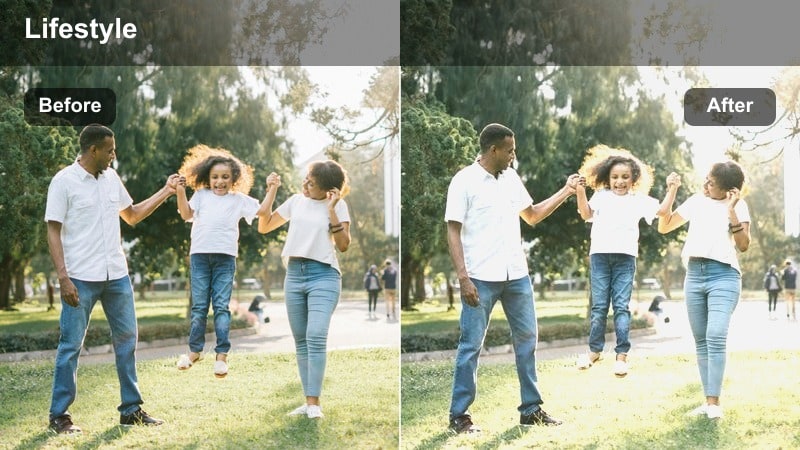
- Effect look: Creamy studio glow with gentle contrast and subtly lifted shadows for flawless beauty shots.
- Best for: Seated beauty talk-throughs, makeup demos, and close-up outfit details under softbox lighting.
- Editing tip: Reduce contrast by 5–10 percent if your key light is very close to the face to keep highlight roll-off silky.
Soft Glow Beauty Studio wraps your subject in a smooth, flattering glow that evens out skin and gently lifts shadows without washing out fabric detail. In Filmora, this LUT gives your beauty and outfit content an instant editorial polish, especially when you are working with softboxes or ring lights that can otherwise feel a little too clinical.
Apply the LUT to your clip, then fine-tune exposure and contrast so forehead and cheek highlights sit just below clipping on Filmora s scopes. If your softbox is very close, pull contrast down slightly and use Filmora s skin-tone tools or masks to keep complexions luminous while preserving the natural texture of makeup and clothing.
Use AI to Match Your Fashion Studio Lighting Across Clips
Filmora s AI color tools can analyze a hero clip from your best-lit studio setup and automatically align other shots to that same mood before you add any Fashion Studio Lighting LUT filters. This saves time and keeps color temperature, skin tones, and backdrop whites consistent across multi-day shoots.
Once your clips are matched, your Fashion Studio Lighting LUT filters behave more predictably, making it easier to maintain an editorial look from intro to outro without constant manual correction.
 secure download

Preview Fashion Studio Filters in Real Time
With Filmora, you can hover over each Fashion Studio Lighting LUT filter in the Effects panel and see a real-time preview on your selected clip. This makes it easy to compare soft editorial grades against high-contrast runway looks without committing or waiting for heavy renders.
Audition several filters on a single studio shot, then choose the one that best complements your clothing textures, backdrop color, and lighting ratio before applying it across a whole sequence.
secure downloadStack LUTs and Filters for Signature Studio Looks
Filmora includes 1000 plus video filters and 3D LUTs, allowing you to stack the Fashion Studio Lighting LUT collection with additional looks for a unique brand identity. You can adjust intensity, blend LUTs with Filmora s color tools, and fine-tune HSL so your final grade fits your exact camera and lighting setup.
Once you dial in a combination that works for your channel, save it as a custom preset so every new studio shoot starts from the same stylish, on-brand baseline with just one click.
secure downloadRunway Editorial Matte
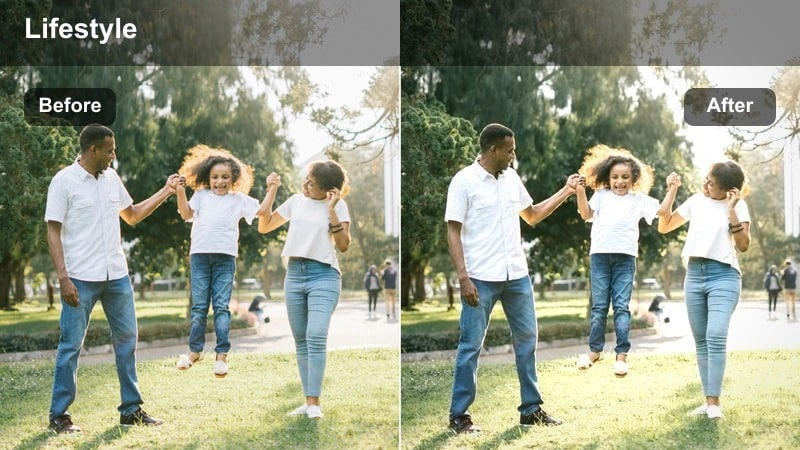
- Effect look: Subtle matte finish with cool-neutral tones and refined contrast inspired by runway backstage imagery.
- Best for: Lookbooks, standing outfit walkthroughs, and studio runway-style posing on seamless backdrops.
- Editing tip: Increase saturation on specific clothing colors with HSL instead of global saturation to keep skin neutral.
Runway Editorial Matte gives your footage a polished, high-fashion feel with a low-gloss contrast curve and cool-neutral palette that echoes backstage photography. It keeps skin believable while preventing shiny hotspots on faces and fabrics, making it ideal for seamless paper or neutral wall backdrops.
In Filmora, drop this LUT onto your lookbook clips, then use HSL to selectively boost hero garment colors while preserving the intentionally muted background. If your backdrop is bright or colorful, use Filmora s masking tools to gently lower its saturation so the outfits and posing remain the central focus of the frame.
Studio Cream Portrait
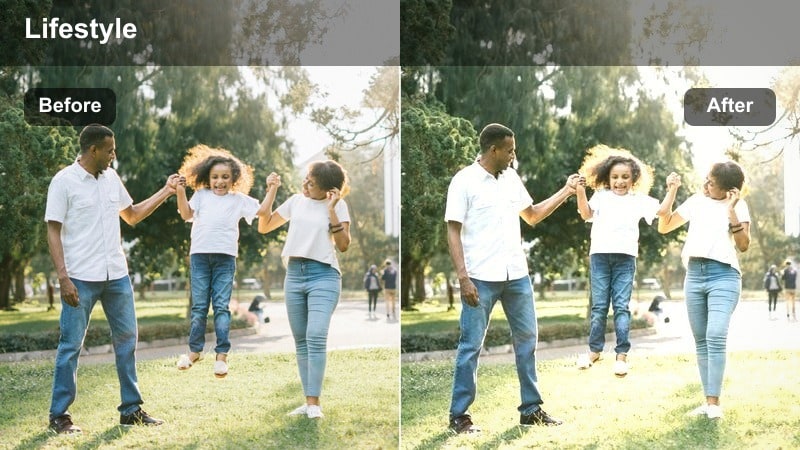
- Effect look: Warm cream highlights, gentle shadows, and subtle skin smoothing for soft portrait sessions.
- Best for: Headshots, fashion interviews, and sit-down styling advice filmed in a controlled studio.
- Editing tip: Slightly reduce warmth for deeper skin tones if the studio lights already skew warm to avoid orange casts.
Studio Cream Portrait wraps faces in a soft, warm highlight that feels flattering but still professional, perfect for interviews, styling advice segments, and close-up portraits. It slightly smooths perceived skin texture through careful contrast control rather than heavy blurring, keeping your subject looking real on 4K displays.
After applying the LUT in Filmora, adjust temperature and tint so white shirts and backdrops stay clean while skin retains a gentle cream tone. For deeper complexions or tungsten-heavy lighting, nudge warmth down a few points and use Filmora s color wheels to balance midtones so every skin tone looks rich, even, and camera-ready.
High-Contrast Runway Studio Shots
Spotlight Runway Pop
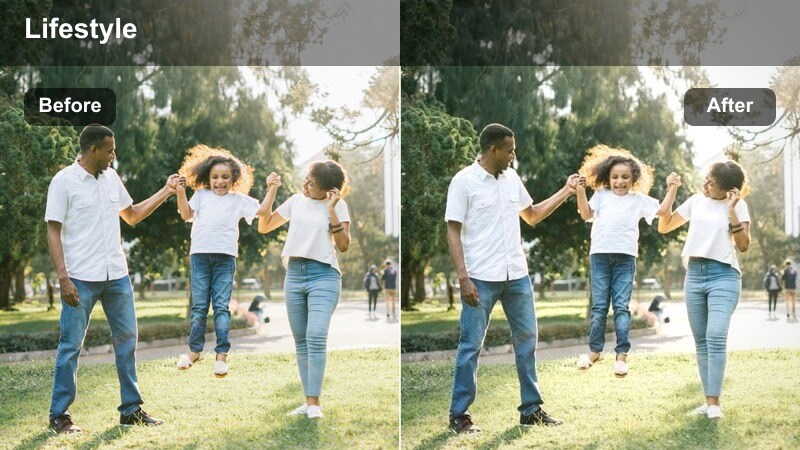
- Effect look: Crisp contrast with bright whites and vivid colors that feel like under-the-spotlight runway shots.
- Best for: Full-body outfit run-throughs, walk-ins, and dynamic posing against strong key lights.
- Editing tip: Pull highlights down slightly if white outfits or reflective fabrics blow out under your studio key light.
Spotlight Runway Pop is built for bold, high-energy studio sequences where the clothes need to explode off the screen. It heightens contrast and pushes whites brighter for that runway spotlight impression, while saturating colors enough to make patterns, metallics, and textures stand out in motion.
Drop the LUT onto walking or posing clips in Filmora, then watch your scopes as you trim highlights to protect white dresses and glossy materials. Use Filmora s curves to delicately tame only the brightest stops, and consider adding a subtle vignette or mask to keep attention centered on the outfit as your model moves through the frame.
Cinematic Shadow Edge
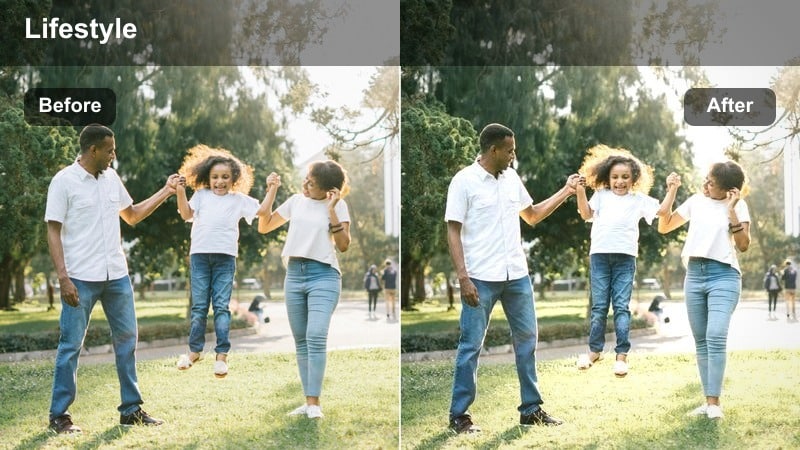
- Effect look: Deepened shadows with film-style contrast and cool blacks that add drama to studio fashion scenes.
- Best for: Moody editorial sets, fashion campaigns, and dramatic posing with negative fill.
- Editing tip: Mask the face and lift exposure slightly if cheeks and eyes fall too deep into shadow with this look.
Cinematic Shadow Edge leans into dramatic lighting, carving out deep blacks and rich shadow detail that feel like a fashion film still. Cool-toned blacks add a sophisticated cinematic edge, ideal for campaigns, hero shots, and experimental studio layouts with flags and hard light.
In Filmora, apply the LUT and evaluate how your subject s face reads on smaller screens. If eyes and cheekbones sink too far into darkness, add a subtle mask around the face and raise exposure or shadows just in that region. You can also slightly lift black levels in the color controls to maintain depth while avoiding crushed details in dark fabrics.
Neon Studio Glam
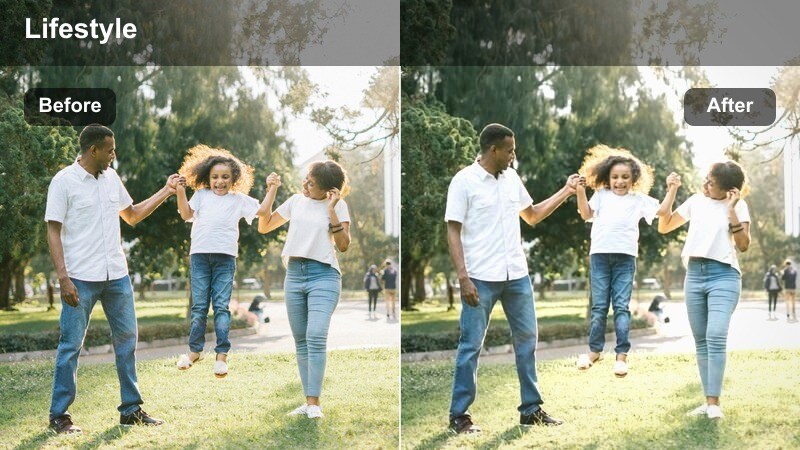
- Effect look: Punchy color contrast that keeps skin clean while accentuating colored studio gels and neon backlights.
- Best for: Studio sets that use colored gels, LED tubes, or neon details behind fashion-focused subjects.
- Editing tip: Use HSL to restrain color in shadows so black clothing stays rich instead of picking up strong color casts.
Neon Studio Glam intensifies your gel and LED colors without sacrificing clean, flattering skin, a balance that is tricky to achieve with heavy color casts. It boosts the vibrancy of pinks, blues, and purples in the background while carefully managing midtones so the face and hero outfit details stay readable.
After applying this LUT in Filmora, open the HSL panel and roll back saturation in the specific hue that is contaminating your blacks or shadow regions. You can also use masks to protect skin from heavy magenta or cyan bleed, allowing neon accents to stay dramatic while the subject remains the visual anchor of the frame.
Natural Daylight Studio Vibes
Daylight Loft Fashion
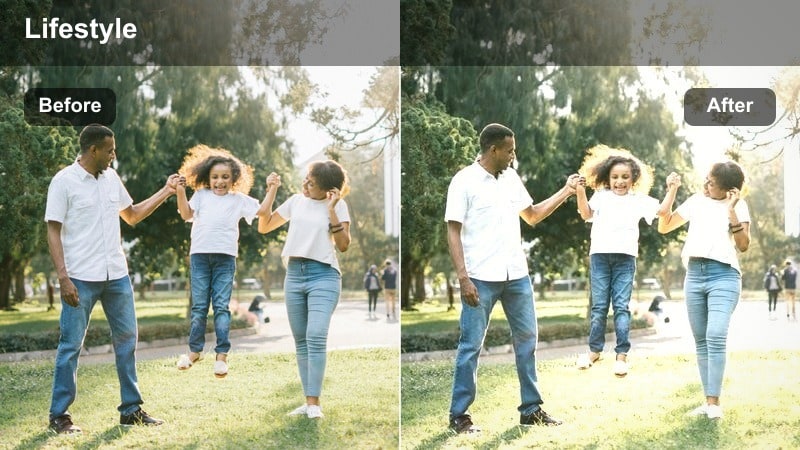
- Effect look: Clean, airy daylight vibe that brightens mids and adds a soft, neutral warmth for loft-style studios.
- Best for: Fashion try-ons and styling tips filmed near large studio windows or daylight-balanced softboxes.
- Editing tip: Lower highlights slightly if you have strong window hotspots and let the filter keep overall brightness consistent.
Daylight Loft Fashion emulates the feel of a bright, naturally lit studio apartment, lifting midtones and adding a touch of neutral warmth. It is ideal for try-on hauls, mirror shots, and styling tips where you want outfits to look true-to-life yet elevated beyond a simple phone camera look.
In Filmora, apply the LUT, then tame any blown highlights from windows or reflective floors by pulling back the highlights slider or using curves. If your footage mixes window light with softboxes, balance white balance first, then let the LUT smooth everything into one cohesive, airy mood that flatters both skin and fabrics.
Minimal Studio Chic
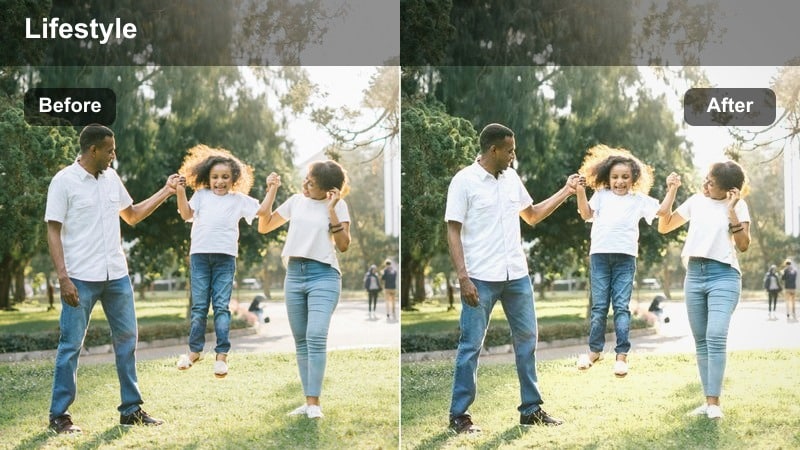
- Effect look: Soft contrast, slightly desaturated palette, and bright whites for minimal fashion studio setups.
- Best for: Capsule wardrobe videos, clean product shots, and minimalist outfit presentations.
- Editing tip: Use local saturation boosts on key outfit pieces so hero garments stand out in a restrained palette.
Minimal Studio Chic leans into a desaturated, gallery-style look that makes your studio feel calm, curated, and design-forward. Whites become crisp and backgrounds recede, giving capsule wardrobes, neutral racks, and carefully styled products room to breathe on screen.
After adding the LUT in Filmora, use masks or the color tools to gently enhance the specific garments or accessories you want to spotlight. By combining the overall soft, minimal palette with targeted saturation boosts, you can keep the aesthetic understated while ensuring your hero pieces still capture the viewer s eye.
Soft Daylight Portrait
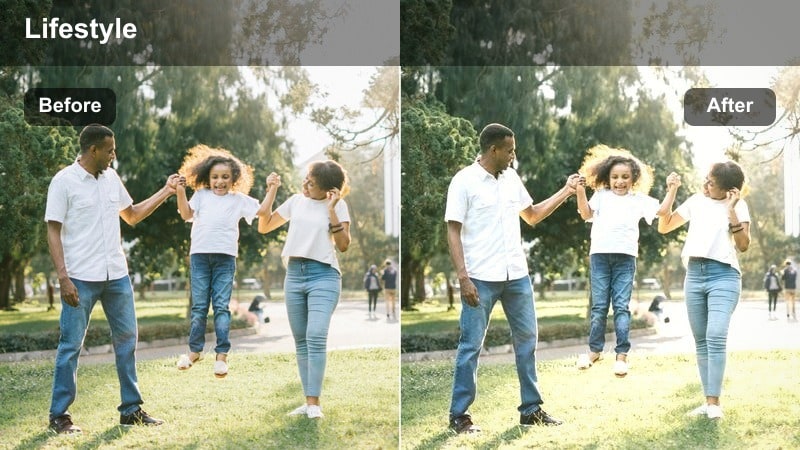
- Effect look: Gentle, low-contrast daylight look with slightly lifted blacks and natural skin color.
- Best for: Casual fashion chats, behind-the-scenes studio clips, and relaxed portrait vlogs.
- Editing tip: Lower blacks a touch if you want more structure around the jawline and hair while keeping the airy vibe.
Soft Daylight Portrait gives your studio vlogs a relaxed, approachable feel with low contrast and lifted blacks that mimic overcast window light. Skin tones remain natural, making this ideal for talking-head content, Q and A sessions, and behind-the-scenes moments where you still want a refined aesthetic.
Use this LUT as a base grade in Filmora across an entire series so your audience recognizes your consistent studio look. If you ever want a slightly punchier image, pull blacks down just a bit and add minor clarity in the details panel, preserving the soft vibe while adding definition around hair, lashes, and outfit seams.
Casual Vlog and Portrait Sessions
Casual Studio Vlog
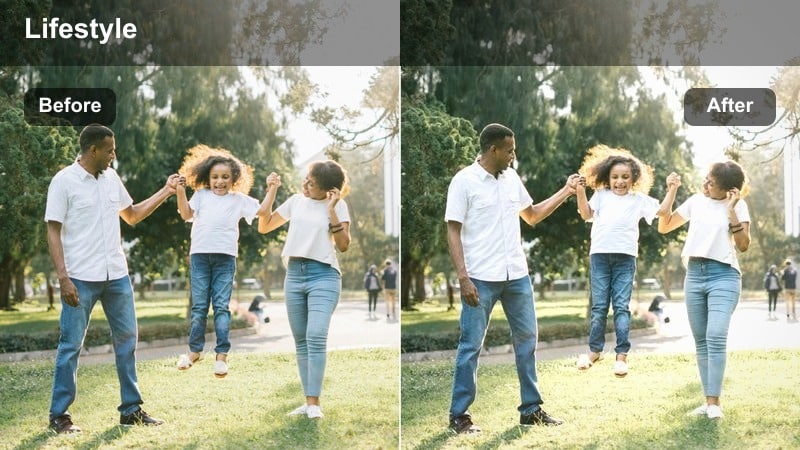
- Effect look: Balanced contrast and color that keeps outfits true-to-life while softening harsh studio edges.
- Best for: Chatty outfit diaries, BTS from fashion shoots, and everyday studio vlogs.
- Editing tip: If you move between rooms or sets, keyframe slight exposure tweaks to maintain a consistent vlog look.
Casual Studio Vlog is your go-to everyday LUT for fashion creators who move around the studio, talk to camera, and capture BTS in one session. It keeps colors realistic and flattering while gently smoothing out harsh edges from mixed or imperfect lighting, so your content looks cohesive even when your environment changes.
Apply the LUT to your entire vlog sequence in Filmora, then keyframe subtle exposure or white balance adjustments as you transition between sets or lighting setups. This approach lets you maintain a unified visual style for your channel while still giving viewers an authentic, behind-the-scenes perspective of your creative process.
Portrait Reel Focus
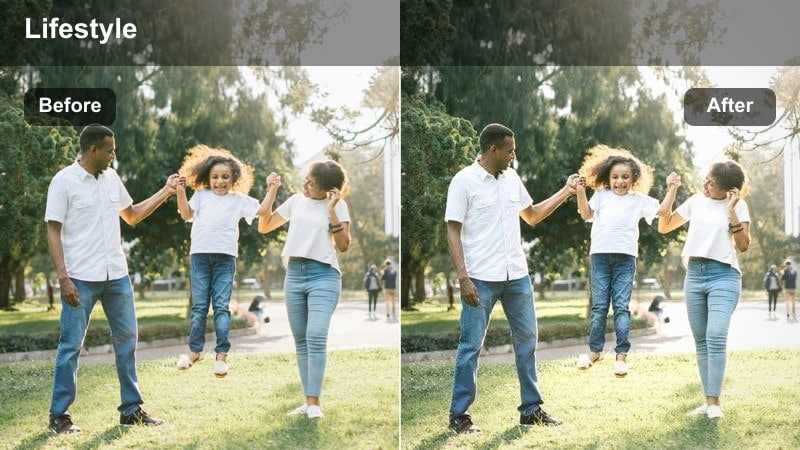
- Effect look: Slight vignette and crisp midtones that pull attention to the face and key outfit details.
- Best for: Vertical fashion reels, slow-motion twirls, and portrait-focused outfit transitions.
- Editing tip: If your frame is already tight, reduce vignette by half so the image does not feel cramped on mobile screens.
Portrait Reel Focus is tuned for 9:16 content, using a subtle vignette and sharpened midtones to direct attention to the face and main styling elements. It is perfect for spin transitions, close-up outfit reveals, and Reels or TikToks where the viewer s eye needs to land instantly on your subject.
In Filmora, apply this LUT to your vertical clips, then adjust vignette intensity in the additional color tools if your framing is very tight. You can also add a slight boost to sharpness to preserve fabric texture and hair detail on small mobile screens, ensuring your styling work still reads clearly when viewed in a feed.
Behind-the-Scenes Warmth
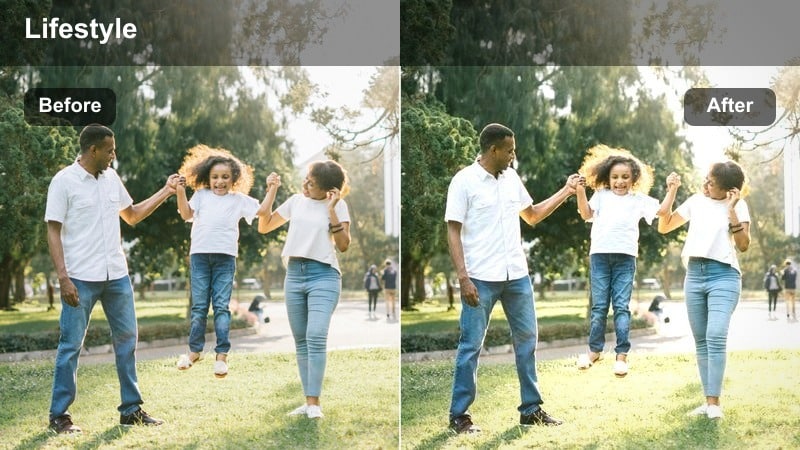
- Effect look: Warm, inviting tonality with medium contrast that makes BTS studio moments feel friendly and cinematic.
- Best for: Behind-the-scenes setup clips, styling adjustments, and candid moments with the crew.
- Editing tip: If your studio lights already lean tungsten, cool global temperature slightly to stop whites from going too orange.
Behind-the-Scenes Warmth adds a cozy, cinematic glow to candid studio moments, helping your audience feel like they are on set with you. Warm midtones and moderate contrast flatter skin in less-controlled lighting, making quick clips of styling tweaks, light tests, and team interactions feel intentional and story-driven.
When you apply this LUT in Filmora, check how your whites respond if you are using tungsten or warm practical lights in the background. You can cool the global temperature a little or fine-tune highlights so white walls, paper rolls, and clothing tags remain neutral, while the overall frame keeps that inviting, golden BTS atmosphere.
Tips for Using Fashion Studio Lighting Lut Filters in Filmora
- Shoot a short gray card or neutral backdrop clip at the start of each studio session to quickly balance white balance in Filmora before applying any Fashion Studio Lighting LUT filters.
- Keep your studio lighting ratios and color temperatures consistent from video to video so your Fashion Studio Lighting LUT filters deliver predictable, repeatable results.
- Record in a flatter or log-style picture profile when possible to give the LUTs more dynamic range to shape contrast and color without clipping highlights or crushing shadows.
- Use Filmora s masking tools to gently brighten faces and important outfit details after applying stronger, contrast-heavy fashion filters.
- Batch apply the same LUT across all clips from one outfit segment in the timeline, then fine-tune exposure and white balance per clip for a polished, professional finish.
- Combine Fashion Studio Lighting LUT filters with Filmora s HSL and curves controls to refine specific garment colors while keeping skin tones natural.
- Create custom presets that stack your favorite LUT, basic color correction, and light sharpening so every new studio project starts from a consistent look.
The Fashion Studio Lighting LUT filter collection helps content creators turn ordinary studio setups into polished, editorial-ready fashion footage with consistent color, flattering skin, and on-trend styling.
Experiment with different looks for beauty close-ups, runway-style poses, and casual vlogs, then save your favorite combinations as Filmora presets to streamline every future fashion shoot.
secure download