

 100% Security Verified | No Subscription Required | No Malware


 ChatGPT
 Perplexity
 Gemini
 Claude
 Grok
Grok
The Casual Outfit Vlog Portrait Filter collection is built for lifestyle vloggers and content creators who want clean, flattering portraits without losing the real-life feel of their wardrobe and locations.
Use these presets to keep skin tones soft, casual outfits true-to-color, and everyday scenes like cafes, sidewalks, and bedrooms looking consistent across your entire vlog episode.
In this article
Golden Hour Walks and Outdoor Street Strolls
Sunlit Soft Glow
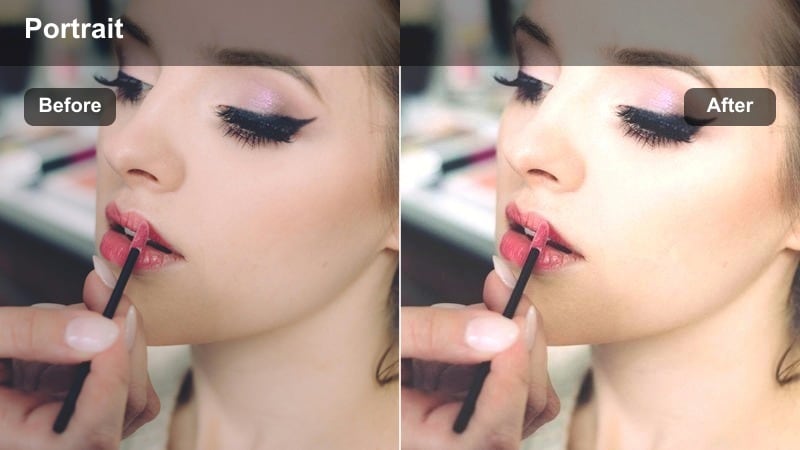
- Effect look: Warm, soft contrast with a gentle glow on skin and slightly lifted blacks for a dreamy golden-hour vibe.
- Best for: Slow walking shots in casual outfits on sunny sidewalks, park paths, or riverside promenades during late afternoon.
- Editing tip: Lower the highlight slider slightly if your sky is blown out and add a tiny bit of vignette to pull focus to your face.
In Filmora, Sunlit Soft Glow gives your golden-hour portraits a flattering warmth while still preserving the natural colors of your casual outfits. The lifted blacks and gentle glow help smooth minor skin imperfections and add a cinematic softness to backdrops like streets, parks, and promenades.
Apply this filter to all of your late-afternoon walking clips, then fine-tune exposure and highlights so the sky retains detail without losing that dreamy halo effect. If whites and beiges in your wardrobe start pushing too warm, slightly reduce temperature and nudge tint toward magenta until fabrics look natural again, then save that look as a custom preset for future golden-hour vlogs.
Filmora s AI-powered color tools make it easy to adapt Sunlit Soft Glow and other casual portrait filters to different outfits, locations, and camera angles. You can quickly balance temperature and tint around your skin and wardrobe so each clip keeps the same core vibe even when the light shifts.
Use AI color features to match the look between golden-hour exteriors and softer indoor scenes, so your vlog feels like one continuous story rather than separate shoots.
 secure download

With Filmora s live filter preview, you can quickly compare how Sunlit Soft Glow, Street Soft Neutral, and other portrait presets look on the same clip. This lets you test which filter best matches your casual outfit, skin tone, and golden-hour background before editing the entire vlog.
Use the side-by-side comparison to audition filters on walking shots, close-up chats, and mirror checks, then commit to the look that feels most like your channel s style.
secure downloadOnce you refine a casual outfit portrait look you love, Filmora lets you turn that filter and color grading into a reusable LUT. Saving your style as a LUT means you can apply the same portrait vibe across entire playlists, no matter where you are filming.
Build a few LUTs for different scenarios like golden-hour walks, bedroom mornings, and cafe chats, then use them as starting points so every new episode feels visually consistent and on brand.
secure downloadStreet Soft Neutral
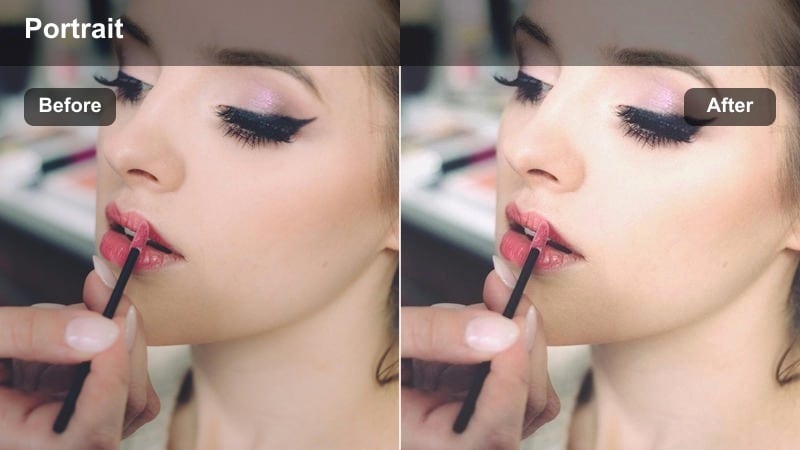
- Effect look: Neutral tones with softened contrast and gentle clarity reduction for a calm, airy street portrait look.
- Best for: Daytime city walks in casual, minimal outfits where you want a relaxed, clean, almost editorial feel.
- Editing tip: Use the HSL panel to slightly desaturate bright reds or yellows from street signs so they do not compete with your outfit and face.
Street Soft Neutral is ideal in Filmora when you want your city vlogs to feel calm and polished instead of busy and cluttered. The softened contrast and slight clarity reduction smooth out harsh textures in the background while keeping your features and outfit comfortably detailed.
Apply this filter across multiple street locations to unify changing walls, storefronts, and sidewalks into one cohesive visual style. Then, open Filmora s HSL controls to gently pull down saturated sign colors or traffic lights so the audience focuses more on your expression and clothing than on distractions behind you.
Backlit Urban Haze
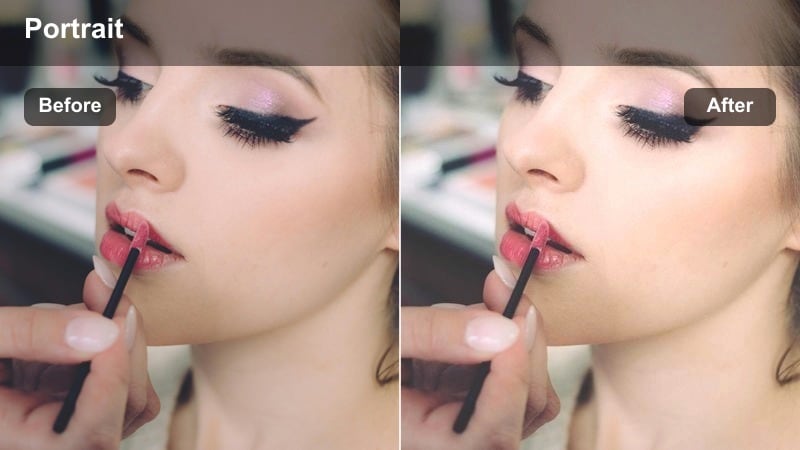
- Effect look: Hazy highlights, slightly washed-out shadows, and a subtle warm tint to handle strong backlight in city streets.
- Best for: Backlit walking shots with the sun behind you, creating a halo around your hair and casual outfit in busy sidewalks or alleys.
- Editing tip: Raise the shadows a touch to reveal outfit details and lower highlights to keep the glow without losing all background structure.
Backlit Urban Haze helps you embrace strong sun behind you instead of fighting it. In Filmora, this filter softens hard edges and turns overexposed halos into a cinematic feature while maintaining just enough detail in your outfit and the street environment.
Use it on clips where the sun sits directly in frame or just off to the side, then gently adjust highlights and shadows so your silhouette does not disappear. A touch of film grain from Filmora s effects panel can make the haze feel stylized and intentional, especially for city intros and walking montages.
Cafe Check-ins and Indoor Lounge Portraits
Cozy Window Light
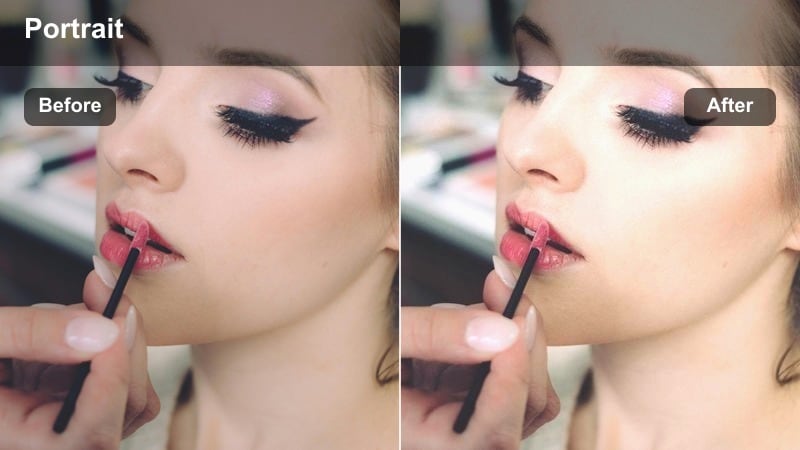
- Effect look: Soft, warm midtones with gentle contrast and slight vignette to mimic natural window light on your face.
- Best for: Talking-to-camera shots in cafes, near windows at home, or by a balcony door where soft daylight hits one side of your face.
- Editing tip: Position your face toward the brightest side and use the vignette in this preset to quietly darken messy corners of the frame.
Cozy Window Light is built for that intimate, sit-down feel in cafes and home corners where daylight comes from one side. In Filmora, it adds a natural warmth to your midtones and a subtle vignette that guides attention straight to your face and casual outfit.
Use this preset for all your talking segments near windows, adjusting only exposure and white balance so skin tones stay soft and true. If the background is messy, rely on the built-in vignette and a slight reduction in clarity on the edges rather than over-blurring, keeping your portrait authentic but gently polished.
Flatlay Chat Neutral
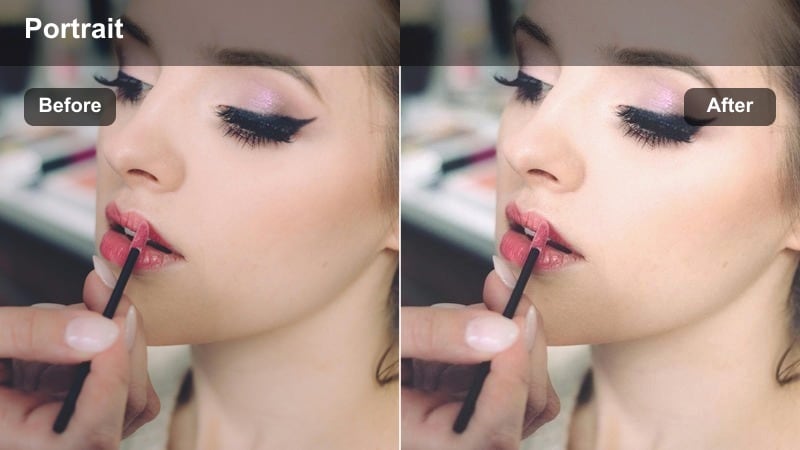
- Effect look: Clean, neutral whites and gentle saturation that flatter both face shots and top-down clips of outfits or accessories.
- Best for: Bedroom or studio talking segments where you also show quick top-down views of your casual outfits or daily essentials.
- Editing tip: Use the same preset on both your portrait and cutaway shots and only adjust exposure so the visuals feel like one seamless scene.
Flatlay Chat Neutral is perfect when your vlog mixes portraits with top-down views of clothing, bags, or accessories. In Filmora, this filter keeps whites clean and colors balanced so your face and flatlay shots share the same neutral, editorial feel.
Apply it to both A-roll (you talking) and B-roll (flatlays, outfit details) within the same sequence, then tweak exposure per clip to keep brightness consistent. This approach makes your whole indoor segment feel cohesive and professional, even if you shot on different days or angles.
Warm Cafe Contrast
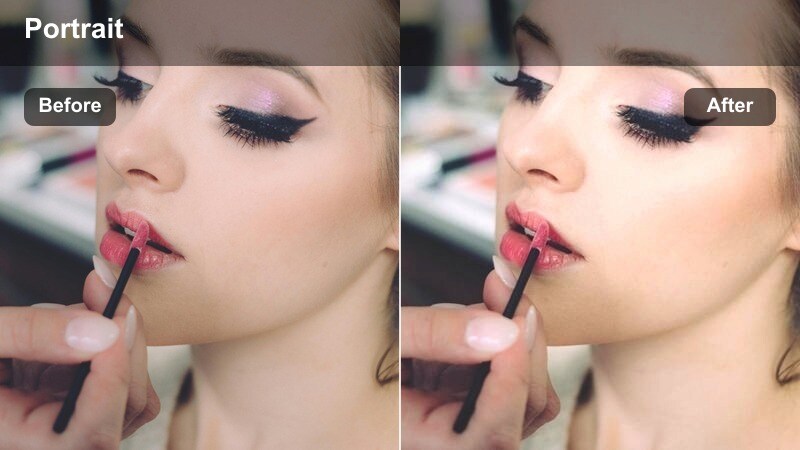
- Effect look: Richer contrast with warm highlights and slightly muted shadows for moody, cozy coffee shop portraits.
- Best for: Cafe tables, bar seating near warm lamps, and late-afternoon indoor portraits in darker spaces where you want a cinematic cozy feel.
- Editing tip: If your outfit is dark, raise shadows slightly so texture is visible while keeping the overall scene deep and moody.
Warm Cafe Contrast gives dim cafes and low-light indoor corners a cinematic glow without blowing out warm lamps or losing your outfit entirely. In Filmora, the richer contrast and warm highlights bring out wood tones, mugs, and soft fabrics while keeping backgrounds intentionally moody.
Use this filter on sequences filmed under tungsten or warm LEDs, then raise shadows just enough to reveal detail in dark jackets or sweaters. If your camera introduced noise in the low light, apply Filmora s noise reduction lightly and then add a touch of film grain so the final look feels intentional and rich rather than simply underexposed.
Bedroom Get-Ready and Home Lifestyle Vlogs
Soft Bedroom Mornings
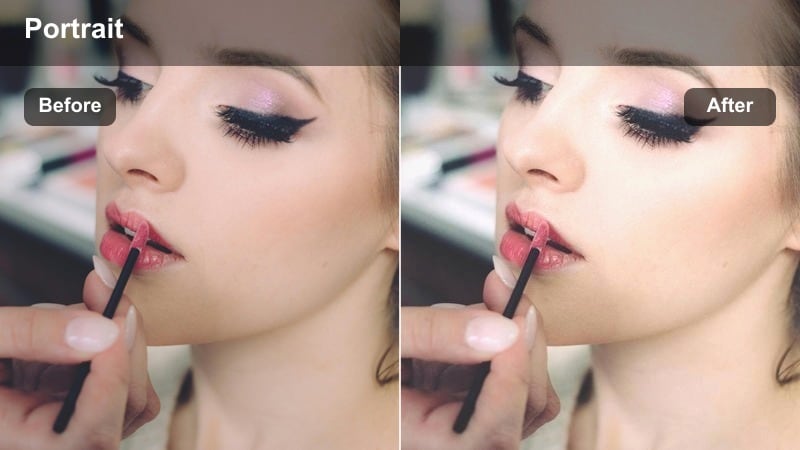
- Effect look: Low-contrast, slightly pastel tones with bright mids and gentle warmth for a fresh, just-woke-up feeling.
- Best for: Get-ready-with-me intros, mirror check-ins, and bed-sitting shots in light-colored rooms with casual loungewear outfits.
- Editing tip: Increase exposure slightly to keep the room bright, but watch your skin highlights and pull them back if they start to clip.
Soft Bedroom Mornings is designed for airy, relaxed start-of-day vlogs filmed in loungewear or simple outfits. In Filmora, the low contrast and pastel leaning tones brighten bedding and walls while keeping skin soft and natural.
Apply this preset to your bedroom intros and morning routines, nudging exposure up until the room feels fresh but not washed out. If any areas of your face or shoulders clip, gently reduce highlights and maybe lower whites so you keep that clean, high-key style without losing texture in your skin.
Mirror Check Cinematic
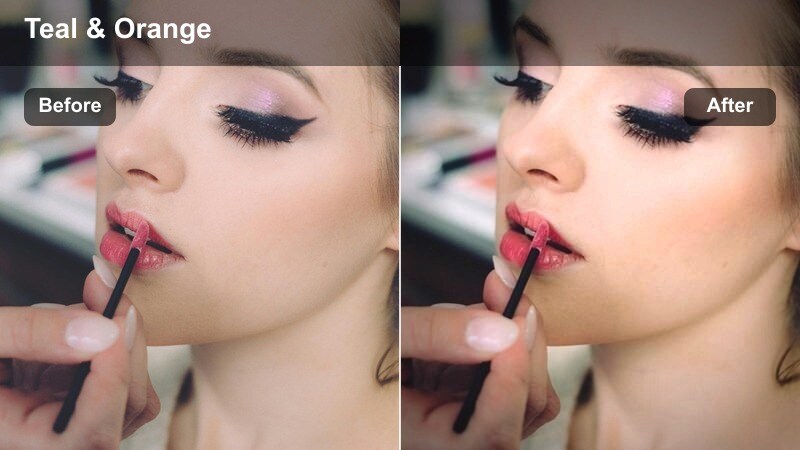
- Effect look: Subtle teal shadows and warm skin tones with medium contrast for cinematic mirror and hallway outfit shots.
- Best for: Full-body mirror outfit checks, hallway walks, and quick fit transitions around the house.
- Editing tip: Straighten your frame and use the filter s contrast to define edges, then slightly adjust saturation so the outfit stays the hero.
Mirror Check Cinematic adds a gentle teal-and-warm pairing that feels like a movie still, especially in hallways and mirror setups. In Filmora, this filter keeps your skin glowing while giving shadows and backgrounds a subtle coolness so your outfit stands out.
Use it for full-body fit checks and transition shots, then straighten the video frame with Filmora s transform tools so lines look clean and intentional. If walls are already cool, dial back the teal tone in your color controls so skin does not drift gray, and fine-tune saturation so your clothing remains the main focal point in each shot.
Homey Evening Glow
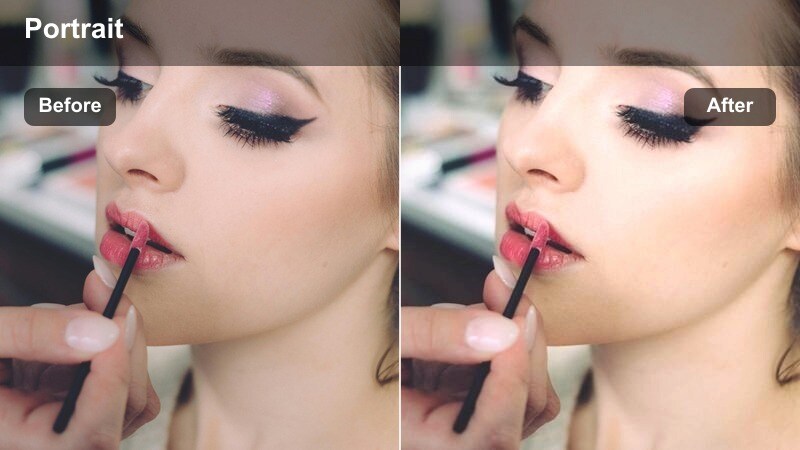
- Effect look: Dim, warm interior tones with gentle contrast and slightly lowered saturation for cozy end-of-day chats.
- Best for: Nighttime bedroom or living room vlogs under lamps or LED strips where you debrief the day in a casual outfit.
- Editing tip: If orange lamp light is too strong, pull back orange saturation in the HSL panel to keep your skin natural but the room still warm.
Homey Evening Glow is tuned for night vlogs where you sit down in a hoodie or tee and talk through your day. In Filmora, it softens harsh lamp light, lowers saturation slightly, and keeps contrast gentle so your face looks relaxed and easy on the eyes.
Apply this filter when filming under warm lamps or LED strips, then adjust the HSL controls to tame overly orange or yellow tones. Turning off cool overhead lights and relying on one or two lamps, then grading with this preset, will give your evening episodes a consistent, cozy mood from clip to clip.
City Errands and On-the-Go Street Portraits
Errand Run Clean
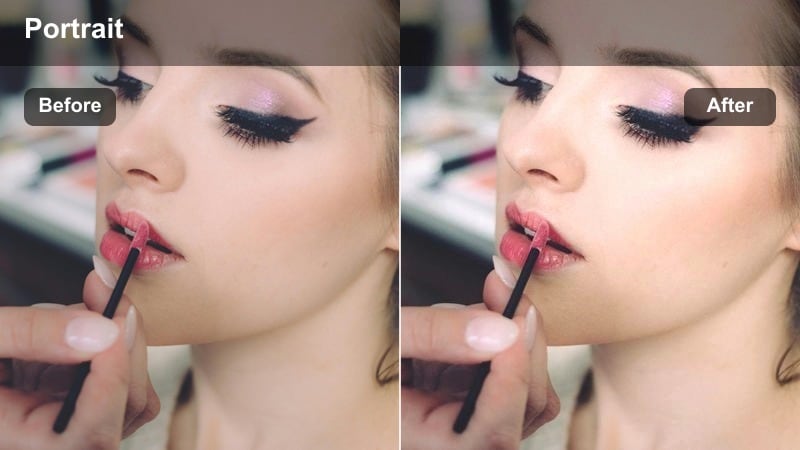
- Effect look: Crisp contrast with neutral color balance and slightly boosted clarity for sharp, straightforward street portraits.
- Best for: Quick check-ins while crossing streets, entering stores, or waiting at crosswalks in simple casual outfits.
- Editing tip: Stabilize handheld clips first, then use this filter to sharpen details so your face and outfit pop even in fast-paced shots.
Errand Run Clean is your go-to preset for fast, functional clips filmed while you move through the city. In Filmora, the neutral color balance and boosted clarity give your face and outfit a crisp presence even when you are grabbing quick updates between errands.
Apply the filter after you run Filmora s stabilization on shaky handheld shots, so the extra sharpness feels intentional rather than jittery. If skin texture becomes too pronounced, lower clarity on your subject slightly with masking tools while leaving the background crisp to keep a flattering but energetic look.
Subway Soft Film
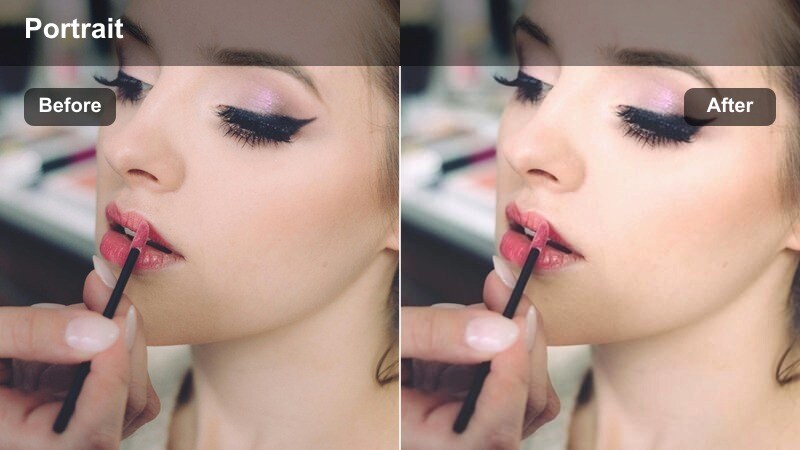
- Effect look: Muted colors, soft contrast, and a touch of grain to give underground and transit clips a film-inspired portrait feel.
- Best for: Subway platforms, train interiors, and bus seats where fluorescent lighting can look harsh on casual vlog portraits.
- Editing tip: Lower greens and cyans slightly to tame fluorescent casts and then adjust exposure so your eyes and face stay visible.
Subway Soft Film is made for the harsh, unflattering light you often find on trains and buses. In Filmora, this filter mutes strong colors, softens contrast, and adds a gentle grain that turns flat transit footage into something more cinematic and human.
Use white balance and HSL controls to push away green or cyan casts from fluorescent lighting, then let the preset s mood carry the rest. Slightly lowering overall saturation and raising exposure around your face ensures your eyes remain the focal point even when signage and ads are bright behind you.
Rainy Sidewalk Matte
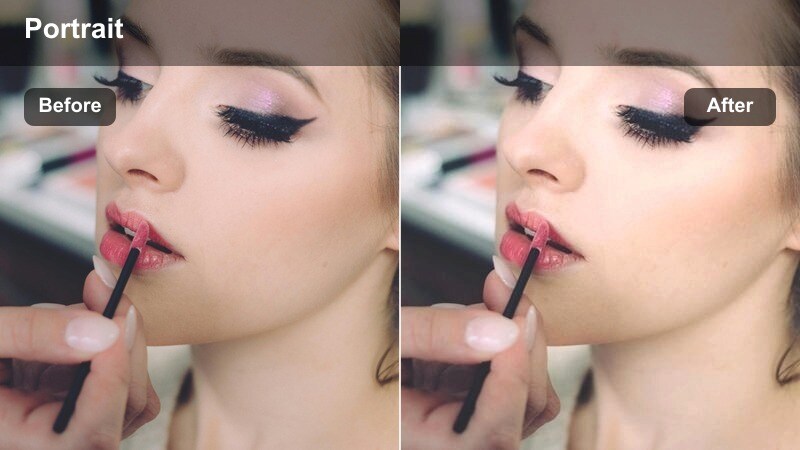
- Effect look: Matte shadows with subdued colors and cool highlights to complement rainy-day jackets and umbrellas.
- Best for: Sidewalk chats under overcast skies, quick umbrella updates, and rainy crosswalk shots in layered outfits.
- Editing tip: Slightly lower saturation overall, then bring back only your jacket color in HSL so the outfit stands out against a muted street.
Rainy Sidewalk Matte balances the flat gray of overcast skies with a stylish, desaturated look that feels cinematic rather than dull. In Filmora, the matte shadows and cooler highlights enhance reflections on wet pavement while letting your raincoat or umbrella become the color accent.
Apply this filter to all your rainy-day clips, then pull global saturation down a bit before selectively boosting the hue of your jacket or umbrella in HSL. Shooting slightly underexposed and then grading with this preset helps preserve cloud detail and turns ordinary wet streets into atmospheric B-roll that matches your portrait shots.
Tips for Using Casual Outfit Vlog Portrait Filter Filters in Filmora
- Lock in a consistent white balance in-camera so your Casual Outfit Vlog Portrait Filters in Filmora only need minor tweaks from clip to clip.
- Shoot a quick five-second test shot in each new location and try two or three presets on it in Filmora before recording the full scene.
- Use one primary portrait filter per vlog and only switch styles when the scene, time of day, or location changes in a meaningful way.
- Adjust exposure, highlights, and shadows individually for each clip while keeping your chosen filter s color character as the base.
- Use Filmora s HSL and AI color tools to correct tricky lighting, like fluorescent trains or orange lamps, without destroying your preset s mood.
- Save adjusted filters as custom presets or LUTs in Filmora whenever you dial in a look that perfectly fits a recurring location or outfit type.
- Stabilize handheld walking clips before adding sharper filters so clarity and contrast enhance your portrait rather than exaggerate shake.
- Keep an eye on skin highlights outdoors and slightly underexpose in-camera if you plan to use brighter, glowy filters during editing.
The Casual Outfit Vlog Portrait Filter collection helps content creators keep everyday outfits, skin tones, and backgrounds looking intentional and cohesive across every scene. Whether you are filming golden-hour walks, bedroom get-ready sequences, or late-night couch chats, you can build a consistent portrait style that fits your channel.
Experiment with a few presets in Filmora, save your favorite variations as custom looks or LUTs, and let those become the visual signature your subscribers recognize in their feed. With a handful of reliable portrait filters, your casual outfit vlogs can feel polished, cinematic, and still true to real life.
secure download