

 100% Security Verified | No Subscription Required | No Malware

These fashion video color grading LUT-style filters are designed for content creators who want editorial, on-trend looks in a single click while keeping skin tones clean and stylish outfits true to life.
Use this preset guide to quickly match your fashion videos to runway, streetwear, or studio aesthetics and keep your feed cohesive across lookbooks, reels, and brand campaigns.
In this article
Street Style Fashion Lookbooks
Urban Neutral Glow
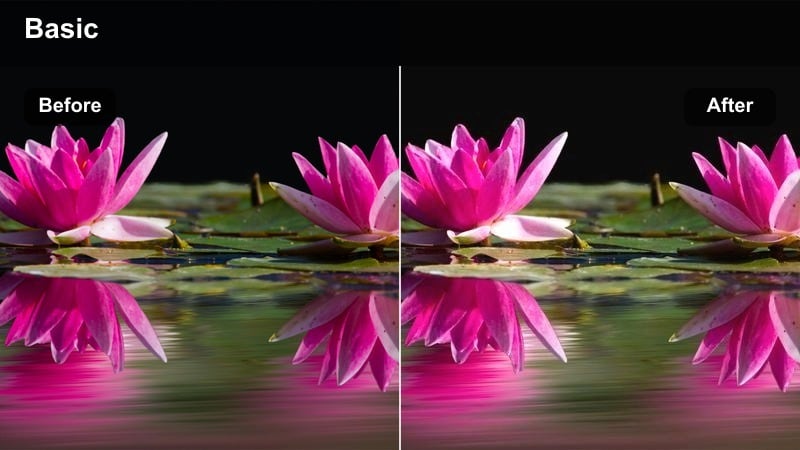
- Effect look: Soft neutral contrast with gentle warmth and polished skin tones
- Best for: Daytime street fashion hauls, outfit-of-the-day reels, and neutral-toned lookbooks
- Editing tip: Slightly reduce saturation on overly bright storefront signs to keep attention on the outfit.
Urban Neutral Glow adds a subtle warm lift to city footage while keeping whites clean and neutrals balanced, so beige, cream, and white outfits stay true to life. In Filmora, this makes it easy to polish everyday sidewalk clips into cohesive lookbooks without harsh contrast or color shifts on skin.
Apply this filter at around 70 percent intensity, then fine-tune saturation to pull back competing colors from taxis, billboards, or storefronts. You can also add a light vignette and minimal sharpening in Filmora to guide attention toward your silhouette and outfit details while preserving a soft, editorial feel.
Match Fashion LUT-Style Filters with AI Color Tools
Use Filmora's AI-powered color tools to automatically correct exposure and white balance before you apply any fashion video color grading LUT-style filter. This keeps fabrics, skin tones, and neutral city backgrounds looking authentic so the style of the filter enhances your footage instead of fixing technical issues.
Once your base is clean, you can layer fashion filters like Urban Neutral Glow to lock in a consistent street style aesthetic across hauls, walking shots, and close-ups. AI analysis helps you avoid color casts from mixed lighting, making each filter behave more predictably.
 secure download

Preview Fashion Filters in Real Time
Filmora lets you hover over each fashion filter preset to preview how it will look directly on your footage before you apply it. This is ideal when you are choosing between street, studio, or event styles and want to see which color grade best matches your outfit, location, and lighting.
Use real-time previews to compare contrast levels, saturation, and warmth, then dial back filter intensity in the Effects panel until it feels perfectly balanced with your brand aesthetic. This saves you time and keeps your fashion edits consistent across multiple videos.
secure downloadCombine Filters with LUTs for Signature Looks
If you already have favorite fashion LUTs, you can stack them with Filmora's built-in filters to build more complex signature grades. Start with a subtle LUT for overall tone, then add a fashion-focused filter to refine skin, highlight fabrics, and bring out brand colors.
Use the strength sliders for both the LUT and the filter so they blend naturally, avoiding overly stylized results. This layered workflow helps you keep a consistent look across lookbooks, reels, and campaigns, even if you shoot on different cameras or in mixed lighting.
secure downloadConcrete Runway Contrast
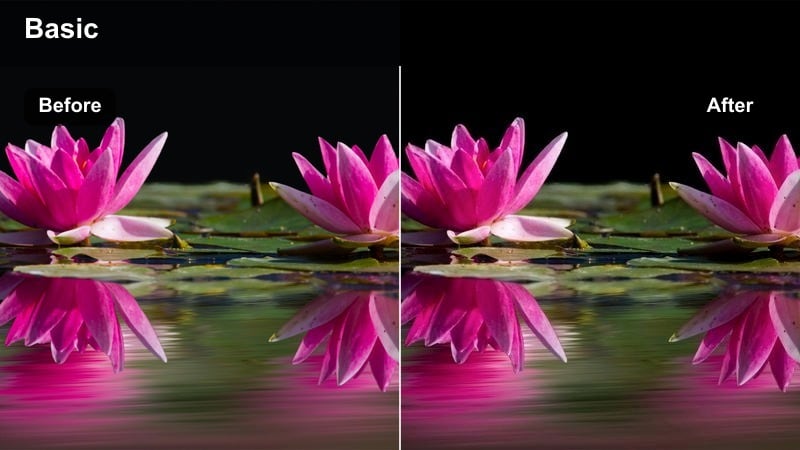
- Effect look: Punchy contrast with crisp blacks and slightly cool shadows
- Best for: Edgy streetwear edits, sneakers close-ups, and fast-paced city runway shots
- Editing tip: Increase motion blur or speed ramps on walking shots to emphasize the runway feel.
Concrete Runway Contrast adds bold separation between highlights and shadows, giving streetwear outfits a sharp, editorial runway vibe. Cool shadows enhance concrete, metal, and glass while keeping bright logos, sneakers, and accessories vivid against the city backdrop.
In Filmora, combine this filter with speed ramps and motion blur on walking sequences to mimic a real runway walk. Slightly lift shadows after applying the filter so dark fabrics keep texture, and add midtone clarity to bring out stitching, folds, and sneaker details in both static shots and transitions.
Sunset Sidewalk Chic
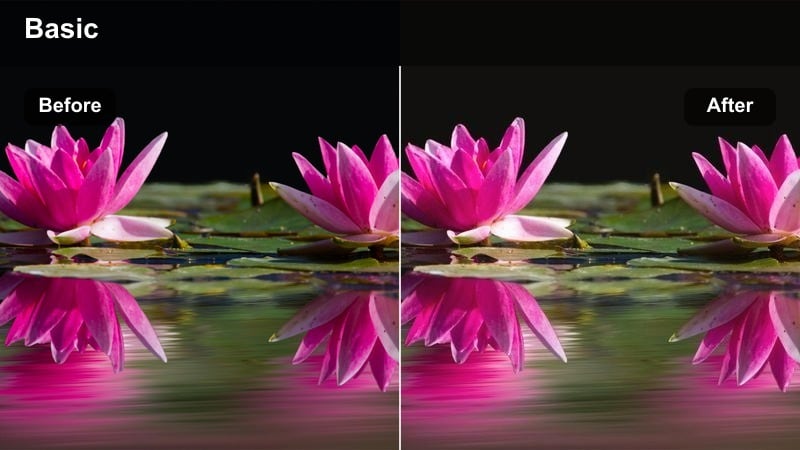
- Effect look: Golden, slightly hazy toning that mimics sunset glow
- Best for: Golden hour outfit transitions, soft city vlogs, and warm-toned fashion reels
- Editing tip: Lower highlights a bit to avoid blowing out the sky while keeping the warm glow on skin.
Sunset Sidewalk Chic bathes your footage in a warm, golden hue that simulates flattering golden hour even when you did not catch the perfect light. Skin tones gain a sun-kissed glow, while buildings and streets take on a softer, more romantic atmosphere without losing clarity.
Inside Filmora, reduce highlights slightly before or after applying the filter so skies and reflective surfaces keep detail. You can then selectively boost saturation in warm tones only, letting hair, skin, and tan accessories feel radiant while denim, concrete, and cooler elements stay balanced and natural.
Studio Fashion and Try-On Sessions
Minimal Rack Editorial
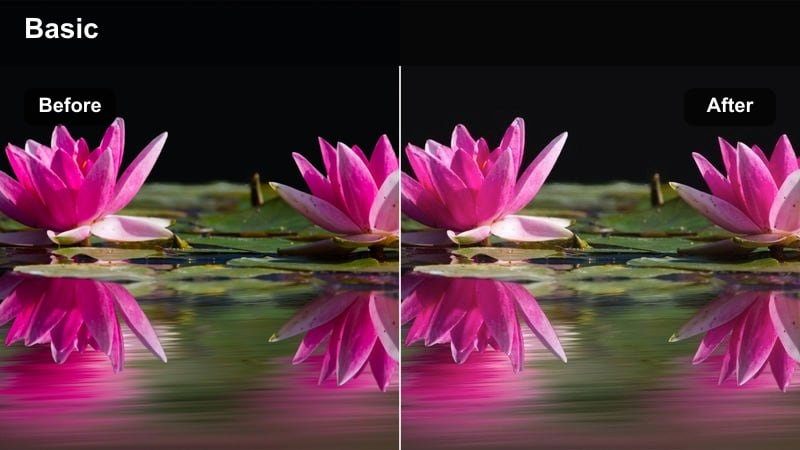
- Effect look: Clean, soft contrast with very accurate whites and gentle skin smoothing
- Best for: Wardrobe breakdowns, rack tours, and sit-down styling videos in controlled lighting
- Editing tip: Fine-tune white balance first so the filter does not tint your background or clothing racks.
Minimal Rack Editorial is designed for studio and haul content where color accuracy is critical. It maintains pure whites and neutral grays so your backgrounds, racks, and product tags look true to life, while adding a touch of softness to skin and edges for a polished editorial vibe.
In Filmora, adjust white balance and tint manually before applying this filter to prevent any unwanted color cast on your backdrop or garments. Afterward, add subtle sharpening only to clothing areas to emphasize fabric texture, stitching, and patterns while keeping faces smooth and flattering on camera.
Powder Soft Studio
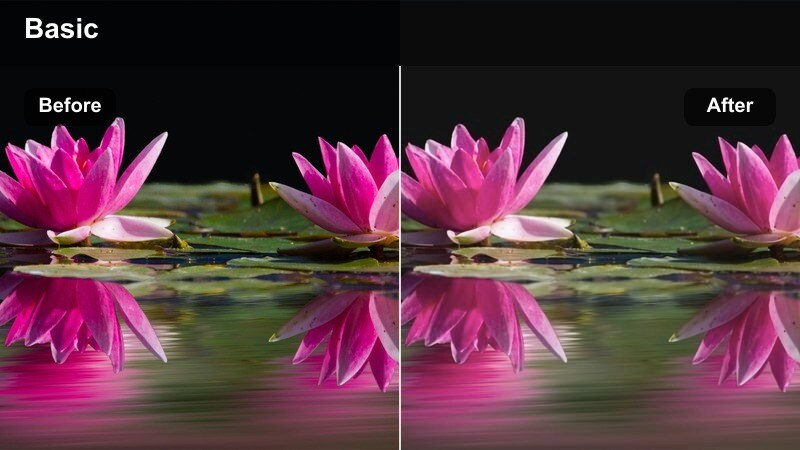
- Effect look: Low-contrast pastel look with soft skin and muted backgrounds
- Best for: Beauty and outfit hybrid content, soft girl aesthetics, and pastel-heavy wardrobes
- Editing tip: Slightly lift blacks to keep the pastel mood and avoid heavy shadows on the face.
Powder Soft Studio flattens harsh contrast and leans into delicate pastel tones, making it ideal for soft girl aesthetics and beauty-fashion crossover content. Shadows become gentle and forgiving, while skin looks velvety and backgrounds recede into a subtle, dreamy blur of color.
Use this filter in Filmora at moderate intensity, then raise blacks a touch to prevent any deep shadows from breaking the pastel mood. If the image starts to feel too flat, add a small S-curve in the midtones only, bringing back structure in hair, eyes, and clothing folds without losing the overall softness.
Mirror Fit Soft Focus
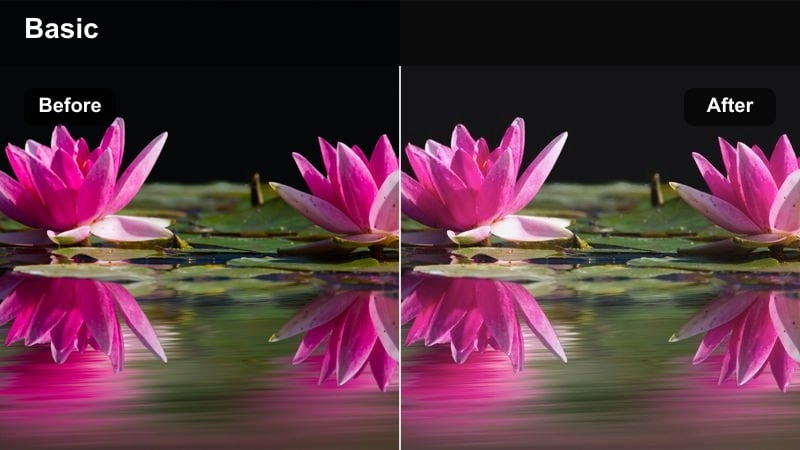
- Effect look: Gentle bloom on highlights with flattering skin and smooth midtones
- Best for: Mirror outfit checks, small-room try-ons, and vertical fashion stories
- Editing tip: Crop tightly and use subtle background blur to hide clutter while the filter handles skin and fabric.
Mirror Fit Soft Focus adds a dreamy bloom around highlights and subtly smooths midtones, which flatters skin while maintaining enough detail in outfit lines and fabrics. It is especially useful for mirror selfies and cramped bedroom spaces where lighting and decor are not perfect.
In Filmora, pair this filter with a tighter crop and a background blur effect to minimize visible clutter around your mirror. You can also add a slight vignette at the top and bottom of the frame to keep attention on your reflected full-body shot while the filter handles glow and complexion correction.
Runway Shows and Fashion Events
Spotlight Runway Glam
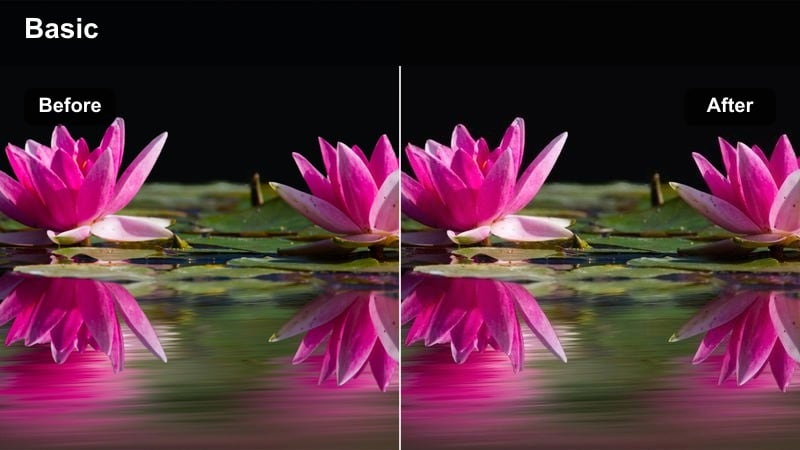
- Effect look: Glossy contrast with bright highlights and vivid colors under stage lights
- Best for: Runway recaps, backstage walk-throughs, and front-row show clips
- Editing tip: Lower exposure one step before applying to keep stage lights from clipping.
Spotlight Runway Glam is tuned for intense stage lighting, keeping the energy of bright spotlights while protecting details in outfits and faces. Highlights roll off more smoothly, and colors from collections, set design, and LED walls stay vivid without overexposing.
Before applying this filter in Filmora, pull overall exposure down slightly so the brightest lights do not clip to pure white. Afterward, adjust midtones to refine skin tones and use saturation controls sparingly to maintain a modern, glossy look that mirrors professional runway coverage.
Velvet Night Luxe
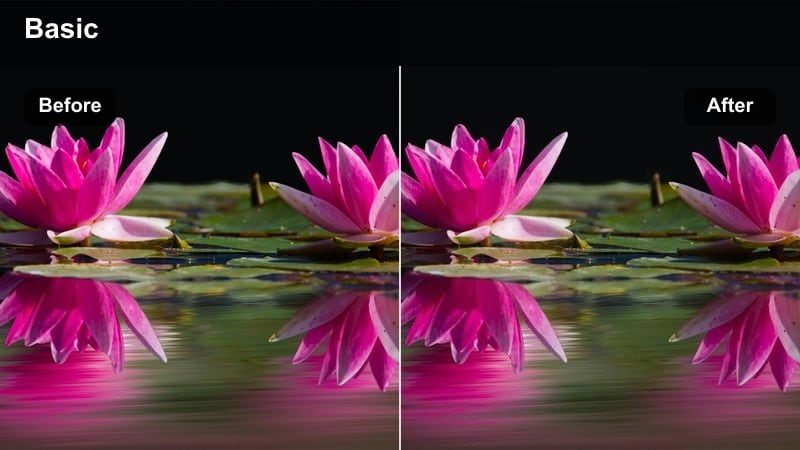
- Effect look: Deep, cinematic shadows with rich jewel-like colors
- Best for: Evening fashion parties, after-show events, and rooftop launches
- Editing tip: Lift shadows just enough to keep dark dresses and suits from disappearing into the background.
Velvet Night Luxe pushes your nighttime footage toward a cinematic, low-key aesthetic with luxurious, jewel-toned colors. Shadows deepen to create mood while preserving enough visibility on faces, gowns, suits, and accessories to show off texture and shine.
Inside Filmora, apply this filter and then gently raise blacks so dark fabrics like velvet, satin, or sequins do not vanish into the background. Use selective sharpening on jewelry, bags, and hardware to make them pop against the rich, moody color grade, reinforcing the high-end nightlife feel.
Flash Paparazzi Film
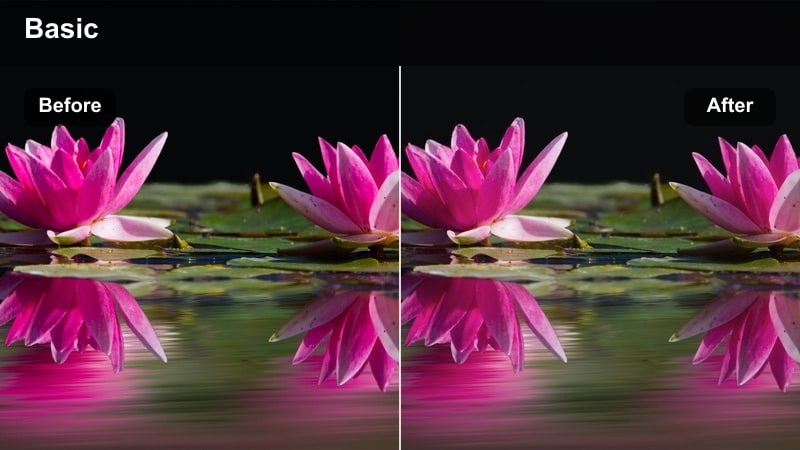
- Effect look: High-contrast, slightly grainy film look with quick highlight roll-off
- Best for: Red carpet arrivals, step-and-repeat backdrops, and flash-heavy moments
- Editing tip: Add a subtle film grain overlay to reinforce the editorial photography vibe.
Flash Paparazzi Film recreates the feeling of candid red-carpet photography with punchy contrast, fast highlight roll-off, and a touch of grit. It emphasizes the drama of camera flashes and step-and-repeat backdrops, giving your event clips an editorial magazine look.
Use this filter in Filmora alongside a light film grain overlay to tie video and stills together if you are mixing both in one edit. For phone or mixed-source footage, slightly lower contrast before applying the filter so different clips blend more seamlessly into a cohesive, film-inspired sequence.
Indoor Lifestyle and Everyday Fashion
Coffee Run Casual
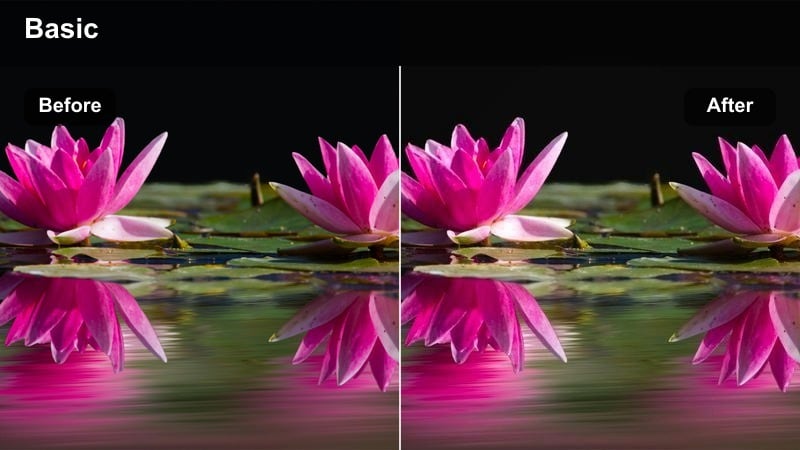
- Effect look: Soft warm tones with gentle contrast and slightly desaturated backgrounds
- Best for: Cafe outfit diaries, shopping vlogs, and casual day-in-my-life fashion clips
- Editing tip: Mask your face slightly and add a touch of extra brightness to keep it from sinking into indoor shadows.
Coffee Run Casual adds a cozy warmth and mild contrast to indoor lifestyle scenes while gently muting busy backgrounds. This helps your outfit and skin stand out in cafes, boutiques, and malls where decor and signage can otherwise compete for attention.
In Filmora, apply the filter and then selectively brighten your face with a mask so indoor shadows do not dull your features. Reduce saturation on walls and decor to keep attention on your clothing, and correct any strong green or yellow casts from mixed lighting before grading for the cleanest results.
Wardrobe Diary Matte
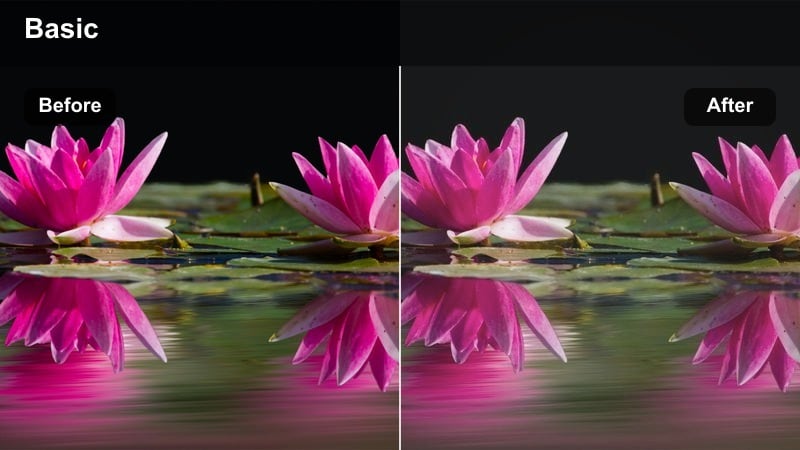
- Effect look: Matte shadows with reduced contrast and soft, journal-like tones
- Best for: Closet organization videos, capsule wardrobe diaries, and minimal lifestyle edits
- Editing tip: Lower clarity a touch to keep the intimate, diary-style feeling in handheld shots.
Wardrobe Diary Matte creates a gentle, low-contrast finish with lifted blacks, evoking the feel of a personal style journal. It works especially well on neutral closets, capsule wardrobes, and organization content where the mood should feel calm and intentional rather than high-gloss.
Use this filter in Filmora and slightly reduce clarity to soften handheld movements and enhance the intimate vibe. Keep camera moves slow and stable, and if necessary, trim contrast a bit more so shadows in shelves and corners remain soft, supporting the relaxed storytelling tone of your outfit diaries.
Apartment Runway Soft
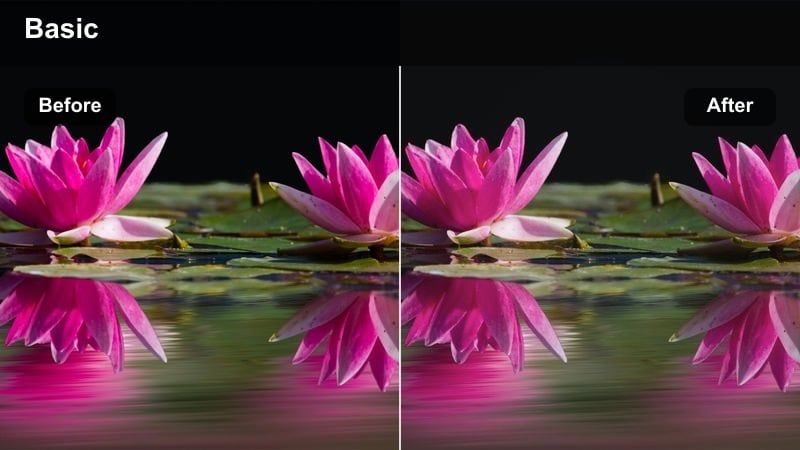
- Effect look: Soft, bright tones with lifted shadows and clean highlights
- Best for: Hallway walk clips, doorway outfit reveals, and apartment fashion transitions
- Editing tip: Nudge exposure up slightly and avoid heavy vignettes so small spaces still feel airy.
Apartment Runway Soft brightens narrow, indoor spaces and raises shadows to make hallways and bedrooms feel more open. It maintains clean highlights on walls and doors while ensuring your outfit is evenly lit from head to toe for walking reveals and quick transitions.
In Filmora, increase exposure slightly after applying this filter and avoid strong vignettes so your frame stays airy rather than cramped. Stabilize your clips and consider subtle speed ramps on turns or outfit changes to add editorial movement, turning even a simple hallway into a mini runway.
Tips for Using Fashion Video Color Grading Lut Filters in Filmora
- Always correct exposure and white balance before applying a fashion color grading LUT-style filter so fabrics stay true to their real-life tones.
- Lower filter intensity to around 60–80 percent for sponsored content where color accuracy on clothing is critical.
- Use separate adjustment layers for skin tones and backgrounds if a filter makes walls or decor too saturated.
- Batch apply the same filter across all clips in a series to keep your lookbooks and reels visually consistent.
- Shoot in flat or neutral picture profiles when possible to give your fashion filters more room to work.
- Protect detail in black fabric by lifting shadows slightly after using high-contrast fashion filters.
- Add subtle film grain to event fashion edits to blend mixed camera sources into one cohesive aesthetic.
- Use vignettes and selective blur with soft fashion filters to hide cluttered interiors and small spaces.
With the right set of fashion video color grading LUT-style filters, you can turn simple outfit clips into polished, editorial content that feels on-brand and cohesive across platforms.
Test a few styles on your next shoot, then save your favorites as custom presets in Filmora so every haul, lookbook, or runway recap is just one click away from a signature fashion aesthetic.
secure download