

 100% Security Verified | No Subscription Required | No Malware


 ChatGPT
 Perplexity
 Gemini
 Claude
 Grok
Grok
Food photography videos demand filters that keep colors true-to-life while still looking cinematic, and a dedicated food photography video LUT can do exactly that.
These Filmora filter presets are designed for content creators who want buttery bokeh, rich tones, and appetizing highlights straight out of the timeline, without heavy manual grading.
In this article
Cozy Morning Brunch Counter
Golden Brunch Glow
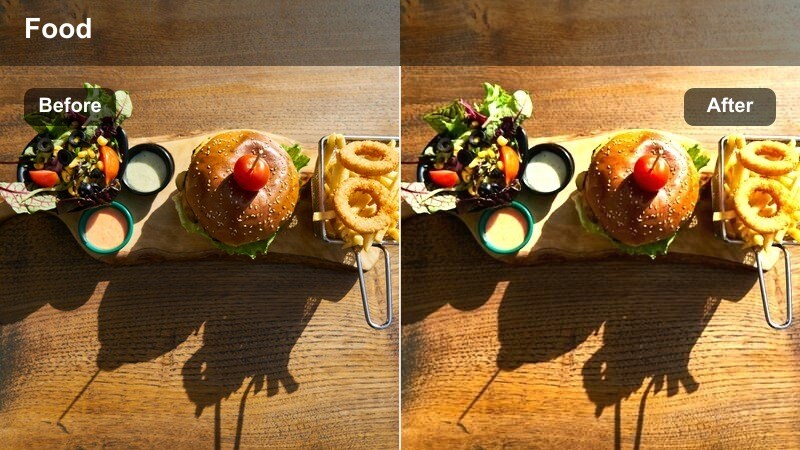
- Effect look: Warm, bright highlights with soft contrast to make breakfast plates feel sunlit and inviting.
- Best for: Egg dishes, pancakes, waffles, and overhead brunch spreads by a window.
- Editing tip: Reduce exposure slightly on very white plates to keep the glow while preserving detail in eggs and cream.
Golden Brunch Glow wraps your brunch footage in a soft sunlit warmth that feels like a late morning by the window. In Filmora, this LUT gently lifts highlights and warms midtones so yolks, syrup, and crusts look rich without turning orange or muddy.
Apply it to overhead and 45 degree angles of breakfast tables, then fine tune exposure and white balance in the Color panel to keep whites neutral and appetizing. Use Filmora masking to keep hands and mugs a touch more natural while the plates get the full golden treatment, perfect for reels and YouTube brunch episodes.
Match Your Food LUT to Any Scene with AI Color Tools
Filmora AI color tools help you adapt Golden Brunch Glow, or any food photography video LUT, to different windows, countertops, and dishes while maintaining a consistent look. Analyze a bright reference frame, then let AI balance exposure and color so the warmth stays flattering for both food and surroundings.
Once the base match is done, you can quickly copy color settings across your brunch sequence so every shot feels like part of the same cozy morning story.
 secure download

See Food Filters in Action on Real Dishes
Before you commit a whole brunch or cafe video to one style, preview Filmora filters and LUTs on sample dishes. Switch between warm brunch looks, neutral kitchen grades, and moody cafe tones to see how each one treats whites, sauces, and steam.
This quick side by side comparison helps you lock in a signature style for your channel, while still adapting looks to each new recipe or location.
secure downloadCombine Filters and LUTs for a Signature Food Look
Filmora includes 1000 plus video filters and 3D LUTs you can stack with your favorite food photography video LUT for limitless styles. Start with a base LUT that keeps ingredients true to life, then layer creative filters to dial in morning softness, cafe moodiness, or neon night energy.
Once you land on a combo that fits your brand, save it as a preset so you can grade entire playlists of recipes, cafe tours, and street food vlogs in a few clicks.
Filmora can also export compatible color adjustments from a selected clip as a standard .cube LUT, making the same food color base reusable across other playlists, projects, or team workflows in DaVinci Resolve, Adobe Premiere Pro, and Final Cut Pro.
secure downloadFresh Yogurt Bowl
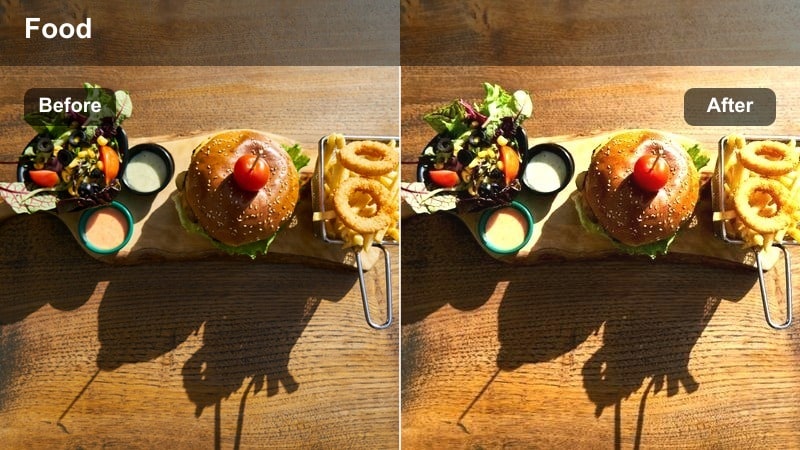
- Effect look: Clean, crisp whites with gentle pastel color lift for toppings and garnishes.
- Best for: Smoothies, yogurt bowls, chia puddings, and healthy breakfast reels.
- Editing tip: Use a slight vignette to guide the eye toward the center of the bowl and keep the background from stealing attention.
Fresh Yogurt Bowl is built for light, airy health content where whites must stay true and toppings look fresh, not oversaturated. In Filmora, it gently lifts exposure and pastel tones so berries, seeds, and granola feel bright while the table background remains controlled.
Apply the LUT to top down and flat lay shots, then tweak the vignette and highlight sliders to avoid losing detail in yogurt or milk. For Instagram ready shorts, pair this look with subtle motion blur transitions in Filmora to keep the focus on spoon scoops and sprinkle moments.
Buttered Toast Soft
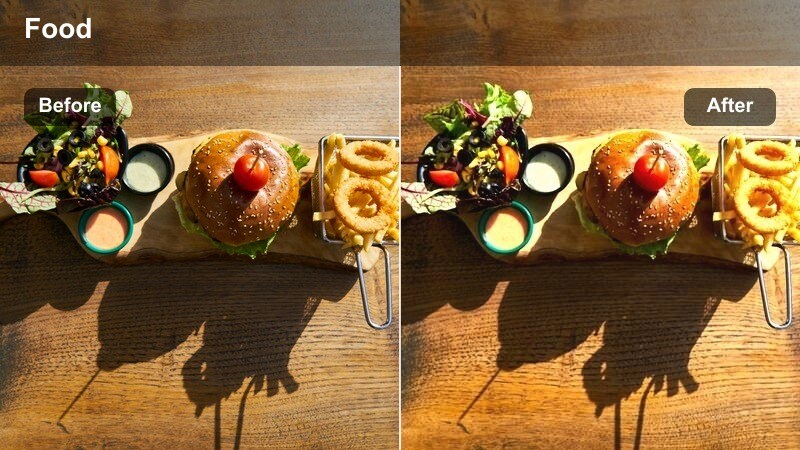
- Effect look: Soft contrast with gentle halation around highlights for a dreamy breakfast vibe.
- Best for: Close-ups of toast, croissants, and slow-motion butter and syrup pours.
- Editing tip: Add a slight slow-motion effect when capturing pours to let the glow around highlights feel cinematic, not blown out.
Buttered Toast Soft creates a dreamy, almost cinematic haze around bright areas like melted butter and honey drips. In Filmora, it slightly lowers overall contrast while blooming highlights, giving macro breakfast shots a cozy, nostalgic look.
Use this LUT on close ups shot with shallow depth of field, then fine tune whites and contrast so texture in bread, flakes, and crumbs remains visible. Combine it with Filmora slow motion and speed ramping around key pour moments to lean into the graceful, soft breakfast aesthetic.
Moody Coffee Shop Corners
Espresso Deep Rich
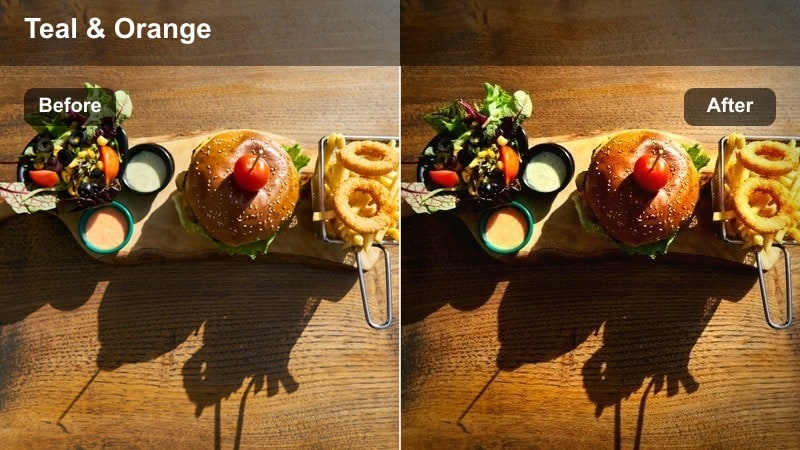
- Effect look: Dark, rich tones with boosted browns and subtle teal in the shadows for a cinematic cafe look.
- Best for: Espresso shots, latte art, and barista workflow videos in dim cafes.
- Editing tip: Lower the blacks slightly to add depth, but keep midtones lifted enough to see crema texture.
Espresso Deep Rich is tuned for dark cafes where you want moody contrast without losing the subtle texture in crema and foam. The LUT deepens browns and adds a gentle teal cast to shadows, giving handheld barista clips an instant cinematic feel inside Filmora.
Apply it to tight shots of espresso pours and latte art, then adjust blacks and midtones so cups and saucers do not disappear into the background. If you are editing a full cafe vlog, use Filmora keyframed color corrections to slightly soften the look on wide shots while keeping tight coffee inserts bold and punchy.
Cafe Window Fade
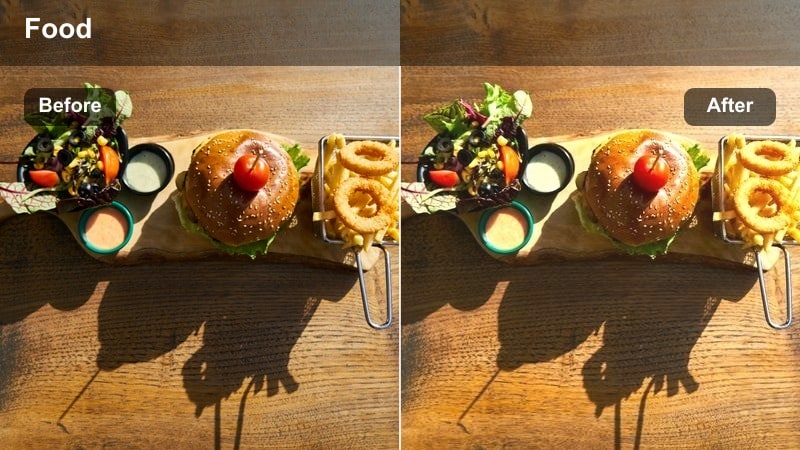
- Effect look: Soft matte blacks with gentle cool shadows and warm midtones around the food.
- Best for: Tables by a cafe window, pastries, and coffee pairings shot in mixed light.
- Editing tip: Use a graduated mask from the window side to keep skin and foam natural while the background fades to matte.
Cafe Window Fade is designed for mixed lighting, balancing cool window shadows with warm pastry tones and coffee crema. In Filmora, it rolls off blacks into a soft matte finish so the table scene feels gentle and inviting instead of harsh and contrasty.
Use this LUT on medium shots of cafe tables by windows, then combine it with gradient masks to keep faces and drinks natural while allowing corners to drift into a moody fade. For storytelling vlogs, pair the look with Filmora subtle zooms and text overlays to highlight menu items and pastry details.
Dark Roast Dramatic
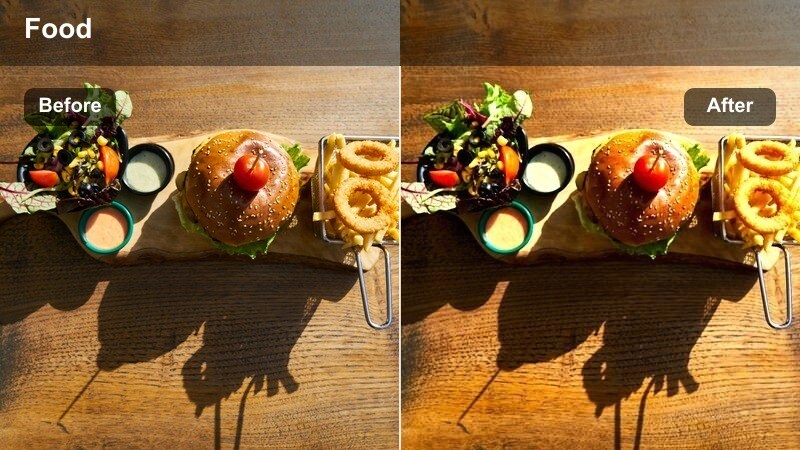
- Effect look: High contrast with strong emphasis on deep browns and minimal saturation elsewhere.
- Best for: Dark chocolate desserts, brownies, roasted dishes, and noir-style coffee content.
- Editing tip: Avoid overexposing bright props like white napkins, which can clash with the heavy contrast look.
Dark Roast Dramatic leans into bold contrast, lifting deep browns and char tones while muting other colors for a noir inspired food feel. Inside Filmora, it quickly turns simple table shots into high impact visuals tailored to chocolate, espresso, and roasted dishes.
Apply it to close ups of dark desserts or coffee on darker surfaces, then tame any white elements by lowering highlights or selectively desaturating them in the HSL controls. For dramatic product style reels, combine this LUT with Filmora spotlight effects or vignette to isolate the dessert or cup in the frame.
Bright Fresh Kitchen Prep
Crisp Salad Studio
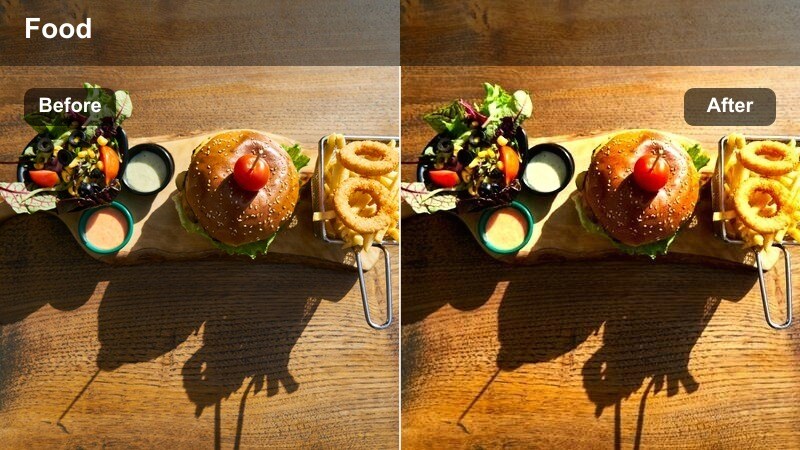
- Effect look: Punchy contrast with vivid greens and sharpened micro-texture for crunchy ingredients.
- Best for: Salad assembly, chopping sequences, and clean recipe demonstrations.
- Editing tip: Slow your shutter slightly for handheld clips so micro-contrast does not exaggerate jittery motion.
Crisp Salad Studio is tailored for ultra fresh, crunchy ingredients, boosting greens and micro contrast to highlight every leaf and chop. In Filmora, that punchy look helps salad tosses, garnish sprinkles, and knife work stand out clearly on both phones and larger screens.
Use this LUT on overhead and mid shots in bright kitchens, then refine saturation so herbs and lettuce stay natural instead of neon. For dynamic recipe videos, combine it with Filmora split screens and fast cuts to showcase before and after shots of prep while maintaining consistent color across the whole sequence.
Clean Cutting Board
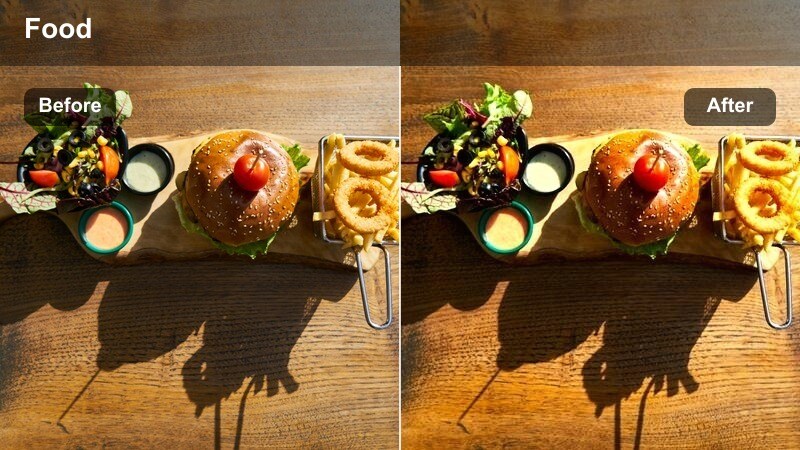
- Effect look: Neutral, true-to-life color with slightly raised mids for tutorial-style clarity.
- Best for: Knife skills, step-by-step recipe shots, and top-down ingredient layouts.
- Editing tip: Use a consistent angle and distance so the subtle lift in midtones stays uniform across your whole video.
Clean Cutting Board is your go to LUT for tutorials where accuracy matters more than heavy stylization. It lightly raises midtones and keeps colors neutral, ensuring vegetables, meats, and packaged ingredients look true to life in Filmora.
Apply it as a base grade to all top down instructional shots, then adjust exposure and white balance once and copy those settings across the timeline for consistency. When cutting between steps, use Filmora simple transitions or jump cuts so viewers stay focused on the technique, supported by a stable, professional color grade.
Whisk and Whip Softlight
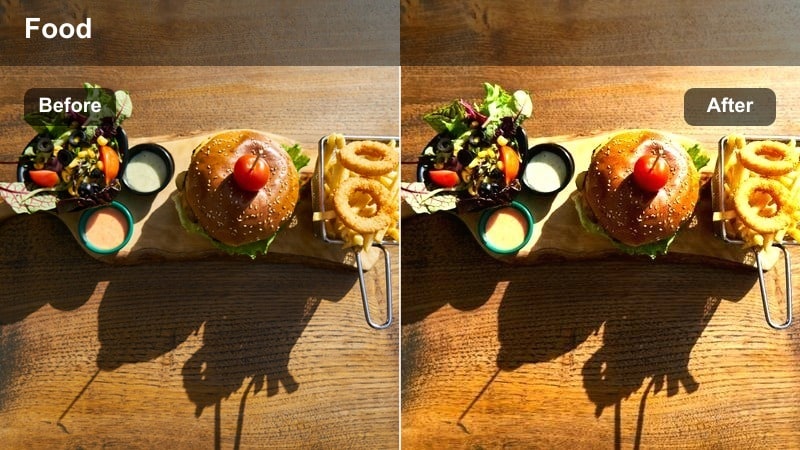
- Effect look: Soft, low-contrast look that keeps batter and dough textures creamy and inviting.
- Best for: Baking sequences, whisking shots, and close-ups of smooth sauces.
- Editing tip: Add a slight speed ramp on your whisking motion so the smooth look feels energetic, not flat.
Whisk and Whip Softlight is tuned for baking content, where you want smooth batter and dough to look creamy rather than harsh or gritty. In Filmora, it slightly lowers contrast and softens edges, preserving subtle folds and peaks in mixtures under bright kitchen lights.
Use this LUT on close ups of mixing, kneading, and sauce stirring, then combine it with Filmora speed ramps to inject a bit of energy into repetitive motions. If glass bowls create strong reflections, fine tune highlights or add a gentle vignette so the viewer stays locked on the texture of the mixture instead of bright glare.
Cinematic Night Street Food
Neon Street Snack
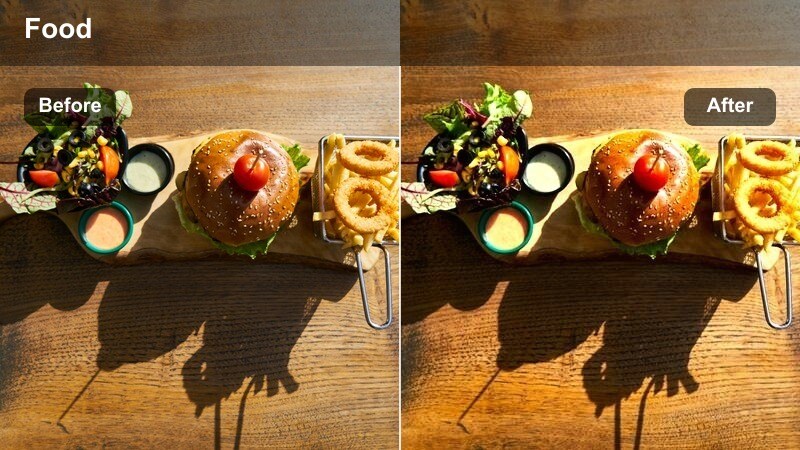
- Effect look: Vibrant saturation with emphasized reds and blues and a light halation around neon lights.
- Best for: Street food stalls, markets, and handheld night food vlogs under colored signage.
- Editing tip: Stabilize your footage slightly so the energized colors feel intentional rather than chaotic.
Neon Street Snack embraces the chaos of night markets, boosting reds and blues while softening neon edges into a gentle glow. In Filmora, this LUT keeps grilled and fried foods appetizing by preserving warm highlights, even as signs and city lights intensify in the background.
Apply it to handheld walk and talk segments around stalls, then use Filmora stabilization and slight noise reduction to keep the vibrant look polished. If faces or hands pick up too much neon, refine magenta or blue saturation with HSL controls so the food remains the hero of every frame.
Grill Flame Cinema
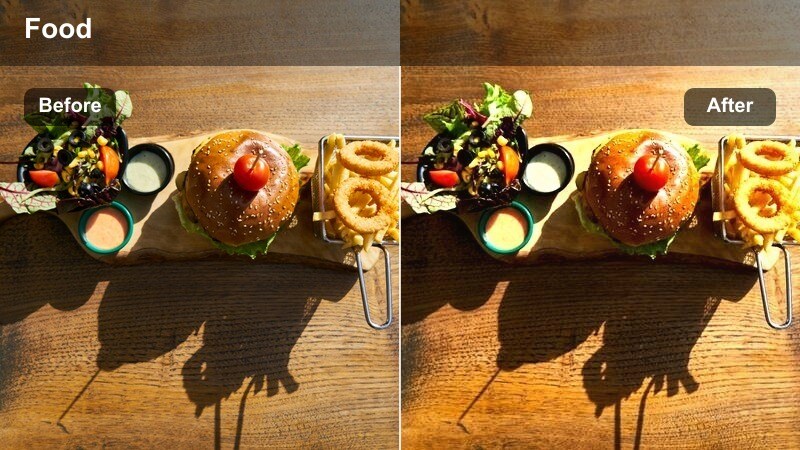
- Effect look: Warm, contrasty look that emphasizes orange flames and char marks without crushing shadows.
- Best for: Grilled meats, skewers, burgers, and live-fire cooking content at dusk or night.
- Editing tip: Use short clips and tight cuts so the intense warmth remains exciting rather than overwhelming.
Grill Flame Cinema is built around live fire cooking, turning flames and glowing embers into a rich, cinematic backdrop. In Filmora, it amplifies warm tones while keeping enough detail in the shadows so char marks and grill grates stay well defined.
Use this LUT for close ups of sizzling skewers, burgers, and barbecue, then slightly underexpose in the Color panel to protect flame detail. Cut your sequence into short, punchy clips with impactful sound effects in Filmora so the intense warmth feels exciting and immersive instead of visually overpowering.
Midnight Snack Film
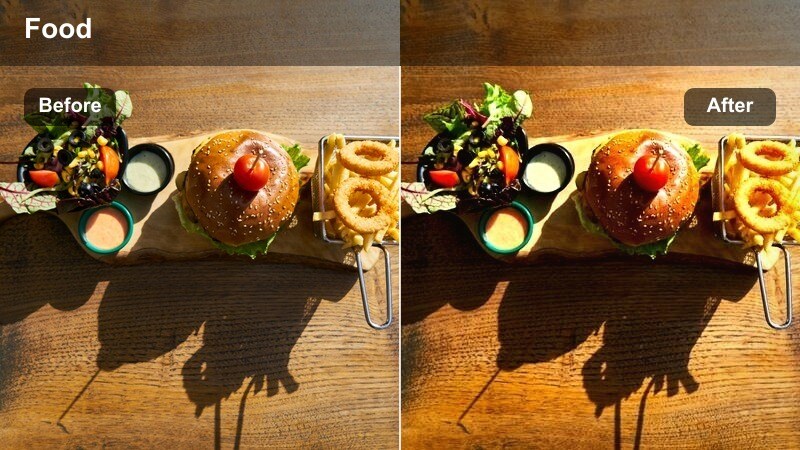
- Effect look: Subtle film-like grain with cool shadows and warm highlights for a cinematic night snack feel.
- Best for: Late-night kitchen scenes, convenience store snacks, and quiet solo eating moments.
- Editing tip: Keep ISO as low as possible when shooting so the added grain stays stylish instead of noisy.
Midnight Snack Film adds a layer of nostalgia to low light food moments, combining cool shadows, warm lamp light, and gentle film style grain. In Filmora, it turns even simple instant noodles or snacks into moody, character driven scenes perfect for TikTok stories or YouTube vlogs.
Apply it to mostly static compositions lit by a single practical lamp, then tweak midtones to keep faces and food readable without destroying the night mood. Use Filmora subtle camera moves like pan and zoom effects to introduce motion while letting the grain and grading sell the cinematic late night atmosphere.
Tips for Using Food Photography Video Lut Filters in Filmora
- Shoot in flat or log-like profiles when possible so food photography video LUT filters have more dynamic range and detail to enhance.
- Lock white balance on set, especially in mixed lighting, so your food LUTs do not have to fight shifting color temperatures between clips.
- Go easy on reds and oranges; use Filmora HSL controls to keep meats and sauces rich without pushing them into artificial, overcooked territory.
- Use diffused side light on reflective dishes so Filmora filters can add sheen without creating distracting specular highlights.
- Keep backgrounds simple and slightly darker so the viewer s attention stays on the plate and your LUT work remains subtle but effective.
- Apply sharpening after LUTs and filters, adding just enough to highlight crusts, crumbs, and textures without making them look crunchy.
- Test your chosen food LUT on both close ups and wider shots in the same project to ensure the look holds up across an entire sequence.
- Export a short test reel to your phone from Filmora to confirm your food grading looks appetizing on smaller, brighter screens.
A dedicated food photography video LUT paired with the right Filmora filters can turn simple kitchen clips, cafe visits, and street food walks into cinematic, brand-defining content.
Experiment with a few of these presets on your next shoot, refine your favorites into a go-to look, and your audience will start recognizing your food videos before they even see your name.
secure download