

 100% Security Verified | No Subscription Required | No Malware


 ChatGPT
 Perplexity
 Gemini
 Claude
 Grok
Grok
Forest Bark is a rich, grounded brown that feels like tree bark warmed by late afternoon sun. It communicates stability, warmth, and authenticity, which is why you see similar tones in rustic brands, lifestyle channels, outdoor gear promos, and cinematic travel films. Used well, it can make your videos feel more tangible and tactile, adding depth to skin tones and giving scenes a natural, storybook quality.
For creators and Filmora users, Forest Bark is a powerful base color for intros, lower thirds, titles, YouTube thumbnails, channel banners, and even full color grades. Below are 15 Forest Bark color palettes with ready-to-use HEX codes so you can match your branding, build LUT-style looks, and keep a consistent earthy aesthetic across video, social posts, and design assets.
In this article
Cinematic Forest Bark Color Palettes
Cinematic Woodland Frame
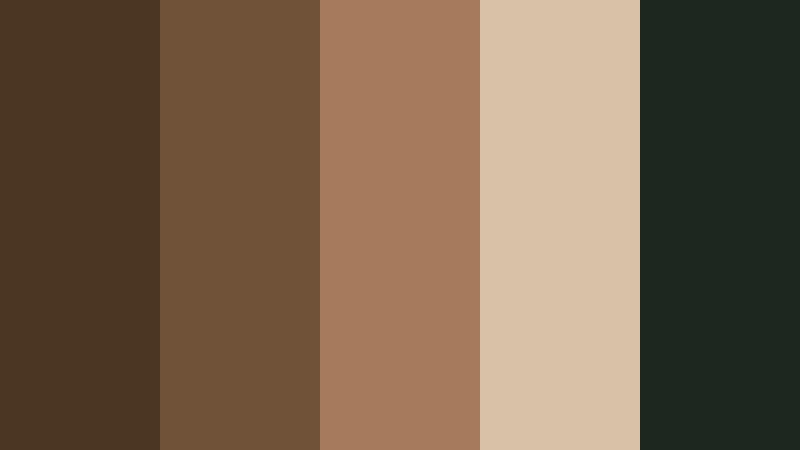
- HEX Codes: #4b3621, #705239, #a67b5b, #d7c1a7, #1e2620
- Mood: Moody, grounded, and cinematic with a subtle vintage film feel.
- Use for: Use for cinematic travel vlogs, documentary intros, and dramatic storytelling sequences.
This palette pairs deep bark browns with soft beige highlights and a muted moss green, like looking through a lens at a forest just before dusk. It feels cinematic and slightly nostalgic, perfect when you want your footage to look like stills from a film rather than a raw vlog.
Use it to grade opening sequences, chapter title cards, or hero thumbnails where you want rich contrast without harsh color. Forest Bark tones keep skin looking natural while the dark green adds depth to shadows, making this a strong base for narrative intros, documentary lower thirds, and cohesive channel branding around earthy storytelling.
Pro Tip: Build a Cinematic Forest Bark Look in Filmora
To keep this Cinematic Woodland Frame palette consistent across your edit in Filmora, start by picking one or two key shots where the colors feel perfect. Color correct those first, then use them as your reference clips for the rest of the project. Maintain Forest Bark as your anchor for midtones and let the desaturated green sit mainly in the shadows and backgrounds.
Use the same palette on intros, b-roll, and end screens so your whole video feels like one story. You can also pull HEX codes from this palette for title bars, subtitles, and simple motion graphics. That way, your color grading and on-screen design echo the same Forest Bark mood from start to finish.
AI Color Palette
If you have a reference still or mood board that uses this Forest Bark scheme, Filmora's AI Color Palette feature can automatically spread that look across your entire timeline. Import the reference frame, match it to one clip, then apply the result to all selected shots to get a cohesive cinematic grade in minutes.
This is especially useful for travel vlogs or documentaries shot in mixed lighting. Instead of manually adjusting each scene, the AI Color Palette keeps your Forest Bark browns, beiges, and greens consistent, so every cut feels like part of the same film.
 secure download

HSL, Color Wheels & Curves
Once the core Forest Bark look is in place, refine it in Filmora with HSL, color wheels, and curves. Gently pull oranges and yellows toward a warmer brown to keep skin tones aligned with bark hues, then use the shadow wheel to push dark areas slightly green for that forest feel. With the curves tool, add a soft S-curve to deepen contrast without crushing detail.
You can combine these tools with guidance from Filmora's tutorials on cinematic color grading controls, then save your adjustments as a custom preset. This lets you reuse the same Forest Bark grade on future videos so your channel retains a recognizable style.
secure download1000+ Video Filters & 3D LUTs
If you want to get to a Forest Bark aesthetic even faster, Filmora's video filters and 3D LUTs make it easy to stylize your footage. Start with a cinematic, warm, or vintage LUT, then tweak it with your HEX codes so the browns, creams, and greens match this palette exactly.
You can stack subtle film-style filters to add grain, bloom, or vignette, turning simple vlog footage into a moody woodland sequence. Once you like the result, save it as a custom preset and reuse it on intros, YouTube Shorts, and social teasers to keep your Forest Bark visuals aligned across every platform.
secure downloadRustic Storyboard Reel
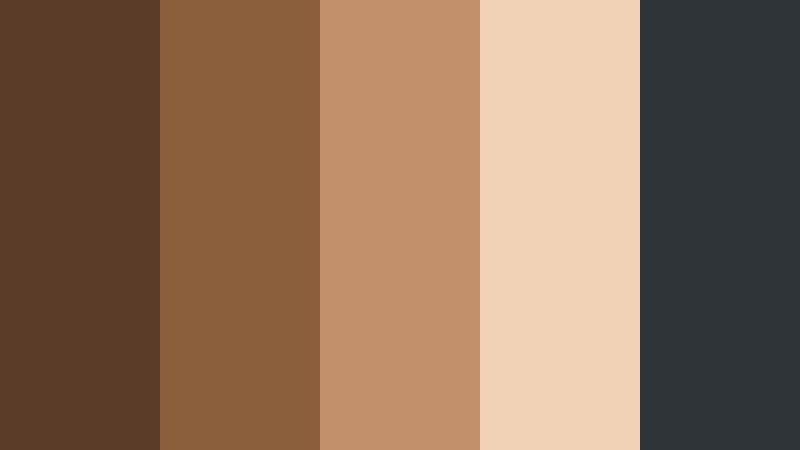
- HEX Codes: #5a3c28, #8b5e3c, #c2916b, #f1d2b6, #2f3438
- Mood: Story-driven, warm, and editorial with a rustic film reel vibe.
- Use for: Use for narrative shorts, brand origin stories, and case-study videos that need warmth and depth.
Warm bark browns, toasted caramel, and soft cream are balanced with a charcoal accent, creating a palette that feels like a well-worn sketchbook or storyboard pinned above a wooden desk. It is inviting, but still serious enough for professional storytelling.
Use this mix for brand story videos, origin reels, and testimonial edits where you want viewers to feel welcomed and grounded. In thumbnails and title cards, let the lighter beige carry your typography while the deeper Forest Bark tones frame faces, logos, and key calls to action.
Shadowed Trail Sequence
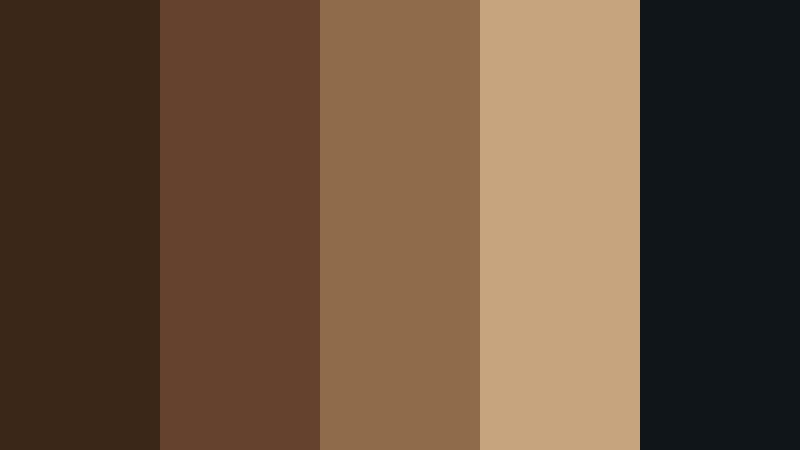
- HEX Codes: #3a2718, #64422d, #8f6b4a, #c6a57e, #0f1518
- Mood: Dark, suspenseful, and immersive like a path lit only by shadows.
- Use for: Use for thriller trailers, game cinematics, and dramatic teaser clips.
This palette leans into inky browns and near-black tones, softened by a muted golden highlight. It feels like stepping into a dense forest at night, where details slowly reveal themselves in shafts of light.
It works beautifully for thriller teasers, game trailers, and intense cinematic sequences. Push the darkest color into backgrounds, borders, or letterboxing, and use the lighter tan sparingly for titles, UI elements, or guiding the viewer to important objects on-screen.
Vintage Film Bark Grain
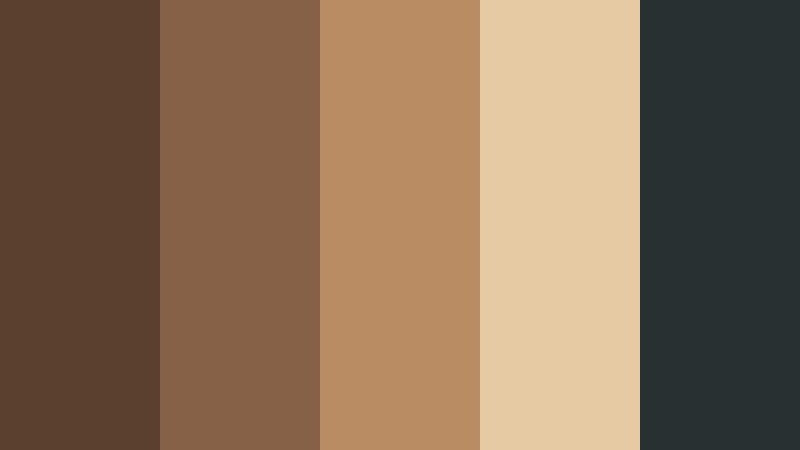
- HEX Codes: #5b412d, #866147, #b98c64, #e6caa3, #293032
- Mood: Nostalgic and filmic with a subtle sepia influence.
- Use for: Use for retro vlog looks, memory montages, and archival-style brand storytelling.
Sepia browns, warm cream, and a slate blue-gray anchor this palette in a timeless, analog feeling. It is reminiscent of old film prints and photo albums, perfect for memory-heavy edits.
Use it for throwback vlogs, childhood retrospectives, or brand anniversary videos. Grade your footage toward these browns and creams, then use the slate color for text, icons, or timeline graphics so everything feels cohesive but still readable.
Evergreen Narrative Fade
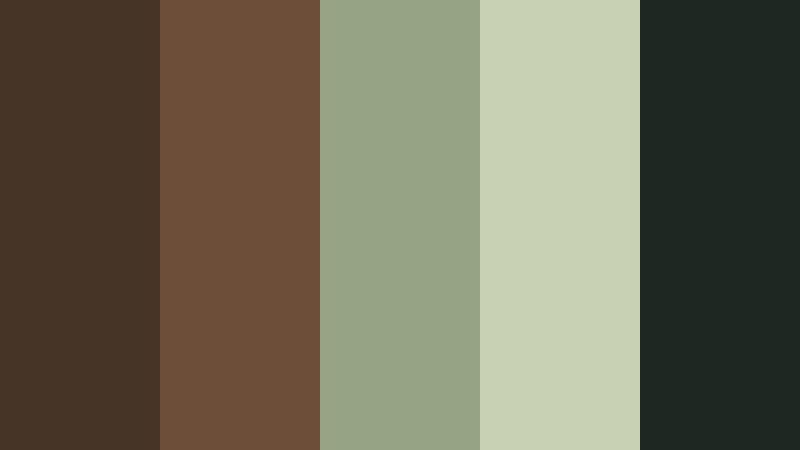
- HEX Codes: #463427, #6d4f39, #97a385, #c9d1b4, #1d2822
- Mood: Reflective, grounded, and softly hopeful with earthy greens.
- Use for: Use for nature documentaries, reflective travel videos, and environmental brand stories.
Muted greens sit alongside Forest Bark browns to create a calm, reflective palette that feels both earthy and hopeful. The lighter sage and cream tones prevent it from becoming too heavy, making room for thoughtful voiceovers or on-screen text.
Apply this palette to nature documentaries, environmental campaigns, and slow travel diaries. Use greens for background shapes, lower thirds, or iconography, while the browns support skin tones and natural textures like wood, soil, and stone in your shots.
Warm & Cozy Forest Bark Color Palettes
Campfire Bokeh Glow
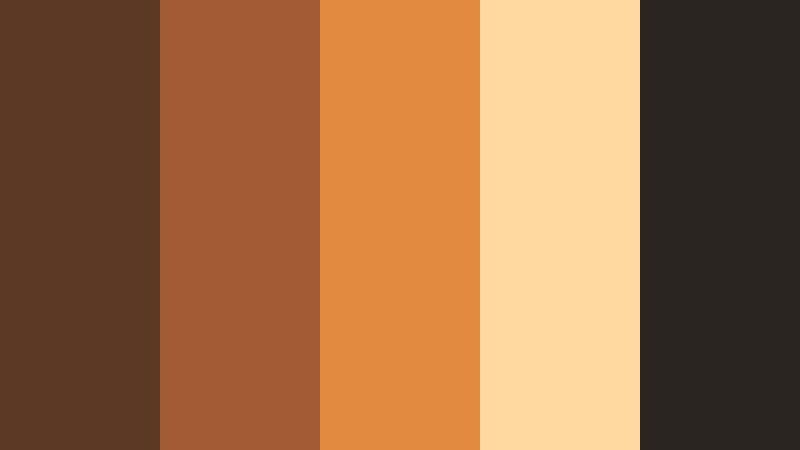
- HEX Codes: #5c3924, #a25b35, #e08b3f, #ffd9a0, #2b2521
- Mood: Cozy, welcoming, and softly glowing like campfire light.
- Use for: Use for lifestyle vlogs, cozy study-with-me videos, and channel intros that need warmth.
This palette combines toasty bark browns with ember oranges and soft, glowing cream. It immediately suggests warmth, crackling firelight, and late-night conversations under string lights.
Use it in cozy study, reading, or home vlogs, as well as intro animations and end screens that should feel inviting. Let the bright orange and cream carry buttons, subscribe prompts, and key titles, while the darker Forest Bark tones frame your subject and give thumbnails depth.
Autumn Mug Closeup
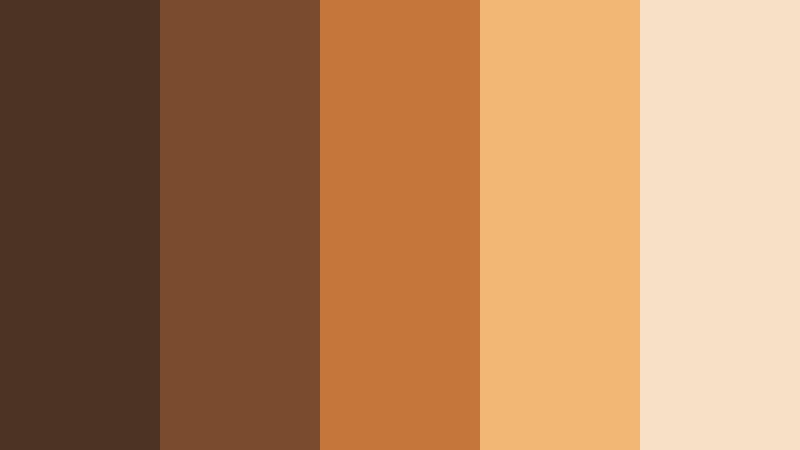
- HEX Codes: #4d3323, #7b4b2e, #c5763a, #f2b774, #f6e1c6
- Mood: Comforting, homely, and softly nostalgic like a warm drink in fall.
- Use for: Use for food content, baking shorts, and lifestyle thumbnails centered on comfort and home.
Caramel browns, pumpkin-inspired orange, and creamy highlights make this palette feel like a close-up of a latte or hot cider in fall. It is ideal whenever you want to evoke comfort, baking, or slow living.
Apply it to recipe videos, kitchen b-roll, and lifestyle thumbnails. Use the lightest cream for text and icons, sit the medium browns behind product shots or hands, and save the saturated orange for accent elements like progress bars, arrows, or key callouts.
Cabin Ledger Desk
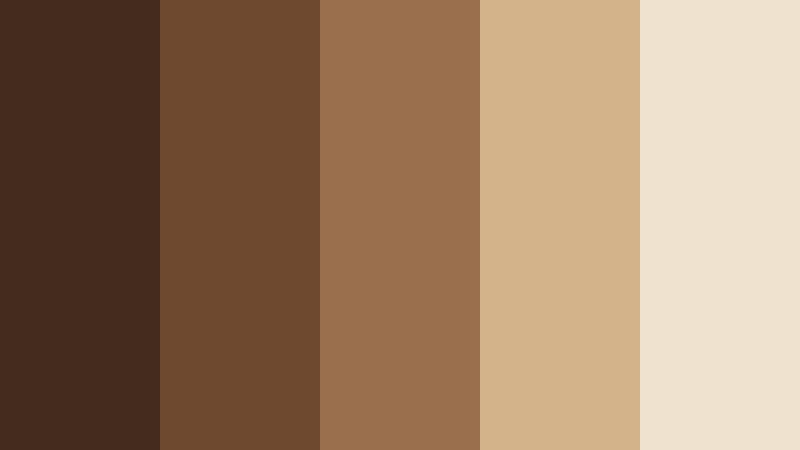
- HEX Codes: #432c1d, #6f4830, #9a6f4d, #d3b38a, #efe3cf
- Mood: Quiet, studious, and warm like a wooden cabin workspace.
- Use for: Use for productivity videos, desk tours, and educational channels with a calm vibe.
This palette feels like an old wooden desk under a window: deep bark wood, parchment paper, and gentle light. It is warm but understated, perfect for long-form content where viewers settle in for a while.
Use it for study-with-me sessions, Notion or workspace tours, and educational course content. The lighter neutrals are great backgrounds for slides, on-screen tips, and chapter markers, while the medium browns can frame your webcam window or be used as subtle borders in thumbnails.
Caramel Trail Mix
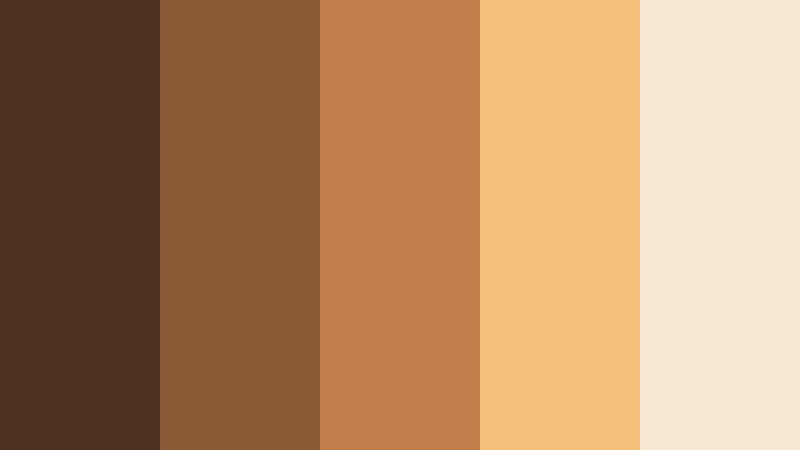
- HEX Codes: #4e311f, #8a5a36, #c27e4a, #f4c17d, #f8e7d2
- Mood: Playful yet grounded with a snackable, lifestyle aesthetic.
- Use for: Use for snack reviews, family vlogs, and casual product spotlights.
Nutty browns and caramel golds give this palette a friendly, approachable feel. It is warm and snackable, but still natural enough to fit with Forest Bark themes.
Use it for product closeups, unboxings, and family content. Place the darkest brown in borders or drop shadows, let the soft gold highlight key elements, and keep the pale cream behind text and price tags in overlays, stories, and thumbnails.
Sunlit Bark Porch
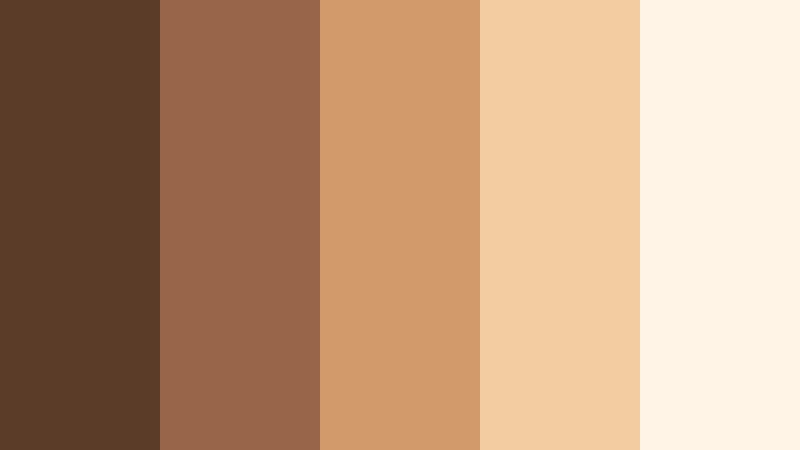
- HEX Codes: #5a3c28, #986548, #d29a6b, #f3cda1, #fff4e6
- Mood: Sunny, relaxed, and neighborly like a porch in late afternoon light.
- Use for: Use for home renovation videos, DIY projects, and welcoming channel trailers.
Sun-warmed browns pair with peachy highlights and a soft off-white, capturing the feeling of golden hour on a wooden porch. It is friendly and bright without becoming oversaturated.
Use this palette in DIY, interior design, or homestead content. Keep your text on the lightest shade for legibility, and use the mid-tone browns in frames around before-and-after shots, Pinterest-style boards, or channel trailer thumbnails.
Modern & Minimal Forest Bark Color Palettes
Minimal Bark Interface
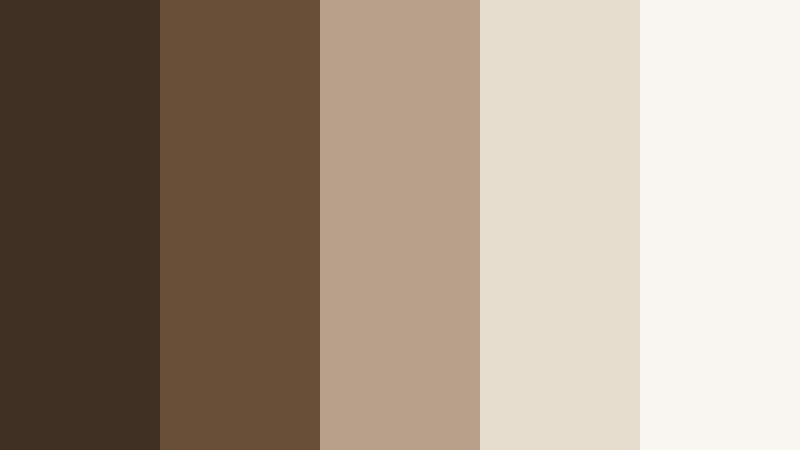
- HEX Codes: #3f3023, #6a4f38, #b8a18a, #e6ddcf, #faf7f2
- Mood: Clean, modern, and grounded with subtle warmth.
- Use for: Use for app mockups, UI explainer videos, and tech branding needing organic neutrals.
This palette turns Forest Bark into a modern neutral, with deep brown accents, soft taupe, and nearly white backgrounds. It feels minimal and user-interface ready, but warmer than pure grayscale.
Use it for app demos, SaaS explainers, and UI walkthroughs where you want a tech-forward but human look. Reserve the darkest shade for nav bars, titles, and logo marks, while the lighter tones support clean slide layouts, infographics, and lower thirds in your videos.
Urban Bark Concrete
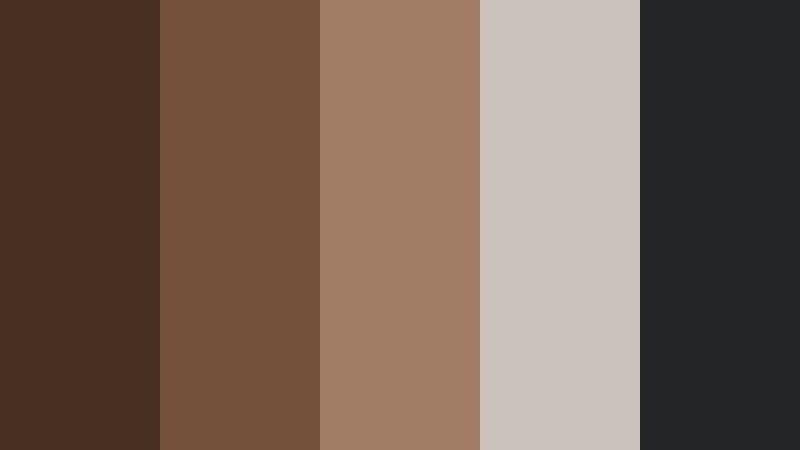
- HEX Codes: #472f21, #73513a, #a07d64, #c9c3bc, #242527
- Mood: Edgy, urban, and balanced between organic and industrial.
- Use for: Use for streetwear lookbooks, city b-roll, and modern brand intros.
Rich bark browns sit against cool concrete grays and a deep charcoal, creating a contrast between organic and industrial. It feels at home in city streets, coffee shops, and studio lofts.
Apply it to streetwear lookbooks, city b-roll reels, or brand intros for creative agencies. Use brown tones for people, wood, and leather, and let the grays define text, overlays, and lower thirds so your design feels sharp and contemporary.
Neutral Studio Backdrop
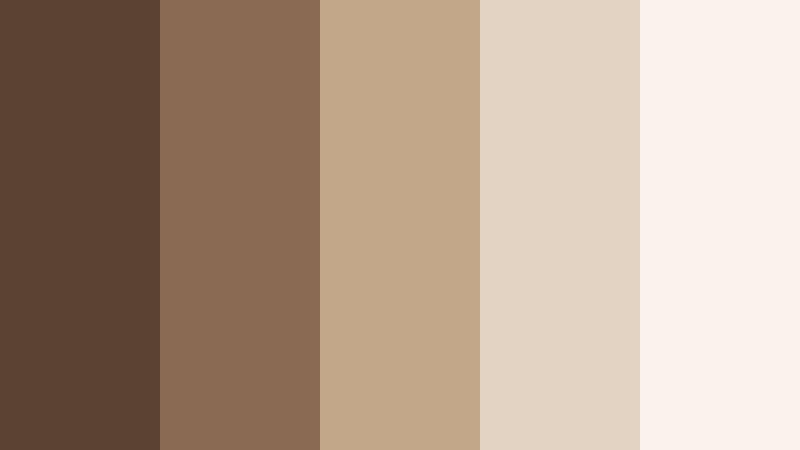
- HEX Codes: #5b4333, #8a6a52, #c3a789, #e2d3c2, #f9f3eb
- Mood: Polished, airy, and professional with soft studio light vibes.
- Use for: Use for talking-head videos, webinars, and personal branding shoots.
Balanced browns and camera-friendly neutrals create a palette that looks like a soft studio setup with diffused lighting. It keeps focus on the subject while giving backgrounds a gentle, professional character.
Use it for educational content, coaching, and personal branding videos. Design your lower thirds and name tags with the mid-tone browns, while using the lighter beige and cream for backgrounds and slide designs that will not distract from your face or message.
Monochrome Bark Grade
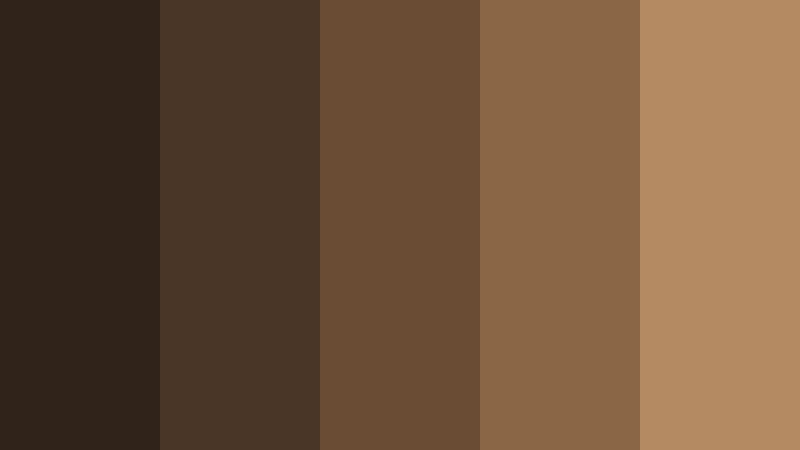
- HEX Codes: #2f231a, #4a3626, #6a4b34, #8b6645, #b48a63
- Mood: Refined, monochromatic, and understated for cohesive visuals.
- Use for: Use for brand kits, lower thirds, and LUTs where a tight color story matters.
This is a pure Forest Bark gradient, moving from deep shadow brown to warm mid-tones and lighter wood tones. With no competing hues, it delivers a very cohesive and professional look.
Use it when building brand kits, LUTs, or graphics packs. Let the darker tones handle backgrounds and borders, and step up the gradient for buttons, callouts, and hover states in UI-style overlays. In color grading, you can keep everything within this spectrum for a sophisticated, tonal aesthetic.
Adventure & Outdoor Forest Bark Color Palettes
Trailhead Action Cut
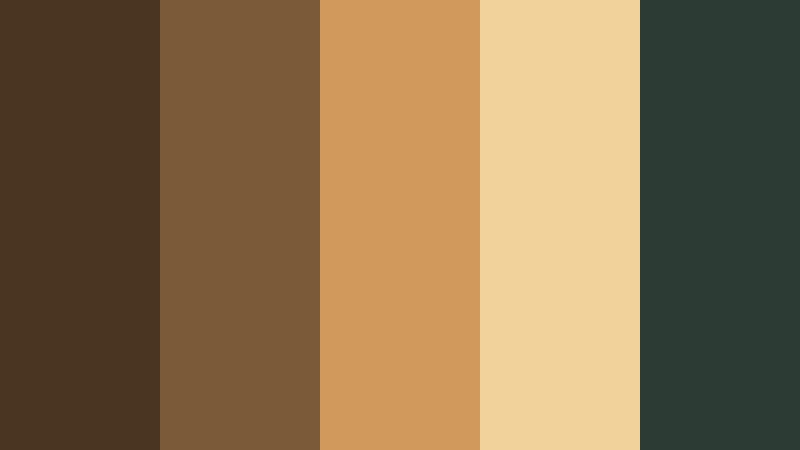
- HEX Codes: #4a3523, #7b5a3a, #d29a5a, #f0d29a, #2c3b34
- Mood: Energetic yet earthy, perfect for outdoor adventures and fast cuts.
- Use for: Use for hiking reels, action sports content, and outdoor gear promos.
Punchy bark browns and golden accents echo dust, sunlight, and trail gear, while a deep greenish gray stabilizes the palette. It feels active and outdoorsy but still rooted in natural tones.
Use it for hiking, biking, and trail-running edits. Let the golds pop in overlay text, GPS stats, or speed lines, while the browns keep landscapes and clothing feeling grounded. The darkest shade works well for logo slates and title screens with a rugged edge.
Mossy Bark Overlook
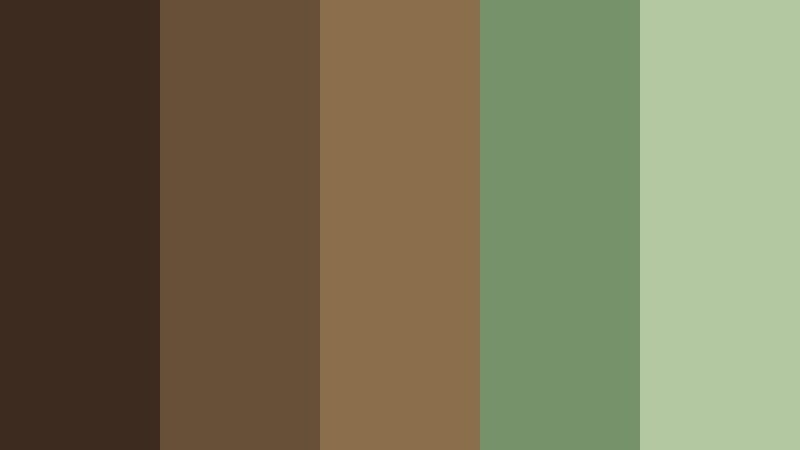
- HEX Codes: #3c2b1e, #665038, #8b6f4d, #76926a, #b3c8a0
- Mood: Calm, exploratory, and nature-focused with mossy greens.
- Use for: Use for drone shots, campsite walkthroughs, and slow hiking diaries.
Forest browns blend with mossy greens in this palette, giving it a calm, exploratory feel. It captures the look of tree trunks, undergrowth, and distant hills in a single set of tones.
Use it for slow hiking diaries, national park footage, and campsite walkthroughs. The greens are perfect for maps, route overlays, or chapter labels, while the browns keep tents, backpacks, and landscapes feeling natural and cohesive in your thumbnails and lower thirds.
Tips for Creating Forest Bark Color Palettes
When building your own Forest Bark color palettes for video and design, a few simple rules help keep visuals balanced, readable, and on-brand across intros, thumbnails, and full edits.
- Pair Forest Bark with one main highlight color (cream, soft beige, or pale sage) to keep text and UI elements easy to read over darker footage.
- Add a single accent hue (such as ember orange or moss green) for buttons, icons, and key calls to action so viewers know where to look first.
- Check contrast on mobile by previewing thumbnails at small sizes; if titles disappear, push the text colors lighter and the Forest Bark backgrounds darker.
- Keep skin tones natural by aligning warm mid-browns with human skin rather than pushing everything too red or too yellow.
- Use cooler grays alongside Forest Bark when you need a modern or tech-driven look, especially for UI explainers and software demos.
- Save palette HEX codes as brand swatches and reuse them for titles, lower thirds, and end screens so every video feels part of the same identity.
- Match your color grade to your graphic palette: if your overlays use warm bark tones, avoid heavy teal shadows in the footage that might clash.
- Create a light and a dark version of your Forest Bark palette so you can switch depending on whether footage is shot in bright daylight or moody low light.
Forest Bark color palettes are a powerful way to make your videos and designs feel grounded, cinematic, and trustworthy. Whether you lean into cozy campfire tones or cool urban browns, these combinations help define mood, improve consistency, and make your channel or brand instantly recognizable.
Try dropping these HEX codes into your titles, overlays, and Filmora color grading tools, then fine-tune them around your footage. Saving a few favorite Forest Bark looks as presets lets you move faster while keeping your creative voice clear across long-form videos, Shorts, thumbnails, and social posts.
Open a new project in Filmora, choose the palette that best matches your story, and start experimenting with AI Color Palette, HSL, and LUTs until the visuals feel like your own version of Forest Bark.
secure download