

 100% Security Verified | No Subscription Required | No Malware

This Instagram Story LUTs aesthetic filter pack is designed for content creators who want scroll-stopping stories without spending hours on color grading. Each preset is tuned for vertical video and mobile-style footage so your clips look polished and cohesive in just one tap.
From soft pastel moods to gritty urban nights, you will find filters that match vlogs, daily diaries, product promos, and behind-the-scenes content, all optimized for Instagram's story format inside Filmora.
In this article
Warm Golden Hour Story Vibes
Sun-Kissed Diary
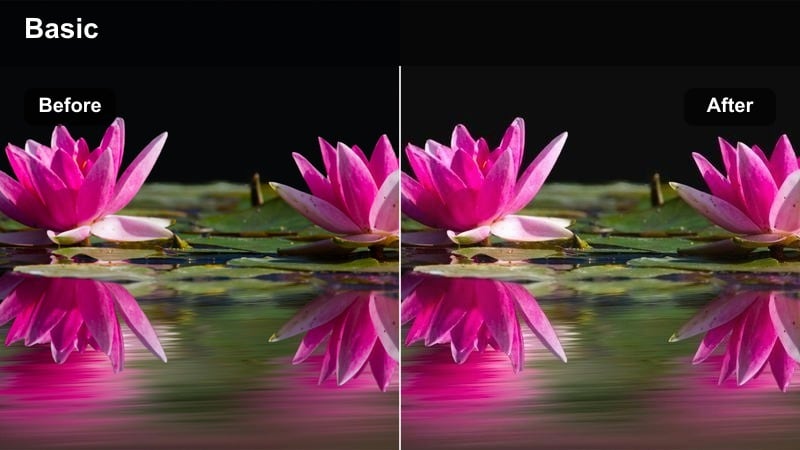
- Effect look: Warm, glowing highlights with soft contrast for dreamy late-afternoon stories.
- Best for: Golden hour walks, outfit-of-the-day clips, rooftop hangouts, and lifestyle storytelling.
- Editing tip: Lower brightness slightly and add a touch of vignette to keep the subject centered in the vertical frame.
Sun-Kissed Diary wraps your Instagram Stories in a soft, cinematic glow that mimics real late-afternoon sunlight. It adds warmth to highlights and gently lowers contrast so skin tones look flattering while backgrounds feel cozy rather than harsh or overexposed.
In Filmora, apply this filter to vertical clips, then lightly adjust exposure and vignette to keep attention on your subject in the center of the frame. Use it for daily vlogs, lifestyle walk-throughs, or rooftop hangs when you want every frame to feel like it was captured at the perfect golden hour.
Match Every Story Clip With AI Color Tools
Filmora's AI color tools help you quickly align this Instagram Story LUTs aesthetic filter pack to footage from different phones and lighting conditions. Instead of adjusting every slider manually, AI analyzes your clip and gets colors into a balanced starting point automatically.
If one clip looks off compared to the rest of your story, run AI-driven color correction first, then apply your favorite filter from the pack so every vertical story feels consistent from start to finish.
Open your project in Filmora, import your vertical clips, and run AI color correction before applying the story filters.
 secure download

Preview Filters on Vertical Story Footage
With Filmora, you can preview every filter from this Instagram Story LUTs aesthetic filter pack directly on your vertical clips. This lets you quickly compare warm golden looks, clean neutrals, and moody night tones without constantly undoing changes.
Scrub through your timeline and switch filters in real time to see how each one reacts to skin tones, motion, and city lights before you finalize your story grade.
Drag a filter onto a clip, play through the story, and adjust intensity until it matches your aesthetic.
secure downloadBuild Your Signature Story Look With LUTs
On top of these story filters, Filmora includes 1000+ video filters and 3D LUTs you can combine to build a unique, recognizable style. Layering LUTs with the Instagram Story LUTs aesthetic filter pack lets you fine-tune color, contrast, and mood for different series on your account.
Once you dial in a look you love, save it as a custom preset so you can apply the same aesthetic to every new batch of Stories in just a few clicks.
Combine a filter from this pack with a LUT, fine-tune exposure and color, then save the result as your go-to story preset.
secure downloadAmber City Glow
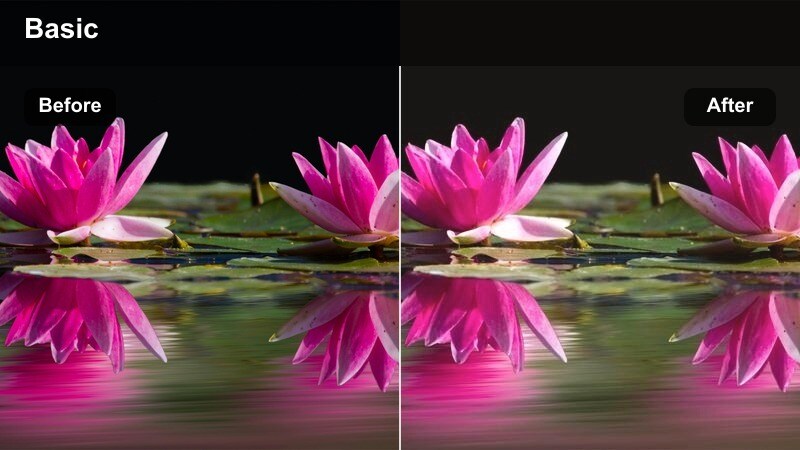
- Effect look: Rich amber cast with soft shadows and lifted blacks for a modern film-style story.
- Best for: Urban walks, travel recaps, and aesthetic B-roll of streets, signs, and architecture.
- Editing tip: Pair with a slight speed ramp and clean text overlays to keep the story feeling polished yet effortless.
Amber City Glow shifts your city stories into a warm, cinematic palette that feels like a modern film scan. The lifted blacks keep shadows soft and stylish, while the amber cast makes concrete, glass, and metal look richer and more intentional.
In Filmora, try this filter on travel B-roll or daily city walks, then add gentle speed ramps and simple text hooks to build smooth, on-brand sequences. It works especially well when you want your Stories to feel cohesive with warm-toned feeds and travel content.
Pastel Sunset Journal
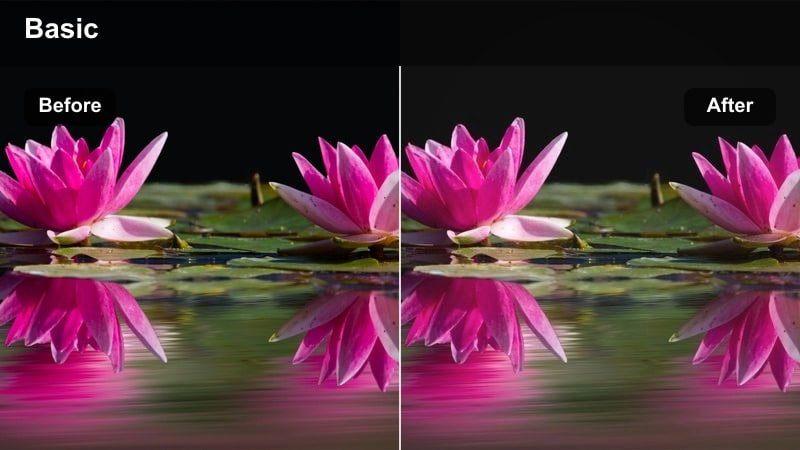
- Effect look: Soft pastel hues with gentle pink highlights and muted shadows for dreamy storytelling.
- Best for: Soft lifestyle diaries, creative behind-the-scenes, and aesthetic room or studio shots.
- Editing tip: Reduce clarity slightly and keep exposure balanced to avoid clipping pastel tones in bright areas.
Pastel Sunset Journal wraps your footage in blush pinks and muted shadows to create a dreamy, diary-like mood. It smooths harsh contrasts so backgrounds, outfits, and props all blend into a soft pastel frame that is ideal for intimate storytelling.
Inside Filmora, apply this filter to vertical clips of your workspace, studio, or evening routines, then slightly reduce clarity to enhance the hazy, nostalgic feel. Use it across every clip in a multi-slide story to give your followers a cohesive visual journal experience.
Clean Minimal Story Aesthetics
Soft Studio Neutral
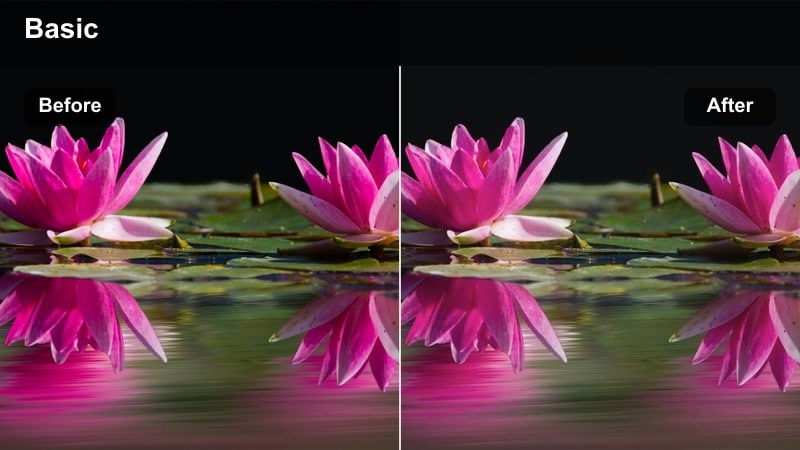
- Effect look: Neutral, bright, and low-contrast look with gentle desaturation for a clean brand style.
- Best for: Product showcases, flat-lay style desk scenes, and minimalist daily check-ins.
- Editing tip: Raise exposure slightly and keep saturation low for a crisp, studio-like finish on vertical clips.
Soft Studio Neutral brightens your footage while toning down distracting colors, creating a clean, editorial look ideal for brands and creators. Whites stay crisp, shadows are soft, and the gentle desaturation keeps attention on your subject or product.
In Filmora, use this filter on desk setups, unboxings, or talking-to-camera clips to mimic a professional studio environment. Combine it with simple graphics and clean typography to build a minimal, on-brand Instagram Story series that feels polished and consistent.
White Space Diary
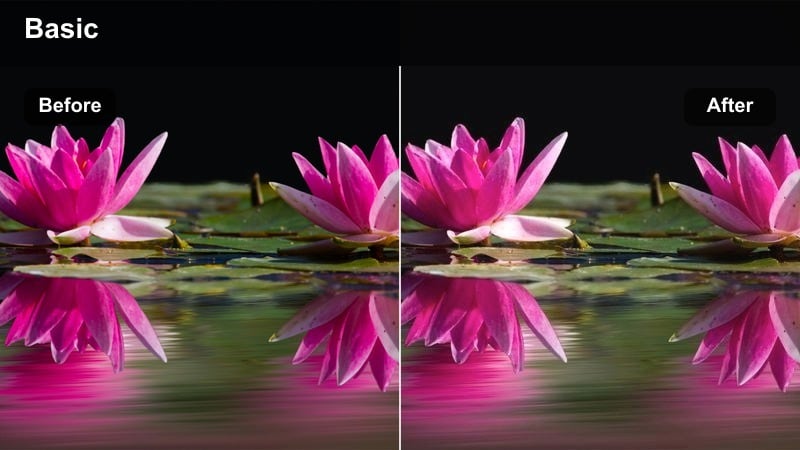
- Effect look: High key brightness with slightly cool whites and soft, airy contrast.
- Best for: Morning routines, workspace tours, and text-heavy story slides that need clear backgrounds.
- Editing tip: Avoid overexposing highlights by pulling back the whites slider while keeping the midtones bright.
White Space Diary pushes your footage into a bright, airy space that is perfect for overlaying text, stickers, and graphics. The subtly cool whites and gentle contrast keep everything looking fresh and modern without washing out your subject.
Apply this filter in Filmora to well-lit rooms, desk tours, and minimalist lifestyle clips, then add captions or lists on top for info-first Stories. It is especially useful when you want your text hooks and CTAs to stay easy to read on small phone screens.
Soft Brand Beige
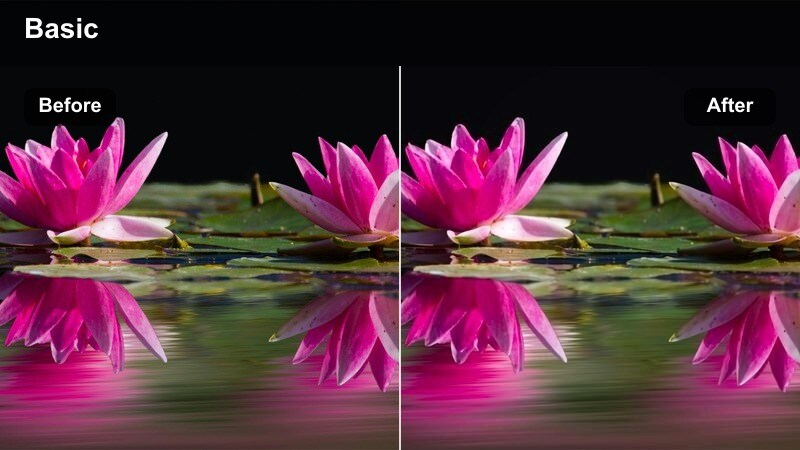
- Effect look: Muted beiges and tans with soft highlights for a warm but minimal brand-driven look.
- Best for: Brand storytelling, unboxings, stationary and tech setups, and creator monologues.
- Editing tip: Reduce saturation in greens and blues so your brand colors and skin tones remain the visual focus.
Soft Brand Beige gives your Stories a warm, neutral base that pairs perfectly with modern, beige-focused brand palettes. It softens strong colors in the background so skin tones, logos, and hero products stand out clearly in the frame.
Inside Filmora, use this filter on vertical clips where you talk about your brand, show new products, or share aesthetic lifestyle shots. Tweak saturation slightly to match your exact beige tones, then save the look as a preset so every future Story feels on-brand by default.
Moody Urban Night Story Moods
Neon Sidewalk Mood
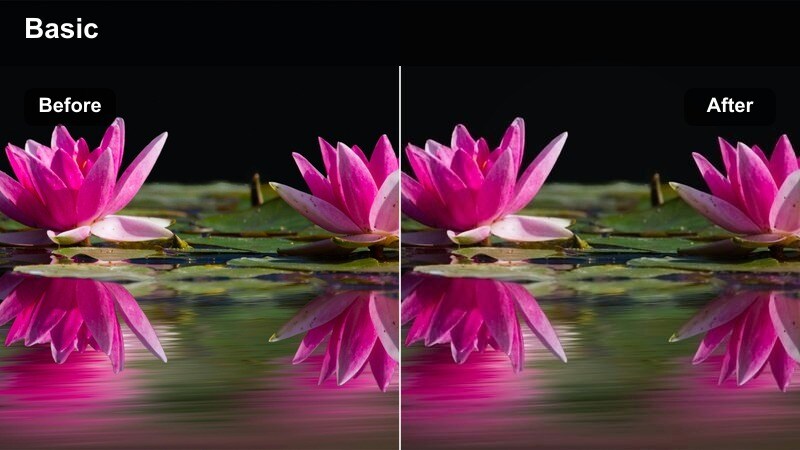
- Effect look: Deep contrast with saturated neon signs and cool shadows for cinematic night stories.
- Best for: City nights, street photography style stories, and nightlife vlogs.
- Editing tip: Lower exposure slightly and add noise reduction to keep phone footage from looking too grainy in the dark.
Neon Sidewalk Mood turns ordinary night footage into bold, cinematic frames with glowing signs and inky shadows. It amplifies magentas, blues, and cyans so neon lights and reflections feel like scenes from a stylized movie.
Use this filter in Filmora on vertical clips of busy streets, night markets, and nightlife B-roll. Dial exposure down a bit, apply light noise reduction, and crop to emphasize neon reflections for dramatic Stories that still look clean on mobile screens.
Midnight Transit
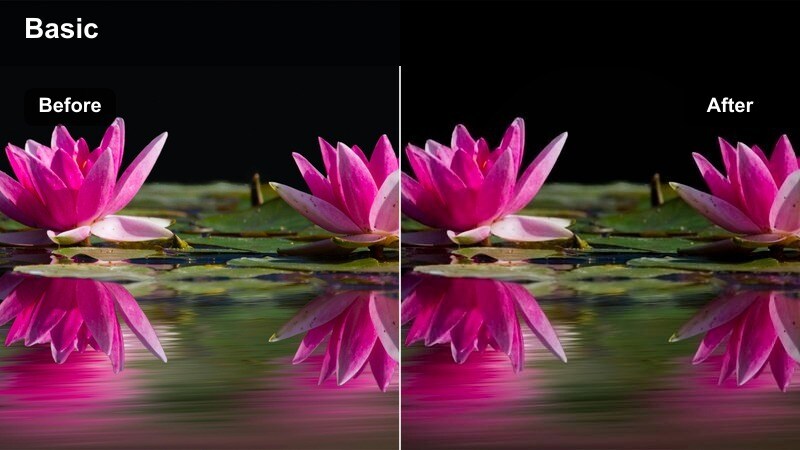
- Effect look: Cool blue tones with subtle teal shadows and crisp highlights, emphasizing urban lights.
- Best for: Subway rides, car window shots, late-night commutes, and moody B-roll transitions.
- Editing tip: Stabilize handheld clips in Filmora and add a slow zoom to accentuate the cinematic feel.
Midnight Transit cools your clips with blue and teal tones that highlight passing lights and city reflections. It keeps highlights sharp while giving shadows a cinematic tint, making everyday commutes look like stylized travel sequences.
In Filmora, add this filter to subway rides, train windows, and late-night drives shot vertically. Use stabilization and slow push-in zooms to build mood between talking segments, turning your transit time into atmospheric Story transitions.
Noir Crosswalk
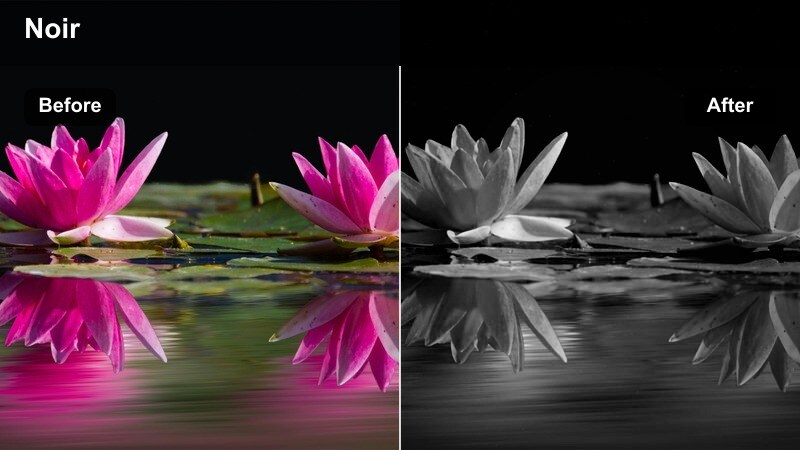
- Effect look: High contrast, slightly desaturated shadows with subtle film grain for a noir-inspired night scene.
- Best for: Silhouettes, rainy streets, streetlights, and cinematic point-of-view walks.
- Editing tip: Add a gentle vignette and keep clips short to maximize impact in quick story sequences.
Noir Crosswalk leans into dramatic contrast and lightly desaturated tones to recreate a classic noir movie atmosphere. Streetlights, reflections, and silhouettes become strong graphic shapes that instantly elevate simple night shots.
Apply this filter in Filmora to short POV walks, rainy intersections, or moody solo shots, then add a subtle vignette to pull focus inward. Use quick, rhythmic cuts in your Stories to keep the look punchy, turning small city moments into mini narrative scenes.
Soft Pastel Daily Story Diaries
Morning Log Soft
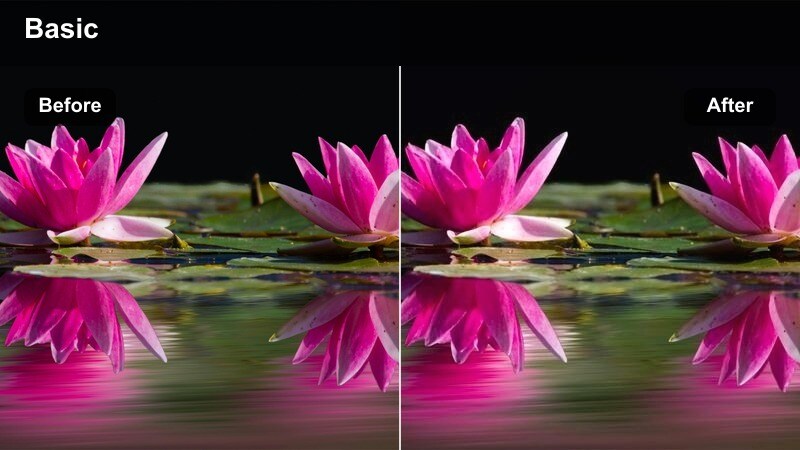
- Effect look: Gentle warm highlights with slightly lifted blacks and low saturation for calm morning vibes.
- Best for: Morning check-ins, coffee chats to camera, and cozy home story intros.
- Editing tip: Keep camera movement slow and controlled to match the calm aesthetic of the filter.
Morning Log Soft softens your footage with warm highlights and relaxed contrast to match slow, cozy starts to the day. Colors stay muted and inviting, making it ideal for honest check-ins and everyday moments at home.
In Filmora, use this filter on vertical clips filmed near windows, at your kitchen counter, or in your favorite reading spot. Combine it with slow, steady shots and gentle music beds to create a recurring morning Story series your audience can recognize instantly.
Pastel City Routine
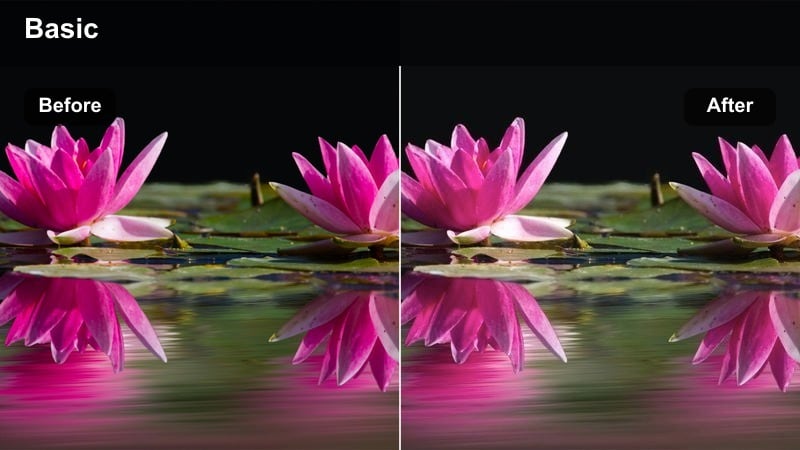
- Effect look: Light pastel overlay with softened contrast that flatters city exteriors and interiors.
- Best for: Daily routes, errands, coworking space visits, and everyday urban lifestyle stories.
- Editing tip: Avoid heavy sharpening; let the pastel look stay soft and gentle to maintain the aesthetic.
Pastel City Routine transforms ordinary daytime routes into soft, aesthetic sequences with gentle color washes. Buildings, sidewalks, and storefronts take on a light pastel character that makes your daily errands feel curated and visually pleasing.
Inside Filmora, batch-apply this filter to short vertical clips of doors, hallways, coffee stops, and sidewalks. Keep sharpening low and pair the visuals with calm music and minimal text labels so viewers can follow your day without visual overload.
Soft Focus Journal
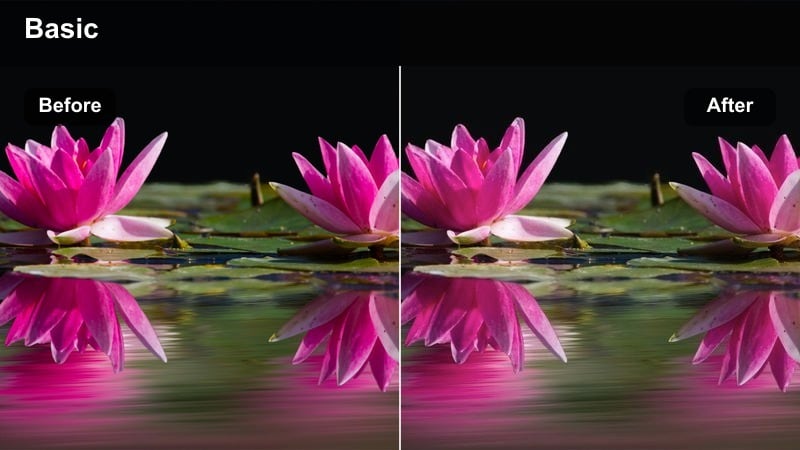
- Effect look: Low contrast, slightly hazy look with subdued saturation for a reflective diary feel.
- Best for: Thoughtful monologues, reflection stories, and recap slides with text overlays.
- Editing tip: Use gentle zoom-ins in Filmora to mimic a slow, reflective documentary style within your stories.
Soft Focus Journal adds a subtle haze and lowered contrast that makes your clips feel intimate and reflective. Colors are toned down just enough to shift focus to your words and expressions, which is ideal for honest, diary-style storytelling.
In Filmora, apply this filter to talking-head clips or B-roll you plan to cover with voiceover. Add slow zooms and longer cuts to give your Stories a calm, documentary-inspired rhythm that encourages viewers to stay and listen.
Tips for Using Instagram Story Luts Aesthetic Filter Pack Filters in Filmora
- Shoot vertically and keep key subjects away from the very top and bottom so Instagram Story UI, text, and stickers do not cover important details.
- Pick one or two signature filters from this Instagram Story LUTs aesthetic filter pack and use them consistently to build a recognizable visual identity.
- Batch-edit by selecting multiple clips in Filmora and applying the same filter to all of them to speed up your daily Story workflow.
- Use the filter intensity slider instead of always leaving effects at 100 percent to keep skin tones and brand colors looking natural.
- Combine filters with Filmora's AI color tools and LUTs to fix mixed lighting before you focus on stylizing your Stories.
- Mix different filters from the same overall vibe for intros, B-roll, and outros so your Story has variety while still feeling cohesive.
- Preview your graded vertical clips on a phone to check readability of text and clarity in darker or highly stylized looks.
This Instagram Story LUTs aesthetic filter pack gives content creators an easy way to keep every story on-brand, cinematic, and ready to post in minutes.
Import your vertical clips into Filmora, test a few of these filters, and lock in a signature story look that you can reuse across all your future content.
secure download