

 100% Security Verified | No Subscription Required | No Malware

These curated Filmora filters help you mimic a professional makeup vlog color grading LUT, so your foundation, blush, and eye looks appear polished and consistent in every shot.
From soft studio glam to cozy vanity chats, each filter is tuned to flatter skin tones, smooth color transitions, and keep your makeup shades true to life for binge-worthy beauty content.
In this article
Soft Vanity Glow for Everyday Makeup Routines
Vanity Soft Rose Glow
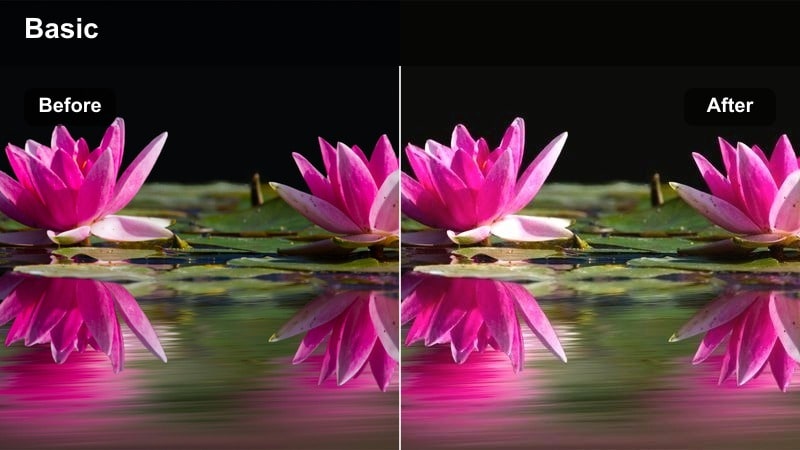
- Effect look: Subtle rosy warmth that evens skin tone and adds a gentle glow to cheeks and under-eyes.
- Best for: Everyday makeup tutorials filmed at a vanity with soft ring light or window light.
- Editing tip: Lower the filter intensity to around 60-70 percent to keep blush and bronzer shades accurate while still softening the overall image.
Vanity Soft Rose Glow is ideal when you want a flattering everyday look that still feels realistic on camera. The filter adds a light pink tint that brightens dull complexions, subtly smooths uneven tone, and enhances the natural flush along your cheeks and under-eyes without hiding real skin texture.
In Filmora, apply this filter to your A-roll vanity shots and adjust intensity so foundation, blush, and concealer match how they appear in the pan. Combine it with a touch of sharpening on the eyes and lips, plus a gentle vignette, to keep the viewers attention on your cheekbones and eye makeup while the rest of the frame stays softly diffused.
Match Your Makeup Palette With AI Color Tools
Filmoras AI-driven color tools help you quickly align your grading with the exact tones in your eyeshadow, blush, and lipstick palettes. When you refine a soft rosy look, you can sample real shades from your video and let the AI guide subtle corrections.
This makes it easy to keep your makeup vlog color grading LUT style consistent across B-roll, closeups, and different filming days without manually dialing each color channel every time.
 secure download

Preview Filters on Your Next Makeup Tutorial
To see how each Filmora filter affects your complexion and product shades, apply them to a short test sequence that includes face shots, hand swatches, and a product hold-up. This lets you quickly spot which look preserves undertones and shimmer details best.
Comparing filters side by side on your timeline makes it easier to choose a grading style that matches your channels aesthetic, whether you prefer soft glam, cozy chats, or bright studio reviews.
secure download1000+ Video Filters and 3D LUTs
Beyond these makeup-focused looks, Filmora includes over a thousand filters and 3D LUTs so you can design a completely custom beauty aesthetic. Stack effects, tweak HSL, and save your favorite combinations as presets that behave like a signature LUT.
As you refine exposure and color for different skin tones and lighting conditions, these tools help you keep sponsor products accurate while still giving your channel a polished, recognizable style.
secure downloadVanity Neutral Soft Matte
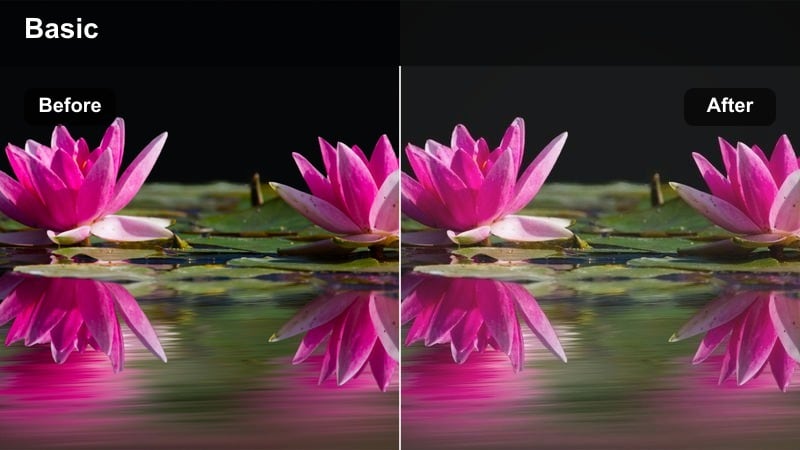
- Effect look: Neutral-toned soft matte finish that slightly reduces shine while keeping natural depth.
- Best for: Combination or oily skin tutorials where you want to control forehead and T-zone shine on camera.
- Editing tip: Pair with a slight clarity boost on the eyes and brows so that mascara and brow strokes remain crisp against the softened skin.
Vanity Neutral Soft Matte is designed to tame shine from ring lights and bright windows without making your base look flat. It gently smooths oily areas like the T-zone and chin, so matte foundation demos and powder reviews appear controlled and camera-ready.
Inside Filmora, drop this filter onto your clips, then add selective sharpening to the eyes and brows so lash definition and brow hair strokes stay crisp. If your face starts to look too one-dimensional, slightly increase warmth and saturation in the midtones to keep bronzer, blush, and contour visible against the soft-matte skin.
Vanity Peachy Soft Focus
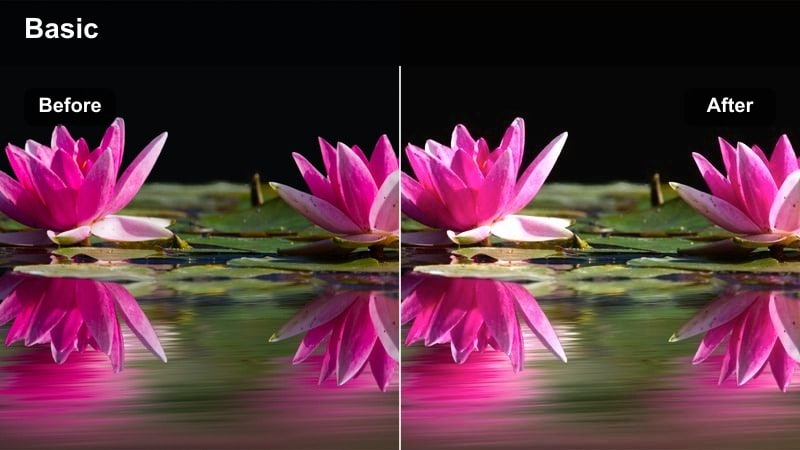
- Effect look: Peach-tinted soft focus with mild halation around highlights that flatters warm and neutral skin tones.
- Best for: Soft glam routines, peach or coral blush looks, and natural glam get-ready-with-me vlogs.
- Editing tip: Reduce overall saturation on reds if your lipstick becomes too intense while keeping peach tones vivid in the midtones.
Vanity Peachy Soft Focus wraps your frame in a warm, dreamy glow that is perfect for soft glam and peach-forward looks. The subtle halation around highlights makes cheekbone highlighter and inner-corner shimmer look extra luminous while maintaining a flattering warmth on skin.
In Filmora, apply this filter on both closeups and wider vanity shots, then refine colors with HSL so coral blush and peach shadows stay true. If bold lip colors start to overpower the look, gently pull back saturation in the red channel and keep orange and peach midtones richer so your blush still pops in a natural way.
Studio Soft Glam for Polished Beauty Reviews
Studio Cream Softbox Glam
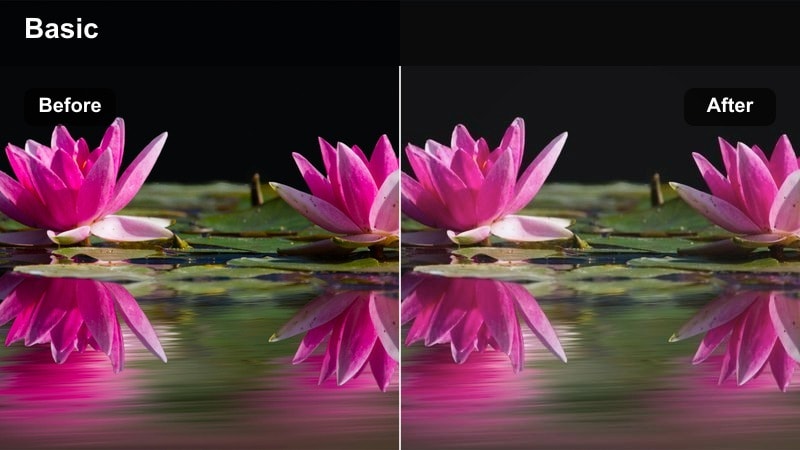
- Effect look: Clean cream-toned grading that brightens midtones, ideal for diffused softbox lighting.
- Best for: Product reviews, foundation comparison videos, and brand collab content shot in a studio setup.
- Editing tip: Raise midtone contrast slightly so swatches on your arm and face stay defined under the bright, even lighting.
Studio Cream Softbox Glam is built for evenly lit beauty spaces where softboxes or panels create a blank-canvas feel. The filter adds a creamy brightness to midtones, helping skin look smooth and editorial while keeping undertones neutral enough for accurate foundation and concealer demos.
In Filmora, use this filter across your entire studio sequence so A-roll, swatch closeups, and product hold-ups match visually. Then gently increase midtone contrast and a touch of sharpness to keep fine details like brush strokes, shimmer particles, and label text clear under the soft, creamy light.
Studio Cool Balanced Glam
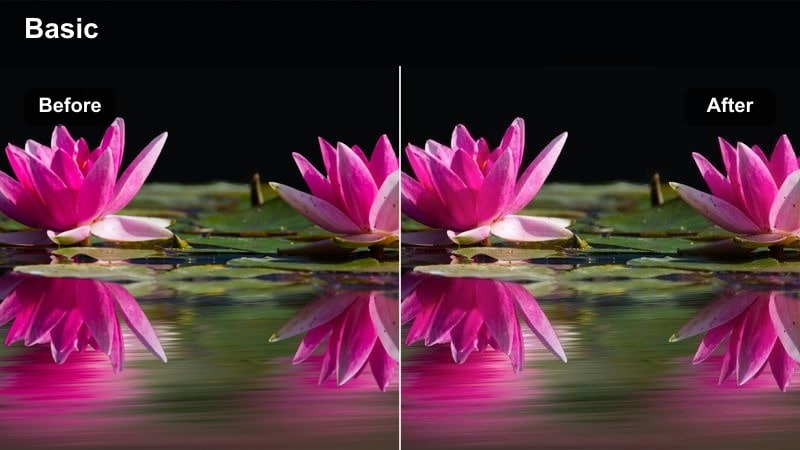
- Effect look: Cool-balanced soft glam that removes yellow cast from LED panels and ring lights.
- Best for: Cool-toned eye looks, silver highlighters, and winter glam tutorials filmed under mixed lighting.
- Editing tip: After applying, boost saturation in blues and purples so cool eyeshadows stand out without making skin appear pale.
Studio Cool Balanced Glam neutralizes yellow and green casts that often appear with certain LED panels, helping silver, icy blue, and mauve tones appear clean and intentional. This keeps cool smokey eyes and chrome highlighters looking editorial instead of muddy.
Inside Filmora, apply the filter, then fine-tune HSL by increasing saturation in blues and purples while carefully watching skin luminance. If deeper skin tones start to look too desaturated, add a slight warmth back into the highlights only so faces stay lively while the overall scene keeps that cool, wintry vibe.
Studio Soft Glam Caramel
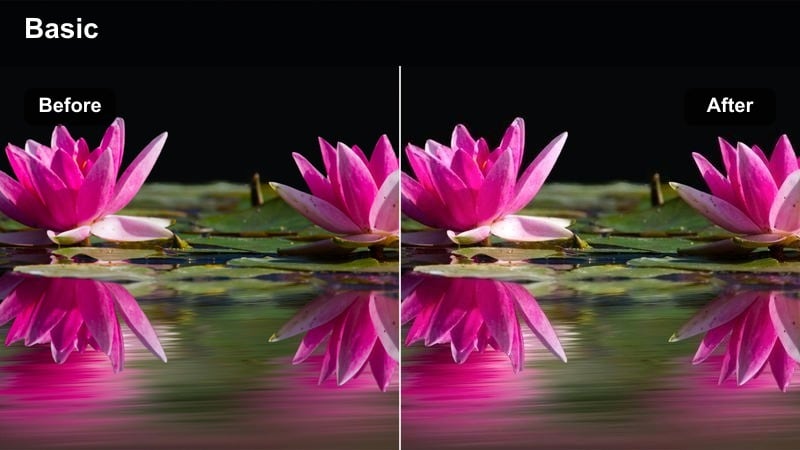
- Effect look: Rich caramel warmth that enhances golden undertones and deepens bronzer without orange shift.
- Best for: Soft glam looks on medium to deep skin tones and bronzy editorial reviews under studio lights.
- Editing tip: Reduce saturation of pure orange while increasing vibrance overall to keep caramel warmth flattering, not muddy.
Studio Soft Glam Caramel adds depth and golden warmth that flatters medium to deep skin tones, emphasizing bronzer, contour, and golden shimmer. The grade pushes warmth without tipping into an artificial orange cast, so your bronzy glam reads rich and dimensional on camera.
In Filmora, combine this filter with subtle adjustments to orange and yellow saturation so rich caramel tones stay centered on the face and not in the background. If contour definition softens too much, bring back contrast in the shadow ranges only, preserving sculpted cheekbones and jawlines while the rest of the frame stays luxuriously warm.
Cozy Room Chats for GRWM and Night Routines
Room Warm Candle Chat
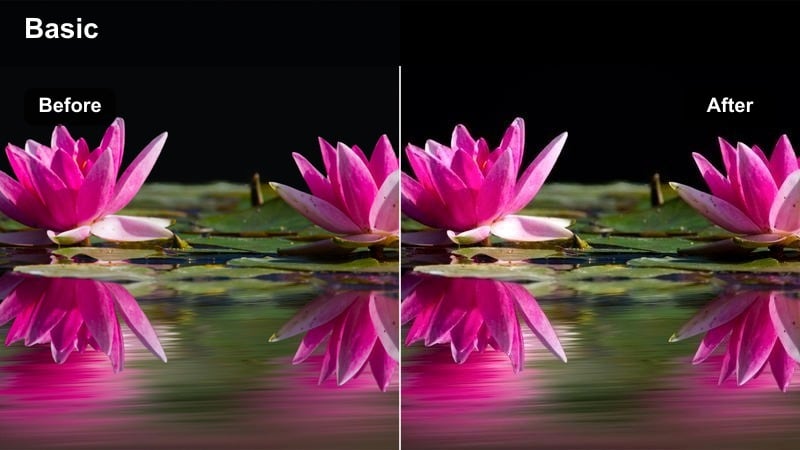
- Effect look: Soft candlelike warmth with gentle lifted shadows for dim, cozy bedrooms and vanity corners.
- Best for: Nighttime skincare routines, post-party makeup removal chats, and cozy GRWM in small rooms.
- Editing tip: Lift shadows slightly so your face stays visible in low light, but drop blacks a touch to avoid a flat, hazy look.
Room Warm Candle Chat is tuned for low-light, intimate scenes where fairy lights, lamps, or candles shape the mood. The filter lifts shadows just enough to keep your face readable while wrapping the scene in a comforting amber tone that suits end-of-day chats and skincare routines.
In Filmora, use this filter on your evening bedroom clips and adjust exposure so your skin remains the brightest, cleanest area in frame. Apply light noise reduction if your ISO was high, then bring back a hint of contrast in the blacks to keep the image from looking washed out while preserving that cozy, candlelit atmosphere.
Room Soft Lilac Evening
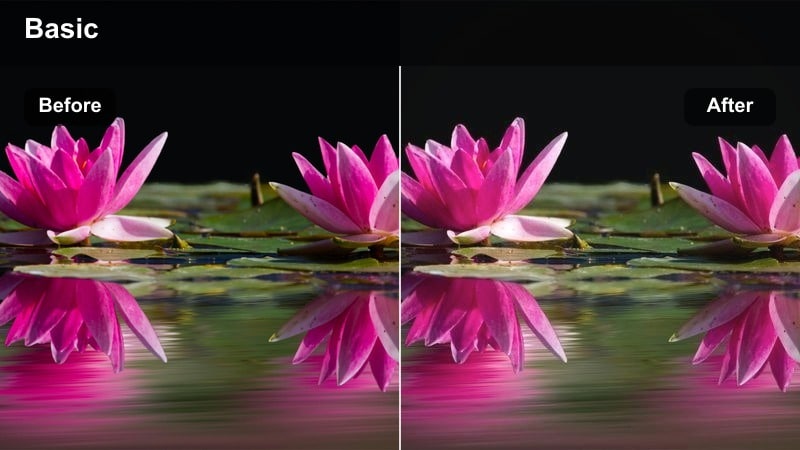
- Effect look: Cool lilac-tinted shadows with soft highlights that flatter pastel and cool-toned nighttime looks.
- Best for: Evening GRWM with purple or mauve palettes and aesthetic room LED lighting.
- Editing tip: Pull down saturation in magentas if your LED lights overpower your eyeshadow, then reintroduce color in the midtones only.
Room Soft Lilac Evening complements purple LEDs, fairy lights, and cool-toned backdrops, making pastel or mauve makeup looks feel cohesive with the room. The grade cools shadows with a lilac tint while keeping highlights soft so your face remains flattering even under colorful LEDs.
In Filmora, add this filter to match your lighting aesthetic, then selectively lower saturation in magentas and blues on your skin tones so the LEDs do not stain your complexion. You can add a touch of warmth back into the highlights on your face only, helping your makeup look color-true against a dreamy lilac background.
Room Soft Beige No-Makeup
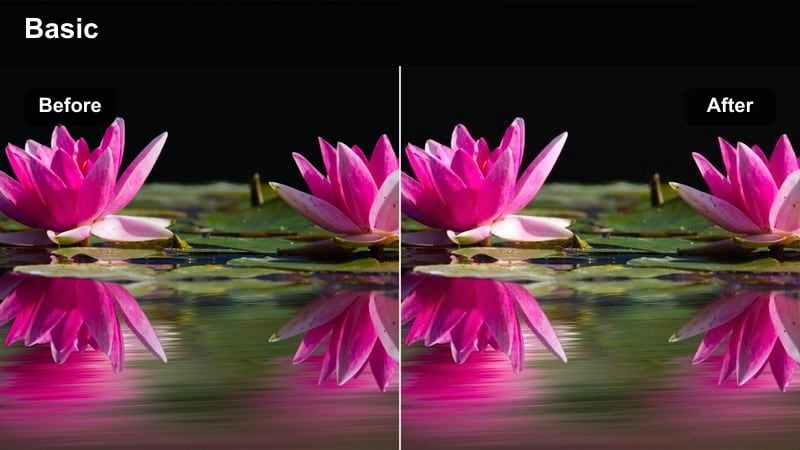
- Effect look: Muted beige warmth with gentle desaturation for honest no-makeup or minimal makeup chats.
- Best for: Bare-skin skincare vlogs, honest reviews, and minimalist makeup routines filmed on a bed or couch.
- Editing tip: Drop saturation slightly overall, then bring it back in the lips and eyes so the face still feels lively but low-key.
Room Soft Beige No-Makeup gives relaxed videos a calm, understated aesthetic that suits bare-skin check-ins and honest reviews. The filter mutes bold colors slightly while adding soft beige warmth, flattering natural skin and minor imperfections without pretending to erase them.
In Filmora, use this filter when you want your audience to focus on your story or skincare journey rather than intense glam. Reduce global saturation a bit, then mask the eyes and lips to selectively restore color so you still look lively on camera while maintaining an authentic, low-key atmosphere.
On-the-Go Daylight Looks for Real-Life Vlogging
Daylight Soft Neutral Walk
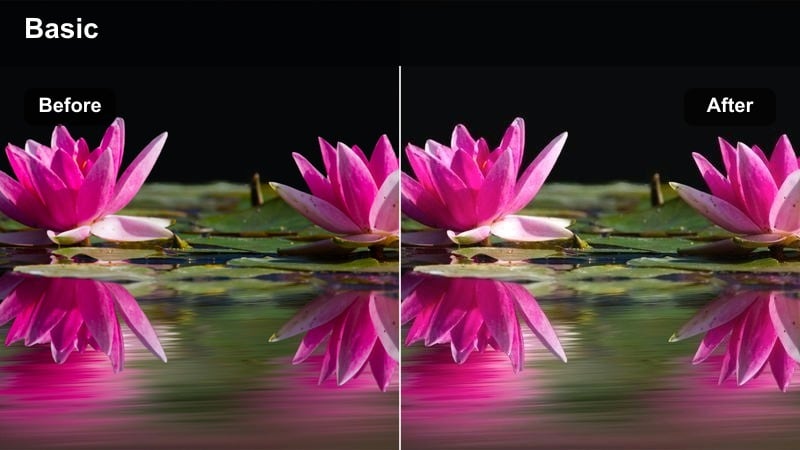
- Effect look: Balanced neutral grading that smooths harsh midday sun and keeps skin tones even outdoors.
- Best for: Outfit and makeup check-ins while walking outside, coffee runs, and car vlog intros.
- Editing tip: Lower highlights a touch so your forehead and nose do not blow out, and add a bit of contrast to keep features defined.
Daylight Soft Neutral Walk is optimized for bright exteriors where midday sun can create harsh contrast on your makeup. The filter gently evens exposure, softening hotspots on the forehead and nose while maintaining a natural, true-to-life color balance on skin and clothing.
In Filmora, apply this filter to all your walking and street clips, then fine-tune highlights and contrast so your face remains detailed even when stepping in and out of direct sun. If background colors become too attention-grabbing, reduce saturation in greens and blues slightly so the viewers eye stays on your base, blush, and eye makeup.
Daylight Soft Car Selfie
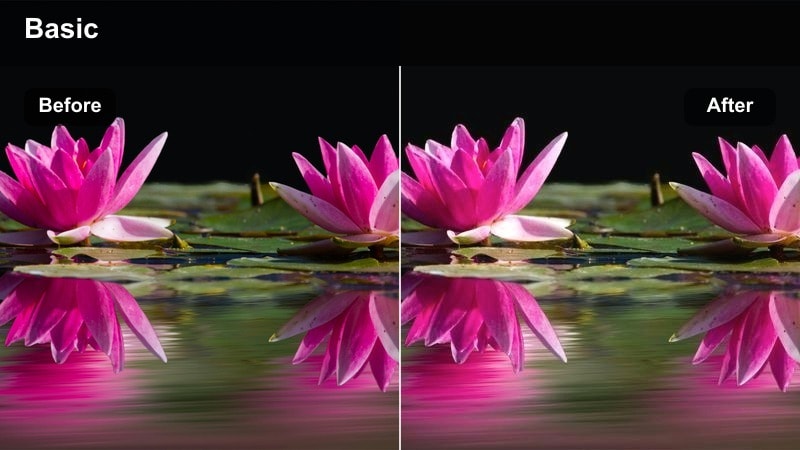
- Effect look: Gentle highlight softening and warm tint tuned for front-facing car vlogs.
- Best for: Car check-ins showing foundation wear tests, lipstick durability, and real-life makeup updates.
- Editing tip: Boost midtone saturation slightly so lipstick and blush stay vivid against the softened windshield light.
Daylight Soft Car Selfie is tailored for front-facing clips filmed in parked cars, where windshield light can be both flattering and intense. The grade softens highlights across the center of the face and adds a subtle warmth that keeps your base looking smooth during all-day wear tests.
Within Filmora, drop this filter on your car updates and gently raise midtone saturation so blush, bronzer, and lipstick remain visible against the diffused daylight. If window reflections or background scenery become distracting, slightly lower whites and add a mild radial vignette around your face to pull focus back to your makeup.
Daylight Soft Shopping Trip
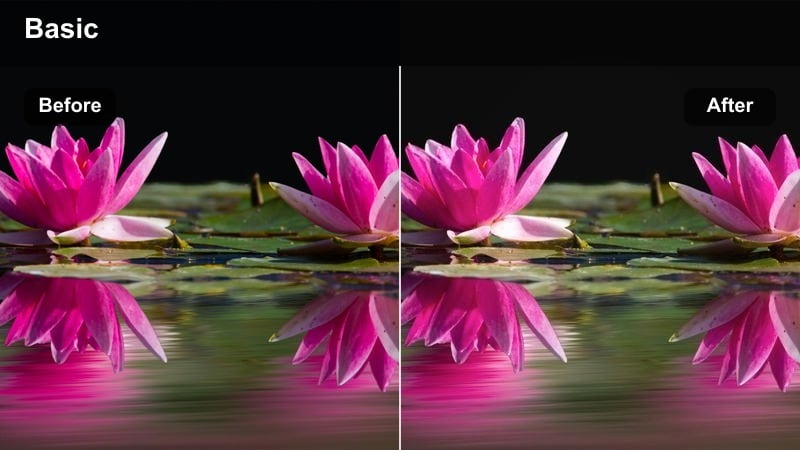
- Effect look: Softened contrast and neutral warmth optimized for mall, street, and store lighting mixes.
- Best for: Shop-with-me beauty hauls, testing products on your hand in stores, and vlog cutaways between locations.
- Editing tip: Use keyframes to slightly increase exposure when you walk into darker stores so your face and swatches remain visible.
Daylight Soft Shopping Trip is designed for haul days when you move between outdoor streets, malls, and store interiors. The filter keeps your skin tones neutral and consistent while slightly softening contrast, helping different lighting conditions feel cohesive when edited together.
In Filmora, apply this filter across your entire shopping sequence, then use keyframed exposure tweaks as you enter or exit stores so your face and hand swatches stay properly lit. For product demo moments, gently desaturate the background and sharpen your hands to ensure labels, textures, and shade differences are clear even on small mobile screens.
Tips for Using Makeup Vlog Color Grading Lut Filters in Filmora
- Always set white balance before applying filters so your makeup shades stay true to what viewers see in the pan.
- Test each filter on at least one close-up and one mid-shot to confirm that your skin tone looks flattering at different distances.
- Reduce overall filter intensity if your blush, bronzer, or contour starts to look patchy, overly smoothed, or noticeably tinted.
- Use separate instances of the same filter for A-roll and B-roll, adjusting exposure and contrast independently for each angle.
- Watch teeth and the whites of the eyes; if they shift too yellow, blue, or pink, correct those tones locally with Filmoras HSL or masking tools.
- When filming multiple videos in one day, lock in a single favorite filter preset to keep your YouTube channel grid visually consistent.
- Favor subtle color shifts over heavy tints so sponsors and brands can trust that their product shades are being represented accurately.
- Export a short test clip and review it on your phone and tablet to make sure your color grading looks good on small as well as large screens.
Using the right Filmora filters, you can easily create a makeup vlog color grading LUT style that flatters skin, protects undertones, and keeps your looks consistent from video to video.
Save your favorite combinations as presets and reuse them across tutorials, GRWMs, and reviews so every upload showcases your artistry with the same polished, signature finish.
secure download