

 100% Security Verified | No Subscription Required | No Malware


 ChatGPT
 Perplexity
 Gemini
 Claude
 Grok
Grok
This Model Walking Street Fashion LUT-inspired filter collection is designed for content creators who want polished, editorial-style color in their model walking and street fashion videos without complicated grading.
Use these filters in Filmora to give your runway walks, lookbooks, and city fashion reels a cohesive tone, with clean contrast, balanced skin, and an urban, magazine-ready finish.
In this article
Golden Hour Street Runway Looks
Sunlit Avenue Glow
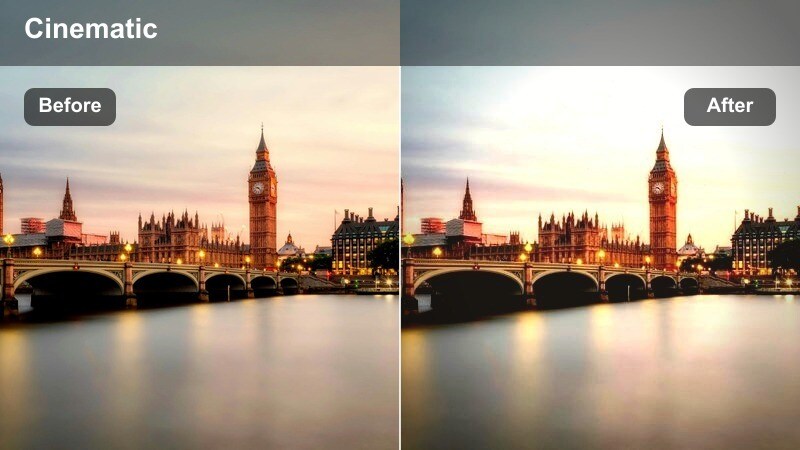
- Effect look: Soft golden warmth with gentle bloom on highlights for dreamy evening walks.
- Best for: Model walking clips shot during late afternoon or golden hour on city sidewalks.
- Editing tip: Lower the filter intensity to around 60 percent if your footage is already warm to avoid orange skin tones.
Sunlit Avenue Glow wraps your street fashion footage in a soft golden halo that flatters skin and fabric textures while keeping the city background romantic and cinematic. In Filmora, this filter works especially well on back-to-back runway-style walking shots, giving them a cohesive sunset atmosphere even if they were filmed over several different days.
After you apply the filter, fine-tune white balance so your whites stay neutral and product colors do not shift too yellow. If skin starts to look overly tanned, slightly reduce orange saturation and then adjust exposure so faces and outfits remain bright enough to feel editorial rather than vintage.
Match Your Street Fashion Aesthetic with AI Color Tools
Use Filmora AI Color tools with your model walking street fashion clips to explore multiple color moods without losing realistic skin tones and garment details. Start from a filter like Sunlit Avenue Glow, then let AI refine the palette so each outfit still looks true to life on different screens.
Once you find a combination that fits your brand or campaign, save it as a custom preset so every new lookbook, runway walk, or street shoot can instantly match your existing content style.
 secure download

Preview Filters on Real Street Fashion Footage
Import a few short walking clips from different city locations into Filmora, then duplicate them on the timeline and apply a different fashion filter to each version. This makes it easy to compare how every look handles changing light, storefront colors, and skin in motion.
Use split-screen or play the versions back-to-back to decide which filter best suits everyday outfit checks, high-fashion campaigns, or stylized night looks before you start a full edit.
secure download1000+ Video Filters and 3D LUTs
Filmora includes an extensive library of video filters and 3D LUTs you can stack with this Model Walking Street Fashion set to create unique city looks. Combine subtle contrast filters, film-style LUTs, and these fashion presets to fine-tune how your videos feel from day to night.
Adjust intensity sliders instead of rebuilding a grade from scratch, so you can quickly test variations while keeping a consistent, professional aesthetic across your entire street fashion series.
secure downloadBacklit Boulevard Flare
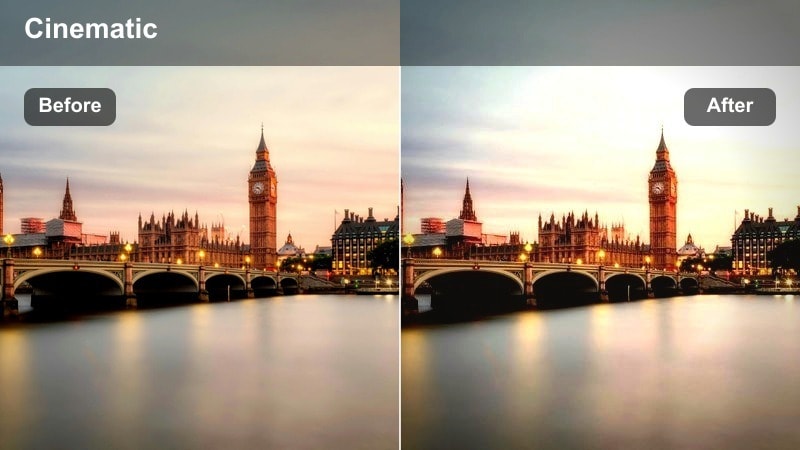
- Effect look: Backlit emphasis with lifted highlights, subtle flares, and brightened midtones.
- Best for: Runway-style walking shots where the light source sits behind the model on urban streets.
- Editing tip: Add a slight vignette after this filter to keep attention on the model's silhouette against the bright background.
Backlit Boulevard Flare focuses on strong halo light and airy midtones, ideal for silhouettes and confident walks toward the camera. It brightens the background while preserving enough contrast on the model so outfits remain readable against glowing skies and streetlights.
In Filmora, apply a gentle vignette or use masks to subtly darken corners, which keeps eyes on the subject instead of blown-out windows or cars. If your sky loses detail, lower exposure a bit and increase contrast so clouds and building edges return without sacrificing that luminous, high-fashion mood.
Amber Sidewalk Vogue
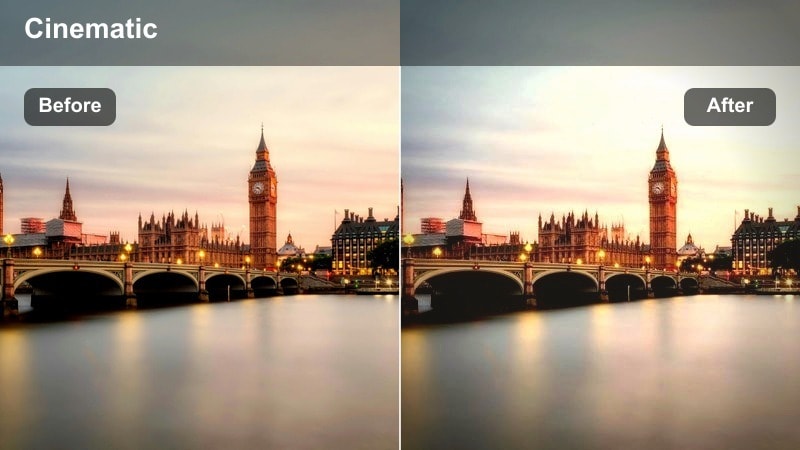
- Effect look: Amber-tinted highlights with soft contrast and subtle film-style fade.
- Best for: Editorial walking sequences in narrow streets or side alleys during warm evening light.
- Editing tip: Pair this filter with a slight clarity boost to keep textures in fabrics sharp and premium.
Amber Sidewalk Vogue gives everyday sidewalks a stylized, editorial feel by shifting highlights toward amber and gently flattening contrast for a filmic finish. It is perfect for close-up walking shots where brick, stone, or storefront textures frame the model in a warm, intimate lane.
When grading in Filmora, nudge clarity or sharpness up so fine details in jackets, shoes, and accessories stay crisp against the softened background. If skin tones drift too far into orange, selectively lower saturation in the orange and yellow channels so the environment carries most of the amber mood while faces remain natural.
Neon Night City Walks
Neon Crosswalk Runway
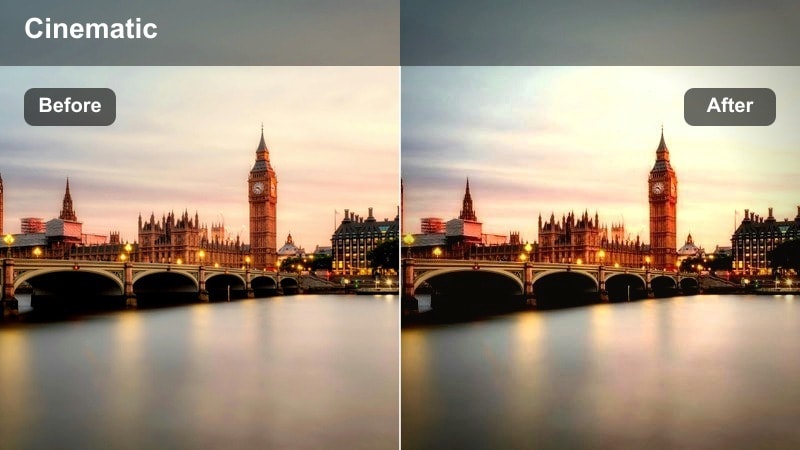
- Effect look: Punchy contrast with saturated neon blues and magentas while preserving skin tone.
- Best for: Nighttime street fashion walks near billboards, shop signs, or neon-lit crosswalks.
- Editing tip: Lower overall saturation slightly after applying the filter if signage colors feel overpowering.
Neon Crosswalk Runway turns busy night streets into a vibrant runway by deepening contrast and pushing neon hues while keeping skin natural. It excels in scenes filled with digital billboards, signboards, and colorful storefronts where the model glides through pools of colored light.
In Filmora, use this filter on your primary walking shots, then fine-tune global saturation to prevent bright signage from overpowering outfits. Add a slight edge darkening or adjust curves so the brightest elements form a frame around the model, guiding viewer attention to your styling and movement.
Midnight Metro Stride
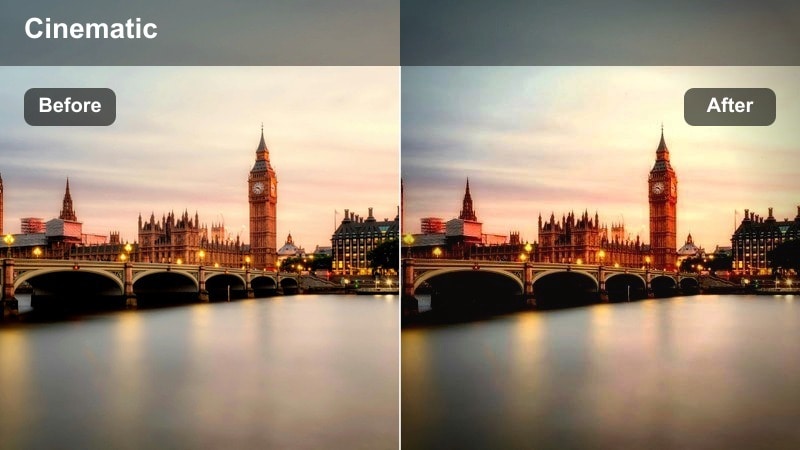
- Effect look: Moody cool shadows, desaturated backgrounds, and sharp highlight accents.
- Best for: Model walking sequences in subway entrances, metro platforms, and underpasses at night.
- Editing tip: Increase sharpness slightly to emphasize lines of escalators, railings, and tiled walls.
Midnight Metro Stride leans into cool shadows and desaturated surroundings to create a moody, editorial city-night atmosphere. Highlight accents on signs, rails, and stair edges remain crisp, which makes it ideal for metro stair descents, platform walks, and tunnel approaches.
Inside Filmora, pair the filter with subtle sharpening so architectural lines and leading lines stay clean and graphic around the model. If faces feel too cool, gently warm midtones or add a localized color correction on the subject, keeping the environment blue-toned while the model remains inviting and stylish.
City Rain Glam
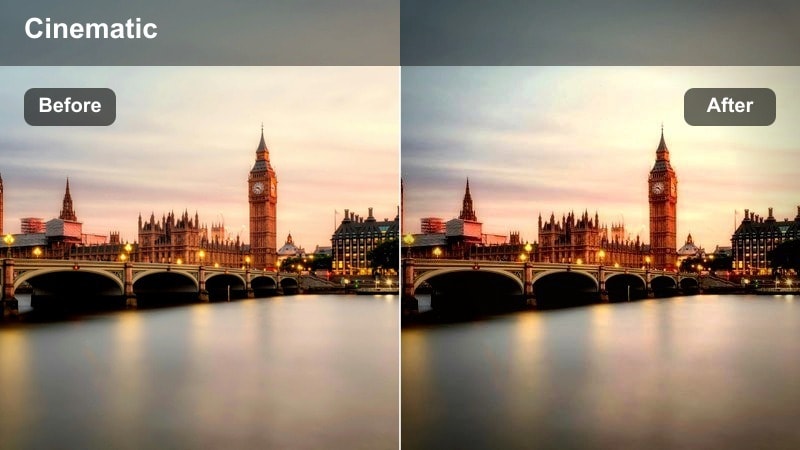
- Effect look: Glossy reflections with boosted contrast and vivid streetlight colors on wet pavement.
- Best for: Model walking on rainy or freshly wet streets with reflections from cars and storefronts.
- Editing tip: Dial up saturation in blues and cyans to make puddle reflections feel cinematic and stylized.
City Rain Glam amplifies glossy reflections and saturated streetlights to give rainy sidewalks a luxurious, campaign-level sheen. The filter adds depth to puddles and wet asphalt, turning every step into a visually rich moment that feels perfect for night-out or luxury-brand fashion content.
In Filmora, apply slow-motion or slightly reduce playback speed on your best walking shots so light streaks and reflections have time to register. Boost blue and cyan saturation selectively to emphasize puddle colors, and use a bit of motion blur or directional blur on background traffic while keeping the model sharply in focus.
Clean Daylight Lookbooks
Neutral Street Editorial
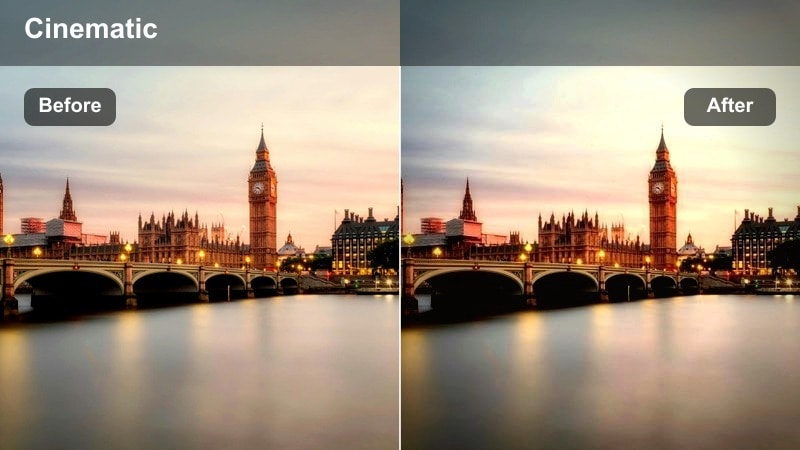
- Effect look: Balanced contrast with near-true colors and precise, clean skin tones.
- Best for: Daylight fashion lookbooks, street outfit videos, and catalog-style walking shots.
- Editing tip: Use this filter as a base grade, then add subtle HSL tweaks to match each outfit's brand colors.
Neutral Street Editorial is designed as a clean, accurate base for daylight fashion content where true fabric color matters. It gently refines contrast and saturation so skin tones stay flattering and clothing shades match real-world samples, making it ideal for brands, boutiques, and sponsored outfit breakdowns.
Within Filmora, apply this filter first, then fine-tune specific color channels to align closely with brand palettes for jackets, accessories, or shoes. Save your adjustments as a custom preset so recurring series, like weekly lookbooks or capsule wardrobe reels, maintain a consistent and professional color identity.
Soft Pavement Pastel
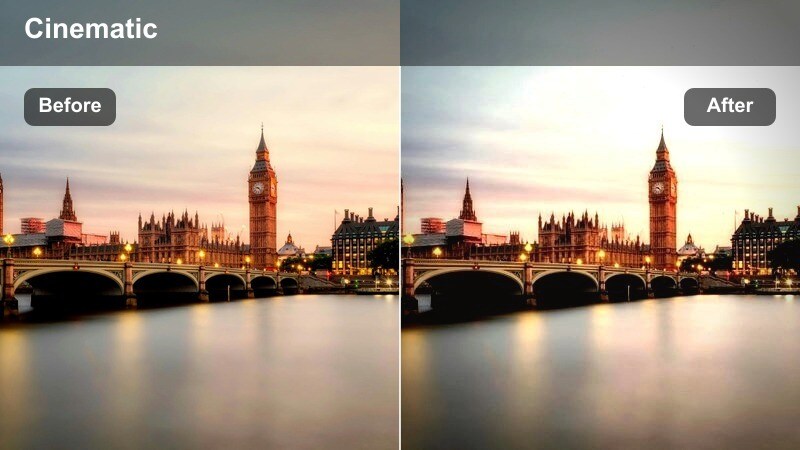
- Effect look: Gentle pastel shift with lowered contrast and slightly lifted blacks.
- Best for: Lifestyle fashion reels with light outfits filmed on bright city pavements or plazas.
- Editing tip: Avoid overexposing; this filter works best if whites still contain detail to carry the pastel tone.
Soft Pavement Pastel introduces a dreamy, airy palette that works beautifully with white, beige, and light-toned outfits. Contrast is slightly softened and blacks are lifted, making city plazas, light stone, and pale buildings feel calm and lifestyle-focused rather than harsh or busy.
In Filmora, keep exposure slightly under control so bright areas retain texture, letting the pastel look feel intentional rather than washed out. Frame compositions with clean negative space like sky or plain walls, then add subtle text or graphic overlays that float comfortably within the soft color environment.
Crisp Cross Street Focus
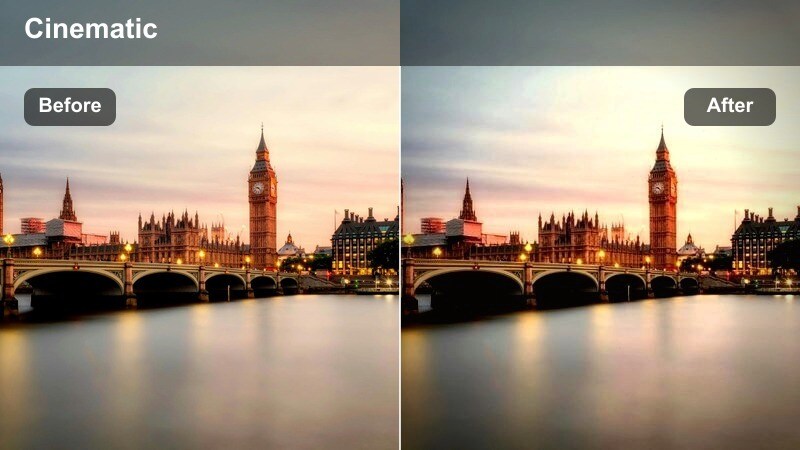
- Effect look: Bright, crisp whites with sharpened details and subtle cool bias.
- Best for: High-energy model crossings at intersections and walkways in clear daylight.
- Editing tip: Combine this filter with a slight slow-motion effect to emphasize each confident step across the street.
Crisp Cross Street Focus brings a modern, urban sharpness to your footage with clear whites, defined edges, and a very light cool tone. It suits fast-paced crossing shots, busier intersections, and dynamic B-roll where the model moves with purpose amid city traffic and crowds.
In Filmora, enable a touch of slow motion or speed ramping so each step or hair flip lands cleanly on the beat of your soundtrack. Adjust sharpening carefully, boosting just enough to highlight accessories, seams, and textures without introducing noise into sky areas or flat building surfaces.
Moody Lanes and Backstreet Editorials
Shadow Lane Runway
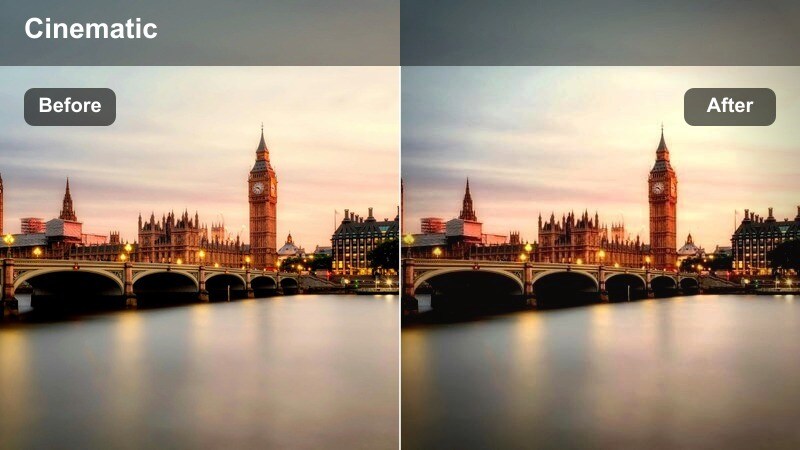
- Effect look: Deepened shadows with matte blacks and subtle cool-green undertones.
- Best for: Model walking through narrow alleys, shaded streets, or underpasses during daytime.
- Editing tip: Lift exposure slightly before applying if your source is already very dark to keep detail in the outfit.
Shadow Lane Runway turns ordinary shaded alleys into dramatic editorial sets by pushing shadows deeper and giving blacks a matte finish. Subtle cool-green undertones add a cinematic edge that works especially well with dark outfits, leather, and strong silhouettes.
While editing in Filmora, raise exposure a bit on very dark footage before applying the filter so clothing textures and facial features do not disappear. Position your subject near darker walls or doorways to sculpt natural contrast around the face, then rely on the filter to emphasize that sculpting and create a high-end campaign feel.
Brick Lane Contrast
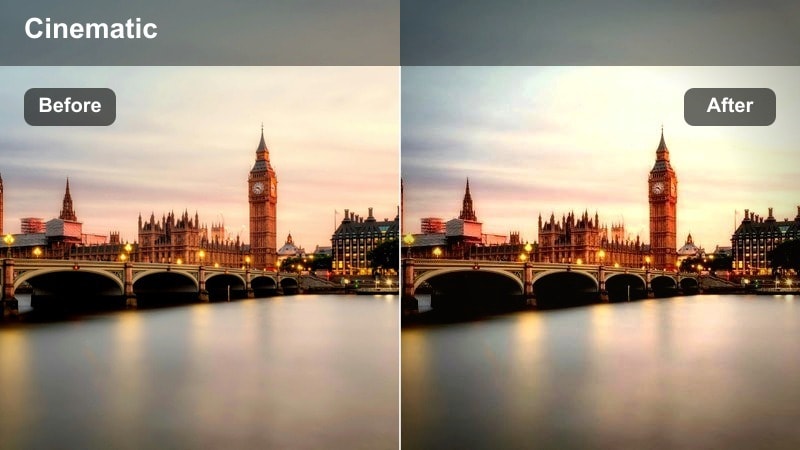
- Effect look: Rich midtones with boosted texture and slightly warm highlights.
- Best for: Street fashion videos shot against brick walls, staircases, or industrial backstreets.
- Editing tip: Increase micro-contrast or clarity to bring out brick patterns and jacket fabrics.
Brick Lane Contrast is built to showcase tactile, gritty locations such as brick alleys, stairwells, and industrial blocks. It enriches midtones and adds micro-contrast so wall textures, denim, and structured outerwear feel tangible and premium on screen.
Inside Filmora, layer a gentle clarity boost over this filter to reveal fine patterns without making skin appear overly rough. Shoot and cut with a slightly shallow depth of field so the brick patterns support your framing without stealing focus, then use the filter to ensure the environment still reads as detailed and stylish.
Monochrome Side Street
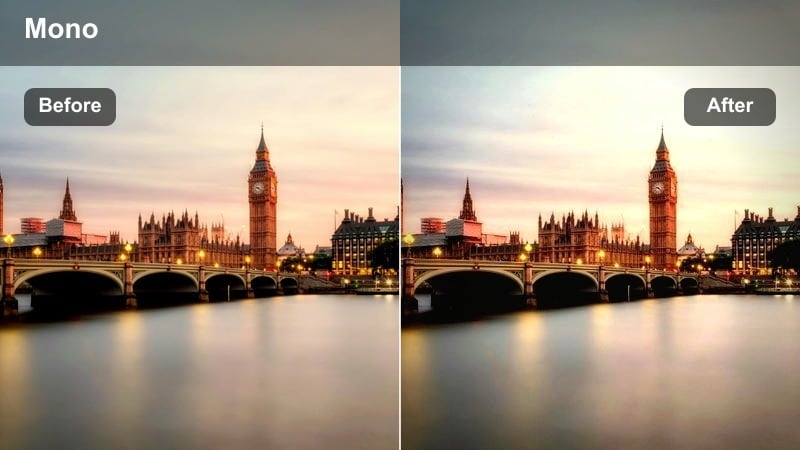
- Effect look: High-contrast monochrome with filmic grain and strong emphasis on shape.
- Best for: Black-and-white fashion stories focused on silhouette and movement in side streets.
- Editing tip: Push contrast higher than usual so the walking motion reads clearly even on small screens.
Monochrome Side Street strips your footage down to silhouette, texture, and motion with bold contrast and subtle film grain. It is ideal for artistic fashion stories where the outline of the model, the swing of a coat, or the flare of a skirt is more important than color.
In Filmora, increase contrast beyond your normal threshold so shapes stay clear on phones and social feeds, then adjust grain strength to taste for a classic editorial feel. Keep backgrounds simple and avoid overlapping clutter behind the model so each pose and stride remains readable and striking in black and white.
Tips for Using Model Walking Street Fashion Lut Filters in Filmora
- Shoot short walking test clips in each new street, plaza, or alley to see how these filters handle local light, reflections, and signage before committing to full sessions.
- Keep exposure slightly under rather than over, since fashion-focused filters usually protect highlight detail better than blown-out whites.
- Use consistent frame rates and shutter speeds across your project so motion in your walking shots stays smooth, even when you mix multiple filters.
- When filming groups of models, apply the same filter to all clips but fine-tune intensity per shot so every skin tone remains flattering and even.
- Save different Filmora presets for day, dusk, and night so you can quickly match colors and contrast across entire lookbook episodes or campaign edits.
- Combine these filters with gentle slow motion or speed ramps to highlight key steps, turns, and outfit reveals in sync with your soundtrack.
- Leverage Filmora masking and vignettes to subtly darken backgrounds, ensuring bright city elements frame your model instead of competing with the outfit.
This Model Walking Street Fashion LUT-inspired filter set gives content creators a fast, reliable way to grade city runways, lookbooks, and street style videos inside Filmora.
Apply the filters that best fit your light, then refine exposure and saturation so every step down the sidewalk looks like part of a polished fashion campaign.
secure download