

 100% Security Verified | No Subscription Required | No Malware


 ChatGPT
 Perplexity
 Gemini
 Claude
 Grok
Grok
Moody baby video filters help storytelling creators and portrait editors turn simple nursery clips into emotional short films, full of quiet shadows and gentle light. Instead of bright, bubbly colors, these looks lean into soft dark nursery tones that feel intimate, calm, and cinematic.
Use these filters in Filmora to shape the emotional newborn video effect you want, whether you are editing quiet bedtime clips, first-week-at-home vlogs, or deeply personal portrait sessions. Each style below includes the effect look, best use cases, and a fast editing tip to keep your workflow smooth.
In this article
Soft Shadow Filters for Gentle Nursery Mood
Dusky Cradle Glow
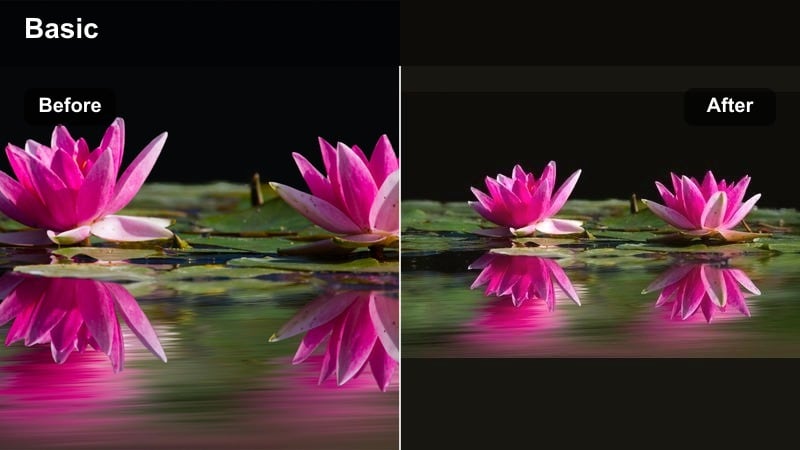
- Effect look: Soft contrast with slightly muted colors, subtle warm highlights on skin, and deep but gentle shadows around the crib.
- Best for: Quiet cradle shots, slow rocking motions, and close-ups of tiny hands and eyelashes in low evening light.
- Editing tip: Lower the overall exposure a touch after applying the filter, then bring up midtones to keep babys face clear while the rest of the frame stays moody.
Dusky Cradle Glow wraps cradle scenes in a dusk-like warmth, adding depth to shadows without burying delicate newborn details. In Filmora, it turns simple rocking clips into cinematic cradle moments where the babys face becomes the natural focal point against a darker room.
Apply this filter to shots that already have a single soft light source, such as a nearby lamp or dim window. Then fine-tune exposure and midtones in Filmora so skin stays luminous while background objects sink quietly into shadow, keeping the focus on tiny movements and peaceful breathing.
Pro tip: Balance shadows with skin softness
After you apply Dusky Cradle Glow, lightly increase skin smoothing or use a softness slider so the deep shadows do not emphasize temporary baby blemishes.
Keep noise reduction gentle; a hint of grain in the darkest corners can actually support the cinematic, intimate feeling of the clip.
Use AI Tools in Filmora to Refine Moody Baby Tones
Once you select a moody baby filter, Filmoras AI-powered color tools can help you quickly fine-tune exposure, white balance, and skin tones so every clip feels cohesive. This is especially helpful when your nursery footage comes from different days or cameras.
Let AI handle broad corrections first, then make small manual tweaks in shadows and midtones to keep the emotional atmosphere you carefully chose. With AI Color Match and AI-driven palettes, your baby moody tone stays consistent from the first cradle shot to the final bedtime close-up.
Try this: Open your newborn project in Filmora and test AI Color Match across multiple clips to lock in a consistent moody style in minutes.
 secure download

Preview Moody Baby Filters on Real Nursery Footage
Load a short test clip of a quiet bedtime scene into Filmora, then cycle through these moody baby video filters to see how each one changes the story. You will notice how subtle shifts in contrast and color temperature can move a clip from cozy to bittersweet in seconds.
Watch how shadows wrap around the crib, how the babys skin reacts to warmer or cooler tones, and which look best fits your personal style. Once you find a filter that matches your mood, tweak it just enough so it feels like your own signature newborn style.
Try this: Drag a filter onto your clip, play it back full-screen, and trust your first emotional reaction when choosing the right look.
secure downloadSave Your Signature Newborn Look as a Reusable Preset
After you dial in your favorite combination of moody baby filter, color tweaks, and exposure settings, save it as a custom preset inside Filmora. This gives you a one-click way to recreate the same emotional newborn video effect across future nursery sessions.
Over time, your soft dark nursery tone becomes a recognizable style that you can apply to any bedtime clip or newborn vlog. Whether you are editing for clients or for your own family archive, presets keep your visual storytelling consistent and efficient.
Try this: Create a new preset named Moody Baby Video Filters: Deep Shadows & Emotion so you can instantly apply your signature look to any newborn edit.
secure downloadHushed Nursery Matte
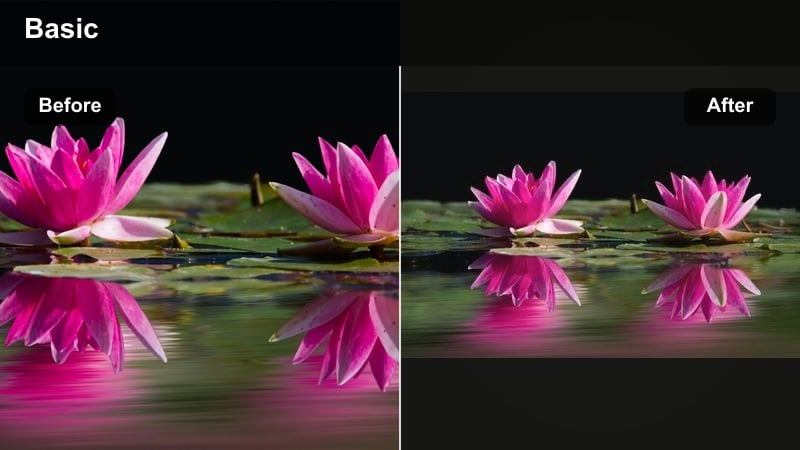
- Effect look: Low-contrast matte finish with lifted blacks, desaturated colors, and a faint cool tint in the shadows.
- Best for: Overcast window light, changing-table moments, and documentary-style clips where parents move in and out of frame.
- Editing tip: Slightly reduce saturation for bold colors in the room, like toys or blankets, so they do not compete with the babys face as the emotional focus.
Hushed Nursery Matte turns everyday nursery footage into soft, film-like scenes with flattened contrast and gentle cool shadows. In Filmora, it is ideal when you want a calm, observational feeling that still feels polished but not overly stylized.
Apply this filter to clips shot in natural, diffuse light, then pull down saturation on bold objects so the babys features stay central. The lifted blacks make dark areas look hazy rather than harsh, which works beautifully for candid, documentary-style newborn edits.
Pro tip: Let natural grain support the mood
If your original clip is slightly grainy, do not over-polish it; the matte look pairs well with a little texture, which feels more like quiet home-movie film.
Use a very subtle vignette to keep the parents hands and babys eyes framed inside the soft, flattened tones.
Dim Nap Time Soft
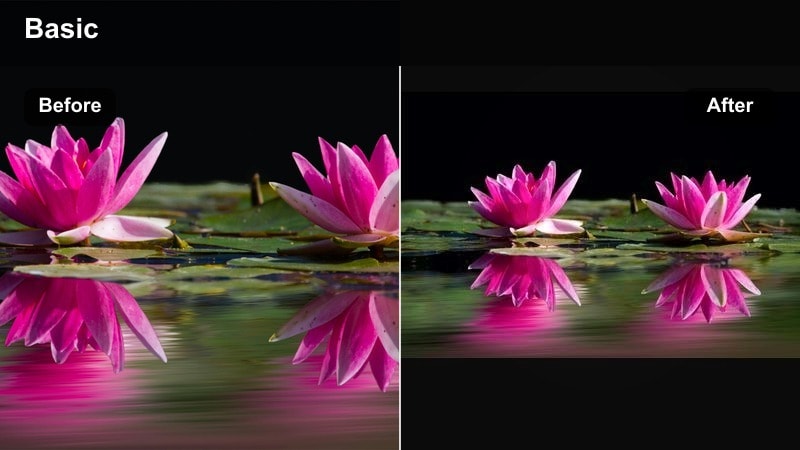
- Effect look: Subdued contrast with blurred highlights, slightly warm midtones, and gently deepened corners for a cocooned feel.
- Best for: Nap-time crib footage, baby monitors, and handheld shots where the camera moves slowly around a sleeping baby.
- Editing tip: Add the filter first, then use a very slow push-in or zoom effect in the edit to enhance the sense of drifting into sleep with the baby.
Dim Nap Time Soft is built for quiet, in-between moments when the nursery is nearly dark and the whole world feels wrapped in blankets. In Filmora, its softened highlights create a dreamy haze that makes slow camera moves feel even more hypnotic.
Use this filter on clips where motion is minimal and sound is gentle, such as white noise or a distant lullaby. Combine it with a slow zoom or push-in effect to draw the viewer closer to the babys face, reinforcing the sensation of drifting into sleep.
Pro tip: Protect detail in low-light clips
If your footage is very dark, raise exposure before applying the filter so you have more detail to work with, then fine-tune shadows after.
Combine the filter with gentle stabilization in Filmora to remove tiny handheld jitters that can break the calm mood.
Emotional Close-Up Filters for Newborn Portraits
Shadowed Cheek Kiss
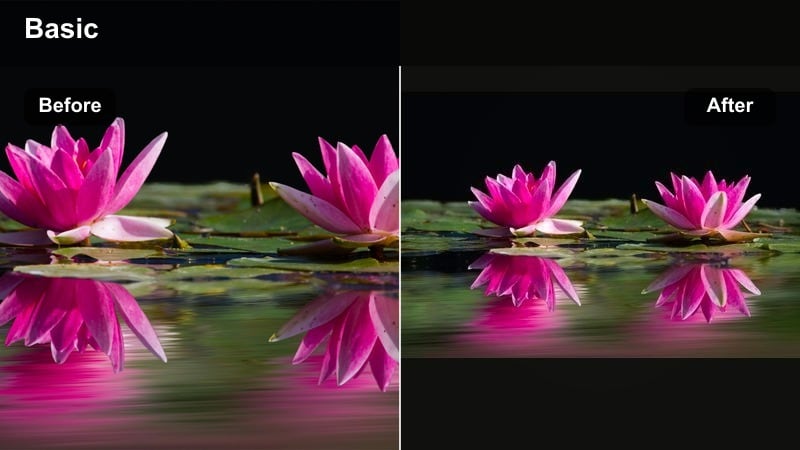
- Effect look: Rich, slightly darkened edges with warm skin tones and a narrow band of light across the babys cheeks and eyes.
- Best for: Close-ups of sleepy smiles, tiny yawns, and quiet kisses on the forehead or cheeks.
- Editing tip: Crop tighter than usual after applying the filter so the viewer sees only the key emotional detail, like the cheek or hand being kissed.
Shadowed Cheek Kiss creates an intimate spotlight on tiny newborn expressions while gently obscuring the rest of the frame. In Filmora, it helps you turn simple close-ups into emotional hero shots that you can use as anchors throughout a longer newborn film.
Apply it to macro-style shots where you already have strong direction of light, then crop in closer to remove distractions. The darkened edges and warm skin tones naturally guide the eye to the exact moment of connection, like a kiss or a small smile.
Pro tip: Use light falloff as a storytelling tool
Let some parts of the frame fall completely into darkness so that what remains lit feels precious and intentional.
If parents appear in the shot, time your cuts so that the darkest frames land right after a kiss or small movement to emphasize emotion.
Soft Tear Glimmer
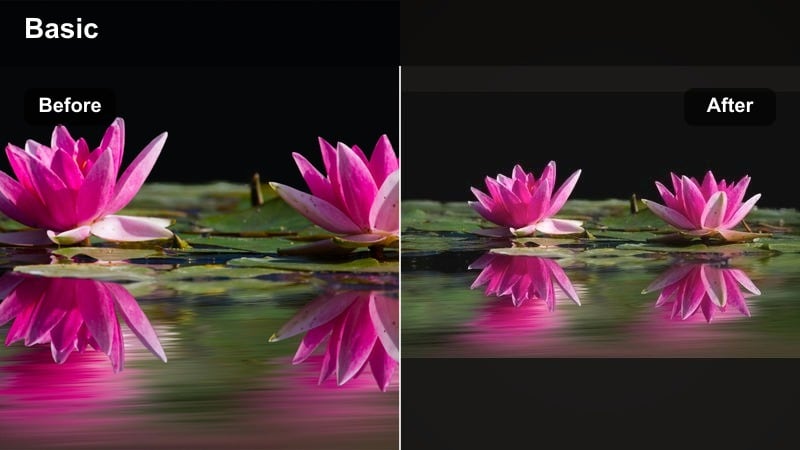
- Effect look: Gentle highlight bloom with neutral shadows, slightly cooled whites, and a faint cinematic fade on contrast.
- Best for: Emotionally heavy moments like first vaccinations, overwhelmed parent reactions, or tender crying shots.
- Editing tip: Slow your footage down slightly and layer this filter to make every tiny reflection in the eyes feel more present and meaningful.
Soft Tear Glimmer is designed for delicate, emotional sequences where reflections and moisture in the eyes carry the story. Rather than sharpening every tear, it turns highlights into soft points of light that feel cinematic and vulnerable.
In Filmora, pair this filter with subtle slow motion and gentle music so viewers have time to sit with the emotion. Keep contrast modest and watch your whites; the cooled tones help tears read as luminous instead of harsh or clinical.
Pro tip: Protect whites from clipping
If highlights on the face are too bright, gently reduce them before applying Soft Tear Glimmer so the glow effect stays delicate instead of blown out.
Pair the filter with very soft piano or ambient audio to support the emotional tone without overpowering the visuals.
Velvet Shadow Portrait
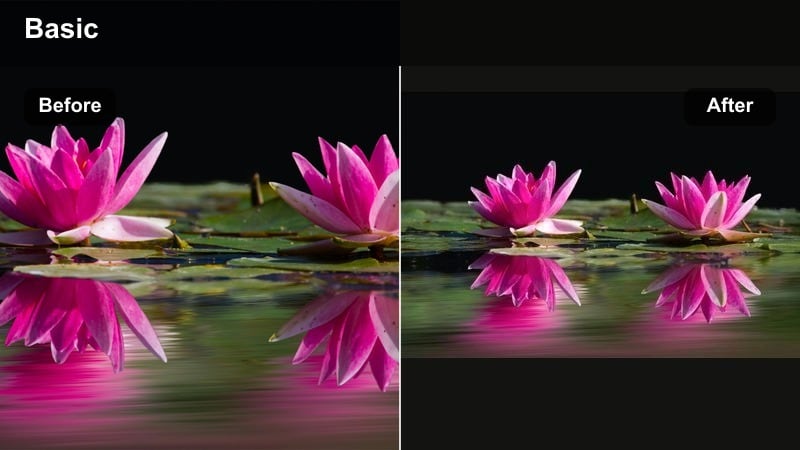
- Effect look: Deep, velvety shadows with soft edges, slight warm tint to midtones, and a gentle roll-off from light to dark.
- Best for: Stylized newborn portraits, swaddled baby shots, and sessions with a single softbox or window as key light.
- Editing tip: Place the babys face toward the brightest side of the frame and leave the opposite side in deeper shadow to create a classic portrait-style falloff.
Velvet Shadow Portrait delivers a studio-like, painterly mood that makes newborn skin look plush and three-dimensional. The deep shadows and warm midtones accentuate form and texture while keeping backgrounds almost fully swallowed by darkness.
Use it on posed shots with controlled lighting, then refine the exposure in Filmora so the brightest area rests on the babys features. Avoid cluttered props or busy backdrops; this filter is most powerful when it has simple shapes and a clear subject to sculpt with light.
Pro tip: Guide the eye with selective brightness
After you apply Velvet Shadow Portrait, use Filmoras masking or brightness tools to slightly lift exposure only where you want the viewers eyes to rest.
Avoid bright props or colorful backgrounds; let clothing and blankets stay simple so the moody lighting becomes the main design element.
Bedtime Story Filters with Soft Dark Nursery Tones
Storybook Night Lamp
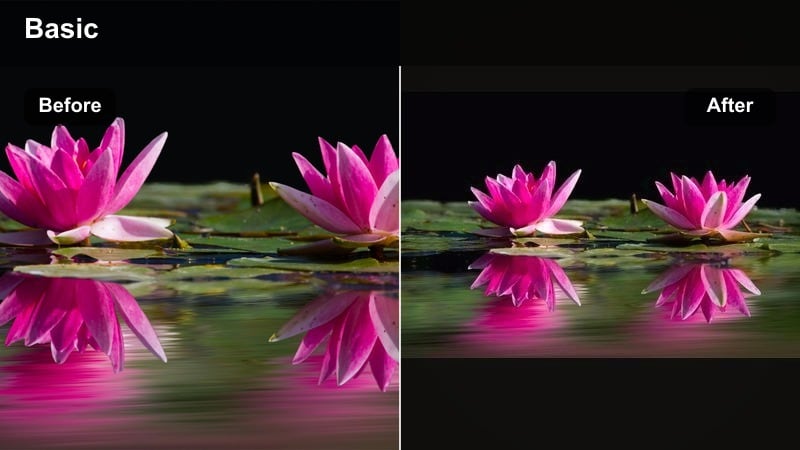
- Effect look: Warm pools of light in the center of the frame, darker blue-tinted edges, and gently softened highlights around lamps.
- Best for: Bedtime reading clips, lullaby singing, and parents rocking baby in a chair beside a single warm lamp.
- Editing tip: Shoot with the lamp already in frame, then apply the filter and slightly boost warmth to build a golden storybook halo around the light source.
Storybook Night Lamp combines warm, golden light with cool, dark surroundings to mimic the look of classic childrens book illustrations. In Filmora, it instantly turns a routine bedtime reading into a visual story where the lamp glow feels magical.
Place a small lamp or string lights inside the frame before filming, then apply the filter and nudge color temperature toward warmth. The contrast between amber highlights and blue edges helps guide the viewers gaze toward the parent and baby, framed in a cozy halo.
Pro tip: Use practical lights as emotional anchors
Keep a lamp or fairy lights within frame so the viewer understands where the warm glow is coming from; it grounds the mood in real space.
Cut on natural movements, like page turns or rocking rhythms, to keep the dreamy lighting feeling fluid and uninterrupted.
Midnight Nursery Blue
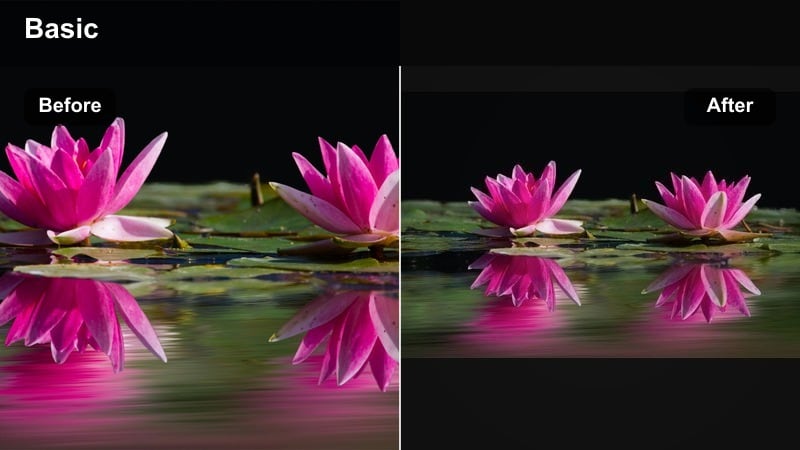
- Effect look: Cool, moonlit blue cast over the scene, soft crushed blacks, and gently desaturated colors for a night-time calm.
- Best for: Baby monitor angles, crib-overhead shots, and late-night feeding clips when the room is mostly dark.
- Editing tip: Lower saturation for any strong colors like red or orange so the blue tone remains the main emotional signal of night and quiet.
Midnight Nursery Blue shifts your footage into a serene, moonlit palette where blues and soft blacks dominate. It is perfect for conveying the hush of late-night feeds, sleepy diaper changes, and quiet monitor checks.
In Filmora, apply the filter and then tame any strong warm colors so they do not break the nighttime illusion. Slightly raising exposure on the babys skin keeps them from looking too cold, while the rest of the frame stays wrapped in calm, dark blues.
Pro tip: Blend blue night with natural skin tones
After you add the filter, selectively warm the babys skin slightly so they do not look too cold against the blue environment.
Use a slight fade-in at the start of the clip to feel like the viewers eyes are adjusting to the dark nursery.
Amber Lullaby Fade
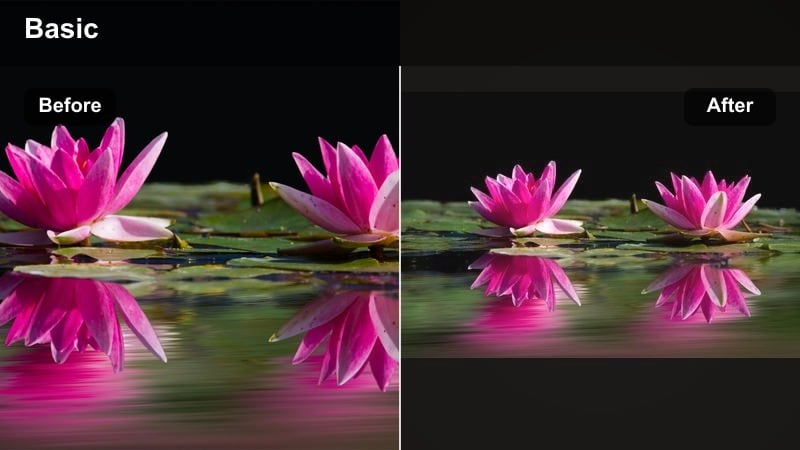
- Effect look: Soft amber highlights, reduced saturation in background objects, and a subtle overall fade that feels like an old bedtime memory.
- Best for: Rocking-chair lullabies, gentle humming, and close-ups of tiny fingers wrapped around a parents thumb.
- Editing tip: Layer this filter with a slight vignette and crossfade transitions between clips to make the sequence feel like a single long, warm memory.
Amber Lullaby Fade adds nostalgic warmth and a gentle fade, making bedtime rituals feel like they are recalled from memory rather than recorded yesterday. The filter de-emphasizes background color so the amber glow on skin and fabrics becomes the star.
Use it in Filmora to tie together a sequence of rocking-chair shots, tiny hand close-ups, and sleepy yawns. Add soft vignettes and slow crossfades between clips to create one continuous, golden lullaby of a moment.
Pro tip: Sequence multiple clips for a memory montage
Apply Amber Lullaby Fade consistently across several short shots, then connect them with gentle dissolves to create one continuous emotional arc.
Lower ambient noise slightly and introduce a single, steady lullaby track to unify the montage under the same warm tone.
Cinematic Sets of Moody Baby Filters
First Nights Collection
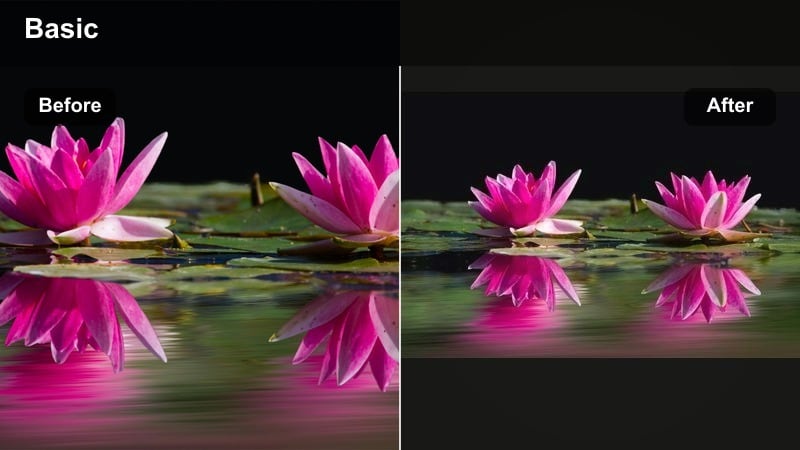
- Effect look: A coordinated mix of soft dark nursery tones with varied warmth, combining gentle matte finishes and deeper shadows across multiple clips.
- Best for: Multi-clip edits that follow baby through the first nights at home, from dim bath-time to late-night feeding and early dawn cuddles.
- Editing tip: Choose one filter as your base look, then apply slight variations from the collection while keeping white balance and contrast similar across all clips.
The First Nights Collection is designed to give your entire newborn film one cohesive moody language, even as lighting and locations change. Each filter in the set shares similar contrast and softness, so your edit feels unified from the first bath to the sunrise cuddle.
In Filmora, start by grading one standout clip, then copy its color settings to the rest of your timeline and make subtle adjustments scene by scene. The result is a cinematic journey through those first nights at home, with every shot clearly belonging to the same visual story.
Pro tip: Build a consistent visual language
Before editing, decide what your emotional endpoint is calm, tender, bittersweet and pick filters from the collection that all serve that same feeling.
Use Filmoras copy and paste color settings to quickly match exposure and contrast from your best-graded clip to the rest.
Quiet Home Documentary
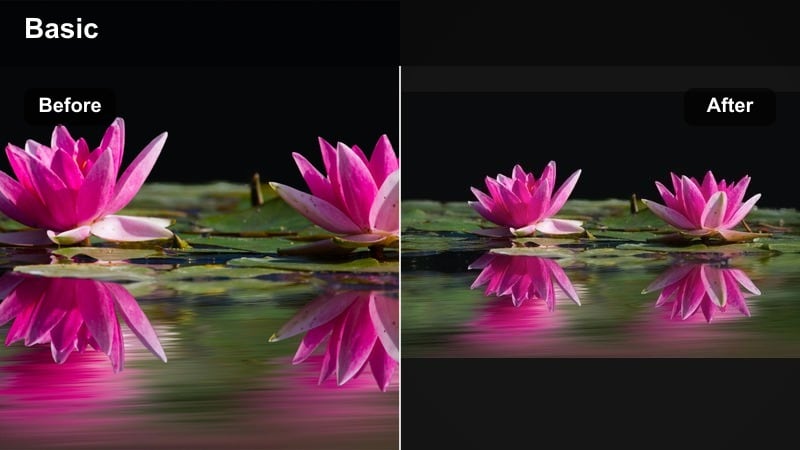
- Effect look: Naturalistic muted colors, moderate contrast, and gentle darkening in corners that makes footage feel like an intimate mini-documentary.
- Best for: Day-in-the-life newborn vlogs, candid behind-the-scenes of photo sessions, and unposed family interactions.
- Editing tip: Keep color changes subtle with this filter; the strength comes from consistency, not drama, so avoid stacking too many extra effects on top.
Quiet Home Documentary favors honesty over heavy stylization, giving your clips a soft, observational mood. Colors stay close to reality but slightly muted, while the corners of the frame dim just enough to guide attention toward the family.
Apply it in Filmora when you are creating day-in-the-life vlogs or behind-the-scenes reels and want them to feel intimate but not staged. Avoid stacking too many extra filters; the understated look works best when you keep edits clean and let real interactions drive the story.
Pro tip: Let imperfections stay on screen
Embrace small focus shifts, tiny bumps, and room clutter; this look is about honest storytelling rather than perfect staging.
Use slower cuts and longer shots so viewers can settle into the real atmosphere of the home and the new routine.
Gentle Grain Memory
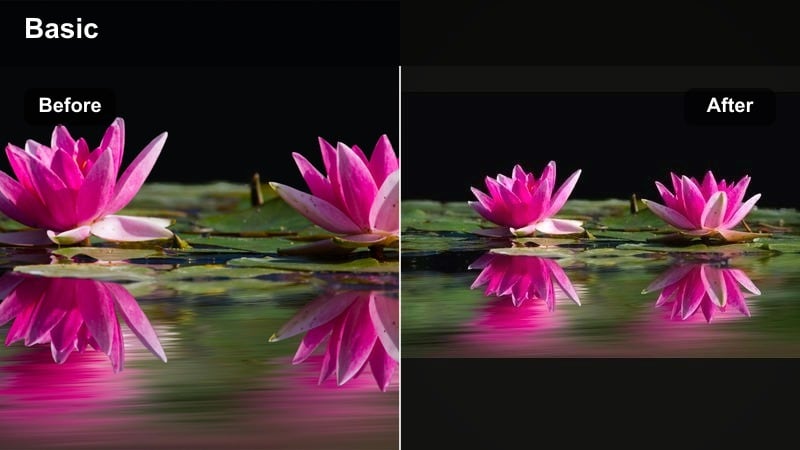
- Effect look: Soft dark tones with a light film-style grain overlay, decreased saturation, and subtle warm midtones for a timeless feel.
- Best for: Compilation edits, first-month highlight reels, and emotional recap videos shared with family and friends.
- Editing tip: Apply the filter at a moderate strength, then slightly fade audio between clips to keep the nostalgic, continuous feeling of a memory reel.
Gentle Grain Memory adds a fine film-style texture and warm, faded color that makes your newborn footage feel archival and timeless. It is ideal for highlight reels and recap edits that you want to revisit years later without feeling dated.
In Filmora, use this filter across a compilation of your favorite clips, then smooth transitions with audio crossfades and simple title cards. The soft grain gives life to darker areas and prevents moody shadows from feeling flat, while the reduced saturation keeps attention on light and emotion.
Pro tip: Match grain intensity to output platform
For social media, keep the grain subtle so compression does not turn it into harsh noise; for larger screens, a bit more grain can feel cinematic.
Combine the filter with a simple title card at the beginning and end to frame the entire edit as a keepsake film.
Tips for Using Baby Moody Tone Filters in Filmora
- Shoot with one main light source, like a window or lamp, so your moody filters have clear shadows and highlights to work with.
- Avoid loud, saturated colors in outfits and blankets when recording if you know you want soft dark nursery tones in the final edit.
- Keep camera movements slow and gentle; moody baby filters look best when clips feel calm and unhurried.
- Use a slightly slower frame rate or gentle slow motion for emotional newborn video effects that highlight tiny movements.
- Apply filters to all clips first, then fine-tune exposure and contrast so the whole sequence feels visually consistent.
- Check skin tones last and adjust warmth carefully so baby never looks too cold or too orange under moody lighting.
Moody baby video filters give storytelling creators and portrait editors a powerful way to turn simple newborn footage into intimate, emotional scenes with soft dark nursery tones.
Experiment with a few of these looks inside Filmora, then save your favorite combination as a custom preset so every quiet bedtime clip and emotional newborn edit carries the same cinematic mood.
secure downloadNext: Explore Warm Baby Video Filters for Cozy Daytime Moments
