

 100% Security Verified | No Subscription Required | No Malware


 ChatGPT
 Perplexity
 Gemini
 Claude
 Grok
Grok
These moody daily vlog filters are designed for creators who prefer shadows over sunshine, quiet streets over neon skylines, and soft, cinematic tones over loud, saturated colors. With the right filter stack in Filmora, your everyday clips can feel like still frames from an art-house film.
Below you will find 12 curated Filmora filter styles organized by vibe and shooting scenario, tailored for moody content creators and artistic vloggers who film daily vlogs and dark aesthetic content. Each entry includes its effect look, best use cases, and a quick editing tip to lock in a consistent dark, dramatic daily video look.
In this article
Soft Shadow Vibes for Everyday Routines
Dim Morning Routine
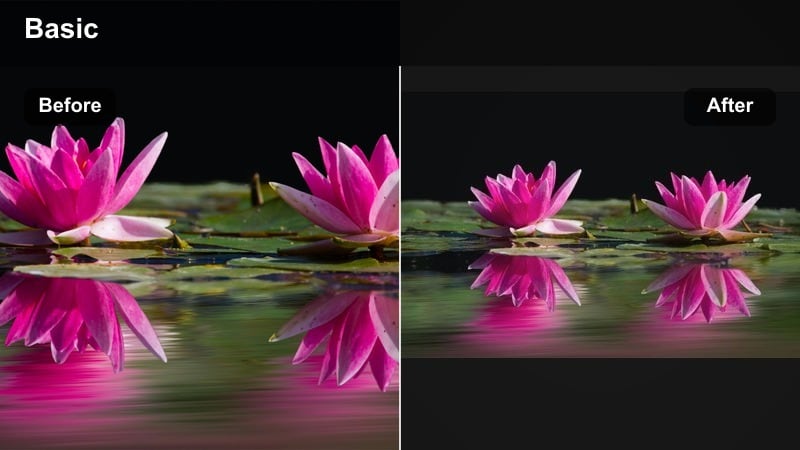
- Effect look: Soft low-contrast filter that gently fades highlights and deepens shadows for a sleepy, slow-morning mood.
- Best for: Daily vlogs filmed in bedrooms, kitchens, and quiet corners right after waking up or during early coffee rituals.
- Editing tip: Lower saturation slightly and add a small warm tint to skin tones while keeping backgrounds cooler for a cinematic separation.
Dim Morning Routine is perfect for turning those first shaky, half-awake clips into something that feels intentional and cinematic. By softening highlights and subtly deepening shadows, this look gives your footage the impression of a slow, low-energy start to the day without making it feel too dark or unwatchable.
In Filmora, you can recreate this mood by lowering contrast a touch, lifting blacks slightly, and gently reducing saturation. Use color wheels or HSL to warm up skin tones while cooling backgrounds, so your face or hands stand out against the room. This is an ideal base filter to apply on an adjustment layer over all your morning shots so your opening sequence feels cohesive.
Dial in a Consistent Moody Palette with AI Tools
Filmora’s color tools help you keep your moody daily vlog filters consistent across clips, even when you shoot under mixed lighting. Use scopes and color wheels to keep shadows cool, midtones controlled, and highlights from blowing out.
Once you refine a look you love, save it as a preset or combine it with Filmora’s AI-assisted color matching so that new footage automatically inherits your established mood and tone.
 secure download

Preview Moody Filters on Real Daily Vlog Footage
Before committing to a full grade, apply these filters to a small mix of clips, like your morning routine, commute, and night scenes. This helps you see how each style holds up across very different lighting situations.
Toggle the filters on and off to compare how much mood they add, then adjust intensity to keep your video dramatic but still natural and watchable.
secure downloadCombine Filters and LUTs for Dark, Dramatic Looks
For maximum impact, pair these moody daily vlog filters with subtle LUTs that shape overall color while the filter adds finishing touches like contrast, grain, or vignettes.
Keep LUT strength moderate and let the filter do the final balancing so your footage stays cinematic without crushing detail or skin tones.
secure downloadOvercast Window Glow
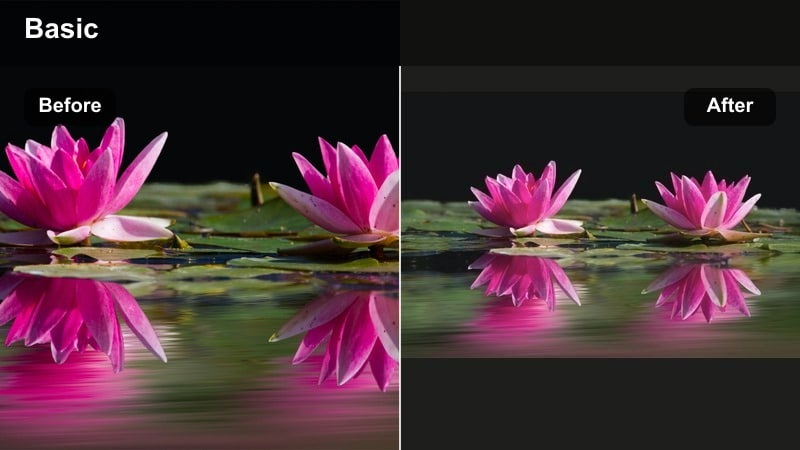
- Effect look: Muted, hazy filter that softens whites and lifts blacks for that cloudy-day, fogged-window aesthetic.
- Best for: Shooting by windows, working-from-home b-roll, journaling scenes, or rainy-day apartment footage.
- Editing tip: Add a subtle vignette and reduce clarity slightly to enhance the dreamy, out-of-focus edges while keeping your subject visible.
Overcast Window Glow is ideal when your main light source is a cloudy window and you want to lean into that soft, diffused atmosphere. The filter mutes bright whites and gently lifts dark areas, giving your footage a relaxed, dreamy feel that works well for reflective or cozy scenes.
Inside Filmora, experiment with lowering contrast, dropping overall saturation, and adding a slight blur or clarity reduction to the background. A subtle vignette centers attention on your subject near the window, while HSL controls help prevent any colors from popping too brightly and breaking the moody vibe.
Subtle Apartment Gloom
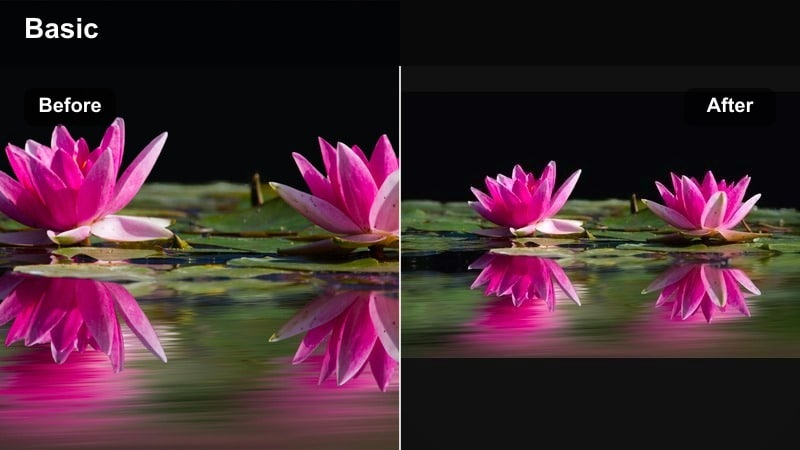
- Effect look: Low-saturation, soft-contrast filter that darkens corners while keeping midtones gentle for a quiet, enclosed mood.
- Best for: Indoor daily vlogs, cleaning montages, late-afternoon living room shots, and cozy solo scenes.
- Editing tip: Drop saturation more on greens and yellows to avoid cluttered colors and keep your frame feeling clean and cinematic.
Subtle Apartment Gloom is built for small rooms and narrow spaces where you want to feel enclosed and introspective instead of bright and airy. By darkening corners and softening overall contrast, it creates a calm, cinematic enclosure that makes even simple chores feel like part of a quiet story.
To build this look in Filmora, lower saturation globally but especially in greens and yellows using HSL, so background objects and decor do not distract. Add a gentle vignette and adjust curves to keep midtones soft while allowing edges of the frame to dip into shadow. This is a great filter to apply across long indoor sequences to maintain a stable, moody tone.
Dark City Walks and Night Vlog Filters
Noir Street Walk
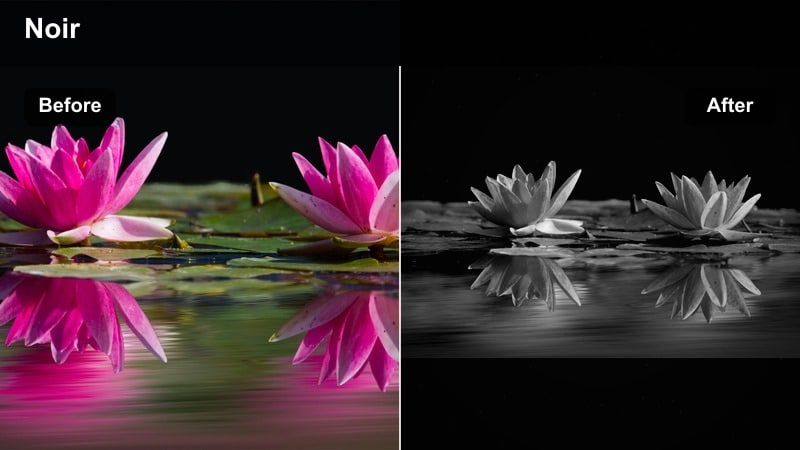
- Effect look: High-contrast, deep-shadow filter that pulls highlights from streetlights while crushing blacks for a modern noir feel.
- Best for: Night walks, alleyway b-roll, city exploration, and moody transitions between locations.
- Editing tip: Stabilize your footage and slightly slow it down so the harsh light pockets feel intentional and cinematic, not chaotic.
Noir Street Walk is designed to turn ordinary night streets into bold, graphic visuals where pools of light cut through deep shadows. It works especially well with strong point light sources like street lamps, headlights, or illuminated signs, giving your vlog a modern noir atmosphere.
In Filmora, increase contrast and deepen blacks using curves while preserving highlights around streetlights and reflective surfaces. Consider adding light film grain and a touch of desaturation so the scene feels gritty rather than overly digital. Slowing down clips slightly and applying stabilization will make light transitions feel deliberate and cinematic.
Neon Muted Nights
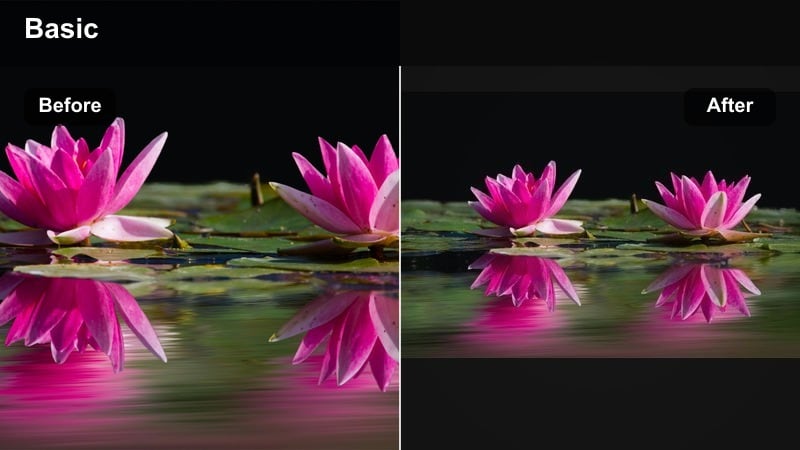
- Effect look: A dark vlog filter that tones down harsh neons while keeping subtle color pops for a stylized yet moody city look.
- Best for: Street signs, storefronts, car lights, and handheld b-roll in busy evening scenes.
- Editing tip: Target blues and magentas for saturation and hue shifts so neons look cohesive instead of chaotic and mismatched.
Neon Muted Nights is perfect when you are surrounded by signage and glowing advertisements but do not want your frame to explode with random color. The filter keeps the neon energy alive while smoothing and controlling the palette for a more cinematic, story-driven feel.
Use Filmora’s HSL panel to selectively reduce saturation on blues, magentas, and cyans, and gently shift hues so similar lights share the same color family. Add a little contrast and a slight vignette so the brightest neons guide the eye. This style works beautifully for handheld b-roll, walking sequences, and cutaway shots that establish the city at night.
Lonely Bus Ride
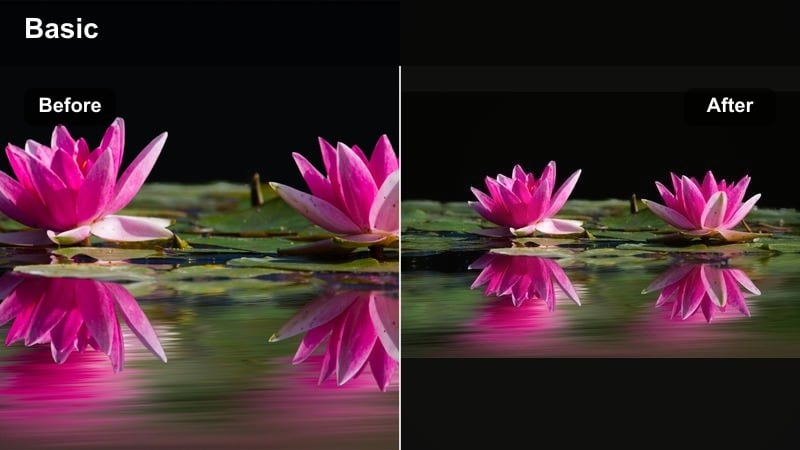
- Effect look: Moody daily vlog filter that adds cool shadows, soft film-like grain, and gentle highlight bloom from windows and streetlights.
- Best for: Public transport clips, reflective monologues, long rides, and transition shots between scenes.
- Editing tip: Keep your camera still or pan very slowly and let moving lights and reflections carry the visual interest.
Lonely Bus Ride turns everyday commutes into quiet, reflective moments that feel like emotional bridges between scenes. Cool shadows, softened highlights, and light grain combine to emphasize the hum of the city outside while you remain in your own headspace inside the vehicle.
Within Filmora, push the color temperature slightly cooler in shadows, add a gentle bloom or glow to highlights, and layer in film grain for a textured, analog vibe. Keep cuts longer and avoid rapid camera moves, letting passing lights, reflections, and interior details create motion while you stay mostly still in the frame.
Cozy Yet Melancholic Indoor Filters
Candlelit Evening Desk
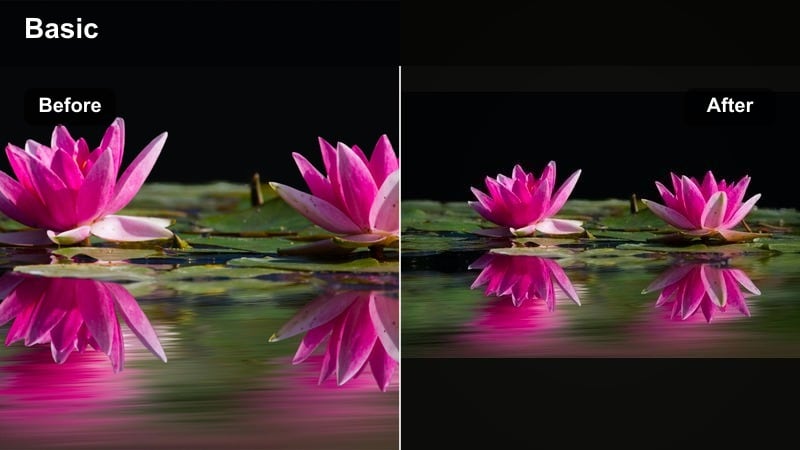
- Effect look: Warm highlights with deep, cool shadows that mimic candlelight or a single desk lamp in a dark room.
- Best for: Late-night studying, editing sessions, reading clips, and journaling over warm light sources.
- Editing tip: Boost warmth only in the highlights and midtones while letting shadows remain neutral or slightly cool for contrast.
Candlelit Evening Desk is ideal for intimate night scenes where a single lamp or candle becomes the emotional center of the shot. It enhances the glow around your workspace while keeping the surrounding room dark and quietly dramatic.
In Filmora, increase warmth in the midtones and highlights using color wheels, making sure shadows stay cool or neutral to accentuate the contrast between light and dark. A subtle vignette can reinforce the sense that everything important is happening within a small pool of light, while mild noise reduction keeps the scene clean despite low-light shooting.
Rainy Window Study
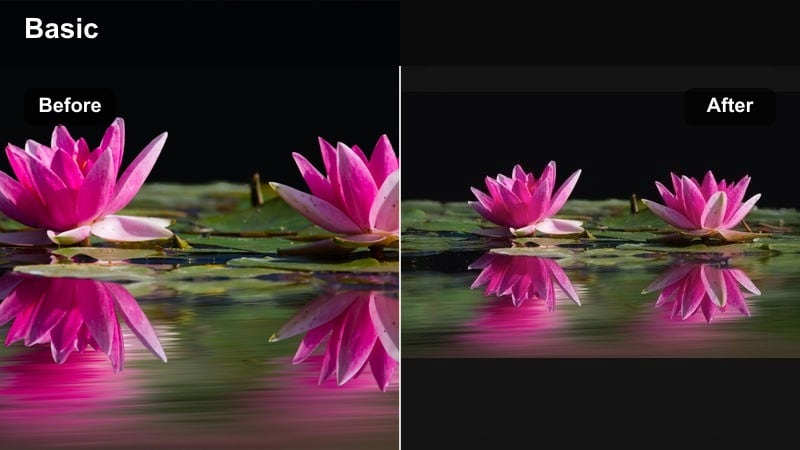
- Effect look: Desaturated, cool-toned filter with lifted blacks and soft clarity for a quiet, rainy-day melancholy.
- Best for: Study vlogs, laptop work, reading by the window, and rainy-day b-roll with droplets on glass.
- Editing tip: Dial back saturation on blues and greens, and consider adding a subtle blur mask around windows to emphasize raindrops.
Rainy Window Study captures the mood of long, slow afternoons indoors while the weather shifts outside. The lifted blacks and low clarity create a soft, hazy atmosphere that feels introspective and slightly nostalgic.
To create this look in Filmora, cool down the overall white balance, reduce saturation, and lightly lift the shadow curve so blacks appear softer. Use selective blur or a mask effect near windows to keep raindrops and condensation slightly more defined than the background, making them a key storytelling element in your shots.
Quiet Kitchen Evening
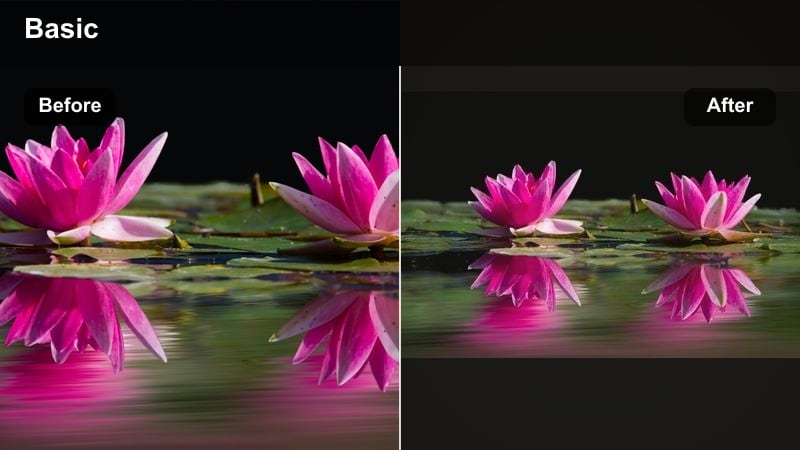
- Effect look: Low-contrast filter with warm midtones and slightly faded colors that make late meals and dishwashing feel cinematic.
- Best for: Cooking vlogs, washing dishes, making tea, or filming small evening rituals in the kitchen.
- Editing tip: Reduce saturation just enough to avoid harsh food colors while adding a mild vignette to keep focus near the countertop.
Quiet Kitchen Evening is meant to close out your day with simple, grounded actions: making tea, cleaning up, or preparing a late meal. The filter softens harsh overhead lighting and warms midtones so the kitchen feels lived-in and cinematic rather than clinical.
Inside Filmora, slightly lift blacks, lower contrast, and warm midtones while muting saturation to keep bright food colors from overpowering the frame. Add a gentle vignette around the edges so attention naturally falls on the counter, stove, or sink where the action is happening, creating a calm wrap-up to your vlog.
Cinematic Story Filters for Daily Narratives
Everyday Cinema Grade
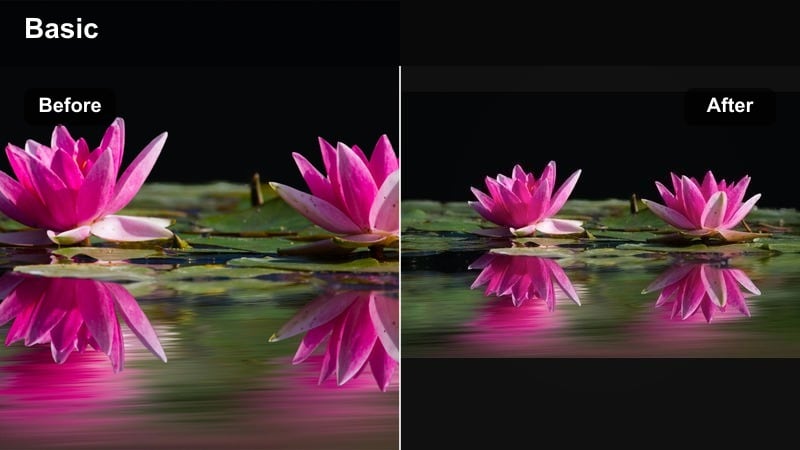
- Effect look: Balanced moody LUT-style filter with soft contrast, cool shadows, and neutral skin tones for a polished cinematic daily look.
- Best for: Entire daily vlogs where you want a consistent dramatic daily video look from first frame to last.
- Editing tip: Apply this filter to an adjustment layer and tune intensity once so every clip inherits the same overall atmosphere.
Everyday Cinema Grade is a versatile base look that can carry a whole vlog, tying together clips from morning to night with consistent moody tonality. Cool shadows and neutral skin tones create a professional, film-inspired feel without looking overly stylized.
In Filmora, build this grade by slightly cooling the shadows, keeping midtones neutral, and giving highlights a soft roll-off using curves. Apply the look on an adjustment layer across your entire timeline, then tweak exposure on individual clips beneath it. This workflow keeps your visual identity consistent while allowing fine-tuning for tricky lighting situations.
Introspective Walk Home
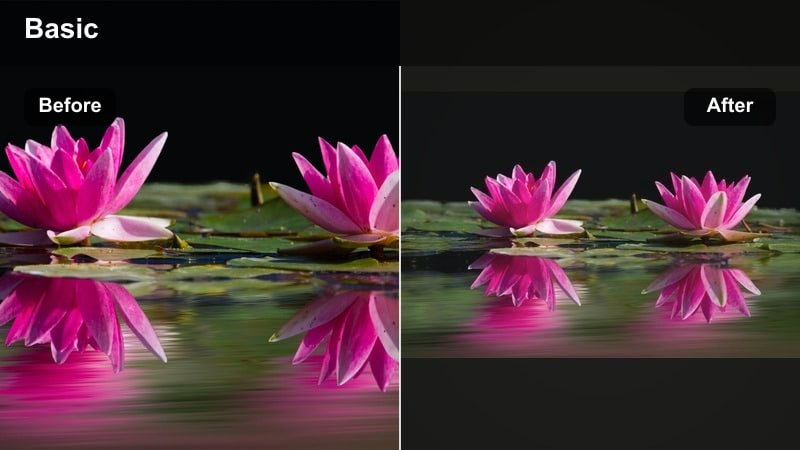
- Effect look: Soft, low-saturation filter with slightly lifted blacks and a gentle fade that feels like a memory.
- Best for: Talking walks, reflective voiceovers, walking home from work or school, and outro sequences.
- Editing tip: Lower contrast a bit more during emotional voiceovers so the visuals do not compete with what you are saying.
Introspective Walk Home is designed for reflective transitions and outros, when you are moving through familiar streets and thinking out loud. The lifted blacks and faded colors give these shots a memory-like softness, perfect for pairing with gentle music or narration.
To achieve this look in Filmora, reduce contrast, slightly lift the shadow curve, and pull back saturation until the scene feels calm and understated. Avoid aggressive sharpening and motion effects; instead, keep shots simple, with slow camera moves or static compositions that let your words and the grade carry the emotional weight.
Closing Night Montage
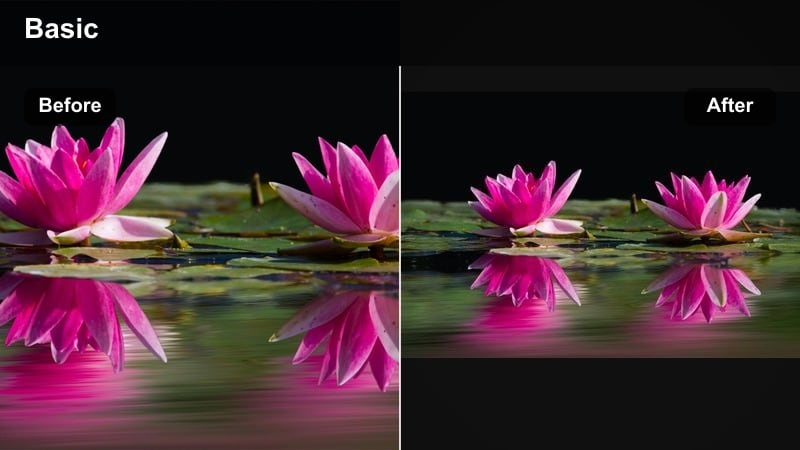
- Effect look: Dark, dramatic LUT-like filter with strong shadows, slight film grain, and muted colors for emotional endings.
- Best for: End-of-day recap montages, closing b-roll sequences, and reflective end cards or quotes.
- Editing tip: Stack a subtle grain effect and a slow, cross-dissolve transition between shots to create a drifting, dreamlike outro.
Closing Night Montage is built to finish your vlog with a strong, cinematic impression. Deep shadows, muted hues, and a touch of grain combine to give your final shots the feeling of film end credits or a reflective epilogue.
In Filmora, darken shadows using curves, mute saturation across the board, and add film grain at a low intensity. Use slow cross-dissolves between shots and hold each clip a bit longer than usual, allowing the viewer to absorb details. This filter works especially well on short sequences mixing city lights, interiors, and close-up details from earlier in the day.
Tips for Using Daily Vlog Moody Filters in Filmora
- Shoot slightly underexposed to preserve highlight detail, then let your moody filter deepen shadows in post instead of crushing your footage in-camera.
- Lock white balance while filming so your colors remain stable and your filters and LUTs behave predictably across the entire vlog.
- Use adjustment layers in Filmora to apply one filter across multiple clips, then fine-tune only the outliers shot in extreme lighting.
- Keep saturation lower than usual when aiming for a dark aesthetic, but selectively protect skin tones so people still look natural.
- Build a simple three-step workflow: basic exposure fix, apply moody filter, then add local adjustments to faces and key objects.
- Avoid over-sharpening; moody vlogs often look better with soft textures, gentle grain, and slightly reduced clarity.
- Plan a few recurring locations or props that always appear under the same filter to reinforce your visual identity.
- Create separate presets for day, dusk, and night while keeping the core color direction similar to maintain continuity.
Moody daily vlog filters are less about turning your life into a dark movie and more about revealing the quiet, cinematic moments that already exist in your everyday routine. With the right mix of shadows, muted tones, and intentional pacing, ordinary days can feel like carefully crafted scenes from your personal film.
Experiment with these twelve Filmora filter ideas, tweak them to match your own style, and save your favorites as presets so every new vlog can inherit the same dark, dramatic everyday tones with minimal effort.
secure downloadNext: Warm Influencer Video Filters for Cozy Everyday Stories
