

 100% Security Verified | No Subscription Required | No Malware


 ChatGPT
 Perplexity
 Gemini
 Claude
 Grok
Grok
Moody Frame Black is the color of shadowed cinemas, late night timelines, and frames where every highlight feels intentional. It leans into deep, near black tones that do not feel flat; instead, they create space for contrast, emotion, and story. In video and design, this shade instantly says cinematic, serious, and premium, whether you are grading a short film, building a YouTube channel identity, or designing a striking thumbnail.
Used well, Moody Frame Black becomes the backdrop that lets skin tones, titles, and accent colors glow. It is perfect for intros, lower thirds, overlays, and YouTube thumbnails where you want high impact without loud saturation. Below you will find ready to use Moody Frame Black color palettes with HEX codes for editors, designers, and Filmora users who want consistent, on brand visuals across thumbnails, titles, vlogs, and cinematic edits.
In this article
Cinematic Moody Frame Black Color Palettes
Midnight Director Cut
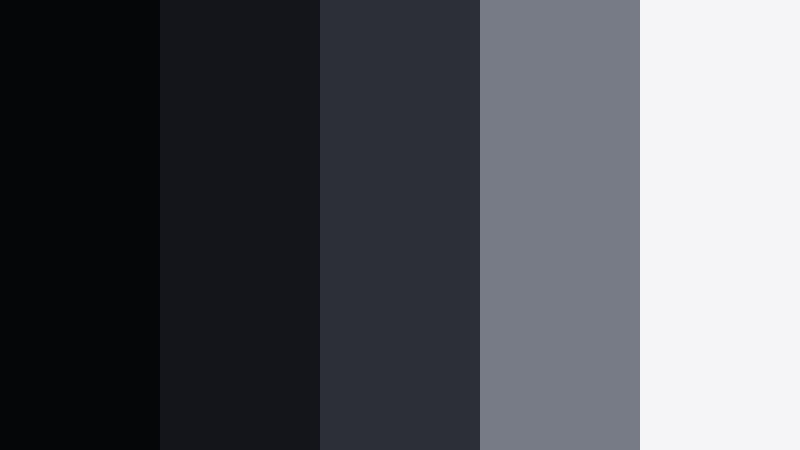
- HEX Codes: #050608, #14151a, #2c2f38, #777b86, #f5f5f7
- Mood: Brooding, cinematic, and intensely focused, like a late night edit session.
- Use for: Best for dramatic film trailers, storytime thumbnails, and high-contrast title cards.
Midnight Director Cut layers deep charcoal blacks with smoky grays and a soft off white highlight. It feels like sitting in a dark edit suite, where the only glow is from the timeline and your titles on screen. The blacks stay rich without crushing detail, while the lighter tones keep faces and text legible.
Use this palette when you want your video thumbnails, cold opens, and title cards to feel like a serious movie trailer. In Filmora, pair the darkest tones with background plates, use the mid grays for UI frames or lower thirds, and reserve the lightest HEX for typography and logo marks. It works especially well for commentary channels, film breakdowns, and emotional storytelling vlogs where you want the viewer locked into the narrative.
Pro Tip: Build a Cinematic Moody Frame Black Look in Filmora
To keep a Midnight Director Cut style consistent across an entire project, set up a simple visual system in Filmora. Use the darkest HEX shade for background solids on intros and end screens, then apply the mid grays to shapes, overlays, and frames around your footage. The lightest tone becomes your default color for titles, subtitles, and key callouts, so every screen still reads clearly even in a very dark layout.
Save these color choices as custom presets in titles and elements so your vlogs, trailers, storytime videos, and social cutdowns all share the same Moody Frame Black signature. Once you have one sequence dialed in, you can quickly reuse those assets to keep your entire channel looking unified and cinematic.
AI Color Palette
If you have a reference still you love, such as a frame from your favorite movie with rich Moody Frame Black shadows, you can turn it into a reusable grade. Filmora's AI Color Palette feature lets you sample the look from that image and apply similar tones across all your clips.
Import your reference, open AI Color Palette, and let Filmora analyze the colors. In a few clicks, your A roll, B roll, and thumbnail background plates can all share the same midnight atmosphere. This keeps your trailer, main video, and social teasers visually connected without having to tweak every shot manually.
 secure download

HSL, Color Wheels & Curves
Once you have the overall palette applied, refine the Moody Frame Black look using Filmora's HSL sliders, color wheels, and curves. Slightly lift shadows to keep detail in dark clothing and hair, then lower highlights so your off white titles do not blow out. Use the midtone color wheel to keep skin tones natural while the background falls into cooler blacks.
For a more advanced cinematic style, create a gentle S curve in the RGB curves panel to deepen contrast without losing subtle gradients. You can follow along with Filmora's YouTube tutorials on using color wheels and curves for cinematic grading, then save your favorite grades as presets for future projects.
secure download1000+ Video Filters & 3D LUTs
To speed up your Moody Frame Black workflow, mix this palette with Filmora's built in filters and LUTs. Start with a cinematic LUT to establish contrast and color bias, then adjust your hex based backgrounds and titles to match the new look. This lets you get an advanced grade without building everything from scratch each time.
Filmora's video filters and 3D LUTs make it easy to try different moods on the same palette, from slightly washed indie looks to punchy, high contrast trailers. Once you find a combo you like, you can reuse it for future episodes, building a recognizable visual identity around Moody Frame Black.
secure downloadLens Flare Noir

- HEX Codes: #060607, #1a1c22, #343846, #e0a54f, #f7f2e8
- Mood: Urban noir with a warm spotlight cutting through the dark.
- Use for: Ideal for film analysis channels, city b-roll sequences, and stylized talking head setups.
Lens Flare Noir combines cool, inky blues with a bold amber accent that feels like a streetlight or lens flare over a dark city. The blacks and slate blues keep things moody, while the warm gold instantly draws the eye wherever you place it.
Use the amber HEX for key titles, subscribe buttons, or callout frames in your thumbnails and lower thirds. The darker shades can fill backgrounds on intros or commentary segments, especially when you are breaking down movies, TV, or urban visuals. In Filmora, try using the amber as an accent color on motion graphics so your viewer always knows where to look first.
Backstage Shadow Glow
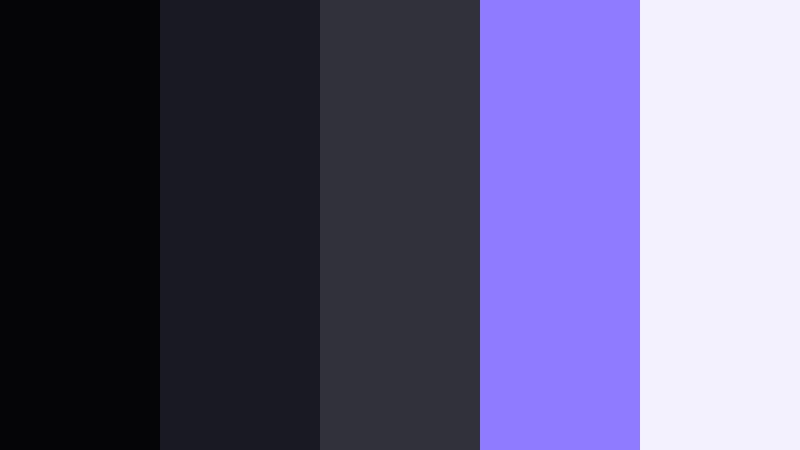
- HEX Codes: #050507, #191921, #30313b, #8f7bff, #f4f1ff
- Mood: The quiet tension of backstage moments lit by soft violet neons.
- Use for: Use for concert vlogs, performance teasers, and music video lyric animations.
Backstage Shadow Glow leans into deep blacks and soft purplish blues, cut by an electric violet highlight. It feels like standing behind the curtain with stage lights bleeding through, intimate and a little electric at the same time.
This palette is strong for music content, dance videos, and concert recaps. Use the violet HEX for animated lyrics, waveform graphics, or neon style titles in Filmora. The off white and mid grays keep text readable, while the darkest tones are perfect for background plates behind your performance footage or reaction shots.
Projector Room Grain
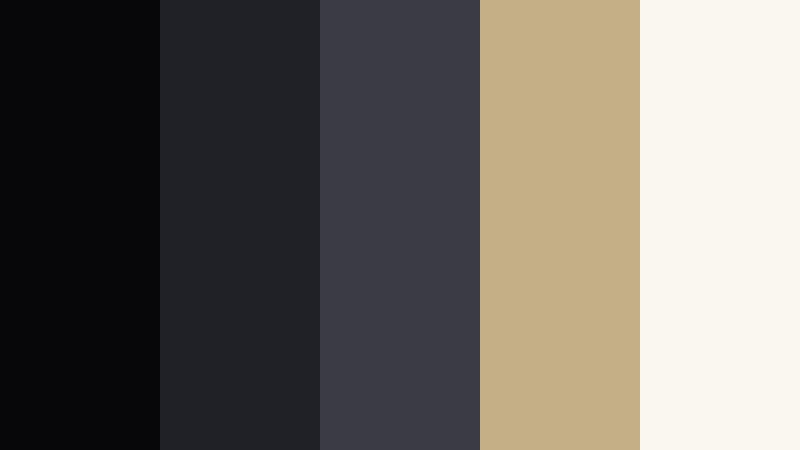
- HEX Codes: #070709, #202027, #3a3b45, #c3b086, #faf7ee
- Mood: Vintage cinema room, textured and nostalgic without feeling old-fashioned.
- Use for: Great for essay videos, indie film intros, and retro styled edits with subtle grain overlays.
Projector Room Grain mixes dark charcoal with muted beige highlights, giving a soft, analog cinema feeling. The palette feels nostalgic but not old, like watching an art film in a small theater with a gentle projector hum.
Use the beige and off white for titles, captions, or chapter markers over darker footage in Filmora. Add a light grain overlay and maybe a tiny bit of vignette to push the retro mood. This works beautifully for video essays, documentary intros, or any project where you want reflective, film school energy.
Studio Spotlight Fade

- HEX Codes: #050506, #181921, #32333f, #ffdd9a, #ffffff
- Mood: Clean yet dramatic, like a single key light in a dark studio.
- Use for: Perfect for product shots, tutorial videos, and creator branding where clarity matters.
Studio Spotlight Fade pairs dense blacks and cool charcoals with a soft golden highlight and clean white. It feels like a studio shoot with one perfect light illuminating the subject against a dark background.
The warm gold HEX is ideal for accent lines under your logo, buttons in end screens, or subtle highlights around products. Use the pure white for crisp typography and the darkest shades for backdrops in your tutorials or review videos. In Filmora, you can quickly build a branded pack of titles and lower thirds using this palette so every video looks consistent and premium.
Modern Minimal Moody Frame Black Color Palettes
Graphite Interface Clean
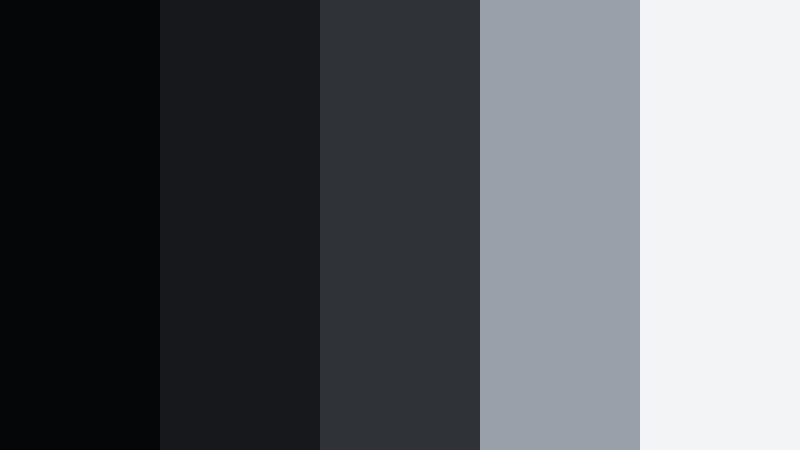
- HEX Codes: #050607, #17181b, #2f3237, #9aa0aa, #f3f4f6
- Mood: Sleek, minimal, and quietly confident like a pro editing timeline.
- Use for: Use for app UI mockups, channel branding, lower thirds, and minimalist motion graphics.
Graphite Interface Clean is all about layered grays and a grounded black base. It feels like a modern software interface: neutral, professional, and built for long editing or viewing sessions without visual fatigue.
This palette is excellent for tech channels, tutorials, and UI walkthroughs. Use the darker shades as safe backgrounds for screencasts and overlays, while the light gray and off white support clear text and icons. In Filmora, apply these HEX codes to simple shapes and line animations to create minimal lower thirds and info panels that never distract from the content.
Monolith Title Card
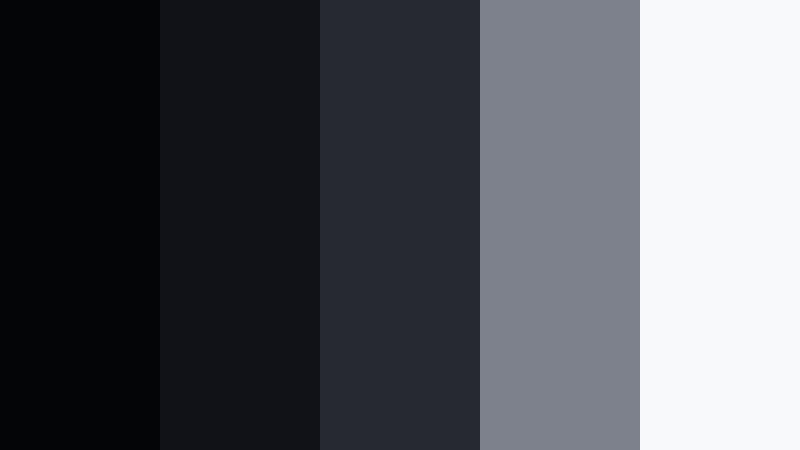
- HEX Codes: #040506, #111217, #262832, #7c818c, #f8f9fb
- Mood: Bold and monolithic, focused on typography and structure.
- Use for: Ideal for title cards, chapter markers, and cinematic video essays with strong type.
Monolith Title Card builds a rigid stack of cool, dark neutrals that feel architectural. The contrast between the nearly black background and the crisp off white makes it perfect for type heavy layouts.
Use this palette for bold opening titles, section headers, and credit rolls in your Filmora projects. The mid gray can outline text blocks or separate chapters, while the deepest shades form a solid base for intro screens and end cards. If your channel relies on smart commentary or structured essays, this palette reinforces that serious, thoughtful tone.
Neon Cursor Pulse

- HEX Codes: #040508, #181923, #26283b, #00ffc6, #f4f7ff
- Mood: Futuristic and energetic, like coding in the dark with neon accents.
- Use for: Best for tech explainers, streaming overlays, and gaming intros.
Neon Cursor Pulse is built around cold blues and blacks, slashed by a vivid teal neon. It feels like a dark desktop with glowing UI elements or a cyberpunk HUD.
Use the teal HEX for subscribe buttons, notifications, and stinger animations in your Filmora projects. The soft off white works well for body text, while the bluish blacks serve as a non distracting background for gameplay, coding tutorials, or tech explainers. This palette makes overlays and alerts feel modern and high energy without resorting to loud primary colors.
Subway Poster Matte
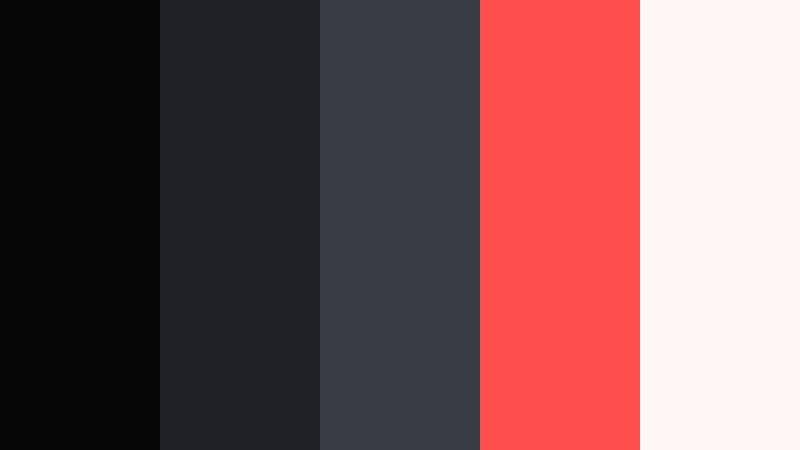
- HEX Codes: #060607, #202126, #3a3c43, #ff4e4e, #fff8f6
- Mood: Urban editorial with a punch of confident red.
- Use for: Great for announcement posts, premiere teasers, and bold thumbnail text blocks.
Subway Poster Matte contrasts soft matte blacks and grays with a loud, editorial red. It feels like a fashion or movie poster pasted on a subway wall: minimal but attention grabbing.
In Filmora, make the deep blacks your background, keep the off white for headline text, and reserve the red for key announcements like new episode, live now, or premiere. This palette shines in thumbnails, reels covers, and YouTube community posts where you want a clear, strong message that still feels designed and intentional.
Soft Studio Charcoal

- HEX Codes: #070708, #1e1f24, #34363e, #b9bec8, #ffffff
- Mood: Calm and professional with a soft studio glow.
- Use for: Perfect for educational channels, UI walkthroughs, and portfolio reels.
Soft Studio Charcoal uses gentle charcoals and cool highlights to create a balanced, low stress visual field. It feels like a well lit studio with soft boxes instead of harsh spotlights.
This palette is ideal for long form content such as tutorials, online courses, and portfolio showcases. Use the darkest tones for subtle backgrounds, the mid grays for panels and callout boxes, and the light gray or white for clean text in Filmora titles. The neutral aesthetic reassures viewers and keeps attention on your teaching or work, not on loud colors.
Dramatic Moody Frame Black Accent Palettes
Crimson Premiere Night
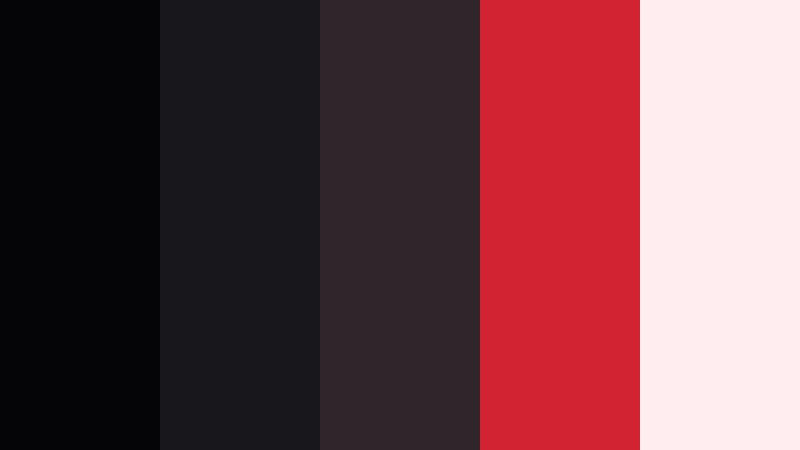
- HEX Codes: #050507, #18171b, #2e262a, #d02432, #ffedf0
- Mood: High drama and red carpet tension with a luxe edge.
- Use for: Use for premiere announcements, reaction videos, and bold commentary thumbnails.
Crimson Premiere Night layers dark, velvety blacks and wine toned shadows with a striking red accent. It instantly evokes red carpets, award shows, and high stakes drama.
Use the crimson HEX sparingly to highlight key words, rating stars, or emotional reactions in your thumbnails and overlays. The lighter pinkish off white softens the palette enough for readable text. In Filmora, try using red as a swipe transition color, stinger accent, or animated underlines when you want to signal hot takes, big reveals, or trending topics.
Emerald Backlot Mist

- HEX Codes: #050707, #171d1b, #263531, #19b47c, #e9fbf5
- Mood: Mysterious and fresh, like fog rolling across a backlot forest set.
- Use for: Perfect for travel vlogs, nature b-roll, and cinematic documentary moments.
Emerald Backlot Mist blends moody forest greens with a clean mint highlight. It feels grounded and atmospheric, as if your scene is lit by a soft, misty dusk.
Pair this palette with outdoor footage, travel diaries, and nature B roll. Use the emerald accent for map pins, location labels, or lower third titles in Filmora, while the soft mint supports legible text over darker landscapes. It is a great way to make your outdoor shots feel cinematic instead of raw and ungraded.
Amber Script Spotlight
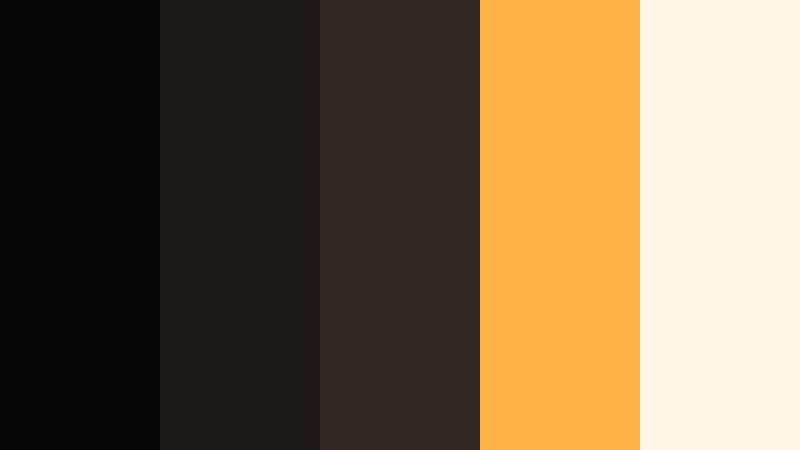
- HEX Codes: #060606, #1c1916, #302821, #ffb347, #fff6e8
- Mood: Warm spotlight on handwritten notes, cozy yet theatrical.
- Use for: Great for storytelling videos, journaling reels, and cinematic title sequences.
Amber Script Spotlight contrasts near black browns with warm amber and creamy highlights. It feels like a desk lit by a single lamp, with notes, scripts, or journals on the table.
This palette works wonderfully for storytelling content, productivity vlogs, or cozy desk setups. Use the amber HEX for handwritten style fonts or underline animations in Filmora titles. The dark browns make excellent backgrounds for paper textures, while the off white can mimic notebook pages behind your on screen text.
Indigo Soundstage Haze

- HEX Codes: #050609, #17192a, #252b45, #5d7cff, #eef2ff
- Mood: Electric and atmospheric, like a live session on a dim soundstage.
- Use for: Best for music sessions, podcast branding, and live performance thumbnails.
Indigo Soundstage Haze brings together deep indigos and a sharp electric blue accent, giving a moody, audio first atmosphere. It captures the feeling of a dim soundstage lit with cool backlights.
Use the bright blue HEX for waveform graphics, EQ animations, or subscribe buttons tied to audio content. The lighter off white keeps episode titles and guest names readable, while the darker blues can frame performance clips or podcast shots. In Filmora, this palette can anchor your entire audio brand, from intro stings to full length video podcasts.
Soft Atmospheric Moody Frame Black Color Palettes
Fogged Cinema Balcony
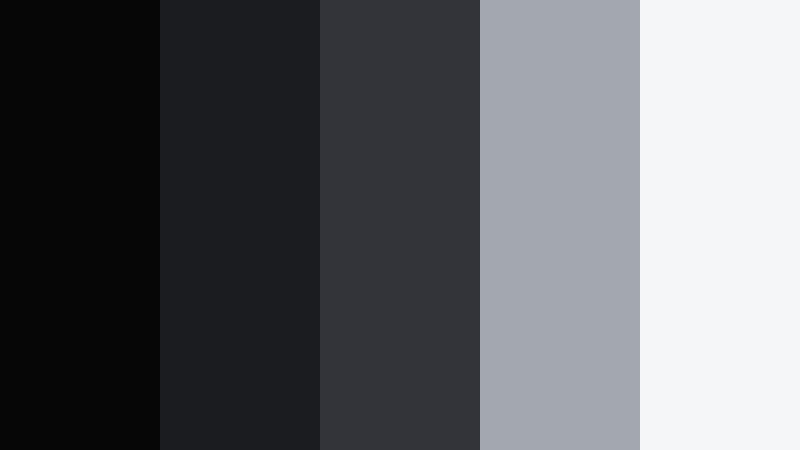
- HEX Codes: #060607, #1b1c20, #32343a, #a2a7b0, #f5f6f8
- Mood: Softly distant and atmospheric, like watching from the back row in gentle haze.
- Use for: Use for quiet vlogs, slow travel edits, and ambient b-roll sequences.
Fogged Cinema Balcony softens harsh blacks with muted grays and a pale, hazy highlight. The palette suggests distance and calm, like looking at the screen through a slight mist from the back row.
Use this set of colors for lofi vlogs, slow travel montages, and ambient B roll compilations. In Filmora, the mid grays can become overlays or gradient maps that lift your shadows slightly, while the lightest tones handle simple, understated text. This is a great option when you want Moody Frame Black energy but with a gentler, more contemplative edge.
Tips for Creating Moody Frame Black Color Palettes
Moody Frame Black works best when it is balanced with contrast, clear typography, and a few carefully chosen accent colors. Here are practical tips to keep your video and design work cinematic and readable.
- Always pair deep blacks or charcoals with at least one light neutral (off white or soft gray) to keep titles and UI elements readable on all screens.
- Limit yourself to one or two accent colors per palette (like teal, crimson, or amber) so your Moody Frame Black base still feels cohesive and premium.
- Check your thumbnails at small sizes; if the main text disappears against the dark, brighten the text color or add a subtle stroke or shadow in Filmora.
- Match your color palette to your content type: cooler blacks and blues for tech and night city footage, warmer blacks and ambers for storytelling and cozy desk scenes.
- Use gradients between two neighboring dark HEX codes instead of flat black fills to avoid banding and to give your backgrounds a cinematic, layered feel.
- Keep skin tones natural; even in moody grades, use HSL and color wheels in Filmora to protect oranges and reds so your subjects do not look gray or overdesaturated.
- Create a simple style guide for your channel: define which HEX is for headings, which is for body text, and which is for buttons or highlights, and reuse that consistently.
- Test your palette in both light and dark environments by previewing on different devices to ensure contrast and readability hold up in bright daylight and in dark rooms.
Moody Frame Black palettes can completely reshape how your channel or brand feels. With the right mix of deep blacks, controlled highlights, and a few cinematic accents, your thumbnails, intros, and end screens can look like frames from a film instead of random screenshots.
Try these HEX combinations in Filmora for your next vlog, trailer, tutorial, or podcast upload. Build a few reusable presets for titles, overlays, and color grades so every project starts already looking polished and on brand.
The more consistently you use your Moody Frame Black palette across videos, shorts, and social clips, the faster viewers will recognize your work at a glance. Filmora gives you the tools to lock in that style and keep it looking sharp from first cut to final export.
secure download