

 100% Security Verified | No Subscription Required | No Malware


 ChatGPT
 Perplexity
 Gemini
 Claude
 Grok
Grok
Moody portrait video filters are perfect when you want your subject’s emotions to feel heavier, deeper, and more cinematic. With the right mix of dark tones, focused highlights, and subtle color shifts, you can turn simple portrait clips into powerful visual stories.
Whether you are crafting late night portraits or intense emotional edits, these moody portrait video filters, dark portrait looks, and deep contrast video styles will help you sculpt faces with light and shadow while keeping attention locked on your subject.
In this article
Deep Shadow Moody Portrait Filters
Ink Black Shadows
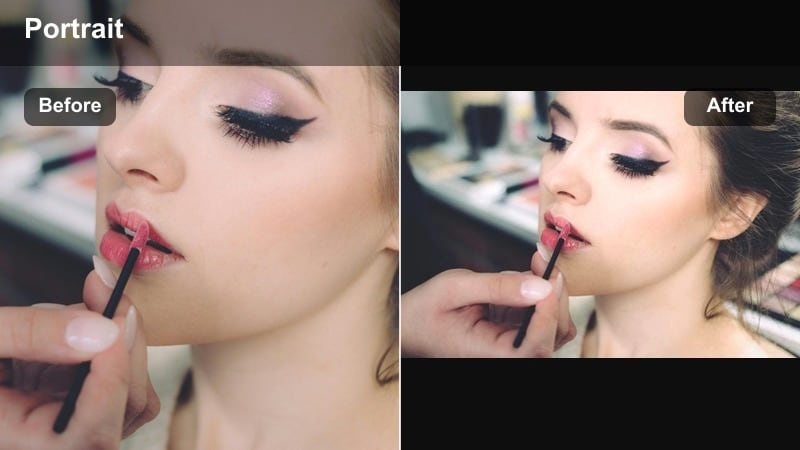
- Effect look: Crushed blacks, strong vignettes, and a deep contrast video profile that pushes midtones down while keeping facial highlights intact.
- Best for: Night portraits under sparse light sources such as street lamps, window spill, or neon, when you want a dark portrait filter that hides the background.
- Editing tip: Lower exposure slightly after applying and add a gentle radial mask on the face to keep eyes bright so the moody face effect does not feel muddy.
Ink Black Shadows is built to carve faces out of darkness. By combining heavy vignettes with crushed blacks and firmly controlled highlights, it turns scattered night lighting into a concentrated spotlight on your subject. In Filmora, this style works especially well on portrait clips shot against cluttered locations, because the deep contrast quietly erases background distractions and pulls focus to the eyes and cheekbones.
To use it effectively in Filmora, apply the filter, then open your color tools to nudge exposure down and protect the brightest facial areas with a radial or face detection mask. This keeps catchlights sharp while the surrounding frame falls into near black. Add a touch of sharpening just to the eyes so they stay readable even on small screens, and consider a subtle vignette boost if your original framing includes bright edges that compete with your subject.
Build a Custom Moody Palette with Filmora AI
Filmora s AI tools can analyze your portrait footage and automatically suggest color adjustments that emphasize deep contrast, dark backgrounds, and expressive skin tones. This is ideal when you want to keep your moody tone consistent while moving between different lenses, locations, or lighting setups.
After applying a moody portrait filter like Ink Black Shadows, use AI color matching to harmonize nearby clips on your timeline. Filmora will align contrast, shadows, and color balance so your entire sequence feels like one unified emotional story instead of a patchwork of different cameras and exposures.
 secure download

Preview Moody Portrait Filters in Real Time
Filmora s filter panel lets you hover directly over moody portrait presets and see them applied live to your clip, without committing or waiting for a render. This is the fastest way to compare deep shadow, noir, and tinted looks until the emotional tone matches your story.
You can stack filters with vignettes, skin smoothing, and detail enhancements in the same workspace, previewing how the full moody face effect plays together before you finalize your grade. This keeps experimentation fast and encourages bolder creative choices.
secure downloadSave Moody Looks as Reusable Presets or LUTs
Once you have dialed in a deep contrast portrait grade that you love, Filmora lets you save the look as a custom preset or export it as a LUT. That way, you can apply the same moody style to new portrait sessions, performance edits, or narrative projects with a single click.
This preset based workflow is perfect for creators building a recognizable visual identity. You can refine a base moody filter, save it, then stack it with minor scene specific tweaks while still keeping your overall portrait series consistent.
secure downloadNoir Street Portrait
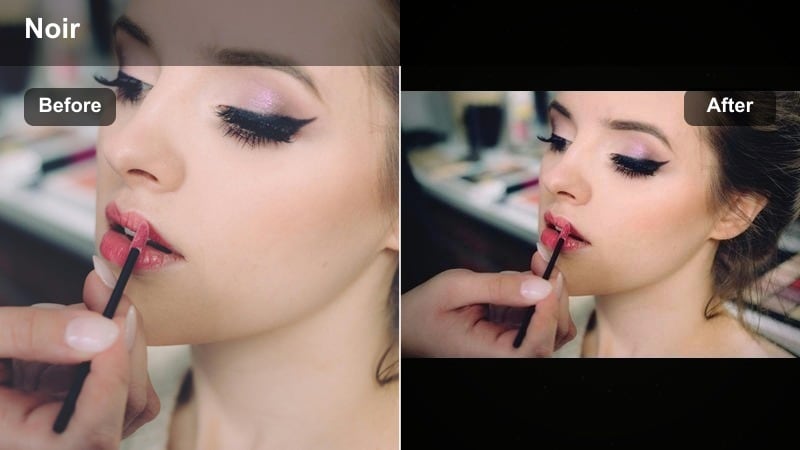
- Effect look: Monochrome leaning, desaturated colors with cool shadows, grain, and tight contrast inspired by classic film noir portraits.
- Best for: Rainy night portraits, alleyway shots, and emotional edits that need a vintage crime drama mood anchored on the subject’s face.
- Editing tip: Dial saturation close to monochrome, then selectively reintroduce color to the lips or a key prop to guide attention without breaking the moody palette.
Noir Street Portrait channels classic black and white cinema while still giving you modern control over color. In Filmora, begin by reducing saturation globally, then add film grain and cool shadow tints to echo the stark lighting of old noir films. The desaturated background and tight contrast turn every glance and expression into a story beat.
For stylized results, use masking to paint a touch of color back into lips, eyes, or a single neon sign behind your subject. This spot color technique adds a graphic punch without sacrificing the overall gloomy mood. Adjust contrast curves to keep one side of the face slightly brighter than the other, creating a sense of tension and hidden motives perfect for emotional monologues or thriller style vlogs.
Velvet Shadow Soft
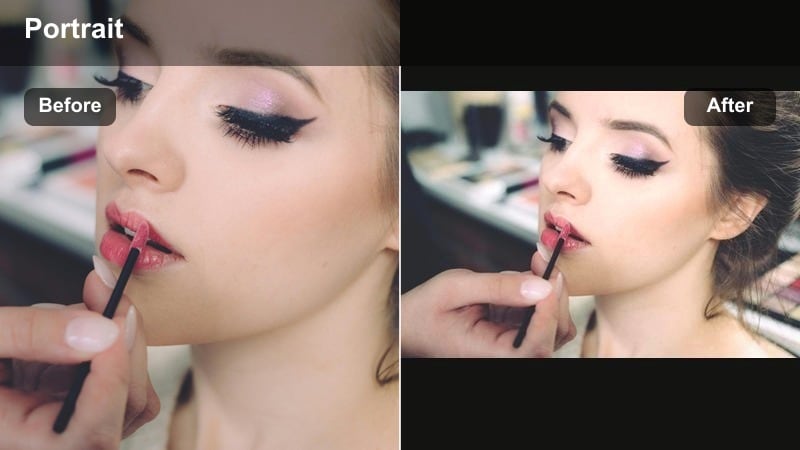
- Effect look: Soft contrast with velvety blacks, lifted shadows around the skin, and gentle bloom that wraps light across cheekbones.
- Best for: Close up night portraits, slow emotional edits, and romantic storytelling where you want dark surroundings but soft, forgiving skin.
- Editing tip: Add a subtle blur or glow on the highlights, then gently reduce texture on the skin so the moody portrait look feels dreamy, not harsh.
Velvet Shadow Soft is ideal when you want moody darkness without emphasizing every pore. In Filmora, pair this filter with a slight lift in the shadows and a glow effect in the highlights, so light seems to glide over the skin rather than hit it hard. The result is a dark scene that still feels gentle and romantic.
Use Filmora s face detection tools to apply reduced texture or smoothing only where you need it, keeping hair, lashes, and clothing edges crisp for depth. This contrast between soft faces and sharper surroundings makes the subject feel like a dream at the center of a darker world. Subtle motion blur or slow motion can amplify this dreamy, velvety effect in music videos and emotional reels.
Color Tinted Moody Face Effects
Emerald Night Gaze
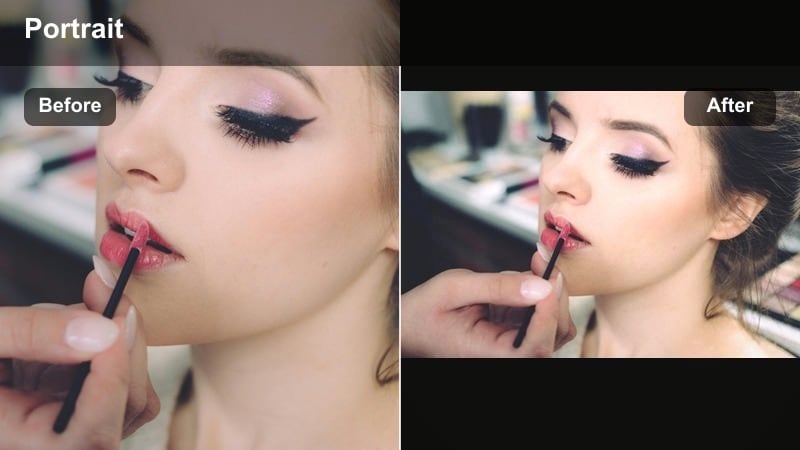
- Effect look: Cool emerald greens in midtones, deep cyan shadows, and controlled highlights that give skin a sculpted, moody face effect.
- Best for: Urban night portraits, reflective emotional edits, and character driven scenes under fluorescent or neon green lighting.
- Editing tip: Lower saturation of greens in the skin tone range but keep background greens strong so the face remains natural inside a stylized environment.
Emerald Night Gaze wraps your portrait in a cool, cinematic green that feels both modern and slightly surreal. In Filmora, apply the look to footage shot near neon signs, LED strips, or fluorescent tubes to intensify their color while keeping faces clean and readable.
Use HSL controls to pull green out of the skin tones while leaving it strong in the shadows and environment. This way, the background glows with stylized color, but your subject still looks human and emotionally accessible. A subtle warm shift in the highlights can further separate the face from the cooler midtones, creating a nuanced, layered moody palette.
Crimson Heartbreak
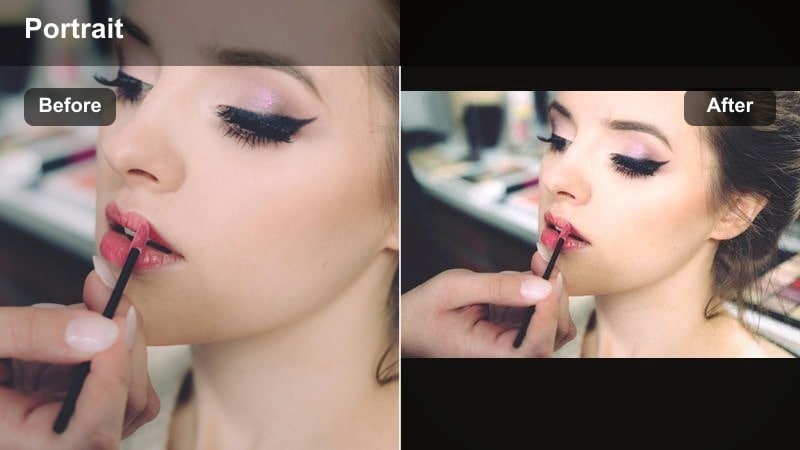
- Effect look: Rich crimson highlights, warm midtones, and gently darkened shadows that suggest passion, tension, or heartbreak.
- Best for: Emotional edits, breakup montages, and performance driven portrait scenes that lean into red neon or sunset like glow.
- Editing tip: Keep reds under control by slightly lowering saturation and shifting them toward magenta so skin does not look oversaturated or patchy.
Crimson Heartbreak turns red into a storytelling tool. In Filmora, apply this filter when you want your footage to feel charged with emotion, whether it is a music performance, a confession scene, or a narrative moment of loss. The warm crimson tones naturally draw attention to the face and hands, where emotion is most visible.
To prevent oversaturated skin, fine tune the red and orange channels in HSL, pulling them slightly toward magenta and reducing saturation just enough to keep detail intact. Consider pairing the warm reds with cooler blues in the deep shadows using Filmora s color wheels. This complementary contrast adds depth and keeps the frame from feeling like a flat wash of red.
Midnight Blue Solitude
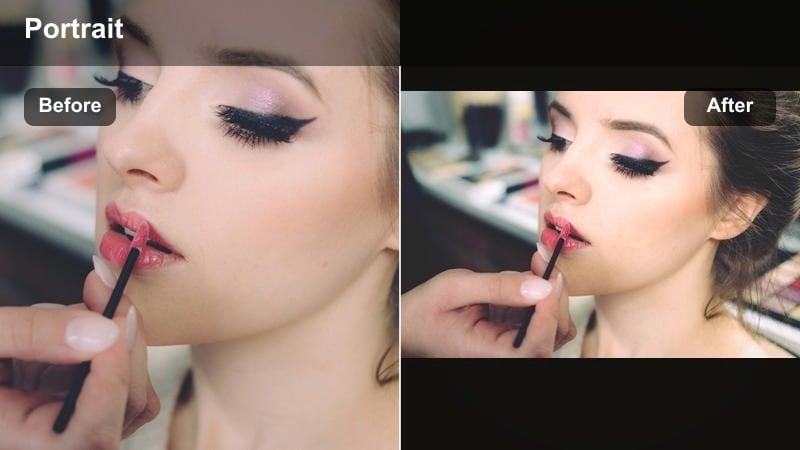
- Effect look: Muted blues and teals in the shadows, desaturated warm tones, and a low contrast base that feels lonely yet refined.
- Best for: Night portraits by windows, rain soaked city scenes, and introspective character monologues in emotional edits.
- Editing tip: Drop overall saturation and slightly lift blacks so the blue cast feels airy and melancholic instead of harsh and clinical.
Midnight Blue Solitude is made for quiet, contemplative moments. In Filmora, use it on shots where your subject looks away from camera, stares out a window, or walks alone at night. The muted blues in the shadows create a calm, distant feeling that complements reflective voiceovers or gentle music.
Raise the black point a little so details remain in the deepest areas of the frame, letting subtle textures of clothing and hair come through. Then, add light film grain for organic texture while keeping grain intensity low around the face. The result is an image that feels soft, cinematic, and emotionally rich without being aggressively stylized.
Soft Meets Grit: Hybrid Moody Portrait Styles
Grit and Glow Portrait
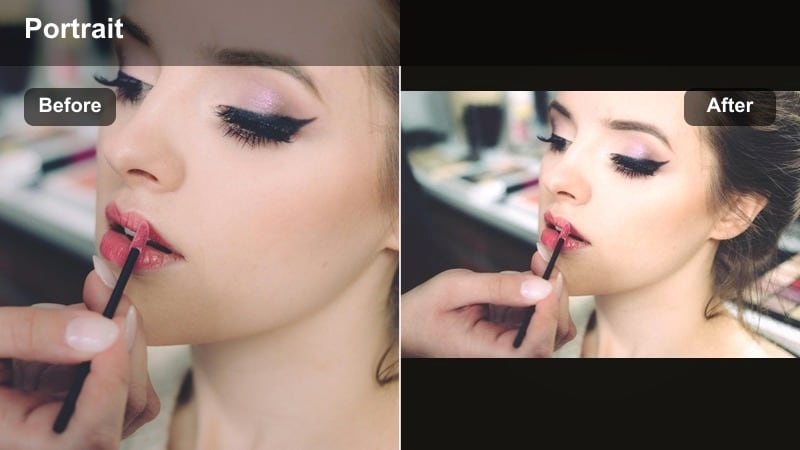
- Effect look: High micro contrast on textures with a warm highlight glow, mixing gritty detail with a cinematic sheen on the face.
- Best for: Storytelling creators who want to reveal every detail of a subject’s skin and environment while still keeping a moody, stylized feel.
- Editing tip: Use face detection masks to reduce clarity only on skin while leaving hair, clothing, and background fully detailed for layered depth.
Grit and Glow Portrait is perfect when you want realism and beauty at the same time. In Filmora, increase clarity and sharpness on clothing, hair, and props to highlight every texture in the scene, then add a soft warm glow to the highlights so the face still feels cinematic and inviting.
By reducing clarity slightly on skin using Filmora s face detection or manual masks, you can separate the subject from a rough environment without losing authenticity. This hybrid style is great for documentary style portraits, narrative shorts, and moody creator videos where the surroundings matter as much as the expression.
Smoke and Soft Focus
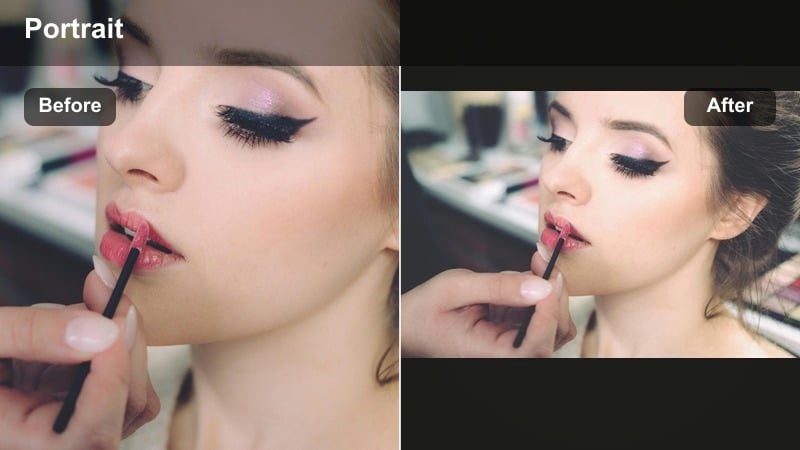
- Effect look: Hazy highlights, lowered clarity, and subtle diffusion that give the impression of smoke or mist drifting through a dark room.
- Best for: Emotional edits, dream sequences, slow motion portraits, and performance pieces with practical backlights or haze.
- Editing tip: Add a small bloom effect to bright edges around the face and adjust temperature slightly warmer to keep the haze feeling cinematic rather than foggy.
Smoke and Soft Focus is designed to transform harsh lighting into a dreamy, mist filled atmosphere. In Filmora, pair this look with backlit or side lit footage, where light can wrap around hair and shoulders and then bloom into the darkness.
Lower global clarity to soften the frame, then selectively bring micro contrast back to the eyes and lips with local adjustment tools. This keeps emotion crisp at the center while the rest of the image melts into haze. Slightly warming the color temperature prevents the scene from feeling cold or clinical, making it ideal for music videos, poetic shorts, and romantic slow motion portraits.
Shadowed Skin Detail
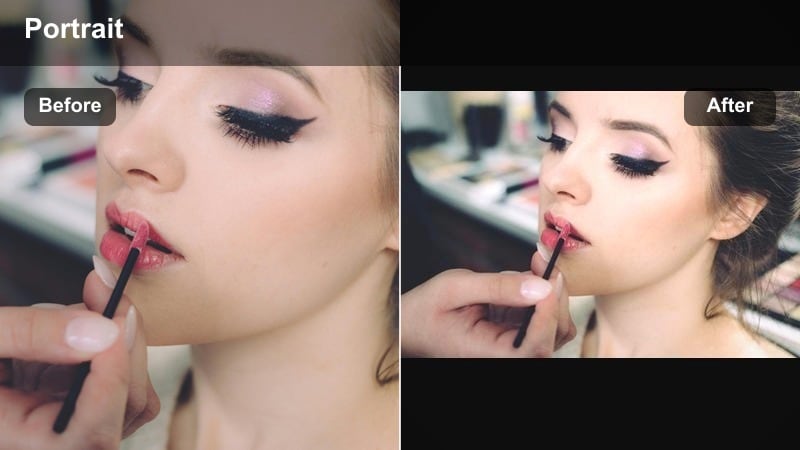
- Effect look: Deep shadows with carefully preserved skin texture and midtone contrast that adds realism to emotional close ups.
- Best for: Raw portraits, character studies, and storytelling creators who want to show every line and pore while keeping the frame dark.
- Editing tip: Use a narrow luminance range mask over midtones to add clarity only to the skin while keeping blacks soft for a more dimensional moody portrait.
Shadowed Skin Detail leans into texture to make performances feel truthful. In Filmora, use it on tight close ups where the subject s expression and skin detail carry the story. By boosting midtone contrast and clarity while protecting the darkest blacks, you get dramatic depth without crushing important nuance.
Apply luminance based masks so added texture lands mainly on midtone skin, not on noisy shadows. This maintains a clean, rich darkness around your subject while wrinkles, freckles, and subtle movements remain visible. It is a strong choice for character driven interviews, indie films, and any portrait where honesty is more important than perfection.
Cinematic Vignettes for Night Portraits
Spotlight Isolation
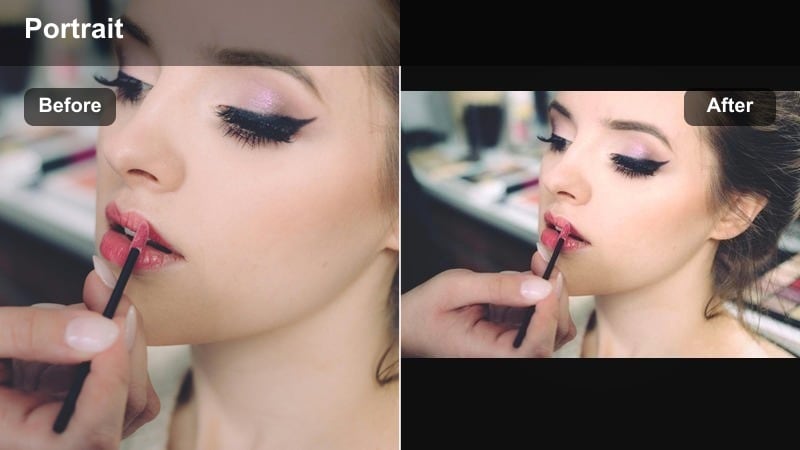
- Effect look: Strong circular vignette, darkened corners, and brightened facial highlights that mimic a theatrical spotlight in a dark room.
- Best for: Stage style performances, monologues, and night portraits where you want every viewer to lock onto the subject’s face instantly.
- Editing tip: Position the vignette center on the eyes and refine feathering until the transition is invisible but the focus is unmistakable.
Spotlight Isolation simulates a single bright pool of light in the middle of a dark stage. In Filmora, combine the vignette with slight exposure and contrast boosts on the face so the subject appears to float in darkness, with all distractions removed.
Fine tune vignette size and feathering so the falloff feels natural, not like a visible circle. For sequences with multiple shots, copy and paste your vignette settings to keep the spotlight effect consistent. This approach works especially well for spoken word performances, music sessions, and dramatic confessionals.
Tunnel of Light
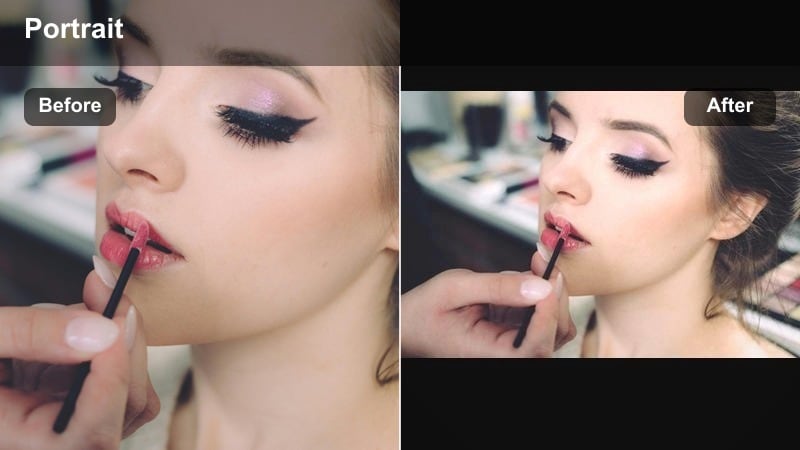
- Effect look: Gradient vignette that darkens top and bottom of the frame, channelling light into a horizontal band around the subject’s eyes.
- Best for: Cinematic talking head portraits, emotional voiceovers, and storytelling edits with center framed compositions.
- Editing tip: Align the brightest band of the gradient with the subject’s eyes and tilt slightly if their head is angled to keep the emotional center illuminated.
Tunnel of Light acts like a focused strip of brightness aimed right across your subject s gaze. In Filmora, create this effect using gradient vignettes that pull attention away from the top and bottom of the frame and toward the eyes.
For interviews and talking heads, this horizontal emphasis makes eye contact feel more intense and cinematic. You can keyframe the gradient to track subtle head movements or camera motion, ensuring the lit band stays centered on the emotional core of the shot throughout the clip.
Candlelit Edge Frames
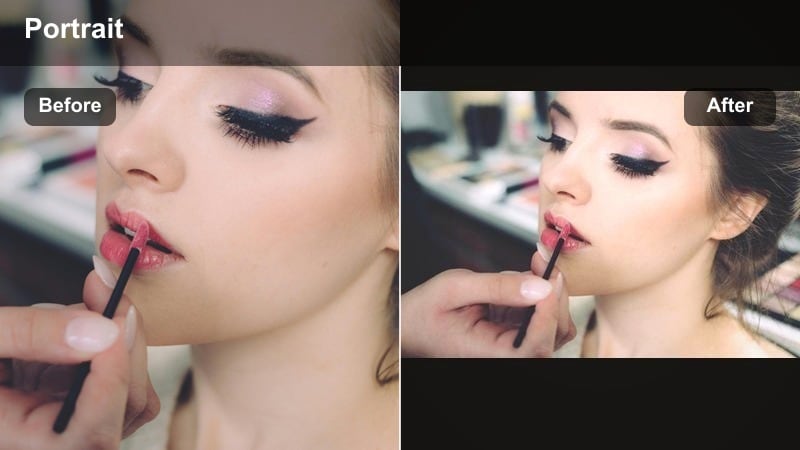
- Effect look: Warm edges, subtle glowing frame, and gently darkened center that mimics candlelight bouncing off walls behind the subject.
- Best for: Intimate night portraits, moody storytelling around fireplaces or candles, and tender emotional edits with soft warmth.
- Editing tip: Increase warmth in the vignette edges while keeping the face slightly more neutral so skin does not turn overly orange in low light.
Candlelit Edge Frames adds nostalgic warmth around the borders of your portrait while keeping the subject s face grounded and natural. In Filmora, use a vignette with color temperature controls to warm up only the edges, as if off camera candles or lamps are glowing just out of view.
This approach creates a cozy frame that still supports moody storytelling. For scenes that mix comfort and conflict, you can subtly cool the midtones on the face while maintaining warm edges, visually hinting at emotional contrast between the subject and their environment.
Tips for Using Portrait Moody Tone Filters in Filmora
- Shoot portraits with a single strong light source so Filmora s moody filters have clear highlights and shadows to work with.
- Expose slightly brighter than you think you need, then deepen shadows in Filmora to preserve detail in the eyes and skin.
- Use masks to protect faces from heavy color shifts so stylized backgrounds do not push skin tones into unnatural ranges.
- Add subtle motion to light leaks, gradients, or vignettes to keep your moody portrait look feeling alive instead of static.
- Keep grain, texture, and clarity a bit lower on faces than on clothing and backgrounds for flattering, cinematic detail.
- Save your favorite moody grades as Filmora presets or LUTs so you can quickly match new portrait footage to an existing series.
- Combine Filmora s AI color matching with your moody filters to keep emotion and tone consistent across multi location shoots.
Moody portrait video filters help you shape emotion with light, shadow, and color, turning regular night portraits into cinematic moments that feel deep and intentional.
Experiment with different mixes of contrast, vignettes, and color tints in Filmora until you find a moody signature that fits your storytelling style, then save it as a reusable preset for future edits.
secure downloadNext: Warm Portrait Video Filters for Soft, Cinematic Skin Tones
