

 100% Security Verified | No Subscription Required | No Malware


 ChatGPT
 Perplexity
 Gemini
 Claude
 Grok
Grok
Cinematic night video filters help filmmakers and photographers turn low-light footage into dramatic, polished scenes with rich contrast, deep shadows, and glowing highlights. With the right presets, the sky, street lights, and stars come alive while your subject stays clearly defined.
This guide focuses on the Cinematic Night Filter. Epic Stars and complementary looks designed for cinematic night films, giving you dramatic night tones, subtle film grain, and stylized skies that feel like big-screen productions even when shot on compact cameras.
In this article
Deep Night Dramatic Filters
Cinematic Night Filter. Epic Stars
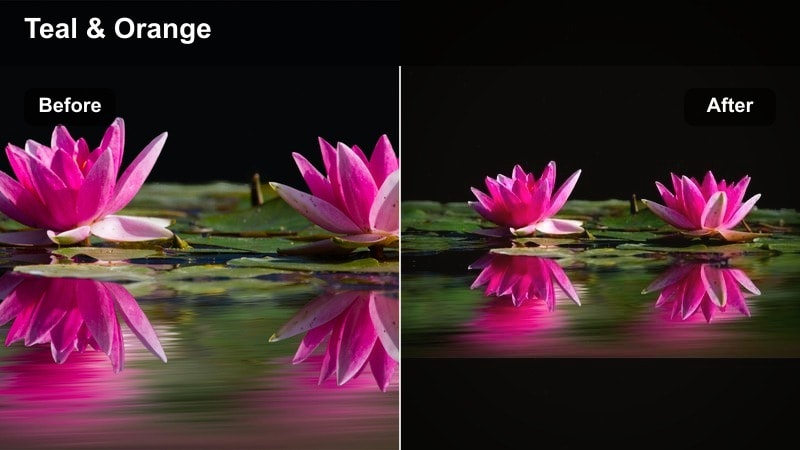
- Effect look: High-contrast cinematic night with crisp stars, teal shadows, and warm highlights around practical lights.
- Best for: Night city exteriors, rooftop dialogue, moody silhouettes against the sky, and wide establishing shots.
- Editing tip: Slightly lower overall contrast on very dark footage and add a soft vignette to keep attention on faces and practical lights.
Cinematic Night Filter. Epic Stars is built for dramatic night films where you want stars to feel sharp and intentional instead of muddy noise. In Filmora, this preset deepens blues in the sky, pushes shadows toward a stylized teal, and wraps practical lights like street lamps and windows in a gentle glow so your frame feels rich without losing clarity.
Apply this look on rooftop scenes, city skylines, or silhouettes against a night sky, then fine-tune contrast with Filmora color wheels to prevent overly crushed blacks. Use masks to keep faces bright and detailed while backgrounds fall into stylized darkness, and pair the effect with subtle keyframed vignettes so the audience is drawn naturally toward the subject and the brightest practicals.
Match Your Night Scenes with AI Color Palette Suggestions
Filmora s AI tools can automatically analyze your night footage and suggest color palettes that work perfectly with cinematic night video filters, including Epic Stars. This helps you maintain consistent blues in the sky, balanced skin tones, and cohesive highlight colors across multiple locations and cameras.
Once you have a base night grade, use AI Color Match to harmonize the look between wide rooftop shots and tighter close-ups. The tool reads your reference frame and applies matching color balance and contrast, so your dramatic night tone feels unified from shot to shot without manual tweaking on every clip.
 secure download

Preview Night Filters in Real Time
Filmora lets you preview cinematic night filters in real time, so you can quickly see how Epic Stars, noir looks, or neon palettes affect stars, street lights, and skin tones as your footage moves. This makes it easy to judge whether the grade introduces unwanted noise, banding, or blown highlights before you lock it in.
Load a dark clip on your timeline, toggle filter previews on, and compare a few looks side by side. Scrubbing through your project with effects enabled shows how the filter behaves on motion, from handheld rooftop shots to smooth slider moves, helping you pick the most cinematic and clean option for your story.
secure downloadCombine Filters with LUTs for a Film-Ready Finish
For a polished, film-ready night look, combine Filmora s cinematic filters with 3D LUTs. Start with a neutral correction LUT that normalizes exposure and white balance, then stack a night filter like Epic Stars, noir, or neon on top to push mood and color separation.
Using adjustment layers, you can test different LUT and filter combinations without regrading every clip. This workflow makes it simple to dial in specific aesthetics such as gritty thrillers, romantic walks under street lamps, or expansive star-gazing sequences that match a reference film or show.
secure downloadNoir Deep Contrast
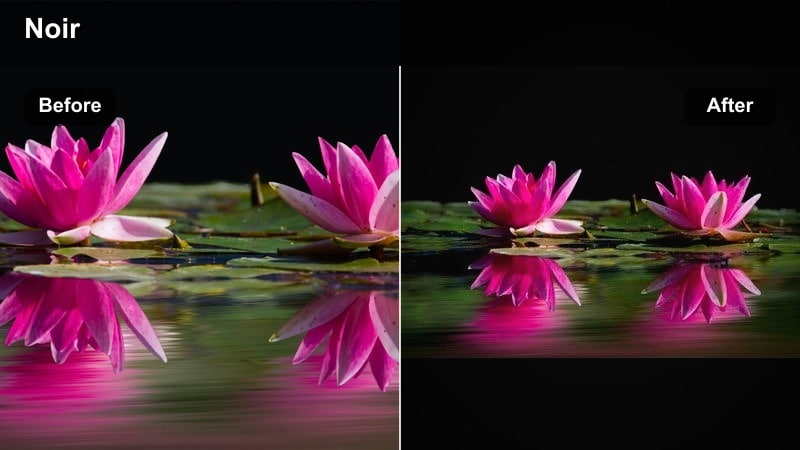
- Effect look: Inky blacks, strong contrast, and muted colors with a subtle blue cast for a neo-noir atmosphere.
- Best for: Alleyway chases, crime dramas, and stylized character introductions at night.
- Editing tip: Push blacks just to the edge of clipping and raise midtones selectively on faces with masks to avoid losing expression.
Noir Deep Contrast in Filmora delivers a bold, graphic night look that leans into heavy shadows and desaturated tones. By deepening blacks and adding a cool blue tint, it converts ordinary streets and alleys into stylish, high-tension environments where light and shadow carry the story.
Use this filter on crime, thriller, and detective sequences, then refine the grade with Filmora s masking tools to protect facial detail. Lift midtones only on key characters while allowing backgrounds to fall nearly to black, and add slight denoising on the darkest regions before cranking contrast so your noir aesthetic stays clean rather than muddy or overly grainy.
Urban Heist Night
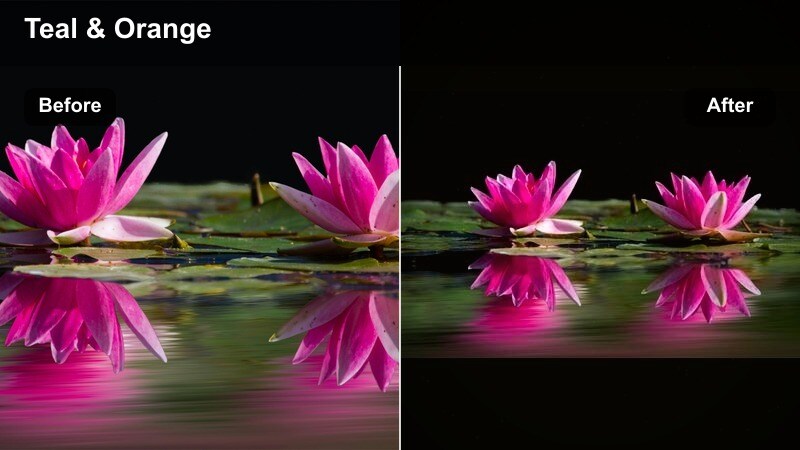
- Effect look: Sleek teal and amber palette with lifted blacks and soft halation around neon signs and car lights.
- Best for: Heist sequences, car shots, and city montages packed with neon and glass reflections.
- Editing tip: Slightly desaturate skin tones while keeping neon fully saturated to separate characters from the environment.
Urban Heist Night is tailored for modern, glossy city stories, giving your footage a teal-and-amber blockbuster palette with luminous reflections. The filter softens highlights around neon and car lights, emphasizing wet roads, glass, and chrome without sacrificing overall sharpness.
In Filmora, combine this preset with selective color adjustments to temper skin tone saturation while leaving signage and reflections intensely colorful. Tilt your framing toward windows and wet pavements, then boost clarity in those reflection areas using local tools so the environment feels rich and expensive, and your characters still stand out clearly against the glow.
Moody Character-Focused Night Filters
Midnight Character Glow
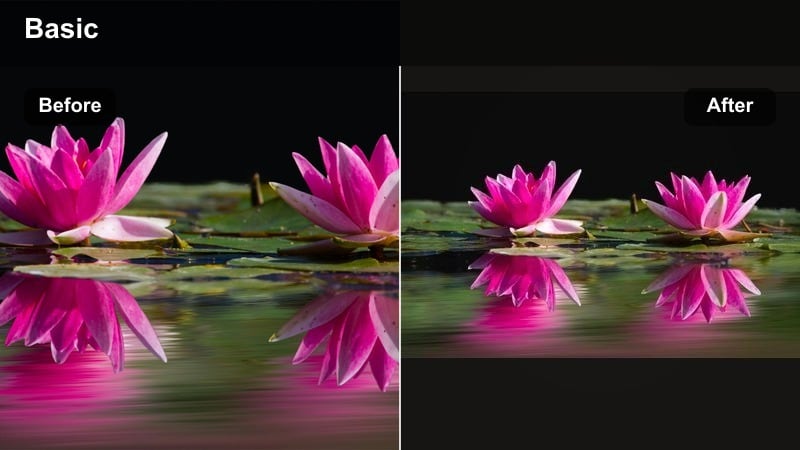
- Effect look: Soft, low-contrast night look with gentle bloom around practical lights and warm skin tones.
- Best for: Intimate conversations, slow walks at night, and emotional close-ups under street lamps.
- Editing tip: Lower saturation in the background while selectively enhancing warmth on faces to keep attention on performance.
Midnight Character Glow is designed to keep your talent front and center in emotionally charged night scenes. It reduces overall contrast, adds a soft bloom to practical lights, and warms skin tones so faces feel welcoming and cinematic while the background recedes softly.
Apply this filter in Filmora when grading close-ups and dialogue scenes under street lamps, cafe signs, or apartment windows. Use vignettes and masks to darken and desaturate the environment slightly while keyframing subtle increases in warmth and exposure on faces during key emotional beats, making the performance feel more intimate without obvious effect work.
Lonely Street Moody
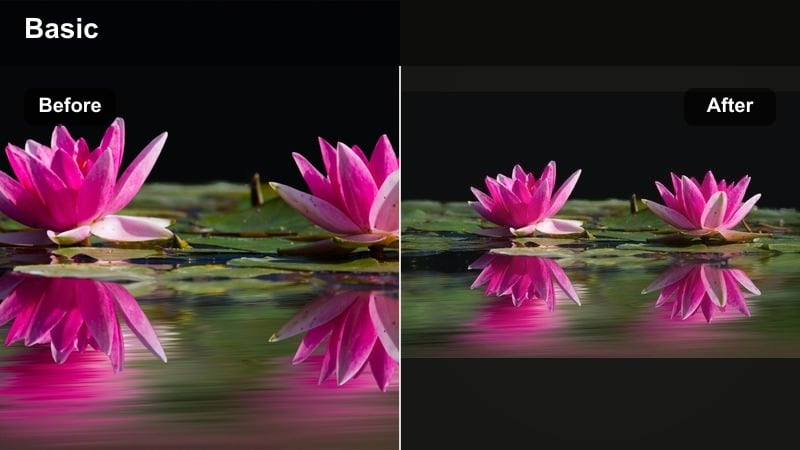
- Effect look: Cool shadows, faded colors, and gently lifted blacks with a hint of cyan for emotional isolation.
- Best for: Characters walking alone, introspective scenes, and slow narrative transitions between locations.
- Editing tip: Add a slow push-in or slider move while using this filter to underline the character s internal state.
Lonely Street Moody introduces a cool, slightly faded palette that instantly communicates distance and isolation. Lifted blacks and muted colors keep the image soft and understated, while a cyan bias in the shadows adds emotional chill without pushing into extreme stylization.
In Filmora, combine this filter with slow camera moves and longer takes to let the audience sit with the character s thoughts. Use keyframed color adjustments to gradually shift from slightly warmer tones toward cooler ones as scenes become more introspective, and pair the grade with restrained contrast so street lights and signage do not distract from the character s journey.
Window Light Dream
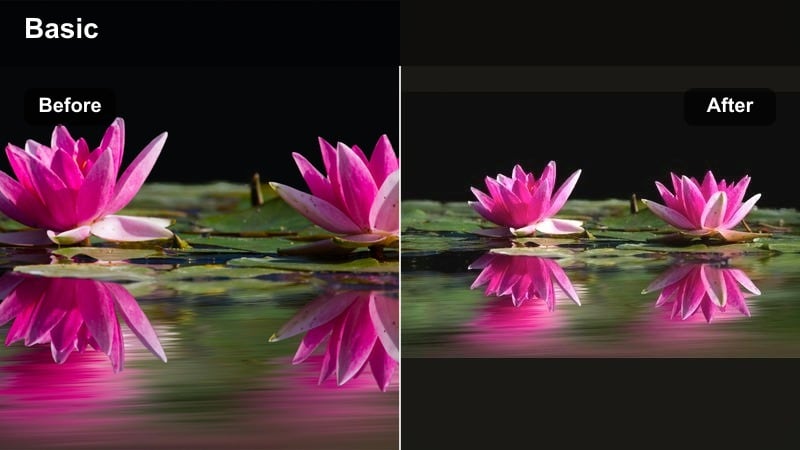
- Effect look: Soft-focus highlights, subtle film grain, and warm tungsten light against deep blue windows.
- Best for: Interior night scenes lit by lamps, computer screens, or TV glow with visible exterior windows.
- Editing tip: Reduce midtone contrast slightly and add gentle motion blur on handheld shots for a dreamy, memory-like quality.
Window Light Dream emphasizes the contrast between cozy interior lighting and the cool night outside. Softened highlights and a touch of grain create a dreamy, storybook feel, perfect for late-night conversations, reflective moments at a desk, or scenes where a character watches the city from inside.
Inside Filmora, use this filter on dialogue-heavy interiors and then fine-tune the balance between warm and cool using temperature sliders and HSL controls. Let skin and lamp light stay warm while keeping window areas a rich blue, and add a bit of motion blur or stabilization to handheld shots so the dreamy quality supports the narrative rather than feeling shaky or distracting.
Starry Sky Cinematic Filters
Epic Starry Ridge
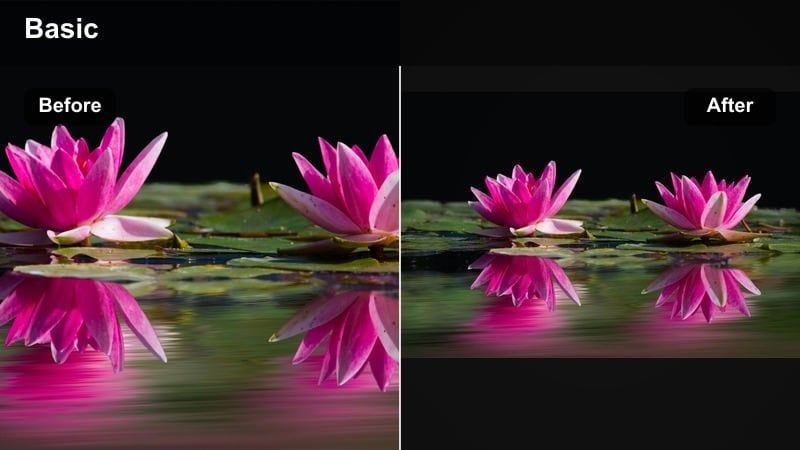
- Effect look: Rich, deep blues with boosted star contrast and subtle cyan in the horizon line for landscape silhouettes.
- Best for: Nighttime time-lapses, mountain ridges, and wide establishing shots of the night sky.
- Editing tip: Slightly lower saturation on the foreground and increase clarity in the sky to keep stars sharp and prominent.
Epic Starry Ridge is crafted for wide landscapes where the sky is the star of the scene. It deepens blues, adds subtle cyan near the horizon, and boosts micro-contrast in the sky so constellations and the Milky Way become more visible without turning fake or overly crunchy.
Use this preset in Filmora on static shots, pans, and time-lapses of mountain ranges or open fields. Reduce saturation and contrast on the foreground so silhouettes stay clean, then increase clarity and sharpness primarily in the sky region with masks. Adding a light grain layer helps avoid banding and preserves a natural, cinematic texture throughout your star fields.
City Stars Film Look
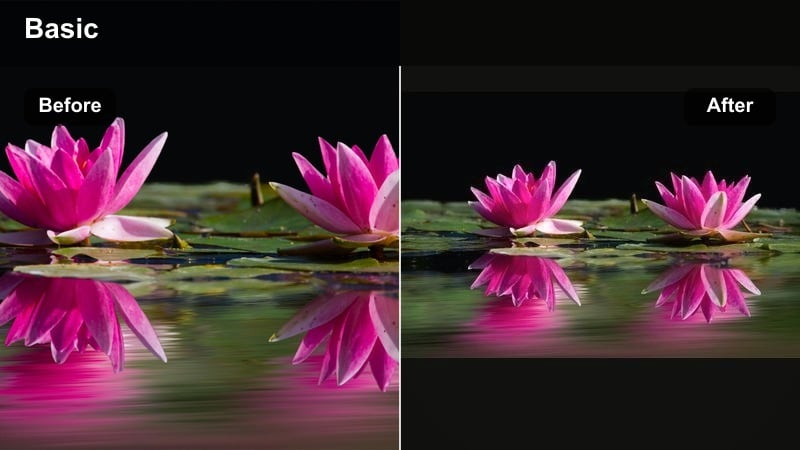
- Effect look: Film-inspired contrast with gentle halation around bright lights and enhanced visibility of stars above city skylines.
- Best for: Skylines, rooftops, and balcony scenes where stars and city lights share the frame.
- Editing tip: Create a luminance mask to softly bloom only the brightest points like windows and street lamps for a filmic glow.
City Stars Film Look bridges the gap between dense urban lights and delicate star detail. It applies a film-style contrast curve, soft halation around the strongest highlights, and a subtle boost to stars so both the skyline and the sky feel cohesive in one frame.
In Filmora, apply this filter to rooftop scenes, balcony conversations, or skyline establishing shots, then refine with luminance masks. Allow windows, billboards, and street lamps to bloom softly while keeping midtones and shadows controlled, and carefully manage highlight roll-off so details inside the brightest buildings are preserved instead of clipping to pure white.
Campfire Under Stars
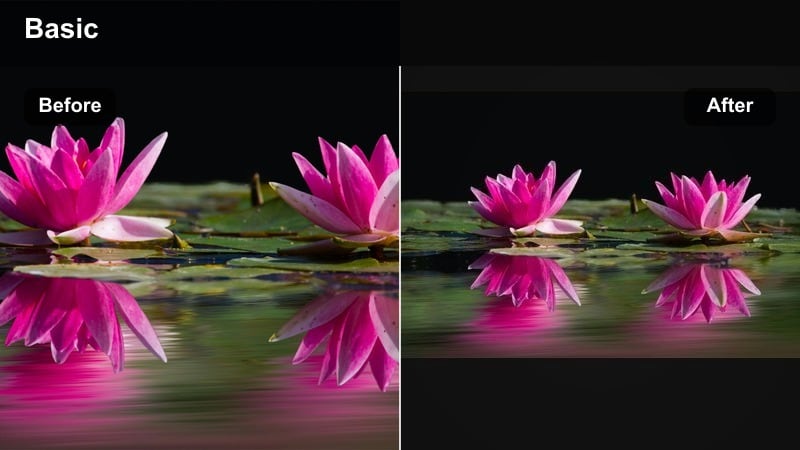
- Effect look: Warm, flickering midtones around firelight with cool, crisp star fields in the sky above.
- Best for: Camping scenes, outdoor conversations, and night performance pieces lit by a single warm source.
- Editing tip: Key the fire s orange tones and allow them to stay rich while gently desaturating other warm areas to avoid color cast.
Campfire Under Stars is tailored for intimate outdoor scenes where a single flame is the primary light source. It keeps skin tones and firelight rich and inviting while maintaining a cool, detailed sky, so the warmth of the campfire contrasts beautifully against the night.
Inside Filmora, use this filter on camping clips, bonfires, or acoustic performances, then isolate the fire s oranges and yellows with HSL controls. Let the flame and faces stay saturated and bright while gently muting other warm spill in the environment, lifting nearby shadows to recover detail without washing out the cozy, storybook feel.
Stylized Night Experimental Filters
Neon Dream Rush
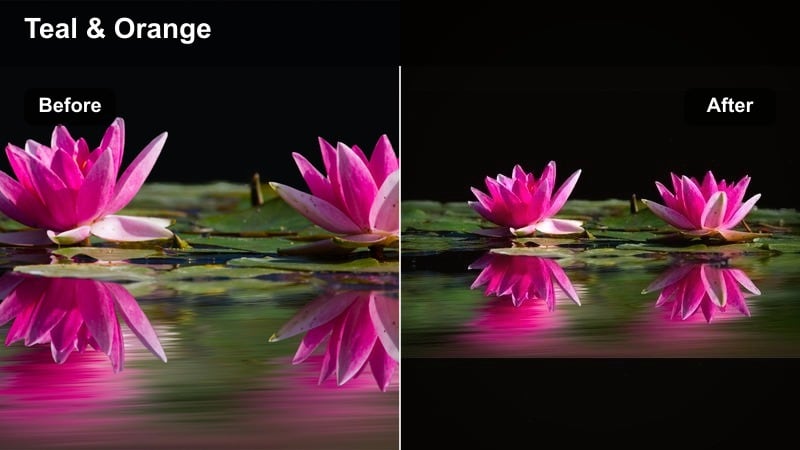
- Effect look: Hyper-saturated magentas and teals with lifted blacks and visible glow on neon signs and traffic lights.
- Best for: Music videos, fashion films, and high-energy city sequences with lots of color and motion.
- Editing tip: Use this filter at reduced opacity on narrative work and full strength on B-roll or performance shots for contrast in tone.
Neon Dream Rush pushes your night footage into bold, music-video territory with intense magentas, teals, and glowing highlights. Lifted blacks give the image a floaty, stylized base, while pumped saturation and highlight bloom make neon signage and traffic streaks explode with energy.
In Filmora, apply this filter at full strength on performance or B-roll shots and dial it back for story scenes using effect opacity controls. Protect skin tones with HSL adjustments, taming reds and oranges so faces stay natural, and add a bit of blur or diffusion to the brightest neons so they feel luminous instead of harsh or digitally clipped.
Twilight Film Fade
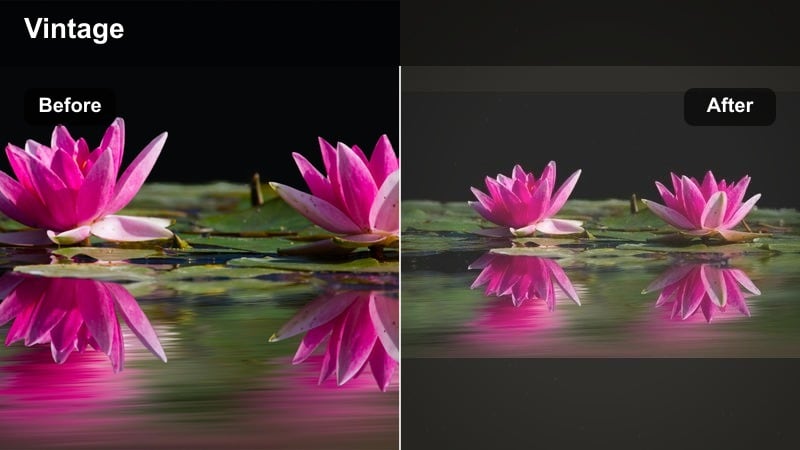
- Effect look: Soft contrast with faded blacks, subtle film grain, and a gentle purple-blue shift in the shadows.
- Best for: Title sequences, memory flashes, and indie drama scenes set at blue hour or early night.
- Editing tip: Add slight frame cropping and a touch of film damage overlays to fully sell the analog-inspired aesthetic.
Twilight Film Fade gives your night scenes a nostalgic, analog flavor with muted blacks, soft contrast, and a purple-blue tint in the shadows. It is ideal for memories, flashbacks, and dreamy transitions where you want the grade to signal a different time or emotional layer.
Use this preset in Filmora on select sequences instead of your whole film so the change in look feels meaningful. Pair it with a subtle vignette, light film grain, and optional frame crop or film damage overlays, then ease in the effect gradually with keyframes so the audience experiences a gentle visual drift into the memory rather than a jarring switch.
Rain-Slicked Thriller
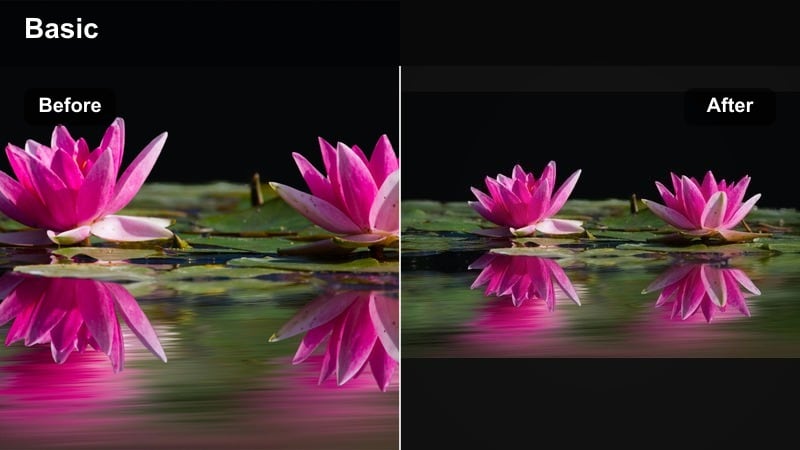
- Effect look: High micro-contrast on wet surfaces, deep cyan shadows, and bright specular highlights on rain and puddles.
- Best for: Chase sequences, thriller standoffs, and reflective street scenes after a storm.
- Editing tip: Boost local contrast on raindrops and puddles while keeping faces slightly softer to guide the viewer s eye.
Rain-Slicked Thriller is built to make wet streets and rain-soaked surfaces feel electric. It heightens micro-contrast on reflections and droplets, deepens cyan shadows, and brightens specular highlights so every puddle, car light, and street reflection contributes to the suspenseful mood.
In Filmora, apply this filter to chase scenes or tense encounters on wet pavement, then refine with local contrast adjustments targeted at the ground and background. Keep faces a touch softer and slightly less contrasty so the viewer s eye naturally moves between characters and the shimmering environment, and consider pairing the grade with slightly lower shutter speeds to create streaky, cinematic motion in the rain.
Tips for Using Night Cinematic Filters in Filmora
- Shoot slightly flatter at night and let cinematic night video filters add final contrast, preserving highlight and shadow detail.
- Use masks and keyframes with night filters to keep faces bright while backgrounds fall into dramatic darkness.
- Balance dramatic night looks by checking your grade on both bright and very dark monitors to avoid crushed shadows.
- Lower sharpening after applying filters to reduce digital noise, then selectively sharpen eyes and key props.
- Test star-focused filters on still frames first, then on motion to make sure noise and banding stay controlled.
- Combine Filmora s night filters with subtle grain overlays to hide banding in skies and unify mixed camera footage.
- Preview filters at different opacities to find a blend where style supports the story instead of overpowering it.
- Save your favorite night filter and LUT stacks as custom presets in Filmora to quickly reuse a cohesive look across projects.
Cinematic night video filters give filmmakers and photographers fast, reliable ways to shape dramatic night scenes, from quiet character moments to star-filled wide shots.
Start with the Cinematic Night Filter. Epic Stars for your next project, then mix in moody, stylized, and starry-sky presets until your entire night film feels cohesive from first frame to last.
secure downloadNext: Explore Night Moody Filters for Atmospheric Storytelling
