

 100% Security Verified | No Subscription Required | No Malware


 ChatGPT
 Perplexity
 Gemini
 Claude
 Grok
Grok
Night video can look noisy, flat, and washed out on Reels, but the right filters instantly turn your dark clips into cinematic, scroll-stopping content. Filmora’s night video filters for Reels are designed to clean up shadows, boost mood, and protect skin tones so your audience actually sees what happens after dark.
Below you will find 12 dialed-in night filters organized by style, from clean city lights to dreamy neon and deep moody grades. Each style includes what the effect looks like, what kind of Reels it suits best, and a quick editing tip so Reels creators and night videographers can grade fast and stay consistent.
In this article
Clean Night City Looks
Crisp Street Neon
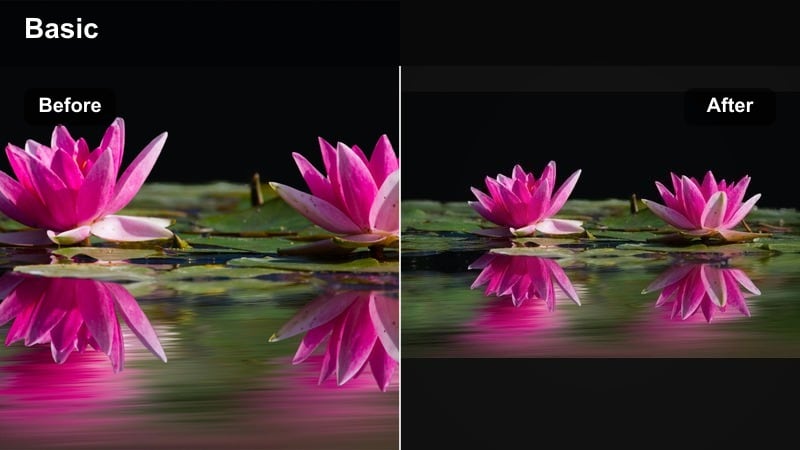
- Effect look: Sharp, contrasty streets with bright neon highlights and clear details in the midtones.
- Best for: Instagram Reels night content featuring busy streets, cars, storefronts, and handheld city walks.
- Editing tip: Drop saturation slightly and lift shadows just a bit to avoid crushed dark areas while keeping neon signs punchy.
A clean, high-contrast night filter that makes neon signs and city lights pop without destroying detail. In Filmora, Crisp Street Neon is ideal when you want your city footage to feel sharp and alive, but still readable on small phone screens.
Apply the filter to your night timeline, then fine-tune with Filmora’s HSL and shadow controls to keep signage vivid and faces natural. Add a touch of noise reduction and modest sharpening so your night Reels look clean, not overprocessed, even when shot on a phone.
Pro tip - Balance neon and skin tones
If faces look too magenta under neon lights, use Filmora’s HSL controls to gently pull back pink and purple saturation. Combine this filter with slight noise reduction and a touch of sharpening so your night Reels stay clean but not plastic.
Speed up your night grading with Filmora’s AI color tools
Instead of tweaking every clip from scratch, combine these night video filters for Reels with Filmora’s AI color features. Auto Color and AI-powered adjustments quickly balance exposure and white balance before you apply your favorite dark grade.
Once AI has done the heavy lifting, save your favorite combinations as custom presets. That way your night Reels keep a consistent look, even when you shoot on different nights, cameras, or locations.
 secure download

Preview night filters directly on your Reels footage
Filmora lets you drag and drop night filters straight onto your timeline so you can see how each look responds to your real footage, not just sample clips. Scrub through transitions, faces, and fast movement to make sure the filter holds up.
Toggle filters on and off or stack them with Filmora effects like glow, vignette, and film grain to find your signature dark aesthetic reels recipe.
secure downloadTurn night filters into reusable LUT-style looks
If you already use dark reel LUTs, Filmora’s filters can sit on top as final polish or serve as your base look when you do not want to manage external files. Save your favorite settings as presets so you can apply them in one click, like a custom LUT.
This workflow keeps your night video filters for Reels consistent across series, so followers instantly recognize your style as they scroll.
secure downloadSoft City Glow
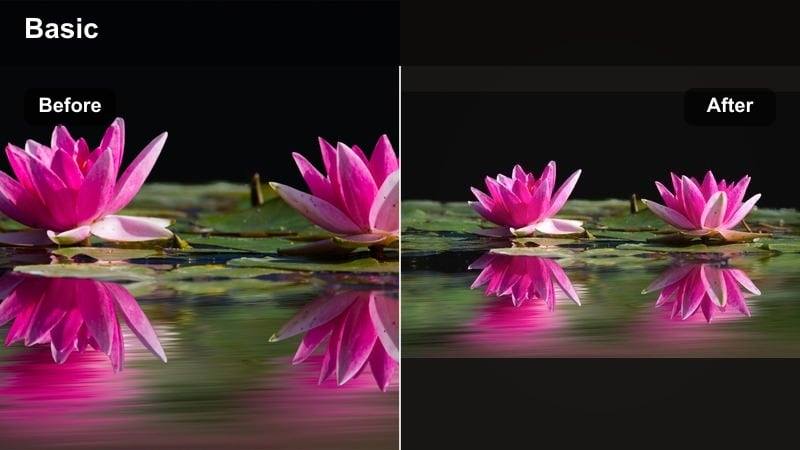
- Effect look: Gentle contrast with softened highlights and a warm glow around streetlights and windows.
- Best for: Romantic city walks, lifestyle vlogs, date-night Reels, and slower cinematic sequences.
- Editing tip: Lower clarity slightly and add a subtle vignette to keep focus on the brightest part of the frame.
Soft City Glow wraps your night streets in a warm, flattering halo that is perfect for couples, lifestyle content, and cozy storytelling. In Filmora, it helps tame harsh point lights so they bloom softly instead of clipping into harsh white spots.
Drop the filter on your clip, then trim your sequence a bit slower than usual to let the glow breathe between cuts. Add a light vignette and ease-in transitions so the viewer’s eye naturally follows your subject along the warmest areas of the frame.
Pro tip - Use glow to guide the eye
Place your subject where the warmest glow is in the scene so the viewer’s eye lands there first in the Reel. Avoid overexposing lamps and signs; reduce highlights slightly before applying the filter for a smoother glow.
True Night Clean
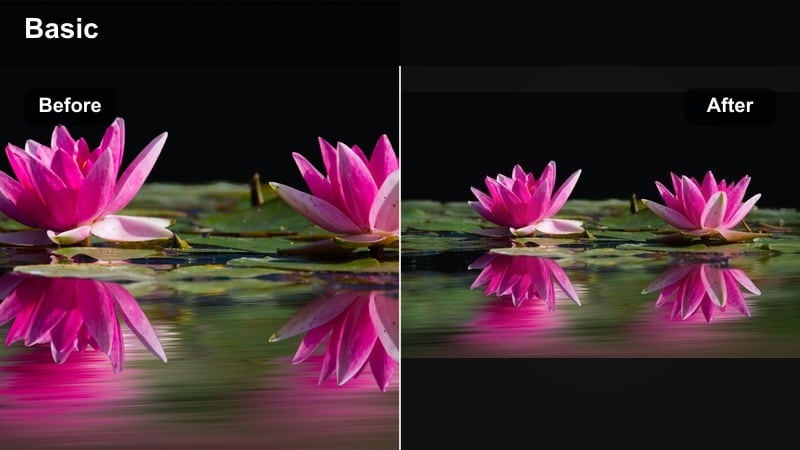
- Effect look: Neutral color balance with reduced noise, crisp edges, and natural-looking street colors.
- Best for: Night documentation, travel Reels, and product shots filmed outdoors at night.
- Editing tip: Keep exposure slightly on the bright side and use the filter to restore contrast instead of trying to rescue underexposed clips.
True Night Clean keeps your tones honest while gently cleaning up noise and contrast, ideal when you want reality instead of a heavy stylized grade. It is great for travel creators who want followers to recognize the true colors of a location after dark.
Use Filmora to nudge exposure up first so faces are visible, then apply the filter to restore punch and structure. If some parts of the frame still feel too dark, use Filmora’s masking tools to lift exposure only where your subject stands, leaving the rest realistically moody.
Pro tip - Expose for the face, not the background
When using neutral night filters, make sure your subject’s face is correctly exposed even if the background goes darker. Use Filmora’s mask and exposure tools to lift just the subject if streetlights create harsh contrast.
Moody Dark Grades
Deep Cinematic Nights
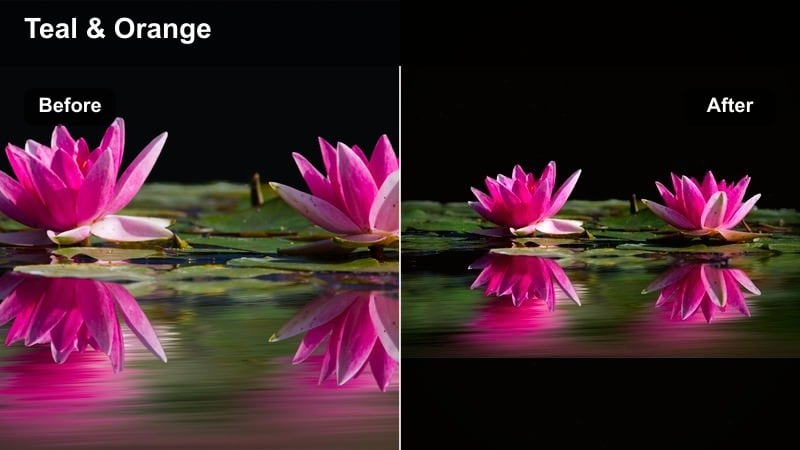
- Effect look: Rich blacks, cool shadows, and gentle teal highlights for a cinema-style night grade.
- Best for: Cinematic night reels, short narrative scenes, and moody B-roll transitions.
- Editing tip: Use slow, stable shots and a bit of motion blur; this grade looks best when the camera movement feels intentional.
Deep Cinematic Nights gives your dark reels that film-inspired teal-in-the-shadows look, with rich contrast and dramatic depth. It is perfect for narrative sequences, character walks, and transition-heavy edits where mood matters as much as action.
In Filmora, apply it after you have done a basic exposure correction so you do not crush important details. Pair the filter with slow pans, tripod shots, or stabilized footage, and add a bit of motion blur to car lights or passing traffic to sell the cinematic feel.
Pro tip - Protect shadow detail
Before applying heavy contrast filters, raise shadows a little so important details do not disappear completely. If you shoot log or flat, apply a basic contrast curve first, then stack this filter to keep control over the black levels.
Noir Street Fade
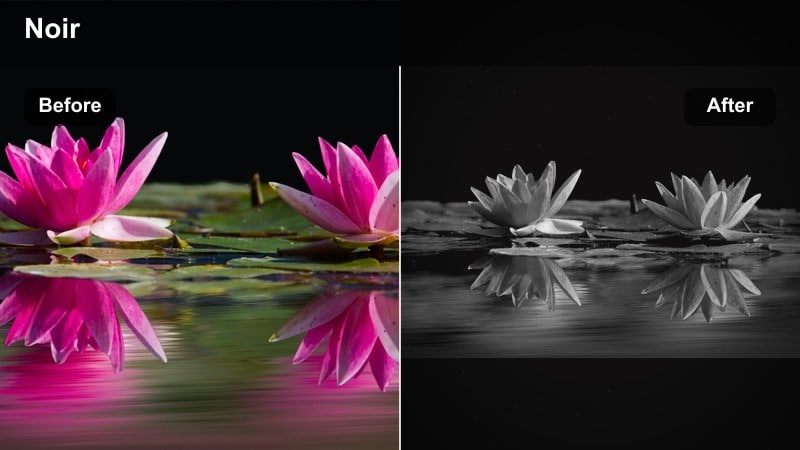
- Effect look: Faded blacks, low saturation, and strong focus on highlights for a vintage noir feel.
- Best for: Dark aesthetic reels, storytelling with voice-over, and introspective walking shots.
- Editing tip: Trim your clips tighter and use longer crossfades; the faded look pairs well with slower pacing.
Noir Street Fade pulls color back and softens blacks into a vintage, melancholy wash that feels perfect for voice-over stories and reflective walks. Your highlights remain the star, so streetlights and reflections guide the mood of the sequence.
Inside Filmora, combine the filter with subtle film grain and maybe a 4:3 or cinematic crop to sharpen the throwback vibe. Shorten each clip but let your dissolves run long, so scenes bleed into each other the way old film reels did.
Pro tip - Lean into minimal color
If a color distracts from your story, use HSL to pull it down and let just one accent color remain strong. Pair this filter with subtle film grain in Filmora to sell the analog noir aesthetic even more.
Shadow Core Dark
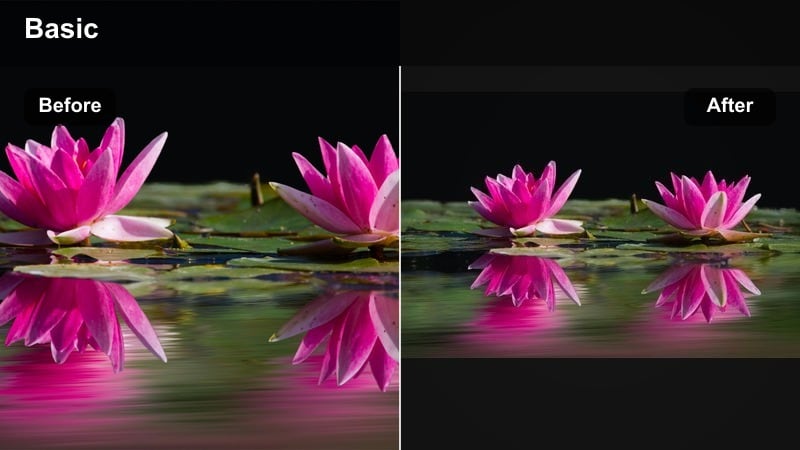
- Effect look: Crushed shadows with bright midtones, creating a high-impact dark aesthetic with strong silhouettes.
- Best for: Silhouette shots, dance Reels against lights, and performance clips with strong backlighting.
- Editing tip: Frame your subject against the brightest area of the scene and avoid lifting shadows too much or the look will lose power.
Shadow Core Dark is an aggressive contrast filter that locks your subject into powerful silhouettes, great for dance and performance Reels. When backlights, LED walls, or car headlights are involved, this filter turns them into graphic shapes that stand out in the feed.
In Filmora, compose your frame so the brightest area sits behind your subject, then apply the filter to deepen everything else. Leave most of the frame dark to create negative space for text, stickers, or on-screen lyrics without clutter.
Pro tip - Plan for negative space
Leave empty dark areas in your frame so text overlays and titles have room to breathe on Reels. Use this filter sparingly across a sequence; mix in a few brighter cuts to keep viewer fatigue low.
Neon and Color-Pop Night Filters
Neon Pop Reels
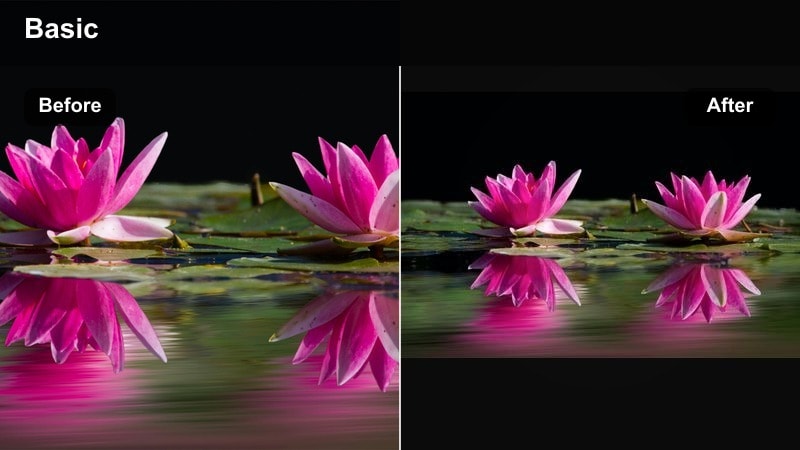
- Effect look: Boosted saturation in neon colors with deep but clean shadows and crisp edges.
- Best for: Reels night filter moments in arcades, karaoke rooms, cyberpunk setups, and neon signs.
- Editing tip: Reduce overall saturation slightly, then selectively push pink, blue, and cyan in HSL for a more controlled pop.
Neon Pop Reels is built for high-energy environments where colored lights are everywhere, from arcades to indoor sets. The filter keeps shadows under control so the frame does not turn into a noisy mess, while neon hues stay bold and eye-catching.
Use Filmora’s HSL panel after applying the filter to fine-tune specific neon colors so they pop without wrecking skin tones. If faces start to skew too colorful, apply a mask over the subject and gently desaturate just that area for a polished creator look.
Pro tip - Keep faces natural under neon
If skin looks too wild, pull yellow and orange saturation up slightly to reintroduce a natural skin tone. Use face-tracking masks in Filmora to separately grade the subject and background when neon is extreme.
Electric Blue Streets
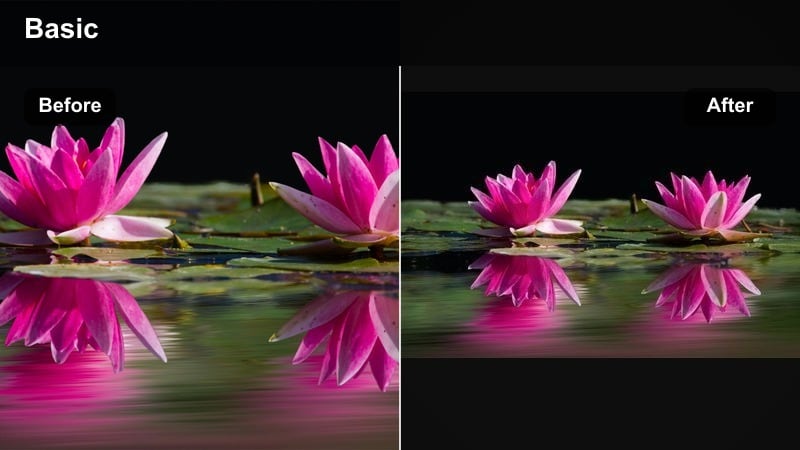
- Effect look: Cool blue emphasis in shadows and midtones with controlled highlight roll-off for a cyber look.
- Best for: Techy city B-roll, car Reels, urban fashion, and moody night driving shots.
- Editing tip: Use slower shutter speeds and a bit of motion blur from car lights so the blue tones streak nicely.
Electric Blue Streets pushes your night city into a sleek, futuristic palette where blues dominate, perfect for car content and tech-driven Reels. The highlights stay smooth, so bright signage and reflections on metal feel polished instead of blown out.
In Filmora, stack this filter with subtle motion blur or speed ramps to accentuate light streaks on highways or city drives. Keep one warm element in the frame, such as a streetlight or cabin light, to create contrast and draw attention to your subject.
Pro tip - Mix cool tones with one warm accent
Leave one small element, like a window or a sign, slightly warm to create color contrast against the blue frame. When posting on Reels, keep your thumbnail from this filter slightly brighter so the blue does not look too dark in the grid.
Magenta Night Dream
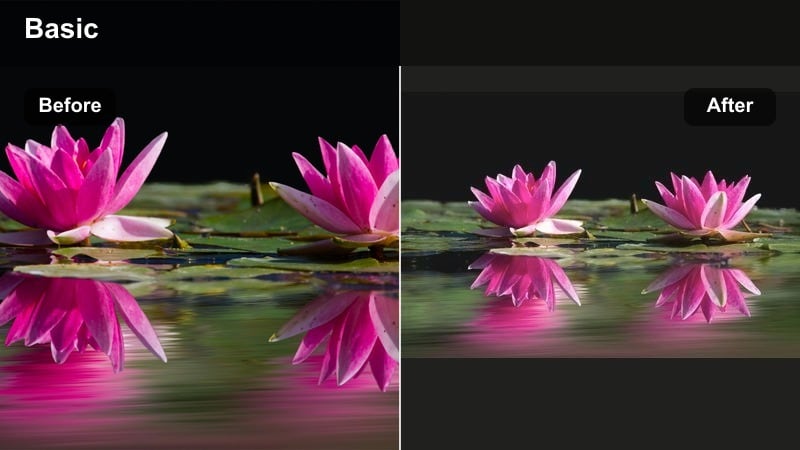
- Effect look: Soft contrast with magenta and purple shifts in highlights, creating a dreamy fantasy mood.
- Best for: Dance Reels, creative transitions, makeup videos, and dreamy aesthetic edits.
- Editing tip: Layer this filter with a slight blur or glow effect around the brightest areas to push the dreamlike impression.
Magenta Night Dream wraps your footage in pastel pinks and purples, ideal for beauty, fashion, and dance creators wanting a fantasy vibe. The softer contrast keeps skin flattering while letting colored highlights define the atmosphere.
In Filmora, apply the filter and then add a gentle glow or Gaussian blur around key lights to deepen the dreamlike feel. Adjust white balance slightly cooler if whites are drifting too pink, especially for makeup looks where color accuracy matters.
Pro tip - Control color on skin and whites
Use the white balance tool to keep whites from going fully pink; slightly cooler temperature often looks cleaner. On beauty Reels, reduce texture sharpening so the soft color shift stays flattering on skin.
Low-Light Cleanup and Utility Filters
Low-Light Noise Tamer
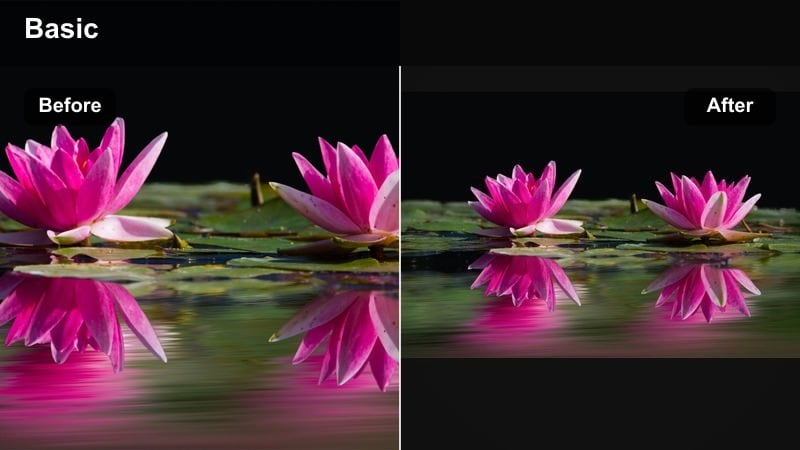
- Effect look: Subtle softening with reduced digital noise, slightly lifted shadows, and balanced midtones.
- Best for: Grainy phone footage, quick IRL moments, and night clips shot at very high ISO.
- Editing tip: Avoid sharpening after this filter; let the softer texture hide imperfections instead of chasing crispness.
Low-Light Noise Tamer is your rescue filter for grainy phone clips captured on the fly at night. It gently lifts shadows and smooths digital noise so your Reels look cleaner without losing the candid feel.
Drop it on noisy segments in Filmora, especially those shot in dim alleys, bars, or street corners. Skip heavy sharpening afterward and lean into the softer texture, which often looks more professional once Reels compression is applied.
Pro tip - Expose slightly brighter for cleaner dark reels
On phones, intentionally overexpose by about half a stop; Filmora filters can add contrast back while keeping noise down. If one part of the frame is extremely noisy, crop in vertically for Reels to remove that area entirely.
Street Lamp Balance
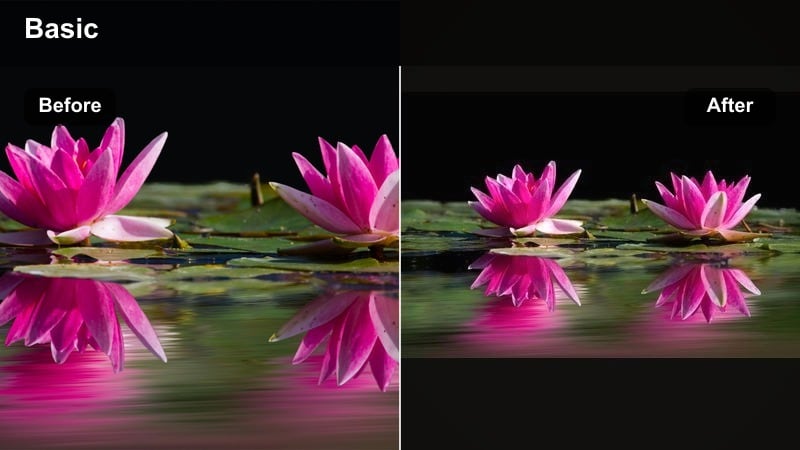
- Effect look: Fixed yellow cast from sodium streetlights with neutralized skin tones and smoother highlight roll-off.
- Best for: Walking monologues, talking-to-camera Reels, and product demos under harsh streetlamps.
- Editing tip: Start by cooling white balance slightly, then apply the filter so the lamp glow stays warm but faces do not go orange.
Street Lamp Balance is designed to correct that heavy orange cast you get from classic streetlights while keeping the scene convincingly night-time. It is perfect for creators recording monologues or product showcases while walking outside.
In Filmora, first cool the white balance slightly, then apply this filter so lamp glow remains warm but skin reads natural. If your subject walks through multiple light sources, use keyframes on color settings to keep tones even from shot to shot.
Pro tip - Treat skin tones separately
Use Filmora’s color tools to lock in skin tone hue, then adjust the rest of the image for more creative night color. If your subject walks through different light sources, use keyframes to gently adapt white balance over time.
Night Snap Contrast
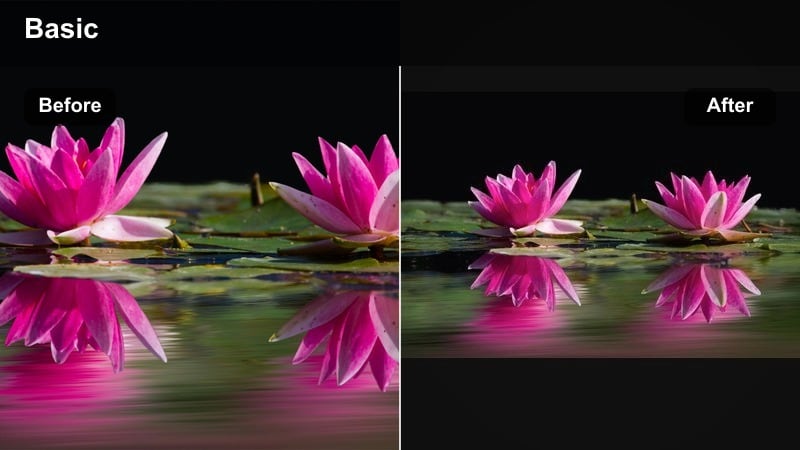
- Effect look: Quick punchy contrast and clarity with a slight saturation bump for fast social posts.
- Best for: Fast-paced Reels, behind-the-scenes clips, and casual night hangout videos.
- Editing tip: Use shorter cuts and sync them to beats; this filter looks best when clips are high-energy and quick.
Night Snap Contrast is a one-click booster for dull night clips when you just want them to hit harder in the feed. It increases clarity, contrast, and color just enough to make group shots, parties, and BTS moments feel more alive.
In Filmora, apply it across a whole sequence of short clips, then cut to the beat of your audio track for maximum impact. Keep an eye on highlights, especially on faces, and pull them back slightly if they start to clip after the contrast bump.
Pro tip - Protect highlights on faces
If faces become too bright after adding contrast, pull down highlights and whites slightly before exporting. Export a short test Reel to check how compression affects dark areas, then adjust contrast accordingly in Filmora.
Tips for Using Night Video Reels Filter Filters in Filmora
- Shoot slightly brighter than you think at night and use Filmora filters to bring contrast back instead of trying to rescue underexposed clips.
- Lock white balance in-camera so your night filters do not have to fight shifting color temperatures between shots.
- For Instagram Reels night content, leave a bit of negative space in the frame so text overlays are readable over dark areas.
- Export a short test Reel with your chosen filter to see how platform compression affects noise and shadows, then make final tweaks.
- Batch-apply the same night filter to all clips in a sequence to keep your cinematic night reels visually consistent.
With the right night video filters for Reels, your dark footage can feel intentional, cinematic, and on-brand instead of grainy and accidental. Filmora’s presets help you move from raw low-light clips to polished night stories in just a few clicks.
Experiment with a few of these looks, save your favorites as custom presets, and build a repeatable night workflow so every late-night shoot becomes a fresh opportunity for standout Reels content.
secure downloadNext: Best Nature Video Filters for Calm, Cinematic Outdoor Reels
