

 100% Security Verified | No Subscription Required | No Malware

The Pastel Color Video LUT Filter collection in Filmora gives content creators an easy way to soften harsh footage into dreamy, cinematic visuals with delicate color washes and balanced contrast.
Whether you are editing vlogs, lifestyle content, travel montages, or aesthetic B-roll, these pastel LUT filters help you keep skin tones natural while infusing every scene with gentle, modern color moods.
In this article
Soft Daylight Scenes
Morning Window Glow
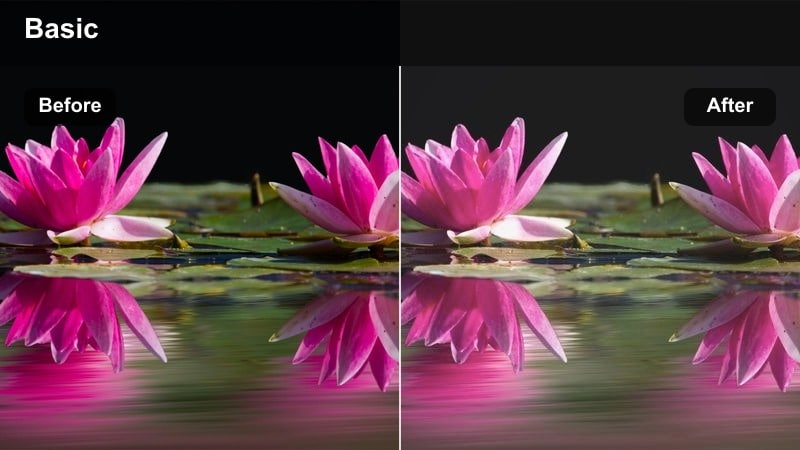
- Effect look: Soft pastel highlights with bright but gentle whites for airy morning scenes.
- Best for: Indoor lifestyle vlogs, study-with-me videos, and cozy desk setups near a window.
- Editing tip: Lower contrast slightly and add a subtle vignette to keep attention on the subject by the window.
Morning Window Glow is designed to turn plain daylight into a soft, diffused pastel wash that flatters faces and bright interiors. In Filmora, this LUT gently brightens whites, smooths highlight roll-off, and lifts pastel tones so your morning scenes feel clean and uplifting rather than harsh or overexposed.
Use this filter on clips with strong window light, then fine-tune exposure and contrast in the Color panel to balance the outside brightness with your subject. It works especially well for cozy work sessions, journaling shots, or calm morning routines where you want natural skin tones and a relaxed, airy aesthetic that feels consistent across your vlog.
Instant Pastel Moods with Smart Color Control
Filmora's pastel color video LUT filters are tuned to give you dreamy tones in a single click while keeping faces and key details natural. You can quickly convert flat or overly-contrasty footage into soft, cinematic pastels without needing advanced color grading skills.
Use Filmora's AI-powered color tools to match pastel moods across multiple clips, then tweak exposure, white balance, and saturation so every scene shares the same calm, modern aesthetic. This is ideal when you shoot on different days or in mixed lighting but still want your video to feel visually unified.
 secure download

Preview Pastel Filters on Real Footage
Drag different pastel color video LUT filters onto your timeline in Filmora and toggle them on and off to compare how they shift highlights, shadows, and skin tones. This lets you quickly see which pastel style best matches your footage and the mood you want to create.
Combine your chosen pastel filter with subtle film grain, a light vignette, and smooth transitions so your vlogs or cinematic edits feel cohesive from the first frame to the last. Testing pastel presets on a short sequence first helps you lock in the look before grading your entire project.
secure downloadBuild a Reusable Pastel LUT Library
As you experiment with Filmora's pastel LUT filters and additional color tweaks, save your favorite looks as custom presets. Over time you can build a reusable pastel library that matches your channel's branding, from soft studio looks to dreamy outdoor tones.
Organize these presets into folders like studio, outdoor, and lifestyle so you can apply consistent pastel grades to new videos in just a few clicks. This keeps your workflow fast while ensuring every upload maintains a recognizable visual identity.
secure downloadCity Cafe Pastel
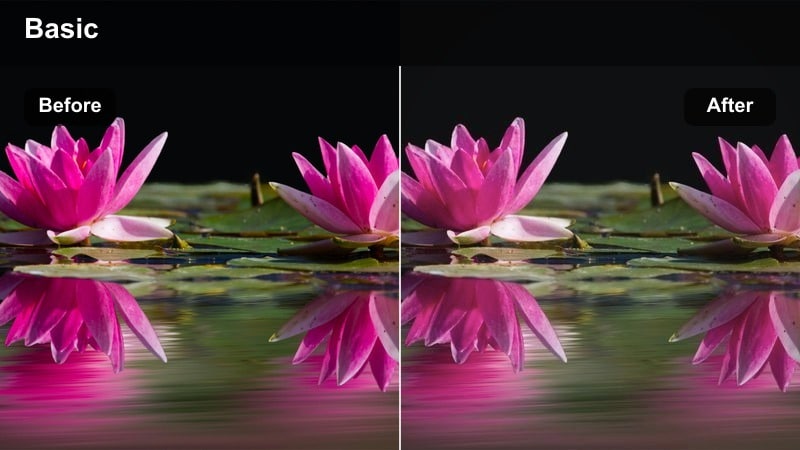
- Effect look: Muted pastels with softened contrast and creamy midtones for casual city footage.
- Best for: Urban sit-down talks, coffee shop b-roll, and casual meet-up videos.
- Editing tip: Warm the white balance slightly to make indoor cafe lighting blend smoothly with the pastel toning.
City Cafe Pastel transforms busy indoor environments into relaxed, aesthetic spaces by muting harsh colors and softening contrast. In Filmora, apply this LUT to neutralize strong shadows and blend mixed light sources into a cohesive pastel palette that flatters both your subject and the background.
Before adding the filter, use the temperature and tint sliders to correct yellow or green casts from overhead lights. Once balanced, the pastel LUT will create creamy midtones, calm highlights, and soft background detail so your face, coffee, and table elements look cinematic without appearing over-edited.
Pastel Street Walk
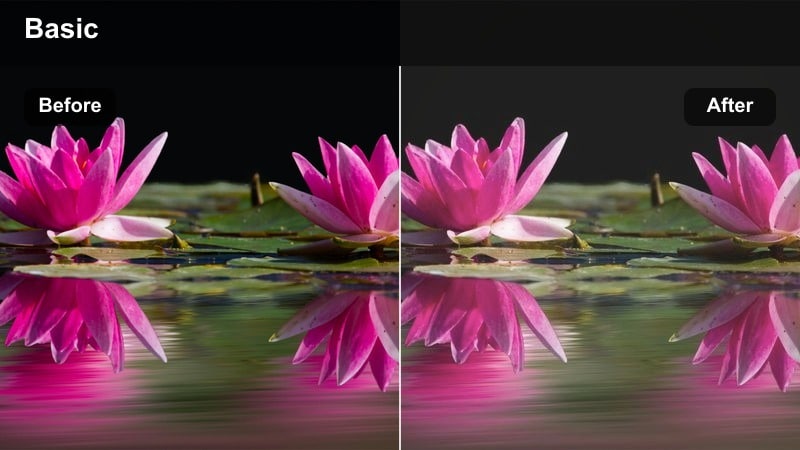
- Effect look: Soft pastel color shifts with slightly faded shadows that keep city streets gentle and bright.
- Best for: Handheld city walk vlogs, day-in-the-life montages, and POV street shots.
- Editing tip: Add a subtle stabilization and trim shaky clips so the pastel color feel remains smooth and cinematic.
Pastel Street Walk is tuned for dynamic city footage, where harsh concrete and signage can easily overpower your subject. In Filmora, this LUT lifts shadows, subtly fades blacks, and adds gentle pastel shifts so your walk-and-talk segments feel light and inviting rather than gritty.
For best results, stabilize your clips first and then apply the filter so the softened colors match the smooth movement. Avoid heavy sharpening and keep transitions slow or minimal; the combination of soft edges and pastel color grading will give your street vlogs a cinematic, lifestyle-focused vibe that is easy to watch.
Dreamy Lifestyle Vibes
Bedroom Aesthetic Pastel
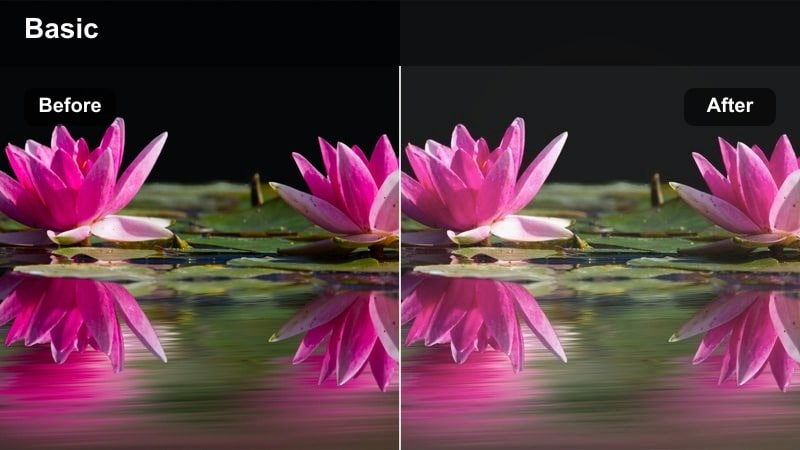
- Effect look: Delicate pastel tones with gentle skin highlights and slightly lifted blacks for a dreamy bedroom feel.
- Best for: Room makeovers, aesthetic routines, and chill talk-to-camera lifestyle clips.
- Editing tip: Reduce saturation in strong colored decor so it does not overpower the soft pastel palette.
Bedroom Aesthetic Pastel is built for cozy indoor spaces where decor, bedding, and fairy lights set the tone. In Filmora, the LUT softens contrast, brightens faces, and lifts shadows to create a dreamy, lived-in feel that suits morning routines, journaling, or night-time wind-down videos.
Use selective color controls to desaturate any neon objects or bold patterns that fight the pastel mood. Once the strong tones are tamed, this filter will keep your skin soft and natural while letting neutral decor, plants, and warm lights blend into a cohesive pastel background that feels relaxing and on-trend.
Desk Setup Pastel Clean
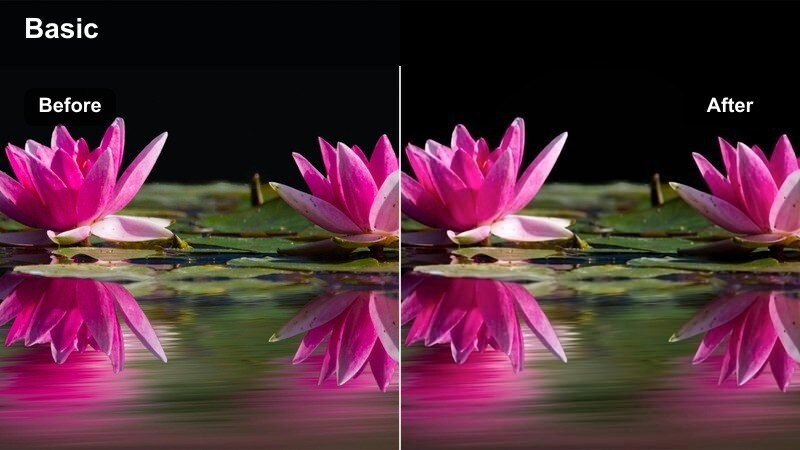
- Effect look: Cool-leaning pastel highlights with crisp whites and softened color accents for minimal desk scenes.
- Best for: Work-from-home setups, productivity videos, and tech desk tours.
- Editing tip: Slightly increase clarity on your subject while keeping overall contrast low for a polished pastel tech look.
Desk Setup Pastel Clean focuses on bright whites and cool, minimal tones that make productivity and tech videos feel fresh and organized. In Filmora, this LUT keeps whites crisp while gently muting accent colors so your monitors, keyboard, and accessories look modern without visual clutter.
After applying the filter, selectively boost clarity around your subject or key gear to preserve text and product detail, while maintaining low global contrast for a soft, pastel finish. This approach works especially well for overhead desk shots, voiceover b-roll, or seated A-roll where you want a clean, professional but still aesthetic workspace vibe.
Mirror Selfie Soft Pastel
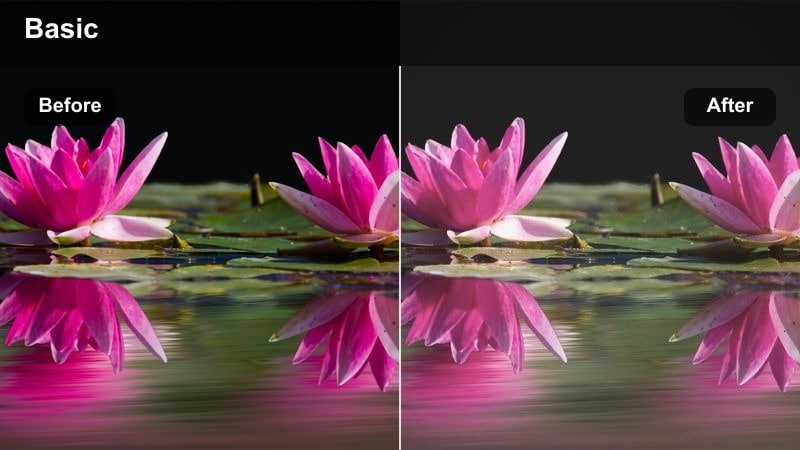
- Effect look: Gentle pastel wash with flattering skin tones and lightly hazy highlights for vertical shots.
- Best for: Vertical mirror clips, outfit-of-the-day reels, and social shorts filmed indoors.
- Editing tip: Crop to vertical first, then add the filter and adjust brightness so faces stay clear even in low light rooms.
Mirror Selfie Soft Pastel is tuned for vertical fashion and lifestyle clips where your outfit and skin tones are the focus. In Filmora, the LUT adds a soft haze to highlights and a pastel wash to colors, giving hallway and bedroom mirrors a stylish, social-ready look.
Start by setting your aspect ratio to 9:16, then apply the filter and fine-tune exposure so your face and clothing details remain crisp in lower light. If the room light is very warm or orange, cool the white balance before grading; this keeps skin tones natural while still benefiting from the dreamy pastel finish your viewers expect on platforms like Instagram Reels or TikTok.
Outdoor Pastel Journeys
Riverside Pastel Walk
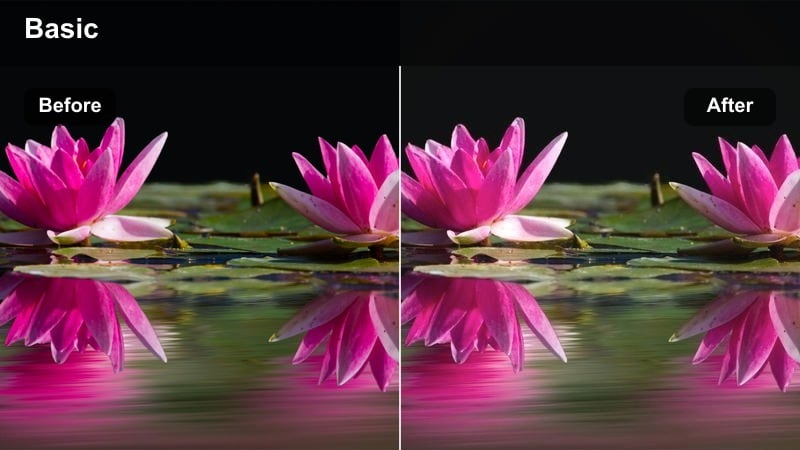
- Effect look: Soft pastel greens and blues with slightly desaturated backgrounds for calm outdoor walks.
- Best for: Walk-and-talk vlogs along rivers, canals, or urban waterfronts.
- Editing tip: Dial back saturation on strong blues to keep water and sky from overpowering the pastel look.
Riverside Pastel Walk is ideal for calming outdoor vlogs along water, where bold blues and greens can dominate your frame. In Filmora, this LUT gently desaturates the background while shifting greens and blues into softer pastel versions, so your subject stays readable against the scenery.
Apply the filter, then fine-tune saturation sliders for blue, aqua, and green to keep skies and rivers from looking too intense. With a slightly lifted shadow curve and controlled highlights, your waterfront walks will feel serene and cinematic, making them perfect for reflective commentary, Q and A sessions, or relaxing B-roll sequences.
City Park Soft Pastel
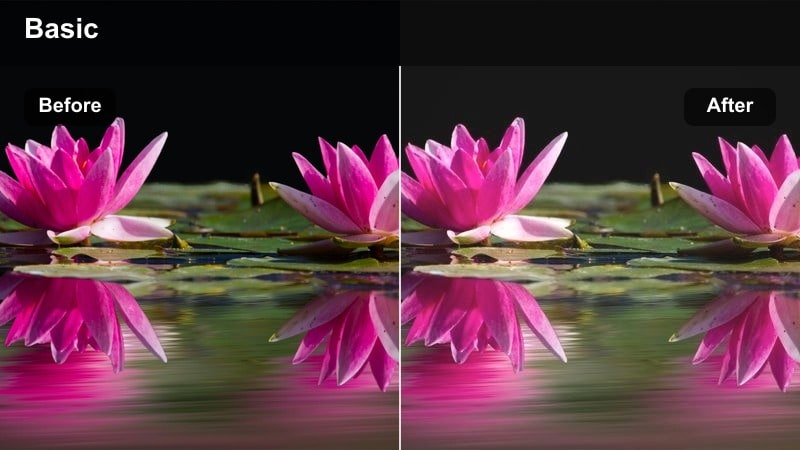
- Effect look: Warm pastel highlights with mellow greens and softly faded shadows for relaxed park scenes.
- Best for: Picnic vlogs, reading-in-the-park clips, and casual outdoor meetups in urban parks.
- Editing tip: Lower contrast midday and add slight fade in the blacks to avoid harsh sun breaking the pastel mood.
City Park Soft Pastel captures the warmth of outdoor hangouts while smoothing harsh midday light into a gentle, nostalgic look. In Filmora, the LUT warms highlights, softens greens, and fades shadows just enough to keep skin tones and grass looking friendly and cinematic.
For footage shot in strong sun, first reduce highlights and overall contrast before enabling the filter. Once applied, you can add a slight fade to the blacks and perhaps a touch of blur to distant backgrounds, giving your park scenes a relaxed, dreamy character that works beautifully for picnics, reading shots, and casual group moments.
Sunset Pastel Promenade
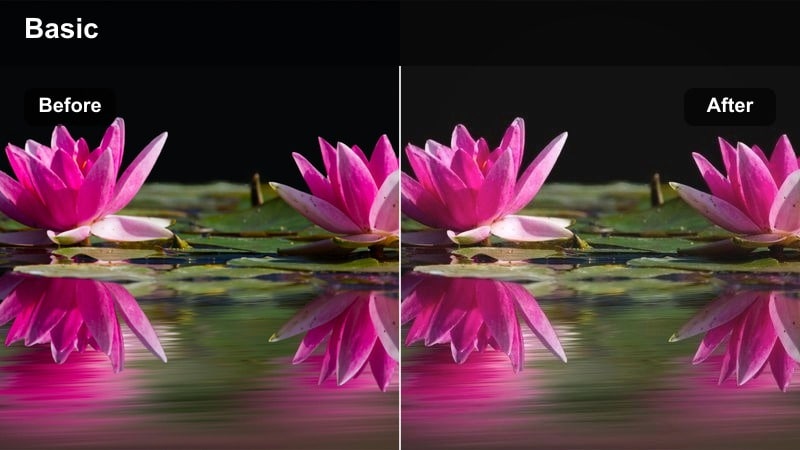
- Effect look: Evening pastel tones with softened oranges and purples that keep sunsets dreamy and not oversaturated.
- Best for: Golden-hour walks, rooftop hangouts, and evening cityscape b-roll.
- Editing tip: Slightly reduce vibrance before applying the filter so sky gradients stay smooth and cinematic.
Sunset Pastel Promenade is crafted to handle orange and purple-heavy skies without blowing out color or losing gradient detail. In Filmora, this LUT tones down intense sunset hues into refined pastels while maintaining separation between the skyline, clouds, and your subject.
Before applying the filter, pull back vibrance and ensure the brightest parts of the sky are not clipped. Once the LUT is active, refine saturation in the orange, red, and magenta channels to avoid banding. The result is a cinematic, soft-focus evening look that suits outro walks, reflective voiceovers, and skyline b-roll.
Studio and B-Roll Pastels
Studio Soft Key Pastel
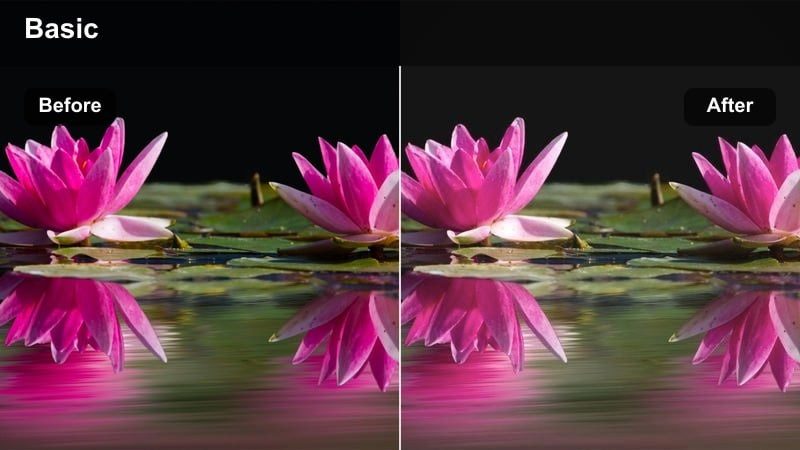
- Effect look: Clean studio pastels with balanced skin tones, gentle contrast, and controlled highlights.
- Best for: Talking-head videos, tutorials, and product explainers shot under softbox lighting.
- Editing tip: Keep exposure neutral and let the filter handle the pastel mood instead of pushing brightness too far.
Studio Soft Key Pastel is optimized for controlled lighting environments where you want consistent, professional results. In Filmora, this LUT keeps skin tones accurate, moderates highlight intensity from softboxes, and adds a subtle pastel character that reads well on YouTube and other platforms.
Expose your footage neutrally in-camera, then apply the LUT and adjust only minor elements like exposure, white balance, and saturation per clip. Copy these settings across multiple angles to maintain a uniform pastel studio look, giving your tutorials, reviews, and explainers a polished yet gentle aesthetic.
B-Roll Pastel Overlay
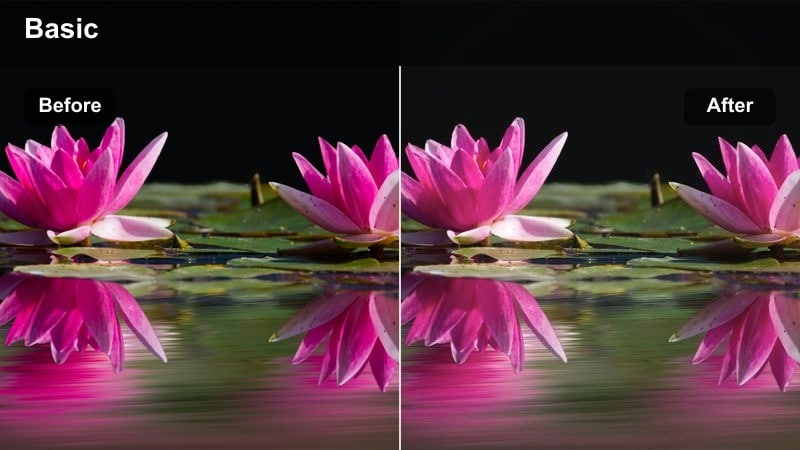
- Effect look: Subtle pastel wash with slightly lower saturation that keeps b-roll supportive, not distracting.
- Best for: Insert shots, transitions, and aesthetic cutaways layered over voiceovers.
- Editing tip: Use a slightly lower filter intensity on b-roll than on A-roll so the main story remains visually dominant.
B-Roll Pastel Overlay is designed to complement your main narrative rather than compete with it. In Filmora, this LUT slightly lowers saturation and adds a soft pastel wash so detail shots, transitions, and environmental cutaways feel cohesive but understated behind voiceovers or dialogue.
Apply the filter at a reduced intensity compared to your A-roll pastel grade, ensuring your primary subject remains the visual anchor. If your b-roll includes important text or UI elements, ease back the effect strength and use cross dissolves or gentle push-ins so the soft pastel look supports your pacing and storytelling rhythm.
Night Studio Neo Pastel
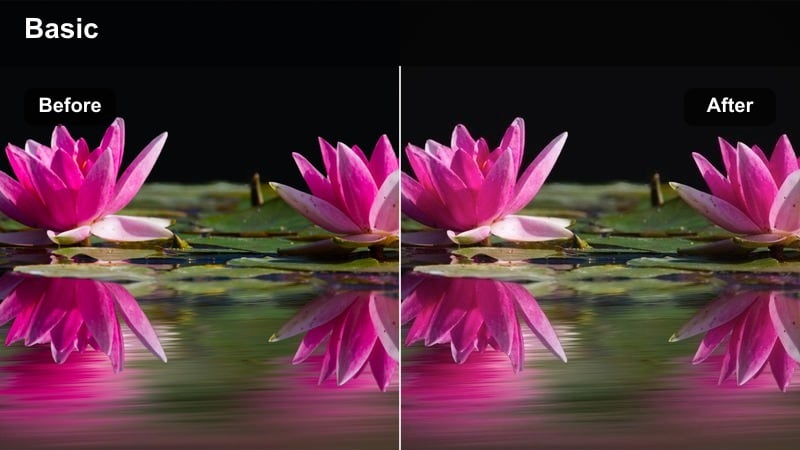
- Effect look: Cool pastel highlights with controlled shadows that keep night interiors modern and clean.
- Best for: Nighttime desk videos, streaming setups, and moody studio b-roll.
- Editing tip: Raise shadows a little and reduce noise first so the pastel tones do not emphasize grain.
Night Studio Neo Pastel helps you turn darker, LED-lit rooms into polished, modern scenes without crushing shadows or exaggerating color noise. In Filmora, this LUT leans into cool pastel highlights, carefully shaping contrast so your face, monitors, and RGB accents feel cohesive and professional.
Before applying the filter, run basic noise reduction and gently lift shadows to keep grain under control. Once the LUT is in place, fine-tune exposure and saturation to prevent over-bright LEDs or neon accents from dominating the frame, resulting in a sleek night-time aesthetic that suits streams, late-night chats, and moody desk b-roll.
Tips for Using Pastel Color Video Lut Filter Filters in Filmora
- Shoot with a slightly flatter picture profile and avoid heavy in-camera contrast so Filmora's pastel LUT filters have more room to shape your final look.
- Plan wardrobe and backgrounds around two or three main colors to help the pastel color grading feel intentional and cohesive on screen.
- Use gentle camera movement and slightly slower cuts, since rapid edits and whip pans can clash with the calm, dreamy pastel mood.
- Adjust filter strength on a clip-by-clip basis rather than locking in one intensity for the entire timeline, especially when lighting conditions change.
- After applying a pastel LUT, refine exposure, highlights, and blacks to protect detail in skies, windows, and skin.
- Always evaluate skin tones last; if faces look dull, cool, or gray, nudge warmth and midtone saturation up until they appear natural.
- Combine pastel LUTs with subtle vignettes and light film grain in Filmora to add depth while keeping the look soft and cinematic.
- Save your favorite pastel adjustments as custom presets and reuse them across projects to maintain a consistent visual brand.
Pastel color video LUT filters in Filmora give content creators a fast way to transform everyday footage into soft, cinematic visuals that match modern aesthetic trends.
By pairing the right pastel preset with your scene and making a few simple adjustments, you can keep your videos cohesive, on-brand, and ready for sharing across every platform.
secure download