

 100% Security Verified | No Subscription Required | No Malware


 ChatGPT
 Perplexity
 Gemini
 Claude
 Grok
Grok
This Rainy City Street Cinematic LUT filter set is designed for content creators who want to turn wet sidewalks, neon reflections, and overcast skies into moody, filmic storytelling tools.
Whether you shoot handheld vlogs, slow-motion B-roll, or atmospheric street portraits, these rainy city filters help you push contrast, color, and texture for a dramatic big-screen feel.
In this article
Dusk Commute Streetscapes
Neon Rain Glow
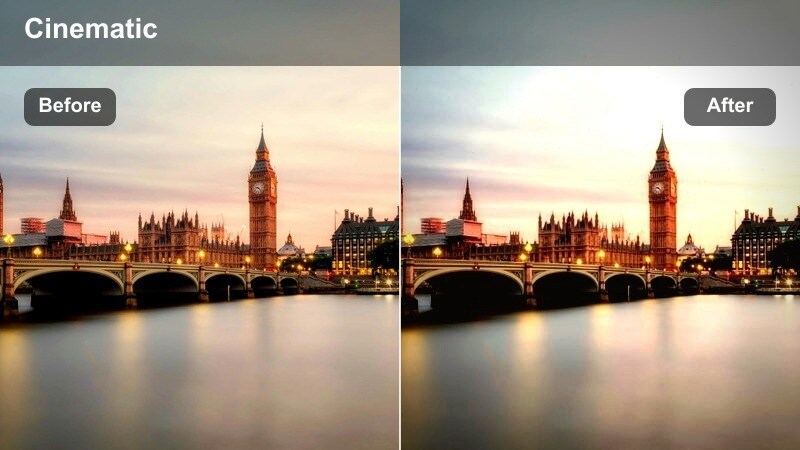
- Effect look: Soft contrast with boosted neon signs and rich wet pavement reflections.
- Best for: Rainy blue hour city streets with car lights and storefront signage.
- Editing tip: Lower clarity slightly and add subtle motion blur to light streaks for a dreamy cyberpunk vibe.
Use Neon Rain Glow when your frame is filled with signage, traffic, and reflective sidewalks, and you want those colors to feel lush without losing detail. In Filmora, apply this rainy city LUT to footage shot at blue hour, then fine-tune intensity with the filter strength slider so neon edges stay clean while pavement reflections look glossy and dimensional.
For character-driven moments, combine the filter with Filmora masking so faces stay natural while the background glows. Slightly reduce clarity and add directional motion blur to moving cars or passing umbrellas, and your rainy B-roll instantly leans into a cyberpunk, story-first aesthetic that still feels grounded in the real city.
Dial in the Perfect Rainy Palette with AI Tools
Pair these rainy city street cinematic filters with Filmora AI color tools to normalize exposure and white balance across mixed-weather clips. Let AI quickly correct color casts from sodium streetlights or neon-heavy alleys before you commit to a stylized LUT.
Once your rainy footage shares a consistent base look, each LUT will deliver a smoother, more professional grade from handheld alley B-roll to dashboard monologues on the drive home.
 secure download

Preview Rainy Street Filters in Real Time
Use Filmora split-screen and before after previews to compare multiple rainy street LUTs on the exact same clip. This lets you see how each filter handles neon edges, puddle reflections, and midtone contrast as your subject moves through the frame.
Scrub through your timeline while previewing to check for flicker or color shifts, then lock in the LUT that keeps your story mood consistent from first frame to last.
secure downloadStack Filters with LUTs for Signature Looks
Layer Filmora rainy city filters with 3D LUTs to push your footage toward neo noir, cyberpunk, or subtle film emulation. Apply the rainy filter first to shape contrast and saturation, then place a LUT on an adjustment layer above your clips.
Keep LUT opacity around 20 to 40 percent so the base rainy aesthetic stays intact while the LUT adds a recognizable color signature to your entire edit.
Once the color look is finalized, Filmora can also export compatible color adjustments from a selected clip as a standard .cube LUT for reuse across other sequences or in DaVinci Resolve, Adobe Premiere Pro, and Final Cut Pro.
secure downloadMisty Avenue Fade
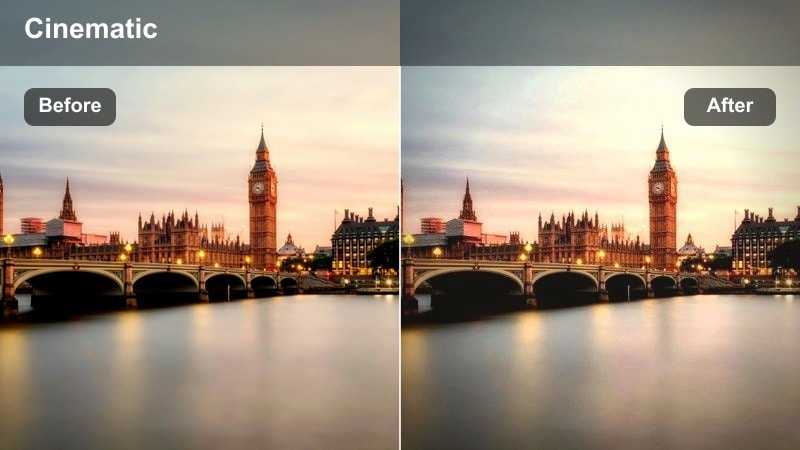
- Effect look: Soft washed contrast with gentle haze, cool shadows, and muted highlights.
- Best for: Slow-motion walking shots on wet sidewalks and foggy crosswalks.
- Editing tip: Add a slight vignette and reduce sharpness for an art-house urban film aesthetic.
Misty Avenue Fade is ideal when the rain is lighter and atmosphere matters more than hard detail. In Filmora, apply this LUT to clips with umbrellas, reflections, and shallow depth of field, then reduce sharpness and add a vignette to pull viewers into the center of your frame.
Because this filter lowers contrast and highlights, it works well for reflective voiceovers or diary-style sequences. Use Filmora keyframes to slowly ramp filter intensity up or down as your story becomes more hopeful or more introspective, matching the softness of the grade to the emotional beat.
Commuter Rush Contrast
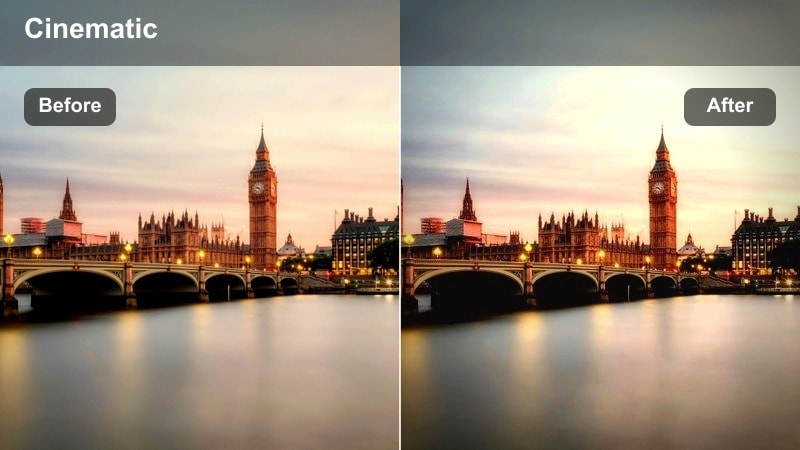
- Effect look: Punchy contrast with crisp raindrops, deep blacks, and cool steel-blue tones.
- Best for: Handheld B-roll of commuters, umbrellas, and buses during rush hour rain.
- Editing tip: Use a slightly higher shutter speed to freeze raindrops and let the filter emphasize texture.
Choose Commuter Rush Contrast when your footage is full of motion and you want every raindrop and umbrella edge to pop. In Filmora, pair this LUT with clips shot at higher shutter speeds so the filter can carve out micro-contrast in droplets, puddles, and coat textures.
This look fits energetic montages, travel reels, or intros that need to feel urgent and urban. After applying the filter, refine exposure with curves to prevent headlight or billboard clipping, then use Filmora speed ramping on key shots to sync bold visual hits with your soundtrack.
Night Rain B-Roll and Reflections
Noir Alley Chrome
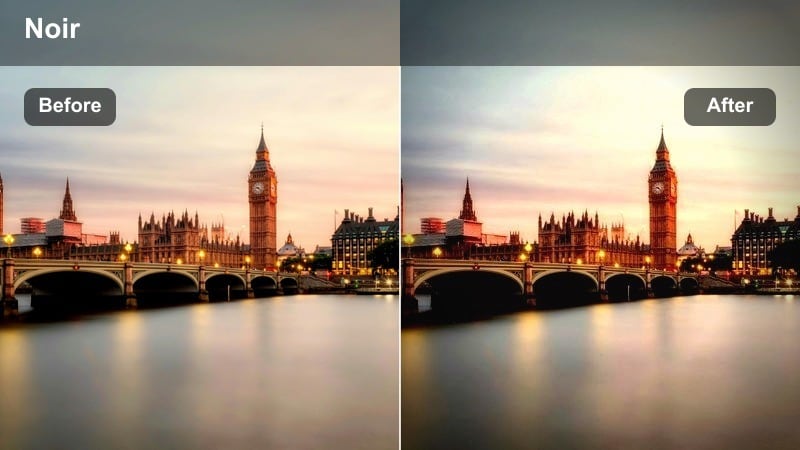
- Effect look: High-contrast monochrome-inspired color with deep shadows and metallic reflections.
- Best for: Moody alleyways, puddles, and silhouetted figures under streetlights.
- Editing tip: Drop saturation slightly and push shadows cooler to accentuate the noir feel.
Noir Alley Chrome leans into hard contrast and sculpted light, perfect for side streets, lone walkers, and mystery-driven sequences. In Filmora, apply this LUT to night scenes where streetlights carve out beams across wet pavement, then trim overall saturation to sharpen the quasi-monochrome mood.
Use Filmora masks and keyframes to keep your subject in partial silhouette as they pass through pools of light. Subtle camera movement, combined with the LUTs deep blacks and metallic highlights, will make even a simple alley walk feel like a frame from a classic noir thriller.
Neon Reflection Drift
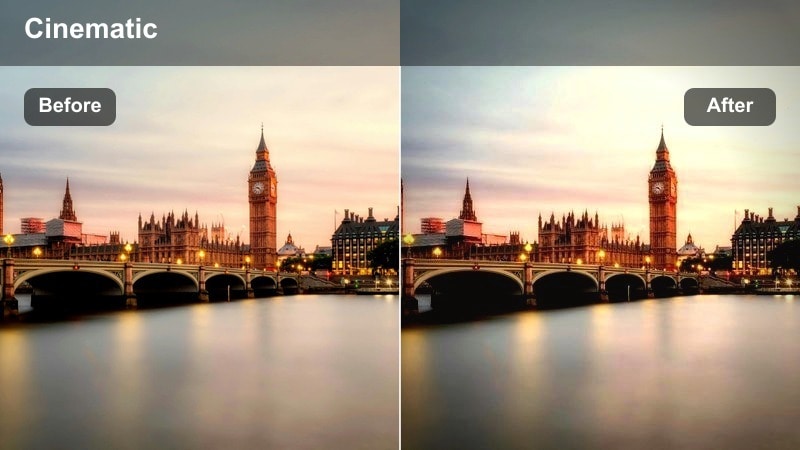
- Effect look: Saturated neon colors with subtle bloom in highlights and soft midtones.
- Best for: Slow pans across puddles, shop windows, and reflective car roofs at night.
- Editing tip: Add gentle camera movement and shallow depth of field to make the lights swirl and glow.
Neon Reflection Drift is designed to make puddles, windows, and car hoods feel like moving canvases of color. In Filmora, apply this LUT to low angle or macro shots where neon and traffic lights dominate the frame, then use slight blur or shallow depth of field to turn reflections into painterly streaks.
To keep people looking natural in the middle of all that saturation, refine skin tones with Filmora HSL or color wheels after the LUT. Dial magentas and blues down a touch while leaving oranges and warm highlights intact, so faces remain cinematic yet believable against a sea of moving neon.
Stormy Crosswalk Cinema
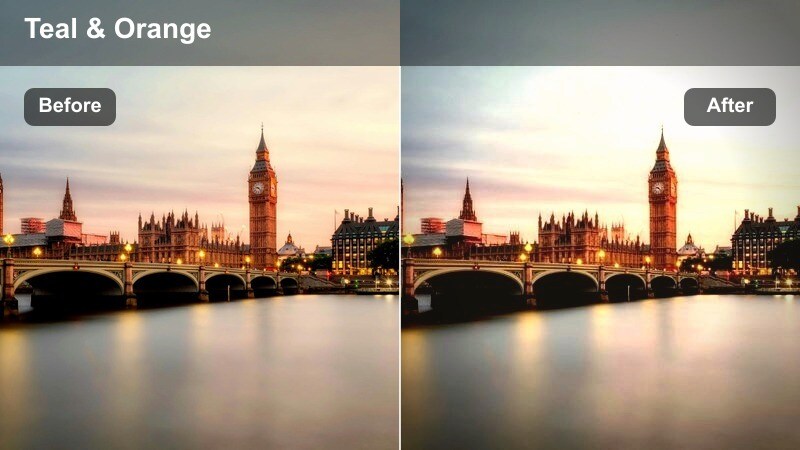
- Effect look: Cinematic teal shadows with warm highlights and a gentle filmic fade.
- Best for: Wide shots of crosswalks, taxis, and crowds moving through heavy rain.
- Editing tip: Stabilize handheld footage slightly, then crop to a wider aspect ratio for a filmic frame.
Stormy Crosswalk Cinema brings the classic teal and orange cinema palette into your rain-soaked establishing shots. Apply this LUT in Filmora to wide frames of intersections and traffic, then crop to a wider aspect ratio such as 2.35:1 to accentuate the big screen feel.
Because this look keeps warm highlights on headlights and windows, it is ideal for transitions between daytime and night sequences. Light stabilization in Filmora, combined with the LUTs soft fade in the shadows, will turn chaotic crosswalks into controlled, story-driven beats.
Intimate Street Vlogs in the Rain
Soft Umbrella Journal
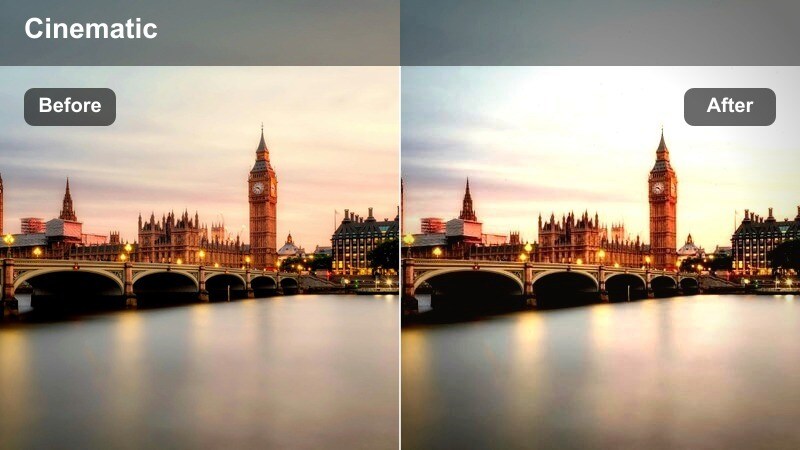
- Effect look: Gentle contrast, warmed skin tones, and softened background rain.
- Best for: Talking-head vlogs under an umbrella while walking through city streets.
- Editing tip: Expose slightly to the right so the filter has clean highlights to work with on faces.
Soft Umbrella Journal is tuned to keep faces flattering while still showing the rainy city around you. In Filmora, apply this LUT to walk-and-talk clips, then slightly lift exposure with the Color panel so skin tones stay luminous and clean even under moody clouds.
The filter naturally softens background rain and lights, which helps separate you from the environment. To keep eyes and facial details sharp, add a tiny bit of additional contrast or clarity with masks around your face, leaving the rest of the frame in that soft, cinematic drizzle.
Windowpane Confession
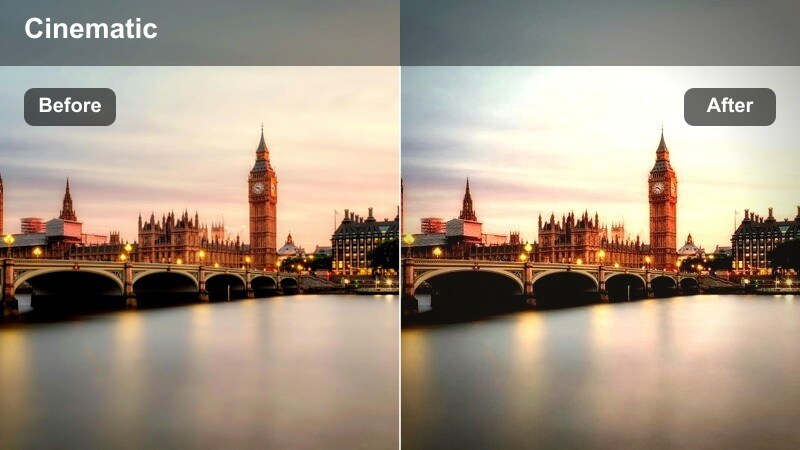
- Effect look: Cozy warm interiors against cool rainy exteriors with soft reflections.
- Best for: Storytime or reflective vlogs shot inside near a rain-covered city window.
- Editing tip: Push warmth in practical lamps and keep background blues slightly desaturated for balance.
Windowpane Confession is built for emotional sit-down content framed by rainy city windows. In Filmora, use this LUT on clips where your subject is near glass, then gently boost warmth in practical lamps or fairy lights so the interior feels inviting against the cool, desaturated city outside.
To guide the viewer s eye, darken the outer edges of the frame with a vignette and keep midtones around your subject clean. Reflections of city lights and passing cars in the glass will still carry subtle color, but the overall balance stays focused on your expression and storytelling.
Hoodie Walk and Talk
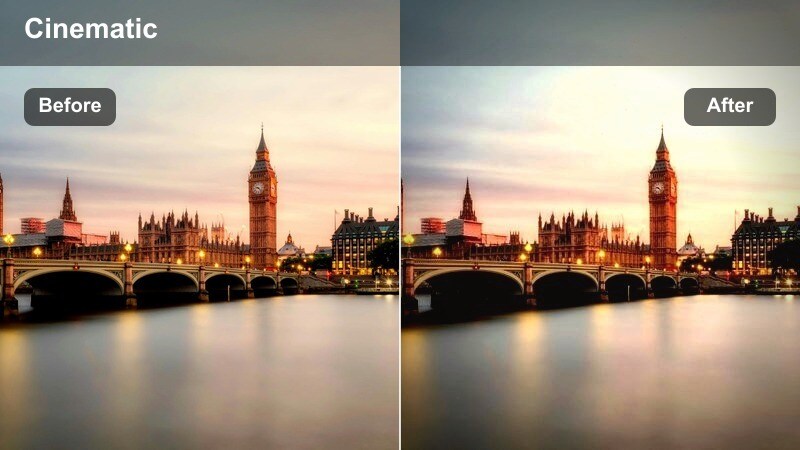
- Effect look: Street-true colors with slightly lifted blacks and cool rain accents.
- Best for: Casual walk-and-talk vlogs through side streets and residential blocks in light rain.
- Editing tip: Add light stabilization and keep the filter strength moderate for a natural documentary feel.
Hoodie Walk and Talk favors authenticity over heavy stylization, making it ideal for daily vlogs and lifestyle content. Apply this LUT in Filmora when you are moving through quieter backstreets, then keep intensity moderate so pavement, brick, and foliage tones remain recognizable.
Slightly lifted blacks keep the image gentle while cool accents in damp surfaces remind viewers it is still a rainy day. Add a bit of stabilization and only light color tweaks on top, and you get a grounded, documentary-style look that pairs well with unscripted dialogue.
Rainy Car Rides and City Overlooks
Windshield Storyframe
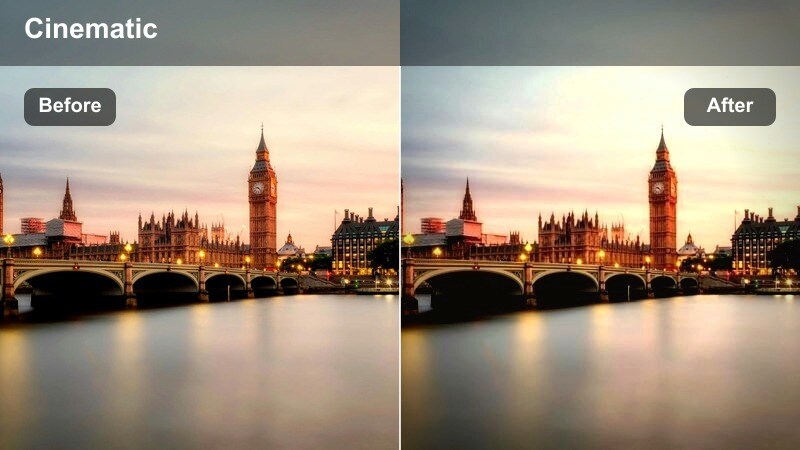
- Effect look: Soft, cinematic highlights with emphasized raindrops on glass and muted city colors.
- Best for: POV shots through car windows, dashboard vlogs, and ride-along sequences.
- Editing tip: Let some areas fall into deep shadow to focus attention on raindrops and the subject.
Windshield Storyframe turns everyday car rides into introspective visual interludes. In Filmora, apply this LUT to shots filmed through windows or windshields, then allow parts of the cabin or road to drop into shadow so the eye focuses on raindrops, bokeh lights, and your subject.
Use keyframed exposure or masks to gently lift faces when recording dashboard monologues, while keeping the city outside slightly muted. The filter s softer highlights and boosted glass detail make transitions between locations feel like thoughtful beats instead of simple travel time.
Overlook Rain Horizon
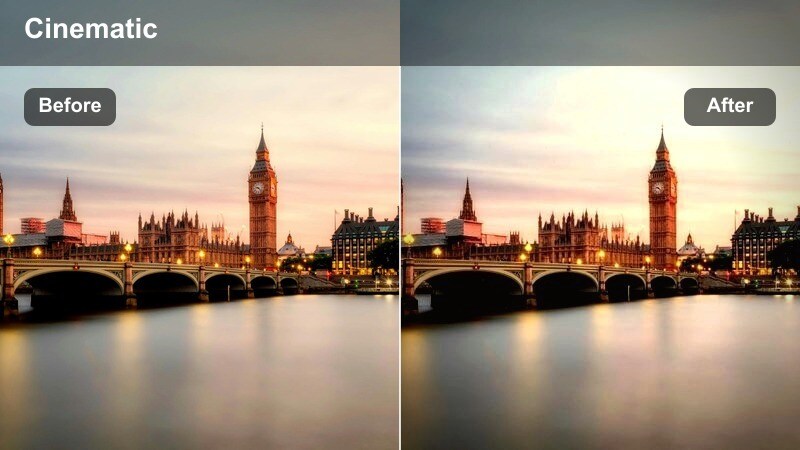
- Effect look: Cool, desaturated skyline with soft haze and gentle contrast roll-off.
- Best for: City overlook shots from rooftops, bridges, and parking structures in light rain.
- Editing tip: Combine with slow tilts or push-ins and add subtle grain for a filmic establishing shot.
Overlook Rain Horizon is made for establishing shots that set the mood of your rainy city story. In Filmora, apply this LUT to wide rooftop or bridge views, then add a slow tilt or push-in using keyframed scale and position to create a cinematic reveal of the skyline.
The cool, slightly desaturated palette works especially well as a visual palate cleanser between more saturated street-level scenes. A touch of film grain from Filmora effects will keep the image from feeling too clean while emphasizing mist and atmosphere over fine detail.
Bridge Drive Trail
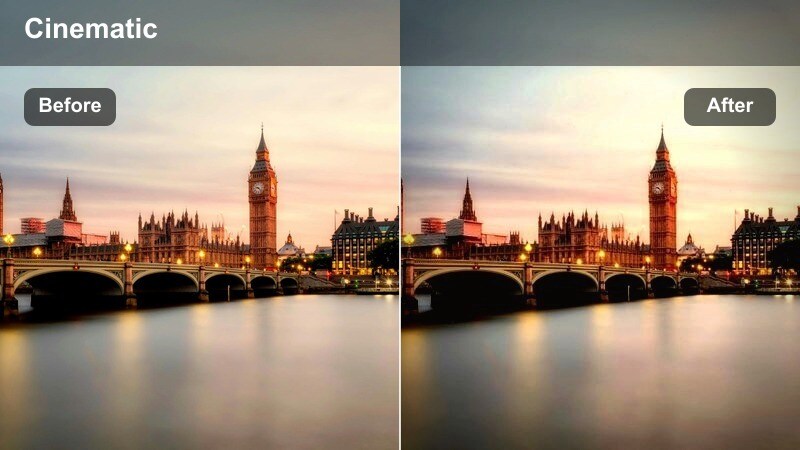
- Effect look: Dynamic contrast with vivid taillights and cooler midtones along wet highway lanes.
- Best for: Driving shots across bridges and elevated roads with city lights in the distance.
- Editing tip: Speed ramp key moments and let the filter emphasize light trails and road texture.
Bridge Drive Trail is the go to LUT for energetic travel transitions and night drives in the rain. Apply it in Filmora to footage of bridges, overpasses, and highways, especially where long-exposure style light trails or reflections create leading lines through the frame.
Use Filmora speed ramping to accent specific moments, like entering a bridge or emerging from a tunnel, while the LUT keeps taillights vivid and midtones cool. If highlights become too intense, pull back highlight intensity in the Color panel so the road surface and rainy texture still read clearly.
Tips for Using Rainy City Street Cinematic Lut Filters in Filmora
- Shoot slightly flatter in-camera so the rainy city filters have more highlight and shadow detail to work with.
- Keep ISO as low as possible in dark rain scenes to avoid noisy shadows once you add contrast with cinematic filters.
- Use streetlights, car headlights, and shop windows as natural practicals that your filters can enhance for depth.
- Batch-apply your favorite rainy filter to a sequence, then tweak clip-by-clip where light and color change dramatically.
- Mix wide establishing shots and tight detail shots so the rainy street aesthetic feels intentional across your whole edit.
- Experiment with filter intensity in Filmora to match the mood of each chapter, from subtle drizzle to full storm sequences.
- Combine LUTs with Filmora masks to protect skin tones or key subjects while pushing the background into a stylized rainy look.
- Use Filmora keyframes to slowly ramp between different rainy LUTs when your story shifts from calm to high energy.
With a focused rainy city street cinematic filter set, you can turn everyday wet sidewalks, traffic, and night commutes into visually rich storytelling moments.
Experiment with different styles on the same scene, then settle on one cohesive look so your entire video feels like a deliberate, film-inspired journey through the rain-soaked city.
secure download