

 100% Security Verified | No Subscription Required | No Malware

 ChatGPT
 Perplexity
 Gemini
 Claude
 Grok
Grok
The Subway Station Lifestyle Vlog Filter preset pack is designed for creators who live in motion, hopping between platforms, trains, and late-night city stops while recording their everyday stories.
From cool metallic tones to warm platform lights and gritty cinematic vibes, these Filmora-ready filters help you turn rushed subway footage into cohesive urban narratives that feel intentional and stylish.
In this article
Everyday Commute Vibes Underground
Cool Neon Commute
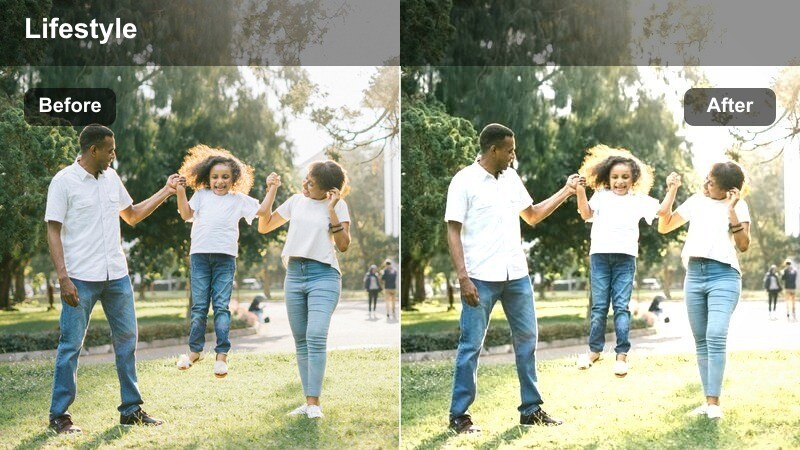
- Effect look: Soft teal shadows with boosted neon signage and a slightly desaturated skin tone for a calm commuter mood.
- Best for: B-roll of walking through platforms, escalators, and waiting beside glowing subway maps.
- Editing tip: Lower saturation on yellows slightly to keep skin tones from competing with neon blues and greens.
Cool Neon Commute gives your subway vlogs a sleek, futuristic tone by leaning into teal shadows and amplified neon accents. It gently desaturates skin so your face stays natural while signs, maps, and light strips become the visual focus of the frame.
In Filmora, apply this preset to walking B-roll, escalator rides, and platform sequences to create a unified, relaxed metro aesthetic. Use the Color tools to nudge yellow saturation down a bit more if your station lighting runs warm, and combine it with light stabilization for smooth, cinematic motion through the underground.
Pro tip: Use Cool Neon Commute for low-noise night platforms. Shoot at slightly higher shutter speeds to avoid motion blur in moving commuters, then let the filter smooth out the cool neon ambiance. Combine with gentle noise reduction in Filmora so the teal shadows stay clean without losing the gritty subway character.
AI-Tuned Colors for Real Subway Lighting
These Subway Station Lifestyle Vlog Filters are tuned around realistic subway lighting conditions, from fluorescent platforms to dim, mixed-temperature train cars. They are built on top of Filmoras AI color technology so you can quickly fix tricky underground exposure and color casts.
By relying on Filmoras AI-driven color tools as a foundation, each preset respects skin tones while controlling messy green casts and harsh overhead lights common in underground footage. Import your clips into Filmora and apply the Subway Station Lifestyle Vlog Filter that best matches your station mood, then fine-tune exposure and white balance for a perfect match.
 secure download

See the Subway Station Filters in Action
To find your signature underground look, test each Subway Station Lifestyle Vlog Filter on a simple sequence: entering the station, waiting on the platform, riding the train, and exiting onto the street. Watching them back-to-back makes it easy to see which palette best matches your channel style.
You will quickly see which presets feel like your personal brand, whether that is gritty, cozy, or minimalist. In Filmora, you can then save your favorite combinations as custom presets so future subway vlogs are only one click away from a fully polished grade.
secure download1000+ Video Filters and 3D LUTs
Beyond this dedicated Subway Station Lifestyle Vlog Filter pack, Filmora includes 1000 plus video filters and 3D LUTs you can stack for even richer underground looks. Mix cinematic LUTs with these presets to connect subway scenes to rooftop views, cafes, and street shots in the same vlog.
Keep LUT intensity low and let your chosen subway preset handle most of the transformation. This approach keeps footage looking cinematic and cohesive without pushing colors so far that noise and banding become obvious in low light.
secure downloadSoft Rush Hour Glow
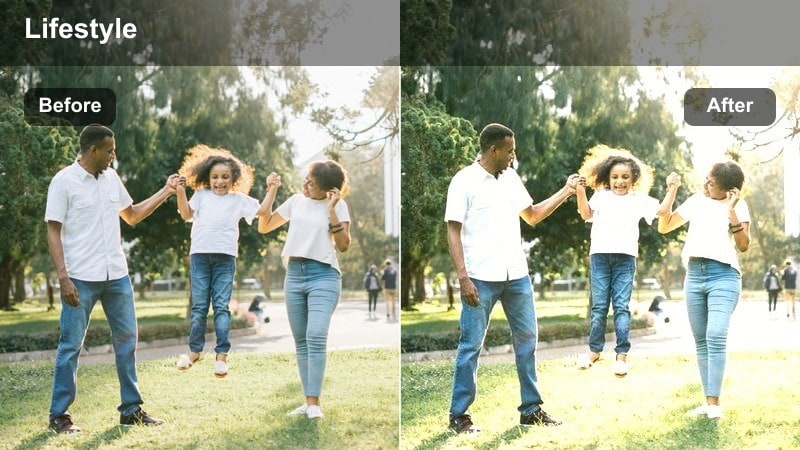
- Effect look: Warm highlights with softened contrast that turns harsh overhead lights into a gentle glow.
- Best for: Rush hour vlog segments where platforms are busy and bright but you want a friendly lifestyle tone.
- Editing tip: Add a slight vignette to pull attention toward your face when trains and crowds are visually distracting.
Soft Rush Hour Glow transforms harsh platform lighting into a flattering, lifestyle-friendly look. It wraps your subject in warm, smooth highlights while gently lowering contrast, helping crowded, bright stations feel inviting rather than overwhelming.
In Filmora, apply this filter to talking clips and selfie shots filmed during peak commute times. Layer a subtle vignette using the Effects panel to keep focus on your face, and use the exposure controls to slightly underexpose in-camera so the preset can lift midtones without blowing out highlight details.
Pro tip: Lean into backlight with Soft Rush Hour Glow. Stand near the edge of the platform with lights behind you so the filter can turn them into a soft halo instead of a blown-out patch. Expose slightly darker in-camera to protect highlights, then let the filter lift midtones for a flattering lifestyle look.
Minimal Commuter Journal
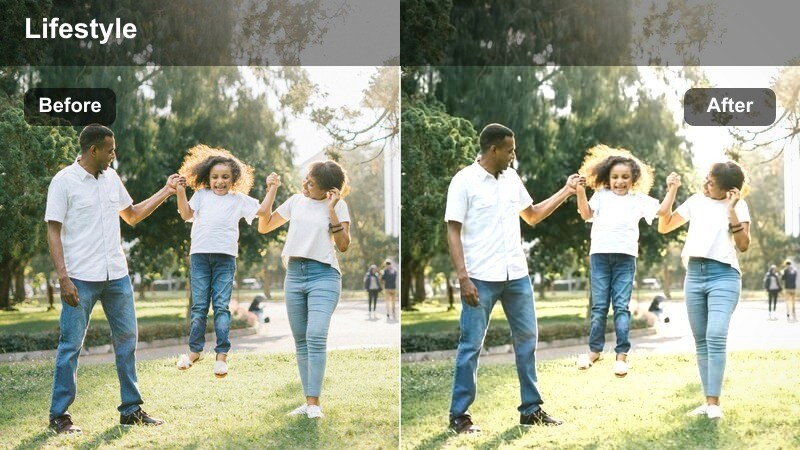
- Effect look: Muted colors with gentle contrast and a documentary-style, slightly cool palette.
- Best for: Talking-to-camera diary clips on the platform or inside the car about your day or commute routine.
- Editing tip: Keep camera movement simple and steady so the clean, minimal palette feels intentional and journal-like.
Minimal Commuter Journal strips away distraction by toning down saturation and contrast, leaving you with a calm, documentary-style base. The slightly cool palette adds a reflective feel, ideal for moments when you are sharing honest thoughts about your day.
Use this preset in Filmora on static talking clips filmed on benches, near pillars, or against tiled walls. Pair it with simple cuts, light background music, and minimal transitions so the visuals match the intimate, journal-style storytelling you are recording underground.
Pro tip: Pair Minimal Commuter Journal with text overlays. Use simple, thin sans-serif fonts over this filter to enhance the documentary tone of your subway lifestyle vlogs. Keep transitions minimal, relying on hard cuts so the journal style feels authentic rather than overly stylized.
On-Train Lifestyle and Storytelling
Window Reflection Diary
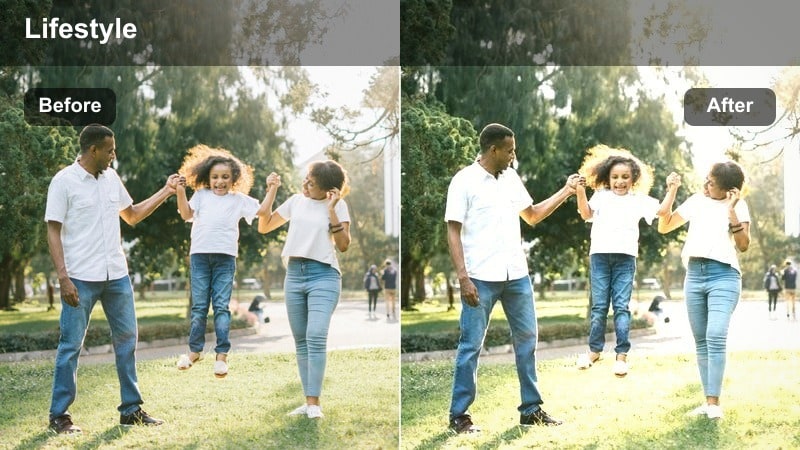
- Effect look: Soft contrast with gently lifted blacks and emphasized reflections in windows and doors.
- Best for: Introspective monologues filmed in window seats, capturing reflections of city lights as the train moves.
- Editing tip: Slow down clips slightly and add gentle background music to emphasize the reflective, emotional mood.
Window Reflection Diary is built for introspective, cinematic moments shot beside subway windows. The preset lifts blacks slightly and softens contrast so reflections from passing lights and tunnel textures become part of the emotional storytelling.
In Filmora, apply it to profile shots or close-ups where your reflection shares the frame, then slow footage by 5 to 15 percent to add a dreamy quality. Combine with soft, low-volume music and subtle crossfades so the visuals and soundscape match the reflective mood of the ride.
Pro tip: Use reflections as storytelling tools. Frame your face partly in reflection and partly direct to camera so the filter can emphasize the duality of your thoughts and the moving city. Shoot at night or dusk when lights are visible; this filter will gently highlight them without overpowering your face.
Cozy Carriage Chat
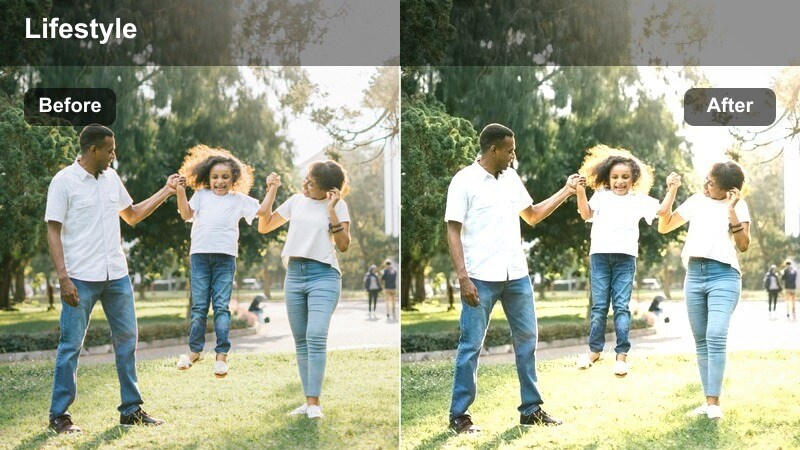
- Effect look: Warm midtones with soft skin smoothing and slightly reduced sharpness for a cozy feel.
- Best for: Sitting or standing vlog segments chatting with friends or your audience in a quieter train carriage.
- Editing tip: Balance audio carefully, using subtle ambience so the cozy look matches a warm, intimate soundscape.
Cozy Carriage Chat wraps your on-train conversations in warm midtones and gentle softening, making the carriage feel like a rolling living room. Skin smoothing is subtle, giving faces a flattering look without feeling overly filtered or artificial.
Apply it in Filmora to group chats, Q and A segments, or candid moments with friends on less crowded trains. Pair the visual warmth with carefully mixed ambience and lower background noise so the audio feels just as intimate as the images on screen.
Pro tip: Match color warmth with your outfit. Wear neutral or earth-toned clothing when using this filter so the warmth feels cohesive rather than overpowering. If the carriage lights are too yellow, slightly reduce overall warmth in Filmora, letting the filter handle skin tones.
Minimalist Subway Study
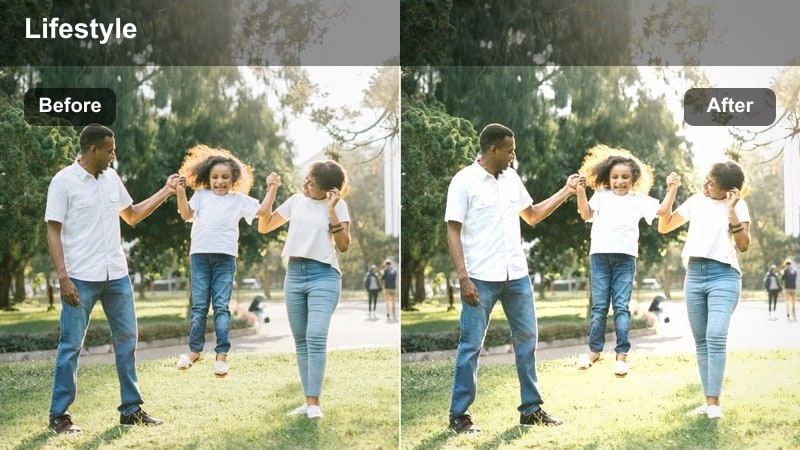
- Effect look: Cool, slightly faded tones with crisp detail on lines, handles, and signage inside the car.
- Best for: Lifestyle scenes of reading, working on a laptop, or journaling during your commute.
- Editing tip: Use locked-off tripod or clamp shots so the minimalist lines in the carriage stay clean and graphic.
Minimalist Subway Study cools and slightly fades your colors while keeping edges and textures inside the carriage sharp. This combination is ideal for aesthetic productivity shots that highlight clean lines, empty seats, and quiet focus time.
In Filmora, use this filter on locked-off shots of reading, typing, or sketching while the train moves. Avoid heavy motion graphics on top; instead, let the geometry of poles, windows, and seating carry the visual interest while the preset maintains a calm, design-driven feel.
Pro tip: Embrace negative space in the carriage. Frame shots with lots of empty seats or clean wall panels so the filter can emphasize geometry and minimalism. Avoid cluttered bags or bright logos that break the clean visual rhythm created by this filter.
Platform B-Roll and Cinematic Moments
Gritty Platform Cinema
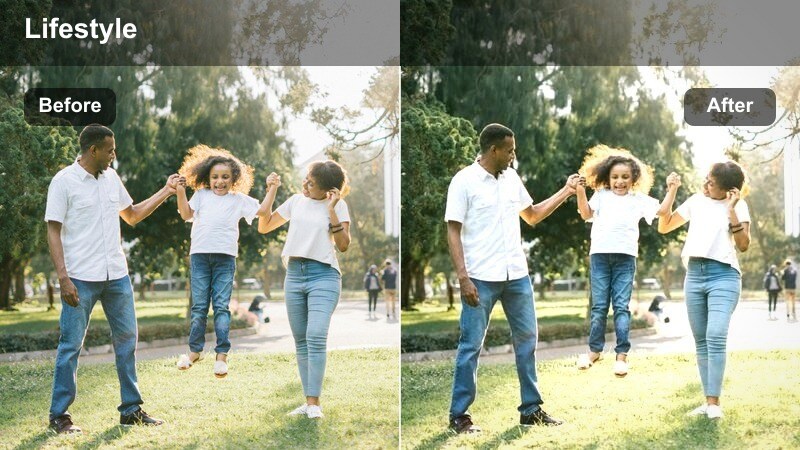
- Effect look: High contrast, slightly crushed blacks, and subtle film grain for a cinematic underground vibe.
- Best for: Slow-motion shots of trains arriving, shoes walking past the yellow line, or close-ups of tiles and rails.
- Editing tip: Use slower shutter speeds and stabilised handheld shots to maximize the cinematic streaks and textures.
Gritty Platform Cinema turns everyday subway platforms into dramatic, movie-like settings with bold contrast and dark, textured shadows. Subtle grain adds character, making rails, tiles, and arriving trains feel like scenes from a neo-noir film.
In Filmora, apply this preset to your best slow-motion or stabilized B-roll of platforms and tracks. Slightly underexpose in-camera to preserve highlight detail in headlights and signs, then consider adding an extra light grain overlay so shots from different cameras merge into one cohesive cinematic sequence.
Pro tip: Push contrast, protect detail. Slightly underexpose in-camera so this high-contrast filter keeps detail in bright signage and train headlights. Add a very light grain overlay in Filmora to merge footage from different cameras into one cohesive gritty look.
Urban Line Art
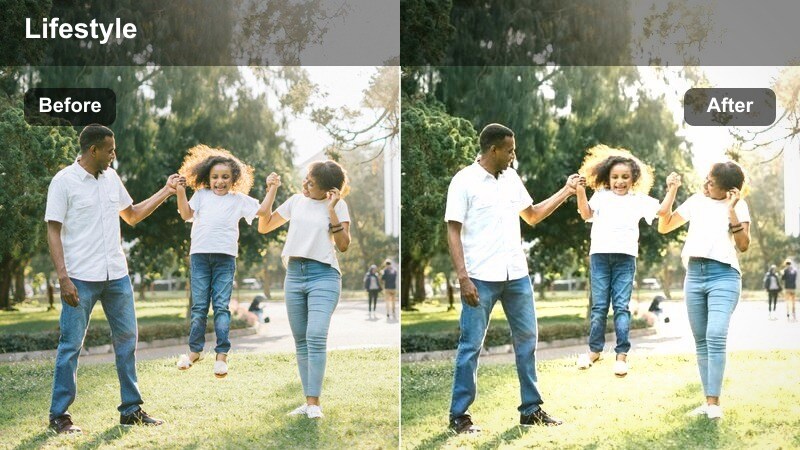
- Effect look: Medium contrast with sharpened edges that emphasize architectural lines and platform geometry.
- Best for: Shots of staircases, escalators, railings, and repeating patterns along the station platform.
- Editing tip: Avoid overusing digital sharpening in-camera; let the filter handle clarity for a cleaner, more cinematic result.
Urban Line Art focuses on structure, boosting clarity and edge definition to highlight the graphic geometry of subway architecture. Stairs, escalators, guard rails, and tiled walls all gain extra visual punch, perfect for establishing shots around your vlog.
Apply this filter in Filmora to static or slow-moving shots that show off repeating patterns. Skip heavy in-camera sharpening and instead rely on the preset for crispness, then cut these shots between talking segments to create a rhythmic, visually engaging commute story.
Pro tip: Frame for symmetry and repetition. Center escalators or stairways in frame so the enhanced lines become a strong visual motif. Cut these shots between talking segments to establish location and add visual rhythm to your lifestyle vlog.
Platform Color Pop
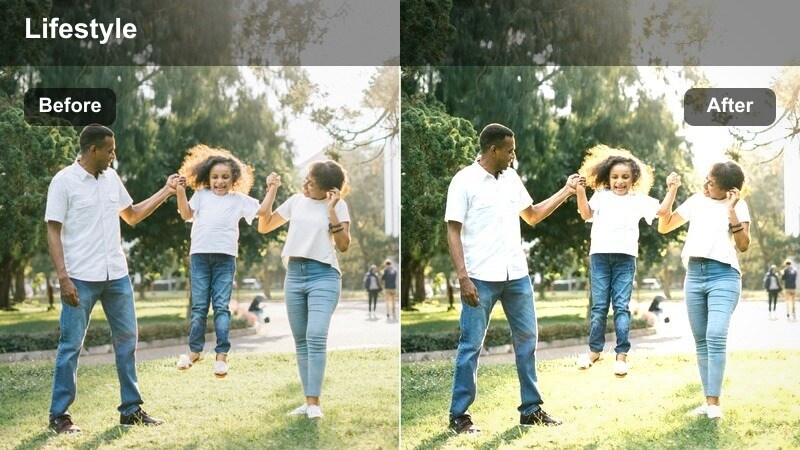
- Effect look: Selective saturation that boosts signage, maps, and accent colors while keeping skin tones natural.
- Best for: Platform B-roll where bright posters, route maps, and colored tiles are part of the story.
- Editing tip: Frame shots where only a few strong colors appear so the selective saturation feels deliberate, not chaotic.
Platform Color Pop is all about storytelling through signage and decor. It boosts specific accent colors so maps, route lines, and posters stand out, while protecting skin tones from looking cartoonishly saturated.
Use this preset in Filmora for close-ups of route diagrams, arrows, and wayfinding details when you talk about navigating the system or exploring a new city. Aim for compositions with just a few bold colors so the selective saturation feels intentional and supports your narrative.
Pro tip: Tell navigational stories with color. Use this filter when talking about getting lost, switching lines, or exploring new routes so the maps visually support your story. Cut in close-ups of signs and arrows that the filter enhances, turning wayfinding into part of your vlog aesthetic.
Night Subway Aesthetic and Late Rides
Late Night Transit Mood
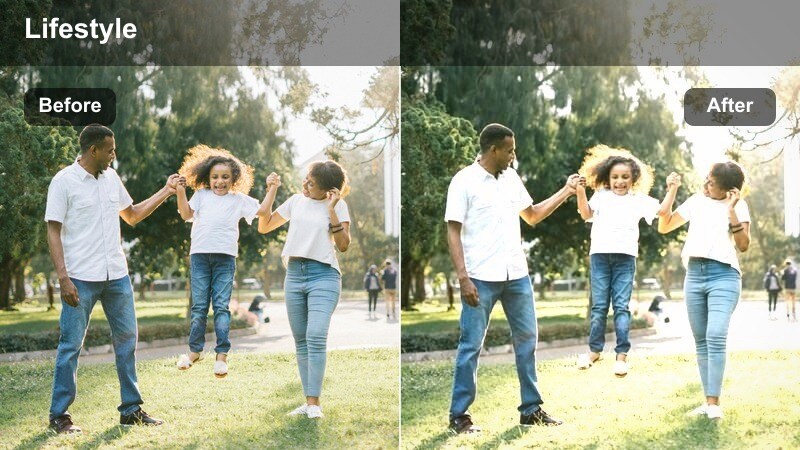
- Effect look: Deep shadows with soft lifted highlights and a subtle blue tint for late-night ambience.
- Best for: Closing segments of a vlog, capturing the calm emptiness of stations after peak hours.
- Editing tip: Add slow push-in or pull-out keyframes in Filmora to give static shots a gentle cinematic motion.
Late Night Transit Mood leans into cool blues and deeper shadows, making empty platforms and quieter trains feel cinematic and introspective. Soft highlight lifting keeps lights glowing without turning the image muddy or noisy.
Apply it in Filmora to closing scenes, outro monologues, or shots of nearly empty platforms late at night. Use keyframed scale and position to create slow push-ins or pull-backs on otherwise static shots, reinforcing the sense of calm and winding down at the end of your vlog.
Pro tip: Use silence and ambient sound with late-night looks. Let longer natural pauses and train sounds sit over this filter to highlight the stillness of late rides. Keep color temperatures consistent across clips so the blue tint feels deliberate rather than a camera white balance error.
Nightlife Transfer
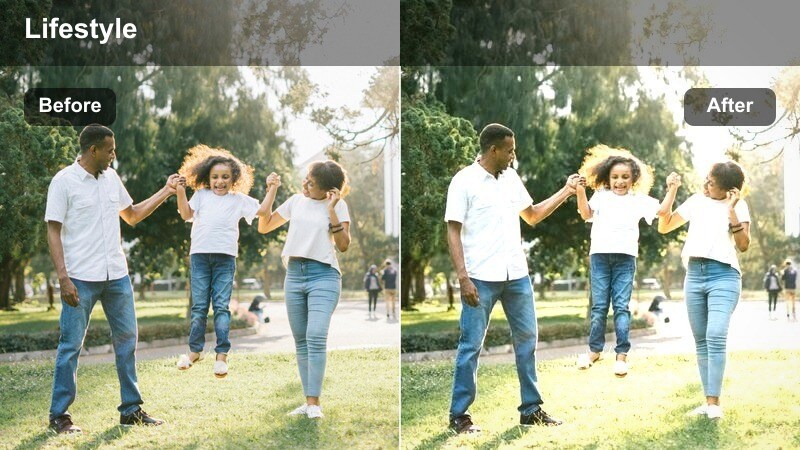
- Effect look: Punchy contrast with warm skin tones and saturated city lights for pre- or post-night-out rides.
- Best for: Transitions between nightlife scenes above ground and underground subway rides with friends.
- Editing tip: Cut to the beat of your music and let the bold colors carry energy across club, street, and subway shots.
Nightlife Transfer connects club lights, street neon, and subway platforms with bold contrast and rich, warm skin tones. It keeps energy high between locations so your audience feels the momentum of a night out from door to door.
In Filmora, use this preset on clips where you and friends are dressed up, laughing, and moving between venues via the subway. Cut on the beat of your soundtrack and avoid stacking extra saturation or contrast on top so the footage stays vivid without tipping into an overprocessed look.
Pro tip: Match pace with bold visuals. Use shorter clips and quick cuts with this filter so the saturated lights and strong contrast feel intentional and energetic. Avoid stacking extra color boosts on top; let the preset handle vibrancy so footage does not become oversaturated.
Last Train Home
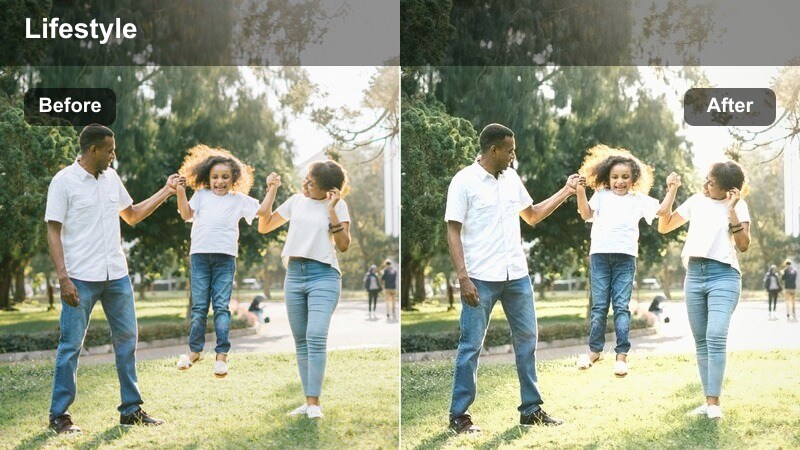
- Effect look: Soft, slightly faded colors with gentle highlight bloom and a nostalgic, almost film-like finish.
- Best for: Emotional closing monologues or quiet shots of empty seats and closing doors on the final train home.
- Editing tip: Use cross-dissolves and slower pacing to emphasize nostalgia and bring viewers gently to the end of the vlog.
Last Train Home adds a soft, nostalgic wash to your footage with slightly faded colors and gentle highlight bloom. It is designed for reflective end-of-night rides when the carriage is quieter and your story is winding down.
Apply it in Filmora to lingering shots of empty seats, closing doors, and your final to-camera reflections. Use slower pacing, cross-dissolves, and gentle music so viewers have time to sit with the atmosphere and emotions you are sharing on the ride home.
Pro tip: Use emotional cues with subtle color. Layer gentle piano or lo-fi music with this filter to heighten the sense of closure and reflection. Hold shots a little longer than usual to let the viewer sit in the quiet atmosphere created by the faded tones.
Tips for Using Subway Station Lifestyle Vlog Filter Filters in Filmora
- Shoot a quick white balance reference near neutral tiles or walls before applying any subway station lifestyle vlog filter.
- Keep ISO as low as possible to reduce noise, then let Filmora and the filters gently lift shadows instead of overexposing in-camera.
- Record a mix of wide, medium, and close-up shots in each station so you can reuse the same filter across varied compositions.
- Use consistent frame rates and shutter speeds on trains to avoid rolling shutter issues that become more noticeable after grading.
- If colors feel too intense, reduce saturation globally by 5 to 10 percent in Filmora before adjusting individual color channels.
- Create presets inside Filmora by saving your favorite subway station lifestyle vlog filter plus minor tweaks as a custom template.
- Combine platform B-roll with on-train talking clips using the same filter family to keep your vlogs visual identity strong.
- Add subtle sound design like train doors, footsteps, and overhead announcements that match the visual mood of your chosen filter.
Subway Station Lifestyle Vlog Filters in Filmora give content creators a fast, reliable way to turn unpredictable underground lighting into a polished visual story that truly fits their brand.
Experiment with different presets for platforms, trains, and late-night rides, then save your favorites as go-to looks so every commute vlog feels cohesive, cinematic, and unmistakably yours.

