

 100% Security Verified | No Subscription Required | No Malware


 ChatGPT
 Perplexity
 Gemini
 Claude
 Grok
Grok
This Restaurant Ambience Cinematic LUT filter collection is designed for content creators who want their restaurant videos to feel polished, warm, and story-driven with minimal effort.
From cozy date nights to sleek fine-dining interiors, these Filmora-ready filters help you shape mood, tame mixed lighting, and give your restaurant footage a consistent cinematic look.
In this article
Warm Evening Dining Rooms
Amber Table Glow
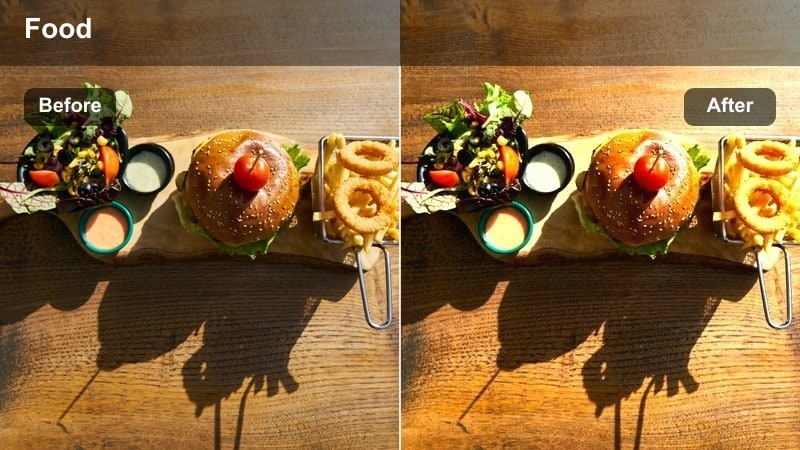
- Effect look: Soft golden warmth with gentle contrast and lifted shadows for intimate table scenes.
- Best for: Candlelit dinners, cozy bistros, and close-ups of guests chatting across the table.
- Editing tip: Lower overall exposure slightly before applying to avoid blown highlights in candles and overhead bulbs.
Amber Table Glow gives your restaurant tables a cinematic, amber-toned warmth that instantly suggests romance and comfort. In Filmora, this LUT smooths out mixed lighting from candles, pendants, and practical fixtures so skin tones stay flattering while table details like cutlery and glassware retain subtle sparkle.
Use this style on A-roll conversations and B-roll of clinking glasses to keep the entire sequence visually cohesive. After applying the LUT, fine-tune exposure and white balance in Filmora to adapt it to your room decor, then use gentle vignettes and masks to keep attention on faces and table interactions.
Cinematic Color In One Click
Filmora's AI-powered color tools help you turn mixed restaurant lighting into a unified cinematic palette that matches your brand identity. Even when your dining room mixes tungsten, candlelight, and daylight spill, AI can intelligently balance tones.
Use the Restaurant Ambience Cinematic LUT filters as a base, then let AI refine skin tones, interior hues, and signage colors until every shot feels consistently polished. This keeps your editing fast while still giving you precise control over the final look.
 secure download

Preview Restaurant Looks Instantly
In Filmora, you can audition each Restaurant Ambience Cinematic LUT on short test clips from your dining room, bar, and kitchen. This helps you quickly see how every filter behaves with your specific lighting, wall colors, and table settings.
Toggle filters on and off or use side-by-side previews to compare different moods, then save your preferred combinations as reusable presets. This workflow keeps your restaurant series or campaign visually consistent across multiple shoots and seasons.
secure download1000+ Video Filters and 3D LUTs
Beyond this Restaurant Ambience Cinematic LUT pack, Filmora includes a large library of filters, overlays, and 3D LUTs to expand your visual toolkit. You can stack subtle grain, glow, and vignette effects on top of your base grade to create a signature restaurant style.
Start with a LUT that fits your ambience, then adjust intensity and add complementary filters until the footage feels rich but still true to your brand. Saving these stacks as custom presets lets you recreate the same cinematic mood for every new menu launch, event, or promo video.
secure downloadHazy Evening Noise
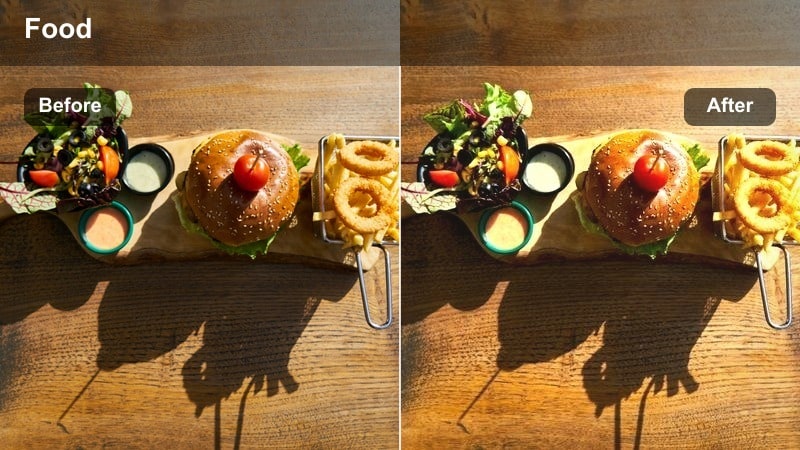
- Effect look: Muted highlights, soft halation, and a touch of film grain for dreamy late-night ambience.
- Best for: Late-service scenes, bartenders closing up, and moody walk-through shots of the dining room.
- Editing tip: Add a slight vignette to guide focus toward the center of the frame and emphasize depth.
Hazy Evening Noise mutes harsh overheads and adds a gentle glow around light sources, perfect for capturing the calm of a restaurant winding down. The subtle grain layer gives your footage a nostalgic, film-like character without distracting from the scene.
Apply this LUT in Filmora to closing-time walk-throughs, late-night bar footage, or intimate moments after service. Combine it with vignettes and slight midtone contrast adjustments to keep depth in the frame while maintaining the dreamy softness of the look.
Golden Corner Booth
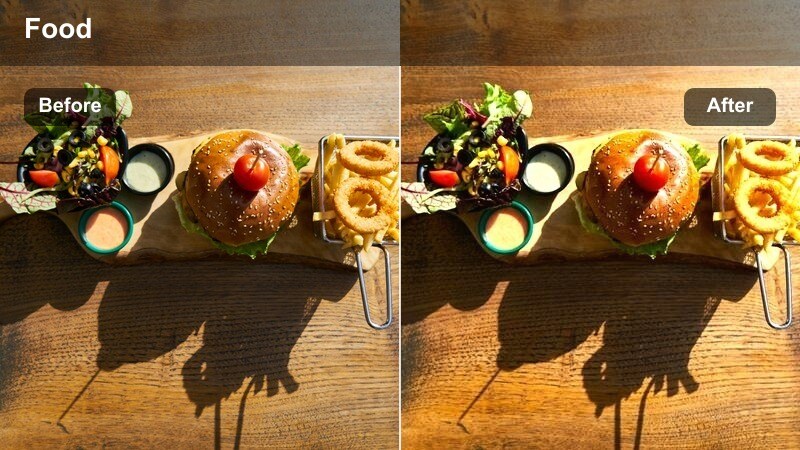
- Effect look: Rich golden midtones with soft roll-off in shadows for intimate corner booths.
- Best for: Couples seated in booths, over-the-shoulder conversations, and establishing shots of cozy nooks.
- Editing tip: Crop slightly tighter and add a light blur to the background to emphasize the subjects.
Golden Corner Booth focuses on lush, warm midtones and gentle shadows, making tucked-away booths and alcoves feel extra inviting. It adds subtle separation between your subjects and the background, especially where wall sconces or small lamps shape the space.
In Filmora, pair this LUT with shallow depth-of-field shots for maximum impact, using blur and masks to keep attention on couples or small groups. It works especially well in social clips and ads that highlight atmosphere, encouraging viewers to imagine themselves in that cozy corner.
Modern Bar and Counter Scenes
Neon Bar Cinema
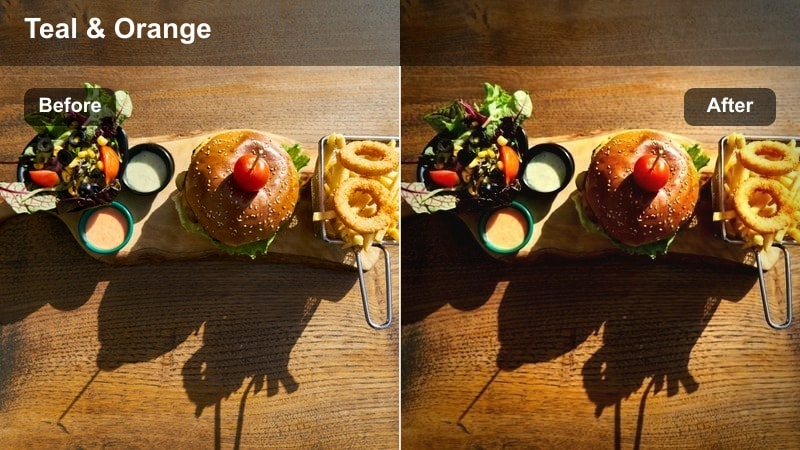
- Effect look: Cool shadows with teal shifts and saturated neon highlights for stylish bar areas.
- Best for: Cocktail mixing shots, bartender portraits, and slow-motion pours at the counter.
- Editing tip: Reduce saturation in blues if signage or LEDs look too intense on screen.
Neon Bar Cinema leans into teal shadows and vibrant neon accents, ideal for bars and lounges that rely on colorful LED or sign lighting. It keeps faces readable while allowing the environment to feel bold and graphic for social media and promo edits.
Drop this LUT onto cocktail sequences, hero bartender shots, and macro pours in Filmora, then dial back blue saturation if screens or signs dominate the frame. Combined with slow motion, close-ups, and light reflections, it gives your bar content a sleek, cinematic nightlife aesthetic.
Sleek Counter Chrome
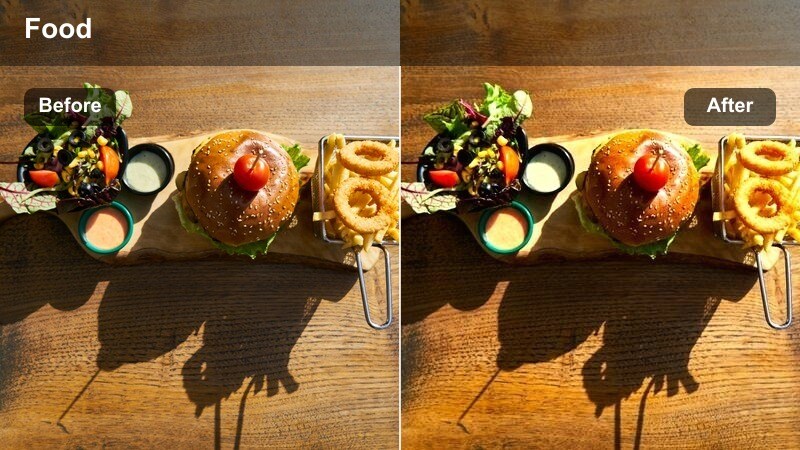
- Effect look: Clean, high-contrast look with polished highlights and crisp reflections on metal surfaces.
- Best for: Open kitchen counters, barista stations, and chef plating scenes on stainless steel.
- Editing tip: Sharpen slightly more than usual to emphasize texture in glassware and utensils.
Sleek Counter Chrome emphasizes contrast and clarity, making stainless steel, glass, and ceramic surfaces appear modern and premium. It is ideal for brand pieces that want to highlight precision, cleanliness, and the craft of plating or drink preparation.
Use this LUT in Filmora on open kitchen and counter footage, then add a touch of extra sharpening and highlight control to prevent clipping on metallic reflections. The result is an editorial look that works well for website banners, ads, and high-end social content.
Espresso Bar Warmtone
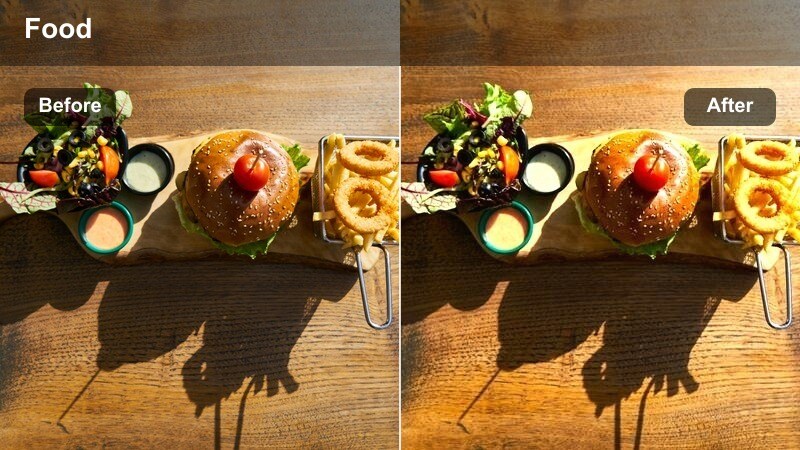
- Effect look: Soft warm contrast with slightly lifted blacks, ideal for cafe-style bars and coffee corners.
- Best for: Coffee shots at the bar, handheld walk-bys, and casual bar seating areas.
- Editing tip: Stabilize handheld clips slightly and add a tiny bit of motion blur to keep the look natural.
Espresso Bar Warmtone gives coffee corners and casual bar zones a relaxed, cozy vibe with soft contrast and gentle warmth. Lifted blacks help keep the mood friendly and inviting, especially in clips featuring baristas, latte art, and pastries.
In Filmora, apply this LUT to handheld B-roll and walk-bys, then lightly stabilize and add subtle grain for an organic feel. It fits perfectly in brunch reels, behind-the-scenes cafe content, and lifestyle-focused restaurant promos.
Daytime Brunch and Window Light
Soft Window Brunch
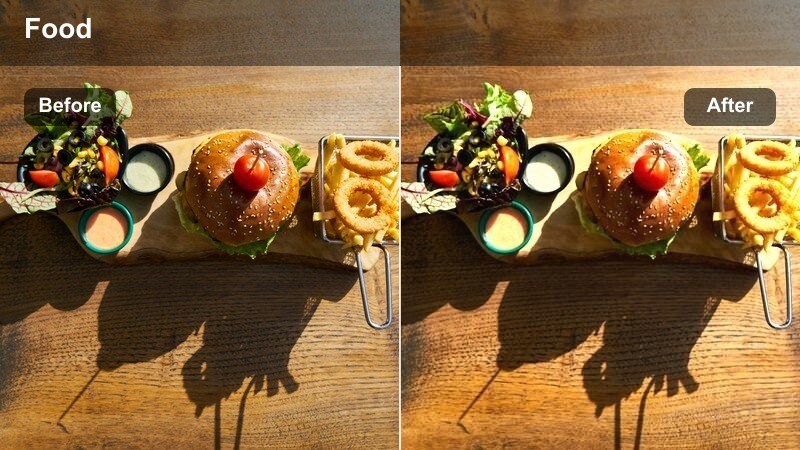
- Effect look: Balanced daylight look with softened highlights and gentle pastel saturation.
- Best for: Brunch service, window-side seating, and airy walkthroughs of bright interiors.
- Editing tip: Reduce exposure on the brightest window areas with masks to protect outside detail.
Soft Window Brunch is tuned for bright, daylight-heavy interiors, controlling window glare while keeping the overall image fresh and airy. Pastel-like saturation makes decor and dishes look appetizing without oversaturating skin tones or tabletops.
Apply this LUT in Filmora whenever your restaurant footage leans heavily on natural light. Combine it with gradient masks to pull back blown windows, and use gentle camera moves to show off your space in promotional walk-throughs and brunch features.
Fresh Morning Neutral
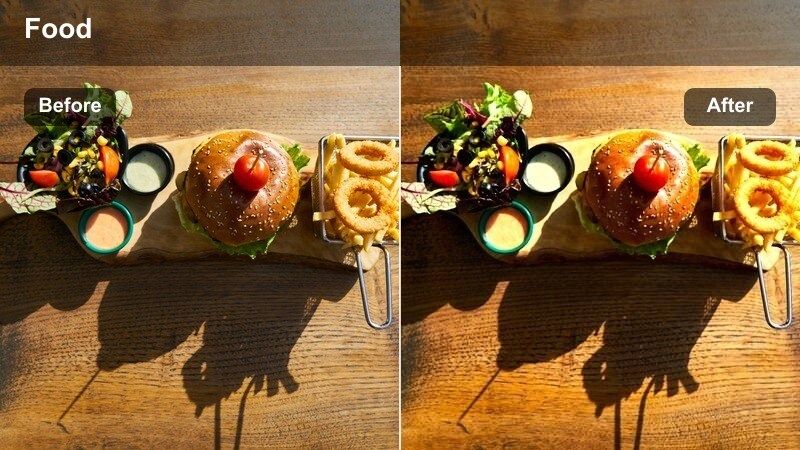
- Effect look: Clean, neutral color balance with mild contrast for realistic yet polished restaurant coverage.
- Best for: Menu reveals, staff preparing for service, and documentary-style restaurant tours.
- Editing tip: Use this as a base look and then fine-tune white balance per clip for consistency.
Fresh Morning Neutral is designed for accurate, brand-safe color where your food and interiors need to look true to life. It adds just enough contrast and refinement to feel cinematic while keeping your brand colors, uniforms, and decor faithful to reality.
In Filmora, use this LUT as your master baseline for whole projects, then adjust white balance and exposure clip by clip for perfect consistency. It is especially useful for documentary tours, training videos, or any content where realism matters as much as style.
Sun-Dappled Tables
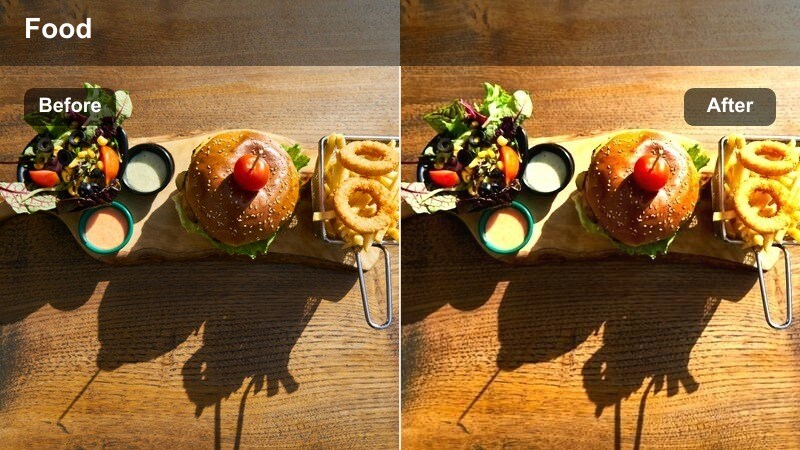
- Effect look: Warm highlights with gentle bloom and slightly desaturated shadows for sunlit tabletops.
- Best for: Outdoor terraces, window-side tables, and afternoon drink shots.
- Editing tip: Reduce clarity a touch to soften hard sunlight edges on faces and glass.
Sun-Dappled Tables turns harsh midday light into a flattering, cinematic glow that plays beautifully across wood, linen, and glass. Warm highlights and softened edges help capture the relaxed feel of late lunch or afternoon drinks on the terrace.
Use this LUT in Filmora on exterior or window-adjacent shots where sunlight creates strong patterns. Pair it with small clarity and contrast reductions to keep faces soft and inviting, then add a light vignette to keep guests and dishes as the primary focus.
Chef Action and Service Moments
Kitchen Pass Drama
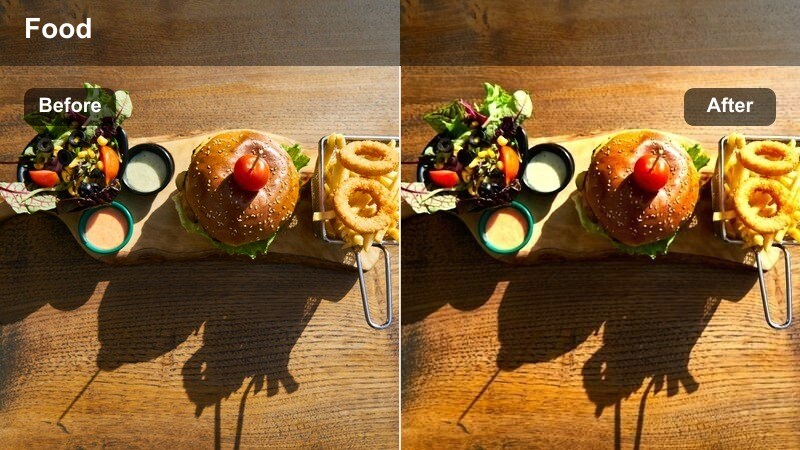
- Effect look: High contrast with cool shadows and crisp midtones to emphasize energy on the pass.
- Best for: Chefs calling orders, plates being picked up, and fast-paced service moments.
- Editing tip: Increase shutter speed for sharper motion, then add this filter to amplify drama.
Kitchen Pass Drama heightens tension and focus in the busiest parts of service, with punchy contrast and cool shadows that emphasize movement and urgency. It brings out steam, plating details, and hand movements so viewers can feel the rush of the line.
Apply this LUT in Filmora to action-heavy clips around the pass and expo window, then mix in speed ramps and dynamic cuts for extra impact. The cinematic look is perfect for trailers, recruitment videos, and social content that celebrates your team at full speed.
Chef Showcase Soft
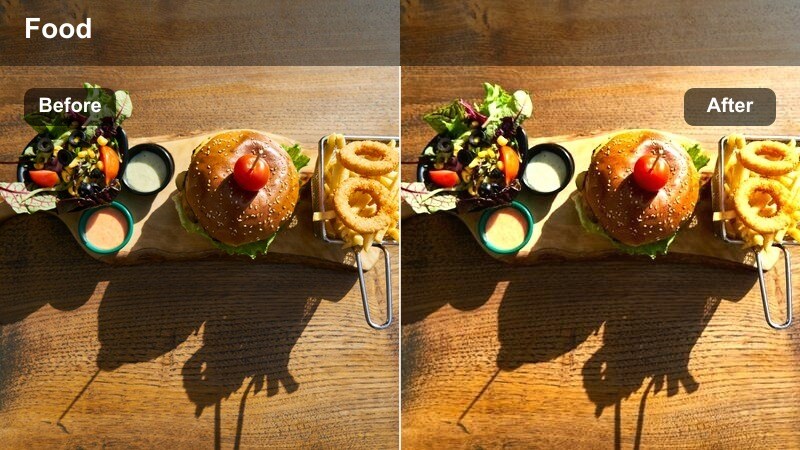
- Effect look: Gentle contrast with slightly lifted blacks and flattering skin tones for chef portraits.
- Best for: Talking-head chef interviews, behind-the-scenes prep moments, and staff introductions.
- Editing tip: Add a subtle background blur effect or shoot with a wider aperture to isolate the subject.
Chef Showcase Soft is built to flatter faces and uniforms, making it ideal for interviews, introductions, and personal storytelling. Lifted blacks and smoother contrast help minimize harsh lines, resulting in a warm, approachable presentation.
Use this LUT in Filmora when cutting chef or staff talking heads into your restaurant films, pairing it with clean audio and gentle background blur. The consistent, soft look works across websites, recruitment pieces, and social campaigns that highlight your team.
Service Floor Energy
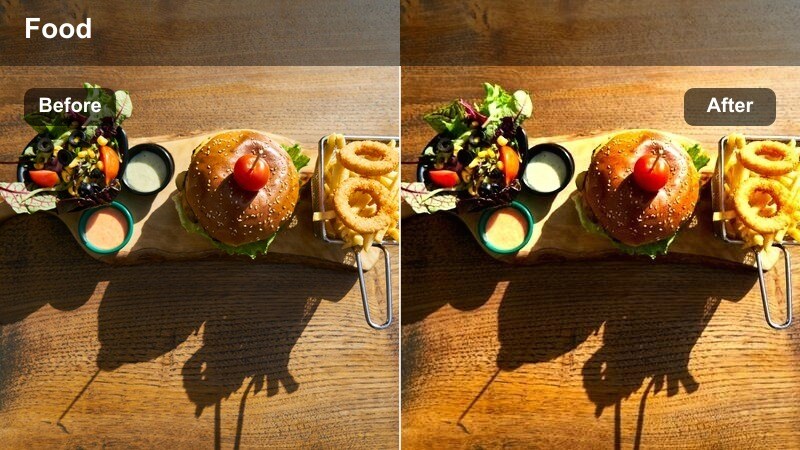
- Effect look: Punchy midtones, vivid but controlled colors, and dynamic contrast for floor action.
- Best for: Servers moving through the dining room, trays in motion, and lively guest reactions.
- Editing tip: Stabilize the clip lightly and add a tiny amount of motion blur to keep movement cinematic.
Service Floor Energy brings life to bustling dining rooms, enhancing midtones and color vibrancy while staying within brand-safe limits. It makes movement feel energetic and engaging, especially when capturing servers gliding between tables and guests reacting to dishes.
In Filmora, apply this LUT to handheld or gimbal shots of the service floor, then mix in light stabilization and a hint of motion blur for smooth, cinematic motion. The result is an immersive, vibrant look that is ideal for highlight reels, social edits, and event recaps.
Tips for Using Restaurant Ambience Cinematic Lut Filters in Filmora
- Shoot a short reference clip in each lighting zone of your restaurant and test filters on those clips in Filmora before committing to a full session.
- Lock white balance in camera so your Restaurant Ambience Cinematic LUT filters react consistently across different angles and scenes.
- Use gentle vignettes and masks to guide viewer focus to faces, plates, and table interactions instead of distracting background lights.
- For handheld ambience and food shots, apply Filmora's stabilization lightly and then add subtle grain so the footage still feels organic.
- Save your favorite LUT plus exposure and contrast tweaks as a custom preset in Filmora to speed up editing future restaurant videos.
- Mix and match different LUTs within one project, but keep a single base look for each lighting zone to maintain visual cohesion.
- Check your grades on both phone and desktop screens from Filmora exports to ensure your restaurant ambience reads well everywhere.
- When grading mixed lighting, start with a neutral LUT like Fresh Morning Neutral, then layer ambience-specific filters at lower intensity.
The Restaurant Ambience Cinematic LUT filter pack helps content creators quickly give restaurant interiors, bar scenes, and service moments a cohesive cinematic mood without complex grading.
Load these filters in Filmora, refine them for your space, and build a recognizable visual style that keeps your restaurant or food brand looking polished in every video.
secure download