

 100% Security Verified | No Subscription Required | No Malware


 ChatGPT
 Perplexity
 Gemini
 Claude
 Grok
Grok
Scarlet sits between bright red and deep crimson, carrying the energy of red with a sharper, more modern edge. It signals passion, urgency, and confidence, which is why it stands out so strongly in thumbnails, titles, and calls-to-action. Used well, a scarlet accent can pull the viewer`s eye exactly where you want it, whether that is a Subscribe button, a product shot, or the hero of your scene.
For video creators and brands, scarlet is a powerful choice for intros, lower thirds, overlays, and channel branding. Below you will find ready-made scarlet color palettes with HEX codes that work beautifully in Filmora for color grading, graphic elements, YouTube thumbnails, and cinematic edits. Each palette is tuned for a different mood, so you can match your visuals to your story in just a few clicks.
In this article
Bold & Cinematic Scarlet Color Palettes
Crimson Premiere Flair
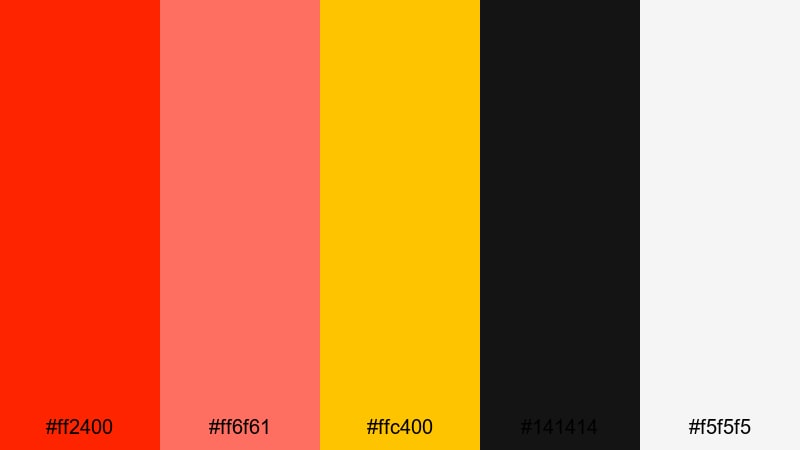
- HEX Codes: #ff2400, #ff6f61, #ffc400, #141414, #f5f5f5
- Mood: high-impact, dramatic, and premium
- Use for: Great for cinematic trailers, bold YouTube intros, and dynamic lower thirds that need powerful contrast.
Crimson Premiere Flair feels like a spotlight hitting the stage at the exact right moment. Vivid scarlet (#ff2400) and warm coral (#ff6f61) behave like your lead actors, while spotlight gold (#ffc400) adds a touch of luxury. Deep near-black (#141414) and soft white (#f5f5f5) create strong contrast that makes text, logos, and callouts incredibly readable.
This palette works perfectly for bold YouTube intros, cinematic title cards, and high-energy promo edits. Use scarlet and coral for titles and buttons, gold for accents around key footage, and the dark background tone for overlays or frames. In Filmora, you can apply these HEX codes to your text, shapes, and subtitles, then grade your footage to subtly echo the same scarlet and gold highlights for a unified, premium look.
Pro Tip: Build a Cinematic Scarlet Look in Filmora
To keep Crimson Premiere Flair consistent across your entire edit, create a simple graphic style guide inside Filmora. Set your main title color to #ff2400, your secondary text or icons to #ff6f61, and your accent lines or call-to-action buttons to #ffc400. Save these as custom colors, so every new text layer, lower third, or end screen instantly matches your scarlet branding.
For thumbnails and shorts, duplicate your main sequence, then reuse the same titles and overlays so the scarlet tones match your long-form videos. This helps viewers recognize your channel at a glance, whether they see a community post, a trailer, or a YouTube Short.
AI Color Palette
You can also drive this entire look from a single reference image, such as a scarlet poster or a still frame designed with these HEX codes. Filmora`s AI Color Palette feature analyzes the reference and transfers its color style across your clips, helping your footage inherit the same fiery reds, warm skin tones, and deep shadows.
Import your reference frame into Filmora, pick it inside AI Color Palette, and apply the match to your selected clips. The reds in your footage will lean toward the Crimson Premiere Flair tones, while contrast and warmth adjust to feel more cinematic without manual tweaking for every shot.
 secure download

HSL, Color Wheels & Curves
Once your base match is in place, you can refine the scarlet tones using HSL, color wheels, and curves. Use HSL to deepen reds without oversaturating skin, and gently shift orange toward gold to echo #ffc400. Then, in the color wheels, cool down shadows while keeping midtones warm, for a blockbuster-style grade that still feels natural.
Curves let you sculpt contrast so the bright scarlet highlights pop against darker backgrounds. A soft S-curve in the RGB curve adds punch without crushing detail. If you want a deeper dive on these tools, check out Filmora`s guide to color correction and grading controls and adapt the workflow to your scarlet palettes.
secure download1000+ Video Filters & 3D LUTs
If you want to stylize your scarlet palettes even faster, Filmora`s video filters and 3D LUTs make it easy to test different looks on top of Crimson Premiere Flair. Apply a cinematic LUT to add subtle teal shadows, a vintage filter for grainy action sequences, or a glow effect that makes your scarlet titles feel like neon.
Stacking filters with your core palette lets you build visual series: one look for trailers, one for vlogs, and one for shorts, all still anchored by the same scarlet brand colors. You can save your favorite combinations as presets to keep your style consistent across new projects.
secure downloadNeon Night Pulse
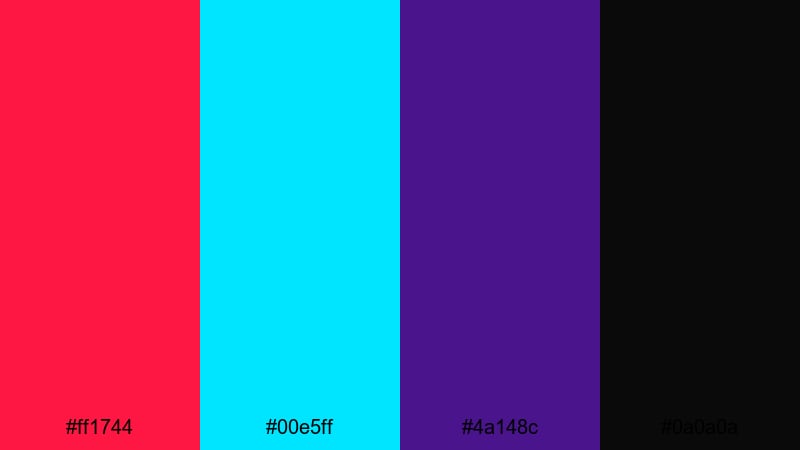
- HEX Codes: #ff1744, #00e5ff, #4a148c, #0a0a0a
- Mood: electric, edgy, and futuristic
- Use for: Perfect for gaming highlights, tech promos, and cyberpunk-style music videos.
Neon Night Pulse throws vivid scarlet (#ff1744) against electric cyan (#00e5ff) and deep violet (#4a148c), all floating on inky black (#0a0a0a). It feels like a city at midnight, full of LED billboards, RGB keyboards, and glitchy UI.
Use this palette for gaming montages, stream highlight reels, or tech-focused channel branding. In Filmora, set your HUD-style graphics and lower thirds in cyan and violet, then reserve scarlet for kills, combos, or key beats in your music. It also creates strong, clickable thumbnails when you combine black backgrounds with neon outlines and bold scarlet titles.
Action Trailer Inferno
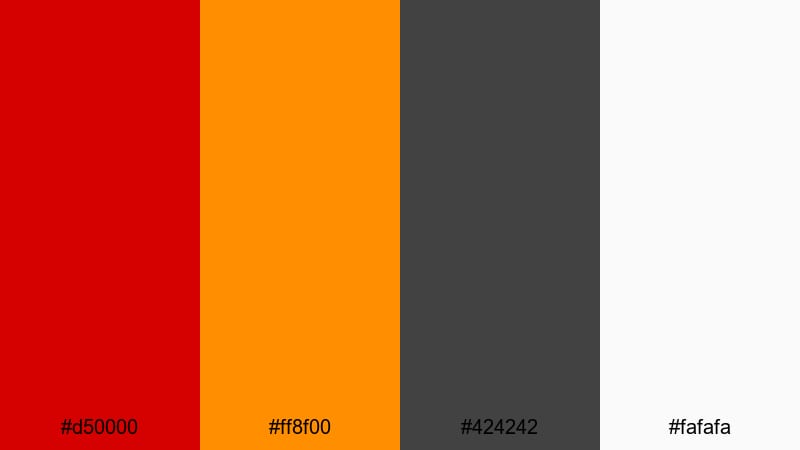
- HEX Codes: #d50000, #ff8f00, #424242, #fafafa
- Mood: explosive, gritty, and suspenseful
- Use for: Designed for action trailers, sports edits, and intense storytelling sequences.
Action Trailer Inferno pairs blazing scarlet (#d50000) with molten orange (#ff8f00), evoking explosions, stadium lights, and burning sunsets. Smoky gray (#424242) and clean white (#fafafa) keep the palette grounded and readable.
It is ideal for intense edits packed with fast cuts and motion graphics. Use scarlet for impact frames and scene transitions, orange for streaks and accent flares, gray for grunge textures, and white for big, bold typography. In thumbnails or posters, a gray vignette behind your subject with scarlet-orange streaks instantly sells drama and speed.
Spotlight Scarlet Drama
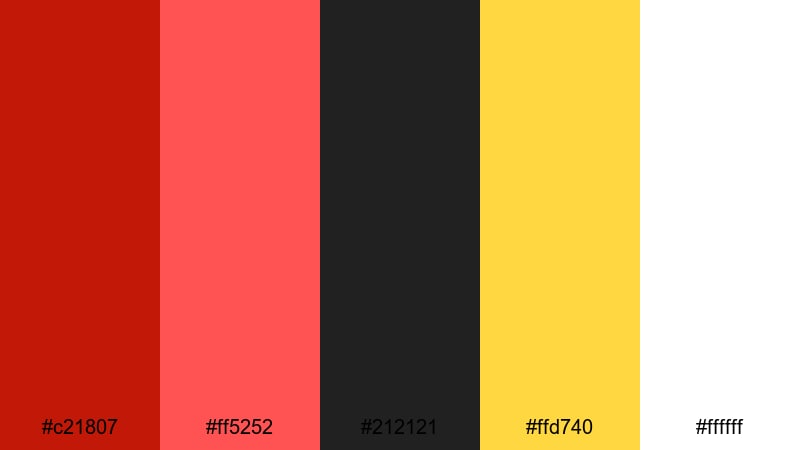
- HEX Codes: #c21807, #ff5252, #212121, #ffd740, #ffffff
- Mood: theatrical, passionate, and bold
- Use for: Ideal for dramatic title sequences, film festival bumpers, and creator brand stings.
Spotlight Scarlet Drama mixes rich stage-reds (#c21807, #ff5252) with dark charcoal (#212121), bright spotlight gold (#ffd740), and crisp white (#ffffff). It feels like a theater curtain opening under hot lights.
This palette is excellent for festival bumpers, short film intros, and creator logos. Use charcoal as a background, scarlet for titles and logo fills, gold for underlines or light leaks, and white for supporting text. In Filmora, combine it with slow push-ins, light flare overlays, and elegant serif fonts to give your channel a polished, cinematic identity.
Romantic & Storytelling Scarlet Color Palettes
Rose-Lit Confession
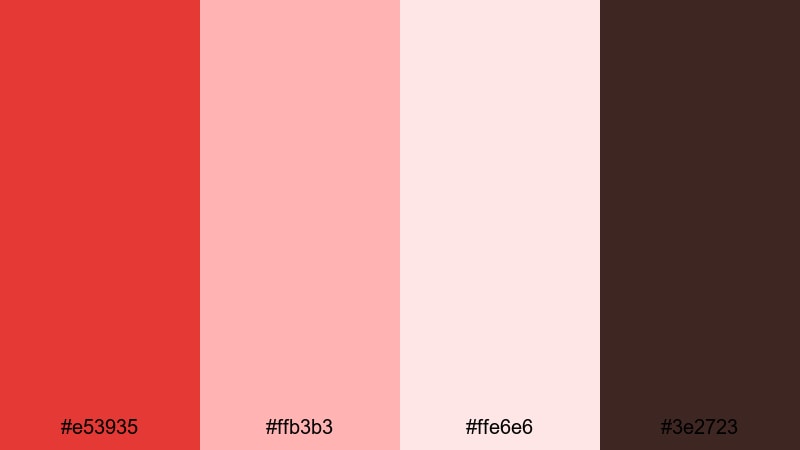
- HEX Codes: #e53935, #ffb3b3, #ffe6e6, #3e2723
- Mood: tender, intimate, and heartfelt
- Use for: Perfect for vlogs, engagement reveals, and romantic storytelling edits.
Rose-Lit Confession blends glowing scarlet (#e53935) with soft blush (#ffb3b3) and creamy highlights (#ffe6e6), all grounded by deep chocolate brown (#3e2723). It feels like candlelight on skin, or rose petals scattered on a wooden table.
Use it for couple vlogs, proposals, and personal story videos where emotion is center stage. Let blush and cream handle backgrounds, overlays, and lower thirds, while scarlet highlights key text, dates, or names. The brown tone works well for handwritten fonts, frame borders, or subtle grain textures to add warmth.
Twilight Ballroom Glow
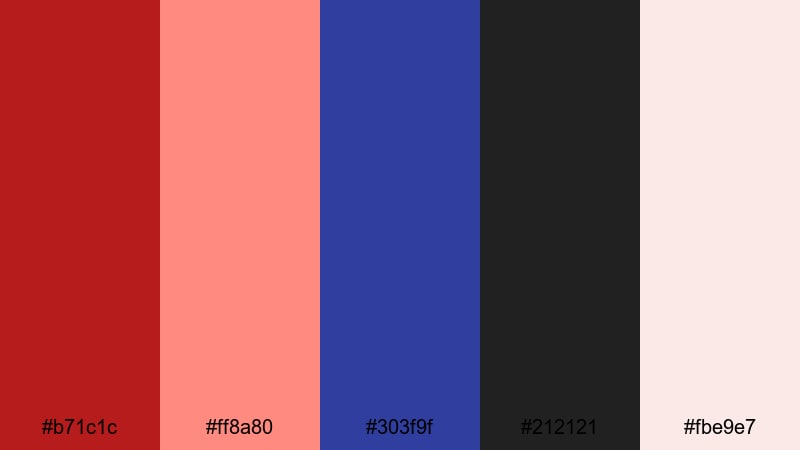
- HEX Codes: #b71c1c, #ff8a80, #303f9f, #212121, #fbe9e7
- Mood: elegant, nostalgic, and cinematic
- Use for: Great for dance films, prom recaps, and dreamy narrative shorts.
Twilight Ballroom Glow pairs velvety scarlet (#b71c1c) and soft coral lights (#ff8a80) with twilight indigo (#303f9f), charcoal (#212121), and warm cream (#fbe9e7). It feels like a slow dance captured under dim chandeliers.
Choose this palette for prom recaps, dance performances, and dreamy music videos. Use the cream and coral tones in lower thirds and frames, ran against charcoal backgrounds for contrast. Indigo is perfect for gradients, light leaks, or shadowy areas, while scarlet draws attention to titles, transitions, and important close-ups.
First Kiss Montage
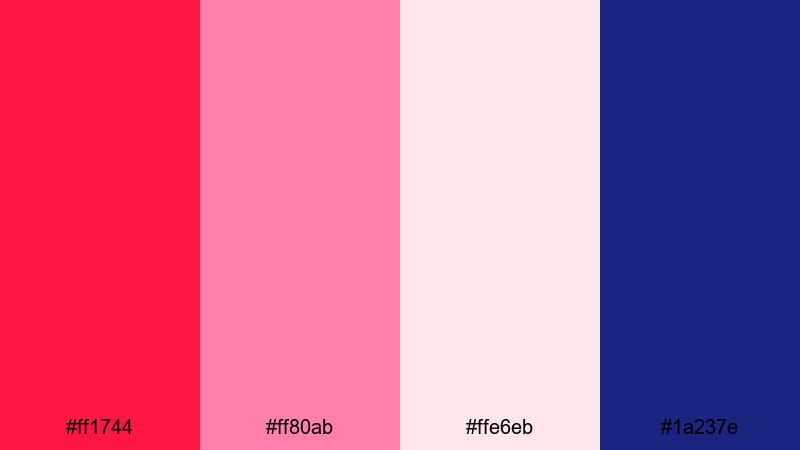
- HEX Codes: #ff1744, #ff80ab, #ffe6eb, #1a237e
- Mood: hopeful, youthful, and dreamy
- Use for: Ideal for coming-of-age montages, relationship recaps, and aesthetic reels.
First Kiss Montage combines vivid scarlet (#ff1744) with candy pink (#ff80ab), airy blush (#ffe6eb), and deep indigo (#1a237e). It is sweet and modern, like a romantic playlist cover or an aesthetic Instagram story.
Use scarlet and pink for playful icons, stickers, and bold text, while blush makes a soft background for subtitles or lyric overlays. Indigo anchors the palette in title cards and end screens so it does not feel too sugary. In Filmora, you can layer subtle bokeh, film grain, or soft-focus filters over this palette for dreamy, nostalgic sequences.
Letters In Scarlet
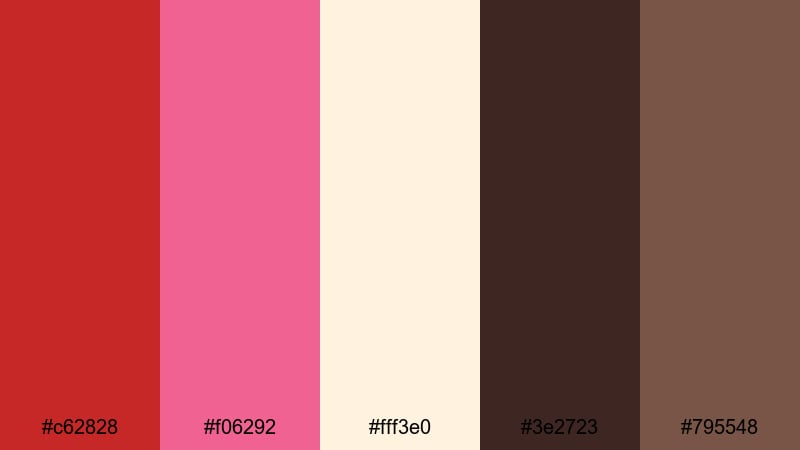
- HEX Codes: #c62828, #f06292, #fff3e0, #3e2723, #795548
- Mood: poetic, warm, and reflective
- Use for: Best for voiceover essays, diary-style vlogs, and storytime animations.
Letters In Scarlet uses muted scarlet (#c62828) and rose (#f06292) alongside parchment cream (#fff3e0) and ink-like browns (#3e2723, #795548). It instantly suggests notebooks, postcards, and quiet afternoons in a cafe.
It is ideal for voiceover essays, journaling vlogs, and animated storytime videos. Use cream as your main background, brown tones for text and sketch-style graphics, and scarlet for pull quotes, underlines, and section titles. Paired with soft transitions and gentle zooms in Filmora, this palette gives your storytelling a personal, handwritten touch.
Modern & Minimal Scarlet Color Palettes
Clean UI Scarlet Accent
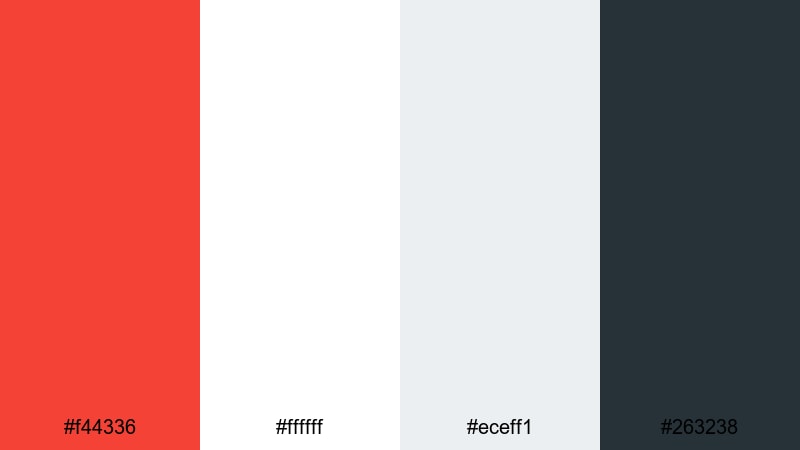
- HEX Codes: #f44336, #ffffff, #eceff1, #263238
- Mood: fresh, professional, and focused
- Use for: Perfect for sleek lower thirds, UI overlays, and SaaS or app explainer videos.
Clean UI Scarlet Accent places a crisp scarlet (#f44336) against bright white (#ffffff), cool gray (#eceff1), and deep blue-gray (#263238). It feels like a polished app interface or a tech landing page.
Use white and light gray for backgrounds, with scarlet reserved for key buttons, progress bars, and highlight text. Deep blue-gray works well for header bars, device frames, and data visuals. In Filmora, this palette suits explainer videos, dashboards, and tutorials where clarity and readability are crucial.
Monochrome Studio Scarlet
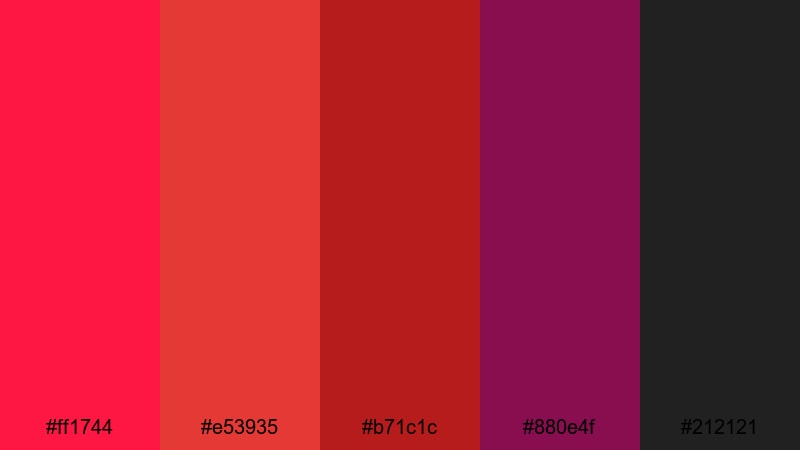
- HEX Codes: #ff1744, #e53935, #b71c1c, #880e4f, #212121
- Mood: stylish, moody, and confident
- Use for: Great for fashion lookbooks, studio product shots, and minimalist title sequences.
Monochrome Studio Scarlet layers multiple reds: bright scarlet (#ff1744), deeper crimson (#e53935, #b71c1c), and plum (#880e4f), grounded by near-black (#212121). The result is rich and editorial, like a high-end fashion spread.
Because the palette stays within one color family, it is perfect for clean layouts and graphic minimalism. Use lighter reds for subtle gradients and backgrounds, deeper tones for typography and shapes, and near-black to frame your subject. In thumbnails, a strong scarlet block with white or very light text can feel premium and instantly recognizable.
Tech Startup Scarlet Signal
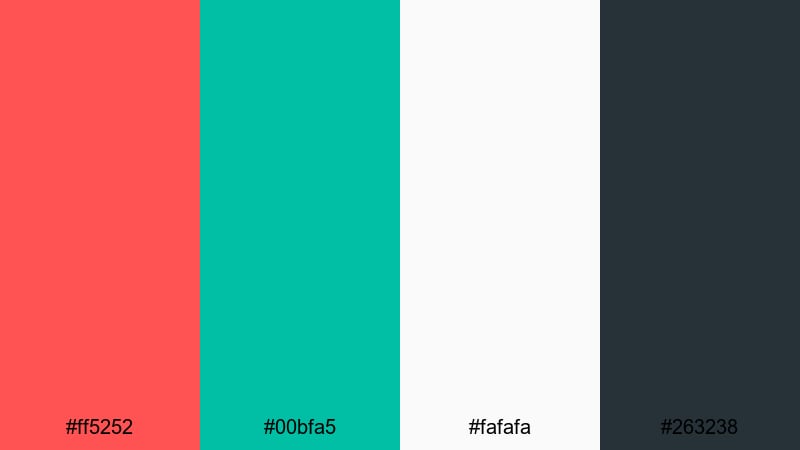
- HEX Codes: #ff5252, #00bfa5, #fafafa, #263238
- Mood: innovative, energetic, and optimistic
- Use for: Ideal for startup pitches, motion graphics dashboards, and product launch videos.
Tech Startup Scarlet Signal pairs bright scarlet (#ff5252) with teal (#00bfa5), soft white (#fafafa), and slate (#263238). The mix feels modern and trustworthy, with a hint of disruption.
Scarlet and teal can represent opposing but complementary ideas, such as challenge vs. solution or problem vs. product. Use white as a clean canvas and slate for data-heavy sections, device frames, and UI overlays. In Filmora, animate these colors with simple shape reveals, line charts, and kinetic typography to build confident product launches and investor pitch videos.
Minimal Title Card Scarlet
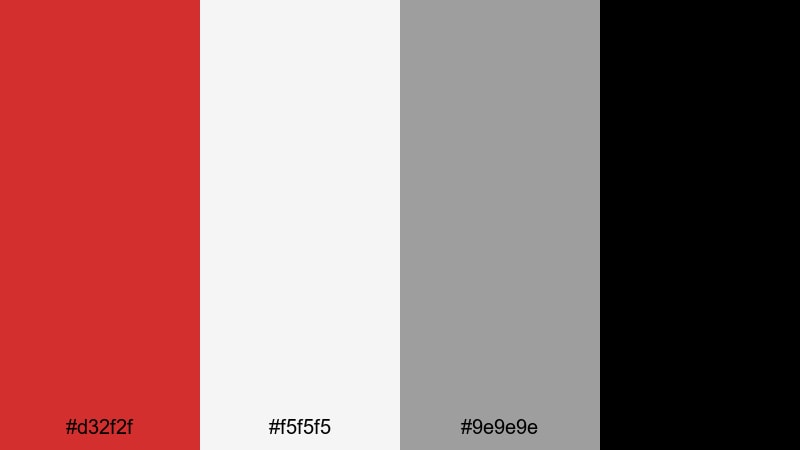
- HEX Codes: #d32f2f, #f5f5f5, #9e9e9e, #000000
- Mood: sleek, restrained, and editorial
- Use for: Perfect for YouTube openers, minimalist credits, and documentary title cards.
Minimal Title Card Scarlet uses controlled scarlet (#d32f2f) with soft white (#f5f5f5), cool gray (#9e9e9e), and pure black (#000000). It looks like a magazine cover or a film festival poster.
Keep layouts simple: large scarlet text or a single bar of color on a pale background, with subtle gray body text and black for high-priority information. This palette is great for serious topics, docuseries, and commentary channels that want a clean but distinctive visual identity.
Vintage & Retro Scarlet Color Palettes
Retro Cinema Marquee
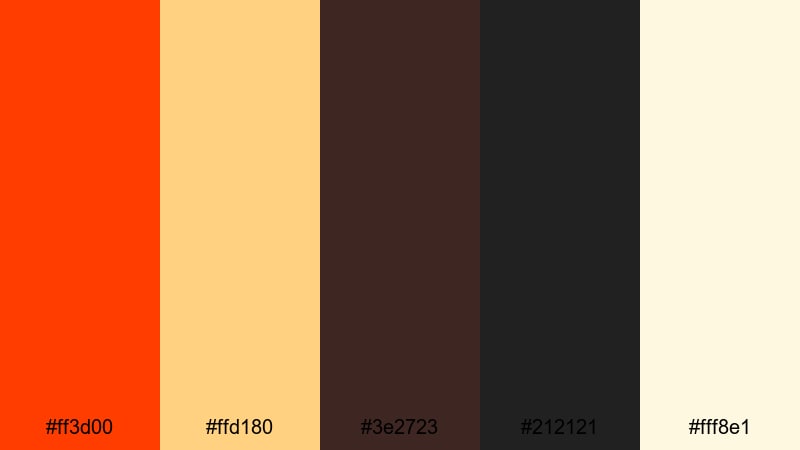
- HEX Codes: #ff3d00, #ffd180, #3e2723, #212121, #fff8e1
- Mood: playful, nostalgic, and bold
- Use for: Great for retro channel branding, movie review intros, and throwback edits.
Retro Cinema Marquee echoes classic theater signage with orange-scarlet (#ff3d00), warm bulb light (#ffd180), deep browns (#3e2723, #212121), and buttery cream (#fff8e1). It feels like old movie tickets and neon signs.
Use cream and warm yellow for background blocks, brown for borders and drop shadows, and scarlet for titles that imitate marquee lettering. This palette is perfect for movie review channels, retro game content, and nostalgia-heavy edits. Add subtle film grain and vignette effects in Filmora to push the vintage vibe even further.
Old Hollywood Rouge
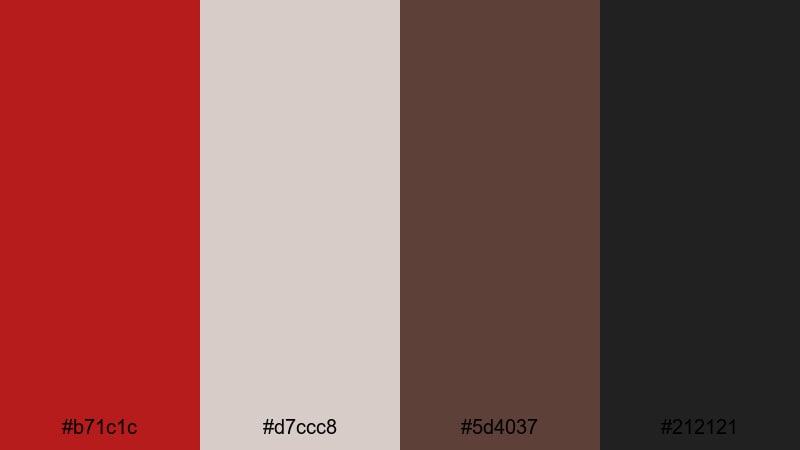
- HEX Codes: #b71c1c, #d7ccc8, #5d4037, #212121
- Mood: glamorous, timeless, and moody
- Use for: Perfect for classic film tributes, beauty channels, and noir-style story pieces.
Old Hollywood Rouge pairs deep scarlet (#b71c1c) with dusty champagne (#d7ccc8), rich brown (#5d4037), and charcoal (#212121). It feels luxurious and slightly mysterious, like vintage lipstick and velvet curtains.
Use champagne for backgrounds and soft light flares, scarlet for titles and key graphics, and browns for subtle textures and dividers. This palette works beautifully for beauty channels, noir-style storytelling, and classic film retrospectives. Combine it with slow dissolves, soft focus, and monochrome filters in Filmora for a timeless atmosphere.
Dusty Scarlet Postcard
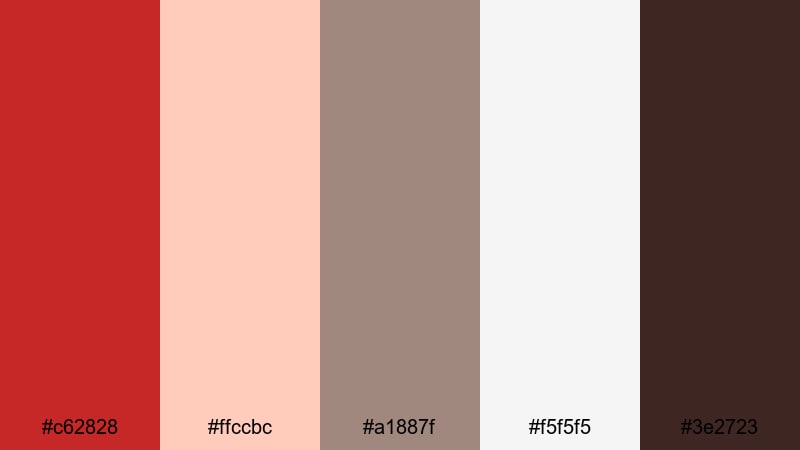
- HEX Codes: #c62828, #ffccbc, #a1887f, #f5f5f5, #3e2723
- Mood: warm, faded, and sentimental
- Use for: Ideal for travel diaries, heritage brand stories, and memory-filled montage edits.
Dusty Scarlet Postcard softens scarlet (#c62828) with sun-faded peach (#ffccbc), tan (#a1887f), soft paper white (#f5f5f5), and dark sepia (#3e2723). It mimics old photo prints and aging postcards.
This palette is perfect for travel diaries, family histories, and heritage brand pieces. Use peach, tan, and white for your backgrounds and maps, with sepia for text and frames. Drop scarlet into stamps, pins, dates, and important labels so the viewer always notices your key details. Adding a slight fade and film grain in Filmora completes the nostalgic feel.
Tips for Creating Scarlet Color Palettes
Scarlet is powerful, so the colors you pair with it will decide whether your video feels cinematic, romantic, modern, or nostalgic. Use these tips to build your own scarlet combinations and apply them confidently in Filmora.
- Balance intensity: combine bright scarlet with at least one calm neutral (white, cream, gray, or charcoal) so your layouts do not feel overwhelming.
- Protect readability: when placing text over scarlet, use high-contrast colors like white or very dark gray and avoid thin fonts for small captions.
- Choose a role for scarlet: decide if scarlet is your main background, an accent for buttons and titles, or a subtle highlight, and stay consistent within a project.
- Match footage temperature: if your clips are warm, lean toward orange or gold partners; if they are cool, pair scarlet with teal, cyan, or blue-mauve accents.
- Limit your palette: for clean branding, stick to 3–5 colors maximum (scarlet, one secondary, and 1–2 neutrals) across intros, lower thirds, and end screens.
- Use Filmora color tools: apply the same HEX codes to text and graphics, then nudge your footage toward those tones using HSL, color wheels, and curves.
- Test different devices: export a thumbnail or short sample and check it on phone and desktop to ensure scarlet still looks bold but not neon or oversaturated.
- Create presets: once you find a scarlet look you love, save your color presets and graphic templates in Filmora so every new video matches your visual identity.
Scarlet color palettes can completely change how your content feels, from adrenaline-filled trailers to intimate diary-style vlogs. By pairing scarlet with the right supporting colors, you shape your brand`s personality and guide the viewer`s attention to your most important frames and messages.
The palettes above give you ready-made combinations for cinematic, romantic, minimal, and vintage styles. Try them inside Filmora by applying the HEX codes to your titles, overlays, and graphics, then tune your footage with AI Color Palette, HSL, color wheels, and LUTs until everything feels cohesive.
Experiment with a few different palettes across your thumbnails, intros, and shorts. Once you find a scarlet style that fits your story, lock it in as your signature look and let Filmora help you keep it consistent on every platform.
secure downloadNext: Blue Mauve Color Palette
