

 100% Security Verified | No Subscription Required | No Malware


 ChatGPT
 Perplexity
 Gemini
 Claude
 Grok
Grok
Street portrait reels live or die by mood, skin tone, and how the city lights wrap around your subject. The right filter can instantly turn a quick sidewalk shot into a cinematic urban portrait that stops the scroll.
This guide highlights Filmora street portrait filters for reels that keep faces flattering, skies dramatic, and neon details crisp so reels creators, urban videographers, and street content influencers can build a consistent, cinematic look across their city life videos.
In this article
Moody Urban Street Portrait Filters
Noir City Gaze
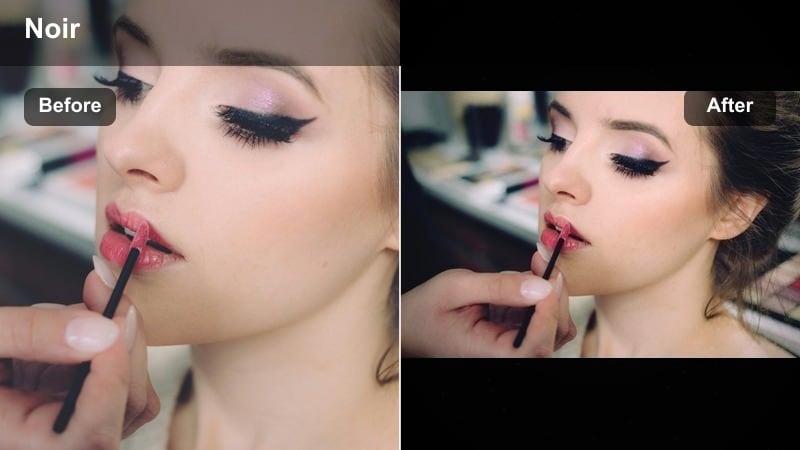
- Effect look: Low-saturation, high-contrast filter that carves out faces against darker streets for a moody, cinematic noir tone.
- Best for: Nighttime street portrait reels with strong practical lights like signs, storefronts, and car headlights.
- Editing tip: Lower exposure slightly and gently raise shadows so eyes stay visible while the background falls into dramatic contrast.
Noir City Gaze is made for late-night street portrait reels where your subject is surrounded by darkness, signs, and scattered pockets of light. The filter drops saturation and pushes contrast so faces feel sculpted while the city behind them fades into rich, cinematic shadows.
In Filmora, apply Noir City Gaze to any night clip, then nudge exposure down and lift shadows until the eyes and facial lines remain readable. Combine it with subtle skin smoothing on the face only so skin stays polished while alleys, roads, and storefronts keep their gritty, textured feel.
Pro tip: Keep skin tones dramatic but natural
Combine this filter with subtle skin smoothing only on the face so the background stays gritty while the subject looks polished.
If the image feels too harsh, slightly pull back clarity or texture on the subject using Filmora’s masking tools to balance detail and mood.
Let AI Match Your Urban Color Story
Filmora’s AI tools help you balance skin tones with tricky city lighting so your street portrait filters land consistently across clips. Instead of fixing every frame by hand, you can correct color shifts from neon signs, traffic lights, and mixed street lamps in a few clicks.
Use AI-powered color correction to normalize exposure and white balance before applying Noir City Gaze or any other preset. Once the base is clean, your filters will look more intentional, and you can fine-tune contrast and saturation to build a repeatable, signature street look.
Open Filmora, import your latest street portrait reels, and use AI color tools to prep each clip before layering on your favorite filter.
 secure download

Preview Street Portrait Filters in One Timeline
Instead of guessing which street portrait filter will match your current reel, test several looks in a single Filmora project. Drop your hero clip into a vertical sequence, duplicate it a few times, and apply a different urban filter to each version.
Previewing filters like Noir City Gaze, Rainy Alley Portrait, and Flat City Neutral side by side helps you see how each one handles skin, shadows, and city colors. This makes it easier to pick a look that matches your brand, location, and audio without endless re-edits.
Duplicate your hero clip in Filmora, apply three or four filters, and export a private test reel to choose your final style.
secure downloadCombine Filters and LUTs for Deeper Cinematic Control
To push your reels from simple filtered clips to fully styled portraits, stack Filmora filters with creative LUTs. Start with a gentle street portrait filter to clean up skin and contrast, then add a LUT that defines the overall mood, from gritty indie to polished commercial.
Keeping filters subtle and letting LUTs handle big color moves gives you more flexibility across different streets, weather, and outfits. You can keep one base portrait look and swap LUTs to adapt the same reel style for daytime, dusk, and neon-heavy nights.
Save your favorite filter plus LUT combos as reusable presets in Filmora to keep all future street portrait reels on-brand in a single click.
secure downloadRainy Alley Portrait
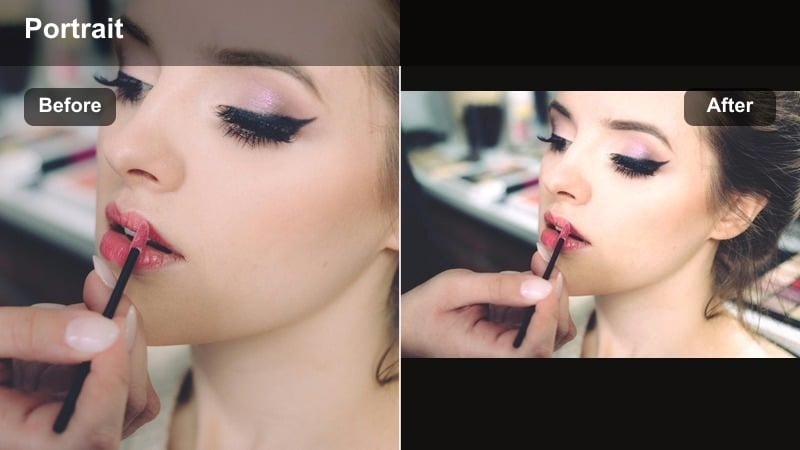
- Effect look: Cool, desaturated filter with lifted blacks and subtle glow on highlights for reflective, rainy street vibes.
- Best for: Street portrait reels shot in alleys, wet pavements, or cloudy days where reflections and puddles add texture.
- Editing tip: Increase contrast in midtones and add a light vignette to pull attention to your subject’s face while keeping the environment soft.
Rainy Alley Portrait leans into cool tones and softened contrast to turn wet streets, umbrellas, and reflections into a cinematic frame around your subject. Lifted blacks keep shadows gentle, while a light highlight glow makes streetlights and reflections shimmer without blowing out details.
In Filmora, combine this filter with a subtle vignette and midtone contrast boost so your subject’s face remains the brightest, sharpest area. Add slow camera moves and optional motion blur to push the dreamy, reflective feeling whenever rain, puddles, or glossy pavements are in the shot.
Pro tip: Use reflections as natural light sources
Position your subject near puddles, windows, or car surfaces so this filter can amplify the reflective highlights around their face.
Slow your camera movement and add a slight Filmora motion blur for extra dreamy, cinematic rainy street reels.
Subway Shadow Frame
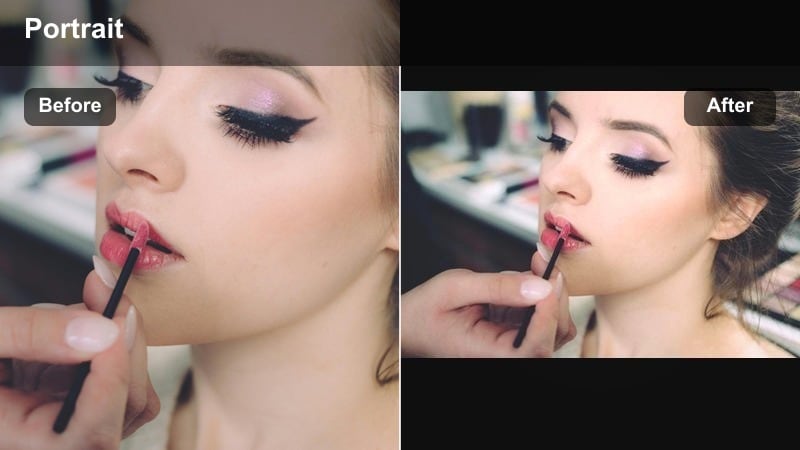
- Effect look: Muted colors with heavy emphasis on shadows and a slight green tint for underground, transit-inspired portraits.
- Best for: Portraits on subway platforms, trains, metro stations, and other dim, industrial city locations.
- Editing tip: Use masks to keep your subject’s face slightly warmer than the background so viewers lock onto expressions instantly.
Subway Shadow Frame brings an underground, industrial mood to your portrait reels by muting colors and pushing shadows. The subtle green cast echoes fluorescent lighting common in metros and tunnels, making handrails, tiles, and metal surfaces feel cinematic instead of flat.
In Filmora, use masking to warm the subject’s skin slightly while letting the background keep its cooler, grittier tones. Add localized sharpness to eyes, hair, and clothing details, and let the noise and shadow in the station stay raw for a strong contrast between human and environment.
Pro tip: Balance grit and clarity
Pump a bit of sharpness and clarity only into details like eyes, hair, and clothing textures to keep your subject crisp.
Let backgrounds stay soft and noisy; the contrast between clean faces and rough surroundings sells the underground aesthetic.
Golden Hour and Warm Street Portrait Filters
Sunset Crosswalk Glow
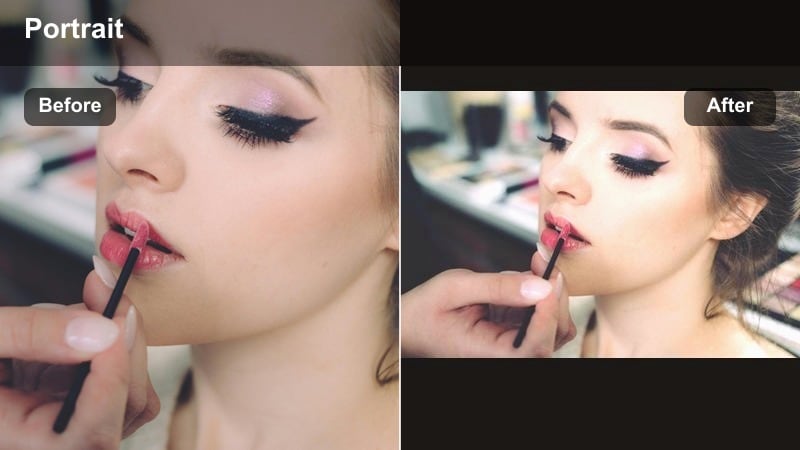
- Effect look: Warm, soft contrast filter that wraps skin tones in golden hues and rolls off highlights smoothly.
- Best for: Golden hour reels at crosswalks, boulevards, and rooftop streetscapes where sunlight hits from the side or back.
- Editing tip: Backlight your subject and slightly raise saturation in oranges to deepen the sunset feel without oversaturating reds.
Sunset Crosswalk Glow is built to make golden hour portraits feel like mini movie scenes. It wraps faces and hair in warm highlights while softening contrast so the transition between light and shadow looks smooth, flattering, and cinematic.
In Filmora, apply this filter to backlit or side-lit clips, then selectively boost orange saturation while keeping reds in check. Combine with gentle lens flare overlays or light leaks to amplify the sunset feel without losing detail in crosswalks, traffic, and background silhouettes.
Pro tip: Use movement to catch the light
Have your subject turn their head slowly or walk through patches of light so the filter can accent shifting highlights on skin and hair.
Cut your reel to the beats of the music as the light flares or shifts to create a rhythmic, cinematic progression.
Brick Lane Warmth
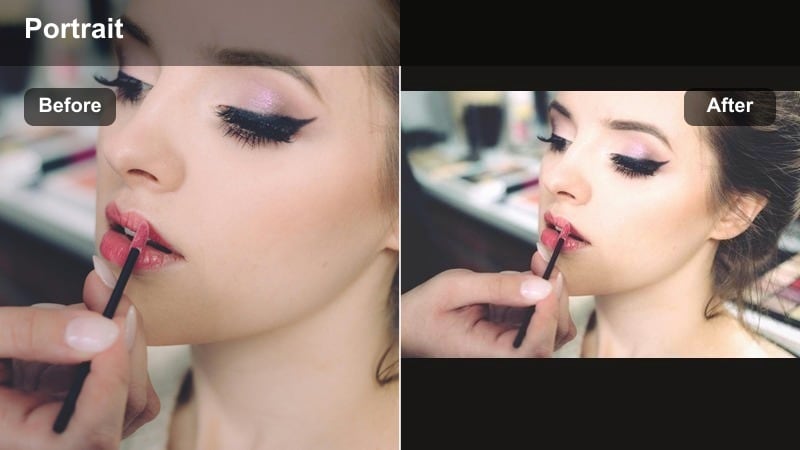
- Effect look: Soft, warm filter with gentle contrast tailored for brick walls, murals, and textured city backdrops.
- Best for: Urban portrait reels shot against brick streets, colorful facades, coffee shops, and market alleys.
- Editing tip: Reduce vibrance slightly so backgrounds do not overpower skin tones and add a subtle vignette to guide focus.
Brick Lane Warmth is designed for cozy urban locations filled with brick, murals, and cafes. It warms up the frame and softens contrast just enough to flatter skin while still highlighting the textures in walls, doors, and street details around your subject.
Inside Filmora, reduce overall vibrance slightly so bright murals and signage do not steal attention from the face. Add a light vignette and adjust framing using the crop tools so brick patterns or wall lines subtly lead the viewer’s eye back to your subject.
Pro tip: Let the wall frame your subject
Compose with leading lines in brick patterns or murals and keep your subject just off-center for a more cinematic layout.
Use Filmora’s crop and aspect tools to align key lines with the rule of thirds grid for Reels-friendly framing.
Neon Dusk Skin
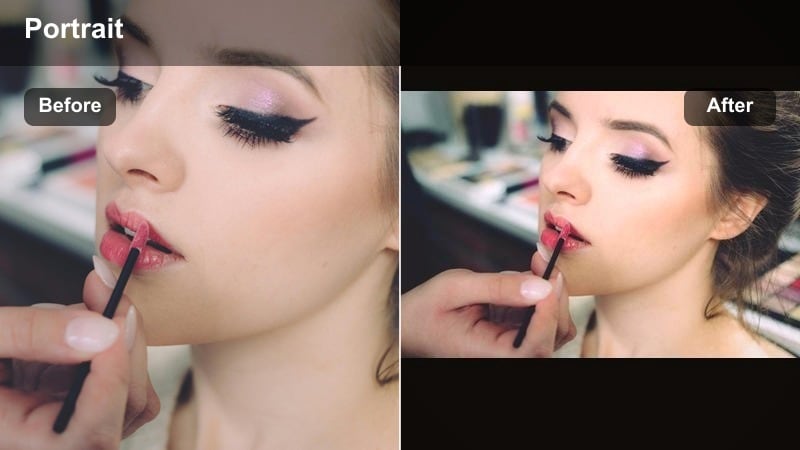
- Effect look: Warm-cool split look that keeps skin warm while letting neon blues and magentas pop in the background.
- Best for: Evening reels in districts with neon signs, storefronts, billboards, and colorful city lighting.
- Editing tip: Raise saturation only in blues and magentas and lower it slightly in greens so neon looks intentional, not chaotic.
Neon Dusk Skin protects natural skin tones while making neon lights explode with color behind your subject. The filter separates foreground from background with a warm-cool split, turning billboards, LED strips, and signs into glowing bokeh or sharp graphic elements.
In Filmora, target blue and magenta hues with selective color controls to intensify them, while slightly lowering greens to avoid messy, mixed lighting. You can also add light streaks or glow effects on bright areas to push the cyberpunk, city-at-night feel even further without affecting the face.
Pro tip: Use signs as natural color accents
Place bright signs or screens behind your subject’s shoulders to create separation and depth once the filter is applied.
Slow down your shutter or add Filmora’s light streak effects for extra motion around neon highlights.
Clean and Natural Urban Portrait Filters
Flat City Neutral
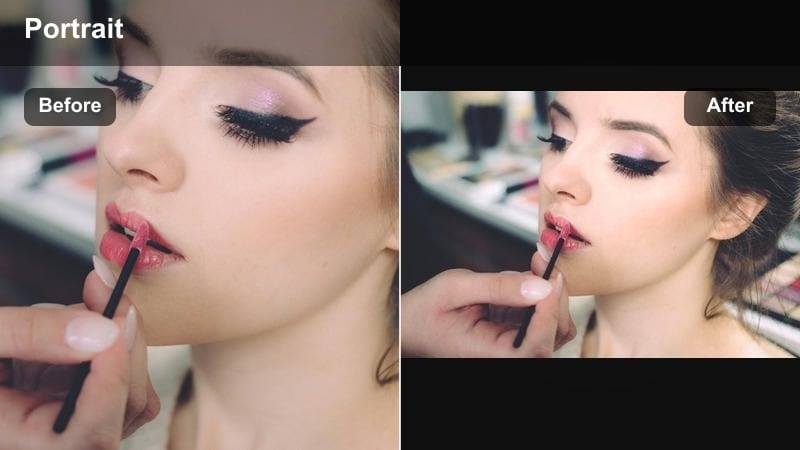
- Effect look: Low-contrast, neutral color filter designed to keep skin honest and buildings true to life for documentary-style reels.
- Best for: Street portrait reels that mix talking to camera, behind-the-scenes clips, and everyday city life shots.
- Editing tip: Use this as a base look, then locally add contrast or saturation to just the subject to maintain a natural but focused aesthetic.
Flat City Neutral gives your street portrait reels a clean, honest base that works across different locations. Instead of pushing stylized color, it keeps skin tones and building colors close to reality, which is ideal for vlogs, interviews, and documentary-style walk-and-talks.
Apply it in Filmora as your default look across both A-roll and B-roll so your content feels cohesive. Then, use masking to add a bit more contrast and saturation to your subject only, making them stand out subtly while the city stays natural and understated.
Pro tip: Build a consistent creator look
Apply this filter to all A-roll and B-roll so viewers recognize your visual style across different locations.
Save your custom tweaks as a Filmora preset so new reels match your existing library with one click.
Soft Sidewalk Portrait
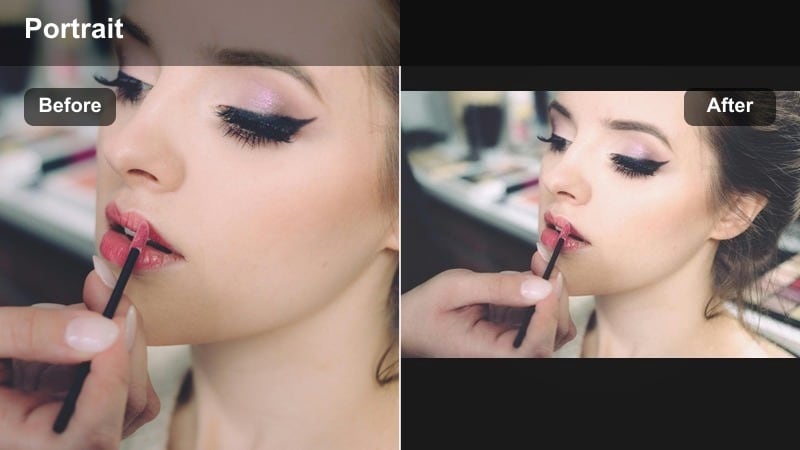
- Effect look: Gentle, slightly lifted blacks and soft highlights with minimal color shift to flatter faces in open shade.
- Best for: Daytime reels shot on sidewalks, outside cafes, and under awnings where light is even but plain.
- Editing tip: Add a tiny amount of blur or reduced clarity to the background while keeping eyes razor sharp for subtle depth.
Soft Sidewalk Portrait is ideal for daytime street reels where lighting is even but can feel boring. By lifting blacks and softening highlights, it smooths transitions on skin and gently separates your subject from the background without obvious stylization.
In Filmora, pair this filter with selective sharpening on the eyes and a slight blur or clarity reduction on the background. Shooting in open shade then applying this preset gives you an instant, polished look perfect for lifestyle, influencer, or casual coffee-walk content.
Pro tip: Shoot in open shade for best results
Place your subject just inside the shade line of a building so their face is even, then let the filter enhance subtle contrast.
Avoid harsh midday overhead light; if you cannot, angle your subject so the light hits from the side rather than top-down.
Metro Lifestyle Clean
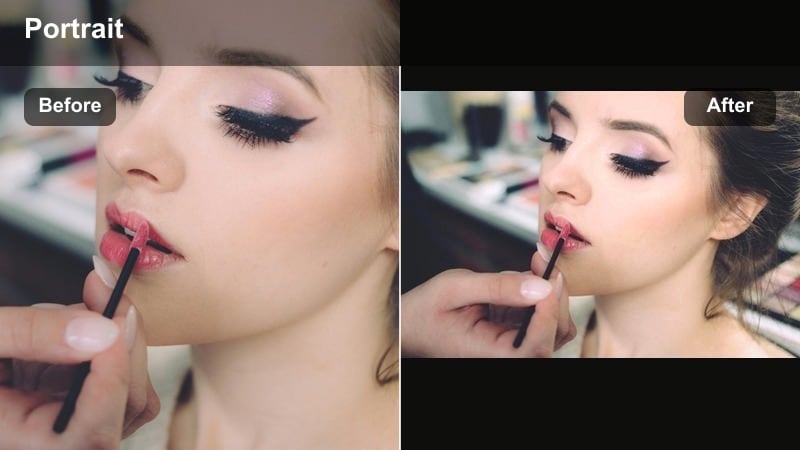
- Effect look: Clean, slightly brightened filter with a tiny cool bias to give city lifestyle portraits a crisp editorial feel.
- Best for: Fashion-forward reels, outfit of the day clips, and creator intros filmed on busy city streets.
- Editing tip: Boost micro-contrast in midtones and keep highlights under control so clothing details remain clear and true-to-color.
Metro Lifestyle Clean lifts exposure and adds a whisper of coolness for a modern, editorial look. It is perfect for OOTD reels, brand shoots, and street fashion portraits where you want clothes, accessories, and city lines to look sharp and fresh.
In Filmora, use this filter on vertical clips and increase midtone contrast to highlight fabric texture and hardware details. Keep highlights tamed so white shirts, sneakers, and city signage do not clip, and add a slight stabilization to walking shots for a premium, magazine-style vibe.
Pro tip: Turn busy streets into styled backdrops
Shoot with a slightly longer focal length to compress traffic and buildings into a stylish blur behind the subject.
Use Filmora’s speed ramping on walking shots to match the pacing of trending fashion or lifestyle sounds on Reels.
Stylized Urban Aesthetic Street Filters
Retro Block Portrait
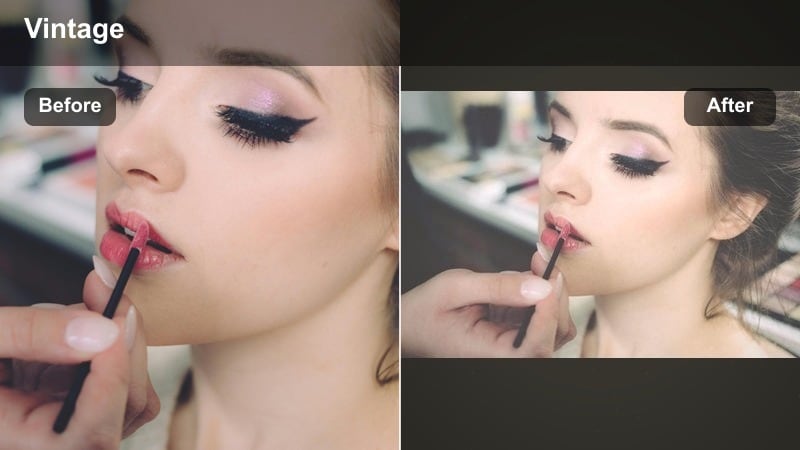
- Effect look: Faded contrast with subtle film grain and a warm, vintage tint that makes city blocks feel nostalgic.
- Best for: Nostalgic reels, throwback outfits, skate clips, and casual hanging-out-in-the-street portraits.
- Editing tip: Keep camera movement slow and add Filmora film grain lightly so faces stay clean but the frame feels analog.
Retro Block Portrait brings a warm, faded film mood to your urban portraits, perfect for throwback outfits, skate days, and chill street hangs. The lowered contrast and subtle grain soften edges and make buildings, sidewalks, and railings feel like they are from an older era.
In Filmora, apply this filter and then gently add film grain on a low intensity so faces remain clear. Simple cuts, slow zooms, and minimal transitions pair best with this look, helping your reels feel like analog clips instead of highly produced edits.
Pro tip: Match music to the retro vibe
Pair this filter with lo-fi, jazz, or retro tracks to reinforce the nostalgic mood of your street portrait reels.
Use simple crossfades or hard cuts instead of flashy transitions to keep the analog feeling consistent.
Teal Steel Portrait
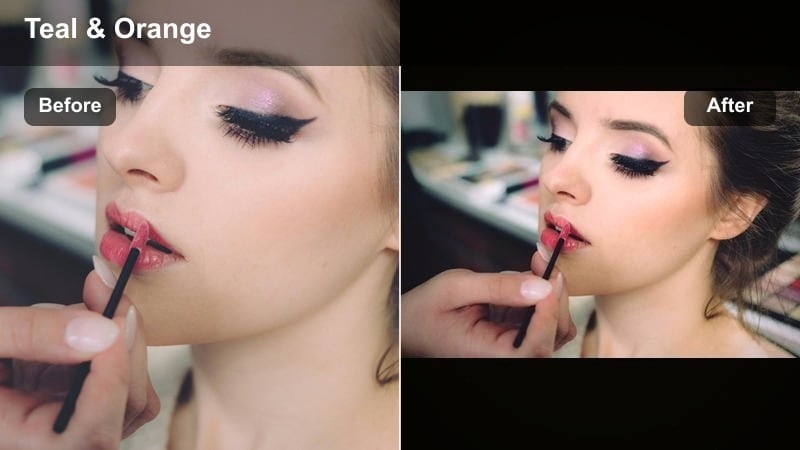
- Effect look: Bold teal and orange treatment with punchy contrast, emphasizing steel, glass, and city skies around warm skin tones.
- Best for: High-energy reels in business districts, rooftop garages, and modern glass-heavy architecture.
- Editing tip: Dial down saturation if clothing already has strong colors so the teal-orange shift does not become distracting.
Teal Steel Portrait delivers a classic cinematic teal-and-orange look tailored for modern cityscapes. It pushes blues and cyans into teal, warms up skin and highlights, and adds strong contrast so steel, glass, and sky feel dramatic against your subject.
In Filmora, use this filter on reels shot in business districts, rooftops, or parking structures with lots of concrete and sky. If your subject’s clothing is already colorful, slightly lower overall saturation to keep the teal-orange shift powerful but controlled.
Pro tip: Use leading lines from architecture
Frame your subject where railings, building edges, or road markings lead into the center of the shot to amplify this filter’s cinematic feel.
Try low-angle shots and gentle push-in camera moves then stabilize in Filmora for a movie trailer vibe.
Monochrome Street Soul
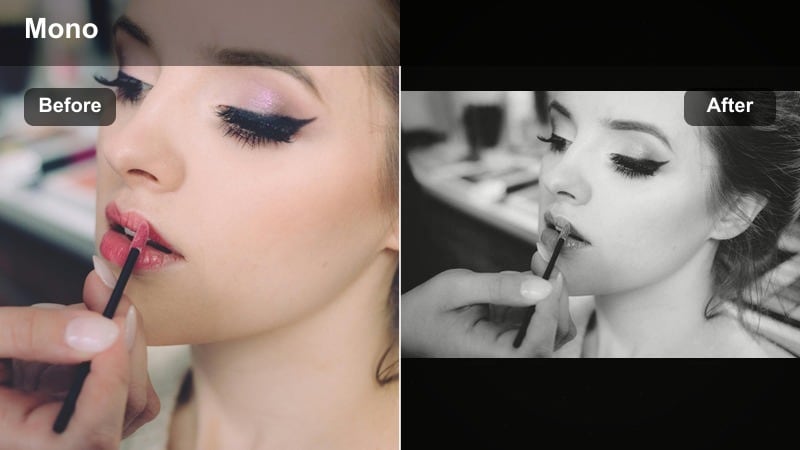
- Effect look: High-contrast black-and-white filter that sculpts facial features and emphasizes textures in streets, walls, and skies.
- Best for: Emotional reels, close-up portraits, and storytelling clips where expression matters more than color.
- Editing tip: Slightly raise clarity and texture on the subject and keep backgrounds darker so viewers focus on eyes and expressions.
Monochrome Street Soul strips away color to highlight expression, light, and texture in your reels. The strong contrast sculpts cheekbones, eyes, and jawlines while bringing out details in pavements, brick, and clouds, making every frame feel like a still photo from a story-driven film.
In Filmora, apply this filter to close-ups and medium shots, then deepen blacks slightly to make eyes and facial features pop. Use subtle clarity and texture on the subject only, and let the background fall darker and less detailed so the entire reel revolves around emotion and storytelling.
Pro tip: Let shadows tell the story
Position your subject near windows, doorways, or pillars to create natural shadow shapes across their face and background.
Cut between wide and tight shots in sync with voiceovers or captions to build an intimate, story-driven reel.
Tips for Using Street Portrait Reels Filters in Filmora
- Shoot in consistent lighting, like open shade or golden hour, so your street portrait filters for reels look cohesive across multiple clips.
- Lock exposure manually on your subject’s face before recording so filters do not exaggerate shifting brightness.
- Keep backgrounds slightly out of focus when possible to let facial expressions and outfits carry the reel.
- Build a three-clip sequence for each reel: establishing city shot, mid-shot with movement, then close-up portrait for maximum impact.
- Export test drafts to check how your chosen reels street portrait filter appears on different phones and brightness levels.
- Use Filmora masks and adjustment layers to fine-tune filters on just the face or background instead of the entire frame.
- Save your favorite combinations of filters, LUTs, and color tweaks as presets to keep your urban style reels consistent.
- Align your cuts and transitions with music beats or voiceover pauses to make filtered visuals feel even more cinematic.
With the right street portrait filters for reels, everyday corners, crosswalks, and subway platforms can turn into cinematic stages that highlight your subject and your city at the same time.
Test a few of these Filmora presets on your next urban style reels, then lock in one or two signature looks so followers instantly recognize your street content as they scroll.
secure download