

 100% Security Verified | No Subscription Required | No Malware

This collection of subtle color grading cinematic LUT-style filters is designed for content creators who want a polished, filmic look without pushing the colors too far or losing natural skin tones.
Use these filters as a gentle base grade to unify your footage, then fine-tune contrast and exposure in Filmora for consistent, story-driven visuals across vlogs, short films, and client videos.
In this article
Golden Hour Urban Streets
Soft Amber Haze
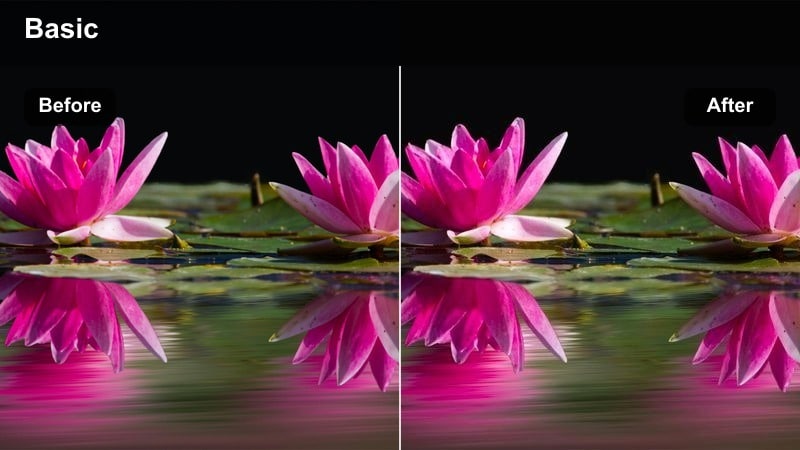
- Effect look: Delicate warm wash with subtle lifted shadows and soft halation around highlights.
- Best for: Evening street vlogs, handheld walk-and-talks, and lifestyle B-roll in warm city light.
- Editing tip: Lower the filter intensity to 60-70 percent and slightly reduce contrast to keep the glow cinematic but controlled.
Soft Amber Haze gives your golden hour city shots a gentle, cinematic warmth that feels like a subtle LUT rather than a heavy effect. Use it as a base grade on sequences with direct sunset light or warm street lamps to create a cohesive tone across multiple clips while still preserving natural-looking skies and skin.
In Filmora, drop this filter on an adjustment layer above your entire street sequence, then fine-tune exposure and white balance per clip underneath. If faces start to look too saturated, slightly pull down midtone saturation instead of turning the filter off so you maintain the amber ambiance while keeping your subjects flattering and true to life.
Use AI Tools to Refine Subtle Cinematic Color
After applying a subtle color grading cinematic LUT-style filter, Filmora's AI-powered tools can help you quickly correct exposure and white balance without losing the gentle film look you created. This is especially helpful when mixing cameras or shooting in fast-changing city light.
Lean on AI color matching to keep separate shots and cameras consistent, then make small manual adjustments so every clip sits comfortably within the same understated cinematic palette. This workflow keeps your footage polished while still feeling natural and story-first.
 secure download

Preview Filters on Real-World City Footage
Test these filters on a mix of indoor and outdoor city clips, from street walks to night drives, so you can see how each one behaves across different lighting conditions. Viewing them side by side makes it easier to choose the most natural cinematic base for your channel.
Scrub through your timeline while toggling filter visibility on and off, checking that your subtle cinematic look enhances the story rather than distracting from it. Aim for a grade that unifies your footage but still feels true to how the location looked in person.
secure download1000+ Video Filters and 3D LUTs
Filmora includes a large library of filters and 3D LUTs you can stack with these subtle looks to create a custom grade. By combining a gentle LUT for overall direction with a soft filter for mood, you can shape a signature style that matches your brand.
Start with reduced intensity for both the LUT and the filter, then slowly increase each slider until you reach a balanced, cinematic look. This layered approach prevents overgrading while still giving you strong creative control over color and contrast.
secure downloadMuted City Gold
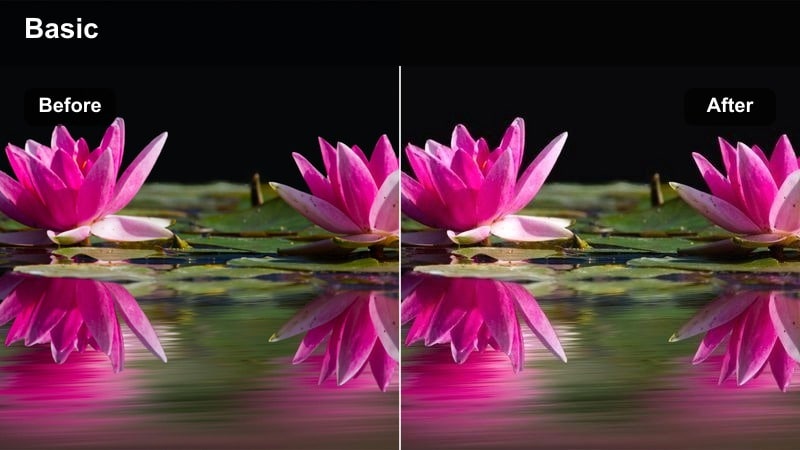
- Effect look: Soft desaturated base with gentle golden highlights and preserved neutral shadows.
- Best for: Urban B-roll, architectural shots, and narrative shorts filmed during late afternoon.
- Editing tip: Add a slight vignette after applying the filter to draw focus to subjects in wider city compositions.
Muted City Gold is ideal when you want a cinematic touch that still feels grounded and realistic. It dials back saturation across the frame while letting golden highlights breathe, which works especially well for reflective windows, cars, and skyline shots.
In Filmora, pair this filter with subtle vignetting and a small sharpness boost on your main subject to keep attention centered in busy streets. If skin tones start leaning too orange, use the HSL or color tuning controls to nudge midtones slightly toward magenta while maintaining the warm atmosphere in the background.
Cinematic Sidewalk Glow
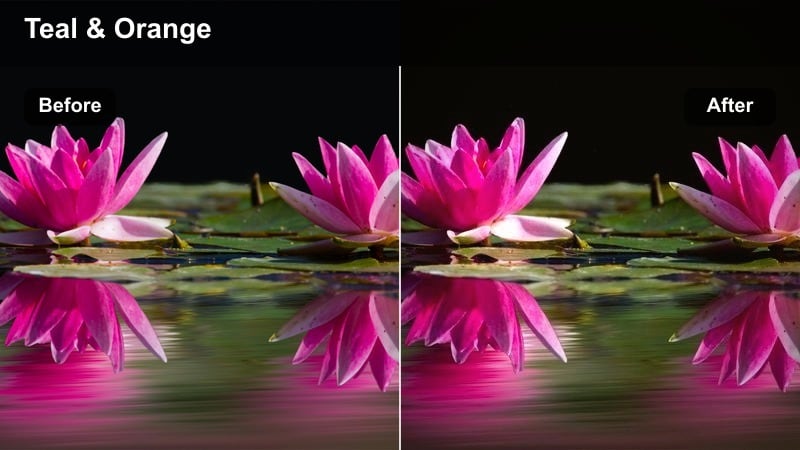
- Effect look: Gentle contrast bump with creamy highlights and subtle teal shift in urban shadows.
- Best for: Sidewalk interviews, street fashion lookbooks, and documentary-style city coverage.
- Editing tip: Dial down saturation in blues slightly to keep the teal shadows from becoming too stylized for corporate or branded work.
Cinematic Sidewalk Glow introduces a soft teal-and-cream palette that instantly gives everyday sidewalks and storefronts a premium commercial feel. The contrast remains moderate, so faces stay flattering while the environment picks up a refined cinematic character.
Apply this filter in Filmora when you are shooting interviews or testimonials outdoors and want the background to feel stylized yet subtle. Combine it with shallow depth of field and Filmora's stabilization on handheld clips so the creamy highlights and teal shadows complement your subject instead of competing with them.
Moody Indoor Storytelling
Subtle Contrast Room
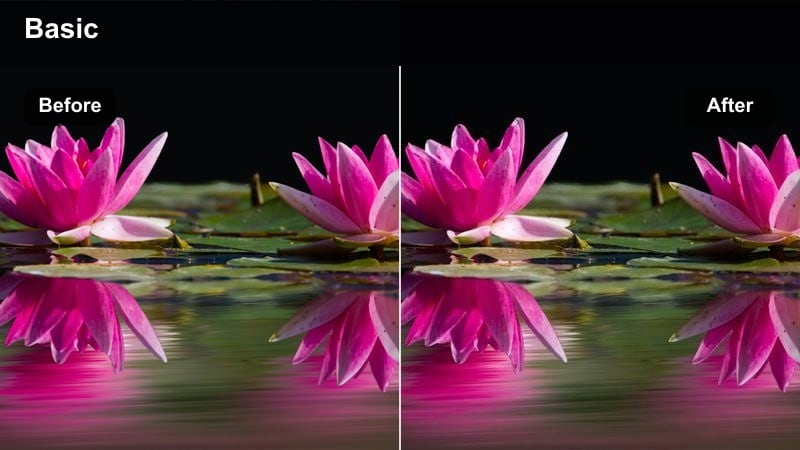
- Effect look: Gentle contrast and clarity boost with soft cool shadows and neutral midtones.
- Best for: Desk setups, productivity vlogs, tutorials, and indoor talking-head content.
- Editing tip: Apply slight noise reduction before using this filter to avoid enhancing unwanted grain in low-light footage.
Subtle Contrast Room is designed to make computer setups, studio corners, and home offices look sharper and more intentional without feeling overprocessed. The cool touch in the shadows helps separate your subject from the background, especially when you have monitors or LEDs in frame.
In Filmora, run a light noise reduction pass on high-ISO clips, then add this filter to gently lift definition in faces and key details like keyboards or props. Adjust exposure per clip with the color tools so your skin tones remain natural while the room gains a soft, cinematic presence perfect for long-form content.
Warm Loft Narrative
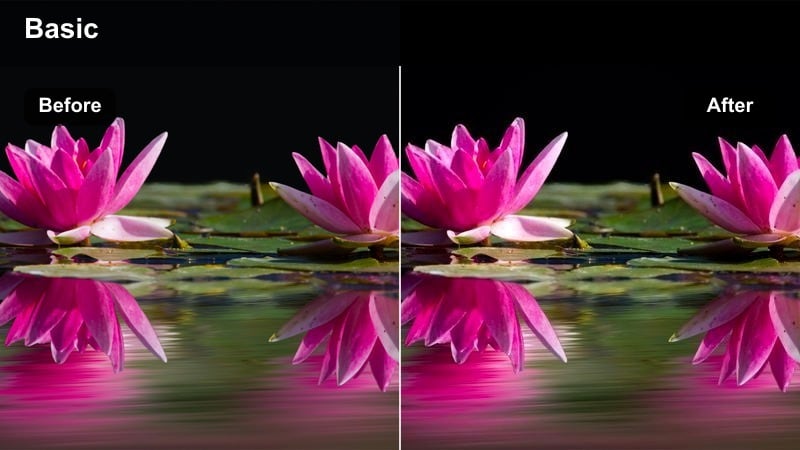
- Effect look: Soft filmic warmth with slightly lifted blacks and gentle highlight roll-off.
- Best for: Loft studios, lifestyle sit-downs, and narrative scenes near windows or lamps.
- Editing tip: Lower the blacks if the lifted shadows feel too hazy, especially for commercial or client work needing cleaner contrast.
Warm Loft Narrative wraps your indoor scenes in a cozy film-style warmth that is ideal for storytelling, lifestyle content, and emotional sit-down pieces. Lifted blacks introduce a mild haze that feels cinematic while still preserving detail in furniture, textiles, and background decor.
When grading in Filmora, use this filter on all angles of a scene to unify the look, then tweak the black level via curves if you need more contrast for brand or product work. Let practical lights like lamps and window light run a touch brighter to create natural depth without needing aggressive color shifts.
Neutral Edit Suite
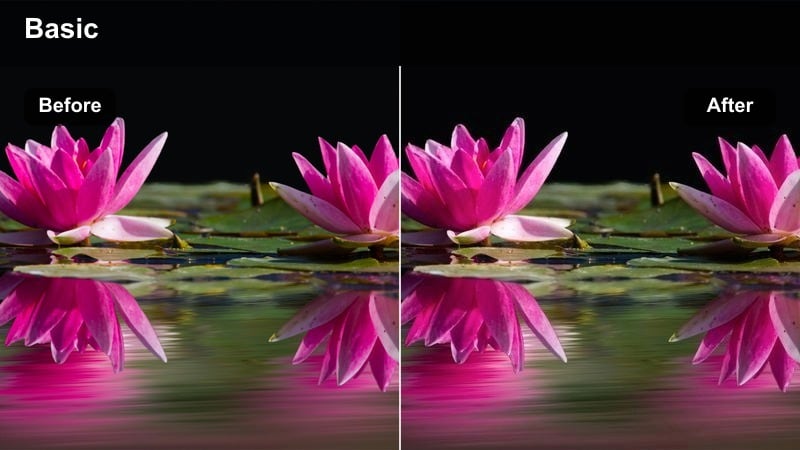
- Effect look: Balanced, low-contrast cinematic look with natural skin and very slight cool tint in shadows.
- Best for: Editing room tours, behind-the-scenes videos, and client explainer content.
- Editing tip: Use curves to add a tiny S-curve after this filter if you need just a touch more punch for YouTube delivery.
Neutral Edit Suite is built for scenarios where accuracy and professionalism matter as much as style. It adds a hint of cinematic polish while keeping brand colors, screen content, and skin tones very close to reality, making it safe for client-facing videos and tutorials.
In Filmora, drop this filter onto your BTS or walkthrough timelines, then add a gentle S-curve if the footage needs more contrast to stand out on social platforms. Check a few key frames with logos and UI elements before and after grading, and use selective color tools only where necessary so the overall look stays understated and cohesive.
Night Cityscapes and Neon
Soft Neon Balance
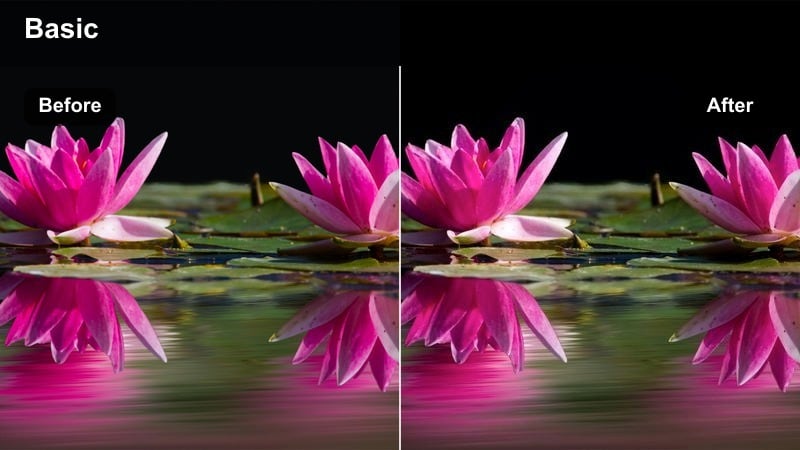
- Effect look: Gentle contrast with controlled highlights, slightly softened neon signs, and cleaner midtones.
- Best for: Night street B-roll, handheld sequences under neon lights, and cinematic travel vlogs.
- Editing tip: Lower highlight levels after applying the filter if store signs or billboards still feel too bright or distracting.
Soft Neon Balance is designed to tame intense neon and LED lighting so night city shots look cinematic instead of chaotic. The filter gently rolls off highlights and cleans up midtones, helping faces remain readable even with bright signage in the background.
When grading in Filmora, apply this filter to your night sequences and then fine-tune highlight and white levels so important text and details remain visible. A small boost in midtone exposure, paired with careful use of Filmora's stabilization, can turn noisy, handheld night footage into smooth, atmospheric city visuals.
Teal Night Drive
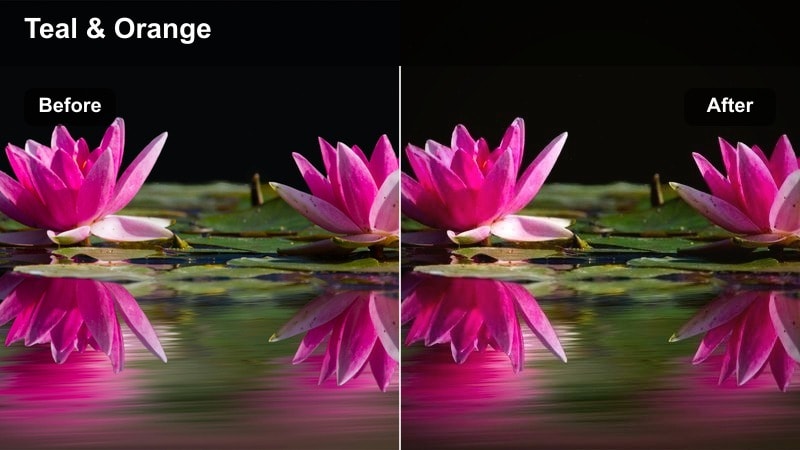
- Effect look: Soft teal shift in shadows and subtle warm highlights for a cinematic teal-and-orange night look.
- Best for: Car POV shots, ride-along vlogs, and cinematic transitions driving through downtown.
- Editing tip: Reduce global saturation slightly if traffic lights or signs become oversaturated against the teal shadows.
Teal Night Drive brings a restrained teal-and-orange palette to your car POV and driving footage, emphasizing the separation between cool city shadows and warm headlights or street lamps. The look is stylized enough to feel cinematic but subtle enough to fit vlogs and travel diaries.
In Filmora, combine this filter with motion stabilization and slight speed ramps to make drive-through shots feel like intentional transitions between scenes. If certain colors pop too hard, pull back overall saturation or selectively adjust reds and greens so the grade stays elegant and does not overpower the story.
Urban Rain Glow
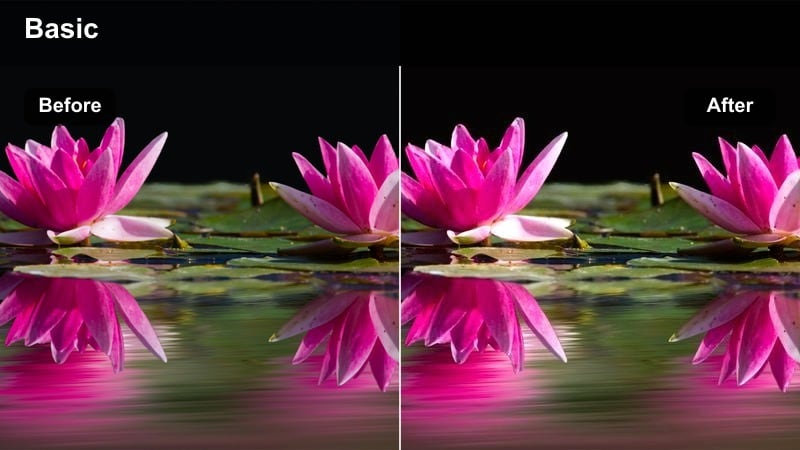
- Effect look: Softened reflections with gentle contrast, cool midtones, and slightly warm skin tones.
- Best for: Rainy streets, reflections on wet pavement, and emotional late-night storytelling.
- Editing tip: Add a subtle blur or glow effect to bright reflections for extra cinematic depth, then reduce filter intensity to keep realism.
Urban Rain Glow is tailored for moody, reflective night scenes where puddles, glass, and wet pavement carry the emotion. Cool midtones emphasize the atmosphere of the city while maintaining lightly warmed skin tones so your subject still feels alive against the colder environment.
Within Filmora, use this filter on sequences where you hold shots a bit longer on reflections or slow them down to 60 fps or more. Layer a light glow or blur effect on the brightest reflections, then slightly lower the filter intensity so the final image stays believable while still leaning into a cinematic, rain-soaked aesthetic.
Natural Daylight Documentary
Clean Daylight Chronicle
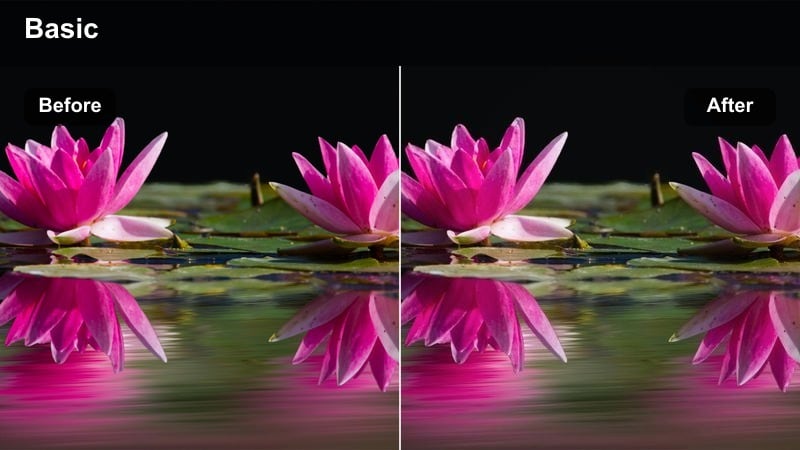
- Effect look: Very light contrast and saturation adjustment with neutral color balance and soft roll-off.
- Best for: Run-and-gun documentaries, travel storytelling, and educational content in daylight.
- Editing tip: Use local exposure adjustments on faces after applying the filter to gently brighten subjects in harsh sun.
Clean Daylight Chronicle acts like a finishing polish for bright, honest daytime footage. It makes minor adjustments to contrast and saturation while keeping colors true to life, which suits documentaries, interviews in parks, and educational content that relies on authenticity.
In Filmora, apply this filter across an entire project shot in mixed daylight conditions to unify your visuals. Then, use masks or local adjustment tools to subtly lift exposure on faces or important details, ensuring your subjects remain readable without flattening the overall scene.
Soft Travel Journal
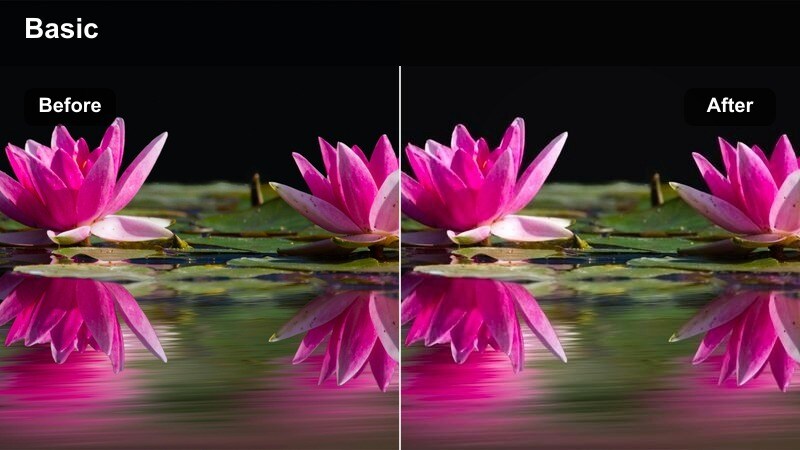
- Effect look: Slightly lowered saturation, gentle warmth, and smooth midtones for travel diaries.
- Best for: City walking tours, travel vlogs, and lifestyle montages shot in soft daylight.
- Editing tip: Add subtle music-driven cuts and slow push-ins to match the relaxed, cinematic tone of this filter.
Soft Travel Journal adds a laid-back, filmic polish to sightseeing and lifestyle footage by warming highlights and smoothing midtones while slightly reducing saturation. This helps busy city squares, markets, and landmarks feel cohesive within a relaxed travel narrative.
Use this filter in Filmora as a recurring look for multi-episode travel series so viewers instantly recognize your visual style. Complement the grade with gentle camera moves, slow push-ins, and music-synced cuts to reinforce the calm, reflective tone that this subtle color treatment creates.
Balanced Street Document
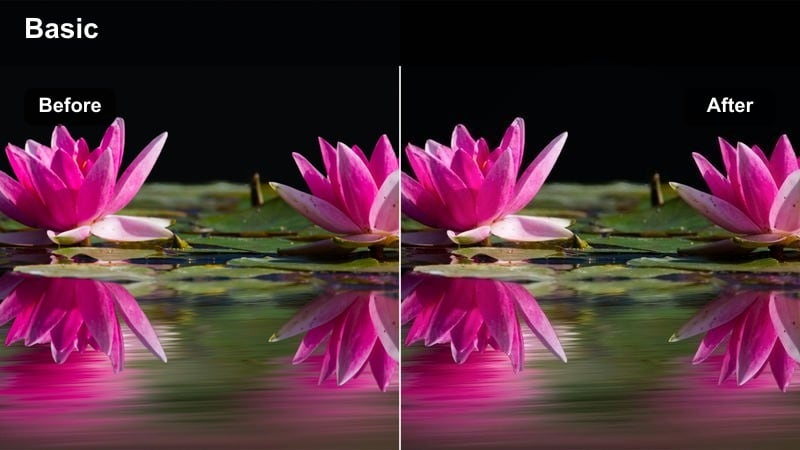
- Effect look: Moderate micro-contrast with clean color separation and natural skin tones.
- Best for: Street interviews, social documentary pieces, and creator-on-the-go segments.
- Editing tip: Use subtle sharpen after this filter only on faces to avoid accentuating noise in backgrounds.
Balanced Street Document is built to bring clarity and separation to busy city environments without sacrificing realism. Micro-contrast gives edges a bit more definition, which helps subjects stand out against cars, storefronts, and crowds while maintaining accurate skin tones.
In Filmora, combine this filter with gentle background darkening using masks or vignettes to naturally guide the viewer's eye toward your subject. Add a slight sharpening effect on faces only, and keep saturation under control so the scene feels documentary-true yet visually organized for easy viewing.
Tips for Using Subtle Color Grading Cinematic Lut Filters in Filmora
- Treat these subtle filters as a base grade, then fine-tune exposure, white balance, and skin tones on a clip-by-clip basis for the cleanest results.
- Keep an eye on Filmora's scopes so your cinematic look does not crush blacks or clip highlights, especially in high-contrast city scenes.
- Save your favorite combinations of filters and LUTs as custom presets to keep your visual style consistent across series and playlists.
- Adjust filter strength differently for indoor and outdoor shots so your overall look matches while still respecting each lighting environment.
- Preview your graded videos on both phones and laptops to ensure the subtle color changes translate well across different screens.
- Use adjustment layers in Filmora to apply a single filter across many clips, then refine individual shots with local color corrections as needed.
- Stack filters lightly with Filmora's built-in LUTs, lowering the intensity of each to avoid overstyling your footage.
- Revisit older projects and apply a unified subtle filter to key sequences to refresh your archive with a more cohesive cinematic brand look.
Subtle color grading cinematic LUT-style filters give content creators the freedom to elevate everyday footage into filmic, story-first videos without overwhelming viewers with heavy stylization.
Start with one or two of these filters, adjust intensity to match your footage, and build a repeatable grading workflow that keeps your channel's visual identity cohesive and professional.
secure download