

 100% Security Verified | No Subscription Required | No Malware


 ChatGPT
 Perplexity
 Gemini
 Claude
 Grok
Grok
These TikTok travel beach LUTs in tropical style are designed as Filmora filters that instantly give your coastal clips a sun-kissed, cinematic look without heavy color grading.
Whether you are capturing turquoise water, golden sunsets, or poolside resort moments, use this collection to keep your TikTok travel content consistent, vibrant, and ready to post in a few taps.
In this article
Golden Shores and Sunrise Beach Walks
Sunrise Soft Glow
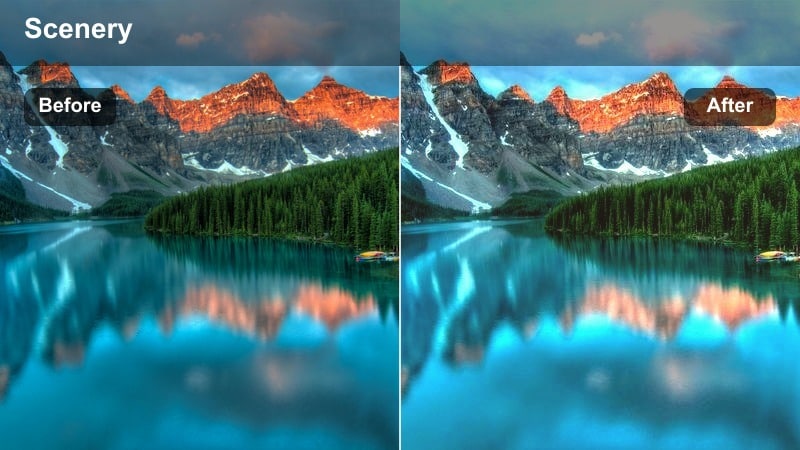
- Effect look: Warm pastel highlight with gentle glow for early-morning beach scenes
- Best for: Slow sunrise walks, shoreline b-roll, and calm storytelling TikToks
- Editing tip: Lower contrast slightly and add a slow zoom to emphasize the dreamy morning haze.
Sunrise Soft Glow wraps your early beach footage in warm, pastel light so sand, skin, and sky all feel softly connected. In Filmora, this is ideal when your original clip looks a bit flat or cold, because the filter lifts highlights just enough to create that cinematic morning haze without blowing out the sky.
Use it on slow shoreline walks, coffee-on-the-balcony shots, or first-look views of the ocean to set a gentle mood at the start of your TikTok travel day. Add a slow zoom keyframe and subtle music in Filmora, and you will have a peaceful intro that encourages viewers to keep watching the rest of your tropical reel.
Golden Sand Cinematic
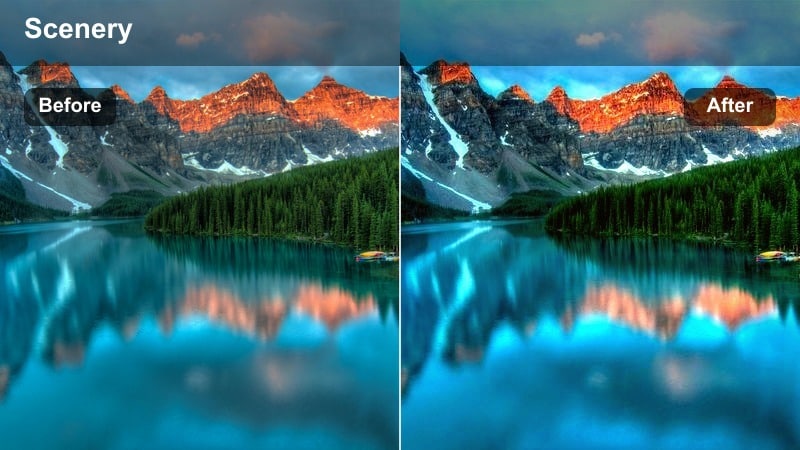
- Effect look: Rich golden tones with cinematic contrast and deeper shadows on sand textures
- Best for: Sunlit beach runs, drone passes over shorelines, and landscape reveals
- Editing tip: Increase sharpness slightly to bring out sand ripples and pair with a wide cinematic crop.
Golden Sand Cinematic turns bright, sometimes harsh midday beach light into a bold, travel-film style aesthetic. In Filmora, this filter deepens sand shadows and enriches warm tones so footprints, palm shadows, and shoreline textures pop in your frame.
Apply it to drone passes, run-and-gun POV clips, or fast reveal shots where you want a high-impact opening for your TikTok. Combine the filter with a 21:9 style crop, a slight sharpness boost, and quick beat-synced cuts in Filmora to make your golden coastline look like a trailer from a tropical adventure movie.
Keep Your Tropical Palette Consistent with AI Tools
Filmora AI color tools help you keep every clip in your tropical series on the same warm, beachy wavelength, even if you shot on different days or devices. Pick one sunrise or midday clip you love, then let AI color matching push that look across the rest of your timeline.
This is perfect when you want your TikTok grid to feel curated instead of random, because water, sand, and sky will share a similar palette from video to video. You spend less time tweaking sliders and more time planning your next location reveal.
 secure download

Preview Tropical Filters in Real Time
Testing tropical looks is easier when you can see them in motion on your own footage. Drop a short beach or pool clip into Filmora, then hover through filters to preview how they shape your highlights, shadows, and turquoise tones in real time.
Because playback stays smooth, you can quickly compare several aesthetics before you lock in the one that matches your TikTok travel concept and audio track.
secure download1000+ Video Filters and 3D LUTs
Beyond these tropical beach looks, Filmora includes a large library of filters and 3D LUTs you can stack, combine, and customize. That makes it easy to create a signature TikTok style that works for beaches, cities, and indoor travel moments without starting from scratch each time.
Use LUT-style workflows to save your favorite warm coastal grades as presets, then apply them to every new travel reel so your entire feed feels cohesive and professional.
secure downloadHorizon Glow Vibes
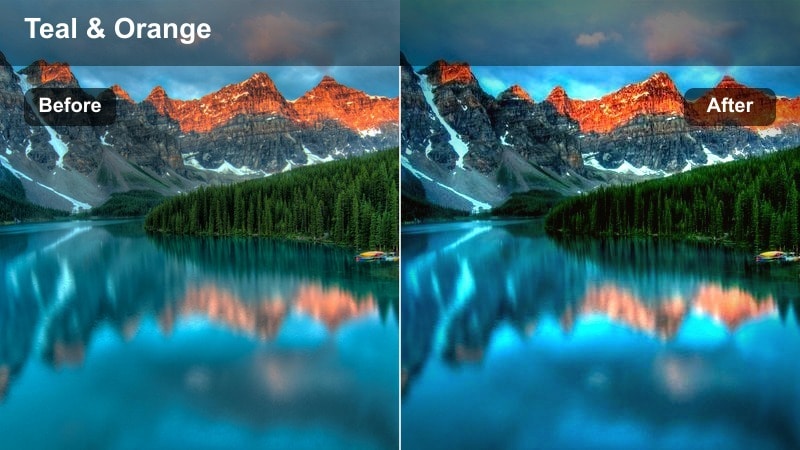
- Effect look: Soft lifted shadows with bright, glowing horizon line and gentle teal sky shift
- Best for: Wide horizon shots, walking toward the water, and storytelling hooks
- Editing tip: Add a subtle vignette and slow vertical pan to draw the eye toward the glowing horizon.
Horizon Glow Vibes is built to make the meeting point between sky and sea feel extra bright and inviting. In Filmora, it gently lifts shadows and adds a soft teal touch to the sky so your subject stands out while the background stays calm and cinematic.
Use this filter on clips where you walk toward the water, reveal a new island, or introduce a beach destination with on-screen text. Add a light vignette, a slow pan, and location titles in Filmora to guide the viewer toward the glowing horizon and keep them focused on your story hook.
Turquoise Waters and Crystal Clear Seas
Turquoise Pop Splash
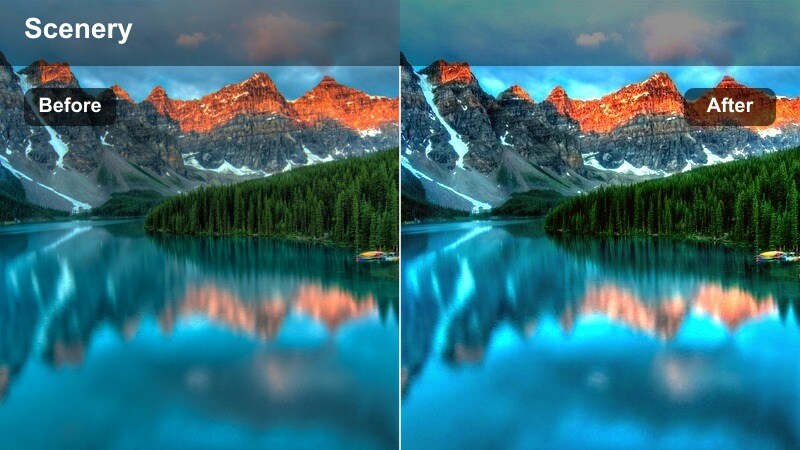
- Effect look: Intense turquoise water tones with crisp highlights and cool tropical punch
- Best for: Overhead water shots, snorkeling clips, and pool-to-ocean transitions
- Editing tip: Boost saturation slightly, then reduce clarity if skin tones start to look too sharp.
Turquoise Pop Splash is made to exaggerate the blues and greens of your water so it immediately grabs attention on the For You page. In Filmora, this filter boosts aqua tones and emphasizes bright reflections, making even average water conditions look like a high-end tropical escape.
Apply it to drone shots, edge-of-the-boat clips, or snorkeling footage where the water is the star. If faces or skin get too crisp, dial back clarity a bit in Filmora, then add quick zoom transitions or match-cuts to sync the vibrant splashes with upbeat music.
Reef Glass Clarity
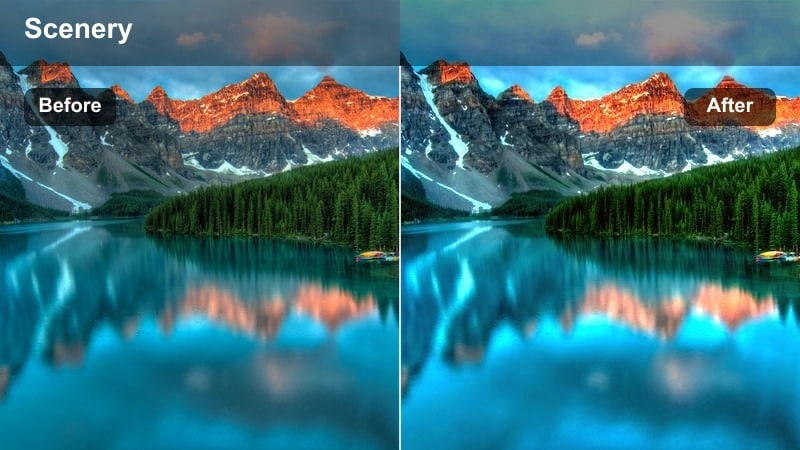
- Effect look: Clean, neutral tropical tone with lifted clarity for underwater and shoreline details
- Best for: Underwater shots, reef views from boats, and shallow lagoon walks
- Editing tip: Reduce exposure slightly and stabilize clips to highlight the crystal-clear textures.
Reef Glass Clarity focuses on definition rather than over-the-top color, keeping your tropical palette natural while sharpening fine details. In Filmora, that means sand ripples, coral edges, and small fish become more visible without the water looking fake or overly saturated.
Use it on underwater GoPro clips, shots over the side of a boat, or ankle-deep lagoon walks. Add a touch of stabilization and a slight exposure reduction in Filmora to avoid blown-out highlights, then build slow, lingering edits that show off the clarity of the reef or seabed.
Lagoon Aqua Dream
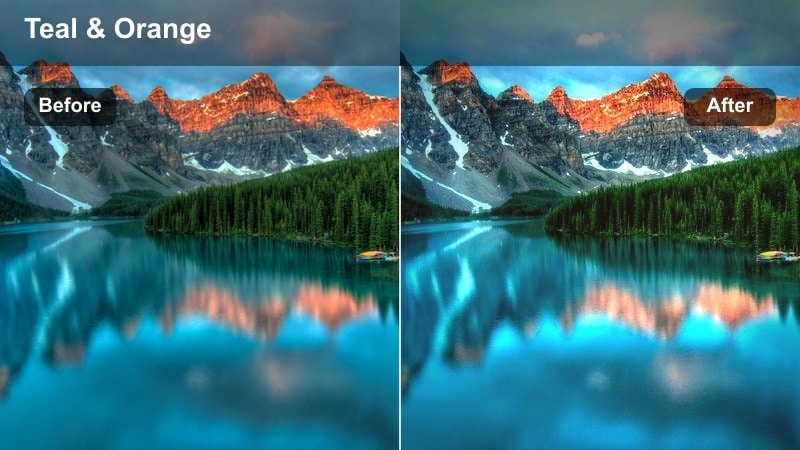
- Effect look: Soft teal and aqua shift with pastel skies and gentle skin tones
- Best for: Floating in lagoons, paddleboarding, and chill poolside transitions
- Editing tip: Pair with slow push-in keyframes and gentle lo-fi or tropical background tracks.
Lagoon Aqua Dream gives your water a gentle teal shift while keeping skin tones relaxed and natural, so it is ideal for calm, aesthetic-focused clips. In Filmora, it smooths contrast and slightly pastelizes the sky, creating a dreamy, soft-focus feeling without losing detail.
Try it on float shots, SUP clips, and relaxed pool b-roll where the vibe is more slow travel than high-energy adventure. Add slow push-in or pull-out keyframes, pair with lo-fi or soft tropical beats in Filmora, and layer subtle text like solo travel day or lagoon reset for a soothing TikTok moment.
Tropical Sunsets and Golden Hour Moments
Tropical Sunset Flare
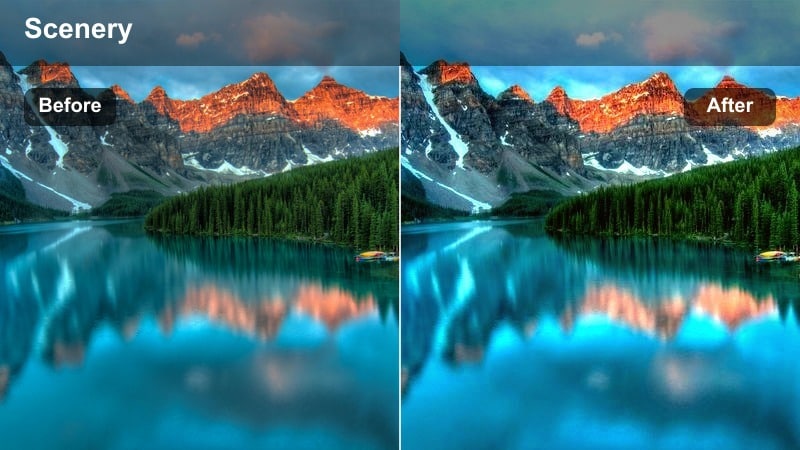
- Effect look: Deep oranges and pinks with subtle lens-flare style highlights and soft shadows
- Best for: Silhouettes on the beach, palm tree backdrops, and end-of-day recap videos
- Editing tip: Shoot into the sun and slightly underexpose so the filter can push colors without clipping.
Tropical Sunset Flare pushes warm tones deep into oranges and pinks, making even a modest sunset feel like a postcard. In Filmora, it also smooths shadows so silhouettes stay clean while the sky gradients become rich and dramatic.
Point your camera toward the sun and underexpose a little, then apply the filter for maximum color impact. Use it on end-of-day recap clips, couple silhouettes, or palm-framed horizons, and finish in Filmora with slow fades and gentle text overlays to close your beach story on a cinematic note.
Golden Hour Skin
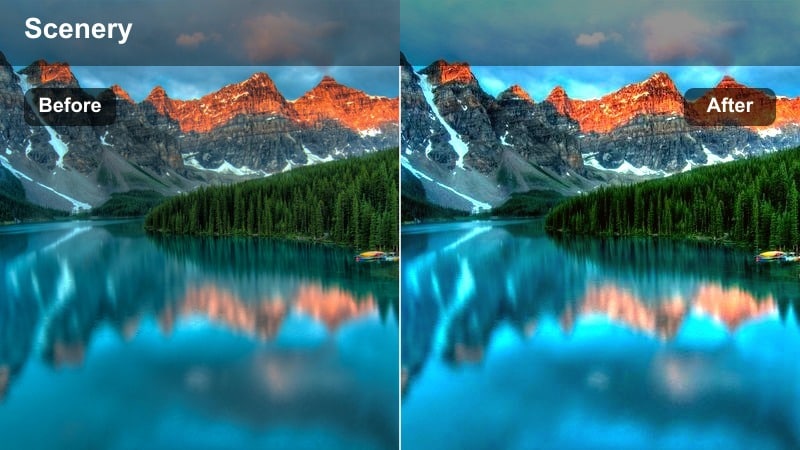
- Effect look: Warm, flattering skin tones with soft contrast and gentle highlight roll-off
- Best for: Talking-to-camera travel tips, couple shots, and portrait-style beach reels
- Editing tip: Reduce saturation slightly if wearing bright clothes to keep attention on faces.
Golden Hour Skin is tuned specifically to flatter faces, giving your portraits a soft, glowy finish that feels natural on TikTok. In Filmora, the filter eases contrast and smooths highlight roll-off so cheeks and foreheads look radiant instead of shiny.
Use it when filming travel tips, Q and A clips, or quick storytime moments directly to camera around sunset. If your outfit colors are intense, pull back overall saturation a notch in Filmora so the viewer streams straight to your eyes and expressions rather than being distracted by bright fabric.
Dusk Tropic Mood
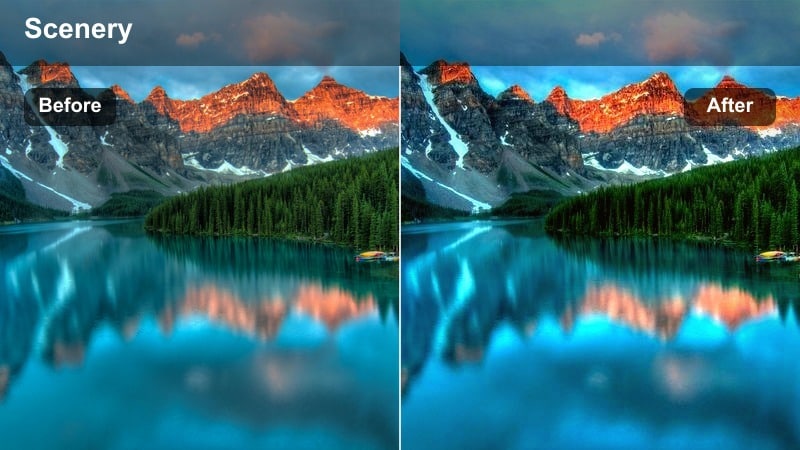
- Effect look: Moody cool shadows with warm midtones and gentle fade for post-sunset shots
- Best for: Blue hour walks, bonfire scenes, and late evening beach transitions
- Editing tip: Lower contrast and add a slight fade to embrace the cinematic dusk atmosphere.
Dusk Tropic Mood balances cool, inky shadows with a hint of warmth in the midtones to keep your blue hour clips cozy rather than gloomy. In Filmora, it adds a subtle fade that mimics a filmic, low-light aesthetic, which works especially well when the sky is already deep blue.
Apply it to bonfire circles, beachfront bar walks, or last-look-at-the-ocean shots right after sunset. Reduce contrast a bit further, sprinkle in a touch of film grain, and keep camera movement slow in Filmora to lean into that cinematic, end-of-the-day feeling for your TikTok outro.
Resort Days and Tropical Adventure Clips
Resort Chill Aesthetic
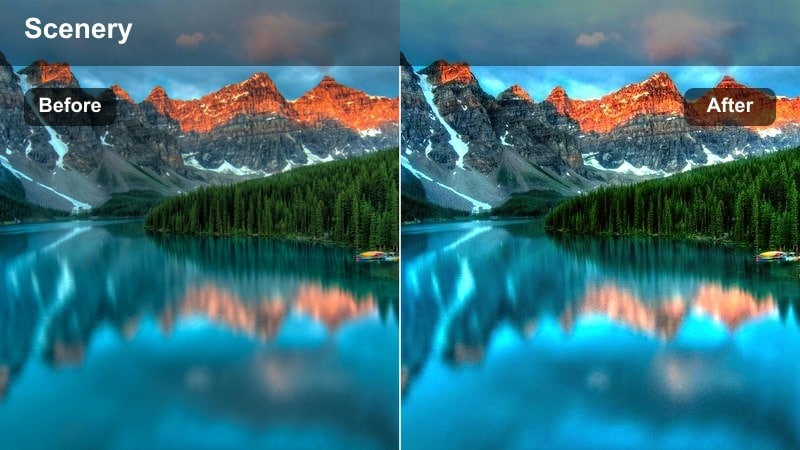
- Effect look: Clean bright whites, soft turquoise pools, and polished resort vibe
- Best for: Hotel room tours, infinity pools, and resort walkthrough vlogs
- Editing tip: Keep camera moves smooth and use slow push-ins to match the relaxed luxury mood.
Resort Chill Aesthetic focuses on crisp whites and gentle turquoise tones to give your hotel content a high-end brochure look. In Filmora, it helps tame yellow indoor lighting and balances pool or ocean colors so the entire property feels cohesive in one TikTok reel.
Use it on room tours, breakfast balcony shots, and infinity-pool b-roll where you want everything to look bright, clean, and expensive. Combine the filter with smooth gimbal or phone-stabilized moves, add slow push-ins, and cut your clips to relaxed beats in Filmora to sell that effortless luxury vacation vibe.
Tropic Adventure Boost
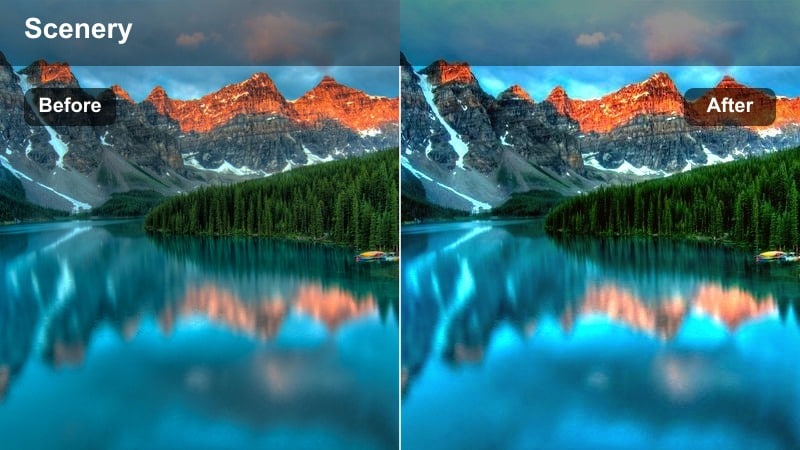
- Effect look: High-energy contrast with vivid greens and deep blues for action shots
- Best for: Jet ski rides, boat trips, cliff jumps, and drone adventure reels
- Editing tip: Use faster cuts synced to music beats so the strong contrast feels dynamic and exciting.
Tropic Adventure Boost is tuned for movement, pushing contrast and color so splashes, wakes, and foliage feel intense and energetic. In Filmora, it deepens blues and greens while keeping highlights punchy, which helps your action clips stand out in a fast-scrolling TikTok feed.
Apply it to jet ski rides, boat POVs, jumps into the water, or drone fly-bys over cliffs and coves. Then cut quickly on beats, add speed ramps, and use sound effects in Filmora to turn a simple adventure day into a high-energy highlight reel that feels like a mini movie trailer.
Island Day Storyline
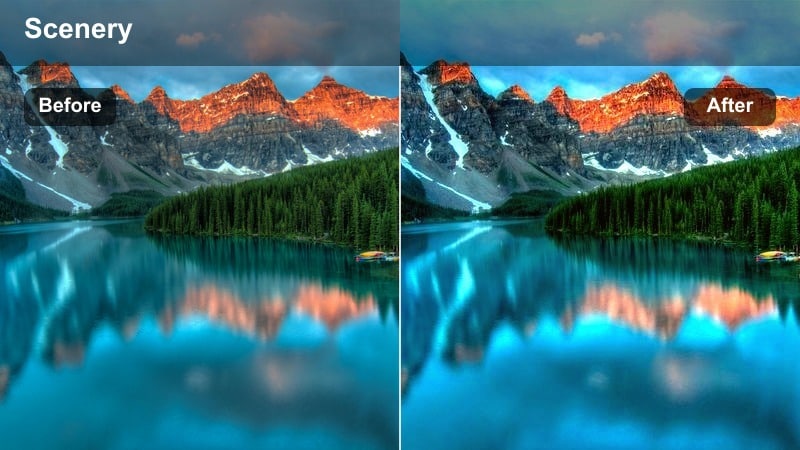
- Effect look: Balanced tropical tones with subtle warmth and smooth mid-contrast for storytelling sequences
- Best for: Full day recaps, travel itineraries, and POV-style island explorations
- Editing tip: Use the same filter across morning, afternoon, and sunset clips to keep the whole story visually cohesive.
Island Day Storyline is your all-rounder tropical look, adding a gentle warmth and balanced contrast that works from sunrise to sunset. In Filmora, it helps you glue together clips shot in different lighting conditions so your full-day TikTok recap feels like one continuous experience.
Use this filter as your default for arrival shots, activity highlights, food moments, and closing sunset views. Keep it applied across the whole sequence, then add titles, timestamps, and smooth transitions in Filmora to guide viewers through your island itinerary without jarring color shifts between scenes.
Tips for Using Tiktok Travel Beach Luts Tropical Style Filters in Filmora
- Film in early morning or late afternoon when possible to avoid harsh midday light that is harder to fix, even with strong tropical filters.
- Lock exposure on your subject before recording so the sky and water do not pulse or flicker once you apply your chosen Filmora filter.
- Capture a few extra seconds at the start and end of each clip so you have space for smooth TikTok transitions and speed ramps in the edit.
- Keep your phone lens or action camera port clean and dry because boosted contrast and clarity will also exaggerate smudges and droplets.
- Use simple camera moves like slow pans, tilts, and push-ins to let the beach colors and water textures remain the main focus of the shot.
- Test several filters quickly in Filmora, then stick to one or two signature looks per series to keep your TikTok grid on-brand and consistent.
- Combine filters with light exposure and contrast tweaks instead of over-editing so your tropical palette stays natural but still eye-catching.
- Export at high resolution and bitrate so TikTok compression does not flatten your carefully graded turquoise water and golden skies.
With a set of TikTok travel beach LUT-style filters in a tropical aesthetic, you can turn simple sand-and-sea clips into polished, scroll-stopping reels in just a few minutes.
Pick one or two signature looks from this collection, save them as presets in Filmora, and keep your entire coastal travel series visually on-brand from the first wave to the last sunset.
secure download