

 100% Security Verified | No Subscription Required | No Malware


 ChatGPT
 Perplexity
 Gemini
 Claude
 Grok
Grok
Shooting TikTok reels indoors at night usually means mixed bulbs, dark corners, and noisy shadows that crush your detail and make your skin look muddy. With the right indoor low light LUTs and filters, you can pull clean brightness from dim scenes, keep contrast under control, and give your room a cinematic glow without blowing out highlights.
This collection of TikTok indoor low light LUTs for reels is designed for bedrooms, studios, apartments, and offices where you rely on lamps, LEDs, and screens. These filters balance color casts, lift shadows just enough, and keep skin tones natural so you can focus on storytelling instead of fighting the light.
In this article
Cozy Bedroom Night Reels
Soft Amber Glow
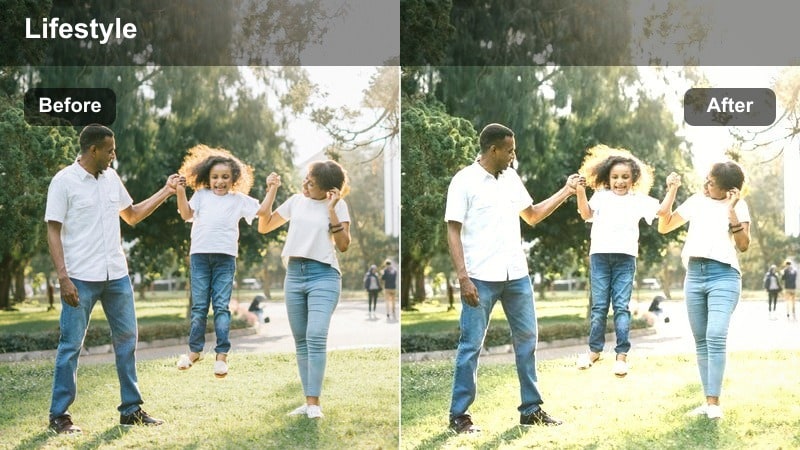
- Effect look: Warm, soft contrast that brightens faces while keeping the background gently dimmed.
- Best for: Talking-to-camera TikToks in bedrooms lit by a single warm lamp or LED strip.
- Editing tip: Lower the filter strength slightly if your walls are already very warm to avoid orange skin tones.
Soft Amber Glow is ideal for cozy bedroom night reels where you want warmth and intimacy without turning your scene into a blown-out orange mess. In Filmora, drop this LUT onto your clip to subtly lift midtones around your face while letting the edges of the frame stay darker, which naturally guides the viewer s attention toward you.
After applying the filter, fine-tune its intensity with the LUT strength slider so that skin tones stay flattering and neutral while your lamp or fairy lights keep their inviting glow. If your room already has strong yellow walls or bedding, counterbalance by nudging the white balance a touch cooler in Filmora instead of cranking down the LUT too far.
Let AI Auto-Match Indoor Low Light Colors
Filmora s AI tools can quickly scan your dim indoor footage, protect realistic skin tones, and neutralize heavy color casts from warm bulbs or RGB LEDs before you even start manual grading. This gives you a balanced base look so your TikTok indoor low light LUTs sit cleanly on top without pushing colors too far.
Run AI color matching on a clip, then stack your favorite low light LUT to sculpt contrast and saturation for each specific room. It is a fast way to get to a cinematic, TikTok-ready look without spending ages tweaking curves and wheels.
Open your clip in Filmora, run the AI color tools, and then layer one of these presets to lock in your final TikTok-ready look.
 secure download

Preview Each Indoor Filter on Real TikTok Scenes
Before committing to one look for a whole reel, drop a short test clip into Filmora and quickly cycle through your low light LUTs. You will see immediately how each filter treats your specific lamp colors, RGB LEDs, and dark corners, which is far more accurate than relying on thumbnails or generic previews.
Watch how skin tones react as you flip through options, and pay attention to how much detail you keep in the background. This makes it easy to choose one cozy bedroom look, another RGB desk look, and a separate dramatic hallway look, all while staying consistent inside each location.
Import a short test clip and try these filters in real time to find your go-to low light indoor look.
secure download1000+ Video Filters and 3D LUTs
Beyond these indoor low light looks, Filmora includes a large library of filters and 3D LUTs you can stack, blend, and customize. This lets you start with a clean low light base, then add stylistic layers like vintage fades, neon glows, or cinematic film simulations to match your TikTok aesthetic.
Save your favorite combinations as custom presets so every bedroom series, desk setup tutorial, or dramatic hallway transition keeps the same recognizable visual signature across your account.
Create and save a preset from your favorite filter setup, then apply it with one click to every new indoor reel.
secure downloadNoisy Night Fix
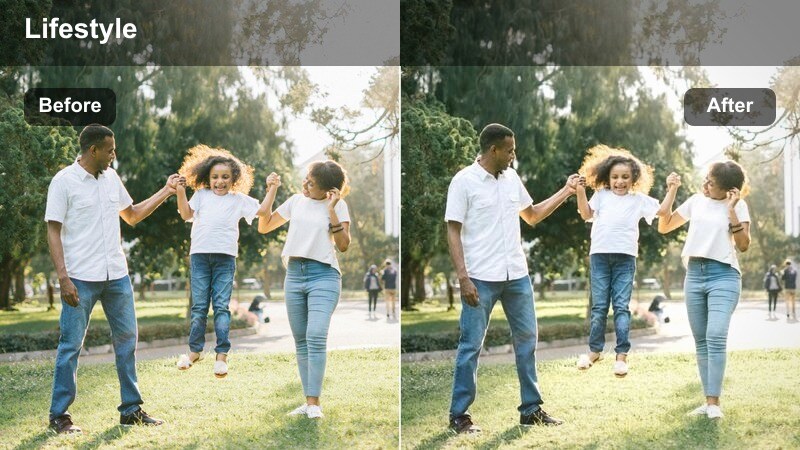
- Effect look: Clean, low-contrast profile that tames digital grain and brightens midtones.
- Best for: Phone footage shot at high ISO in very dim bedrooms or dorm rooms.
- Editing tip: Pair this filter with light sharpening instead of heavy noise reduction to keep facial details clear.
Noisy Night Fix is built for clips that look muddy, grainy, or over-pushed because your phone cranked ISO to the max. In Filmora, apply this LUT to smooth harsh digital noise, slightly flatten extreme contrast, and gently raise midtones so your face and background are more readable without looking artificially bright.
Once the LUT is on, use Filmora s basic exposure controls to add a small brightness or gamma boost if your clip is still too dark, then finish with a touch of sharpening rather than aggressive noise reduction. This combination keeps your facial features crisp while making the overall bedroom scene feel smoother and more polished for TikTok compression.
Screen Glow Balance
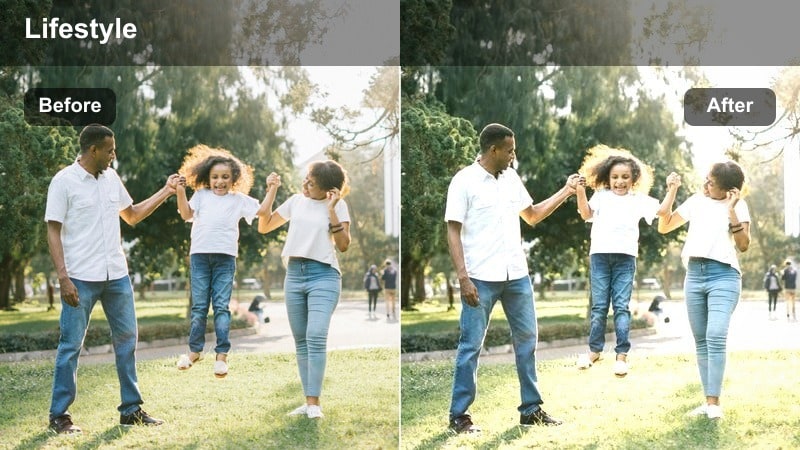
- Effect look: Soft highlight control that tones down bright phone or laptop screens and lifts surrounding shadows.
- Best for: Nighttime TikToks filmed in bed with a phone or laptop screen as the main light source.
- Editing tip: Use a subtle vignette with this filter to keep attention on your face and the screen glow.
Screen Glow Balance is designed for reels shot with your screen as the only light, where your face blows out while the rest of the frame disappears into black. In Filmora, add this LUT to gently pull back bright highlights from your device while nudging nearby shadows up, creating a more even transition from screen to skin to background.
After the LUT, apply a light vignette and perhaps a small contrast reduction to keep viewers focused on your eyes instead of the brightest part of the screen itself. Slightly adjusting the color temperature toward neutral or cool in Filmora can also help prevent the screen glow from turning your skin overly blue or green.
Creator Desk and PC Setup Shots
RGB Room Pop
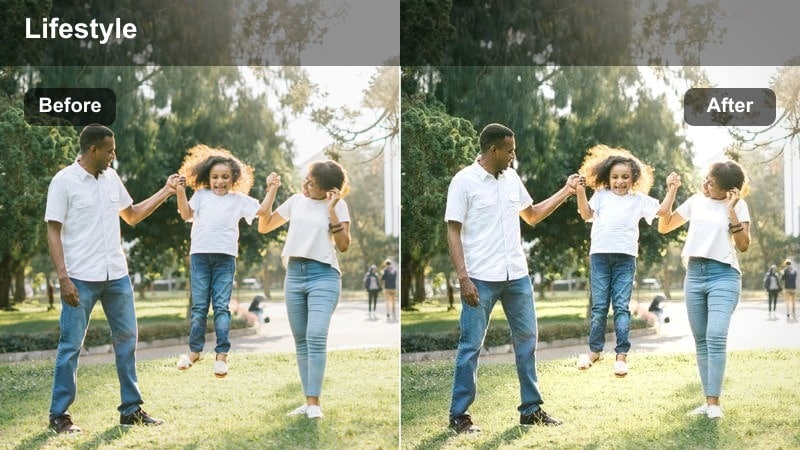
- Effect look: Punchy saturation and lifted shadows that make RGB lights vivid without clipping.
- Best for: Desk setup reels with colored LED strips, NAN lights, and PC RGB lighting.
- Editing tip: Dial back saturation slightly if your RGB lights are already intense to keep skin tones natural.
RGB Room Pop is perfect for gaming and creator desk shots where you want neon strips, PC fans, and LED accents to stand out without turning your skin radioactive. Apply this LUT in Filmora to selectively boost color intensity and open up dark areas around your desk while protecting highlights in LED panels and screens.
After the LUT is in place, fine-tune vibrance or saturation to taste and add a neutral key light on your face in-camera or with Filmora s exposure tools. This keeps your skin from inheriting too much magenta or blue spill, so you get rich RGB color in the background but a believable, TikTok-friendly look on your face.
Monitor Mood Softener
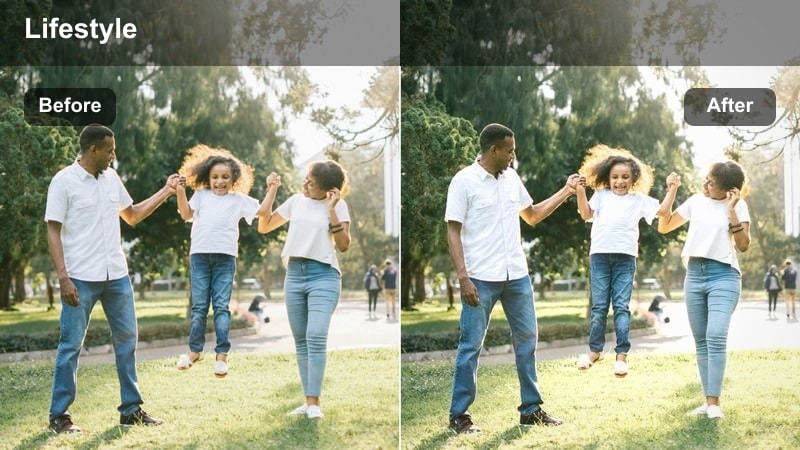
- Effect look: Gentle highlight roll-off with cooler shadows for techy, modern desk vibes.
- Best for: Tutorials and productivity reels filmed in front of bright monitors in dark rooms.
- Editing tip: Lower contrast slightly with this filter when your monitor is pure white to avoid harsh edges on your face.
Monitor Mood Softener is aimed at desk tutorials where your ultrabright screen creates stark, unflattering contrast across your face. In Filmora, this LUT smooths highlight roll-off from the monitor, shifts shadows a bit cooler, and adds a subtle modern tech tone that feels clean and intentional on TikTok.
Once you apply the LUT, use Filmora s contrast and brightness sliders to find a balance where your face is evenly lit but your UI or on-screen content still looks crisp. Slightly cooling the overall temperature can deepen that futuristic workspace feel without making your skin look lifeless.
Desk Shadow Lift
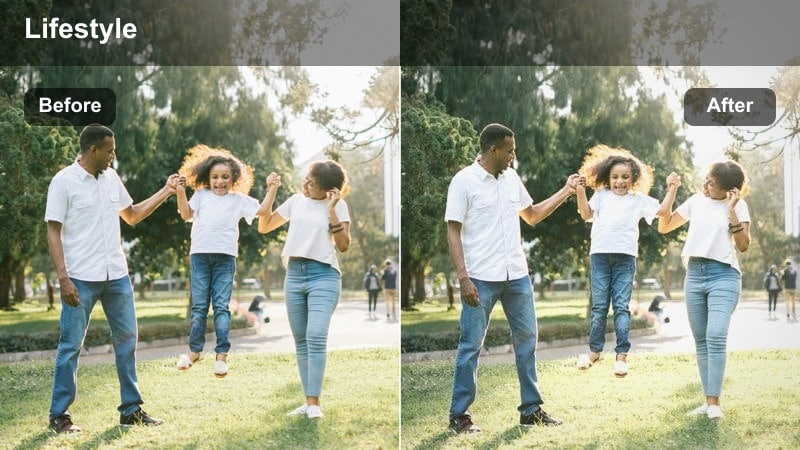
- Effect look: Shadow-lifting filter that reveals detail around your desk and hands without flattening the scene.
- Best for: POV desk reels, keyboard ASMR, and low light productivity shots.
- Editing tip: Add a subtle clarity boost after this filter to keep text and small objects looking crisp.
Desk Shadow Lift focuses on pulling detail out of the darkest corners around your keyboard, mouse, and notebooks so viewers can clearly see every movement. In Filmora, apply this LUT to brighten deep shadows while keeping enough contrast that your workspace still feels like a low light, late-night environment.
Afterward, gently increase clarity or sharpness to make keycaps, writing, and small desk objects stand out in vertical TikTok framing. Avoid pushing overall exposure too high; instead, let the LUT handle the heavy lifting on shadows and then fine-tune midtones so your hands and tools become the brightest, most readable part of the shot.
Living Room and Lounge Vibes
Couch Cinema Tone
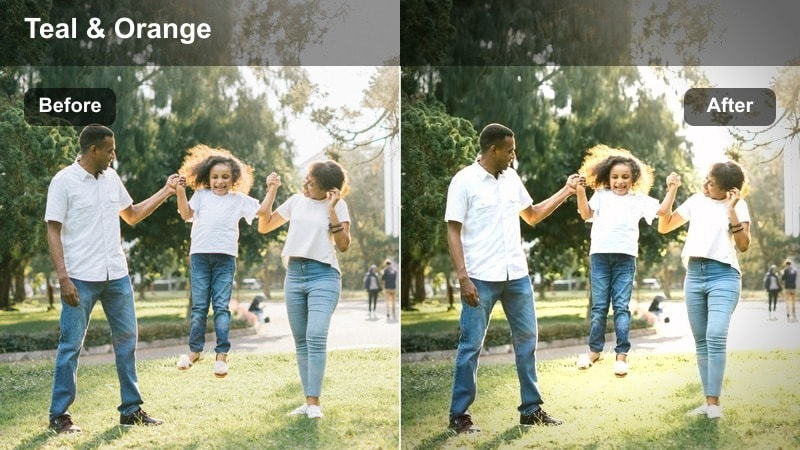
- Effect look: Soft cinematic contrast with slightly teal shadows and warm highlights.
- Best for: Storytime TikToks on the couch lit by TV, lamp, or LED strips.
- Editing tip: Frame yourself slightly off-center and add this filter to deepen the cinematic living room mood.
Couch Cinema Tone gives your living room storytimes a movie-night aesthetic by pairing gentle teal shadows with warm highlights across your face. In Filmora, applying this LUT instantly adds subtle color contrast that separates you from the background and makes dim corners look intentional rather than underexposed.
Once the LUT is applied, adjust exposure and contrast so your eyes remain clearly visible while background lamps and the TV keep their glow. A slight crop or off-center composition combined with this filter can enhance depth, making your TikTok feel closer to a cinematic scene than a casual couch selfie.
Lamp Lit Story
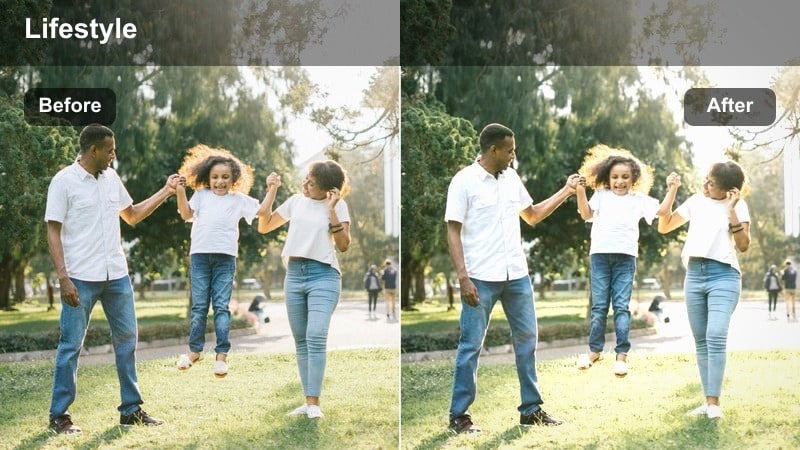
- Effect look: Warm tone filter that brightens faces and smooths skin under single-lamp setups.
- Best for: Late-night storytime, rants, and podcast-style TikToks shot near a floor or table lamp.
- Editing tip: Position the lamp at a 45-degree angle to your face before applying this filter for flattering shadows.
Lamp Lit Story is tuned for one-lamp setups where your face is bright but the room is mostly dark, creating a focused storytelling vibe. In Filmora, this LUT gently boosts facial brightness, evens out minor skin imperfections, and keeps the rest of the frame moody so attention stays on your expressions.
After adding the filter, make small adjustments to exposure and skin-tone sliders if needed, especially if your lamp is very warm. By controlling both filter intensity and white balance, you can get glowing, expressive skin that looks flattering while retaining enough shadow to feel like a genuine late-night rant or podcast moment.
TV Glow Dramatic
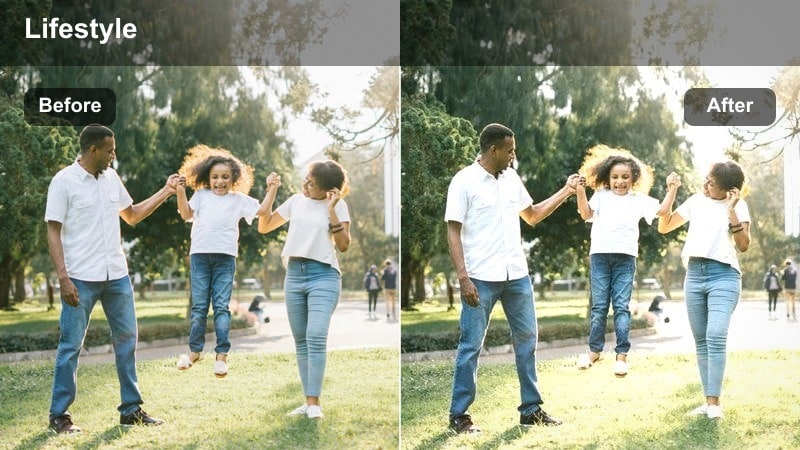
- Effect look: High-contrast, cool-toned look that leans into TV and projector light for dramatic vibes.
- Best for: Reaction reels and cinematic cutaways filmed with TV light as the main source.
- Editing tip: Use this filter sparingly on clips that already have strong contrast to avoid crushing dark hair and clothing.
TV Glow Dramatic embraces the cool, directional light from a TV or projector to create bold, moody living room scenes. Applying this LUT in Filmora increases contrast, cools down overall tones, and deepens shadows around you, making reactions, commentary, or stylized B-roll feel like suspenseful cutaways.
Because the look is punchy, lower the LUT intensity if your footage already has strong contrast or very dark clothing. Fine-tune exposure and the blacks slider in Filmora to preserve enough detail in hair and outfits while still keeping that sharp, thriller-style edge that suits dramatic TikTok edits.
Hallways, Corners, and Small Indoor Spaces
Hallway Highlight Guard
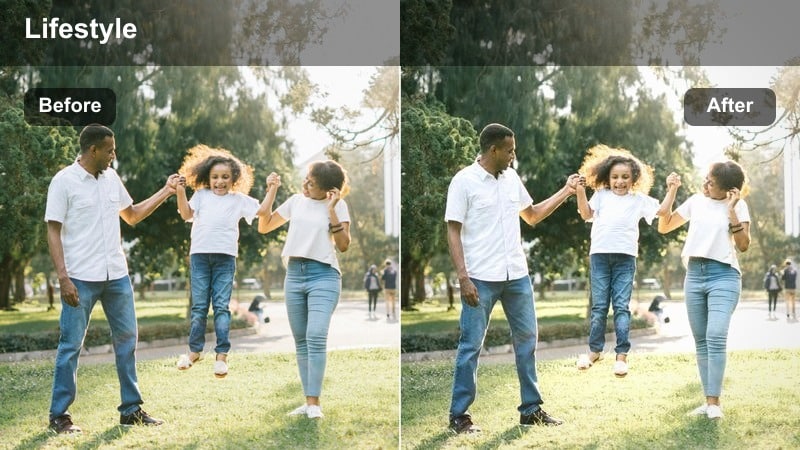
- Effect look: Controlled highlights with lifted shadows for narrow halls and mixed ceiling lights.
- Best for: Transition reels and outfit checks filmed in apartments and dorm hallways.
- Editing tip: Crop slightly tighter after applying this filter to remove blown-out ceiling bulbs at the top of frame.
Hallway Highlight Guard is tailored for tight corridors where overhead bulbs blow out while your face falls into shadow. In Filmora, this LUT softens extreme highlights from ceiling lights and opens up darker areas around your body, making transitions and outfit reveals readable from head to toe.
Once the LUT is applied, crop or tilt your frame to minimize direct view of harsh bulbs and then refine exposure so your outfit has good separation from the walls. Tweaking contrast and whites in Filmora helps you maintain shape and texture in clothing while preventing the hallway from becoming a flat, overlit tunnel.
Corner Creator Boost
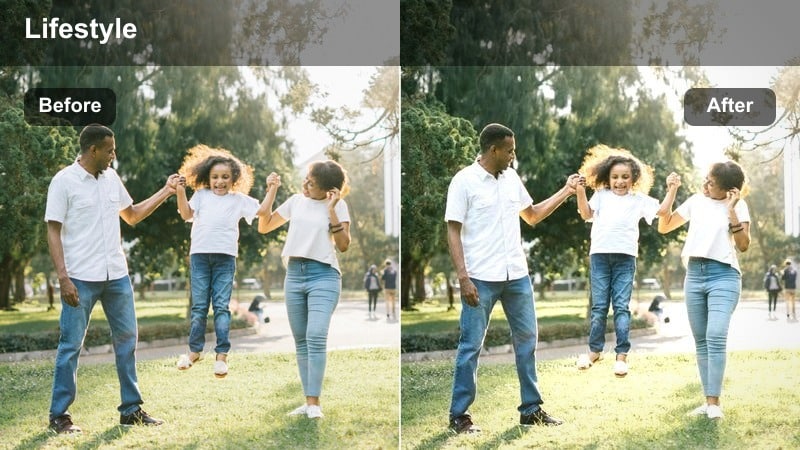
- Effect look: Localized brightness and subtle contrast that make tiny corners feel like mini sets.
- Best for: Short-form TikTok skits and quick transitions filmed in cramped room corners.
- Editing tip: Add a slight blur to the background after this filter to hide clutter and draw focus to you.
Corner Creator Boost helps you turn cramped, dim corners into intentional mini sets for skits, transitions, or reaction shots. In Filmora, apply this LUT to selectively increase brightness around your face and torso while keeping the edges of the corner a bit darker and less distracting.
Follow up with a mild background blur or depth-of-field effect to soften clutter and emphasize your performance space. Adjusting saturation and contrast slightly can also help unify mismatched wall colors or posters so your corner looks stylized and deliberate on the TikTok feed.
Stairwell Dramatic Step
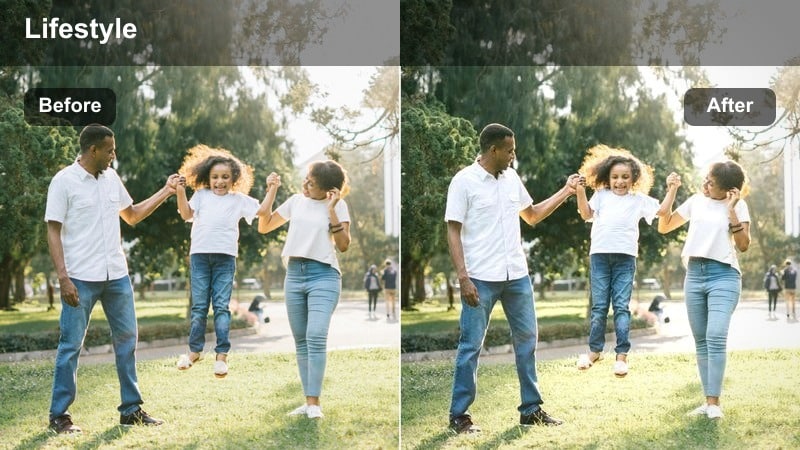
- Effect look: Moody contrast with slightly desaturated tones for gritty stairwell or corridor vibes.
- Best for: Outfit transitions, dance reels, and dramatic reveals on indoor stairs or landings.
- Editing tip: Shoot from a lower angle and apply this filter to exaggerate depth and shadow on each step.
Stairwell Dramatic Step leans into the natural shadows and lines of staircases to create gritty, editorial-style TikToks. In Filmora, this LUT deepens contrast, mutes some saturation, and emphasizes shape, which is ideal for fashion walks, dramatic spins, or dance moves up and down the steps.
After adding the LUT, experiment with slightly lower angles and subtle slow motion to exaggerate depth and movement between steps. You can also fine-tune saturation to keep skin tones from looking too drained while preserving that moody, almost cinematic corridor energy.
Tips for Using Tiktok Indoor Low Light Luts For Reels Filters in Filmora
- Always give your camera at least one small light source so low light filters can enhance, not invent, detail.
- Lock focus and exposure on your face before recording TikTok reels in dim rooms to avoid sudden brightness shifts.
- Reduce in-camera sharpening when shooting in low light so grain stays natural and easier to clean with filters.
- Avoid standing directly under overhead bulbs; move to the side so shadows fall more flattering across your face.
- If your scene looks too warm after using a cozy filter, nudge the white balance slightly cooler instead of lowering filter intensity.
- Film a 5 to 10 second test clip in each room and try multiple filters before batch editing a full TikTok series.
With the right TikTok indoor low light LUTs for reels, dim bedrooms, hallways, and desk setups can look polished instead of noisy and flat, giving your content a cinematic style even when you are shooting at night.
Start by controlling a small pool of light in your scene, then layer these Filmora filters to refine contrast, color, and skin tone so your next TikTok reel looks intentional, moody, and ready for the For You page.
secure download