

 100% Security Verified | No Subscription Required | No Malware


 ChatGPT
 Perplexity
 Gemini
 Claude
 Grok
Grok
Moody travel videos rely on deep tones, rich contrast, and subtle color shifts to turn ordinary trips into cinematic journeys. With the Moody Travel Filter: Deep Journey preset in Filmora, photographers and filmmakers can quickly build a dark, atmospheric base look for vlogs and night scenes without complex color grading.
Below are curated moody travel video filters tailored for creators who love dramatic skies, shadowy streets, and emotional storytelling. Each filter includes its ideal use case and a simple editing tip so you can dial in the perfect deep, atmospheric mood for your next travel project.
In this article
Core Moody Travel Looks: Deep Journey Essentials
Moody Travel Filter: Deep Journey
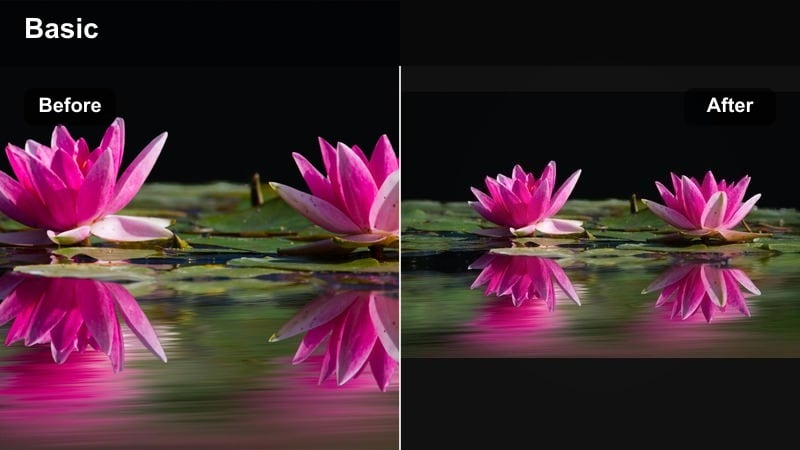
- Effect look: Deep contrast with muted highlights, lifted shadows, and a subtle cool tint for a cinematic travel mood
- Best for: Moody travel vlogs, overcast city walks, misty mountains, and introspective B-roll
- Editing tip: Lower overall exposure slightly, then add a soft vignette and gentle clarity for extra depth without crushing details
The Moody Travel Filter: Deep Journey is your all purpose base grade when you want a dark, cinematic tone without losing important details. It pulls highlights down, lifts shadows, and adds a calm cool cast that works beautifully on city streets, mountain paths, and reflective voiceover moments.
In Filmora, apply Deep Journey to an adjustment layer above your entire sequence so every shot shares the same core mood. From there, tweak exposure, white balance, and saturation on individual clips so skin tones stay natural and transitions between locations feel consistent and intentional.
Pro tip - Build a Complete Sequence Around Deep Journey: Use the Moody Travel Filter: Deep Journey as the base adjustment layer across your entire travel vlog timeline, then fine tune exposure and white balance on individual clips for consistency. For talking head segments, slightly reduce contrast and add a touch of warmth in the midtones so skin tones stay natural while the background retains its deep, atmospheric feel.
Use AI to Match Moody Travel Palettes Instantly
Filmora s AI powered color tools help photographers and filmmakers replicate a consistent moody travel palette across clips from different cameras and locations. With one click, you can align deep tones, dark travel filter characteristics, and overall contrast without manual keyframe work.
Analyze a reference scene you love, then let AI guide your adjustments so every shot in your travel vlog carries the same atmospheric travel mood. This is especially powerful when mixing handheld night scenes, drone landscapes, and indoor transitions in a single edit.
A nighttime city alley with soft neon reflections and deep shadows showcasing the Deep Journey preset.
 secure download

Preview Moody Travel Filters in Real Time
Filmora lets you audition moody travel video filters directly in the preview window, so you can quickly see how each deep tone preset reacts to your footage. Toggle between dark travel filter options, compare contrast levels, and choose the one that best fits the emotion of the scene.
Save custom versions of the Moody Travel Filter: Deep Journey with minor tweaks for day, dusk, and night, then swap them effortlessly using presets as your edit evolves.
Experiment with HSL and color controls to refine your moody palettes clip by clip.
secure downloadCombine Filters and LUTs for Deeper Control
For advanced users, pair Filmora s moody travel filters with creative LUTs to fine tune color separation and highlight the unique character of each location. Start with a filter like Deep Journey, then add a subtle LUT on top for refined hues.
By stacking filters and LUTs at low intensities, you can layer multiple small adjustments instead of one heavy handed grade, preserving detail while still achieving a strong, cinematic mood.
Use Filmora s filter and LUT library to build complex moody grades without leaving the editor.
secure downloadShadowed City Streets
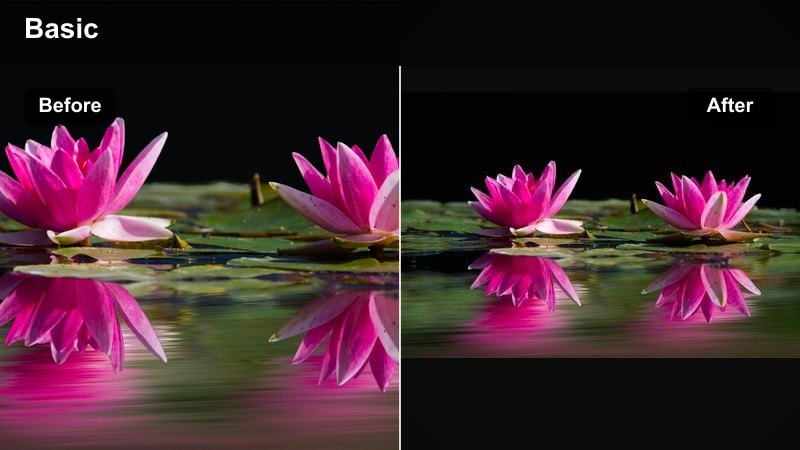
- Effect look: Dark travel filter emphasizing deep blacks, crisp contrast, and subtle teal in the shadows
- Best for: Night scenes in urban environments, neon lit streets, rainy sidewalks, and car window reflections
- Editing tip: Pull down black levels while protecting shadow detail with a gentle S curve, then reduce saturation in yellows to avoid muddy streetlight tones
Shadowed City Streets is built to turn ordinary night city footage into dramatic, high contrast visuals. It digs into the blacks, cools down the shadows, and keeps highlights punching through, which works especially well with wet pavement, neon signs, and reflections.
In Filmora, apply this filter to your night city sequence, then jump into the HSL panel to tame yellow and orange spill from sodium streetlights. Use masks on key subjects to lift exposure and slightly warm skin tones so they stand out against the deep teal shadows.
Pro tip - Control Neon and Mixed Light Sources: Use HSL controls after applying the filter to selectively tame over saturated reds and magentas so neon signs stay vivid but not overpowering. If faces are present, create a simple mask around the subject and slightly lift exposure and warmth in that area to keep them readable against the dark background.
Foggy Railway Journey
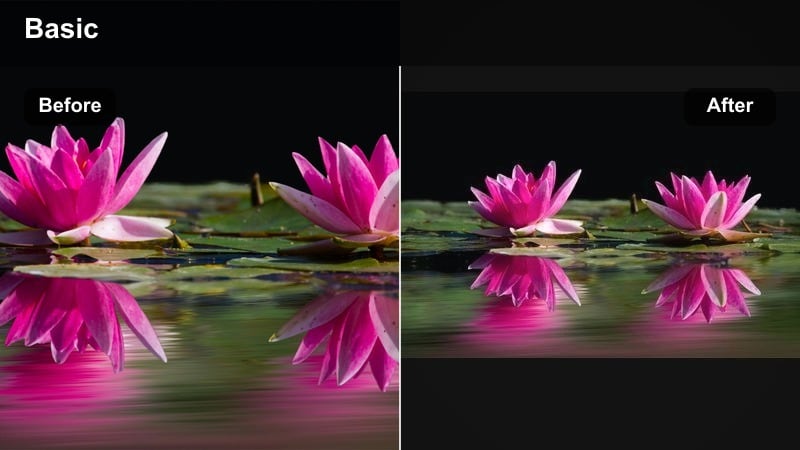
- Effect look: Soft, low contrast atmosphere with cool shadows and muted colors that enhance haze and fog
- Best for: Train rides, early morning bus windows, foggy coastlines, and quiet mountain passes
- Editing tip: Reduce clarity and add a slight glow or bloom effect, then introduce a gentle blue tint in shadows for a dreamy, distant feel
Foggy Railway Journey is made for hazy, contemplative travel days when the world outside feels remote and distant. It lowers global contrast, softens edges, and cools down the palette so fog, condensation, and mist take center stage in your frame.
Inside Filmora, combine this filter with a subtle blur or glow effect on highlights to enhance window reflections and diffuse light. Use slower cuts and gentle zooms in the timeline to match the soft visual style and emphasize introspective moments during long travel segments.
Pro tip - Use Haze to Direct Emotion: Combine this filter with slow push in shots and gentle camera movement to emphasize distance and nostalgia in your travel narrative. Keep sound design minimal and subtle, allowing ambient train or wind noises to complement the soft, atmospheric image created by the filter.
Night and Low-Light Moody Travel Filters
Noir Night Wanderer
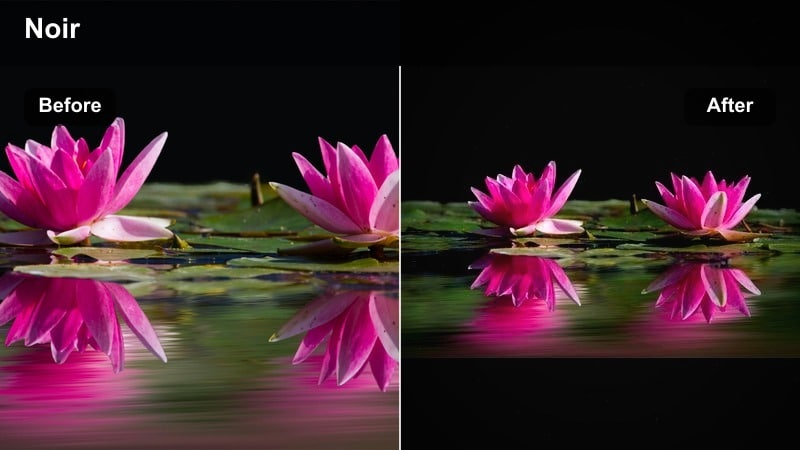
- Effect look: Deep tone with elevated contrast and slight desaturation, leaning into blue and cyan midtones
- Best for: Solo night walks, backlit silhouettes, dim alleys, and handheld documentary style travel clips
- Editing tip: Push exposure down a touch, then selectively brighten faces with masks so the environment stays dark and cinematic while subjects remain visible
Noir Night Wanderer brings a classic noir feeling to your low light travel footage, with strong contrast and a cool, desaturated palette. It works particularly well for sequences where your subject moves through pools of light and shadow, like alleyways or narrow streets.
Apply it in Filmora and then add masks over faces or key details to keep them legible within the darker overall exposure. You can also reduce saturation in specific hues to keep signs and storefronts from stealing attention from your main character.
Pro tip - Embrace Grain for Storytelling: Add a subtle film grain layer after applying the filter to unify noisy low light footage and give it a cohesive analog texture. Keep shutter speed slightly higher than usual to avoid smeary motion blur, which can quickly ruin the controlled, noir style contrast of the grade.
Midnight Transit Glow
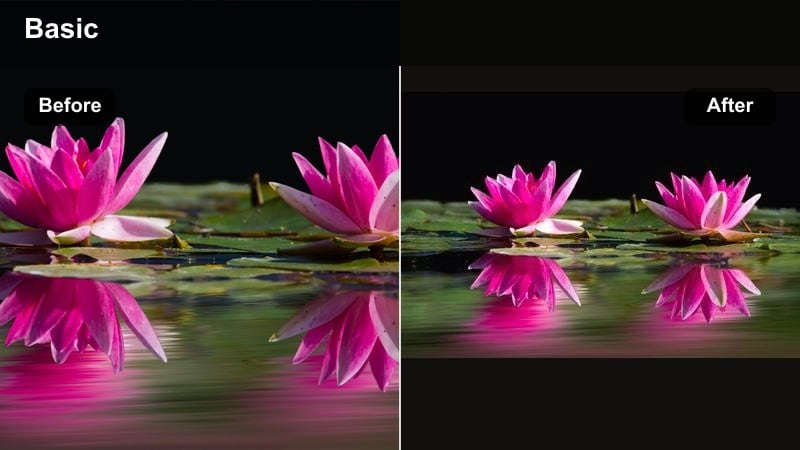
- Effect look: Soft glow around highlights with slightly lifted blacks and warm tungsten inspired skin tones
- Best for: Night scenes on subways, buses, airports, and dimly lit stations with mixed lighting
- Editing tip: Use the filter on an adjustment layer, then reduce highlight saturation to stop bright signage and screens from clipping or distracting
Midnight Transit Glow softens the harshness of station lighting and creates a gentle halo effect around lamps, screens, and overhead bulbs. Blacks are lifted slightly, so shadows are not pure black, and skin tones stay warm and inviting even in cold public spaces.
In Filmora, place this filter over your transit clips and then pull back saturation specifically in the highlight range so billboards, departure boards, and phone screens do not become overwhelming. Combine with slow motion or stabilized shots to give the glow effect time to breathe on screen.
Pro tip - Balance Warm Lights and Cool Shadows: After applying the filter, split tone your image with warm highlights and cool shadows to enhance depth between light sources and dark corners. Use subtle camera moves and slow motion where possible; the glow effect reads best on smooth motion and lingering shots instead of fast cuts.
Neon Rain Drifter
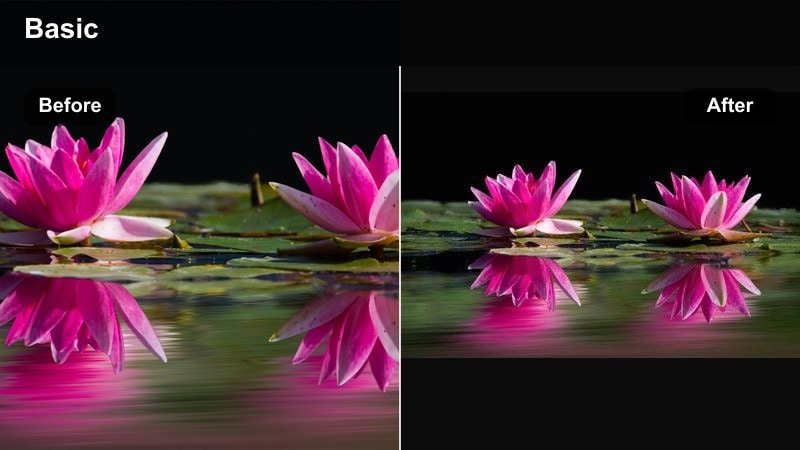
- Effect look: Punchy saturation in blues and magentas with deep blacks and reflective highlights for wet surfaces
- Best for: Rainy city nights, reflections on streets, moody travel vlogs shot under neon signs
- Editing tip: Increase contrast but protect detail by slightly lifting the darkest shadows, then reduce luminance noise for a cleaner neon look
Neon Rain Drifter is tuned for rainy nights where puddles, glass, and polished streets catch every color from surrounding lights. It deepens blacks and pushes saturation into blues and magentas so every reflection feels like part of a stylized cyber city.
Use this filter in Filmora on footage that features wet surfaces or window reflections, then add a little noise reduction to counter low light grain. Slightly lift the darkest tones using the curve tool so you preserve texture while still getting that bold, contrasty neon look.
Pro tip - Design Around Reflections: Frame your shots to capture water puddles, windows, and reflective surfaces so the neon colors introduced by the filter have room to play. Slow your shutter slightly or introduce subtle motion blur on passing cars and people to create trailing neon streaks that enrich the moody atmosphere.
Moody Landscapes and Atmospheric Travel Looks
Stormbound Coastline
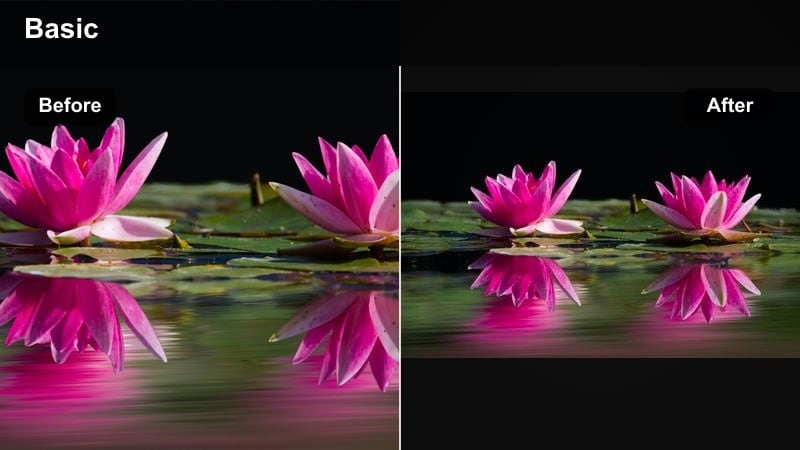
- Effect look: Desaturated greens with cool, brooding skies and strong local contrast in clouds and waves
- Best for: Cliffside hikes, windy beaches, stormy seas, and rugged coastal travel scenes
- Editing tip: Use localized masks on the sky to deepen blues and add structure, while slightly lifting exposure on the foreground subject to keep them separated
Stormbound Coastline enhances the power of rough seas and incoming weather by cooling down the sky and muting overly bright greens. It adds structure to clouds and waves, helping you capture the feeling of standing on the edge of a stormy shore.
In Filmora, combine this filter with gradient masks across your horizon line to selectively boost contrast and clarity in the sky while keeping your subject readable. Reduce overall saturation a little more if the scene is still too colorful for the brooding mood you want.
Pro tip - Make the Sky Your Main Character: After applying the filter, push clarity and texture primarily in the sky to bring out cloud details without over sharpening the foreground. Compose wide shots with leading lines from cliffs or shorelines that guide the viewer s eye into the horizon, emphasizing the vast, moody atmosphere.
Deep Forest Traverse
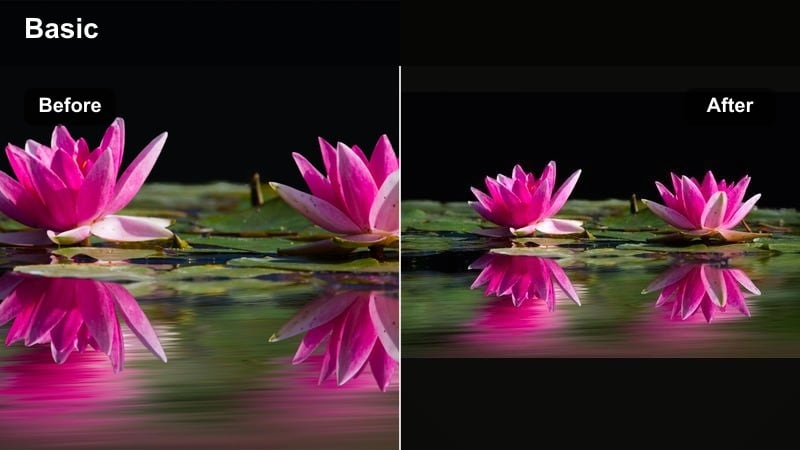
- Effect look: Muted warm highlights with cool, crushed greens and a subtle fade in the shadows
- Best for: Dense forests, hiking trails, waterfalls, and overcast woodland travel content
- Editing tip: Pull back global saturation and then selectively boost teal and aqua to highlight moss, streams, and mist without oversaturating foliage
Deep Forest Traverse is designed to quiet down the natural greens of woodland scenes so they look subdued and cinematic instead of bright and touristy. Shadows pick up a cool tint, highlights stay pleasantly warm, and the overall image gains a gentle matte finish.
Apply this filter inside Filmora to your forest hikes and waterfall sequences, then use HSL controls to bring back just a touch of color to moss, wet rocks, or running water. A soft vignette and slightly blurred background can help center focus on your traveler moving through the frame.
Pro tip - Shape Light Between Trees: Use radial masks to subtly brighten pockets of light on the path or around your subject so the viewer s eye naturally follows the journey. Add a gentle vignette and reduce sharpness slightly in the far background to create depth and keep focus on the traveler.
Twilight Ridge Walk
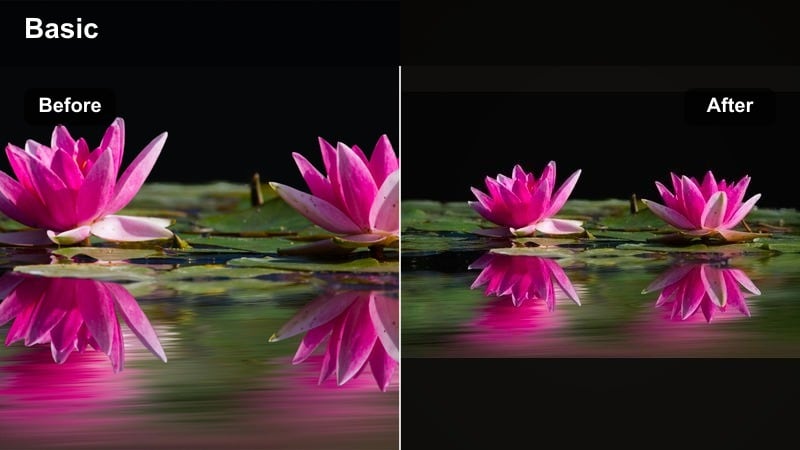
- Effect look: Soft twilight color grading with warm highlights, cool shadows, and a slight magenta tint in the sky
- Best for: Blue hour hikes, mountain ridges, dusk city overlooks, and late evening travel transitions
- Editing tip: Underexpose slightly in camera, then lift shadows gently after applying the filter to preserve twilight color while keeping the scene moody
Twilight Ridge Walk amplifies the delicate blue and magenta tones that appear right after sunset. It cools the shadows, keeps highlights gently warm, and adds a soft magenta accent to skies, making blue hour shots feel dreamy and cinematic.
In Filmora, apply this filter to sequences that bridge daytime and full night, such as ridge walks, overlook views, or city skylines at dusk. Lift the shadows only enough to maintain detail in silhouettes and foregrounds while preserving the moody, low light character of the scene.
Pro tip - Use Blue Hour as a Transition Tool: Place shots graded with this filter between daytime and full night sequences to help your travel vlog flow naturally through time. Add slow cross dissolves and light ambient music to extend the gentle, reflective feeling created by the twilight color palette.
Story-Driven Moody Travel Styles
Memory Lane Journal
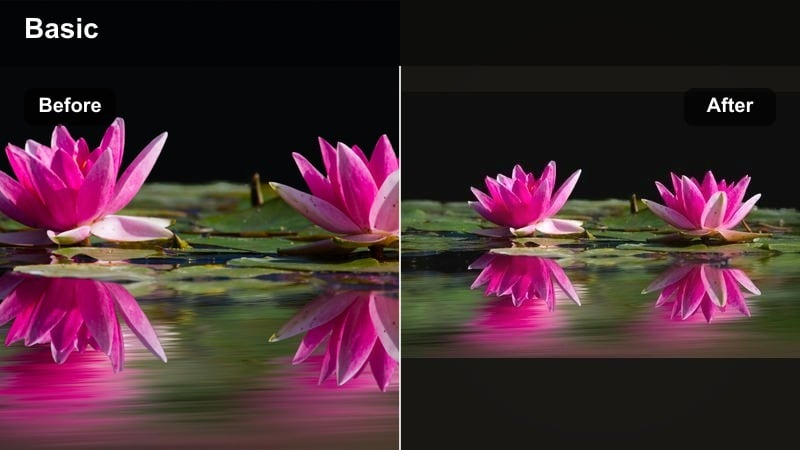
- Effect look: Faded contrast, warm highlights, and slightly lifted blacks for a nostalgic, diary like aesthetic
- Best for: Voiceover travel journals, handheld clips, cafe interiors, and quiet in between travel moments
- Editing tip: Add a subtle vignette and reduce sharpness slightly, then introduce light film grain to unify footage from different cameras or phones
Memory Lane Journal brings a gentle, nostalgic feel to everyday travel fragments like writing in a notebook, sipping coffee, or staring out a window. It softens contrast, warms highlights, and lifts blacks to mimic the look of aged prints or diary entries.
Inside Filmora, this filter is ideal for sequences paired with voiceover, where you want visuals that feel like memories rather than real time events. Add a bit of grain and a subtle vignette to make clips from phones, action cams, and mirrorless cameras blend seamlessly into a single visual diary.
Pro tip - Sync Visual Mood With Voiceover: Apply this filter to segments that feature personal narration or reflections to visually signal a shift into memory or introspection. Keep camera movement gentle and use longer clips so viewers have time to connect your words with the nostalgic mood on screen.
Lost in Transit
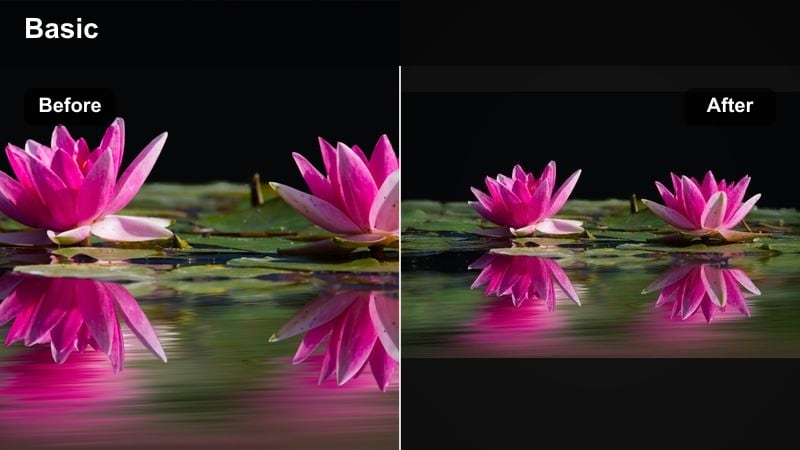
- Effect look: Cool, slightly desaturated grade with emphasized contrast in midtones and a hint of cyan in shadows
- Best for: Airports, train stations, bus terminals, and anonymous in between spaces during travel days
- Editing tip: Use the filter on wide establishing shots, then slowly push in or pan to amplify the feeling of distance and temporary disconnection
Lost in Transit is crafted to capture the quiet, sometimes lonely feeling of being between destinations. It cools the palette, lowers saturation, and emphasizes midtone contrast so terminals, gates, and corridors feel distant and impersonal.
In Filmora, apply this filter to wide establishing shots and slow moving frames of your subject waiting, walking, or scanning signs. Combine with restrained ambient sound and minimal music to let body language and empty space communicate the mood.
Pro tip - Let Negative Space Tell the Story: Compose shots where your subject occupies a small part of the frame, surrounded by empty chairs, corridors, or signage to underline isolation. Combine this look with minimal ambient audio and sparse music to keep attention on body language and environment rather than dialogue.
Deep Journey Finale
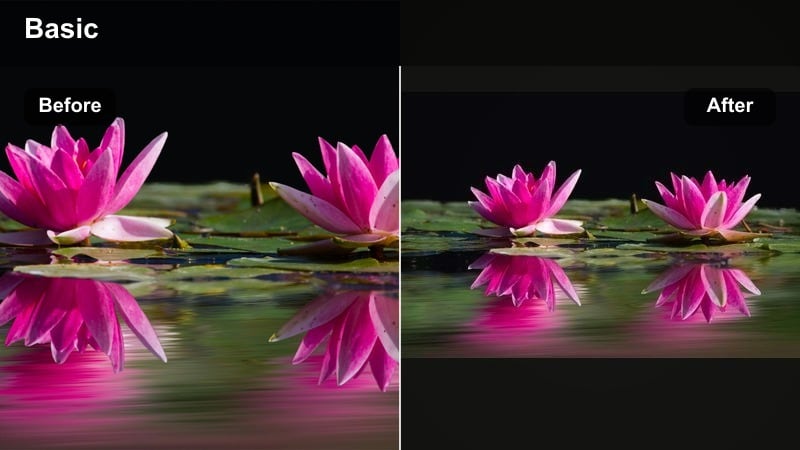
- Effect look: Rich contrast, controlled saturation, and a balanced mix of warm skin tones and cool backgrounds
- Best for: Closing travel montages, emotional final scenes, and recap sequences for moody travel vlogs
- Editing tip: Apply this filter to a condensed montage, then sync major cuts with music beats and add subtle speed ramps for a cinematic, resolved finish
Deep Journey Finale is designed to tie your entire story together with a polished, cinematic look. It delivers strong but controlled contrast, preserves natural skin tones, and leans slightly cool in the background to give your closing montage a finished, emotional feel.
Use it in Filmora on a sequence that revisits key locations and moments from your trip. Once applied, fine tune global exposure and saturation only, letting the filter s balanced tone unify clips from cities, forests, and coasts into a single, cohesive ending.
Pro tip - Unify Your Entire Journey: Once your edit is locked, place this filter over the entire final montage and tweak only global exposure and saturation for fast cohesion. Echo key shots from earlier in the video within the finale montage so the consistent deep tone reinforces the sense of a completed journey.
Tips for Using Travel Moody Filters in Filmora
- Shoot slightly underexposed for night scenes so moody travel filters have highlight detail to work with, then lift shadows in post instead of trying to rescue blown areas.
- Keep white balance a bit neutral in camera; let the filter add warmth or coolness so you retain maximum flexibility in your grade.
- Use adjustment layers for your moody travel look so individual clips only need minor exposure and color corrections underneath.
- Mix wide environmental shots with close up details; the contrast between scales feels more cinematic when combined with deep tone filters.
- Avoid maxing out contrast sliders; use curves and local adjustments to keep texture in shadows while still achieving a dark, atmospheric vibe.
Moody travel video filters like the Moody Travel Filter: Deep Journey give photographers and filmmakers a fast way to craft dark, atmospheric journeys without building grades from scratch.
Combine these presets with careful exposure, thoughtful composition, and subtle local adjustments to create travel films that feel deep, cinematic, and emotionally resonant from first frame to last.
secure downloadNext: Explore Warm Travel Filters for Golden, Sunset-Rich Journeys
