

 100% Security Verified | No Subscription Required | No Malware


 ChatGPT
 Perplexity
 Gemini
 Claude
 Grok
Grok
Velvet Charcoal is a deep, sophisticated charcoal grey that feels like a soft blackout curtain for your visuals. It adds instant depth, contrast, and calm, making bright accents and skin tones stand out without looking harsh. In color psychology, shades like Velvet Charcoal suggest focus, professionalism, and subtle luxury, which is why they work so well for cinematic grading, dark mode interfaces, and moody brand aesthetics.
For creators, Velvet Charcoal is a versatile base color for YouTube thumbnails, intros and outros, interview setups, podcast visuals, title cards, and social media carousels. Below you will find 15 Velvet Charcoal color palettes with HEX codes tailored for Filmora users and visual storytellers, so you can quickly build consistent looks for vlogs, cinematic edits, branding, and more.
In this article
Cinematic Velvet Charcoal Color Palettes
Midnight Studio Glow
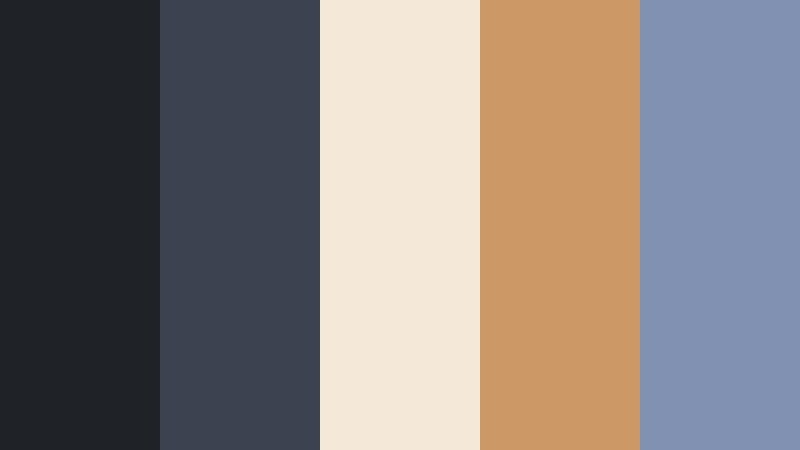
- HEX Codes: #1f2328, #3b4250, #f4e9d8, #cc9966, #8091b2
- Mood: Cinematic, intimate, and softly illuminated like a late-night edit bay.
- Use for: Use for moody film intros, cinematic B-roll sequences, and dramatic YouTube essay thumbnails.
Midnight Studio Glow feels like a quiet post-production suite at midnight: Velvet Charcoal shadows (#1f2328, #3b4250) hold the frame together, while soft ivory and amber lights (#f4e9d8, #cc9966) cut through the darkness. The muted blue (#8091b2) adds a subtle coolness that keeps the palette from feeling too warm or vintage.
This combination works beautifully for narrative intros, film essays, and commentary videos where you want the subject to feel thoughtful and serious. Use the dark tones for backgrounds, frames, or lower thirds, and let the warm ivory and amber highlight titles, call-to-action text, and key elements in thumbnails. In Filmora, you can match your color grading, overlays, and text colors to these HEX codes so your entire channel branding feels like one coherent midnight studio space.
Pro Tip: Build a Cinematic Velvet Charcoal Look in Filmora
To make Midnight Studio Glow feel consistent across your entire edit, start by designing your title card, lower thirds, and thumbnail layout using Velvet Charcoal as the base. In Filmora, set your background to the darker shades, then apply text and shapes in the ivory and amber accents. Save these as custom presets so every new video automatically picks up the same Velvet Charcoal identity.
When cutting between A-roll, B-roll, and social cutdowns, reuse this palette for transitions and overlays. A semi-transparent Velvet Charcoal box behind text will boost readability without ruining the cinematic mood, and using the same accent color for subscribe buttons, chapter markers, and end cards helps your channel look intentional and premium.
AI Color Palette
You can also turn a single Midnight Studio Glow frame into a look for your whole video. Filmora's AI Color Palette feature lets you pick a reference image that already uses these Velvet Charcoal tones, then automatically match the rest of your clips to it. This is ideal when you have shots from different cameras or lighting conditions but still want one cohesive, moody style.
Export a still from your favorite graded shot or import a custom color card that shows these HEX combinations, then use AI Color Palette to apply that grade to interviews, B-roll, and cutaways. You save time on manual adjustments while keeping your Midnight Studio Glow aesthetic intact from intro to end screen.
 secure download

HSL, Color Wheels & Curves
To fine-tune a Velvet Charcoal palette like this, Filmora's color controls give you precise control over shadows, midtones, and highlights. Use the color wheels to keep your shadows slightly cool while warming up the midtones for skin, so the dark areas stay rich and inky without making faces look dull. With HSL, gently desaturate any stray colors that break your charcoal mood and push blues toward the #8091b2 range.
If your footage feels flat, add a subtle S-curve in the Curves panel to deepen blacks and lift highlights, preserving the creamy ivory and amber glow. You can follow along with Filmora's own tutorials on cinematic color grading using curves and wheels to lock in that soft, dramatic Velvet Charcoal contrast that feels like a real film set.
secure download1000+ Video Filters & 3D LUTs
If you want a faster route to Velvet Charcoal moods, Filmora's video filters and 3D LUTs make it easy to push your footage toward this midnight aesthetic. Start with a cinematic or noir-inspired LUT to establish contrast and tone, then fine-tune by adjusting intensity so your shadows still match the Velvet Charcoal HEX values.
You can also layer subtle film grain, vignette, or glow filters to enhance the feeling of studio spotlights cutting through darkness. Save your favorite combinations as custom presets, so every new video, Reel, or short can be graded into the same cozy, cinematic Velvet Charcoal world with a couple of clicks.
secure downloadNeo Noir City Grid
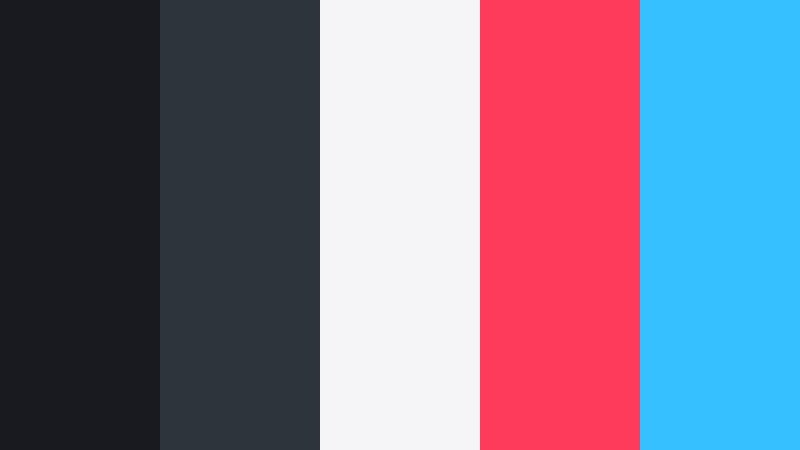
- HEX Codes: #181a20, #2d343c, #f5f5f7, #ff3b5c, #37c0ff
- Mood: Edgy, urban, and futuristic with a punch of neon contrast.
- Use for: Perfect for tech reviews, cyberpunk edits, motion graphics, and bold channel branding.
Neo Noir City Grid captures the mood of rainy streets and neon signage bouncing off wet asphalt. Deep Velvet Charcoal tones (#181a20, #2d343c) form a sleek backdrop for bright white (#f5f5f7) and electric accents (#ff3b5c, #37c0ff) that feel straight out of a sci-fi city.
Use the dark colors for backgrounds, frames, and overlays, then reserve the neon red and blue for key UI elements, animated buttons, subscribe CTAs, and kinetic typography. In Filmora, this palette shines in glitch transitions, HUD graphics, and tech channel intros or thumbnails where you want your brand to look sharp, digital, and high energy.
Dusty Spotlight Drama
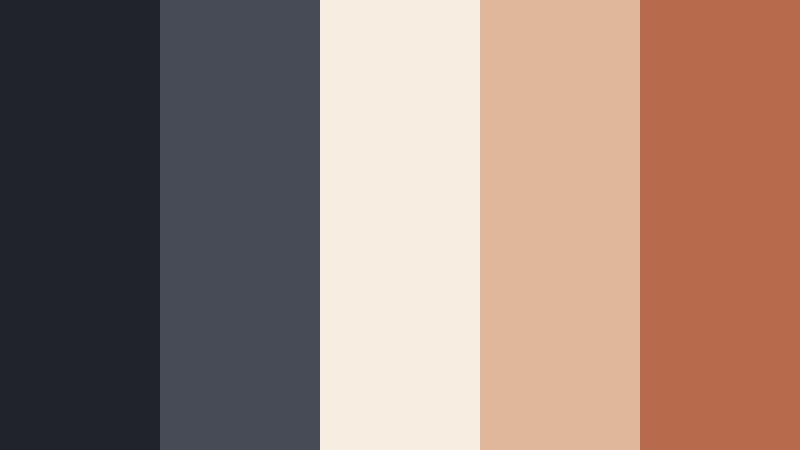
- HEX Codes: #202329, #464b55, #f7ede0, #e0b79a, #b86a4c
- Mood: Theatrical, nostalgic, and softly dramatic.
- Use for: Use in documentary titles, emotional storytelling thumbnails, and festival-style poster graphics.
Dusty Spotlight Drama feels like an old theater with light cutting through haze. The Velvet Charcoal base (#202329, #464b55) supports warm creams and sepia tones (#f7ede0, #e0b79a, #b86a4c) that give your visuals a subtle, nostalgic glow.
This palette is ideal for documentary intros, personal storytelling, and festival-style posters for your films or YouTube series. Use the darker colors for frames and sidebars, and let the warm highlights carry titles, pull quotes, and thumbnail text. In Filmora, combine this palette with a slight film grain or vignette to enhance that stage-lit, emotional atmosphere.
Lens Flare Velvet Fade
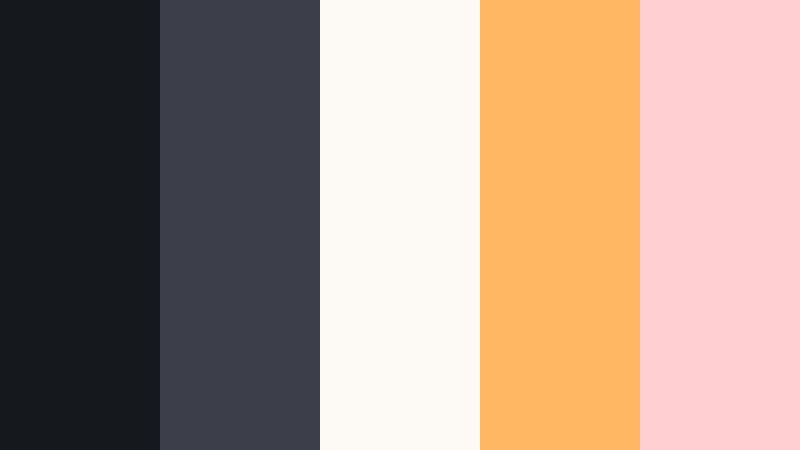
- HEX Codes: #15181d, #3c3f4a, #fdfaf6, #ffb764, #ffcfd2
- Mood: Dreamy, cinematic, and slightly surreal like hazy lens flares.
- Use for: Great for travel montages, dreamy reels, and cinematic wedding highlight films.
Lens Flare Velvet Fade mixes deep Velvet Charcoal (#15181d, #3c3f4a) with bright, hazy light tones (#fdfaf6, #ffb764, #ffcfd2). It feels like late afternoon sunlight streaming through a window, captured through a soft lens.
Use the darker shades for frames and title bars, and float text or logos in the soft ivory and peach areas. In Filmora, this palette is perfect for wedding highlights, travel B-roll, and dreamy reels. Add light leak overlays or subtle blur transitions to echo the soft, surreal mood of the colors.
Modern Minimal Velvet Charcoal Color Palettes
Charcoal Interface Clean
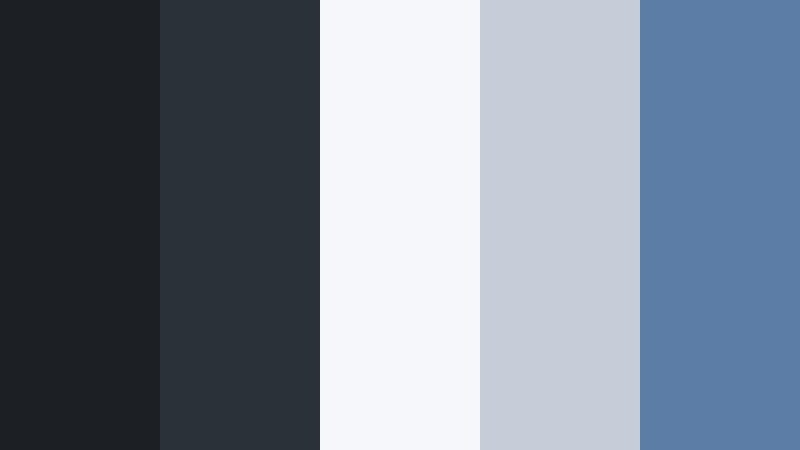
- HEX Codes: #1c1f24, #2b3138, #f5f7fa, #c5ced8, #5c7ea6
- Mood: Clean, professional, and quietly high-tech.
- Use for: Use for channel branding, dark-mode UI overlays, lower thirds, and tutorial graphics.
Charcoal Interface Clean delivers a dark-mode style that still feels open and breathable. Velvet Charcoal bases (#1c1f24, #2b3138) contrast with crisp light neutrals (#f5f7fa, #c5ced8) and a muted interface blue (#5c7ea6).
This is ideal for tech explainers, SaaS demos, productivity content, and tutorial-style YouTube channels. In Filmora, use the dark tones for full-screen backgrounds and the light colors for cards, captions, and step-by-step overlays. The muted blue works well for icons, progress bars, and clickable elements in thumbnails or end screens.
Monochrome Studio Grid

- HEX Codes: #14161a, #262a30, #8a8f98, #d5d7dd, #ffffff
- Mood: Minimal, structured, and editorial.
- Use for: Best for sleek intros, typography-driven reels, and professional portfolio videos.
Monochrome Studio Grid is pure grayscale elegance anchored by Velvet Charcoal (#14161a, #262a30). Mid and light grays (#8a8f98, #d5d7dd) plus clean white (#ffffff) create a modern editorial look that never goes out of style.
Because there are no strong hues, this palette keeps attention on composition, typography, and content. Use it for portfolio reels, corporate intros, typography-led Instagram Reels, or minimalist podcast branding. In Filmora, pair these colors with simple motion graphics and clean transitions to get a studio-grade, magazine-like feel.
Slate Blueprint Minimal
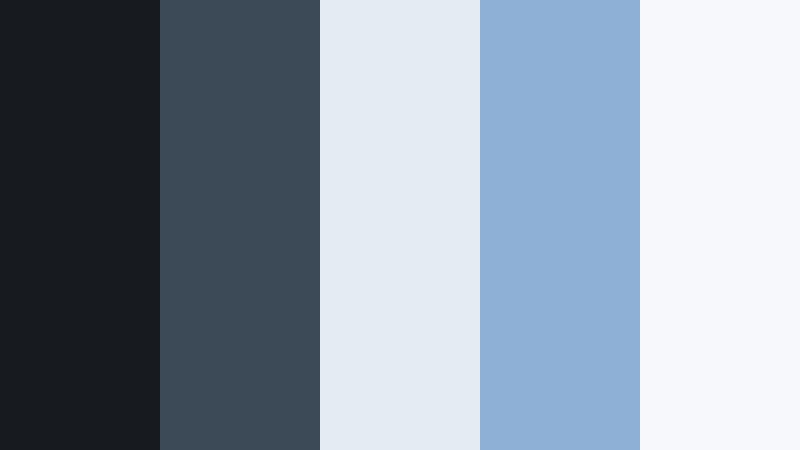
- HEX Codes: #171b20, #3c4a57, #e4ebf2, #8fb0d6, #f6f8fb
- Mood: Strategic, airy, and design-forward.
- Use for: Use in explainer videos, infographic animations, and planning or productivity content.
Slate Blueprint Minimal layers cool blues over a Velvet Charcoal foundation (#171b20, #3c4a57). Pale, almost paper-like whites (#e4ebf2, #f6f8fb) and a gentle blueprint blue (#8fb0d6) give your visuals a clear, organized energy.
This palette is a natural fit for Notion-style productivity videos, planning dashboards, and animated infographics. In Filmora, use the darker tones for section dividers and the light blues for backgrounds behind text and charts. The blueprint blue is perfect for callouts, arrows, and highlight boxes that guide the viewer through your explanations.
Soft Gradient Nightfall
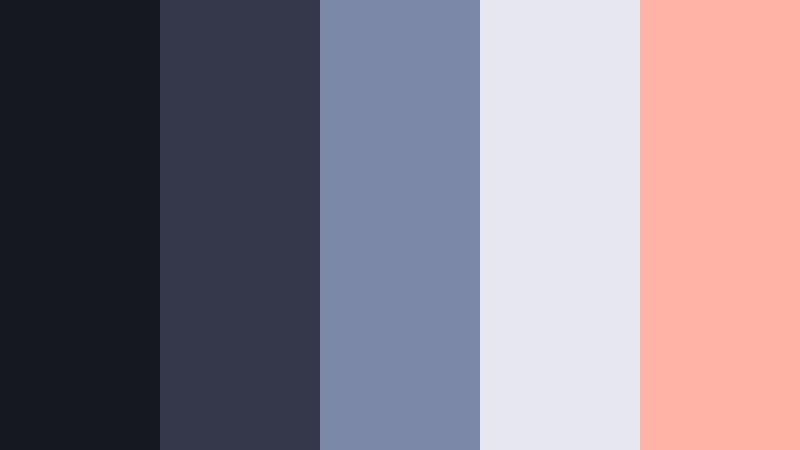
- HEX Codes: #161820, #34384a, #7c88a8, #e6e7f0, #ffb3a7
- Mood: Calm, contemporary, and lightly atmospheric.
- Use for: Perfect for gradient overlays in intros, subtle title backgrounds, and lifestyle vlogs.
Soft Gradient Nightfall moves from deep Velvet Charcoal (#161820, #34384a) into misty blues and lavender grays (#7c88a8, #e6e7f0), with a whisper of peach (#ffb3a7). It feels like the soft light just after sunset.
Use it to build smooth background gradients in Filmora, especially for intros, end cards, or talking-head title plates. The darker colors can sit at the edges of frame while the lighter tones support text in the center, and the peach accent is perfect for subtle icons or branded elements in lifestyle and design vlogs.
Luxury & Editorial Velvet Charcoal Color Palettes
Velvet Lobby Luxe
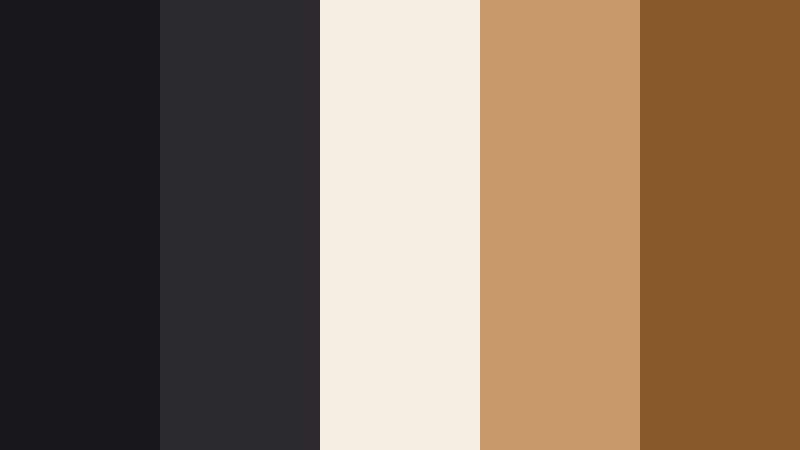
- HEX Codes: #18171c, #2c2830, #f4ede4, #c89a6b, #8b5a2b
- Mood: Luxurious, hotel-lobby chic, and quietly opulent.
- Use for: Use for premium product promos, fashion lookbooks, and branded intros that need a luxury edge.
Velvet Lobby Luxe pairs deep, plush Velvet Charcoal (#18171c, #2c2830) with creamy neutrals and rich caramel tones (#f4ede4, #c89a6b, #8b5a2b). It feels like marble floors, brass fixtures, and soft hotel lighting.
This palette suits high-end sponsors, luxury product demos, fashion lookbooks, or premium course branding. In Filmora, build elegant lower thirds with dark charcoal bases and light text, then use the caramel tones for logo marks, buttons, and emphasis elements in thumbnails and social clips.
Gilded Smoke Editorial
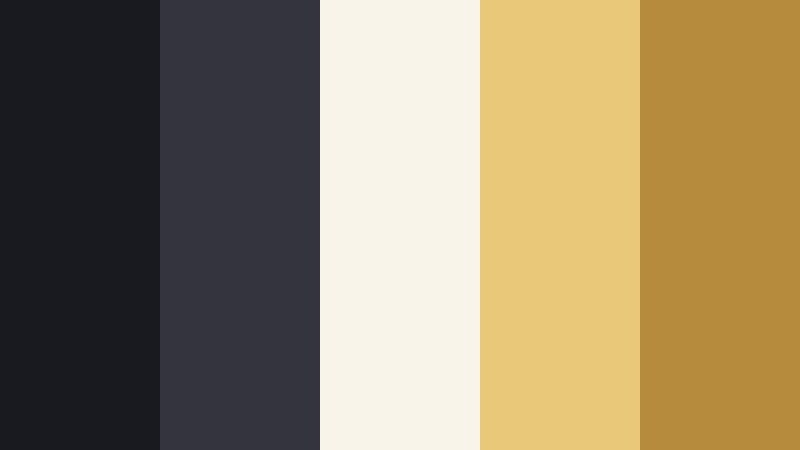
- HEX Codes: #191a1f, #34343c, #f9f4ea, #e9c979, #b78b3e
- Mood: Smoky, refined, and magazine-cover ready.
- Use for: Best for beauty tutorials, fragrance-style promos, and cinematic title cards.
Gilded Smoke Editorial wraps your visuals in smoky Velvet Charcoal (#191a1f, #34343c) and lets soft golds and parchment whites (#f9f4ea, #e9c979, #b78b3e) glow from within. It looks like a luxury ad spread in a glossy magazine.
Use it for beauty content, perfumes and skincare, or cinematic title cards for fashion and lifestyle channels. In Filmora, keep backgrounds mostly dark and let the gold tones highlight product shots, logo reveals, and call-to-action text to add instant editorial polish without overwhelming the frame with color.
Champagne Night Premiere
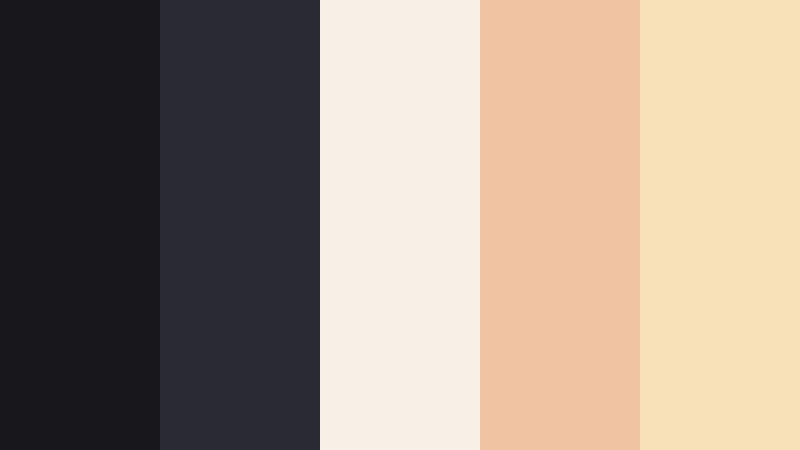
- HEX Codes: #17171c, #2a2a33, #f7f0e7, #f0c3a3, #f8e0b8
- Mood: Red-carpet glam with a soft, flattering glow.
- Use for: Use for premiere announcements, event recaps, and cinematic trailers.
Champagne Night Premiere contrasts dark Velvet Charcoal (#17171c, #2a2a33) with bubbly champagne beiges and soft apricot lights (#f7f0e7, #f0c3a3, #f8e0b8). It echoes the feel of camera flashes and spotlights on a red carpet.
This palette is ideal for milestone announcements, premieres, award-style intros, or recap videos from events and launches. In Filmora, let the dark shades carry your background while the champagne tones wrap around text, numbers, and laurels to create a celebratory yet refined look.
Inkstone Gallery Calm
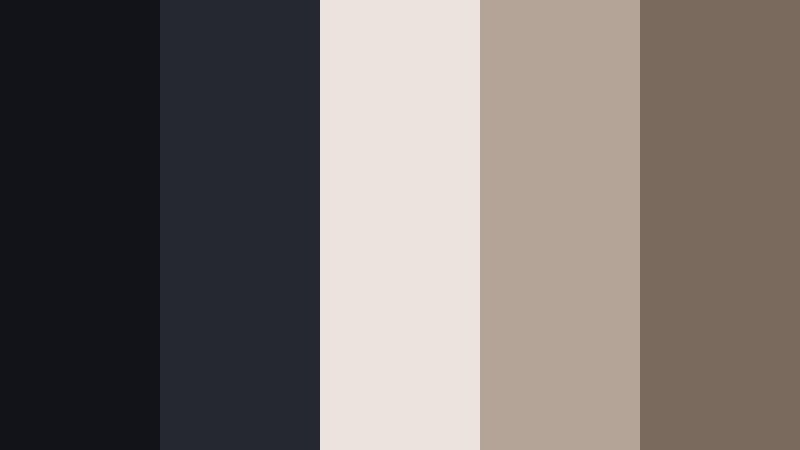
- HEX Codes: #111319, #262830, #ebe4dd, #b3a497, #7a6a5e
- Mood: Art-gallery quiet, thoughtful, and sophisticated.
- Use for: Perfect for photo slideshows, portfolio reels, and slow, reflective storytelling.
Inkstone Gallery Calm is built around inky Velvet Charcoal (#111319, #262830) with soft gallery whites and taupes (#ebe4dd, #b3a497, #7a6a5e). It feels like a quiet exhibition space where every piece of art has breathing room.
Use it to frame photography, illustration, or design work without stealing attention from the images. In Filmora, keep text subtle and small, let backgrounds stay neutral, and allow your photos or clips to supply the color. This palette is excellent for reflective storytelling, art portfolios, and fine-art slideshow videos.
Soft & Moody Velvet Charcoal Color Palettes
Stormy Window Reading
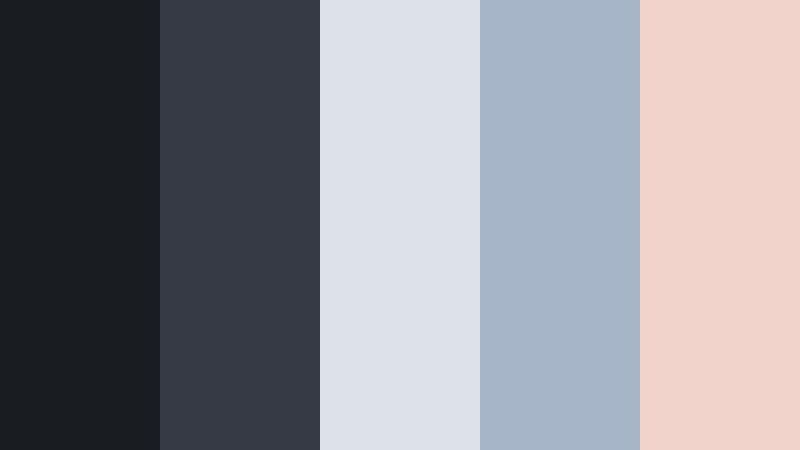
- HEX Codes: #191c21, #353a45, #dde2ea, #a7b5c9, #f2d3cb
- Mood: Cozy, introspective, and softly rainy-day.
- Use for: Use for study-with-me videos, book content, calm vlogs, and lo-fi music visuals.
Stormy Window Reading wraps your visuals in Velvet Charcoal clouds (#191c21, #353a45) with dusty blues and gentle blush highlights (#dde2ea, #a7b5c9, #f2d3cb). It feels like a warm lamp near a rainy window.
This palette is made for lo-fi beats, study-with-me sessions, reading vlogs, and cozy lifestyle content. In Filmora, lean on the dark tones for frame edges or letterboxing, and place warm blush accents on chapter titles, track labels, or subtle icons to create an intimate, rainy-day mood.
Faded Velvet Rose
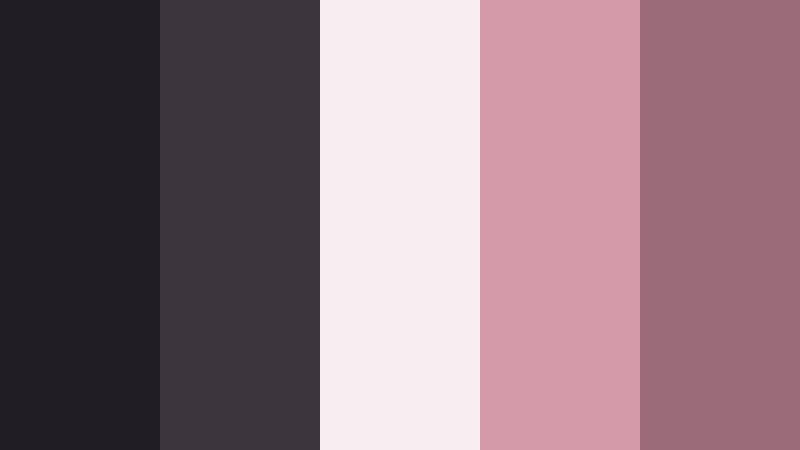
- HEX Codes: #201e23, #3b353c, #f6edf0, #d59aa7, #9b6b7a
- Mood: Romantic, nostalgic, and slightly vintage.
- Use for: Perfect for wedding recaps, romantic reels, and nostalgic montage edits.
Faded Velvet Rose combines dark Velvet Charcoal (#201e23, #3b353c) with dusty rose and blush tones (#f6edf0, #d59aa7, #9b6b7a). It carries a soft, romantic nostalgia without feeling overly saturated or sweet.
Use it for wedding highlight films, romantic reels, throwback montages, or relationship storytelling. In Filmora, grade your footage toward these blush tones and use the charcoal shades for subtle borders and text, so the overall look remains grounded and cinematic instead of overly pastel.
Overcast Harbor Drift
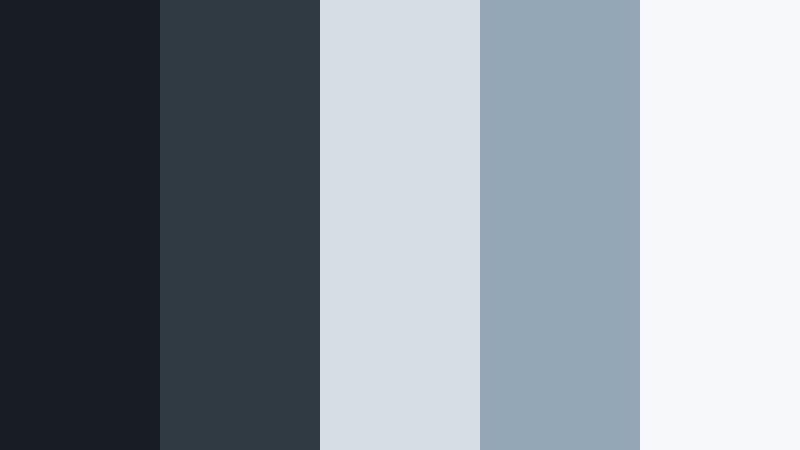
- HEX Codes: #171d22, #2f3a43, #d6dde3, #94a7b7, #f6f8fa
- Mood: Calm, maritime, and quietly hopeful.
- Use for: Use for travel diaries, minimalist beach vlogs, and reflective voiceover edits.
Overcast Harbor Drift pairs deep, sea-like Velvet Charcoal (#171d22, #2f3a43) with sea-glass blues and misty whites (#d6dde3, #94a7b7, #f6f8fa). It feels like a calm harbor morning before the sun breaks through.
This palette is perfect for slow travel videos, reflective voiceovers, and minimalist beach vlogs that avoid overly bright tropical colors. In Filmora, use the darker hues on the edges of the frame or in lower thirds, and let the pale blues and whites fill backgrounds, transitions, and title cards for a soothing, airy aesthetic.
Tips for Creating Velvet Charcoal Color Palettes
Velvet Charcoal works best when it anchors your design while lighter or warmer tones guide the viewer's eye. When building your own color schemes for video and design, think about balance, readability, and how the palette will look across thumbnails, intros, and different screens.
- Pair Velvet Charcoal with one main accent color and one supporting neutral to avoid cluttered, noisy visuals.
- Check text contrast: light text (#f5f5f7 or #fdfaf6) on Velvet Charcoal backgrounds is usually more readable than dark text on mid-gray tones.
- Use Velvet Charcoal for UI elements like lower thirds, progress bars, and frames so your footage becomes the star while the interface feels cohesive.
- Match your color grading to your graphic palette by nudging shadows toward the same charcoal HEX values used in your overlays.
- For thumbnails, keep backgrounds mostly Velvet Charcoal and use accent colors only on faces, titles, and CTAs to grab attention quickly.
- Test your palettes on mobile and desktop, since Velvet Charcoal can look deeper on some screens; adjust brightness or contrast if details get lost.
- Save presets in Filmora for your favorite Velvet Charcoal looks so you can reuse the same tones across episodes and series.
- Combine subtle gradients within the Velvet Charcoal range to add depth without distracting from your subject or typography.
Velvet Charcoal color palettes can completely transform how your videos and designs feel. From neon noir cityscapes to soft romantic rose tones, this deep charcoal base helps you create a strong visual identity that feels cinematic, focused, and professional.
Try applying these HEX codes directly in Filmora for backgrounds, text, overlays, and color grading, then build presets so every upload carries the same Velvet Charcoal mood. Whether you are designing thumbnails, intros, or full cinematic edits, a consistent palette will make your brand instantly recognizable.
Experiment with a few of these palettes on your next project, refine them with Filmora's tools, and you will quickly find a Velvet Charcoal style that fits your channel, your story, and your audience.
secure downloadNext: Murky Teal Color Palette
