

 100% Security Verified | No Subscription Required | No Malware


 ChatGPT
 Perplexity
 Gemini
 Claude
 Grok
Grok
Murky Teal sits between blue and green with a muted, slightly gray base, which makes it feel calm, deep, and sophisticated rather than loud or neon. Psychologically, it suggests stability, intelligence, and quiet confidence, with just enough mystery to feel cinematic. That is why you often see it in modern branding, film color grading, and moody thumbnails where creators want depth without losing clarity.
In video editing, Murky Teal works beautifully in teal-and-orange looks, atmospheric lifestyle vlogs, tech explainers, and studio intros. It pairs well with soft neutrals for minimal layouts or with warm oranges and ambers for bold cinematic contrast. Below are 15 Murky Teal color palettes with HEX codes you can plug directly into your graphics, overlays, and Filmora edits to keep your visual style consistent across intros, lower thirds, thumbnails, and social cutdowns.
In this article
Soft And Atmospheric Murky Teal Color Palettes
Coastal Morning Mist
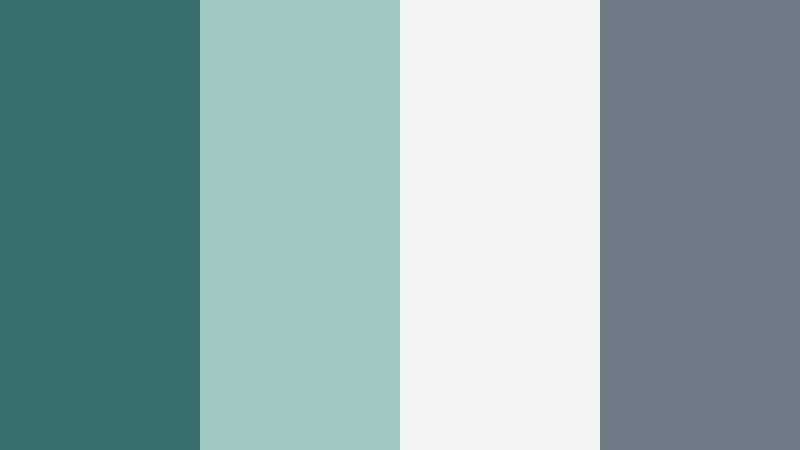
- HEX Codes: #376e6b, #9fc8c2, #f2f5f4, #6d7c84
- Mood: Calm, airy, and reflective like an early walk by the sea.
- Use for: Ideal for relaxed vlogs, travel diaries, and minimal title cards where you want a gentle, coastal feel.
Coastal Morning Mist blends a deep yet soft Murky Teal (#376e6b) with seafoam accents and hazy neutrals to create a clean, breathable frame. It feels like cool air and quiet water, perfect for storytelling that needs to feel slow, intentional, and uncluttered.
Use the teal shade as your main brand color in lower thirds and logo marks, while the pale tones (#9fc8c2 and #f2f5f4) keep backgrounds and text areas easy on the eyes. This palette works especially well for long-form travel vlogs, morning routines, studio B roll, and YouTube thumbnails that promise a calming watch rather than high drama.
Pro Tip: Build a Cinematic Murky Teal Atmosphere in Filmora
To keep this soft coastal Murky Teal look consistent, pick #376e6b as your anchor color for titles, icons, and overlays, then reuse it throughout your Filmora project. Apply it to text styles, transitions, and simple shapes on your timeline so every cut still feels like part of the same quiet seaside story.
You can also use the lighter tones (#9fc8c2 and #f2f5f4) as background swatches for intro cards and end screens. In Filmora, save these as custom presets so your vlogs, shorts, and social cutdowns all share the same gentle Murky Teal atmosphere without having to rebuild the look each time.
AI Color Palette
If you have a still frame or moodboard that captures this Coastal Morning Mist palette, Filmora's AI Color Palette feature can automatically push the rest of your footage toward the same Murky Teal tones. Just use that image as a reference, and apply the palette to your clips so skies, shadows, and highlights feel unified.
This is especially helpful when you shoot across different days or cameras. AI Color Palette helps remove distracting color shifts, so your final video looks like a single, cohesive coastal project instead of a patchwork of unrelated shots.
 secure download

HSL, Color Wheels & Curves
Once you have applied a Murky Teal reference, you can fine-tune the look using HSL, color wheels, and curves in Filmora. Slightly desaturate blues and greens while lifting shadows just a touch to keep the image airy, then add a subtle teal push in midtones for a unified, cinematic wash.
Tools like Filmora's color wheels and curves, demonstrated in its built-in color grading tutorial, help you control how Murky Teal behaves in highlights, midtones, and shadows separately. This lets you avoid muddy skin tones while still maintaining the calm teal character in your backgrounds and water shots.
secure download1000+ Video Filters & 3D LUTs
To speed up your Murky Teal styling, you can layer this palette with Filmora presets. Filmora's video filters and 3D LUTs make it easy to add film-like contrast, gentle grain, or a soft teal-and-orange bias while still respecting your original HEX choices.
Pick a subtle LUT that leans into teal shadows and warm highlights, then dial down its intensity so your brand colors stay recognizable. This lets you create cinematic Coastal Morning Mist vlogs, lookbooks, or montage sequences in just a few clicks without having to color grade every clip from scratch.
secure downloadFoggy Harbor Drift
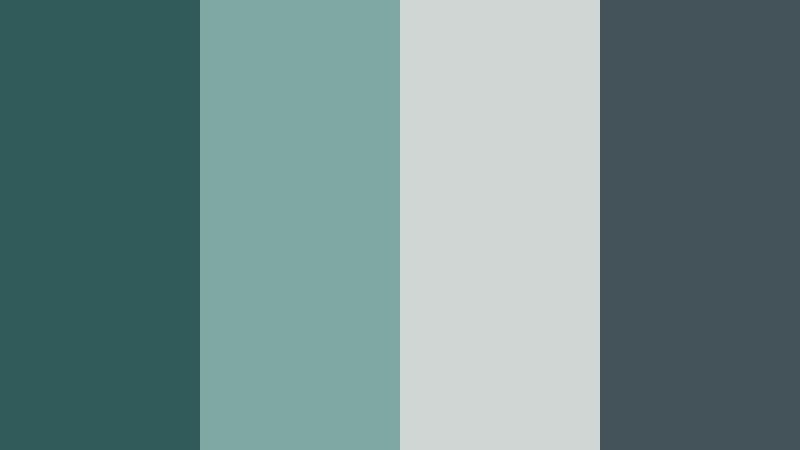
- HEX Codes: #305b5a, #7fa7a3, #cfd6d3, #44525a
- Mood: Moody yet soft, like a quiet harbor wrapped in fog.
- Use for: Works well in documentary intros, reflective shorts, and moody B roll overlays.
Foggy Harbor Drift uses deep Murky Teal and blue gray accents to create a soft, cinematic mist over your visuals. The palette feels introspective and slightly melancholic, with enough contrast to stay clear on screen without becoming harsh.
Use the darkest tones (#305b5a and #44525a) for headlines or subtle frames around your footage, and keep #cfd6d3 for text or UI elements in your overlays. This is a strong choice for serious topics, cityscapes in low light, reflective monologues, and Instagram Reels with a quiet, moody edge.
Rainwashed Courtyard
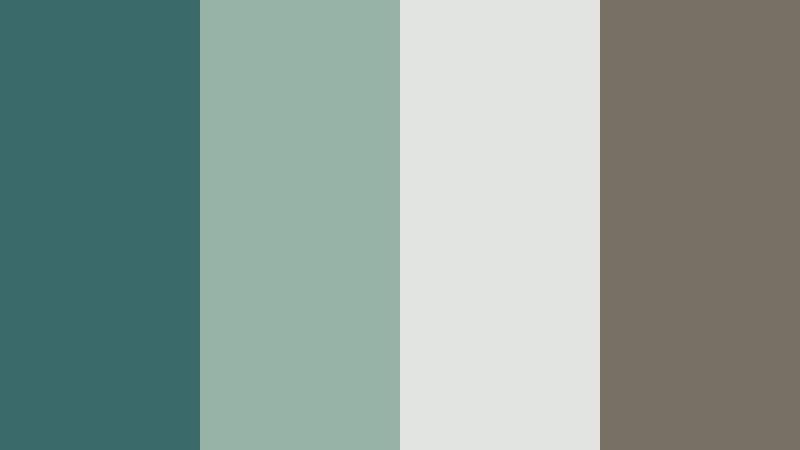
- HEX Codes: #3a6b68, #97b3a5, #e2e5df, #786f65
- Mood: Gentle, nostalgic, and slightly vintage with a rainy day softness.
- Use for: Great for cozy home vlogs, bookish content, and storytelling thumbnails with a quiet charm.
Rainwashed Courtyard wraps Murky Teal in soft sage, warm stone, and off white for a palette that feels like well loved pages and rainy windows. It has a muted, nostalgic character that still reads clearly on modern screens.
Use Murky Teal (#3a6b68) for your main accents and buttons, while #97b3a5 and #e2e5df keep backgrounds and lower thirds gentle and readable. The warm brown gray (#786f65) is ideal for text, chapter markers, and subtle borders in reading vlog thumbnails, journaling videos, and calm talk-to-camera clips.
Muted Lagoon Echo
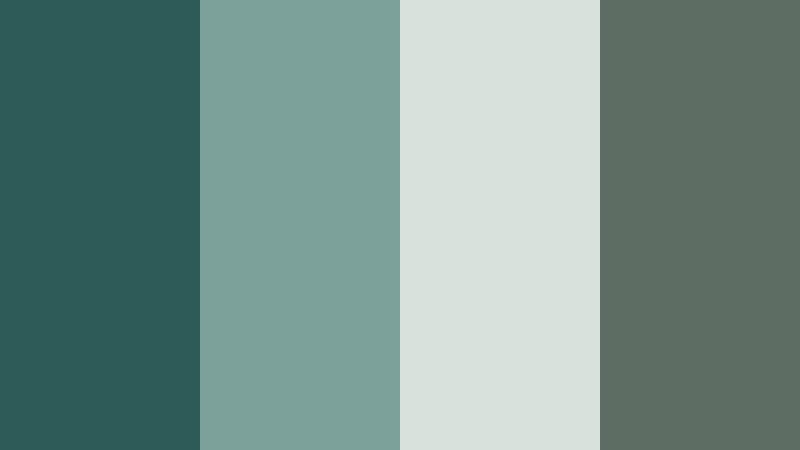
- HEX Codes: #2e5a57, #7ca19a, #d7e2dd, #5d6d64
- Mood: Subtle, balanced, and slightly mysterious like a shaded lagoon.
- Use for: Perfect for aesthetic reels, calm product b rolls, and understated channel branding.
Muted Lagoon Echo combines cool Murky Teal with soft greens and warm gray, creating a palette that feels discreet and elegant. It has just enough depth to be cinematic but avoids oversaturated color, which is ideal when you want visuals that feel premium and minimal.
Let #2e5a57 define your logo or channel mark, and use #d7e2dd as a clean, breathable background for product names or overlay text. This combination works especially well for skincare b roll, design studios, architecture reels, and subtle branding where the goal is trust and refinement rather than flashiness.
Library Window Light
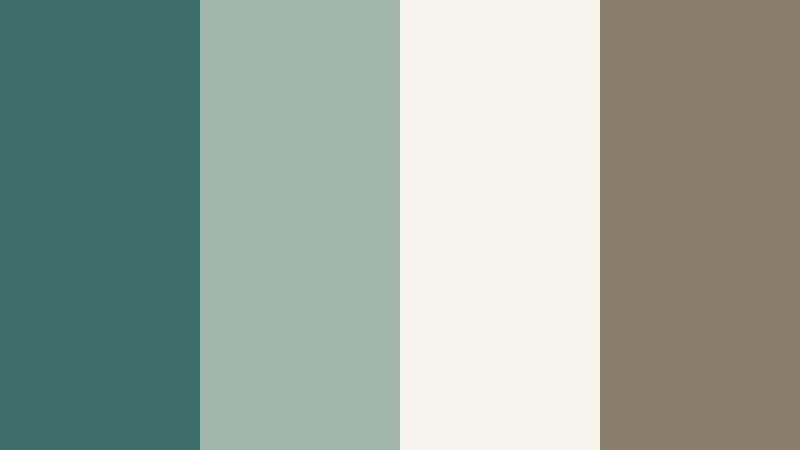
- HEX Codes: #3f6e6a, #a3b6ae, #f5f3ea, #8a7d6b
- Mood: Warm, intellectual, and cozy with a hint of old world charm.
- Use for: Use in educational videos, study vlogs, and podcast cover art with a calm yet polished aesthetic.
Library Window Light pairs Murky Teal with cream, warm beige, and tobacco brown, echoing the feel of hardback books and evening sunlight through tall windows. The result is both scholarly and inviting, great for long form content.
Use #3f6e6a for your key accents, bullet markers, and iconography, while #f5f3ea keeps backgrounds bright and easy to read. The brown #8a7d6b is perfect for body text and subtle dividers in podcast layouts, course intros, or productivity channel graphics that should feel thoughtful and reliable.
Bold And Cinematic Murky Teal Color Palettes
Neon Dockside Nights
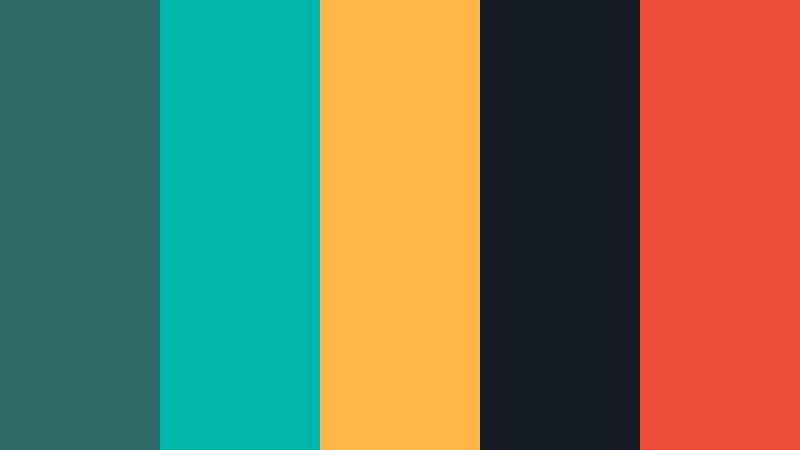
- HEX Codes: #2f6966, #00b8a9, #ffb547, #151921, #f04f3a
- Mood: Electric, urban, and cinematic like neon lights over dark water.
- Use for: Great for high energy intros, music videos, gaming content, and dynamic social promos.
Neon Dockside Nights throws saturated aqua, hot coral, and bright amber against deep Murky Teal and navy for a look that pops on any feed. It feels like city lights reflecting in water, full of motion and energy.
Use #2f6966 and #151921 for backgrounds and frames, and reserve #00b8a9, #ffb547, and #f04f3a for key callouts, glitch text, and UI highlights. This palette is ideal for gaming intros, EDM edits, or TikTok hooks that need to grab attention in the first second with strong teal-and-orange contrast.
Stormbound Horizon
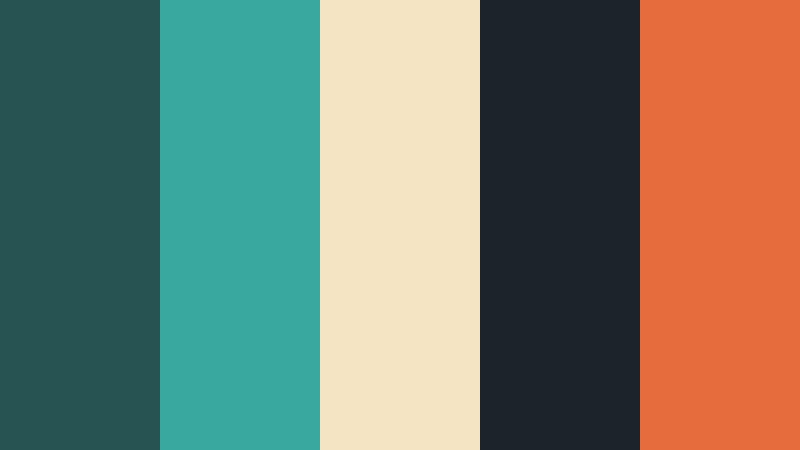
- HEX Codes: #265452, #39a9a0, #f5e4c3, #1c2429, #e66b3d
- Mood: Epic and adventurous with a classic cinematic teal and warm highlight balance.
- Use for: Perfect for travel films, drone footage, and cinematic trailers needing bold color grading references.
Stormbound Horizon keeps Murky Teal grounded (#265452) while bright aqua, warm sand, and orange highlights create a dramatic cinematic contrast. It feels like an elevated version of the classic teal-and-orange blockbuster look.
Use #1c2429 and #265452 for letterbox bars, titles, and background plates, then pull #e66b3d into important call to action text or keyframes in your trailer. This palette suits travel montages, adventure vlogs, and drone sequences where the horizon and water play a central visual role.
Industrial Harbor Grit
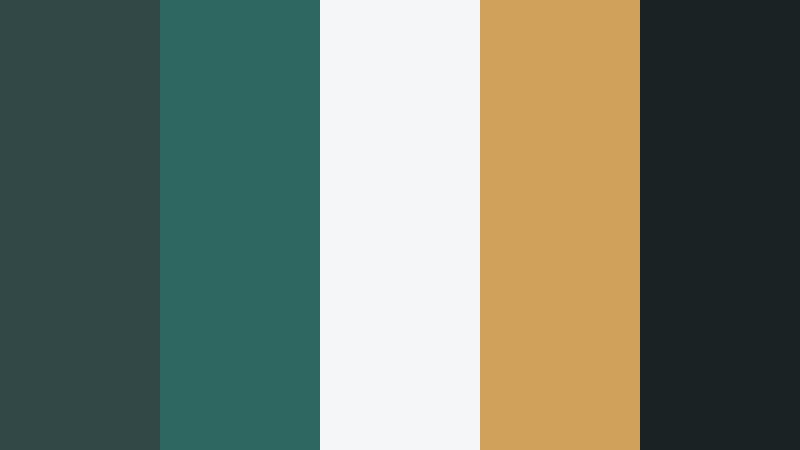
- HEX Codes: #314847, #2e6661, #f5f6f7, #d0a15a, #1a2324
- Mood: Gritty, grounded, and industrial with a strong graphic edge.
- Use for: Use for tech reviews, automotive edits, and urban b roll titles with a tough, modern vibe.
Industrial Harbor Grit balances Murky Teal with steel gray, brassy gold, and high contrast black and white. The palette feels engineered and robust, ideal for content that leans into machinery, city infrastructure, or hard edges.
Let #2e6661 and #314847 define your brand bars and frames, while #f5f6f7 and #1a2324 provide crisp contrast for titles, specs, and HUD style overlays. Add #d0a15a sparingly for ratings, key specs, or price tags in your tech and automotive thumbnails to guide viewers instantly to the most important info.
Deep Current Pulse
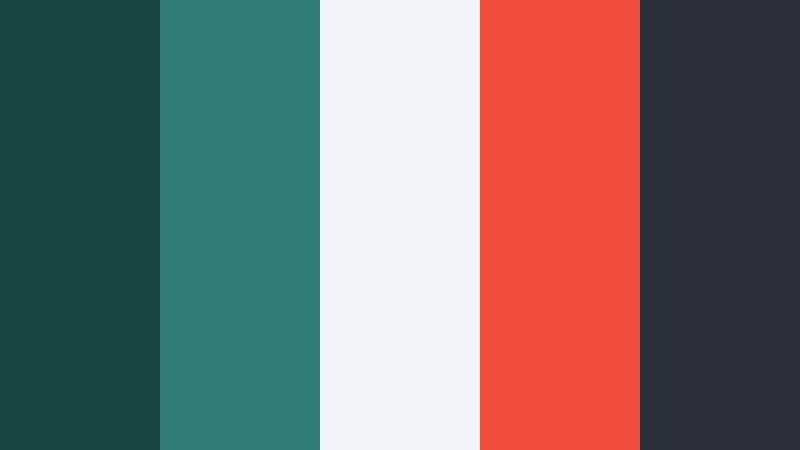
- HEX Codes: #184542, #2f7b76, #f0f3f8, #f04a3a, #2a2f3a
- Mood: Intense, modern, and rhythmic like waves under city lights.
- Use for: Great for sports highlights, channel trailers, and bold thumbnail text blocks that need to stand out on feeds.
Deep Current Pulse pushes saturated Murky Teal and bright coral red against a clean neutral backdrop, creating high impact color blocking. The palette feels kinetic and modern, great for quick cuts and rhythm driven edits.
Use #184542 and #2a2f3a in backgrounds and overlays to keep depth, then let #f04a3a mark scoreboards, timers, and bold callouts. The pale #f0f3f8 maintains readability for text on top, making this scheme ideal for sports recaps, workout edits, and channel trailers that need instant visual punch.
Harbor Fire Glow
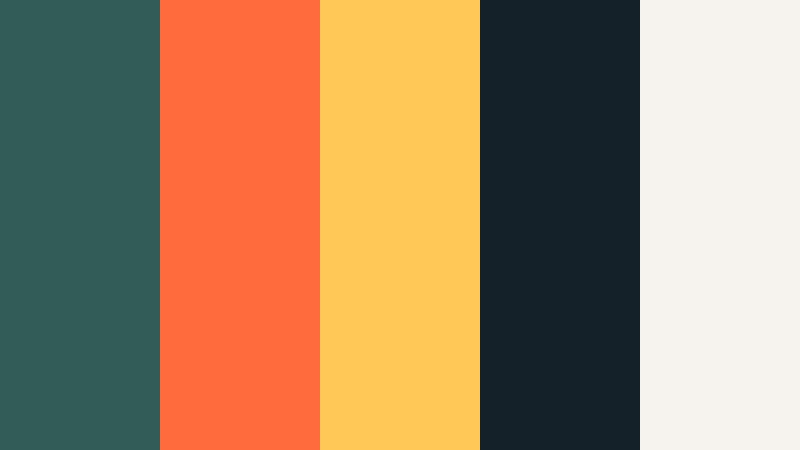
- HEX Codes: #315c58, #ff6b3d, #ffc857, #142129, #f6f3ef
- Mood: Dramatic and warm against cool depths, like bonfires by dark water.
- Use for: Ideal for storytelling shorts, festival recaps, and dramatic announcement graphics.
Harbor Fire Glow pairs cool Murky Teal with fiery orange and golden yellow, sitting over deep navy and soft ivory. The result is highly cinematic and emotional, with warm highlights standing out like firelight in the frame.
Use #315c58 and #142129 for backgrounds and lower thirds, then let #ff6b3d and #ffc857 carry your key messages, event dates, or announcement texts. This palette works beautifully for concert recaps, camp or festival stories, and thumbnails that need to express heat and depth at the same time.
Modern Branding Murky Teal Color Palettes
Minimal Tidal Studio
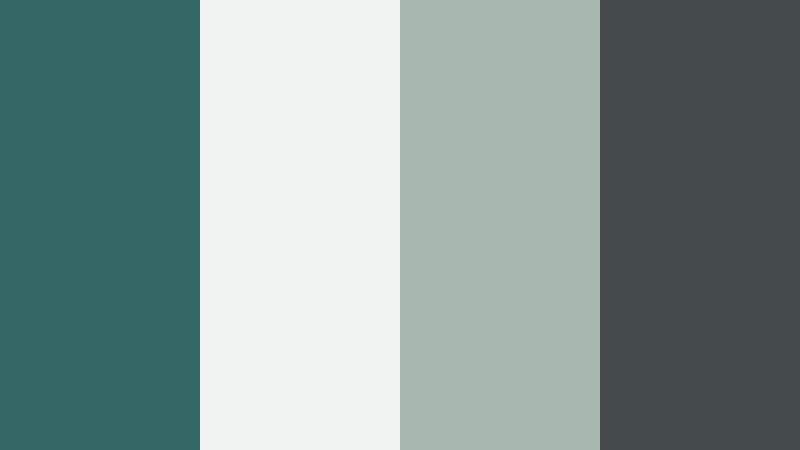
- HEX Codes: #326765, #eff3f2, #a9b7b1, #444b4a
- Mood: Clean, minimal, and contemporary with a creative studio feel.
- Use for: Perfect for design portfolios, agency branding, and UI layouts in motion graphics or overlays.
Minimal Tidal Studio centers Murky Teal in a clean mix of soft neutrals and subdued charcoal. It feels like a polished design studio moodboard, understated but confident enough to stand as a lasting brand identity.
Let #326765 be your logo and accent color, while #eff3f2 fills backgrounds for intro cards, case study slides, or portfolio reels. The grays (#a9b7b1 and #444b4a) create hierarchy in text, from subtitles to small labels, making this palette an easy fit for motion UI, SaaS demos, and personal brand channels.
Workspace Evergreen
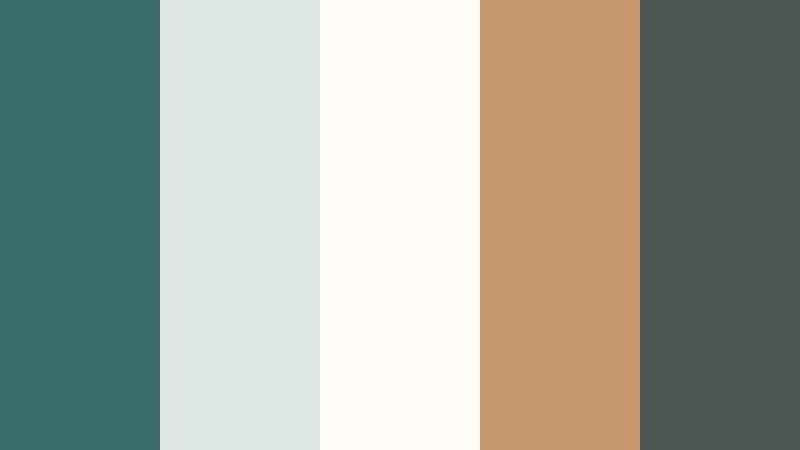
- HEX Codes: #3a6d69, #dde6e0, #fefcf7, #c6976a, #4c5650
- Mood: Productive, grounded, and warm with a creative office vibe.
- Use for: Use in productivity channels, edu tech explainers, and brand intros that need trustworthy but fresh color.
Workspace Evergreen blends Murky Teal with off white, pale greenish gray, and a friendly tan accent. It feels organized and optimistic without going full corporate, which is perfect for independent creators and small teams.
Use #3a6d69 for logo marks, section headers, and key highlight boxes, and reserve #c6976a for secondary CTAs or hover states in animated UI. Backgrounds in #fefcf7 and #dde6e0 keep your layouts bright for screen recordings, slides, and tutorial overlays, making content easy to follow over longer runtimes.
Urban Cafe Identity
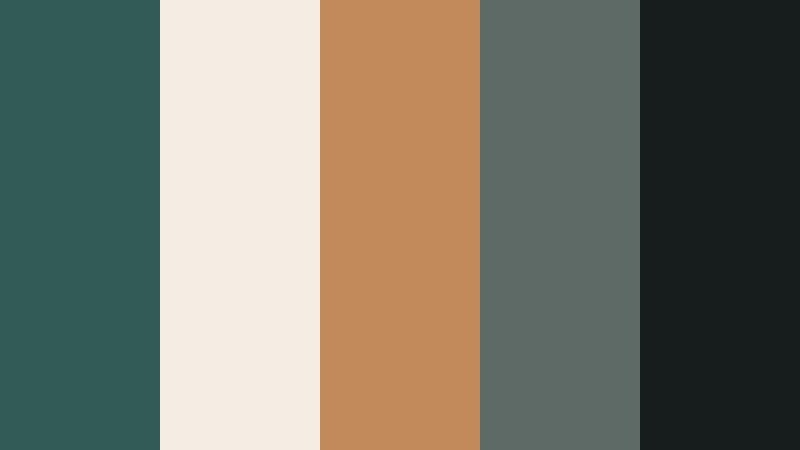
- HEX Codes: #325b57, #f3ede4, #c08a5a, #5e6a66, #171d1d
- Mood: Warm, stylish, and slightly artisanal like a city cafe brand.
- Use for: Great for small business promos, menu style lower thirds, and cozy lifestyle channels.
Urban Cafe Identity layers Murky Teal with creamy off white, roasted caramel, and deep charcoal. It has a crafted, boutique feel, ideal for cafes, lifestyle brands, or creator channels with a slow living angle.
Use #325b57 in logos and accent stripes, #f3ede4 as your main background, and #c08a5a to highlight prices, offers, or menu style text in lower thirds. The darker tones (#5e6a66 and #171d1d) are great for headlines and buttons on website teasers, shop promos, and cozy day-in-the-life videos.
Nordic Dock Studio
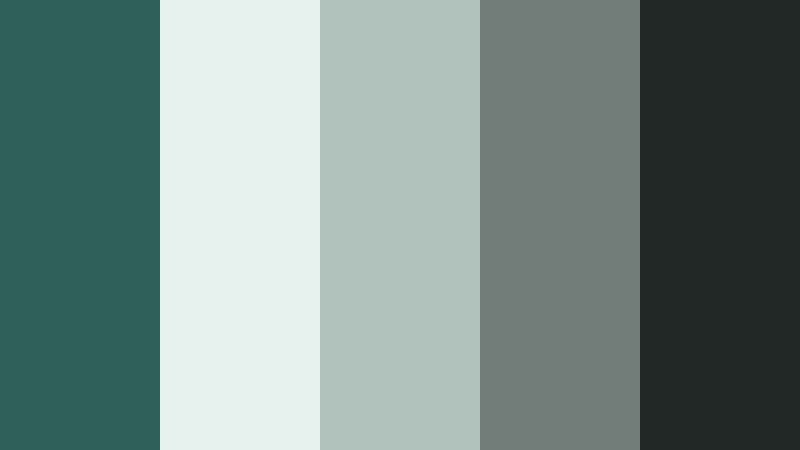
- HEX Codes: #2f605c, #e8f0ee, #b2c0bc, #707b7a, #222827
- Mood: Cool, structured, and minimalist with a Nordic inspired calm.
- Use for: Ideal for tech startups, design systems, and clean overlay packs for tutorials and app demos.
Nordic Dock Studio keeps Murky Teal restrained and pairs it with pale misty gray and structured charcoals. The palette feels almost architectural, making it perfect for clear, functional layouts.
Let #2f605c carry your brand accent while #e8f0ee supports clean frames, cards, and background blocks. Use the darker grays (#707b7a and #222827) to maintain contrast in code overlays, UI walkthroughs, or step-by-step tutorial titles so everything stays legible even on small mobile screens.
Nostalgic And Vintage Murky Teal Color Palettes
Retro Tidal Postcard
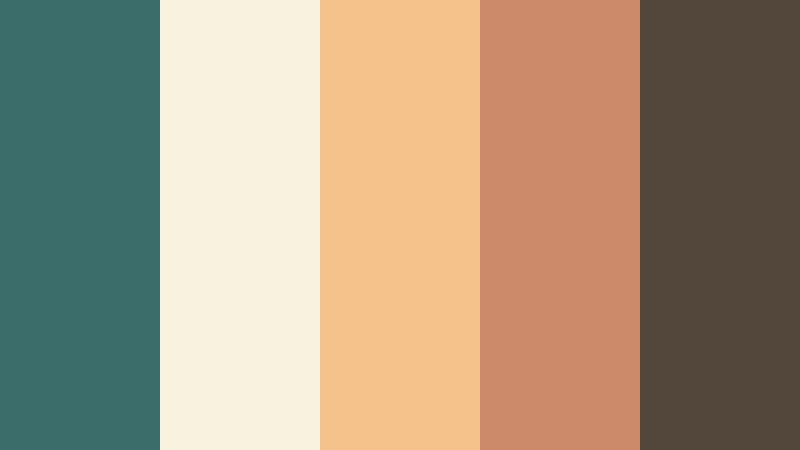
- HEX Codes: #3b6e6b, #f9f2df, #f6c28b, #cc8a6a, #53463b
- Mood: Sun faded, beachy, and nostalgic like an old travel postcard.
- Use for: Use for travel vlogs, retro title cards, and vintage inspired channel art or thumbnails.
Retro Tidal Postcard uses Murky Teal alongside cream, faded apricot, and warm browns to evoke a sun bleached, analog holiday feel. It is playful but not childish, with enough warmth to keep things friendly.
Use #3b6e6b in your logos or title text, and let #f9f2df and #f6c28b wash your backgrounds and highlight banners. The deeper browns (#cc8a6a and #53463b) can frame polaroid style photos, travel stamps, or vintage textures in your edits, ideal for throwback travel series, retro room tours, or nostalgic storytime videos.
Antique Botanist Desk
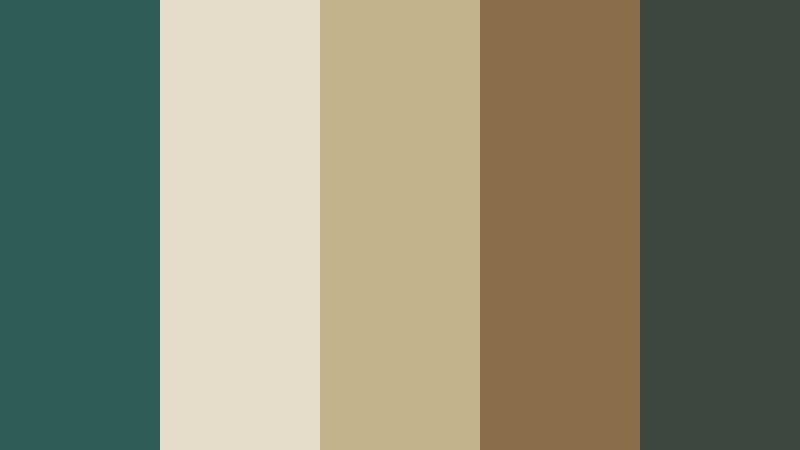
- HEX Codes: #305c58, #e5ddc9, #c2b38b, #8a6d4b, #3d463f
- Mood: Scholarly, earthy, and vintage like a botanists sketchbook table.
- Use for: Great for slow living vlogs, crafting channels, and title cards that need a warm, archival charm.
Antique Botanist Desk sets earthy Murky Teal against parchment, dried herb gold, and inky green brown. The palette feels archival and analog, as if your video were part of an old field journal.
Use #305c58 as a subdued accent for headings and small icons, and let #e5ddc9 act as your main background to mimic old paper. The warmer tones (#c2b38b and #8a6d4b) are perfect for labels, annotations, and handwritten style fonts in DIY, plant care, or slow craft content, giving your channel a timeless, collected identity.
Tips for Creating Murky Teal Color Palettes
Murky Teal is flexible enough to go soft, bold, modern, or vintage depending on how you combine it with neutrals, warms, and accent colors. These tips help you shape palettes that look great in both static design and moving video.
- Pair Murky Teal with warm accent colors (oranges, ambers, soft golds) when you want a cinematic teal-and-orange look that pops in thumbnails and intros.
- Use light neutrals (ivory, pale gray, soft seafoam) as backgrounds to keep text readable and prevent your frames from feeling too heavy or dark.
- Limit yourself to 1 main teal, 1 accent warm, and 2 to 3 neutrals in most layouts; this keeps branding consistent and easy to recognize across platforms.
- Check contrast for on screen text: dark Murky Teal works well for headlines on light backgrounds, while white or ivory text stands out clearly over deep teal or charcoal.
- Match your footage to your palette by nudging blues and greens toward your chosen Murky Teal HEX in color grading, so overlays, titles, and live action all feel connected.
- For professional branding, choose more muted, grayish teals; for gaming or music content, lean into brighter, saturated teals with strong complementary accents.
- Test your palette on both desktop and mobile to be sure small text, icons, and buttons remain legible in your thumbnails and vertical shorts.
- Create preset styles in Filmora for titles, lower thirds, and transitions using your Murky Teal colors so every new project automatically follows the same visual system.
Murky Teal color palettes can completely shift how your content feels, from quiet and introspective to bold and cinematic. By choosing the right mix of teals, neutrals, and accents, you define not just your color grading but also the mood, pacing, and brand identity of your channel or project.
All 15 palettes above come with ready to use HEX codes, so you can plug them straight into your overlays, graphics, and Filmora color tools. Try building a few title templates and thumbnail designs with your favorite scheme, then use Filmora to carry that same Murky Teal look across intros, B roll, reels, and end screens.
The more you reuse a consistent palette, the faster viewers start recognizing your work at a glance. Experiment inside Filmora, refine your favorite Murky Teal combinations, and save them as your signature style for future edits.
secure download