

 100% Security Verified | No Subscription Required | No Malware


 ChatGPT
 Perplexity
 Gemini
 Claude
 Grok
Grok
Gaming color palettes are all about speed, energy, and immersion. Bright neons, tactical cyans, and deep shadows instantly tell viewers what kind of gameplay to expect: sweaty ranked matches, cozy RPG nights, or retro arcade runs. Used well, these gaming color combinations help your thumbnails pop, make overlays easier to read, and give intros and outros a consistent, memorable style.
This guide rounds up 15 ready-to-use gaming color palettes with HEX codes for creators and Filmora users. You can plug these schemes straight into your thumbnails, esports branding palette, RGB gaming gradients, and stream overlays, then polish everything inside Filmora for a clean, professional gaming themed video look.
In this article
Neon & High-Energy Gaming Color Palettes
Neon Boss Battle
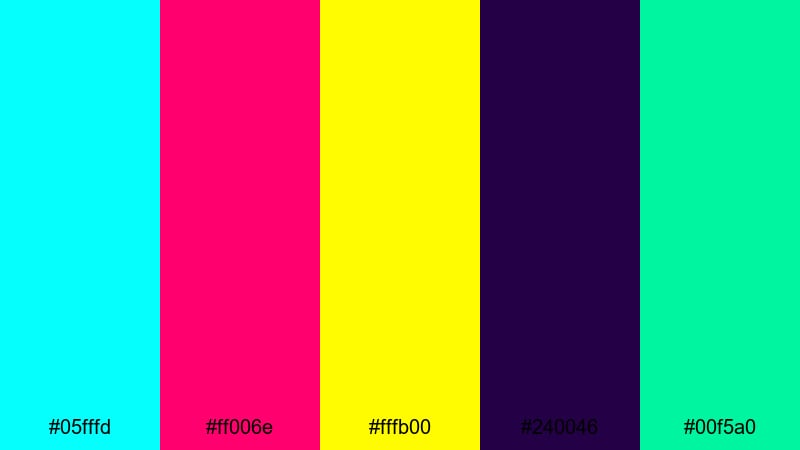
- HEX Codes: #05fffd, #ff006e, #fffb00, #240046, #00f5a0
- Mood: Intense, electric, and competitive with a high-stakes boss fight feel.
- Use for: Perfect for gaming thumbnails, clutch highlight reels, and tournament intro sequences that need maximum impact.
Neon Boss Battle is a high-voltage gaming color palette built around cyan, magenta, and acid yellow slicing through a dark purple background. It instantly feels like a final phase boss arena: bright damage numbers, overloaded HUDs, and flashing warning signs.
Use this palette when you want neon gaming thumbnail colors that stop the scroll and scream high stakes. It fits perfectly with montage titles, esports event trailers, and animated alerts in your stream overlays. Pair the darker #240046 with text outlines or panels, and keep the neons for buttons, kill counters, and win banners so the focus stays on your gameplay.
Pro Tip: Maximize Neon Gaming Impact with Filmora
To keep a palette this intense under control, use Filmora to balance your highlights and shadows. Drop your gameplay, webcam, and motion graphics into one timeline, then reuse the same title presets and color styles so cyan, magenta, and yellow stay consistent across intros, commentary segments, and TikTok cutdowns.
You can also stack glow effects and blur transitions in Filmora so your neons feel like real in-game UI lights instead of random colors. Save your favorite text and overlay combinations as custom presets to keep your entire channel branded around the Neon Boss Battle look.
AI Color Palette
If you already have a reference image for this palette, such as a boss fight screenshot or a custom banner, Filmora's AI Color Palette feature can automatically map those tones onto your whole edit. That means your cutscenes, webcam, and B-roll all match the same high-energy neon look without manual tweaking on every clip.
Import your reference frame, open AI Color Palette, and let Filmora analyze the key hues. With a couple of clicks, you get matching RGB gaming gradients across your footage, intros, and outros so the vibe stays coherent from thumbnail to final credits.
 secure download

HSL, Color Wheels & Curves
Neon colors can easily clip or look washed out if your exposure is off. With Filmora's HSL, color wheels, and curves controls, you can selectively push cyans and magentas while keeping skin tones and dark backgrounds under control. Adjust midtone wheels to add subtle purple into your shadows, or use curves to give your highlights a smoother roll-off for a more cinematic gaming look.
For a deeper walkthrough on shaping contrast and saturation for gaming footage, watch this Filmora color grading tutorial and apply the same steps to your Neon Boss Battle palette.
secure download1000+ Video Filters & 3D LUTs
Once your base colors are in place, you can use Filmora's filters and LUTs to push the style toward cyberpunk, arcade, or cinematic. Filmora's video filters and 3D LUTs make it easy to test different neon moods in seconds, from harsh competitive highlights to softer RGB glow for story-driven edits.
Try combining this palette with glitch, glow, and VHS style filters to get a cohesive boss battle aesthetic for your thumbnails, lower thirds, and full-length highlight reels.
secure downloadTurbo Drift Arena
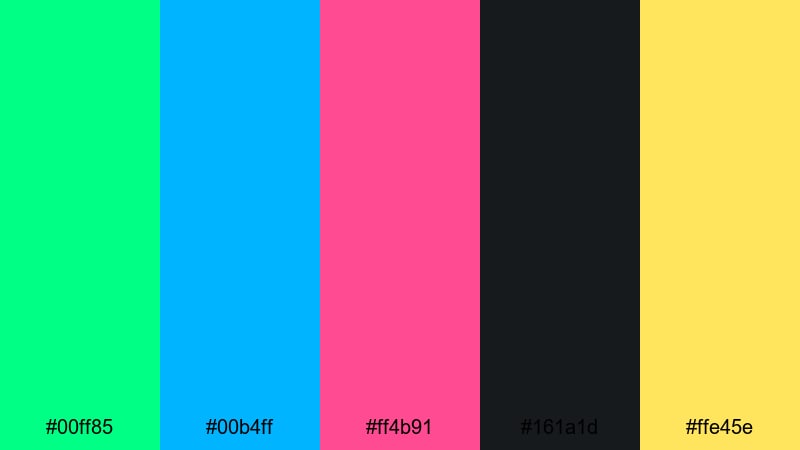
- HEX Codes: #00ff85, #00b4ff, #ff4b91, #161a1d, #ffe45e
- Mood: Fast, flashy, and adrenaline fueled like a futuristic racing arena.
- Use for: Great for racing game edits, esports banners, and dynamic lower thirds that emphasize speed and skill.
Turbo Drift Arena mixes punchy greens, blues, and hot pink with deep charcoal to capture the rush of a neon-lit track. The contrast between #161a1d and the saturated accents gives you a bold base for motion graphics that feel like they are moving even when the frame is still.
Use the darker tone for background panels in your racing HUD overlays, then apply the bright green and blue to speed lines, rank badges, and lap counters. This is a strong choice for esports branding, dynamic lower thirds, and highlight thumbnails that promise fast-paced, high skill gameplay.
Laser Grid Rush
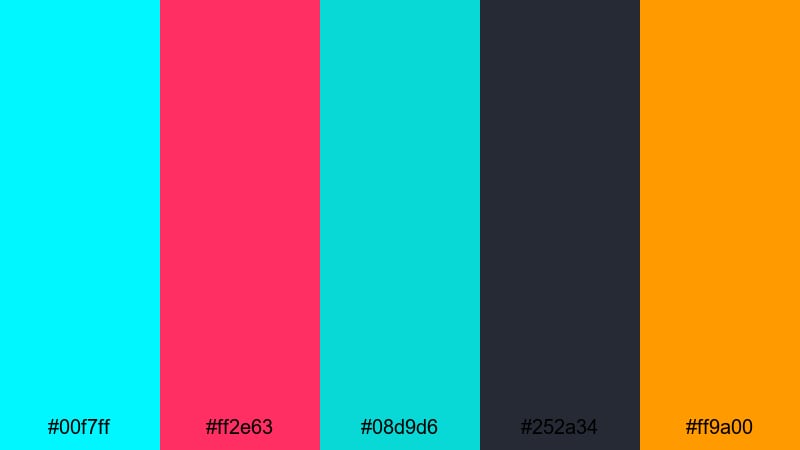
- HEX Codes: #00f7ff, #ff2e63, #08d9d6, #252a34, #ff9a00
- Mood: Hyperactive, futuristic, and arcade ready with a sci-fi laser glow.
- Use for: Use for motion graphics, animated transitions, and kinetic typography in high-intensity gaming montages.
Laser Grid Rush layers teal and cyan beams over deep navy, accented with hot pink and bright orange. It feels like speeding through a neon wireframe tunnel or dodging laser traps in a sci-fi arena.
Apply this palette to animated transitions, glitch stingers, and HUD lines that frame your gameplay for YouTube intros. The darker #252a34 keeps text readable, while the bright accents make kinetic typography and subscriber alerts feel sharp and modern.
Arcade Victory Glow
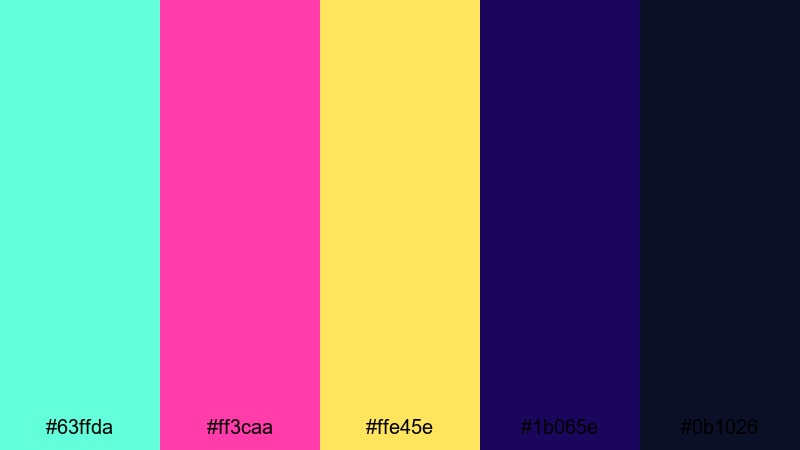
- HEX Codes: #63ffda, #ff3caa, #ffe45e, #1b065e, #0b1026
- Mood: Triumphant, celebratory, and nostalgic, like a perfect arcade high score.
- Use for: Ideal for win screens, subscriber milestone videos, and celebratory stream alerts or stingers.
Arcade Victory Glow pairs bright mints and pinks with deep indigo and midnight blue, creating a glowing arcade cabinet feeling. It immediately says victory, combo streaks, and S-rank rewards.
Use the darker blues for your end-screen backgrounds, then pop win messages and subscriber milestones in #63ffda, #ff3caa, or #ffe45e. This palette is ideal for celebratory stream alerts, win compilations, and channel milestones that you want to feel like unlocking an old-school achievement.
Streamer Highlight Pop
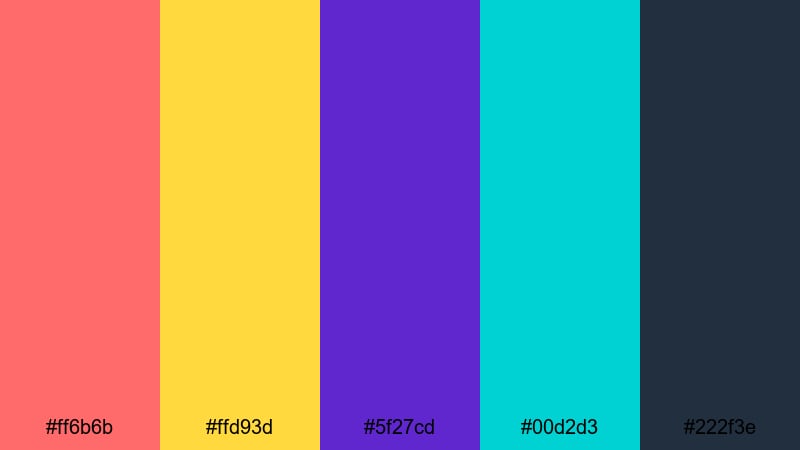
- HEX Codes: #ff6b6b, #ffd93d, #5f27cd, #00d2d3, #222f3e
- Mood: Fun, approachable, and creator focused with a bold pop aesthetic.
- Use for: Perfect for channel banners, video thumbnails, and animated subscribe or like buttons on gaming content.
Streamer Highlight Pop is built on juicy reds and yellows contrasted with saturated purple, aqua, and a dark slate base. It feels modern, friendly, and very creator-centric, like a polished YouTube banner or Twitch starting screen.
Use #222f3e as your main background, keeping text and webcam frames clean, then drop #ff6b6b and #ffd93d into subscribe buttons, arrows, and thumbnail borders. This palette is great for approachable branding that still has a strong gaming identity, especially for lets plays, reaction content, and gaming vlogs.
Dark Mode & Cyber Gaming Color Palettes
Cyber Night Ops
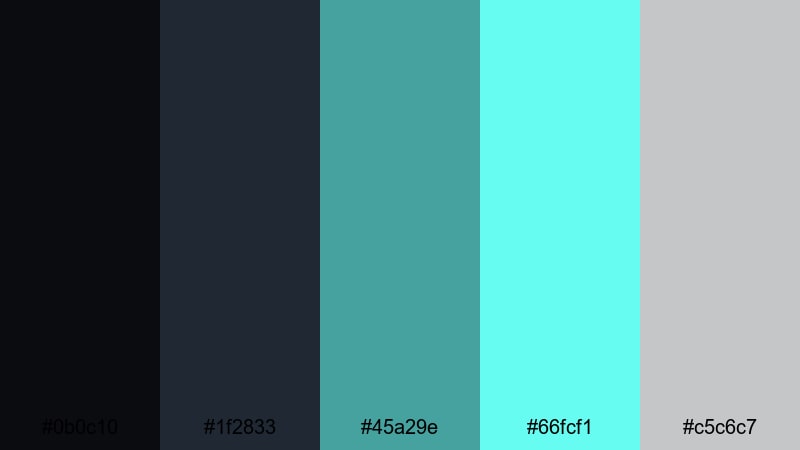
- HEX Codes: #0b0c10, #1f2833, #45a29e, #66fcf1, #c5c6c7
- Mood: Cool, tactical, and stealthy with a sleek cyberpunk edge.
- Use for: Use on dark mode overlays, tactical shooter edits, and UI inspired motion graphics for competitive content.
Cyber Night Ops leans into steel blues and teal accents on almost-black backgrounds. It feels like a modern operator dashboard, perfectly suited for tactical shooters, ranked breakdowns, and guides.
Use the near blacks (#0b0c10 and #1f2833) for clean dark mode overlays, then highlight callouts, map zones, and rank labels with #45a29e and #66fcf1. This palette works well when you want your esports branding palette to look professional and low-noise while staying clearly gaming focused.
Glitch In The Code
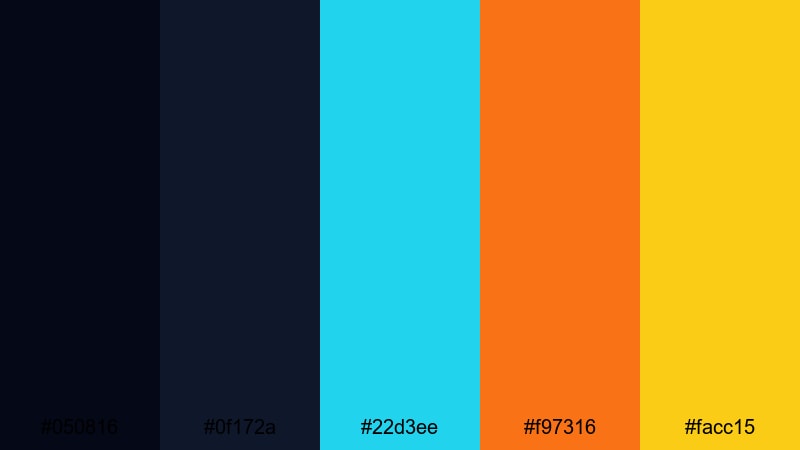
- HEX Codes: #050816, #0f172a, #22d3ee, #f97316, #facc15
- Mood: Edgy, glitchy, and energetic with tech noir vibes.
- Use for: Great for techno intros, glitch transitions, and cinematic edits that mix coding themes with fast paced gameplay.
Glitch In The Code uses deep navy shadows punctured by soft neon cyan, orange, and gold. It has a hacked, rewired feel, perfect for tech-heavy intros and code themed edits.
Combine #050816 and #0f172a in your backgrounds, then let #22d3ee and #f97316 drive scan lines, error texts, and glitch slices across your footage. It is a strong choice for cinematic gaming edits, hacker storylines, or any sequence where you want the viewer to feel like they are inside the system.
Stealth Rank Up
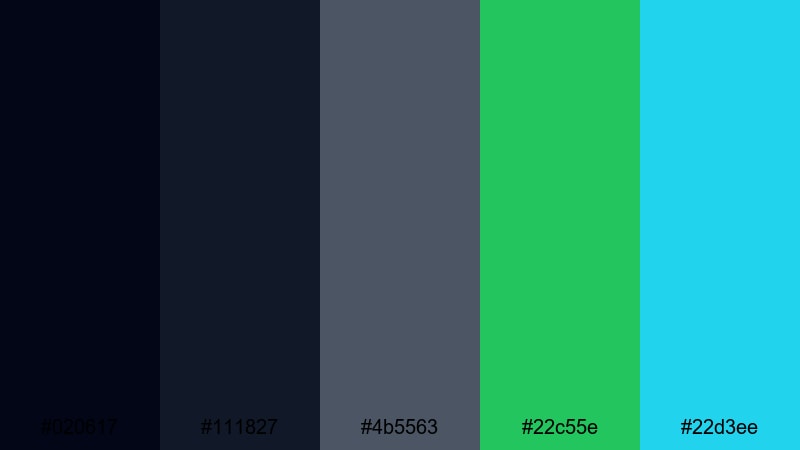
- HEX Codes: #020617, #111827, #4b5563, #22c55e, #22d3ee
- Mood: Controlled, focused, and strategic with subtle cyber highlights.
- Use for: Perfect for ranked progression videos, tactical breakdowns, and minimalist stream overlays.
Stealth Rank Up is a restrained dark mode palette with soft grays and navy anchored by clean teal and green accents. It channels pro esports branding with a calm, confident tone.
Use the dark trio (#020617, #111827, #4b5563) for background panels, stat boxes, and map diagrams. Reserve #22c55e and #22d3ee for rank icons, progress bars, and key callouts in guides. This palette is ideal for creators who want serious, data-focused visuals instead of loud neon.
Hologram Hacker Hub
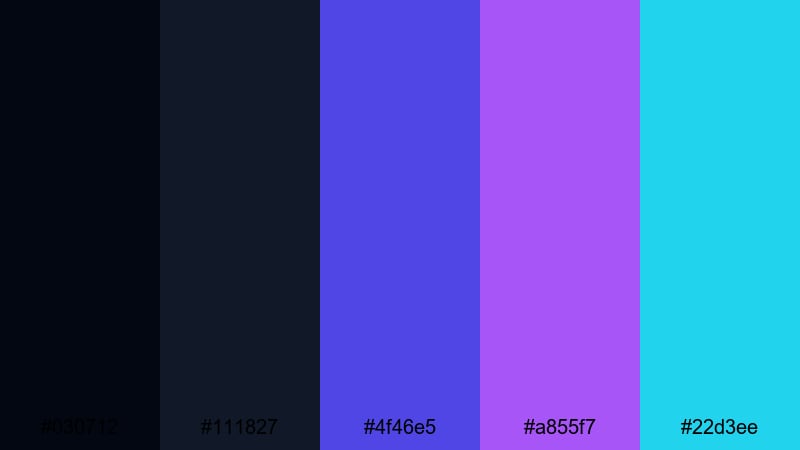
- HEX Codes: #030712, #111827, #4f46e5, #a855f7, #22d3ee
- Mood: Mysterious, futuristic, and tech heavy like a holographic control room.
- Use for: Use for sci fi intros, hacker themed content, and cyberpunk storytelling edits.
Hologram Hacker Hub combines deep midnight tones with saturated violet and cyan, echoing holographic HUDs and sci-fi dashboards. It is perfect for lore videos, futuristic narratives, and cyberpunk inspired streams.
Apply the dark blues for wide background plates and then animate #4f46e5, #a855f7, and #22d3ee as moving lines, scan grids, or floating panels. This palette instantly adds a sci-fi layer to your aesthetic color palette for vlog segments that cut between gameplay and narrative commentary.
Retro & Pixel Gaming Color Palettes
8-Bit Sunset Speedway
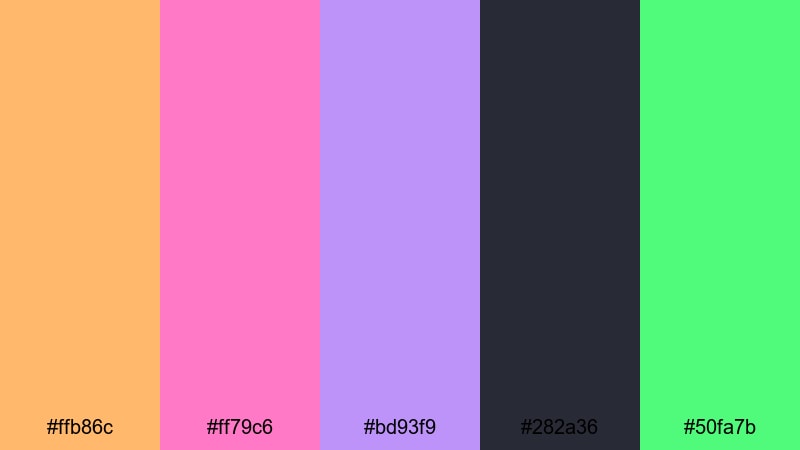
- HEX Codes: #ffb86c, #ff79c6, #bd93f9, #282a36, #50fa7b
- Mood: Nostalgic, playful, and slightly dreamy with vaporwave undertones.
- Use for: Ideal for retro inspired thumbnails, pixel art overlays, and synthwave styled gaming intros.
8-Bit Sunset Speedway blends warm sunset oranges with cotton candy pinks and purples over a charcoal base. It is retro without feeling outdated, sitting somewhere between classic arcade and vaporwave.
Use #282a36 for your background, then let #ffb86c, #ff79c6, and #bd93f9 paint pixel art borders, retro badges, and title cards. This palette is great for nostalgic gaming thumbnails, synthwave intros, and overlays that match old-school platformers or racing games.
Cartridge Classic Quest
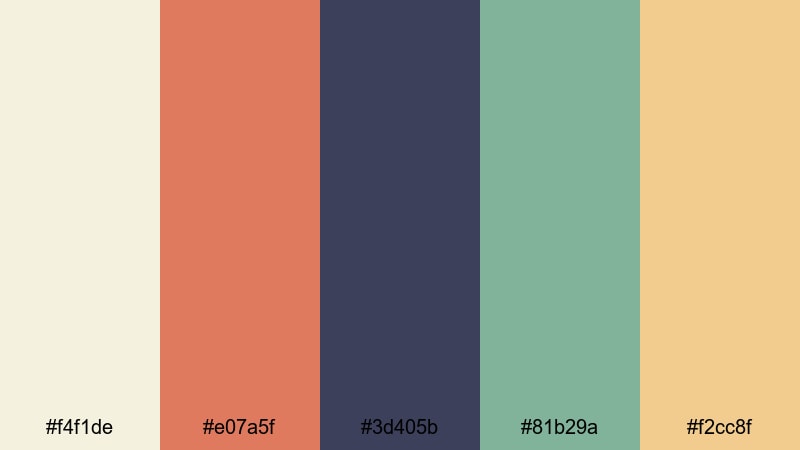
- HEX Codes: #f4f1de, #e07a5f, #3d405b, #81b29a, #f2cc8f
- Mood: Story driven, adventurous, and wholesome like a classic RPG cartridge.
- Use for: Great for cozy RPG edits, nostalgic lets play thumbnails, and long form story recap videos.
Cartridge Classic Quest combines earthy oranges and forest greens with soft neutrals, echoing classic fantasy maps and cartridge box art. It immediately suggests quests, villages, and long story arcs.
Use the off-white #f4f1de for menus or text panels, then accent titles and icons with #e07a5f and #3d405b. #81b29a and #f2cc8f add gentle contrast for health bars, quest markers, or minimalist pixel UI. This palette is perfect for wholesome, story-first gaming content and recap videos.
Pixel Dungeon Treasures
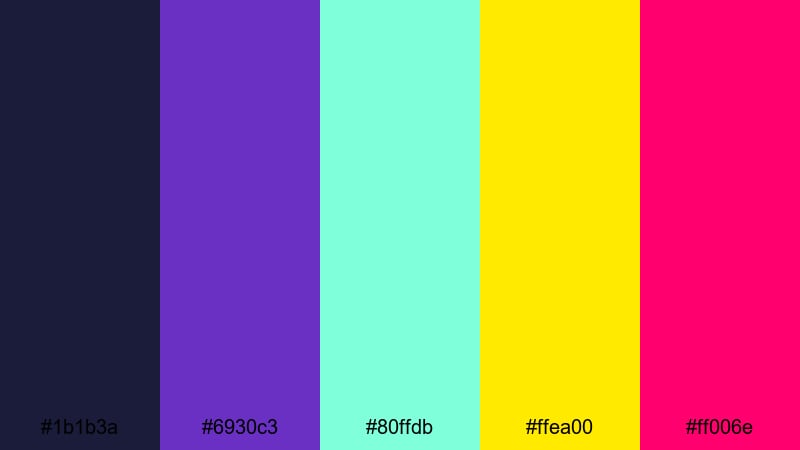
- HEX Codes: #1b1b3a, #6930c3, #80ffdb, #ffea00, #ff006e
- Mood: Mysterious, adventurous, and treasure packed with glowing loot vibes.
- Use for: Use for roguelike highlights, dungeon crawler edits, and animated item drop screens.
Pixel Dungeon Treasures contrasts deep midnight blue with gem-like purple, teal, gold, and hot pink. It feels like opening a chest room full of rare loot and legendary drops.
Place gameplay or pixel art over #1b1b3a, then reserve #ffea00 and #80ffdb for loot beams, chest outlines, and drop notifications. #6930c3 and #ff006e work well for title text and boss labels. This palette suits roguelike highlights, dungeon crawler montages, and animated item reveal sequences.
Cute & Pastel Gaming Color Palettes
Kawaii Stream Lobby
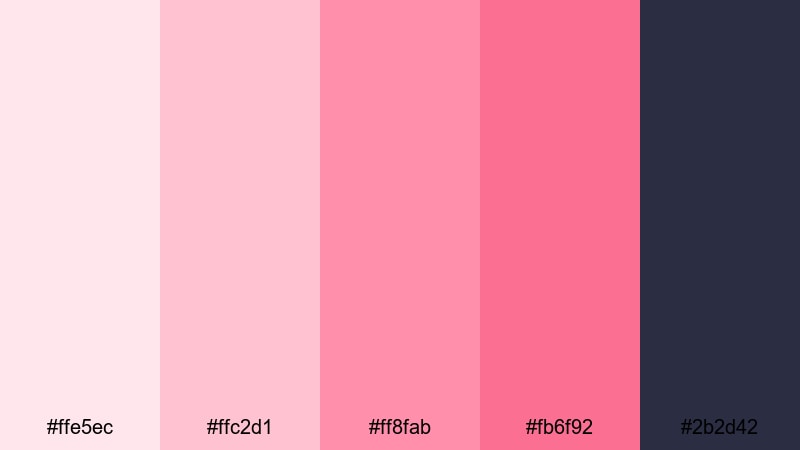
- HEX Codes: #ffe5ec, #ffc2d1, #ff8fab, #fb6f92, #2b2d42
- Mood: Cute, bubbly, and welcoming with a soft anime inspired charm.
- Use for: Perfect for just chatting scenes, starting soon screens, and cozy creator branding.
Kawaii Stream Lobby combines sugary pinks and blush tones with a dark slate accent, creating a cute yet readable layout. It feels like a cafe stream overlay or an anime styled chat screen.
Use #2b2d42 for text and key icons so your pastel backgrounds stay legible. #ffe5ec and #ffc2d1 work well for panels, chat boxes, and webcam borders, while #ff8fab and #fb6f92 add emphasis to follow alerts and button hover states. This is ideal for cozy channels that mix gaming with chat, crafts, or lifestyle content.
Pastel Power-Up Squad
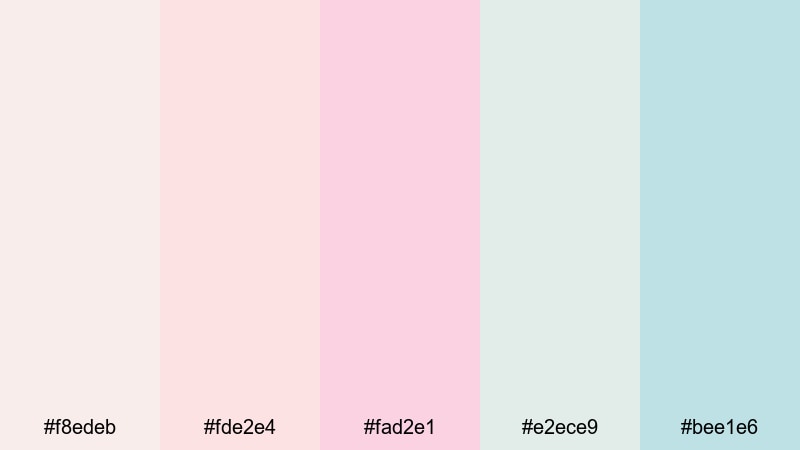
- HEX Codes: #f8edeb, #fde2e4, #fad2e1, #e2ece9, #bee1e6
- Mood: Light, playful, and uplifting with calm soft girl energy.
- Use for: Great for wholesome multiplayer edits, cozy vlogs with gaming b roll, and family friendly channels.
Pastel Power-Up Squad is all about gentle creams and powdery pastels. The low contrast makes everything feel soft, calm, and friendly, ideal for family-safe or wholesome gaming edits.
Use this palette in clean title cards, minimal overlays, and aesthetic color palette for vlog segments that weave in gaming B-roll. Because the colors are so light, keep your main text in a darker neutral or outline your letters to maintain readability on YouTube and mobile screens.
Cozy AFK Chill Zone
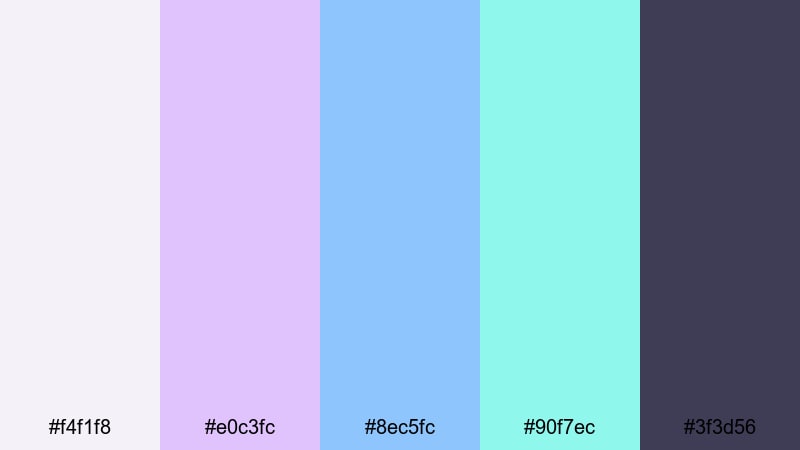
- HEX Codes: #f4f1f8, #e0c3fc, #8ec5fc, #90f7ec, #3f3d56
- Mood: Relaxed, lo-fi, and comfy with a late night chill stream vibe.
- Use for: Use for AFK scenes, lo-fi gaming playlists, and calm montage edits with soft transitions.
Cozy AFK Chill Zone floats soft lilacs and sky blues over a muted navy accent, creating a dreamy, late-night feel. It is tailored for AFK screens, lo-fi gaming playlists, and calm montages.
Use #3f3d56 for text and icons so your overlays remain readable, while #e0c3fc, #8ec5fc, and #90f7ec wash the frame in relaxing gradients. This palette suits study-with-me streams that include chill gaming footage, as well as mellow highlight reels with gentle crossfades instead of hard cuts.
Tips for Creating Gaming Color Palettes
When you build your own gaming color palette or adapt one of these, focus on balancing impact with clarity so your thumbnails, overlays, and intros stay both eye-catching and easy to read.
- Pick one dominant color and one strong accent, then keep the rest of the palette more muted so your UI and text do not compete with gameplay.
- Always test contrast: place your HEX codes in title text over background tones and check readability on both desktop and mobile screens.
- Use darker, low-saturation colors for large areas (backgrounds, panels) and reserve bright neons or pastels for buttons, icons, and callouts.
- Stay consistent across platforms by using the same HEX codes for gaming overlay colors, thumbnails, banners, and social clips.
- Match your palette to the game mood: tactical shooters suit dark cyber schemes, while party games and co-op streams work better with neon or pastel sets.
- Limit yourself to 4–6 main colors per project; too many variations make your esports branding palette look messy and unprofessional.
- Build gradients from neighboring tones in your palette (for example #e0c3fc to #8ec5fc) to create smooth backgrounds for intros and credit screens.
- When editing in Filmora, save titles, lower thirds, and overlays as custom presets so every new video automatically follows the same gaming color combinations.
Gaming color palettes do more than decorate your video; they instantly communicate genre, skill level, and personality. From neon boss arenas to cozy pastel lobbies, choosing the right HEX codes for gaming helps shape your brand identity and keeps viewers recognizing your content at a glance.
Use these 15 palettes as plug-and-play options for your next gaming themed video, then refine them in Filmora with AI Color Palette, HSL tools, and filters. Whether you create high-energy montages, tactical breakdowns, or aesthetic vlogs with gaming B-roll, a consistent palette will make your channel look more polished and memorable.
Open Filmora, drop in your favorite palette from this list, and experiment with overlays, RGB gaming gradients, and transitions until your visuals feel just as strong as your gameplay.
secure downloadNext: Boho Color Palette
