

 100% Security Verified | No Subscription Required | No Malware


 ChatGPT
 Perplexity
 Gemini
 Claude
 Grok
Grok
Cyberpunk colors mix neon lights, deep shadows, and high contrast to create a world that feels both futuristic and gritty. Bright magentas, toxic cyans, electric yellows, and glowing pinks pop against midnight blues and near-black backgrounds, instantly suggesting holograms, rain-soaked streets, and glowing screens. This intense contrast is perfect for storytelling because it communicates energy, danger, romance, and technology all at once.
For video creators, streamers, and designers, a strong cyberpunk color palette can define your whole brand. These neon cyberpunk color combinations work brilliantly in YouTube intros, vlogs, thumbnails, motion graphics, overlays, and channel branding. Below are ready-made cyberpunk color palettes with HEX codes, so Filmora users and other creators can quickly apply them to color grading, titles, overlays, and LUTs without guessing.
In this article
Neon City Cyberpunk Color Palettes
Neon Alley Dreams
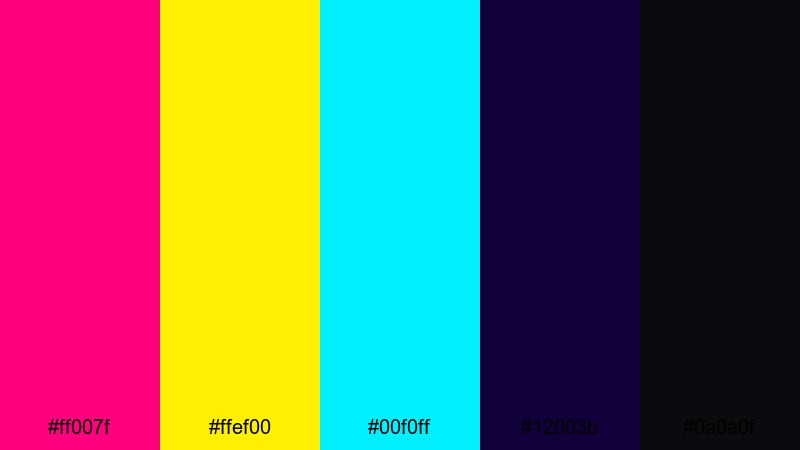
- HEX Codes: #ff007f, #ffef00, #00f0ff, #12003b, #0a0a0f
- Mood: Electric, hectic, and full of late-night city energy.
- Use for: Perfect for kinetic YouTube intros, street-style vlogs, and glitchy title cards.
Neon Alley Dreams feels like racing through a rain-soaked backstreet packed with signs and screens. The hot magenta (#ff007f), neon yellow (#ffef00), and bright cyan (#00f0ff) explode against deep midnight blues and blacks, giving your visuals that pure cyberpunk nightlife intensity.
Use this palette to grade energetic city B-roll, motion graphics, and glitch transitions. It performs especially well in YouTube intros, shorts, and thumbnails where you want instant impact and high legibility. For branding, use the darker blues as your base, and reserve the neon accents for logos, buttons, and key text so nothing feels overwhelming.
Pro Tip: Build a High-Energy Cyberpunk Intro in Filmora
In Filmora, you can turn Neon Alley Dreams into a full visual language for your channel. Use the darkest tones as your background layers, then add animated titles and shapes using the magenta, yellow, and cyan for sharp contrast. Duplicate this scheme across intros, lower thirds, and end screens to make your cyberpunk style instantly recognizable.
Combine speed ramps, glitch transitions, and light leak overlays in Filmora to match the palette's hectic vibe. Keeping the same neon accent colors throughout your edit helps your city vlogs, B-roll, and social cutdowns all feel like they exist in the same electric universe.
AI Color Palette
If you have a reference photo of neon alleys or a custom color card based on these HEX codes, you can turn it into a global look using Filmora's AI Color Palette feature. Import your reference, then match its tones to your entire timeline so every clip shares the same magenta, yellow, and cyan hierarchy.
This is ideal when you shoot on different cameras or in mixed lighting. AI Color Palette helps unify everything, from establishing shots and close-ups to overlays and text, so your cyberpunk aesthetic stays consistent across your full video or series.
 secure download

HSL, Color Wheels & Curves
Once you match the overall look, fine-tune your cyberpunk tones using HSL, color wheels, and curves in Filmora. Push magentas a little more saturated, cool down your blues, and lift cyan highlights while keeping shadows deep to preserve that alleyway noir feeling. A focused approach to color correction and grading helps every shot lock into the same futuristic mood.
Use curves to deepen contrast without crushing detail, then adjust color wheels so midtones lean slightly toward magenta and highlights toward cyan. This balance keeps skin tones believable while your environment glows with neon intensity, perfect for cinematic vlog sequences and stylized B-roll.
secure download1000+ Video Filters & 3D LUTs
If you want an instant cyberpunk vibe, Filmora's video filters and 3D LUTs make it easy to push your Neon Alley Dreams palette further. Start with a base LUT that adds contrast and a cool tint, then layer stylized filters like glow, chromatic aberration, or tilt-shift to intensify the neon feel.
Save your favorite combinations as custom presets so your intros, vlogs, streaming highlights, and shorts all share the same signature look. With just a few clicks, you can batch-apply your cyberpunk style across an entire content calendar.
secure downloadHologram Street Lights
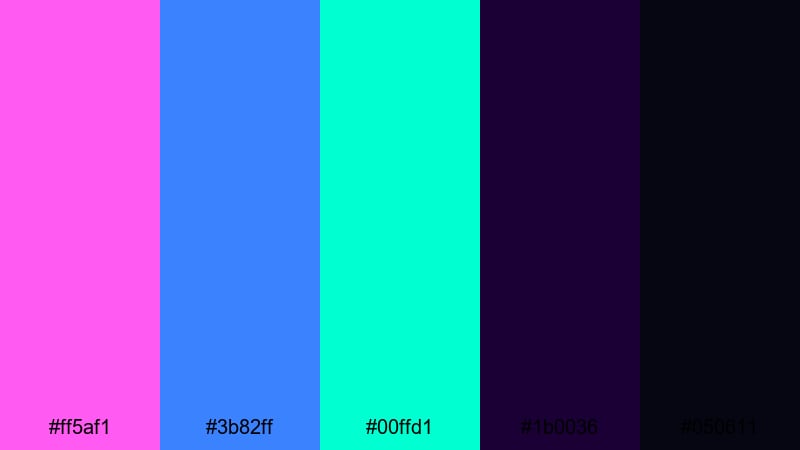
- HEX Codes: #ff5af1, #3b82ff, #00ffd1, #1b0036, #050611
- Mood: Surreal and futuristic with a dreamy sci-fi vibe.
- Use for: Use in cinematic B-roll sequences, tech review overlays, and animated hologram effects.
Hologram Street Lights feels like a city floating in fog, where everything is softly glowing instead of harsh and sharp. The neon pinks and blues have a pastel edge, while the deep violets and near-black tones keep the scene grounded in night.
This palette works beautifully for cinematic B-roll, tech reviews, UI overlays, and futuristic lower thirds. Use the darker violet and black as your base grade, then let pink and cyan highlight important interface elements, product edges, and call-to-action text in thumbnails and banners.
Electric Skyline Rush
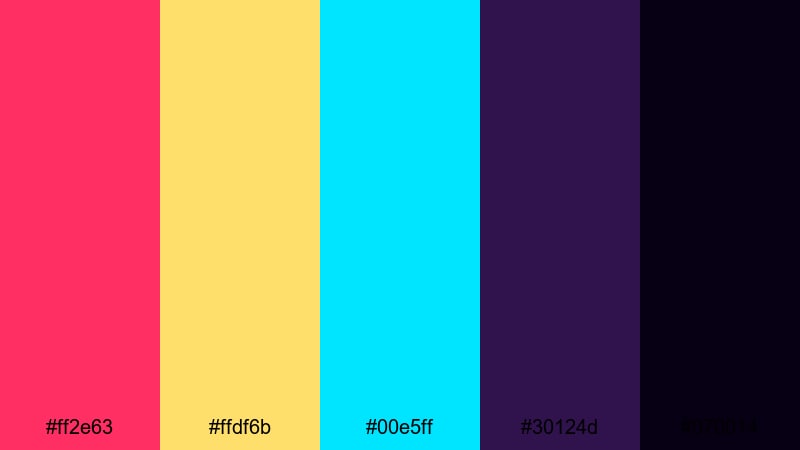
- HEX Codes: #ff2e63, #ffdf6b, #00e5ff, #30124d, #070014
- Mood: Adrenaline-charged with a sense of speed and motion.
- Use for: Great for travel vlogs, drone shots over cities, and motion graphics transitions.
Electric Skyline Rush injects pure speed into your visuals. Punchy reds, gold-ish yellows, and electric cyans feel like headlights and billboards streaking past a moving camera, backed by deep purples and nearly black shadows.
Use this palette when editing drone shots, time-lapses, and motion graphics that need a sense of rush. It is perfect for travel vlogs, techno event recaps, or high-energy channel openers. In thumbnails, place key text in the yellow or cyan against the darkest colors to grab attention instantly in crowded feeds.
Arcadia Night Market
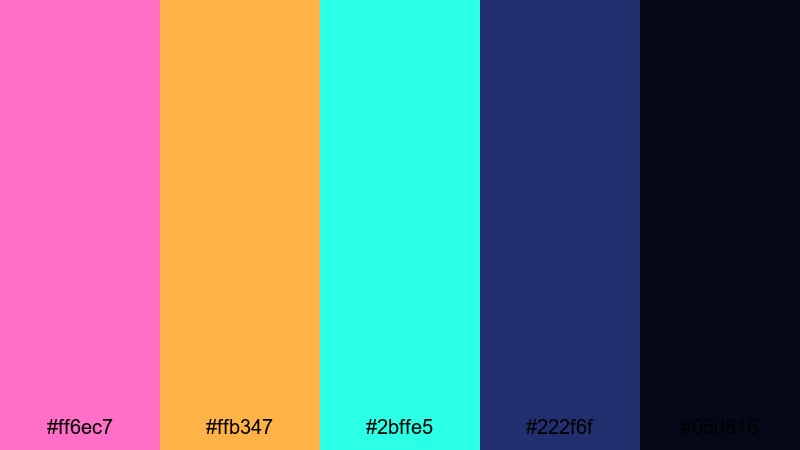
- HEX Codes: #ff6ec7, #ffb347, #2bffe5, #222f6f, #050816
- Mood: Lively, playful, and packed with sensory overload.
- Use for: Ideal for lifestyle edits, street food reels, and handheld market sequences.
Arcadia Night Market captures the joy of neon-lit stalls, food steam, and crowded alleys. The candy-like pinks and oranges create a warm, energetic feel, while aqua and deep navy keep everything rooted in a night-time cyber city.
Use it for lifestyle vlogs, street food videos, and hand-held market explorations where you want a friendly but still futuristic look. For branding and thumbnails, you can use navy as a neutral base, then reserve the bright pink and orange for logo marks, badges, and subscribe buttons to guide the viewer's eye.
Chrome Sakura Glow
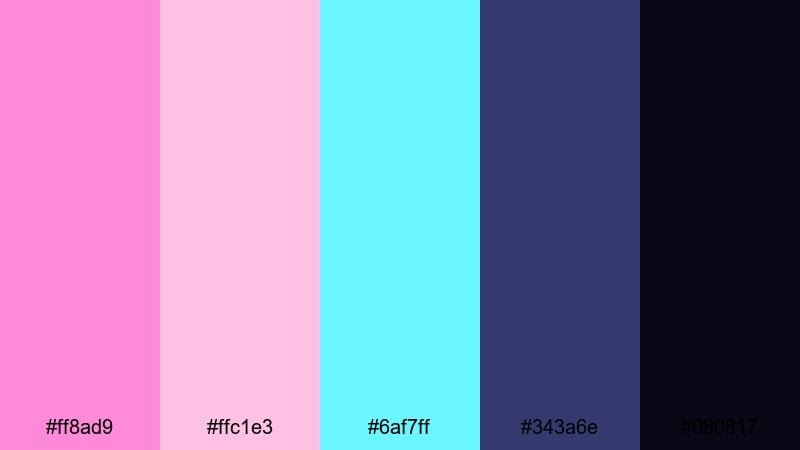
- HEX Codes: #ff8ad9, #ffc1e3, #6af7ff, #343a6e, #080817
- Mood: Romantic yet futuristic with gentle neon highlights.
- Use for: Use for aesthetic vlogs, city romance edits, and dreamy product shots.
Chrome Sakura Glow blends soft sakura pinks with cyan highlights over inky blues, giving you a romantic cyberpunk tone. It feels dreamy rather than aggressive, like a quiet moment under neon cherry blossoms.
This palette is ideal for aesthetic vlogs, couple edits, minimalist product showcases, and gentle title sequences. Use the darker blues for backgrounds and gradients, then layer in pink and cyan as subtle glows, flares, and text colors to keep the mood intimate and cinematic.
Retro Future Cyberpunk Color Palettes
Synthwave Horizon
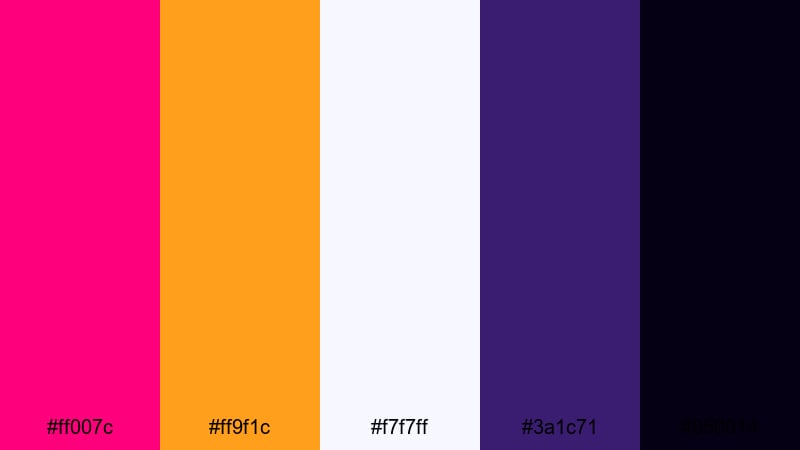
- HEX Codes: #ff007c, #ff9f1c, #f7f7ff, #3a1c71, #050014
- Mood: Nostalgic, bold, and cinematic with retro arcade energy.
- Use for: Perfect for title cards, lyric videos, and nostalgic gaming content.
Synthwave Horizon throws you into a retro-future sunset with hot magenta, bold orange, and soft off-white glowing over deep purple and black. It is instantly recognizable as synthwave and arcade-inspired.
Use this palette for lyric videos, retro gaming intros, nostalgic montages, and 80s-themed branding. Create gradients that fade from magenta to orange over a purple base, then place white or off-white text on top for clean readability in thumbnails, overlays, and end screens.
Vapor Grid Mirage
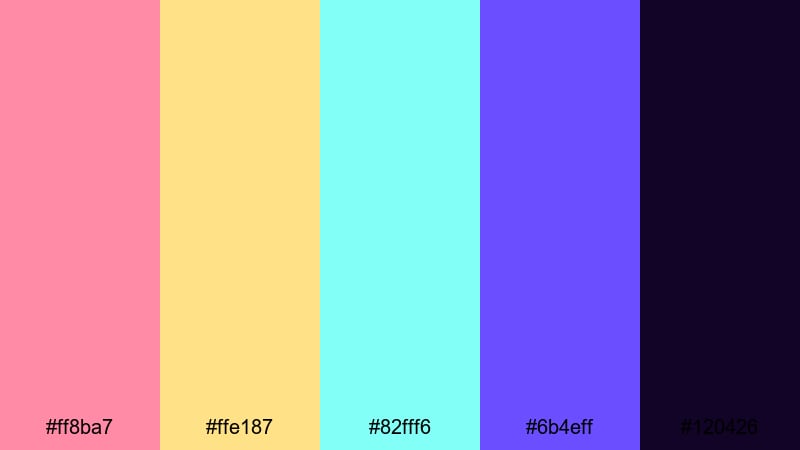
- HEX Codes: #ff8ba7, #ffe187, #82fff6, #6b4eff, #120426
- Mood: Dreamy and nostalgic with a hazy futuristic glow.
- Use for: Great for lo-fi beats visuals, background loops, and animated wallpapers.
Vapor Grid Mirage feels soft and nostalgic, like looking at neon through a low-contrast lens. Pastel pinks, milky yellows, and icy cyans float above indigo and midnight tones, perfect for calming and hypnotic content.
It is great for Lo-fi beats videos, animated wallpapers, idle screens, and subtle motion backgrounds for stream overlays. Use the softer neons for gradual gradients and light flares, and keep text mostly white or a darker purple-blue to maintain clarity over dreamy backdrops.
Pixel Arcade Riot
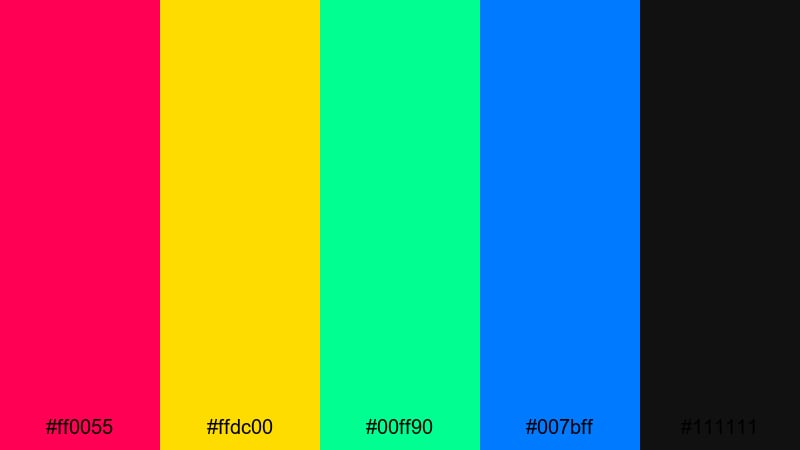
- HEX Codes: #ff0055, #ffdc00, #00ff90, #007bff, #111111
- Mood: Playful, loud, and chaotic like a packed arcade hall.
- Use for: Use for gaming intros, esports logos, and animated overlays.
Pixel Arcade Riot is pure neon chaos in the best way. The red, yellow, green, and blue neons are almost primary colors, but pushed into intense brightness against a neutral black, just like arcade cabinets and LED signs.
Use this palette for gaming intros, esports overlays, stream alerts, and score counters. The deep black (#111111) works as your base for HUDs and panels, while the neons highlight icons, kill counts, and animated badges. It also translates well to YouTube gaming thumbnails where you want bold, blocky shapes and clear contrast.
Neon Nostalgia Lines
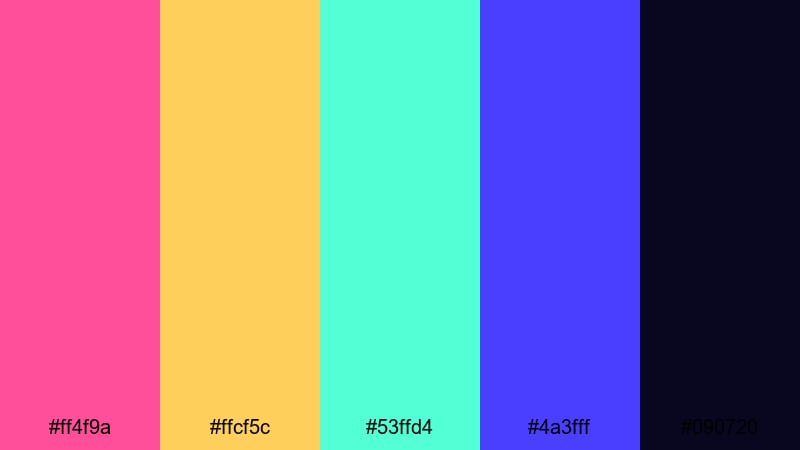
- HEX Codes: #ff4f9a, #ffcf5c, #53ffd4, #4a3fff, #090720
- Mood: Stylish and nostalgic with smooth gradient potential.
- Use for: Ideal for animated line art, retro logo reveals, and waveform visuals.
Neon Nostalgia Lines focuses on smooth gradients and flowing shapes. Warm pinks and golds blend naturally into teal and royal blue, with a deep night blue providing a clean contrast for outlines and text.
This palette suits waveform animations, retro logo reveals, line art graphics, and smooth background sweeps behind titles. Create diagonal or radial gradients across these colors, then animate thin lines or grids on top to evoke classic synthwave visuals in intros, intermissions, and branded bumpers.
Laser Tape Echo
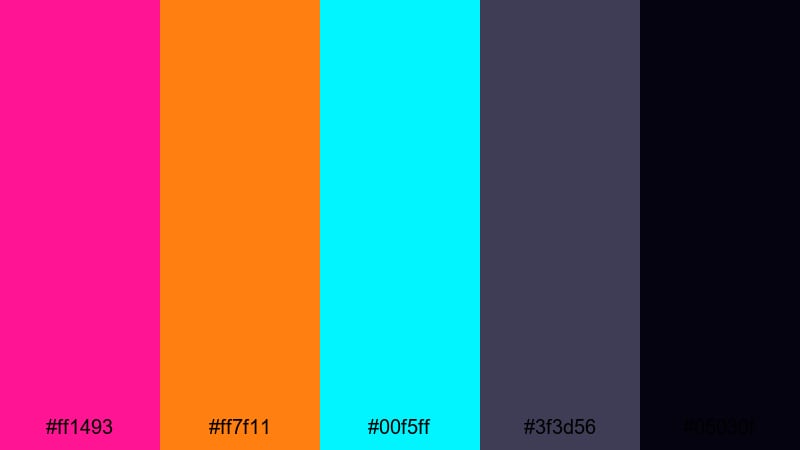
- HEX Codes: #ff1493, #ff7f11, #00f5ff, #3f3d56, #05030f
- Mood: Rhythmic and punchy with a synth-heavy groove.
- Use for: Use in music videos, beat-synced typography, and kinetic lyric animations.
Laser Tape Echo feels like neon lasers firing in rhythm with the beat. Bright pink, vivid orange, and pure cyan slice through charcoal and near-black tones, perfect for beat-focused edits.
Use this palette for music videos, kinetic typography, lyric videos, and teaser trailers. Sync flashes of pink and cyan to drum hits, and use the orange as an accent for key phrases or logo reveals. The darker grays keep the frame from feeling too busy while letting your neon accents cut through clearly.
Dark Tech Cyberpunk Color Palettes
Quantum Noir Circuit
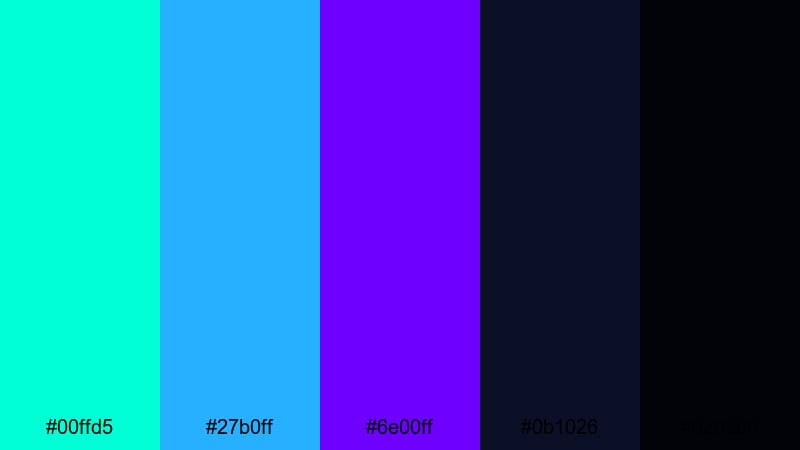
- HEX Codes: #00ffd5, #27b0ff, #6e00ff, #0b1026, #020309
- Mood: Mysterious, high-tech, and cinematic.
- Use for: Perfect for tech explainers, UI HUD overlays, and sci-fi short films.
Quantum Noir Circuit is all about cool neon against nearly black shadows. Teal, electric blue, and violet-purple act like LED traces running through a dark circuit board, giving your visuals a clean and high-tech feel.
Use this palette for tech explainers, HUD overlays, cybersecurity topics, and sci-fi shorts. Let the darkest tones dominate your backgrounds and frames, then draw attention to data, icons, and diagrams using teal and blue. In thumbnails, this combination reads as premium and futuristic without feeling messy.
Data Storm Overdrive
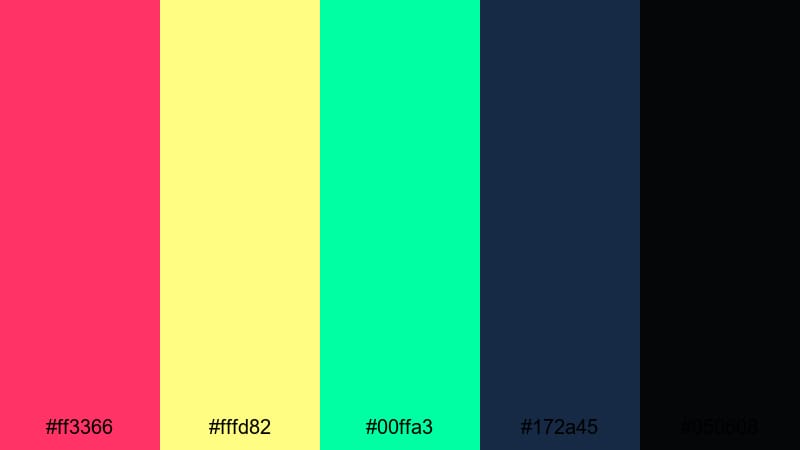
- HEX Codes: #ff3366, #fffd82, #00ffa3, #172a45, #050608
- Mood: Intense and dramatic with a sense of digital chaos.
- Use for: Use in hacking montages, glitch transitions, and dramatic reveal shots.
Data Storm Overdrive combines aggressive magenta and neon lime with teal shadows, creating the feeling of a system under attack. The contrast between warm alerts and cool backgrounds sells the idea of data overload and digital storms.
Use it for hacking montages, glitch transitions, reveal shots, and story moments where systems fail or alarms trigger. Reserve the neon lime and yellow tones for warning labels, progress bars, or key words in titles, while the blues and blacks hold the rest of the frame in tension.
Terminal Glitch Pulse
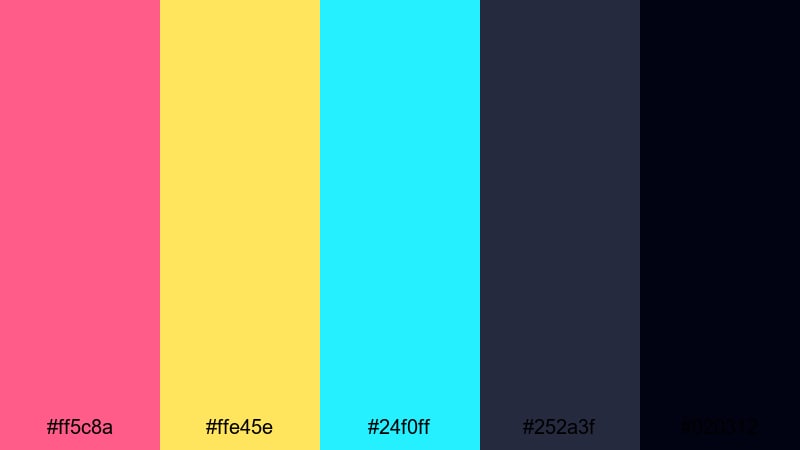
- HEX Codes: #ff5c8a, #ffe45e, #24f0ff, #252a3f, #020312
- Mood: Edgy and unstable with glitch-core aesthetics.
- Use for: Ideal for error screens, VHS overlays, and distorted logo reveals.
Terminal Glitch Pulse brings unstable, flickering energy to your videos. Flashing pink and yellow stand out sharply against teal and steel blue, making every frame feel like a corrupted broadcast or broken terminal.
Use this palette for glitch intros, VHS-style overlays, error screens, and logo reveals that shatter or distort. The teal and dark blues can hold your base UI or footage, while the bright pink and yellow appear as glitch blocks, scan lines, and text artifacts.
Midnight Firewall Halo
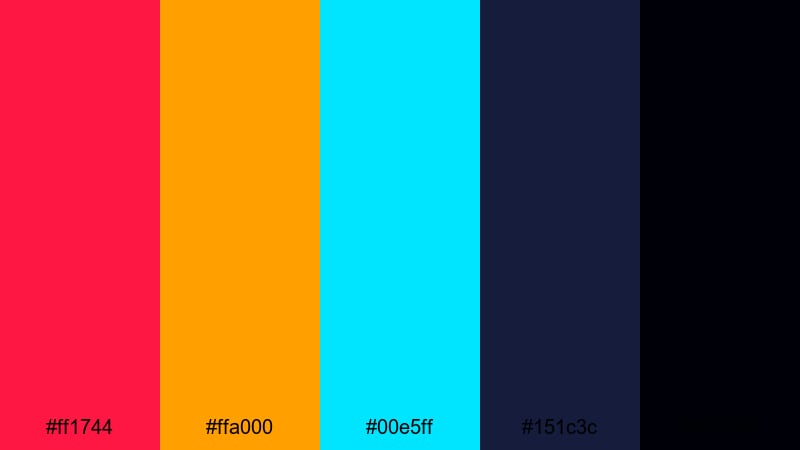
- HEX Codes: #ff1744, #ffa000, #00e5ff, #151c3c, #000008
- Mood: Tense, cinematic, and security-focused.
- Use for: Use in cybersecurity themes, suspense trailers, and dark UI dashboards.
Midnight Firewall Halo mixes warning reds and ambers with cool cyan on inky navy backgrounds. It feels like a digital control room during an emergency, with alerts lighting up a dark interface.
Use it for cybersecurity explainers, digital forensics stories, dark UI dashboards, and suspense trailers. Keep UI panels and charts in the dark blues, then use red and amber sparingly for dangers, errors, and key callouts. Cyan works well for neutral system text and icons, balanced against the threat colors.
Drone Dock Embers
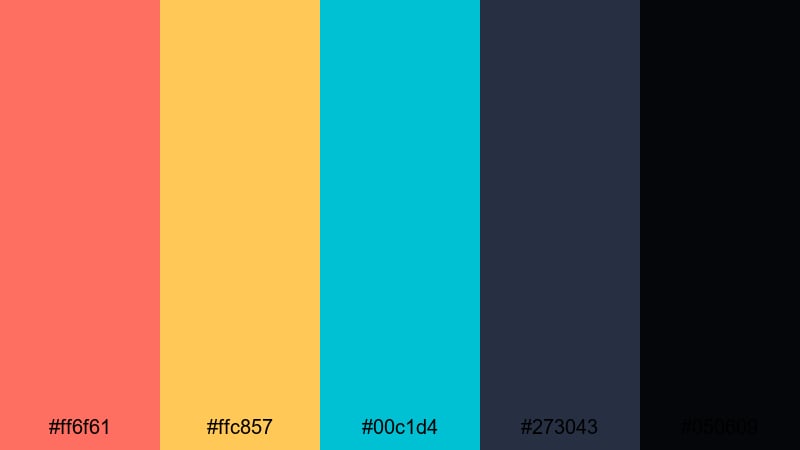
- HEX Codes: #ff6f61, #ffc857, #00c1d4, #273043, #050609
- Mood: Industrial and moody with a hint of warmth.
- Use for: Great for sci-fi industrial scenes, machinery B-roll, and tech product showcases.
Drone Dock Embers combines smoldering coral and amber lights with teal and steel blue shadows. It evokes hangar bays, maintenance docks, and industrial spaces glowing with distant sparks and control panels.
This palette is excellent for sci-fi industrial scenes, tech product reveals, machinery B-roll, and behind-the-scenes videos. Use the teal and steel tones for metal, machinery, and UI, while coral and amber act as accent lights, reflections, or warning strips. In thumbnails, the warm colors can frame your product or subject against a darker, cooler background for a cinematic, premium feel.
Tips for Creating Cyberpunk Color Palettes
When you design your own cyberpunk color palette for video and graphics, think about how neon accents, deep shadows, and contrast will guide the viewer's eye and support your story or brand.
- Start with a dark base: choose 1 to 2 deep blues, purples, or near-blacks as your background foundation so neons stand out cleanly.
- Limit neon accents: pick 2 or 3 bright colors (for example magenta, cyan, yellow) and use them consistently for highlights, text, and UI elements.
- Prioritize readability: always test text over gradients and footage; if needed, add outlines, drop shadows, or semi-transparent panels to keep titles clear.
- Match your footage: if your scene has lots of warm lights, lean into oranges and pinks; if it is mostly screens and LEDs, push blues and cyans.
- Use contrast for focus: place your highest-saturation colors around faces, products, or key interface elements to steer attention in busy frames.
- Stay on-brand: reuse the same HEX codes for channel art, lower thirds, and thumbnails so viewers recognize your cyberpunk style instantly.
- Test on different devices: preview your colors on phones, laptops, and TVs to check if neons clip or shadows crush too much.
- Save presets in your editor: once you like a look, save it as a Filmora preset or LUT so you can apply the same cyberpunk grading to future projects in seconds.
Cyberpunk color palettes are powerful tools for shaping mood, tension, and identity. From romantic neon city walks to dark tech thrillers and retro-future intros, your choice of magentas, cyans, yellows, and deep shadows can make your videos feel instantly futuristic and memorable.
Use the HEX codes above as ready-made schemes for grading, titles, and overlays, then refine them in Filmora until they match your story and brand. By keeping your palette consistent across intros, B-roll, thumbnails, and social edits, you build a coherent look that stands out in any feed.
Open Filmora, drop in one of these cyberpunk palettes as your guide, and start experimenting with AI Color Palette, HSL, filters, and LUTs. With a few tweaks, you can turn everyday footage into a neon-drenched world that feels uniquely yours.
secure download